

The short answer: if you’re trying to install a 32‑bit (x86) Radeon driver for a modern Polaris card like the AMD Radeon RX 580 on Windows 10, you will most likely fail because AMD ended active development and distribution of 32‑bit Radeon Software in 2018 — the last 32‑bit release is Radeon Software Adrenalin 18.9.3 — and newer drivers for RX 500 series hardware are provided only for 64‑bit Windows. This is why users on community forums report that the RX 580 “cannot install 32‑bit Windows 10 driver.”
The problem traces to a deliberate product-support decision. AMD moved Radeon Software support for 32‑bit Windows into a legacy mode effective October 1, 2018, and the company confirmed that no further 32‑bit releases would be published beyond the final Adrenalin 18.9.3 package. That means new feature, WHQL or day‑zero game drivers for later GPU generations — including Polaris‑based RX 580 variants — are produced only for 64‑bit Windows operating systems going forward. For users still running Windows 10 x86 (32‑bit), the only vendor‑provided path is to use the last 32‑bit driver AMD published, and many newer GPU builds simply no longer receive 32‑bit driver binaries at all.
Community threads and troubleshooting logs back up the same reality. Multiple TechPowerUp forum posts show users attempting to run legacy 32‑bit drivers against RX 580 hardware and encountering installer errors or only seeing the Microsoft Basic Display Adapter in Device Manager. Those threads also record the practical workarounds and the ultimate limits: Windows Update/OEM drivers for or a migration to 64‑bit Windows if you need the full, modern Radeon Software experience.
Source: Born2Invest https://born2invest.com/?b=style-231780512/
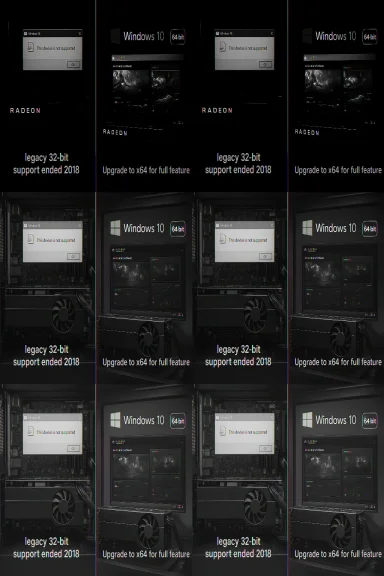 Background: why the RX 580 + Windows 10 32‑bit problem exists
The problem traces to a deliberate product-support decision. AMD moved Radeon Software support for 32‑bit Windows into a legacy mode effective October 1, 2018, and the company confirmed that no further 32‑bit releases would be published beyond the final Adrenalin 18.9.3 package. That means new feature, WHQL or day‑zero game drivers for later GPU generations — including Polaris‑based RX 580 variants — are produced only for 64‑bit Windows operating systems going forward. For users still running Windows 10 x86 (32‑bit), the only vendor‑provided path is to use the last 32‑bit driver AMD published, and many newer GPU builds simply no longer receive 32‑bit driver binaries at all. Community threads and troubleshooting logs back up the same reality. Multiple TechPowerUp forum posts show users attempting to run legacy 32‑bit drivers against RX 580 hardware and encountering installer errors or only seeing the Microsoft Basic Display Adapter in Device Manager. Those threads also record the practical workarounds and the ultimate limits: Windows Update/OEM drivers for or a migration to 64‑bit Windows if you need the full, modern Radeon Software experience.
What “cannot install” actually means: three concrete failure modes
When someone says “RX 580 cannot install 32‑bit Windows 10 driver” they typically see one of these outcomes:- The AMD installer refuses to run and reports “This device is not supported” because the package’s INF does not list the card’s hardware ID (VID/PID). This is common when an installer targets older families or only includes 64‑bit components.
- The installer runs but Device Manager still shows “Micrapter” (partial install). This indicates a failed driver deployment or leftover artifacts from prior drivers; the UI components may appear but the kernel driver did not install. Community standard remedy is a full cleanup (DDU) and a manual INF install if the INF contains the hardware ID.
- The installer attempts to place unsigned or legacy kernel drivers, and Windows blocks them due to signature enforcement (especially on 64‑bit systems with Secure Boot). In older 32‑bit environments you may still hit signing/incompatibility problems. Disabling signature enforcement is possible for testing but is insecure and not recommended for production systems.
Verification: vendor policy and independent corroboration
Two independent verification points you should accept as authoritative:- AMD’s own support article states clearly that Radeon Software support for 32‑bit Windows has been moved to legacy and that Adrenalin 18.9.3 is the final 32‑bit release. If you need modern features, AMD recommends moving to a 64‑bit Windows OS.
- Community and press reporting from multiple outlets (TechPowerUp threads, Hexus/TechSpot coverage, forum logs) document the same timeline and consequences in practical user experience: installers without 32‑bit payloads, INF mismatches, and the need to rely on Windows Update/OEM drivers or migrate to x64.
Deep dive: technical causes and constraints
Driver architecture and OS bitness
Drivers for modern GPUs include kernel‑mode components compiled specifically for the OS bitness. A 64‑bit kernel requires 64‑bit driver binaries; a 32‑bit kernel requires 32‑bit binaries. Hardware vendors typically ship both x86 and x64 driver builds only when they commit to supporting both platforms. AMD’s decision to move 32‑bit support to legacy means they stopped building 32‑bit driver binaries for many modern GPU families after 2018. That directly explains why an RX 580 — launched after Polaris’ release and actively supported in 64‑bit driver branches — may not have an AMD‑supplied 32‑bit INF/driver package to install on Windows 10 x86.INF listings and the “device not supported” message
Windows driver installers rely on the hardware ID entries inside Display.Driver.inf to claim supported VID/PID strings. If the INF doesn’t list your card’s PCI\VEN_1002&DEV_xxxx ID, the GUI installer will abort. Extracting the driver package and inspecting the INF is the single most reliable way to determine whether a packaged driver supports your device. The community guidance is explicit: do not* edit INFs and attempt to install them unvalidated unless you fully understand signing and re‑signing; instead, use an INF that already lists your device.Driver signing, Secure Boot and kernel security
Modern Windows enforces kernel‑mode driver signing on 64‑bit installations and when Secure Boot is enabled. Legacy or repackaged drivers without valid signatures will be blocked or require disabling enforcement. This is a legitimate security boundary; circumventing it exposes the system to kernel‑level code execution by untrusted binaries. On production machines the safest path is to use Microsoft‑signed drivers from Windows Update, OEM‑provided drivers, or AMD’s official WHQL‑signed Adrenalin x64 packages.Practical options for users (ranked from safest to riskiest)
- Option 1 — Accept Microsoft’s signed legacy driver via Windows Update (lowest risk)
- What it gives you: stable desktop graphics, multi‑monitor support, safe kernel driver that’s WHQL‑signed by Microsoft.
- What it lacks: the latest Adrenalin features (Radeon Software overlay, some video offload optimizations). This is the recommended route for 32‑bit users who prioritize stability and security.
- Option 2 — Use an OEM‑provided driver package if you have a branded system
- OEM packages sometimes include 32‑bit support or vendor‑tuned stacks for hybrid graphics. If your machine is from Dell/HP/Lenovo and they published a driver for your exact model, prefer that. OEM installers are tuned for the system and may restore functionality the generic AMD archives don’t provide.
- Option 3 — Migrate to Windows 10 or 11 64‑bit (recommended for feature parity)
- Why: 64‑bit Windows receives all modern Radeon Software releases, driver optimizations, and security maintenance. If your CPU supports 64‑bit and you have adequate RAM, migrating to x64 is the cleanest, long‑term fix. AMD and other vendors now target x64 exclusively for new features.
- Option 4 — Advanced manual install of an archived 32‑bit driver (expert users only)
- Steps (high level): back up the system or image the drive → extract the AMD installer to confirm the INF lists your hardware ID → boot to Safe M clean prior drivers → perform Device Manager → Update driver → Have Disk… and point to the extracted 32‑bit INF → reboot and test.
- Caveats: if the INF doesn’t include your hardware ID, do not edit and install it unless you can re‑sign the driver. Disabling driver signature enforcement is insecure; use it only on a sacrificial/test machine. This workflow is the community’s conservative advanced option and is documented across multiple troubleshooting guides.
- Option 5 — Buy a modern, low‑cost x64 GPU and move on (economically sensible)
- For many users the total time and risk of coaxing legacy drivers into a modern Windows install outweighs the cost of a low‑end, new GPU that ships with current driver support. Community advice often favors replacement for long‑term stability.
Step‑by‑step: how to check if any 32‑bit driver will work for your RX 580 (for advanced users)
- Record your GPU hardware ID in Device Manager: right‑click the adapter → Properties → Details → Hardware Ids (copy PCI\VEN_1002&DEV_xxxx).
- Download the last AMD 32‑bit package you can find (Adrenalin 18.9.3), or the OEM driver if available. Verify signatures/checksums when possible.
- Run the installer once to let it self‑extract (many AMD packages unpack to C:\AMD). If it fails, try extracting with archive tools (some community posts show manual extraction tricks).
- Inspect the extracted Display.Driver*.inf files with a text editor and search for your hardware ID. If the INF does not list your device, stop here — the GUI installer will refuse and editing the INF creates security/signing work.
- If the INF contains your ID, create a full disk image or at least a System Restore point. Prepare a bootable Windows installation media in case you need recovery.
- Boot to Safe Mode and run Display Driver Uninstaller (DDU) to remove all prior GPU drivers. Reboot normally.
- In Device Manager, choose Update driver → Browse my computer → Let me pick from a list → Have Disk… and point to the 32‑bit INF. Install only the Display Driver component where possible. Reboot and test.
Security, lifecycle and policy considerations you cannot avoid
- Kernel‑mode drivers are a critical attack surface. Installing unsigned or repackaged drivers compromises kernel integrity — never accept permanent signature enforcement disablement on a production machine. The community consensus is categorical: only test unsigned drivers on isolated or sacrificial machines and re‑enable enforcement immediately.
- Windows 10’s lifecycle matters. Microsoft declared Windows 10 end‑of‑support on October 14, 2025; that reduces vendor testing and changes how AMD lists OS compatibility in release notes. Even where AMD clarifies continued compatibility, long‑term security and feature updates are safer on supported OS builds and x64 platforms. If you rely on older OS/drivers for business or sensitive tasks, create a migration plan.
- Third‑party repackagers are high risk. Community moderation logs and technical audits repeatedly surface repackaged installers with modified INFs or unsigned kernel files. Only use drivers from AMD, Microsoft Update, or the OEM.
Critical analysis: strengths, practical benefits, and real risks
Strengths of AMD’s approach
- Resource prioritization: focusing driver engineering on 64‑bit Windows lets AMD deliver modern features, performance optimizations, and security fixes where most users live.
- Cleaner driver stack: reducing legacy branches simplifies QA and reduces the probability of regressions across diverse OS bitnesses.
- Clear upgrade path: AMD explicitly encourages migration to 64‑bit Windows for a full feature set, which is a practical, sustainable roadmap for ecosystem health.
Real user-facing benefits (practical)
- Users on x64 get the full, WHQL‑signed Adrenalin experience: Radeon Overlay, game optimizations, driver telemetry controls, and modern video codec support.
- OEM/system vendors retain the ability to ship tuned packages for branded hardware, which helps laptops and integrated systems preserve functionality.
Risks and downsides
- Legacy users stuck on 32‑bit Windows — often because of very old CPUs/motherboards or specific software dependencies — are effectively orphaned. They must accept older drivers with no future security patches or perform an OS/hardware upgrade.
- The temptation to use third‑party repackaged drivers or to disable signature enforcement introduces material security risk. Community threads show that users sometimes succeed, but at the cost of exposing their systems.
- For mission‑critical or corporate deployments, continuing to run a 32‑bit stack with legacy GPU drivers is a risk multiplier because both the OS and drivers are out of active maintenance.
Practical recommendations for WindowsForum readers
- If you must stay on Windows 10 x86: install whatever Microsoft‑signed driver Windows Update offers and accept its functional limits. Do not hunt for unsigned third‑party “32‑bit RX 580” packages.
- If you can move tonstall Windows 10/11 x64, then install the latest AMD Adrenalin x64 package for best stability and feature set. This is the easiest way to get RX 580 working as intended.
- If you are technically experienced and insist on attempting a 32‑bit legacy install: follow the conservative manual workflow (record hardware IDs, inspect INF, DDU clean in Safe Mode, Have Disk manual install), and only test on non‑critical hardware. Keep a recovery image and re‑enable signature enforcement after tests.
- For systems used for sensitive tasks or production: consider a hardware refresh or migration plan. The time and security costs of running legacy drivers outweigh the one‑time cost of modest new hardware in many cases.
Conclusion
The short, practical takeaway for Windows users is straightforward: the RX 580’s inability to accept a modern 32‑bit Windows 10 driver is not a random bug — it’s the predictable result of AMD’s decision to end 32‑bit Radeon Software development in 2018. The vendor and the communie set of safe options: accept Microsoft‑signed drivers for 32‑bit systems, migrate to Windows x64 to regain full Adrenalin functionality, or replace the GPU with a modern, x64‑friendly card. Attempting to force a mismatched or edited INF onto your system is an advanced, risky operation and should be treated as a last resort for experimental, non‑critical machines. For most readers, the best course of action is either to move to a 64‑bit OS or to accept the Microsoft/OEM fallback driver for reliability and security.Source: Born2Invest https://born2invest.com/?b=style-231780512/
