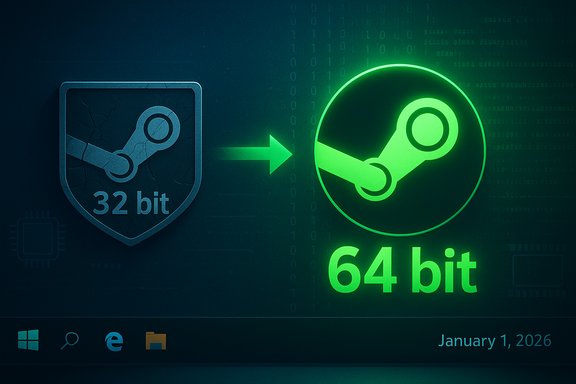
Valve has begun the final phase of a long‑running modernization: the Steam desktop client is now a native 64‑bit application on Windows 10 (x64) and Windows 11, and support for 32‑bit Windows installations will be frozen and then retired on January 1, 2026, after which Steam will no longer ship updates, security fixes, or provide official support for 32‑bit Windows clients.
For years the Steam desktop client walked a compatibility tightrope: the main executable remained a 32‑bit process on Windows even as many helper processes (notably embedded browser components and some background services) ran as 64‑bit. That hybrid architecture helped preserve compatibility with legacy systems but imposed hard technical ceilings — most obviously an effective per‑process memory limit and the ongoing burden of maintaining two parallel Windows build pipelines. Valve began signaling a move away from this model earlier in the year and has now completed the key technical step of shipping a native 64‑bit client on modern Windows SKUs, while publishing an explicit end‑of‑support date for 32‑bit Windows installs. Why this matters: the change is about the Steam client and its update/support pipeline, not a mandate to remove or convert older 32‑bit game executables. 32‑bit game binaries will still run on 64‑bit Windows through the OS compatibility layer; the practical impact is that users still on a 32‑bit Windows install will stop receiving Steam client updates and support after the cutoff.
The tradeoff is narrow and targeted: a very small cohort of users running 32‑bit Windows installations — particularly on hardware that cannot be upgraded to 64‑bit — will lose official updates and support. For almost all consumer gamers, the impact is negligible; for archivists, embedded systems managers, and retro‑preservation communities, the decision raises legitimate concerns about security, long‑term access, and the need for careful migration planning or preservation strategies. Valve’s clear cutoff date is kinder than an open‑ended deprecation, because it gives the community and administrators a finite window to act.
This transition is a sign of the times: modern desktop platforms and their tooling increasingly assume 64‑bit baselines. The key question for users and organizations is not whether the decision is defensible — it clearly is — but whether they have the migration plan and timeline to match Valve’s cadence. For the vast majority, the move will be a quiet win; for the few running legacy 32‑bit deployments, it’s a practical signal to plan and act now.
Source: Tom's Hardware https://www.tomshardware.com/video-...ows-as-32-bit-support-enters-final-countdown/
 Background
For years the Steam desktop client walked a compatibility tightrope: the main executable remained a 32‑bit process on Windows even as many helper processes (notably embedded browser components and some background services) ran as 64‑bit. That hybrid architecture helped preserve compatibility with legacy systems but imposed hard technical ceilings — most obviously an effective per‑process memory limit and the ongoing burden of maintaining two parallel Windows build pipelines. Valve began signaling a move away from this model earlier in the year and has now completed the key technical step of shipping a native 64‑bit client on modern Windows SKUs, while publishing an explicit end‑of‑support date for 32‑bit Windows installs. Why this matters: the change is about the Steam client and its update/support pipeline, not a mandate to remove or convert older 32‑bit game executables. 32‑bit game binaries will still run on 64‑bit Windows through the OS compatibility layer; the practical impact is that users still on a 32‑bit Windows install will stop receiving Steam client updates and support after the cutoff. What Valve changed — the essentials
- The Steam desktop client on Windows 10 (64‑bit) and Windows 11 now runs as a native 64‑bit executable.
- Valve will continue to distribute a 32‑bit client to machines that require it only until January 1, 2026 (10:00 AM noted in some release notes); after that date the 32‑bit branch will receive no further updates, security patches, or official technical support.
- Games compiled as 32‑bit executables are not being removed — they will still be playable on modern 64‑bit Windows installations.
The timeline and the numbers
Key dates
- January 1, 2026 — Steam will stop shipping updates and support for Steam clients running on 32‑bit Windows.
Who is affected and how many?
Valve’s telemetry and Steam’s Hardware Survey consistently show the population of machines still running 32‑bit Windows is vanishingly small. Public reporting frequently cites a figure of around 0.01% of Steam users running Windows 10 in 32‑bit mode — effectively a few thousand machines at most relative to Steam’s multi‑tens‑of‑millions user base. That tiny slice is why Valve chose a clear cutoff instead of indefinite backporting: maintaining a high‑feature, secure client for an architecture that almost no one uses imposes disproportionate engineering, QA, and security costs.Technical rationale: why 64‑bit matters now
Memory and process limits
A 32‑bit process is fundamentally limited in addressable virtual memory (roughly a 2–4 GB practical ceiling depending on configuration). Modern Steam features — a Chromium‑based in‑client browser, overlay and recording subsystems, high‑resolution workshop previews, large library metadata caches, and richer UI elements — can easily push memory usage into ranges that become fragile inside 32‑bit constraints. Moving the client to 64‑bit removes that ceiling and reduces the need for fragile workarounds.Upstream dependency drift
Third‑party libraries, browser runtimes, and some driver stacks have increasingly adopted 64‑bit as the baseline. Supporting two architectures means duplicated build artifacts, expanded QA matrices, and additional points of failure when upstream vendors stop releasing 32‑bit variants. Valve explicitly points to gaps in drivers and middleware as a central reason for the cutover.Security and engineering velocity
Supporting just one architecture simplifies continuous integration, allows Valve to adopt modern compiler and OS mitigations more uniformly, and reduces the attack surface for legacy, rarely used configurations. Consolidation frees engineering cycles to iterate on features and stability for the vast majority of users on 64‑bit Windows.What changed for users in the December/November client updates
The architecture switch was bundled with a number of practical fixes and device updates in Valve’s recent beta and stable releases. Highlights reported across release notes and community threads include:- Fixes to in‑client recording and H.265 export issues on systems with modern NVIDIA GPUs.
- Expanded Steam Input recognition, including USB support for the Nintendo Switch 2 controller and improved GameCube adapter behavior in Wii‑U mode (rumble, hotplug fixes).
- Stability improvements for Big Picture/Remote Play and Friends & Chat reporting controls.
Real‑world impact: scenarios and guidance
Users on modern hardware
If your PC runs Windows 10 (64‑bit) or Windows 11, this change is effectively invisible — you already receive the 64‑bit client and will continue to get feature updates, security patches, and support as before. For most gamers, there is no action required.Users on 32‑bit Windows installations
If your machine reports “System type: 32‑bit operating system, x64‑based processor,” you can usually upgrade to a 64‑bit Windows image with a clean install (backup data, create bootable media, reinstall). That migration will restore full client update access and security patches. If you’re running on truly 32‑bit‑only hardware (a CPU without x86‑64 support), there is no upgrade path to 64‑bit Windows — those machines will be effectively end‑of‑life for Steam after the cutoff.Institutional and embedded setups
Kiosks, museums, retro cabinets, or industrial PCs that run a 32‑bit image may need special attention. Options include:- Reimaging to a 64‑bit OS if hardware supports it.
- Migrating the deployment to newer hardware where necessary.
- Preparing an offline fallback plan for game playback if Steam connectivity becomes insecure or non‑functional on unsupported OS versions.
Practical migration checklist (short)
- Check your system type: Settings → System → About → System type.
- If the CPU supports x64, back up all data to external media or cloud.
- Download the 64‑bit Windows installer media (use official Microsoft Media Creation Tool).
- Create a bootable USB, perform a clean install of Windows 10 (64‑bit) or Windows 11.
- Install 64‑bit drivers from your OEM and restore files.
- Reinstall Steam and verify overlay, Input, and recording functions.
Strengths of Valve’s approach
- Technical clarity and predictability. Setting a firm date (January 1, 2026) gives administrators and hobbyists a clear migration window.
- Engineering efficiency. Consolidating on 64‑bit reduces CI/QA costs and enables faster feature delivery and security improvements for the majority of users.
- Security posture. Stopping updates for an architecture that cannot receive modern mitigations indefinitely reduces long‑term maintenance risk.
Risks and downsides (what to watch out for)
- Security cliff for remaining 32‑bit installations. Once Valve stops shipping updates, those clients will not receive security patches; continuing to use Steam on unsupported OS versions increases exposure.
- Potential edge‑case breakage. Some third‑party plugins, overlay tools, capture utilities, or legacy middleware that rely explicitly on 32‑bit hooks may experience incompatibilities with the new client or when partners shift their own tooling to 64‑bit‑only. Valve warned that driver and middleware drift is part of the move.
- Preservation and retro communities. Museums, retro‑gaming cabinets, or bespoke archival rigs that run genuinely 32‑bit hardware face a long‑term preservation challenge; unofficial community backports and forks may appear, but they come with security and stability tradeoffs.
Developer, publisher and anti‑cheat implications
Moving the official client to 64‑bit simplifies a lot of testing for developers and anti‑cheat vendors — there’s one fewer variable in the compatibility matrix. However, it also means:- Anti‑cheat systems that rely on kernel or driver components will need to be validated against the new client behavior; most vendors have long since standardized on 64‑bit drivers, but edge cases exist.
- Publishers should verify overlay and Input integrations against the current beta/stable client if they ship custom modules or companion apps. Regression testing is advisable for titles that deep‑hook Steam or use unusual DLLs.
Preservation paths and community workarounds — proceed with caution
Community members and preservationists will inevitably try to keep older machines functional. Common approaches include:- Community‑built backports of newer Steam builds to older OSes.
- Running Steam in a VM or container that emulates older Windows variants (if the host supports it).
- Moving to alternative launchers or standalone DRM‑free executables where available.
Cross‑checking the key claims
- Valve’s official support notes and Steam release posts document the end‑of‑support date and the shift to a 64‑bit client. These statements are reflected in the Steam news and support pages.
- Multiple independent outlets corroborated the timeline and the scope (that the change applies to 32‑bit Windows clients and not to 32‑bit game binaries), including Ars Technica, PCWorld, Windows Central, Tom’s Hardware and PC Gamer. Those reporting outlets independently referenced Valve’s note and the Steam Hardware Survey numbers.
- The 0.01% figure for Windows 10 32‑bit usage appears consistently across Valve telemetry references and industry reporting, though exact rounding depends on how survey slices are computed; treat that figure as a reasonable order‑of‑magnitude estimate rather than an exact, immutable stat.
What to do next — recommendations
- If you run a modern PC: no action required. Keep Steam updated and take advantage of the 64‑bit client improvements.
- If you run a 32‑bit OS on x64 hardware: schedule a clean migration to a 64‑bit Windows image before January 1, 2026. Back up everything first. Use official Windows installation media and vendor drivers.
- If you run genuinely 32‑bit hardware used for preservation or niche deployments: prepare contingency plans — either accept the eventual unsupported state, migrate to emulation/VMs hosted on 64‑bit hardware, or plan hardware replacement. Treat any unofficial Steam client builds as high‑risk for security and reliability.
Final analysis: a pragmatic modernization with a narrow but real cost
Valve’s move to a native 64‑bit Steam client on Windows and the decision to end support for 32‑bit Windows installations on January 1, 2026, is a pragmatic, technically justified step that aligns with the broader Windows ecosystem’s move to 64‑bit only distributions. The change reduces engineering overhead, enables better memory and security posture, and allows Valve to deliver new features without carrying long‑tail compatibility weight.The tradeoff is narrow and targeted: a very small cohort of users running 32‑bit Windows installations — particularly on hardware that cannot be upgraded to 64‑bit — will lose official updates and support. For almost all consumer gamers, the impact is negligible; for archivists, embedded systems managers, and retro‑preservation communities, the decision raises legitimate concerns about security, long‑term access, and the need for careful migration planning or preservation strategies. Valve’s clear cutoff date is kinder than an open‑ended deprecation, because it gives the community and administrators a finite window to act.
This transition is a sign of the times: modern desktop platforms and their tooling increasingly assume 64‑bit baselines. The key question for users and organizations is not whether the decision is defensible — it clearly is — but whether they have the migration plan and timeline to match Valve’s cadence. For the vast majority, the move will be a quiet win; for the few running legacy 32‑bit deployments, it’s a practical signal to plan and act now.
Source: Tom's Hardware https://www.tomshardware.com/video-...ows-as-32-bit-support-enters-final-countdown/