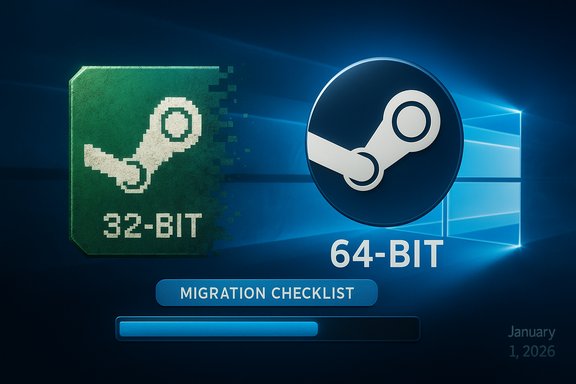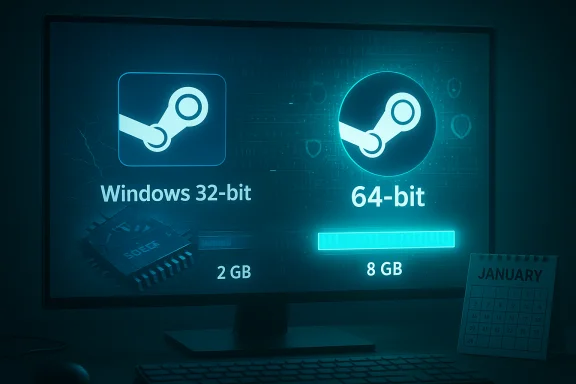
Valve is moving the Steam client on Windows to 64‑bit only, and the company has set a firm cutoff for legacy 32‑bit Windows updates: existing 32‑bit clients will receive updates only until January 1, 2026, after which Valve will stop issuing fixes, features, and support for 32‑bit Windows installs.
Background
Steam’s desktop client has long straddled the line between old and new: it needs to run on a huge variety of user systems while also keeping pace with modern browsing engines, DRM systems, anti‑cheat drivers, and platform security features. Over the past year Valve has signalled an accelerated clean‑up of legacy compatibility, and the recent beta releases show the client itself running natively as a 64‑bit application on Windows 10 (64‑bit) and Windows 11. At the same time, Valve has explicitly stated that Windows 10 (32‑bit) is the only 32‑bit Windows SKU still supported today and that support for 32‑bit systems ends January 1, 2026. This is a change to the Steam launcher rather than to game binaries: 32‑bit games will continue to run on 64‑bit Windows using native compatibility layers where the OS supports them, but future Steam client builds and features will be 64‑bit only.Why this matters now
Several technical and product realities converge to make a 64‑bit‑only client the pragmatic choice:- Address space and memory pressure. A 32‑bit process typically peaks around 2–3 GB of usable address space; modern Steam features (a Chromium‑based in‑client browser, community hub, workshop previews, large library indexing, and heavy overlay features) push memory and process isolation needs well past that ceiling. A 64‑bit client relieves hard memory limits and reduces memory fragmentation.
- Upstream libraries and drivers. Valve points to dependencies — system drivers and other libraries — that are no longer supported or viable on 32‑bit Windows, making it increasingly costly or impossible to keep parity between 32‑ and 64‑bit builds. That practical dependency erosion is a decisive force.
- Engineering cost. Building, testing, and maintaining two parallel clients (32‑ and 64‑bit) doubles development, QA, and release management work. Consolidating onto 64‑bit reduces surface area for regressions and speeds feature rollout.
- Security and platform features. Windows security tooling, exploit mitigations, and platform telemetry increasingly assume a 64‑bit environment; staying current requires supporting those modern features.
What Valve has announced (the short facts)
- As of January 1, 2026, Valve will stop supporting the Steam client on 32‑bit versions of Windows. Existing 32‑bit client installations may continue to function for a time but will receive no further updates or technical support after that date.
- The Steam client binary in the latest beta channel is now a native 64‑bit application on Windows 10 (64‑bit) and Windows 11; users who stay on 64‑bit Windows will receive the updated client via normal updates and the beta channel for those who opt into it.
- The change affects the launcher only — it does not remove or break 32‑bit games that continue to run on 64‑bit Windows via standard OS compatibility.
- Valve’s telemetry and the Steam Hardware & Software Survey show the population still on 32‑bit Windows is extremely small (reported as a fraction of a percent), but exact breakdowns depend on which slice of the data you read. The Steam survey page shows the broad OS breakdown used in industry reporting.
Who will be affected?
The vast majority of Steam users will not notice any difference. The real impacts fall into a few narrow categories:- Users still running Windows 10 (32‑bit) on physical hardware. This is a tiny segment of the Steam population but includes people who never migrated a long‑running machine to a 64‑bit OS.
- Legacy or embedded systems where the primary use of a PC is a single legacy application that required a 32‑bit OS, and Steam is incidentally installed (for retro gaming kiosks, museums, educational labs, or dedicated single‑purpose rigs).
- Rare users with extremely old CPUs that either lack 64‑bit support (mostly pre‑mid‑2000s hardware) or are constrained by firmware/driver limitations.
- Administrators who maintain fleets of machines in unusual configurations (kiosk systems, food‑service devices, or certain VM images) that were provisioned as 32‑bit for space, licensing, or legacy driver compatibility reasons.
Clearing up claims and misinformation
A few points that have circulated require careful qualification:- Some reports claim Steam dropped 32‑bit support because Chromium and other upstream components are dropping 32‑bit builds. That is a plausible driver of the decision, but the situation is nuanced: Chromium still has 32‑bit Windows builds available as of late November 2025 (build artifacts and community distributions provide 32‑bit options), so the blanket statement that Chromium no longer supports 32‑bit Windows is not universally accurate. Valve itself cited system drivers and other libraries as the core issue, not solely Chromium. Treat broad claims about a single upstream component as part of the explanation rather than the whole story.
- Numbers reported in press coverage vary depending on how the Steam Hardware Survey is sliced. Valve’s public materials and major reporting put the remaining Windows 32‑bit slice at a tiny fraction (reports commonly cite figures like ~0.01% for Windows 10 32‑bit specifically), while combined “other” Windows versions appear in some Steam survey visuals as around 0.05%. Those differences reflect different baselines and rounding; the key takeaway is the affected population is statistically negligible but still real.
Practical timeline and what to expect
- Today — Steam’s beta channel already includes a 64‑bit client for Windows 10 (64‑bit) and Windows 11; opt‑in users can test the new client now.
- Between now and January 1, 2026 — Valve will continue to distribute 32‑bit client updates for machines still running 32‑bit Windows, but those updates will cease on the cutoff date. Expect security patches and urgent fixes to be included up to that date.
- January 1, 2026 — Valve stops updates and support for 32‑bit Windows clients. The installed clients may still run after that date but will be frozen in place and will not receive fixes, new features, or official troubleshooting assistance.
- Post‑cutoff — Gradual degradation is possible. As Valve updates backend services, APIs, or anti‑cheat integrations, older clients may experience feature breakage (for example, store or community pages failing to render correctly if they rely on newer browser features). Security risks also increase over time for any unsupported binary.
What you should do (if you’re affected)
If you’re confident your machine is 64‑bit capable, prioritize moving to a 64‑bit Windows build before the cutover. If you're not sure, follow the checklist below.Quick checks (do this first)
- On Windows: open Settings → System → About and look for System type. If it says “64‑bit operating system, x64‑based processor,” you’re already running 64‑bit. If it says “32‑bit operating system, x64‑based processor,” the hardware supports 64‑bit but the OS is 32‑bit and can be upgraded. If it lists an x86 or old CPU family that lacks x64, that machine may be truly 32‑bit only.
- Alternatively, press Windows key + R, type msinfo32, press Enter, and check “System Type.” “x64-based PC” indicates 64‑bit capability; “x86-based PC” indicates a non‑64 capable CPU.
If your hardware is 64‑bit capable but the OS is 32‑bit: the upgrade path
- Back up your data. Create a full image or at least a personal‑files backup (documents, saves, installer keys). A clean install is usually necessary when moving from 32‑bit to 64‑bit.
- Ensure you have a valid Windows 10 or Windows 11 license compatible with your device. Most 64‑bit upgrades use the same product key but check OEM constraints for very old machines.
- Download and create a 64‑bit install USB from Microsoft’s media creation tool (choose the 64‑bit ISO).
- Boot from USB and perform a clean install of the 64‑bit OS. (In‑place upgrades from 32‑bit to 64‑bit are not supported; a clean install is required.
- Reinstall drivers (get the most recent 64‑bit drivers from your vendor) and restore your personal files.
- Install Steam and opt into the beta if you want to test the new 64‑bit client early.
If you have 32‑bit‑only hardware
- Evaluate whether hardware replacement is the best path. Very old machines often cost more in time and driver headaches than a modest modern used PC or laptop.
- Consider alternatives: run Steam on another 64‑bit machine and use Steam Remote Play to stream games to the older device; use a Steam Deck or other small form factor device for library access; or migrate retro or niche workloads to a small single‑board computer or Raspberry Pi where appropriate.
Enterprise, schools, and kiosks — special considerations
Organizations with many machines should treat the cutoff like any end‑of‑life policy change: inventory, plan, and remediate.- Inventory. Identify any devices running 32‑bit Windows and catalogue their roles. Some may be single‑purpose where Steam is incidental; others may be critical retro‑gaming kiosks.
- Testing. Don’t assume in place that client functionality will survive without updates; test critical workflows with a frozen client image that mirrors post‑cutoff conditions.
- Remediation strategies. Options include imaging devices with a 64‑bit OS, hardware replacement, moving services off the endpoint (cloud gaming, streaming), or isolating and minimizing network exposure of unsupported devices.
- Security. Unsupported client binaries will not receive security fixes. If an unsupported client is required, restrict access and monitor traffic closely.
Developer and QA implications
For studios and middleware vendors, the direct implications are modest but real:- Steamworks integration and any in‑client features that rely on the launcher’s runtime should be validated on the new 64‑bit client. Overlay hooks, browser‑based flows, and in‑launcher commerce flows should be verified.
- Test harnesses that run headless or automated builds on 32‑bit Windows will need rework. Continuous integration images and QA rigs that still use 32‑bit Windows should be updated to 64‑bit to remain aligned with the newest client behavior.
- For cross‑platform teams shipping both Windows and Linux clients, note that Linux still commonly uses 32‑bit compatibility libraries for some Steam components; the Linux situation is separate and unchanged by this Windows shift.
Security implications and risk assessment
Stopping updates is tantamount to declaring a binary end‑of‑life. Risks include:- Unpatched vulnerabilities in the frozen 32‑bit client could be discovered and exploited over time.
- Backward compatibility problems: as Valve upgrades backend APIs, older clients can fail to render store or community content, or to handle authentication and session flows properly.
- Anti‑cheat and DRM mismatches: if anti‑cheat middleware receives updates that assume a newer client handshake or driver model, unsupported clients may fail to launch games that require up‑to‑date anti‑cheat stacks.
Alternatives to upgrading the OS
Not everyone wants or can perform a clean OS install. Consider these alternatives:- Use a second, modern 64‑bit PC or laptop for Steam and remote‑play into your legacy machine.
- Buy a small, inexpensive 64‑bit device (used or new cheap laptop, mini‑PC, or Steam Deck) and use it as your Steam host.
- For kiosk or appliance scenarios, migrate to Linux where you can control lifetime and package updates more directly; keep in mind Linux Steam historically requires 32‑bit compatibility libraries for some games.
- Use cloud gaming services for titles that are supported there, removing the dependency on a local Steam client altogether.
The broader platform trend
Valve’s move is part of a wider industry trend: modern desktop platforms are converging on 64‑bit as the default and sometimes the only supported architecture. Windows 11 shipped without a 32‑bit SKU, most modern browser engines and many system libraries have deprioritized 32‑bit artifacts, and security mitigations are increasingly optimized for 64‑bit kernels and runtimes.That said, the shift is incremental rather than abrupt: Valve is not deleting 32‑bit games or intentionally breaking 32‑bit game binaries on 64‑bit Windows. The change is about focusing engineering bandwidth where it benefits the largest number of users while acknowledging that a very small minority will need to transition.
Strengths and risks of Valve’s approach
Strengths
- Simplifies engineering and QA. One client binary approach reduces test matrix complexities and provides faster rollout of features and security fixes to the majority of users.
- Enables richer features. 64‑bit clients can better utilize system memory and modern APIs — useful for the Chromium‑based browser, improved overlays, and in‑client multimedia.
- Aligns with platform security. Using 64‑bit defaults allows Valve to adopt newer mitigations that improve overall platform security for the majority.
Risks
- Small user group abandonment. Even if measured in tenths of a percent, users who rely on 32‑bit machines — for cultural, budgetary, or operational reasons — will be left with an unsupported client and potential security gaps.
- Assumptions about upstream components. If media or security layers used by Steam still require or interact with 32‑bit artifacts, Valve may need to maintain some legacy tooling in server stacks to preserve compatibility, adding hidden cost.
- Enterprise inertia. Organizations slow to update images may face surprise breakage if a subsequent server change expects a newer client handshake.
Final assessment and recommendations
The move to a 64‑bit Steam client on Windows is a predictable next step given current hardware capabilities, platform trends, and the engineering cost of maintaining multiple architecture builds. The January 1, 2026 cutoff is a firm milestone: users on 32‑bit Windows should treat it as an expiration date for updates and support.- If you are running a 64‑bit OS already, no action is required; you will get the updated client via the usual update channels or by joining the beta channel if you want to test new features early.
- If you are on a 32‑bit OS but your CPU is 64‑bit capable, plan a clean 64‑bit Windows install and back up your data first. The clean install is required because in‑place upgrades from 32‑bit to 64‑bit Windows are not supported.
- If you cannot upgrade hardware or OS, consider remote play, streaming, or a small secondary 64‑bit device to act as your Steam host.
Quick migration checklist (one page)
- Check your System Type in Settings → System → About.
- If your PC is x64 capable and you’re on a 32‑bit OS, back up ALL data.
- Download a 64‑bit Windows ISO via official media creation tooling.
- Make a bootable USB and perform a clean install.
- Install 64‑bit drivers and restore files.
- Install Steam and opt into the beta if desired; verify overlay and workshop functions.
Valve’s change closes a long chapter for 32‑bit Windows on Steam — a small, inevitable cleanup that simplifies development and opens the door for richer client functionality going forward, while creating a narrow, manageable migration task for the very small set of users who remain on legacy 32‑bit Windows builds.
Source: spilled.gg Steam drops 32-bit Windows support