

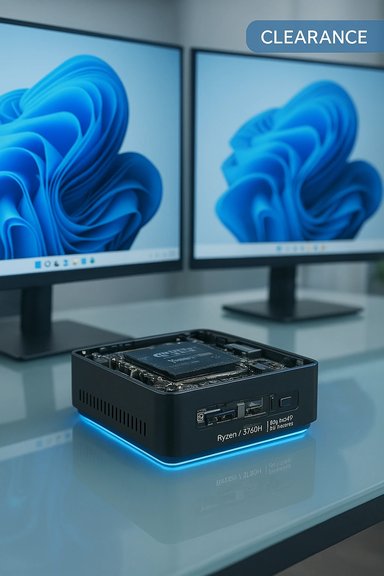
A surprising number of budget mini‑PC and clearance listings now advertise a compact Windows 11 Pro system built around the AMD Ryzen 7 3750H with 16 GB RAM and a 512 GB SSD — often marketed as a “4K UHD gaming PC” or “mini gaming PC.” These systems, sold under small brands (Kamrui, KAMRUI, Beelink and similar OEMs) and through marketplace sellers, are tempting: low prices, dual 4K outputs, and a full Windows 11 Pro install. What looks like an irresistible clearance deal can hide tradeoffs in long‑term support, upgradeability, warranty and real gaming capability. This feature explains the hardware, verifies the key claims, compares marketplace prices, and offers a practical buyer’s checklist so Windows users get value instead of headaches.
If you’re preparing to buy one of these clearance Ryzen 7 3750H systems, follow the verification checklist carefully, insist on proof of activation and access to firmware/drivers, and balance the one‑time savings against potential long‑term costs in time and support. For a compact, cheap Windows 11 Pro box for productivity and media, these systems can deliver solid value — but only when purchased from a seller who stands behind the hardware and provides clear upgrade/return paths.
Source: Born2Invest https://born2invest.com/?b=style-240547912/
 Background / Overview
What the Ryzen 7 3750H actually is
The AMD Ryzen 7 3750H is a mobile APU launched in 2019 based on AMD’s Zen+ “Picasso” family. It is a 4‑core / 8‑thread part with a nominal base around 2.3 GHz and a boost frequency up to 4.0 GHz, built on a 12 nm process. The chip includes an integrated Radeon Vega 10 GPU and is typically specified at a 35 W TDP in laptop and small‑form‑factor vendor builds. These specs are confirmed in independent CPU databases and benchmark aggregators. The Vega 10 iGPU is modest by modern standards, but capable of desktop‑style outputs — vendors commonly advertise 4K@60 Hz output via HDMI and DisplayPort when the host board and display pipeline are implemented correctly. For light gaming, esports titles and media playback the Vega 10 remains serviceable; for demanding modern AAA gaming at native 4K it’s a clear compromise.Where these systems come from
OEMs and ODMs have repurposed laptop APUs like the 3750H into tiny desktops and mini‑PCs that emphasize compact size, low power and multiple 4K outputs. Models with this CPU commonly appear as micro‑desktops from smaller vendors (Kamrui / KAMRUI / Beelink / various “mini PC” brands) and as refurbished units on marketplaces. Retail pages and recent listings show standard SKUs pairing the 3750H with 16 GB DDR4, 512 GB M.2 SSD, dual HDMI/DP outputs and Windows 11 Pro preinstalled. Those product pages and marketplace listings are the basis for the current “clearance” deals circulating online.Technical verification: specs, capabilities and Windows 11 compatibility
CPU and iGPU: verified numbers
Multiple independent hardware databases and benchmark sites list the same core specs for the Ryzen 7 3750H: 4 cores, 8 threads, 2.3–4.0 GHz, 4 MB L3 cache, Vega 10 integrated graphics and a configurable PL1/TDP typically at 35 W. Benchmarks (Geekbench and aggregated scores) place the chip well behind modern mobile high‑end APUs, but still adequate for productivity, light content tasks, and workloads that benefit from multi‑threading. The Vega 10 iGPU specification and vendor product pages indicate the GPU supports 4K output and hardware decode for modern codecs — explaining why sellers advertise “dual 4K” capability on DP/HDMI ports. For multi‑display office or media‑center use this is a strong selling point; for native 4K AAA gaming it is limited by GPU horsepower rather than output capability.Windows 11 Pro compatibility: Microsoft’s list
If you worry whether a 2019 mobile APU can run Windows 11 Pro legitimately, Microsoft’s supported processor lists explicitly include the Ryzen 7 3750H. That means Windows 11 Pro can be supported on that processor without the need for community workarounds, provided the device meets the other platform requirements (TPM 2.0, Secure Boot, firmware updates) required by Microsoft. Buyers should confirm the seller’s claim of an activated, legal Windows 11 Pro license.Market snapshot: prices, sellers and product variants
Examples of current listings and price ranges
A sampling of marketplace pages captured recently shows the common pattern:- Retail and importer pages (mini‑PC OEMs) list new Ryzen 7 3750H mini PCs at several hundred dollars — for example, a mini‑PC SKU with 16 GB + 512 GB around $420–$530 on some retailer portals.
- Branded (or semi‑branded) models such as the Beelink SER3 appear on global import/market aggregator pages with similar configurations and retail prices in comparable bands.
- Refurbished and marketplace sellers undercut those prices aggressively: eBay and similar auction listings show used/refurbished units down in the $220–$300 range, often labeled “clearance” or “outlet” stock. Those listings sometimes sell out quickly.
What you get: strengths and realistic expectations
Strengths of a Ryzen 7 3750H mini PC
- Compact, power‑efficient package: Small footprint, VESA‑mountable designs make these devices ideal for tight desks, living‑room media centers, or thin client scenarios. Many vendor pages highlight space savings and quiet operation.
- Windows 11 Pro out of the box: Devices with a preinstalled and supported Windows 11 Pro image simplify setup for business users who need enterprise features (BitLocker, group policies, Remote Desktop). Microsoft’s supported CPU list validates platform compatibility.
- Dual 4K outputs for productivity: Most sellers advertise HDMI + DP outputs capable of 4K@60 Hz — valuable for multi‑monitor productivity, signage, or a lightweight editing preview station.
- Good value for office / HTPC use: For web work, Office suites, media playback, streaming and light photo/video editing, the system will feel responsive when paired with 16 GB RAM and an NVMe SSD. Real‑world reports and benchmark aggregates support this practical performance envelope.
Realistic gaming expectations
The marketing term “4K UHD Gaming PC” is optimistic. Playing modern AAA titles at native 4K with playable frame rates requires a discrete GPU far beyond Vega 10. Expect:- Smooth 4K media playback and older/indie titles at 4K with lower settings.
- Playable esports or less demanding games (CS:GO, Rocket League, Dota 2) at 1080p with decent settings if memory is dual‑channel and thermal limits are permissive.
- Not a substitute for a desktop with a discrete GPU for modern AAA gaming at 4K.
Risks, red flags and warranty/licensing issues
Seller and warranty risk
Many attractive listings come from small or unbranded OEMs and marketplace sellers. That creates several business risks: limited or no warranty, unclear RMA channel, grey‑market imports that lack the manufacturer’s local support, and variable quality control. Refurbished marketplace bargains are common but may carry short return windows or no returns at all. Scrutinize seller ratings and return policies carefully before purchasing. Marketplace auction prices that seem too good to be true frequently are.Upgradeability and specification discrepancies
Vendor marketing pages sometimes overstate upgrade options (extra M.2 bays, accessible SODIMM slots, dual storage slots). Independent teardowns and technical community writeups warn that some SKUs have limited internal bays or soldered components — the advertised “two M.2 slots” or “2.5″ drive bay” may not exist on every SKU. Confirm hardware access before buying if upgradeability matters.Software and driver support
Because the Ryzen 7 3750H is older silicon, long‑term driver support for integrated graphics fixes and firmware updates is less predictable than for mainstream laptop lines. That can affect compatibility with new Windows feature updates, codec optimizations, and security patches for the firmware/boot chain. Verify the seller’s BIOS/firmware update policy and the availability of vendor driver downloads.Windows license authenticity
Some low‑cost sellers preinstall Windows 11 Pro but offer OEM image installations without a matching license key or with volume‑licensed images that may later require manual activation or reinstall. Confirm whether the unit includes a valid Windows 11 Pro license key or a transfer‑eligible OEM license. Ask the seller to confirm activation status at purchase. Microsoft’s supported CPU lists don’t guarantee the presence of a valid Windows license on every retail listing.Practical buying checklist — verify these before you click
- Confirm the seller and warranty
- Ask for explicit warranty length and who handles RMA (manufacturer vs. marketplace).
- Prefer known vendors or sellers with documented return and RMA procedures.
- Verify the exact SKU and internal layout
- Request photos of the internal PCB and label or a teardown if upgradeability matters (SODIMM slots, extra M.2 or SATA connectors).
- Confirm whether RAM is soldered or in SODIMM slots and whether the SSD is NVMe (PCIe) or SATA M.2.
- Validate Windows 11 Pro activation
- Ask the seller to confirm Windows is activated with a valid product key and to provide the activation screenshot if necessary.
- Confirm outputs and 4K capability
- Ask which ports are physically present (HDMI 2.0/2.1, DisplayPort) and whether the vendor demonstrates 4K@60Hz on both ports simultaneously. Vendors sometimes list dual 4K but limit one to lower refresh.
- Inspect BIOS/firmware update policy
- Who provides BIOS updates, and are they signed? Confirm how the vendor handles firmware fixes. This matters for security and future Windows updates.
- Compare comparable alternatives
- For roughly the same outlay, check small form‑factor kits using newer APUs or entry discrete GPUs — they can deliver significantly better graphics performance and potentially longer driver support.
Step‑by‑step: how to test a received unit (first 48 hours)
- Inspect packaging and serial numbers; photograph everything.
- Boot and check Windows activation (Settings → System → About → Activation). Confirm edition is Windows 11 Pro and activated.
- Run System Information and CPU‑Z (or similar) to confirm CPU model, RAM config (single vs. dual‑channel) and storage interface (NVMe vs SATA).
- Test display outputs: connect a 4K@60 Hz monitor to each advertised port and confirm the reported resolution/refresh in Windows Display Settings.
- Run a light benchmark (Cinebench, Geekbench) and a GPU test (unigine/heavy video decode) to verify thermal stability and expected performance envelope.
- Test for BIOS/UEFI security features (TPM 2.0 presence, Secure Boot) if Windows 11 Pro and enterprise features are part of your buying rationale.
- Use the unit for real workloads (video playback, office workflows, game test at 1080p) and watch temperatures, fan/power noise, and throttling behavior.
Alternatives to consider
- Newer mini‑PCs with more recent AMD or Intel APUs (e.g., Ryzen 4000/5000 series or Intel Core U‑series) provide better single‑thread performance and often longer driver support — these will cost more but can be better long‑term buys.
- If gaming at high fidelity is a priority, invest in a small desktop with a discrete GPU rather than an integrated‑GPU mini PC. Even budget discrete cards transform 1080p/1440p gaming expectations compared with Vega 10.
- Certified refurbished OEM units from recognized brands (HP, Dell, Lenovo) often include predictable warranties and driver channels — they may cost more but reduce support risk.
Final verdict — value vs. risk
These clearance Ryzen 7 3750H mini‑PC listings represent a clear value proposition for specific buyers: someone who needs a compact Windows 11 Pro machine for office work, media playback, multi‑monitor productivity, light content editing or casual gaming at 1080p. The combination of Ryzen 7 3750H, 16 GB DDR4, 512 GB SSD and dual 4K outputs can power a small home office or HTPC affordably. Retail pages and marketplace examples corroborate that these SKUs exist broadly across vendors and price tiers. However, the package is not a universal bargain. Expect tradeoffs: older‑generation silicon, variable vendor support, possible misrepresented upgrade paths, and warranty/licensing uncertainty on low‑cost marketplace listings. Buyers who prioritize long‑term driver and firmware support, heavy gaming at native 4K, or enterprise‑grade manageability should evaluate newer hardware or OEM‑backed alternatives instead. Check seller reputation, confirm exact hardware and activation, and use the checklist above before purchase to avoid unpleasant surprises.If you’re preparing to buy one of these clearance Ryzen 7 3750H systems, follow the verification checklist carefully, insist on proof of activation and access to firmware/drivers, and balance the one‑time savings against potential long‑term costs in time and support. For a compact, cheap Windows 11 Pro box for productivity and media, these systems can deliver solid value — but only when purchased from a seller who stands behind the hardware and provides clear upgrade/return paths.
Source: Born2Invest https://born2invest.com/?b=style-240547912/
