

AMD’s Ryzen 7 9850X3D and Intel’s Core Ultra 5 250K Plus make an unusually revealing pair: one is engineered to chase the highest possible game frame rates, while the other delivers remarkably broad desktop performance for less than half the price. The Ryzen is the specialized champion, but Intel’s midrange Arrow Lake refresh makes a powerful case that the better CPU for most Windows PC builders is not necessarily the fastest one in a 1080p gaming chart.
That conclusion is not an indictment of the Ryzen 7 9850X3D. Far from it. AMD’s latest eight-core X3D processor is an elite gaming part with the cache design, clock speeds, and platform maturity to make it a compelling companion for the most powerful graphics cards available. Yet the Core Ultra 5 250K Plus arrives with a far more approachable price, considerably more physical CPU cores, substantially stronger integrated graphics, and better results in many productivity-oriented workloads.
For a PC that will spend most of its time playing competitive games with a flagship GPU, AMD remains the clear choice. For a more balanced Windows 11 desktop used for gaming, work, content creation, everyday multitasking, and perhaps an eventual GPU upgrade, Intel’s value proposition is difficult to dismiss.
On paper, these processors occupy different tiers. AMD sells the Ryzen 7 9850X3D for $499, while Intel positions the Core Ultra 5 250K Plus at roughly $219 to $229. That is not a minor gap; it is a difference large enough to reshape the rest of a PC build.
The AMD chip targets buyers who want the best possible gaming CPU and are willing to budget around it. The Intel chip targets mainstream builders, but its specifications make the “mainstream” label feel misleading. It brings a core configuration more commonly associated with a higher-ranking processor and is capable enough to compete well beyond its nominal product class.
The comparison is therefore less about determining which processor is objectively faster. That answer changes according to workload. The more meaningful question is whether AMD’s gaming advantage is worth a roughly $280 premium over Intel’s extraordinarily capable alternative.
For many people, it will not be. For the right type of gamer, however, it absolutely can be.
A spec table alone does not convey the central distinction. AMD has built the 9850X3D around a massive cache pool designed to keep game engines fed with low-latency data. Intel has built the 250K Plus around more cores, a hybrid scheduling model, a much more capable integrated GPU, and a dedicated NPU for supported AI tasks.
Neither approach is inherently superior. Each is optimized for a distinct definition of performance.
AMD equips the processor with 96MB of L3 cache, including a 64MB vertically stacked cache component. That unusually large cache reserve is the reason X3D CPUs continue to show such exceptional gaming results in titles that are sensitive to memory latency and CPU-side asset handling.
The result is not a universal frame-rate multiplier. Some games barely respond to more cache, while others benefit significantly. However, games that are CPU-limited often show impressive uplift with X3D hardware, especially when paired with a very fast GPU.
That distinction matters. The Ryzen 7 9850X3D is not merely “fast at games.” It is designed to excel in the conditions that expose CPU bottlenecks:
There is a practical advantage here beyond benchmark results: AM5 has established itself as a platform with a stronger perceived upgrade path than Intel’s current LGA1851 socket. A buyer who starts with a Ryzen 7 9850X3D is not buying a cheap entry point, but they are buying into a platform that has remained relevant across multiple processor generations.
The integrated Radeon Graphics solution is also intentionally minimal. With just two graphics cores, it is suitable for driving displays, troubleshooting a discrete-GPU issue, media playback, and basic desktop operation. It is not designed to make a graphics-card-free gaming PC viable.
Finally, AMD does not include a cooler. Given the processor’s premium price and 120W TDP, a quality air cooler or liquid cooler should be considered mandatory budget line items rather than optional accessories.
Unlike AMD’s processor, it does not use simultaneous multithreading. Its six Performance cores handle the heavy lifting, while the 12 Efficiency cores increase parallel throughput for background tasks and highly threaded applications. The result is 18 threads across 18 physical cores.
That makes the 250K Plus especially well-suited to the messy reality of a modern desktop. A Windows PC rarely runs only one application. It may be compiling code, synchronizing cloud files, recording gameplay, handling browser tabs, indexing content, running anti-malware scans, and playing media while a game or creative application remains in the foreground.
The Intel chip’s extra cores help it absorb those workloads more gracefully.
Its processor base power is rated at 125W, with a maximum turbo power of 159W. Those figures mean cooling and motherboard power delivery still matter. This is not a low-heat, compact-PC chip in the traditional sense. However, its performance per dollar is good enough that allocating part of the savings to a strong cooler and capable Z890 motherboard remains entirely practical.
That does not transform it into an AMD Ryzen 7 8700G-style APU rival, nor does it eliminate the need for a dedicated GPU in a serious gaming PC. But it is a meaningful advantage for a builder who needs a system to remain fully usable before a graphics card is purchased, during an RMA, or if a GPU fails.
Intel also includes Intel AI Boost, with a dedicated NPU capable of handling supported AI workloads. The NPU does not turn a desktop into a Copilot+ PC by itself, and it should not be treated as a reason to choose the chip solely for Windows AI features. Still, it gives Intel’s processor a more complete set of accelerators for emerging applications that can offload background AI processing from the CPU and GPU.
In multi-threaded rendering and ray-tracing workloads, the Intel chip has shown dramatic advantages. It was reported to be nearly 35% faster in Cinebench 2024 multi-core and close to 48% faster in the multi-threaded POV-Ray 3.7 test. Those are not narrow benchmark wins. They point to a major difference in throughput.
The Intel processor has held a slight advantage in certain single-threaded tests, while AMD has remained competitive or marginally ahead in others. The practical takeaway is simple: neither CPU will feel slow in Windows 11, common productivity applications, web browsing, office suites, or lightly threaded creative software.
A builder should not choose between these processors based on mundane desktop responsiveness. Both are extremely fast. The decision should turn on gaming priorities, sustained multicore work, platform preference, and total system budget.
This is exactly what the processor was designed to do. Its 3D V-Cache allows it to reduce memory-related bottlenecks in games that respond well to cache capacity, helping its Zen 5 cores keep a powerful GPU supplied with work.
At 1080p with ultra-low settings, the Ryzen 7 9850X3D reportedly led the Core Ultra 5 250K Plus by as much as 43% in F1 2024. That is a massive result, but it should not be read as a guarantee that every player will see a 43% real-world advantage.
At 1440p and especially 4K, graphics settings and GPU capability increasingly determine frame rate. Once the GPU becomes the limiting component, the difference between these processors can narrow substantially. In a GPU-bound game at 4K, spending $280 more on the CPU may return very little.
The Core Ultra 5 250K Plus includes Intel Graphics with four Xe cores and a far more capable media and display feature set. It can support light gaming at modest settings, operate multiple high-resolution displays, and provide a substantially more useful fallback if a discrete GPU is unavailable.
The Ryzen 7 9850X3D’s integrated Radeon Graphics is best viewed as a display engine. It is welcome because it simplifies initial system setup and makes troubleshooting easier, but it is not suitable for modern gaming in the way Intel’s solution can be.
That money can pay for:
Intel’s platform can be competitive when CPU-and-motherboard bundles are available, but buyers should compare complete carts rather than processor prices alone. Include the motherboard, RAM, cooler, storage, graphics card, and power supply before declaring a winner.
Still, Intel’s enormous CPU price advantage gives it plenty of room to absorb modest differences elsewhere.
It also requires a discrete GPU to make sense. Spending $499 on a cache-heavy gaming CPU while using modest graphics hardware leaves much of its potential unrealized.
There is also the issue of diminishing returns. If a game is GPU-limited at the desired resolution and settings, the 9850X3D may deliver only a small benefit over a much cheaper processor.
The LGA1851 platform also raises an upgrade-path question. Builders who place high value on keeping a motherboard for multiple processor generations may prefer AMD’s AM5 ecosystem, even if the Intel system is cheaper today.
Finally, Intel’s hybrid-core architecture can still produce occasional application-specific behavior differences. Windows 11 scheduling is mature and generally effective, but highly specialized software, unusual legacy tools, or certain game anti-cheat environments can require more attention than a conventional all-big-core CPU design.
But the Intel Core Ultra 5 250K Plus is the more compelling overall value. It costs dramatically less, handles demanding multi-threaded work much better, offers stronger integrated graphics, adds dedicated AI acceleration, and leaves enough budget headroom to improve the components that often matter more to the total PC experience.
The simplest way to frame the decision is this: buy the Ryzen 7 9850X3D when gaming performance is the purpose of the build. Buy the Core Ultra 5 250K Plus when gaming is one important part of a powerful, flexible Windows PC.
AMD wins the specialized contest. Intel wins the broader one.
That conclusion is not an indictment of the Ryzen 7 9850X3D. Far from it. AMD’s latest eight-core X3D processor is an elite gaming part with the cache design, clock speeds, and platform maturity to make it a compelling companion for the most powerful graphics cards available. Yet the Core Ultra 5 250K Plus arrives with a far more approachable price, considerably more physical CPU cores, substantially stronger integrated graphics, and better results in many productivity-oriented workloads.
For a PC that will spend most of its time playing competitive games with a flagship GPU, AMD remains the clear choice. For a more balanced Windows 11 desktop used for gaming, work, content creation, everyday multitasking, and perhaps an eventual GPU upgrade, Intel’s value proposition is difficult to dismiss.
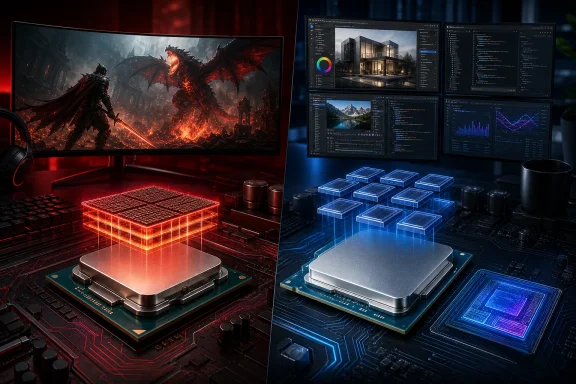 Overview: Two CPUs, Two Very Different Priorities
On paper, these processors occupy different tiers. AMD sells the Ryzen 7 9850X3D for $499, while Intel positions the Core Ultra 5 250K Plus at roughly $219 to $229. That is not a minor gap; it is a difference large enough to reshape the rest of a PC build.The AMD chip targets buyers who want the best possible gaming CPU and are willing to budget around it. The Intel chip targets mainstream builders, but its specifications make the “mainstream” label feel misleading. It brings a core configuration more commonly associated with a higher-ranking processor and is capable enough to compete well beyond its nominal product class.
The comparison is therefore less about determining which processor is objectively faster. That answer changes according to workload. The more meaningful question is whether AMD’s gaming advantage is worth a roughly $280 premium over Intel’s extraordinarily capable alternative.
For many people, it will not be. For the right type of gamer, however, it absolutely can be.
Core Specifications at a Glance
| Specification | AMD Ryzen 7 9850X3D | Intel Core Ultra 5 250K Plus |
|---|---|---|
| CPU architecture | Zen 5 | Arrow Lake |
| CPU cores | 8 | 18 |
| Thread count | 16 | 18 |
| Core layout | 8 full-performance cores with SMT | 6 P-cores + 12 E-cores |
| Maximum clock speed | Up to 5.6GHz | Up to 5.3GHz P-core / 4.6GHz E-core |
| L2 cache | 8MB | 30MB |
| L3 cache | 96MB | 30MB |
| Default/base power | 120W | 125W |
| Maximum turbo power | Not directly comparable by Intel-style rating | 159W |
| Integrated graphics | 2-core AMD Radeon Graphics | 4 Xe-core Intel Graphics |
| AI hardware | No dedicated desktop NPU of note | Intel AI Boost NPU |
| Socket | AM5 | LGA1851 |
| Official price | $499 | $219–$229 |
Neither approach is inherently superior. Each is optimized for a distinct definition of performance.
AMD Ryzen 7 9850X3D: A Gaming CPU With a Singular Purpose
The Ryzen 7 9850X3D is an eight-core, 16-thread desktop processor based on AMD’s Zen 5 architecture. It reaches a maximum boost clock of 5.6GHz, a notable increase over prior Ryzen 7 X3D models, while retaining the defining feature of the family: 3D V-Cache.AMD equips the processor with 96MB of L3 cache, including a 64MB vertically stacked cache component. That unusually large cache reserve is the reason X3D CPUs continue to show such exceptional gaming results in titles that are sensitive to memory latency and CPU-side asset handling.
Why 3D V-Cache matters in games
Modern games constantly move instructions, world data, player-state information, AI data, physics results, and draw-call-related work through the processor’s cache and memory hierarchy. When more of that frequently accessed information can remain close to the CPU cores, the processor may spend less time waiting on system memory.The result is not a universal frame-rate multiplier. Some games barely respond to more cache, while others benefit significantly. However, games that are CPU-limited often show impressive uplift with X3D hardware, especially when paired with a very fast GPU.
That distinction matters. The Ryzen 7 9850X3D is not merely “fast at games.” It is designed to excel in the conditions that expose CPU bottlenecks:
- 1080p gaming with a high-end graphics card
- Low or competitive settings intended to maximize frame rate
- Esports titles where extremely high refresh rates matter
- Simulation, strategy, and open-world games with heavy CPU workloads
- Systems built around GPUs such as the GeForce RTX 5080 or RTX 5090
- Gaming-focused builds intended to remain relevant for several years
Strong platform fundamentals
The 9850X3D also benefits from the continuing appeal of AMD’s AM5 platform. It supports DDR5 memory, PCIe 5.0 connectivity, AMD EXPO memory profiles, Precision Boost Overdrive, Curve Optimizer controls, and Ryzen Master tuning support.There is a practical advantage here beyond benchmark results: AM5 has established itself as a platform with a stronger perceived upgrade path than Intel’s current LGA1851 socket. A buyer who starts with a Ryzen 7 9850X3D is not buying a cheap entry point, but they are buying into a platform that has remained relevant across multiple processor generations.
The trade-off: gaming specialization comes at a cost
AMD’s design is not free of compromise. The Ryzen 7 9850X3D has only eight CPU cores, albeit eight fast Zen 5 cores with simultaneous multithreading. For a gaming machine, that is more than enough. For workloads that can efficiently use many physical cores, though, Intel’s 18-core approach has a structural advantage.The integrated Radeon Graphics solution is also intentionally minimal. With just two graphics cores, it is suitable for driving displays, troubleshooting a discrete-GPU issue, media playback, and basic desktop operation. It is not designed to make a graphics-card-free gaming PC viable.
Finally, AMD does not include a cooler. Given the processor’s premium price and 120W TDP, a quality air cooler or liquid cooler should be considered mandatory budget line items rather than optional accessories.
Intel Core Ultra 5 250K Plus: More Than a Budget Processor
The Core Ultra 5 250K Plus is one of those parts whose model number understates its real-world position. Intel lists it as a Core Ultra 5 processor, but its 6 P-core plus 12 E-core arrangement gives it 18 physical cores in total—more than the standard Core Ultra 5 245K and close enough to the Core Ultra 7 range to make it an unusually aggressive value play.Unlike AMD’s processor, it does not use simultaneous multithreading. Its six Performance cores handle the heavy lifting, while the 12 Efficiency cores increase parallel throughput for background tasks and highly threaded applications. The result is 18 threads across 18 physical cores.
Arrow Lake’s hybrid approach
Intel’s Arrow Lake desktop architecture continues the company’s hybrid-core strategy, combining high-performance cores with smaller, more efficient cores. Windows 11’s scheduler is designed to work with this architecture, directing foreground workloads and latency-sensitive tasks toward P-cores while using E-cores to keep background work from interfering with the user’s primary application.That makes the 250K Plus especially well-suited to the messy reality of a modern desktop. A Windows PC rarely runs only one application. It may be compiling code, synchronizing cloud files, recording gameplay, handling browser tabs, indexing content, running anti-malware scans, and playing media while a game or creative application remains in the foreground.
The Intel chip’s extra cores help it absorb those workloads more gracefully.
Cache, clocks, and power
The Core Ultra 5 250K Plus reaches 5.3GHz on its P-cores and 4.6GHz on its E-cores. It carries 30MB of Intel Smart Cache and 30MB of L2 cache, a notably large L2 allocation compared with the Ryzen’s 8MB.Its processor base power is rated at 125W, with a maximum turbo power of 159W. Those figures mean cooling and motherboard power delivery still matter. This is not a low-heat, compact-PC chip in the traditional sense. However, its performance per dollar is good enough that allocating part of the savings to a strong cooler and capable Z890 motherboard remains entirely practical.
Better integrated graphics and a dedicated NPU
Intel’s integrated graphics solution is much more useful than the Radeon Graphics block inside the Ryzen 7 9850X3D. The Core Ultra 5 250K Plus includes four Xe graphics cores, supports modern display connectivity, and can handle lighter games or casual graphics work without relying on a discrete GPU.That does not transform it into an AMD Ryzen 7 8700G-style APU rival, nor does it eliminate the need for a dedicated GPU in a serious gaming PC. But it is a meaningful advantage for a builder who needs a system to remain fully usable before a graphics card is purchased, during an RMA, or if a GPU fails.
Intel also includes Intel AI Boost, with a dedicated NPU capable of handling supported AI workloads. The NPU does not turn a desktop into a Copilot+ PC by itself, and it should not be treated as a reason to choose the chip solely for Windows AI features. Still, it gives Intel’s processor a more complete set of accelerators for emerging applications that can offload background AI processing from the CPU and GPU.
CPU Performance: Intel’s Core Count Advantage Is Real
Outside gaming, the Core Ultra 5 250K Plus is the more capable processor in this matchup. Its 18 physical cores give it a meaningful lead in applications that can divide work across many threads.In multi-threaded rendering and ray-tracing workloads, the Intel chip has shown dramatic advantages. It was reported to be nearly 35% faster in Cinebench 2024 multi-core and close to 48% faster in the multi-threaded POV-Ray 3.7 test. Those are not narrow benchmark wins. They point to a major difference in throughput.
Where the Intel CPU makes more sense
The 250K Plus is the stronger choice for users who regularly work with:- Video transcoding and rendering
- 3D rendering
- Large batch photo exports
- Code compilation
- Data processing
- Virtual machines
- Multitasking-heavy office workflows
- Game streaming and local recording
- Background workloads running alongside a game
Single-threaded performance is closer
Single-threaded workloads are a more balanced contest. The Ryzen 7 9850X3D and Core Ultra 5 250K Plus are generally close enough that a small difference may not be perceptible in ordinary desktop use.The Intel processor has held a slight advantage in certain single-threaded tests, while AMD has remained competitive or marginally ahead in others. The practical takeaway is simple: neither CPU will feel slow in Windows 11, common productivity applications, web browsing, office suites, or lightly threaded creative software.
A builder should not choose between these processors based on mundane desktop responsiveness. Both are extremely fast. The decision should turn on gaming priorities, sustained multicore work, platform preference, and total system budget.
Gaming Performance: AMD Still Holds the Crown
The Ryzen 7 9850X3D wins the gaming portion of this comparison decisively. With low graphics settings and a flagship GPU, it has outperformed the Core Ultra 5 250K Plus across the tested game suite, often by large margins.This is exactly what the processor was designed to do. Its 3D V-Cache allows it to reduce memory-related bottlenecks in games that respond well to cache capacity, helping its Zen 5 cores keep a powerful GPU supplied with work.
The importance of test conditions
Gaming benchmark headlines need context. The largest gaps between CPUs tend to appear at lower resolutions and lower graphics settings, because those conditions shift the performance burden away from the graphics card and toward the processor.At 1080p with ultra-low settings, the Ryzen 7 9850X3D reportedly led the Core Ultra 5 250K Plus by as much as 43% in F1 2024. That is a massive result, but it should not be read as a guarantee that every player will see a 43% real-world advantage.
At 1440p and especially 4K, graphics settings and GPU capability increasingly determine frame rate. Once the GPU becomes the limiting component, the difference between these processors can narrow substantially. In a GPU-bound game at 4K, spending $280 more on the CPU may return very little.
When AMD’s premium is justified
The Ryzen 7 9850X3D is the right purchase when the following description fits the build:- A top-tier discrete GPU is already installed or firmly planned.
- Gaming is the system’s primary role.
- The goal is maximum frame rates, low latency, and strong minimum-frame performance.
- The display operates at a very high refresh rate.
- The buyer plays games known to benefit from large CPU caches.
- The extra CPU cost will not force a downgrade in the GPU, memory capacity, storage, cooling, or monitor.
Integrated Graphics: Intel’s Clear and Practical Win
Integrated graphics are not central to the appeal of either processor for a high-end gaming build. Still, the comparison matters because the Intel chip has a real advantage here.The Core Ultra 5 250K Plus includes Intel Graphics with four Xe cores and a far more capable media and display feature set. It can support light gaming at modest settings, operate multiple high-resolution displays, and provide a substantially more useful fallback if a discrete GPU is unavailable.
The Ryzen 7 9850X3D’s integrated Radeon Graphics is best viewed as a display engine. It is welcome because it simplifies initial system setup and makes troubleshooting easier, but it is not suitable for modern gaming in the way Intel’s solution can be.
Why this matters to Windows PC builders
A stronger iGPU offers several practical benefits:- The system remains functional when a discrete GPU is removed or fails.
- A new build can be tested before a graphics card arrives.
- Media playback, desktop work, and basic creative tasks remain smooth.
- Light esports or older games are possible without a graphics card.
- Multiple monitors can be used without immediately drawing on a discrete GPU.
Price, Total Build Cost, and the GPU Question
The $280 price gap is the heart of this comparison. It is large enough that choosing Intel can change the performance profile of the entire machine.That money can pay for:
- A jump from a midrange GPU to a more powerful graphics card
- More system memory, such as moving from 32GB to 64GB
- A larger or faster NVMe SSD
- A premium CPU cooler
- A higher-quality power supply
- A better monitor with higher refresh rate or improved HDR support
- A more capable motherboard with additional storage and connectivity
Platform cost deserves attention
The CPU price alone is not the full story. AMD AM5 boards offer a mature selection of B850, X870, and X870E options, while Intel’s 250K Plus uses the LGA1851 socket and is commonly paired with Z890 boards for full unlocked-CPU tuning support.Intel’s platform can be competitive when CPU-and-motherboard bundles are available, but buyers should compare complete carts rather than processor prices alone. Include the motherboard, RAM, cooler, storage, graphics card, and power supply before declaring a winner.
Still, Intel’s enormous CPU price advantage gives it plenty of room to absorb modest differences elsewhere.
Risks and Caveats Before Buying
Neither CPU is perfect, and both require a purchase decision grounded in the intended workload rather than brand loyalty.AMD Ryzen 7 9850X3D considerations
The Ryzen 7 9850X3D is expensive for an eight-core CPU. Its gaming performance is outstanding, but buyers who need high multicore throughput for professional work may find its value harder to defend.It also requires a discrete GPU to make sense. Spending $499 on a cache-heavy gaming CPU while using modest graphics hardware leaves much of its potential unrealized.
There is also the issue of diminishing returns. If a game is GPU-limited at the desired resolution and settings, the 9850X3D may deliver only a small benefit over a much cheaper processor.
Intel Core Ultra 5 250K Plus considerations
Intel’s main weakness is gaming performance relative to the Ryzen. It is certainly not a weak gaming CPU, but it cannot match AMD’s cache-assisted frame-rate ceiling in CPU-bound titles.The LGA1851 platform also raises an upgrade-path question. Builders who place high value on keeping a motherboard for multiple processor generations may prefer AMD’s AM5 ecosystem, even if the Intel system is cheaper today.
Finally, Intel’s hybrid-core architecture can still produce occasional application-specific behavior differences. Windows 11 scheduling is mature and generally effective, but highly specialized software, unusual legacy tools, or certain game anti-cheat environments can require more attention than a conventional all-big-core CPU design.
The Best Choice for Each Type of PC Builder
Choose the Ryzen 7 9850X3D for a no-compromise gaming PC
The 9850X3D is the better choice for:- Competitive and esports-focused gamers
- Owners of RTX 5080- or RTX 5090-class graphics cards
- Players targeting extremely high frame rates at 1080p or 1440p
- Enthusiasts chasing the strongest possible CPU-limited gaming performance
- Builders who value AM5’s platform continuity
- Users who play cache-sensitive simulation, strategy, open-world, or MMO titles
Choose the Core Ultra 5 250K Plus for the best all-around value
The 250K Plus is the better fit for:- Mainstream Windows 11 gaming PCs
- Mixed-use desktops that work as hard as they play
- Creators, streamers, programmers, and multitaskers
- Builders seeking stronger integrated graphics
- Buyers who want a capable NPU for supported AI workloads
- Anyone whose budget benefits more from a stronger GPU than a more expensive CPU
- Users who want excellent CPU throughput without moving into a costly Core Ultra 7 or Ryzen 9 class
Final Verdict: AMD Wins the Race, Intel Wins the Build
The AMD Ryzen 7 9850X3D is the better gaming processor. Its 3D V-Cache design, 96MB L3 cache, fast Zen 5 cores, and excellent behavior in CPU-limited games make it the clear option for enthusiasts determined to extract every possible frame from a flagship graphics card.But the Intel Core Ultra 5 250K Plus is the more compelling overall value. It costs dramatically less, handles demanding multi-threaded work much better, offers stronger integrated graphics, adds dedicated AI acceleration, and leaves enough budget headroom to improve the components that often matter more to the total PC experience.
The simplest way to frame the decision is this: buy the Ryzen 7 9850X3D when gaming performance is the purpose of the build. Buy the Core Ultra 5 250K Plus when gaming is one important part of a powerful, flexible Windows PC.
AMD wins the specialized contest. Intel wins the broader one.
References
- Primary source: PCMag
Published: 2026-07-22T17:56:58+00:00
Loading…
www.pcmag.com - Related coverage: shop-us-en.amd.com
Loading…
shop-us-en.amd.com - Related coverage: tech.yahoo.com
Loading…
tech.yahoo.com - Related coverage: download.intel.com
- Related coverage: thailand.intel.com
Loading…
www.thailand.intel.com - Related coverage: intel.com