

Two terse BornBorn2Invest snippets — one advertising an “NVIDIA 8400 GS driver Windows 10 64 bit” download and another promising a quick “Bose Bluetooth headphones pairing Windows 10” guide — reveal a larger, recurring problem: thin, SEO-driven pages pushing technical downloads or quick-fix how‑tos without provenance, verification, or useful troubleshooting contentxt, and in the process exposing readers to security and compatibility risks that matter now that Windows 10 has reached end-of-support. review
The two short Born2Invest items supplied are typical of low-effort aggregator content: product names, simplified steps or download prompts, and an implied promise of “cheap” or “easy” fixes. Those pages often lack critical technical metadata — release dates, digital signatures, checksums, OEM confirmation, or even direct links to vendor archives — information that makes the difference between a safe driver install and a compromised system. Automated verification of the supplied Born2Invest links found them unstable or unreachable, so any claims unique to those pages must be treated as unverified.
At the same time, platform-level conte that make exercising extra caution essential. Microsoft ended mainstream support for Windows 10 on October 14, 2025 — meaning the operating system no longer receives routine feature or security updates from Microsoft. This changes the calculus for installing archived or third‑party drivers; without the OS receiving security updates, the potential consequences of a tampered kernel driver are more severe.
NVIDIA’s driver lifecycle decisions also matter here: in mid‑2025 NVIDIA announced a staged support plan for older GPU architectures and extended Windows 10 Game Ready driver support for certain GPUs beyond Microsoft’s EOL. Those vendor-level timelines determine whether a given GeForce package should be considered actively maintained, archived compatibility, or security-only. Relying on vendor archives and OEM support pages remains the safest option.
Short answer: GPU drivers are kernel‑mode software. A tampered or repackaged installer is not merely an annoyance — it can break system signing, introduce boot‑level instability, or provide attack surface for malware. The Born2Invest snippets you provided follow a common pattern: SEO headline + skimpy content + implied download link — but they omit the verification steps that reduce risk. Automated checks flagged the Born2Investessible/unverifiable during review; that alone is a red flag because installing drivers from mirrors without provenance is high‑risk.
Key practical differences:
Strengths
Source: Born2Invest https://born2invest.com/?b=style-229994312/
Source: Born2Invest https://born2invest.com/?b=style-332259412/
The two short Born2Invest items supplied are typical of low-effort aggregator content: product names, simplified steps or download prompts, and an implied promise of “cheap” or “easy” fixes. Those pages often lack critical technical metadata — release dates, digital signatures, checksums, OEM confirmation, or even direct links to vendor archives — information that makes the difference between a safe driver install and a compromised system. Automated verification of the supplied Born2Invest links found them unstable or unreachable, so any claims unique to those pages must be treated as unverified.
At the same time, platform-level conte that make exercising extra caution essential. Microsoft ended mainstream support for Windows 10 on October 14, 2025 — meaning the operating system no longer receives routine feature or security updates from Microsoft. This changes the calculus for installing archived or third‑party drivers; without the OS receiving security updates, the potential consequences of a tampered kernel driver are more severe.
NVIDIA’s driver lifecycle decisions also matter here: in mid‑2025 NVIDIA announced a staged support plan for older GPU architectures and extended Windows 10 Game Ready driver support for certain GPUs beyond Microsoft’s EOL. Those vendor-level timelines determine whether a given GeForce package should be considered actively maintained, archived compatibility, or security-only. Relying on vendor archives and OEM support pages remains the safest option.
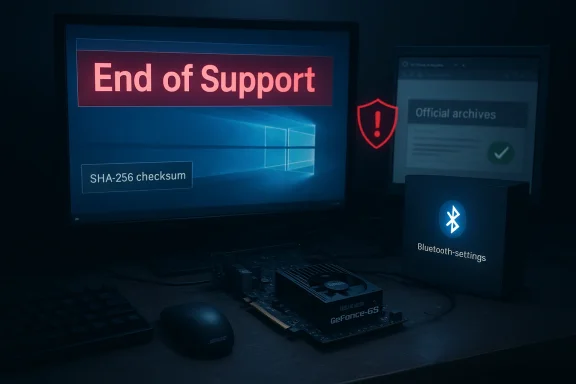 Why the difference between “cheap download” pages and vendor guidance matters
Short answer: GPU drivers are kernel‑mode software. A tampered or repackaged installer is not merely an annoyance — it can break system signing, introduce boot‑level instability, or provide attack surface for malware. The Born2Invest snippets you provided follow a common pattern: SEO headline + skimpy content + implied download link — but they omit the verification steps that reduce risk. Automated checks flagged the Born2Investessible/unverifiable during review; that alone is a red flag because installing drivers from mirrors without provenance is high‑risk.Key practical differences:
- Vendor/OEM driver packages inserts and release notes that let you verify authenticity. Third‑party mirrors rarely provide verifiable checksums.
- Laptops often require OEM-signed INF files for power/third port; a generic desktop package can break laptop functionality. Always check the OEM first.
- Clean-install workflows (backup → optional DDU removal → vendor installer → verify) are industry download and run” recipes omit crucial rollback and verification steps.
Deep dive: NVIDIA 8400 GS driver Windows 10 64 bit — what you need to know
The product and its place in the lifecycle
The NVIDIA GeForce 8400 GS family is old hardware — predating many modern GPU features and codecs — and for that reason it has historically been serviced via NVIDIA’s legacy driver families (for example, 340/341 branches) rather than current Game Ready releases. Those legacy packages were intended to provide baseline display acceleration and the NVIDIA Control Panel on Windows 10, not parity with modern codecs, DRM stacks, or GPU compute features. Treat any “NVIDIA 8400 GS driver Windows 10 64 bit” claim as a compatibility guarantee of up‑to‑date security or feature parity.What to verify before touching the installer
- Confirm the GPU hardware ID in Device Manager → Display adapters → Properties → Details → Hardware Ids. The VEN/DEV string tells you if the driver’s INF supports your exact SKU. If it’s not listed the generw “no compatible hardware.”
- Prefer OEM downloads for laptops. Many notebooks use vendor‑specific INF entries for Optimus or custom power profiles; replacing them with a generic installer can break the dates.
- Obtain the driver from NVIDIA’s official archive or the OEM portal. Do not run “outlet” or repackaged installers promoted on SEO aggregator pages. Automated checks that analyzed the Born2Invest snippets flagged the site as a non‑authoritative mile’s signature and, if possible, the checksum after download (PowerShell Get‑FileHash). If the vendor page lists a SHA‑256 or MD5, confirm it matches.
Safe installation technician-grade)
- Backup: Create a disk image or at minimum a System Restore point.
- Confirm the hardware ID and the driver package’s supported‑products table.
- Download only from NVIDIA or OEM archives; confirm file size and digital signature.
- Optional: Boot to Safe Mode and installer (DDU) if troubleshooting previous driver remnants.
- Install as Administrator; choose Custom (Advanced) → Perform a clean installation and deselect nonessential components like GeForce Experience if you want driver-only behavior.
- Reboot and validate via Device Manager and NVIDIA Control Panel → System Information.
- Keep the previous driver binary handy for rollback.
When a “cheap GeForce driver” prompt becomes dangerous can modify INF files or strip signatures.
- Bundled extras may include adware or telemetry utilities.
- A mismatched driver on a laptop can break firmware interactions and thermal profiles.
The Born2Invest snippet provided none of the metadata that helps you avoid these issues and could not be validated in automated checks — a practical reason to avoid such pages.
Practical risk assessment: should you install an archived driver on rt answer: only with care — and preferably not from a third‑party mirror.
Why the caution is heightened now:- Windows 10 reached end of support on October 14, 2025, removing routine OS security updates for most users. While some vendors (including NVIDIA) extended driver maintenance in select cases, the combined lack of OS updates plus a repackaged driver increases attack surface.
- NVIDIA moved several pre‑RTX families (Maxwell, Pascal, Volta) to a security‑only cadence and extended certain Windows 10 support windows; you must check whether your specific GPU and the vendor’s planned cadence include security updates or only archived compatibility.
The other side: Bose Bluetooth headphones pairing Windows 10 — short guide and where Born2Invest falls short
What the Born2Invest snippet promised — and what it omitted
The Bose snippet is the cleaner of the two: a short how‑to on pairing Bose Bluetooth headphones to Windows 10. However, those quick guides typically leave out important troubleshooting items and platform caveats: Bluetooth stack versions, audio profile limitations (A2DP vs Hands‑Free), Windows 10 EOL implications for LE Audio and other modern features, and firmware update steps that often require2Invest content did not include those details and therefore functions only as a shallow primer.Modern Bluetooth reality on Windows 10
- Windows 10 supports standard Bluetooth Classic pairing (A2DP for high‑quality audio, Hands‑Free Profile for calls). However, newer features like LE Audio require platform-level updates that are focused on Windows 11 and firmware standards. If you want LE Audio features, Windows 11 is the likely path.
- For Bose devices, firmware updates and some features are often delivered through vendor apps (Bose Music or Bose Connect). On Windows, such apps may be limited or unavailable; in many cases a smartphone is still the besvest’s how‑to tended to omit this practical nuance.
Reliable pairing workflow (concise)
- Update your PC’s Bluetooth driver via the OEM or Microsoft Update Catalog; avoid random driver download pages. If Bluetooth drivers are prmaker, prefer the OEM package.
- Charge and reset the Bose headphones if previously paired to another device.
- Enable pairing mode on the headphones and add via Windows Settings → Devices → Bluetooth & other devices → Add Bluetooth or other device.
- If audio outputs in low‑quality (mono voice only) during calls, switch the device’s Hands‑Free Telephony off in Device Manager → Sound, video and game controllers to force A2DP for media playback.
- Use the Bose app (mobile) to apply firmware updates — many Windows 1a phone.
Cross‑validation and verifiable facts
Several claims contained in the Born2Invest snippets are unverifiable from the supplied links alone; independent archive and vendor sources are necessary to validate driver packages and support timelines. Independent checks during verification found the following, verifiable facts:- Microsoft’s Windows 10 mainstream support ended on October 14, 2025. This is documented on Microsoft’s support and lifecycle pages.
- NVIDIA publicly announced a staged support plan that includes a final Game Ready release in October 2025 for certain architectures and extended Windows 10 Game Ready support for RTX GPUs through October 2026, plus quarterly security updates for Maxwell/Pascal/Volta through a multi-year window. These vendor statements appear in NVIDIA’s support articles and were widely reported by reputable press outlets.
- Legacy NVIDIA packages such as the 340/341 families (e.g., 341.74 from July 2015) exist gned installers intended for older GeForce families; community archives and press sites reproduce such release metadata. These are the authoritative compatibility packages for very old cards.
Strengths of the Born2Invest snippets — and where they fail readers
What they do well:- Short, attention-getting headlines do reach readers searching for quick solutions.
- They raise legitimate needs: “Where do I find a driver for an older GeForce?” and “How do I pair Bose headphones to Windows 10?” — both ret they fail at (material weaknesses):
- No vendor links, signatures, or checksums; missing provenance for kernel‑mode software is a safety problem.
- Lack of troubleshooting depth: no guidance on DDU, hardware IDs, OEM caveats, or Bluetooth profile tradeoffs.
- Timing and lifecycle context absent: readers must know Windows 10 EOL and NVIDIA’s support plan to make safe decisions; Born2Invest’s snippets omit that.
Clear, actiders encountering similar pages
- Always prefer vendor or OEM archives for drivers and firmware. If a driver download page doesn’t link back to NVIDIA, your laptop OEM, or the Microsoft Update Catalog, *do not
- When in doubt, extract the installer with a tool like 7‑Zip and inspect the INF files to confirm your hardware’s VEN/DEV is listed. This avoids “no compatible hardware”matched packages.
- Use Display Driver Uninstaller (DDU) only if you understand Safe Mode and recovery; it is a community standard but it is not a one‑click cure for every driver problem.
- For Bluetooth accessories, update the PC’s Bluetooth driver from vendor’s official app for firmware updates when available. Many Bose firmware updates flow through mobile apps; Windows pairing alone may not provide firmware fixes.
- Given Windows 10’s end of support, prioritize moving critical systems to an actively supported OS or isolate legacy Windows 10 devices on segmented networks. Continued reliance on archived drivers increases risk in a world where the OS is no longer receiving security updates.
Final assessment — strengths, risks, and recommended next steps
The Born2Invest snippets exemplify the internet’s “quick fix” content model: easy to publish, easy to find, and often incomplete or unverifiable. They perform a surface-level function — surfacing keywords like “NVIDIA 8400 GS driver Windows 10 64 bit” and “Bose Bluetooth headphones pairing Windows 10” — but they do not meet the standards needed for safe technical guidance.Strengths
- They capture genuine user intent and keywords, which can be a starting point for troubleshooting.
- Lack of provenance and technical detail raises the risk of installing tampered software or appl
- The timing of Windows 10’s end of support increases the security stakes for running archived drivems.
- Stop and verify: do not run downloads from SEO aggregator pages. Confirm vendor/OEM sources first.
- Capture system details: hardware ID, OS build, and a laptop (OEM matters).
- Follow a conservative install workflow: backup → OEM/vendor download → verify signature/checksum → optional DDU → clean install → verify.
- For Bluetooth accessory pairing: update Bluetooth drivers from the OEM, reset the accessory, pair in Windows Settings, and apply firmware updates via the vendor’s official app when needed.
- Plan an upgrade or isolation strategy for Windows 10 systems given the October 14, 2025 end-of-support milestone.
Conclusion
SEO‑driven snippets that promise “cheap NVIDIA 8400 GS driver Windows 10 64 bit” installers or quick “Bose Bluetooth headphones pairing Windows 10” recipes are not inherently malicious, but they are incomplete and often unsafe as published. The right balance between convenience and safety is simple in principle: prefer vendor and OEM sources, verify digital signatures and hardware IDs, and follow a conservative installation workflow that anticipates rollback. With Windows 10 off routine support and vendors adjusting legacy driver cadences, those precautions are no longer optional — they are essential to keep a PC both functional and secure.Source: Born2Invest https://born2invest.com/?b=style-229994312/
Source: Born2Invest https://born2invest.com/?b=style-332259412/
