

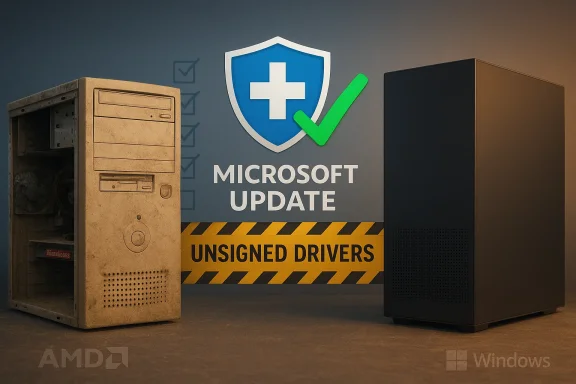
For anyone still hunting a bargain or a dusty download labeled “Cheap ATI 3200 driver Windows 10,” the blunt reality is this: the ATI / AMD Radeon HD 3200 IGP is a legacy part and the safest, supported way to get a working desktop on Windows 10 is to rely on Microsoft Update or your PC vendor—not a cut‑rate installer repackaged by an untrusted third party.
The Radeon HD 3200 IGP (integrated graphics processor), introduced in 2008 as part of AMD’s RS780 chipset family, is an entry‑level, DirectX 10 era integrated GPU with modest specifications: around 40 shader ALUs, 4 TMUs and 4 ROPs, and a typical clock around 500 MHz; memory is system‑shared since this is an IGP. Benchmarks and spec databases show this chip was designed for basic desktop and light multimedia, not modern gaming or GPU compute workloads.
From a driver lifecycle perspective the important fact is that the HD 2000/3000/4000 families were transitioned to AMD’s legacy support model in 2013. AMD stopped active feature development for these products, released its final legacy Catalyst packages around 2013, and directed Windows 8.1 / Windows 10 users to rely on Windows Update for a Microsoft‑signed fallback driver (commonly referenced as build series 8.970.x, e.g., 8.970.100.9001). That advice from AMD is the baseline for any safe attempt to run these chips under modern Windows.
Source: Born2Invest https://born2invest.com/?b=style-236840612/
 Background / Overview
The Radeon HD 3200 IGP (integrated graphics processor), introduced in 2008 as part of AMD’s RS780 chipset family, is an entry‑level, DirectX 10 era integrated GPU with modest specifications: around 40 shader ALUs, 4 TMUs and 4 ROPs, and a typical clock around 500 MHz; memory is system‑shared since this is an IGP. Benchmarks and spec databases show this chip was designed for basic desktop and light multimedia, not modern gaming or GPU compute workloads.From a driver lifecycle perspective the important fact is that the HD 2000/3000/4000 families were transitioned to AMD’s legacy support model in 2013. AMD stopped active feature development for these products, released its final legacy Catalyst packages around 2013, and directed Windows 8.1 / Windows 10 users to rely on Windows Update for a Microsoft‑signed fallback driver (commonly referenced as build series 8.970.x, e.g., 8.970.100.9001). That advice from AMD is the baseline for any safe attempt to run these chips under modern Windows.
Why this matters now: Windows 10, legacy drivers, and risk
Two timing facts change the risk calculus for reviving an older machine with an HD 3200 today.- Microsoft’s Windows 10 mainstream support formally ended on October 14, 2025. After that date Windows 10 no longer receives routine security updates for consumer editions unless systems are enrolled in Extended Security Updates (ESU). That increases the security cost of running old driver code on that OS.
- AMD has not produced new Catalyst/Adrenalin drivers for HD‑era hardware since it moved those GPUs to legacy status in 2013. The company’s guidance has been consistent: use archived legacy packages only if you understand the limitations; otherwise, rely on Windows Update or upgrade hardware.
What “cheap ATI 3200 drivers” usually are — and why they’re risky
When search results or marketplace listings advertise “cheap” or “Windows 10 ready” drivers for an ATI/Radeon HD 3200, what you typically find falls into a few categories:- Repackaged installers that extract AMD legacy driver binaries and modify Display.Driver*.inf files to add device IDs, remove signing metadata, or bypass OEM checks. Those INF edits can introduce unsigned kernel modules and break Windows’ driver trust model.
- Aggregated driver archives and “one‑click updater” tools that bundle adware, PUPs (potentially unwanted programs), telemetry, or even cryptocurrency miners in older or repackaged installers.
- Marketplace sellers packaging old Catalyst archives together with “installation help” as a paid product—often with unverified claims about improved Windows 10 compatibility.
- Windows Update (Microsoft‑signed fallback driver).
- OEM/vendor Windows 10 driver (if your machine is branded and the vendor supplies one).
- AMD’s archived legacy Catalyst packages (only for advanced users and with careful checks).
- Third‑party repackagers / paid “cheap drivers” (avoid unless you know exactly what you’re doing).
Verified technical snapshot: Radeon HD 3200 IGP (what it can and can’t do)
The technical limits of the HD 3200 IGP are essential to set expectations:- Architecture: RS780 (TeraScale), 65 nm process, released March 4, 2008.
- Shaders / Renderers: ~40 shading units, 4 texture units, 4 ROPs.
- DirectX / OpenGL: DirectX 10.0, OpenGL support up to versions that correspond with the final driver stack; no DirectX 11/12 native support.
- Memory: System‑shared (no dedicated VRAM).
The safe workflow: how to approach drivers for an HD 3200 on Windows 10
Follow this conservative, verified workflow to restore a functional desktop while minimizing risk:- Back up everything first. Create a full system image and at least one file backup. Never experiment with kernel‑level drivers on a machine with irreplaceable data without a verified backup.
- Check for an OEM driver. If your system is a branded laptop/desktop (Dell, HP, Lenovo, Acer), search the vendor’s support page for your exact model and OS. OEM drivers often contain platform‑specific fixes for power management, hotkeys and hybrid graphics. If one exists for Windows 10, prefer it.
- Let Windows Update do the heavy lifting. Enable Windows Update and allow it to detect and install its Microsoft‑signed display driver. AMD’s official guidance is to use Windows Update for HD 2000/3000/4000 family support on Windows 8.1/10; the update commonly referenced is in the 8.970.x family (for example, 8.970.100.9001). This gives you the lowest‑risk, signed driver for basic functionality.
- If you must use AMD’s legacy Catalyst package, follow strict precautions:
- Download the official legacy Catalyst archive from AMD’s site or a well‑known mirror (the last broad legacy releases are from 2013). Verify file hashes if available.
- Extract the package and inspect Display.Driver*.inf for your GPU’s PCI\VEN_1002&DEV_xxxx hardware ID. Only install via Device Manager “Have Disk” if the INF explicitly lists your hardware ID. Do not edit INFs unless you understand driver signing and re‑signature processes.
- Test in an isolated environment (spare machine or virtual machine with pass‑through) if possible, before installing on your production system.
- Avoid repackaged or “cheap” installers from forums, marketplaces, or unknown driver aggregators. They are the highest‑risk option and provide the least transparency about what the installer does.
Step‑by‑step: a practical “safe restore” checklist
Follow these numbered steps when reviving an old PC with an HD 3200:- Make a full system image (Windows Backup, third‑party imaging tool, or a cloned disk). Confirm recovery media boots.
- Create a separate file backup for important documents (cloud or external drive).
- Note your current hardware IDs. Open Device Manager, find the display adapter (even if it shows as Microsoft Basic Display Adapter), right‑click → Properties → Details → Hardware Ids. Copy the PCI\VEN*1002&DEV***** ID.
- Check the OEM support page for your exact model—prefer OEM Windows 10 drivers if offered.
- Set Windows Update to automatic, check for updates, and reboot until Windows Update reports “No more updates.” Confirm whether a Microsoft‑signed display driver has been installed (Device Manager driver details).
- If Windows Update fails to provide a driver you need (rare but possible), only then consider AMD’s archived Catalyst 13.x packages; download from AMD or an official mirrored archive and verify checksums when provided.
- If installing the legacy Catalyst package manually, extract and inspect the INF: confirm your hardware ID is listed. If not, stop. Do not edit INFs unless you can sign the package and understand driver signing.
- Reboot, confirm multi‑monitor detection, and test video playback and desktop composition. If anything is unstable, roll back using your image.
Advanced options and the real costs of shortcuts
Experienced users sometimes try to “force” a Catalyst legacy package to work on Windows 10 by:- Editing the Display.Driver*.inf to inject missing device IDs, or
- Disabling driver signature enforcement to install unsigned kernels or old signed packages.
- Security: disabling signature enforcement at boot or running unsigned kernel modules increases exposure to rootkits and boot‑level malware.
- Stability: INF edits can result in mismatched binary/INF pairs causing BSODs, missing features, or display corruption.
- Maintenance burden: future Windows feature updates or cumulative updates may overwrite, replace, or break the patched driver, forcing repeated manual fixes.
Strengths, limitations, and an honest cost/benefit analysis
- Strengths of following the supported path:
- Lowest risk: Microsoft‑signed drivers via Windows Update are verified and maintained in the Windows trust chain.
- Adequate functionality: for web browsing, email, office work and light video playback, the fallback driver is usually sufficient.
- Limitations:
- No modern acceleration: no AV1/HEVC hardware offload, no Vulkan support, no modern OpenCL optimizations. Expect modest performance.
- Feature gaps: Catalyst control center features and some power management capabilities may be missing unless you use the archived legacy packages—and even then they might be brittle.
- Risks of “cheap” third‑party drivers:
- Unsigned code and modified INFs can break the Windows driver model and introduce security problems.
- Malware bundling: aggregator and repackaged installers sometimes include adware or worse. Community audits show this is a recurring issue.
When to stop fighting and upgrade the GPU or PC
There are good reasons to keep older hardware in service—budget constraints, parts reuse, or single‑function appliances. But there are clear thresholds where replacement is the pragmatic choice:- You need reliable modern video codecs (HEVC/AV1) or hardware‑accelerated streaming at high resolution.
- You need modern GPU features (Vulkan, up‑to‑date OpenCL) for apps or games.
- Your Windows 10 installation is now running without security patches (post‑October 14, 2025) and you cannot or will not enroll in ESU.
Final recommendations (quick checklist)
- First: backup and image the disk.
- Second: enable Windows Update and install what it offers; prefer OEM drivers if available.
- Third: if you absolutely must use archived Catalyst drivers, download only from AMD or a reputable archive, verify checksums, and inspect the INF before installing.
- Fourth: avoid “cheap” repackaged installers from unknown sellers; they’re a high‑risk, low‑reward shortcut.
- Fifth: plan hardware upgrades if you need modern codecs, APIs or long‑term security on Windows 10 post‑EOL.
Conclusion
The ATI Radeon HD 3200 IGP is a capable little legacy chip by 2008 standards: fine for basic desktop tasks but fundamentally limited for modern workloads. AMD’s official stance—no new drivers, rely on Windows Update for a Microsoft‑signed fallback, or move to newer GPUs—is the safest and most supportable path. Trying to save a few dollars on a “cheap ATI 3200 driver Windows 10” from an untrusted source isn’t economical once you factor in time, instability, and security risk. If you must revive an old machine, do it methodically: backup, prefer Windows Update/OEM drivers, treat legacy Catalyst archives as advanced and brittle tools, and never run unsigned kernel drivers on production systems without full understanding and isolation.Source: Born2Invest https://born2invest.com/?b=style-236840612/
