

If you own a laptop with an AMD Radeon HD 7610M and you’re running Windows 10, locating the right driver and installing it safely requires more than a quick web search and a “cheap download” link — it calls for a methodical workflow, a preference for official channels, and safeguards against repackaged installers that can break your display stack or introduce security risks. Recent shifts in vendor documentation and the October 14, 2025 end-of-support milestone for Windows 10 have increased confusion, but the practical rule remains the same: verify provenance, back up, and prefer Microsoft/OEM/AMD official downloads in that order. Industry reporting and AMD’s own product archive show official Catalyst/Adrenalin and legacy packages for the HD 7000M family are available, but expect legacy limitations and follow a conservative install path.
The Radeon HD 7610M is a mobile GPU introduced around 2012; it’s part of AMD’s older HD 7000M family and ships with modest shader and memory specs compared with contemporary GPUs. For many laptops the vendor originally delivered Catalyst-era drivers (legacy installers) that provided full feature sets at the time. AMD’s product pages include archived Catalyst packages for the HD 7610M, with final legacy driver builds listed in the official download area. For modern driver packaging, AMD now distributes the AMD Software: Adrenalin Edition (the current driver ecosystem), but legacy mobile parts are typically represented by archived Catalyst builds or early Crimson packages. Two important contextual facts matter today:
If you encountered the Born2Invest link or similar short posts advertising cheap AMD drivers, be cautious:
AMD publission of Windows 10 from some Adrenalin release notes did not necessarily mean immbility; the company explained release-note omissions are a consequence of Microsoft’s EOL decision and that compatiblo be available for many configurations. However, for truly legacy GPUs (HD 7000M series), expect only archived support and maintenance-r than ongoing new features or optimizations. Cross-checks by technology outlets confirm AMD’s clarification. ([tech.yahoo.com](AMD’s latest Adrenalin driver update drops Windows 10 from release notes, but the company says support continues choices for owners of older hardware:
Source: Born2Invest https://born2invest.com/?b=style-232555712/
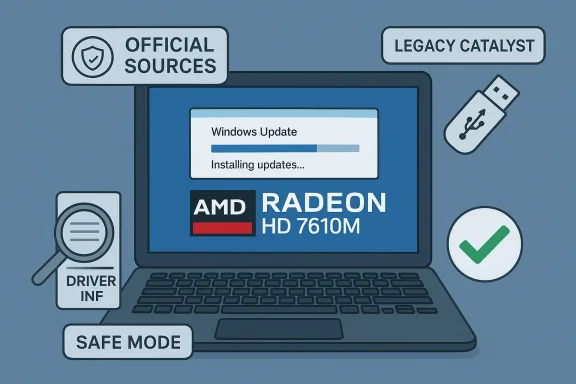 Background / Overview
The Radeon HD 7610M is a mobile GPU introduced around 2012; it’s part of AMD’s older HD 7000M family and ships with modest shader and memory specs compared with contemporary GPUs. For many laptops the vendor originally delivered Catalyst-era drivers (legacy installers) that provided full feature sets at the time. AMD’s product pages include archived Catalyst packages for the HD 7610M, with final legacy driver builds listed in the official download area. For modern driver packaging, AMD now distributes the AMD Software: Adrenalin Edition (the current driver ecosystem), but legacy mobile parts are typically represented by archived Catalyst builds or early Crimson packages. Two important contextual facts matter today:- Microsoft ended mainstream support for Windows 10 on October 14, 2025. That changes vendor messaging — many vendors have stopped explicitly listing Windows 10 in new release notes even when binary compatibility exists. Microsoft’s notice explains the implications for security updates and technical assistance.
- AMD’s documentation clarified Windows 10 compatibility remains available for many drivers even where release notes no longer headline Windows 10. That nuance matters: compatibility can persist even if a vendor’s release notes omit the OS in headlines. Still, legacy GPUs like the HD 7610M are in maintenance/archived status and will not receive feature-driven updates.
Why official sources matter (and what “official” means)
Drivers operate in kernel space and directly affect system stability, security, and boot behavior. That makes provenance critical.- Microsoft Update / Windows Update ofte driver that is the lowest-risk choice for legacy hardware on Windows 10.
- OEM/vendor support pages (Dell, HP, Lenovo, Acer, etc. provide installers tuned for specific laptop models — these often include hotkey utilities, hybrid-graphics modules, and power-management code the generic AMD package omits.
- AMD official pages and archives host Adrenalin builds and legacy Catalyst packages for older GPUs; these are authoritative, and archived Catalyst installers for the HD 7000M family are still present.
Quick primer: HD 7610M technical reality (what the card can — ane chasing drivers, understand the card’s capabilities so your expectations match reality.
- The Radeon HD 7610M is a Whistler-based mobile GPU with ~400 shaders, up to many OEM SKUs, and DirectX 11.x support. It was introduced around January 2012 and was targeted at mainstream laptop graphics of its era. Expect modest 3D performance and limited modern codec hardware offload.
- For modern gaming, multimedia acceleration, or multi-monitor 4K workflows, the HD 7610M will be limited. If your goal is basic desktop, video playback, or light legacy gaming at 720p/1366×768, it remains serviceable with the correct driver, consider hardware refresh options.
Where to get the right driver — ranked by safety
- Windows Update / Microsoft Update Catalog — try this low-risk, compatible driver. Microsoft-supplied drivers prioritize system stability and kernel signing integrity.
- Your OEM vendor support page — best choice on branded laptops because it can include vendor-specific power/hybrid-graphics support omitted from generic AMD installers.
- AMD official downloads & legacy archives — use AMD’s product selector or the AMD support page for the HD 7610M to find Catalyst-era packages (Catalyst 14.4 and similar legacy builds are listed for this model). When using archived Catalyst installers, treat them as advanced/manual installs.
- Community archives & reputable driver indexes (TechPowerUs) — only when official channels don’t have the exact file. Always verify digital signatures and checksums if you download from a third-party index.
- Avoid one-click third-party marketplaces that don’t disclose SHA-256 hashes, checksums, or signatures. They’re convenient but risky.
Step-by-step: Safe installation workflow for Radeon HD 7610M on Windows 10
Follow this tested, community-vetted sequence. If at any step you reach acceptable functionality, stop — no need to escalate.- Inventory and record your GPU hardware ID.
- Open Device Manager → Display adapters → right-click the device → Properties → Details tab → Property: Hardware Ids.
- Copy the PCI\VEN_1002&DEV_xxxx string to a text file for reference. This ID is the gatekeeper for INF-based installsy points.
- Make a System Restore point and, if possible, a full disk image. Driver changes to the display stack can leave a system non-bootable.
- Try Windows Update first (lowest risk).
- Settings → Update & Security → Windows Update → Check for updates → View optional updates → Driver updates.
- If a Microsoft-signed Radeon driver is presented, install and validate resolution, multi-monitor behavior, video playback. Stop here if satisfied.
- Check OEM support page (especially for laptops)downloads for your exact model and Windows 10 package. OEM drivers include vendor UWP apps, hotkeys, and hybrid-graphics components often required on laptops. Install and validate.
- If you need features not OEM drivers, use AMD’s archived package (advanced).
- Use AMD’s product selector or the AMD download page to locate the HD 7610M Catalyst package (example listed versions: Catalyst 14.4). Download only from AMD.
- Boot to Safe Mode and run a clean removal if switching driver stacks: use AMD Cleanup Utility or Display Driver Uninstaller (DDU) to remove remnants. Community eors DDU before legacy installs.
- Inspect the INF before a manual install.
- Extract the AMD package (many AMD installers self-extract to C:\AMD). Open Display.Driver*.inf and search for your recorded Hardware Id.
- If your hardware ID appears, proceed to Device Manager → Update driver → Browse my computer → Let me pick from a list → Have DF and install only the display driver. If the INF does not include your device ID, do not edit it unless you understand driver signing and re-signing responsibilities.
- Verify the installer’s digital signature.
- Right-click the downloaded installer → Properties → Digital Signatures. Confirm AMD or OEM signer. If no valid signature package as untrusted.
- Pause Windows Update while validating.
- Windows Update may automatically reapply Microsoft-signed drivers and overwrite your manual install. Pause updates or use the “Show or hide updates” e testing. Re-enable updates after validation.
- Keep a rollback plan.
- Archive the working installer on external media, keep DDU ready, and — if you have one — a disk image to restore from. If trouble occurs, Safe Mode + DDU + reinstall Microsoft/OEM driver is the usual recovery pahooting: common failure modes and fixes
- Symptom: Device shows “Microsoft Basic Display Adapter” after installing an AMD/OEM package.
- Likely cause: partial/failed install or leftover driver remnants.
- Fix: Boot into Safe Mode, run DDU to remove residues, and reattempt the install (start with Windows Update/OEM if unsure).
- Symptom: Installer aborts with “This device is not supported.”
- Likely cause: the packaged INF lacks your device’s VID/PID.
- Fix: Extract the package and check the INF for your hardware ID. If iodriver; do not edit the INF unless you can re-sign drivers and accept the security risk.
- Symptom: Windows Update keeps replacing your manual driver.
- Fix: Pause Windows Update and use the wushowhide tool to hide the driver while validating the manual driver. Re-enable updates after confirming stability.
- Symptom: UWP/Radeon overlay or settings show mismatched versions.
- Fix: Uninstall UWP store apps for Radeon settings, run DDU, and reinstall thelyst package. Keep OEM store components in mind; mixing OEM UWP apps with generic AMD installs can cause mismatches.
The “cheap driver shop” trap — what to watch for and why the Born2Invest text is not sufficient proof
You may find articles, marketplace listings, or “clearance” driver bundles that promise a one-click fix for older GPUs. These are often repackaged installers without provenance. Community audits and forum moderators consistently document the dangers: edited INFs, unsigned kernel binaries, bundled adware, and missing checksums. Treat claims on bargain sites as discovery only — never as the definitive download location.If you encountered the Born2Invest link or similar short posts advertising cheap AMD drivers, be cautious:
- Such posts often omit essential defensive steps (create a restore point, run DDU).
- They rarely publish checksums or digital signature details that let you verify the package’s integrity.
- In the worst case, repackaged installers have been observed to include unsigned kernel-level components or non-AMD authorship strings in the driver properties.
Long-term and security considerations (Windows 10 EOL implications)
With Windows 10’s end of support on October 14, 2025, vendors have adjusted how they document supported OSes. Microsoft’s EOL page defines the implications: no more routine security updates or technical support for Windows 10 after that date — unless you enroll in Extended Security Updates (ESU) options. That makes the security posture of a Windows 10 machine using legacy drivers more fragile over time. Plan to migrate to Windows 11 or another supported platform for long-term security.AMD publission of Windows 10 from some Adrenalin release notes did not necessarily mean immbility; the company explained release-note omissions are a consequence of Microsoft’s EOL decision and that compatiblo be available for many configurations. However, for truly legacy GPUs (HD 7000M series), expect only archived support and maintenance-r than ongoing new features or optimizations. Cross-checks by technology outlets confirm AMD’s clarification. ([tech.yahoo.com](AMD’s latest Adrenalin driver update drops Windows 10 from release notes, but the company says support continues choices for owners of older hardware:
- If the laptop meets Windows 11 requirements and you need a supported OS, upgrade to Windows 11 and use AMD’s Adrenalin installer for the newer lifecycle.
- If the laptop cannot run Windows 11, consider Linux distributions or lightweight alternatives for continued security updates, or enroll in ESU options where feasible.
- For mission-critical or production systems, avoid unsigned drivers and avoid running unsupported OS + unsigned drivers in sensitive environments.
Final checklist — what to do right now for HD 7610M on Windows 10
- Step 1: Backup the system (System Restore point + disk image).
- Step 2: Record the GPU Hardware Id (Device Manager → Details → Hardware Ids).
- Step 3: Run Windows Update → check optional driver updates. If a Microsoft-signed driver is available, test it.
- Step 4: If Windows Update doesn’t meet needs and you have a branded laptop, check the OEM support sitaller.
- Step 5: If you require legacy Catalyst features, download the HD 7610M package from AMD’s archived support page, run DDU in Safe Mode first, inspect the INF for your hardware ID, verify the digital signature, and install via Device Manager → Have Disk if necessary.
- Step 6: Pause Windows Update while validating installs and retain the working installer and a DDU-safe plan for rollback.
Conclusion
For an AMD Radeon HD 7610M on Windows 10, the safest route is conservative: prefer Microsoft Update, then your OEM, and use AMD’s archived Catalyst installer only when you genuinely need legacy features and after performing careful verification. Windows 10’s end of support on October 14, 2025 complicates vendor messaging but does not instantly invalidate existing drivers — AMD continues to provide compatibility for many configurations, yet HD 7610M is a legacy part and will not regain modern features. Avoid bargain driver shops and repackaged bundles; verify signatures and INF entries, keep DDU and a system image on hand, and prioritize a long-term migration plan to a supported OS if security matters. This methodical approach minimizes the risk of instability, preserves boot integrity, and keeps your system safe while you decide whether to refresh hardware or move to a supported platform.Source: Born2Invest https://born2invest.com/?b=style-232555712/
