Samsung Browser for Windows 30.0.0.95 Goes Stable With AI & Galaxy Continuity

  • Thread Author
Samsung’s desktop browser push has moved out of beta, and the timing matters. What began as a limited Windows preview in late October 2025 has now become a stable, globally available release under a slightly new name: Samsung Browser for Windows. The latest build, 30.0.0.95, landed on March 25, 2026, and Samsung’s own release notes confirm both the renaming and the addition of AI features for users in Korea and the United States. (developer.samsung.com)
That may sound like a simple product update, but it is actually a meaningful strategic move. Samsung is no longer treating its browser as a phone-only utility; it is positioning the browser as a cross-device layer that ties together phones, tablets, PCs, account services, and AI assistance. In a market dominated by Chrome, Edge, and increasingly AI-inflected competitors, Samsung is trying to make the browser itself a reason to stay inside the Galaxy ecosystem. (developer.samsung.com)
For Windows users, the practical result is a browser that follows the same continuity logic Samsung has spent years building elsewhere in its software stack. For Samsung, the larger bet is that browsing, search, translation, sync, and task completion can become part of a single assistant-like experience rather than a collection of separate tools. That is a more ambitious proposition than a standard browser launch, and it puts Samsung into a more direct conversation with the rest of the AI race. (developer.samsung.com)
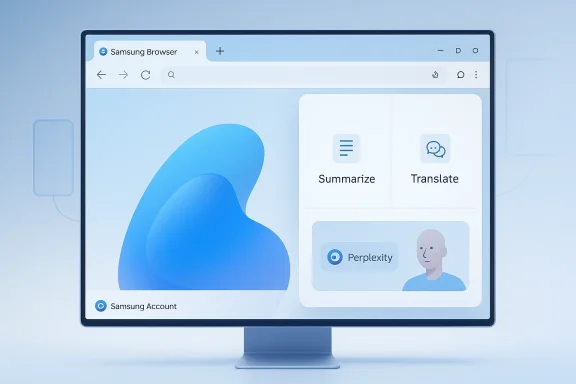
A Samsung Browser window shows “Summarize” and “Translate” features on a computer monitor.Background​

Samsung has spent years refining Samsung Internet on mobile, where it earned a reputation for privacy controls, anti-tracking features, and a polished Samsung-specific browsing experience. The browser became one of the most visible pieces of software in the Galaxy ecosystem, especially for users who wanted a first-party alternative to Google Chrome. That long runway on mobile is important because it explains why Samsung felt comfortable extending the browser to Windows at all.
The move to desktop began in earnest on October 30, 2025, when Samsung announced a beta program for Windows 11 and Windows 10 version 1809 and later, initially limited to the United States and Korea. At that time, Samsung framed the project as the first step toward a more connected browsing experience and, more broadly, toward “ambient AI” across the Galaxy ecosystem. The beta was not just a compatibility exercise; it was a platform strategy signal.
The company has now pushed that experiment into general availability. Samsung’s Windows release notes show the jump from beta-era builds to the stable 30.0.0.95 release on March 25, 2026, and they explicitly state that Samsung Internet has been renamed to Samsung Browser. That rename mirrors Samsung’s broader branding simplification on phones and tablets, where “Internet” is being dropped in favor of a cleaner product identity. (developer.samsung.com)
This change also lands in a year when Samsung has doubled down on agentic AI across its devices and services. At MWC 2026, Samsung highlighted a connected AI vision that includes multiple agents, including Perplexity, as part of a single entry point for users. In that context, the browser is no longer just a window to the web; it is a workspace for AI-assisted action.
The browser’s desktop debut also reflects how Samsung thinks about device continuity. Samsung has already invested heavily in cross-device handoff, synchronization, and ecosystem glue through Galaxy, Samsung Account, Samsung Pass, and other services. Bringing the browser to Windows lets Samsung translate those advantages into a daily productivity surface where users spend a lot of time.

Why Windows matters​

Windows is the obvious expansion target because it is where Samsung’s users are most likely to switch between work and personal devices. A browser that syncs state between a Galaxy phone and a PC can make that handoff feel less like a platform switch and more like a continuation. That is precisely the kind of friction reduction Samsung wants to own.

Why the rename matters​

The renaming from Samsung Internet to Samsung Browser is not cosmetic alone. “Internet” was always a slightly awkward label on desktop, where users expect a browser, not a category description. The new name makes the product easier to position globally and aligns it with the simpler, platform-neutral branding Samsung is using elsewhere. (developer.samsung.com)

The Stable Release in Context​

Samsung’s stable release does more than remove a beta label. It tells us the company believes the browser is ready for a broader audience and that the core desktop experience has matured enough to be marketed outside a test group. Release notes matter here because they show a steady cadence of updates throughout late 2025 and early 2026, not a one-off launch followed by silence. (developer.samsung.com)
The progression is revealing. Samsung added features like split-view polish, pop-up blocking improvements, HTTPS defaults, authentication for sensitive data, and translation enhancements before the stable launch. That sequence suggests the company was closing practical gaps first and layering on AI and continuity features after the base experience became more dependable. (developer.samsung.com)

From beta to real product​

A beta browser can survive rough edges, missing region support, and occasional instability. A stable browser cannot. By shipping version 30.0.0.95 as a worldwide release, Samsung is effectively saying the product is good enough to become part of its long-term software portfolio rather than a temporary experiment. (developer.samsung.com)
That matters because browsers are not like one-off apps. Once users import bookmarks, sign in, and use password filling, they begin to rely on the product for daily workflows. Samsung appears to be betting that the install base of Galaxy users on Windows is large enough to justify that commitment, and that the browser can become a habit rather than just a curiosity. (developer.samsung.com)

What changed in version 30.0.0.95​

The release notes point to three headline changes: the rename, the AI features, and general stability fixes. That is a compact changelog, but it signals that Samsung is trying to present the browser as both more polished and more ambitious at the same time. The update is not merely a bug-fix patch; it is a product reintroduction. (developer.samsung.com)
  • Renamed from Samsung Internet to Samsung Browser
  • AI features introduced for Korea and the United States
  • Bug fixes and stability improvements to support a stable release (developer.samsung.com)

Cross-Device Continuity as the Real Selling Point​

The most interesting part of Samsung Browser for Windows is not the browser engine itself. It is the idea that browsing state can move across devices without friction, letting users resume a webpage on a PC after opening it on an Android phone or tablet. Samsung says this requires the same Samsung account on both devices, which makes the feature feel like a more integrated ecosystem promise than a generic sync checkbox.
This is where Samsung has a natural advantage. Its hardware audience already spans phones, tablets, laptops, and accessories, and it has spent years building connective tissue through Samsung Pass, account sync, and “continue browsing” behavior. A browser that understands those relationships can do more than save a tab; it can preserve intent across screens.

Continuity as productivity​

For consumers, the benefit is convenience. For students, office workers, and multitaskers, the benefit is time saved when moving from mobile research to desktop work. Samsung is essentially arguing that your browser history should behave like a workspace, not just a record.
That framing is important because it positions the browser as a productivity tool inside the Galaxy stack. Samsung is not trying to win with the biggest extension ecosystem or the most aggressive market share play. It is trying to make its browser feel like the easiest place to pick up where you left off.

What that means for Windows users​

Windows users who already live in Samsung’s ecosystem may notice the biggest difference. The browser can sync bookmarks and browsing history, and it can lean on Samsung account identity to make the desktop feel less disconnected from the phone. That is a meaningful value proposition, especially for people who do research on mobile and finish tasks on PC. (developer.samsung.com)
But continuity only works if users are willing to opt into it. The experience is strongest when a Samsung phone, a Samsung account, and a Windows PC all cooperate. That makes the feature feel more tailored than universal, which is both a strength and a limitation.

Perplexity and Agentic AI Features​

Samsung’s biggest differentiator in the Windows browser is Perplexity integration. The company is leaning into a browser that can respond to natural language prompts, synthesize information from multiple open tabs, and help users gather context without manual copy-paste gymnastics. Samsung describes this as part of its agentic AI direction, and the browser’s split-view AI panel is designed to make that assistance visible and persistent. (developer.samsung.com)
The browser can summarize webpages, translate content, create notes through Samsung Notes, and even use browsing history as a natural-language query surface. Samsung also claims it can understand context within videos and jump directly to a relevant segment based on a user’s request. Those are ambitious claims, and some of the experience will likely depend on the quality of indexing, language support, and the specific site or video format involved. (developer.samsung.com)

Why AI in a browser is a bigger deal than AI in an app​

Browsers are where people research, compare, shop, learn, and work. That makes them an unusually valuable layer for AI assistance because they already contain the raw material of intent. If Samsung can make the browser feel like a smart research companion, it gains a foothold where users spend real time rather than just one-off query moments. (developer.samsung.com)
The browser also gives Samsung a place to stage a more conversational workflow. Instead of asking users to move between tabs, notes, search engines, and translation tools, Samsung wants to compress those steps into a single interface. In other words, the browser becomes the operating surface for micro-tasks. (developer.samsung.com)

Regional limits still matter​

Samsung says the AI features are currently available only in South Korea and the United States, with additional countries to follow later. That is an important reminder that the product is shipping globally, but the headline AI layer is not yet globally equal. International users will see the browser, but not necessarily the full AI promise. (developer.samsung.com)
That split is common in Samsung’s software rollouts, but it does create an uneven experience. The browser’s appeal will depend partly on whether Samsung can expand these AI features quickly enough that global availability feels complete rather than fragmented. That timing will matter a lot. (developer.samsung.com)
  • Perplexity integration adds conversational assistance
  • Split view helps users keep the page visible while AI works
  • Summarization and translation broaden the browser’s productivity role
  • Video context handling is a standout claim if it works reliably
  • AI availability is currently limited to Korea and the U.S. (developer.samsung.com)

Samsung Pass and Security​

One of the most practical reasons people may try Samsung Browser on Windows is Samsung Pass. Samsung says the browser can autofill login credentials and payment details, which means it can handle both convenience and transaction friction in one place. That is a familiar browser feature set, but Samsung’s pitch is that it becomes stronger when tied to the Galaxy identity layer. (developer.samsung.com)
Security is where browsers usually win or lose trust, and Samsung has clearly tried to shore up its story here. Its earlier Windows release notes show that on January 9, 2026, Samsung Pass on Windows began requiring verification using the user’s Windows sign-in method for enhanced security. That is an important sign that Samsung is trying to reduce the risk of casual credential exposure. (developer.samsung.com)

Passwords, payment, and trust​

Autofill is convenient, but it is only valuable when users believe the browser will protect their data. By linking Samsung Pass to Windows authentication, Samsung is borrowing a trusted local security method to protect cloud-connected credentials. That is a smart design choice because it reduces the feeling that biometric or password data is floating around unattached. (developer.samsung.com)
Samsung’s release notes also show a user authentication step for accessing personal information such as saved passwords or profiles, which suggests it is paying close attention to sensitive data surfaces. That kind of detail matters more than flashy AI demos because it affects daily confidence. (developer.samsung.com)

Privacy positioning​

Samsung has long marketed its browser with privacy features like smart anti-tracking and a Privacy Dashboard on mobile, and those ideas carried into the PC beta story as well. That is important because consumers increasingly expect AI-powered software to explain what it is doing with their data. The more Samsung can link intelligence with transparent controls, the stronger its positioning will become.
The tension, of course, is that browser AI is only useful if it can see enough context to be helpful. Samsung will need to balance the convenience of broad page understanding against the fear that the browser is reading too much. That balance is central to adoption. (developer.samsung.com)

Branding, Ecosystem, and Competitive Positioning​

The rename from Samsung Internet to Samsung Browser is more than housekeeping. It signals a desire to normalize the product across device classes and reduce the perception that it is merely a mobile browser awkwardly ported to PC. Samsung wants the browser to feel like an ecosystem feature that happens to run on Windows, not a Samsung gadget quirk. (developer.samsung.com)
That matters in a competitive market where browsers are increasingly judged not only by speed or compatibility but also by identity, workflow, and intelligence. Microsoft is pushing Edge deeply into Windows, Google owns the Chrome default mentality, and newer entrants keep trying to differentiate with AI. Samsung is now saying that ecosystem continuity can be its wedge.

The Galaxy advantage​

Samsung’s biggest asset here is not browser technology in isolation. It is the fact that Samsung controls a stack of devices and services that can all reinforce one another. A user who owns a Galaxy phone, Galaxy tablet, and Galaxy Book has a more compelling reason to use Samsung Browser than a user with a random mix of devices. (developer.samsung.com)
That is why the browser could matter more in the enterprise and prosumer spaces than as a mass-market challenger. Samsung is building a product that rewards loyalty, not just curiosity. If it works, the browser becomes another proof point for the Galaxy ecosystem’s stickiness.

The broader market impact​

Samsung is also nudging the browser market toward a more integrated AI future. The old battle lines of rendering speed, privacy, and extension support are still relevant, but they are no longer enough to define the conversation alone. With browser AI, the new question is which company can turn the browser into a helpful co-pilot rather than a passive window. (developer.samsung.com)
That raises the competitive stakes for everyone. If Samsung’s desktop browser gains traction among Galaxy owners, rivals may need to think harder about how they connect browsing with devices, accounts, notes, and translation. The browser is becoming a platform layer again, and Samsung clearly wants a seat at that table. (developer.samsung.com)
  • Samsung Browser is now a cross-device ecosystem product
  • The Galaxy stack is Samsung’s biggest competitive moat
  • AI makes the browser more than a rendering engine
  • The launch pressures rivals to think about continuity, not just speed
  • The rename helps Samsung present a more unified product identity (developer.samsung.com)

Enterprise and Consumer Impact​

For consumers, Samsung Browser for Windows is easiest to understand as a convenience upgrade. It gives Galaxy users a familiar browser on PC, lets them carry over bookmarks and history, and adds AI tools that can reduce small but repetitive tasks. That is the kind of utility that can create habit if the browser feels fast and clean enough to replace a default choice. (developer.samsung.com)
For enterprise and business users, the implications are more nuanced. A browser tied to Samsung account infrastructure and Samsung Pass can be helpful for workers who already live in a Galaxy-managed environment, but corporate IT will care about identity controls, policy support, and data governance. The more Samsung positions the browser as a productivity surface, the more those enterprise questions will matter. (developer.samsung.com)

Consumer use cases​

The consumer story is about convenience, continuity, and AI assistance. Samsung wants users to think about a browser that remembers where they left off, translates what they need, and helps them synthesize content across tabs and videos. That is a clean message for people who already use Samsung Notes, Samsung Pass, and Galaxy devices. (developer.samsung.com)

Business use cases​

The business story is more strategic. Samsung’s broader Windows ecosystem already emphasizes productivity with devices like Galaxy Book, and browser integration could become part of a wider workflow narrative. If Samsung can keep improving security and administrative controls, it may eventually become a more credible corporate option inside Samsung-heavy workplaces.
  • Consumers get continuity and convenience
  • Business users get a potential ecosystem productivity layer
  • Enterprise adoption will depend on security and policy support
  • Samsung’s Windows strategy reinforces its Galaxy Book and mobile-device story
  • The browser is most compelling for users already invested in Samsung services (developer.samsung.com)

Strengths and Opportunities​

Samsung Browser for Windows has several obvious strengths, and most of them come from the same place: ecosystem integration. The browser is not trying to beat every rival feature-for-feature; it is trying to do a handful of things unusually well for Samsung users. That focus may prove more durable than a broad, undifferentiated browser strategy. (developer.samsung.com)
The biggest opportunity is to make Samsung Browser feel indispensable for Galaxy owners who also use Windows. If Samsung can deepen that relationship with better sync, smarter prompts, and more reliable performance, it can create a browser that people adopt for the ecosystem and keep for the experience. That is a credible path to loyalty, even without trying to dethrone Chrome outright. (developer.samsung.com)

Risks and Concerns​

The biggest risk is that Samsung Browser could remain a niche product outside the Galaxy faithful. Browsers are deeply entrenched habits, and most users do not switch unless the gains are obvious and the migration is painless. If the browser feels too ecosystem-specific, adoption may plateau even with stable release status. (developer.samsung.com)
  • Regional AI limits may frustrate global users who expect the full feature set. (developer.samsung.com)
  • Ecosystem lock-in could make the browser feel less compelling to non-Samsung users. (developer.samsung.com)
  • AI accuracy will need to prove itself in real-world browsing, not just demos. (developer.samsung.com)
  • Privacy concerns could emerge if users are unsure how much context the browser analyzes.
  • Competition from Chrome and Edge remains intense on Windows.
  • Enterprise trust will depend on governance and policy features beyond consumer convenience.
  • Feature fragmentation between regions could make the product feel uneven. (developer.samsung.com)
Another concern is that AI in browsers can become novel but not essential. Users may try summarization and translation once or twice and then go back to established habits if the results are inconsistent. Samsung’s challenge is to make the AI feel woven into browsing rather than bolted on. (developer.samsung.com)

Looking Ahead​

The next stage will be about expansion and refinement. Samsung has already moved the browser from beta to stable, but the real story now is whether it can broaden the AI feature set beyond Korea and the United States while keeping the desktop experience simple and reliable. If Samsung executes well, the browser could become one of the most important glue layers in the Galaxy ecosystem. (developer.samsung.com)
It is also worth watching how Samsung positions the browser relative to its other AI efforts. The company’s MWC 2026 messaging suggests a broader push toward agentic experiences across devices, and the browser is a natural place to test that vision because web browsing is so centrally tied to real user intent. The browser may end up being less about browsing and more about orchestrating tasks.
  • Expansion of AI features to more countries
  • Further improvements to Samsung Pass security and authentication
  • Better video context understanding in real-world use
  • Tighter integration with Samsung Notes and other Galaxy services
  • More release-note updates that signal maturity and polish
  • Possible enterprise-focused enhancements for managed environments (developer.samsung.com)
Samsung Browser for Windows is more than a beta graduating to stable software. It is a statement that Samsung wants the browser to act as a bridge between devices, services, and AI assistance, with Windows serving as the desktop anchor for that ambition. If Samsung keeps improving the underlying experience and expands the AI layer responsibly, the browser could become one of the quietest but most important parts of the company’s connected strategy.

Source: SamMobile Samsung Browser for Windows is now out of beta and available worldwide
 

Samsung Browser for Windows has crossed an important threshold: Samsung has moved the product from a limited beta into a stable Windows release, and the latest build, version 30.0.0.95, is dated March 25, 2026. Samsung’s own release notes say the browser has been renamed from Samsung Internet to Samsung Browser, and that the new stable build introduces AI features for users in Korea and the United States while also fixing bugs and improving stability (developer.samsung.com). That makes this more than a routine point update; it is Samsung signaling that the desktop browser is now part of its long-term ecosystem strategy rather than an experiment.

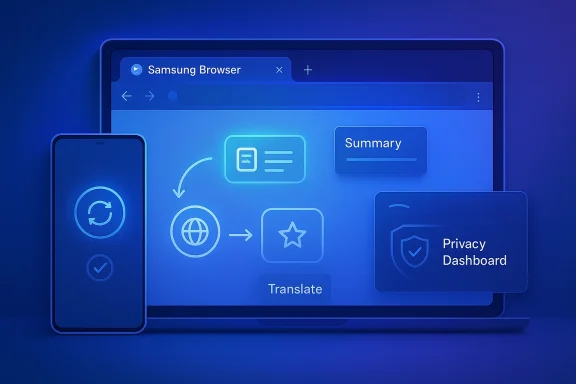
Futuristic blue UI showing Samsung Browser with Translate and Privacy Dashboard across phone and laptop.Background​

Samsung’s Windows browser story started with a beta announcement in late 2025, when the company said Samsung Internet for PC would launch on Windows 11 and Windows 10 version 1809 and above in the United States and Korea. Samsung framed that first move as a connected browsing experience across devices, with Samsung Pass, tab and history sync, and early Galaxy AI features meant to make the browser feel less like a standalone app and more like a bridge between phone and PC (news.samsung.com). The beta itself was clearly positioned as the first step in a broader AI and continuity roadmap, not simply a Chromium port.
The stable release now confirms that Samsung has stuck with that roadmap. The release notes show a steady cadence of updates throughout late 2025 and early 2026, including changes to translation performance, password authentication, pop-up blocking, HTTPS behavior, and the browser’s web engine. In other words, Samsung did not leap from beta to stable with a single dramatic rewrite; it iterated in the familiar way mature desktop software does, tightening reliability before widening distribution (developer.samsung.com). That matters because browser launches fail more often from rough edges than from lack of ambition.
Samsung’s broader AI messaging also helps explain the timing. In February 2026, Samsung announced a wider multi-agent AI ecosystem and said it would add Perplexity as an additional AI agent on upcoming flagship Galaxy devices. The browser release lands in that same strategic lane, suggesting Samsung is trying to make AI assistance feel native across mobile devices, PCs, and services rather than confined to one product category.
There is also a practical market backdrop. Windows remains the default desktop operating system for most users, but browser competition on Windows is brutal because Microsoft Edge, Google Chrome, and Mozilla Firefox already own the lion’s share of attention. Samsung’s pitch therefore cannot rely on generic browser features alone; it has to sell ecosystem value, convenience, and AI differentiation. That is why the company keeps emphasizing cross-device sync, Samsung Account integration, and assistant-like browsing tasks rather than simply speed or standards support (news.samsung.com).

From beta to stable​

The beta began on October 30, 2025, and Samsung said at the time that broader expansion would follow. The stable release now shows that the company has followed through, though not every promised capability appears to be globally identical. Samsung’s release notes explicitly say the AI features in the new build are available in Korea and the United States, which strongly suggests that the desktop browser’s most advanced capabilities are still region-limited even as the installer becomes globally available (developer.samsung.com).

Why this release matters​

This is not just about another browser icon on the Windows desktop. Samsung is trying to create a continuity layer that binds together Galaxy phones, Samsung accounts, passwords, browsing history, and AI assistance. If that works, the browser becomes sticky in a way ordinary browsers rarely are, because leaving it means giving up a set of integrated services rather than simply switching rendering engines (news.samsung.com).

Overview​

The headline feature set revolves around three pillars: sync, security, and AI. Samsung says users can sync bookmarks and browsing history, resume pages between mobile and PC, and carry sensitive data through Samsung Pass so website sign-ins and profiles move with them. On top of that, Samsung adds browsing assist features such as webpage summarization and translation, plus a more advanced AI layer powered by Perplexity for natural-language queries and task completion (news.samsung.com).
That combination gives Samsung a distinctive story, even if some of the underlying components are familiar. Sync is not new. Password managers are not new. AI summaries are not new. But Samsung is bundling these ideas into a single browser experience and tying them to a hardware ecosystem that already has millions of users on Galaxy phones and laptops. The result is a browser that is meant to be more than a browser.
The release also reflects a broader shift in the software industry. Browsers are increasingly becoming operating surfaces for AI, not merely windows onto websites. Samsung’s wording about an “integrated AI platform” and “ambient AI” is not accidental; it is part of a race to make browsers into assistants that can search, summarize, translate, and act based on context. In that race, Samsung is leaning on Perplexity as a differentiator rather than trying to build every intelligence layer itself (news.samsung.com).
At the same time, Samsung’s decision to rename the product from Samsung Internet to Samsung Browser is subtle but important. “Internet” suggests the old mobile-first identity. “Browser” sounds broader, more desktop-native, and more immediately understandable to Windows users. That semantic shift helps Samsung present the product as a real PC browser rather than a companion app stretched onto a desktop screen (developer.samsung.com).

The naming change​

Samsung’s release notes are explicit: Samsung Internet has been renamed to Samsung Browser in the Windows stable build. That may seem cosmetic, but product naming often signals category intent. Samsung appears to be saying the app has matured beyond a port and should now be judged as a full-fledged Windows browser with its own roadmap (developer.samsung.com).

Cross-Device Continuity​

Samsung’s strongest argument is not that it has invented a new browser category, but that it has made browsing feel continuous across devices. Samsung says bookmarks, browsing history, and settings can sync between the phone and PC, while Samsung Pass carries personal data for secure sign-ins and autofill. It also prompts users to resume browsing when switching devices, which gives the workflow a sense of motion instead of interruption (news.samsung.com).
That is a meaningful advantage for Galaxy users who already live inside Samsung services. It reduces friction in a way that is difficult for general-purpose browsers to replicate unless they also own the device ecosystem. Chrome can sync well, Edge can sync well, and Firefox can sync well, but Samsung’s pitch is about tighter device-to-device continuity, especially for users who move between Galaxy phones and Windows machines all day.
The technical value here is less about one specific feature and more about the network effect of having a common identity layer. If your passwords, tabs, and session continuity are tied to the Samsung account and Samsung Pass, the browser stops being a disposable app and starts behaving like a system component. That is sticky in both consumer and enterprise settings, though in different ways.
For consumers, the payoff is convenience. For enterprises, the payoff is potential standardization, provided the business is already invested in Samsung hardware and account management. The challenge is that the browser must justify that integration without becoming overly tied to one vendor’s ecosystem assumptions.

Sync as strategy​

Samsung’s sync features do more than save time. They create a reason to stay within Samsung’s orbit even when a user moves to a Windows PC that could otherwise support any browser. That is the essence of ecosystem software: making the default choice feel like the easiest choice.
  • Bookmarks and browsing history stay aligned across devices.
  • Samsung Pass extends stored credentials and profiles.
  • Resume prompts reduce the sense of starting over.
  • Samsung Account becomes the identity center.
  • Cross-device continuity adds switching friction for competitors.

AI Features and Perplexity Integration​

The biggest headline-grabber is the browser’s AI layer, especially its integration with Perplexity AI. Samsung says the stable release introduces AI features for Korea and the United States, while the beta announcement described browsing assist functions such as instant webpage summarization and translation. The company also positions the browser as a gateway to ambient AI, which means the assistant is supposed to understand context rather than wait passively for exact commands (developer.samsung.com).
This is where Samsung starts to look less like a browser vendor and more like a platform orchestrator. Perplexity gives Samsung a recognizable AI engine without having to build a full research stack alone, and that matters because modern browser AI needs to handle search, summarization, and task execution in ways that feel fluid. The browser is not merely displaying content anymore; it is interpreting it.
The practical feature set includes webpage summaries, translation, natural-language search, and help with multi-step tasks. Samsung’s messaging suggests users can ask questions in plain English instead of relying on exact keywords, and the AI can even leverage browsing history to surface relevant pages. That is an appealing vision, but it is also one that raises expectations quickly, because anything labeled “agent-like” will be judged against real-world accuracy, not marketing language.
There is an obvious competitive angle here too. Microsoft has been pushing Copilot across Windows and Edge, Google has been doing the same with Chrome-related AI surfaces, and the broader browser market is tilting toward AI assistance as a standard expectation. Samsung’s answer is to wrap that assistance in Galaxy continuity and Perplexity-backed search behavior, hoping the combination feels more useful than generic chatbot overlays.

What the AI does well​

The most promising uses are probably the simplest ones. Summarizing long pages, translating foreign-language content, and helping users revisit pages buried in browsing history are all tasks with clear everyday value. If Samsung executes those well, the browser can win trust one small productivity gain at a time.
  • Page summaries reduce information overload.
  • Translation lowers language barriers.
  • Natural-language search feels less brittle.
  • History-aware retrieval can save time.
  • Multi-step planning may reduce tab clutter.

The agentic promise​

Samsung’s more ambitious claim is that the browser can help with multi-step tasks based on the tabs a user has open. That is where the product shifts from passive assistant to agentic helper. If it works reliably, it could become a standout feature; if it misreads context, it could frustrate users faster than a traditional browser ever would.

Privacy and Security​

Samsung is clearly aware that AI-heavy browsers trigger privacy concerns, so the company leans hard on security language. It says the browser is built on Galaxy’s trusted foundation, with smart anti-tracking, a Privacy Dashboard, and secure use of Samsung Pass. The stable release also introduced a step requiring Windows sign-in verification before accessing saved passwords or profiles, which signals a stronger posture around local authentication (developer.samsung.com).
That matters because browser trust is fragile. Once a browser starts connecting accounts, history, passwords, and AI queries, users want to know where the data is going and how much of it is being retained. Samsung’s security story is strongest when it talks about anti-tracking and local verification, because those are concrete protections rather than broad promises.
But privacy is also where Samsung faces its toughest scrutiny. AI features that summarize pages, analyze tabs, and search history naturally invite questions about telemetry, model processing, and cross-service data handling. Users may accept some of that tradeoff if the convenience is high enough, but they will expect clarity. Vague trust claims will not be enough.
Samsung’s release notes also show it has been iterating on authentication and password handling in response to those concerns. The addition of a user authentication step for sensitive data access suggests the company is trying to close obvious weak points before the browser scales further. That is sensible, especially after the company’s broader Windows-related ecosystem experiences have shown how quickly trust can erode when software interactions go wrong.

Security guardrails​

The browser’s privacy story depends on whether Samsung can keep AI assistance useful without making it feel invasive. Users will likely accept a browser that helps them move faster, but not one that behaves like a surveillance layer.
  • Smart anti-tracking blocks third-party trackers.
  • Privacy Dashboard surfaces protection status.
  • Windows sign-in adds local access control.
  • Samsung Pass centralizes credential handling.
  • AI features must be transparent to earn trust.

Windows Compatibility and Release Maturity​

Samsung says the browser runs on Windows 10 version 1809 and above as well as Windows 11, which makes it available to a broad installed base even as Windows 10 itself nears the end of mainstream support. That is a smart compatibility decision, because Samsung is not restricting the browser to the newest hardware generation; it is going after the huge number of PCs that still remain in mixed enterprise and consumer circulation (news.samsung.com).
The update history also matters because it shows how the product matured. Samsung moved from beta build 29.0.0.124 in October 2025 to 29.0.0.151 in January 2026, then to 30.0.0.95 in March 2026. Along the way, it upgraded the web engine, improved translation performance, adjusted password authentication, and fixed display and autofill issues. That kind of incremental hardening is what users usually want from a browser, even if it is less exciting than AI branding (developer.samsung.com).
From a software quality perspective, the release looks credible because Samsung is still shipping meaningful changes in the release notes rather than pretending the product is finished forever. The March 25 build also explicitly says it “fixed bugs and improved stability,” which is the sort of phrase mature software teams use when they are trying to reassure early adopters that the beta phase was not just marketing theater (developer.samsung.com).
Still, a browser’s real maturity is measured by day-to-day behavior: rendering consistency, extension support, login stability, PDF handling, and how often it feels like it is fighting the user. Samsung’s release notes suggest progress, but the real test will be whether the browser can survive regular use on Windows desktops where Chrome and Edge are already deeply entrenched.

Version progression​

The version history is revealing because it shows a deliberate path from preview to stable product rather than a one-off announcement. That gives Samsung a better chance of convincing skeptical Windows users that this browser deserves a place on their taskbar.
  • Beta launch on October 30, 2025.
  • Multiple point releases through late 2025.
  • Password and security refinements in early 2026.
  • Web engine upgrade in February 2026.
  • Stable rename and AI rollout in March 2026.

Competitive Positioning​

Samsung is not trying to beat Chrome head-on with raw browser market share language. Instead, it is positioning Samsung Browser as a Galaxy-first experience that happens to run on Windows. That is a much more defensible strategy, because the browser’s differentiation lives in ecosystem integration, not just page rendering or extension count.
This also puts Samsung in a different competitive category than the usual browser wars. The real competition is less about tab speed and more about whether Samsung can own a user’s continuity layer across phone, desktop, and AI assistance. In that sense, Edge, Chrome, and even Apple’s ecosystem experiences are all reference points, but Samsung’s nearest rival may be the default behavior built into the Samsung device stack itself.
Perplexity’s role is especially important here. It gives Samsung a recognizable AI partner and avoids the impression that Samsung is simply copy-pasting generic chatbot functionality into the browser. If Perplexity remains sharp on search and summarization, Samsung can market the browser as smarter by design rather than merely decorated with AI terminology.
The risk, of course, is that the browser becomes too niche. If the best experience requires Samsung hardware, a Samsung account, and availability in a limited set of countries for key AI features, then the product may remain compelling only to loyalists. That would still be valuable, but it would limit the browser’s ability to grow into a serious mainstream threat.

Rival pressure​

Samsung’s move forces competitors to think about continuity more seriously. The browser is becoming another battleground for account ecosystems, AI assistance, and privacy controls, which means feature parity will no longer be enough.
  • Chrome will be judged on AI depth and device continuity.
  • Edge will be judged on Windows integration and trust.
  • Samsung will be judged on Galaxy value and consistency.
  • Perplexity gives Samsung a distinctive AI tone.
  • Ecosystem lock-in may become a bigger differentiator than speed.

Enterprise Impact​

For enterprises, the browser raises a different set of questions than it does for consumers. IT departments care less about whether a browser can summarize pages and more about whether it is manageable, secure, supportable, and predictable across fleets. Samsung’s Windows release is promising in that it supports Windows 10 and 11 broadly, but enterprise adoption will hinge on whether Samsung can document policy controls, account behavior, and data handling clearly.
The release notes do at least show signs of security hardening. Password access now requires Windows sign-in verification, and Samsung Pass is positioned as a protected sync layer rather than a loose cloud add-on. Those are the kinds of touches enterprise admins like to see, especially if they are already supporting Samsung laptops or mobile devices in a managed environment (developer.samsung.com).
However, AI features complicate governance. A browser that can analyze page content and search history through natural language may be fantastic for users, but it may also trigger questions about compliance, retention, and data exposure. Enterprises will want to know whether AI capabilities can be disabled, whether prompts are logged, and how region-specific processing is handled.
Samsung may ultimately find its strongest business case in organizations that already use Galaxy devices at scale. In those environments, the browser could become one more endpoint of a broader Samsung workspace story. But in mixed-device enterprises, the browser will need to prove it is not just another consumer utility wearing an enterprise suit.

IT questions that matter​

The enterprise verdict will likely depend on administration more than novelty. IT buyers will want answers that go well beyond feature marketing.
  • Can admins control Samsung Pass behavior?
  • Are AI features separately manageable?
  • What data leaves the device during summarization?
  • How are profiles and histories stored?
  • Is the browser compatible with standard enterprise policies?

Consumer Appeal​

For consumers, Samsung Browser’s value proposition is easier to grasp. If you already use a Galaxy phone and a Windows PC, the browser promises less friction, fewer passwords to re-enter, and a smoother flow between devices. That can be a genuinely attractive alternative to the generic browser experience many users simply tolerate.
The AI features make the product feel current, and perhaps more importantly, useful. A browser that can summarize articles, translate text, and help you find something in your browsing history without exact keyword recall addresses real pain points. People often do not need a smarter browser in the abstract; they need a browser that reduces the number of little chores they repeat every day.
That said, consumers are quick to abandon software that feels overdesigned. If Samsung’s AI features become intrusive, if sync is unreliable, or if the browser feels too closely tied to Samsung account prompts, people may treat it as a novelty rather than a default browser. The product must therefore balance delight with restraint.
The browser’s success may also depend on whether Samsung can make it feel trustworthy on first launch. Users tend to notice launch friction, login requirements, and permissions more than they notice future features. If the onboarding feels smooth, the browser has a shot at becoming habitual.

Why consumers may care​

The average Windows user is not looking for a philosophical argument about browser architecture. They want a tool that saves time and avoids annoyance.
  • Sync reduces repetitive sign-ins.
  • Summaries cut through long pages.
  • Translation makes foreign content easier to use.
  • History search becomes more natural.
  • Cross-device resume feels pleasantly seamless.

Strengths and Opportunities​

Samsung Browser’s biggest strength is that it blends a familiar browser format with Samsung’s broader device ecosystem. That creates a differentiated value proposition at a time when many browsers are converging on similar Chromium-based foundations. The opportunity is to turn Samsung Account, Samsung Pass, and Perplexity-backed AI into a user experience that feels both personal and practical.
  • Cross-device continuity gives Samsung a real ecosystem advantage.
  • AI summarization and translation address obvious everyday needs.
  • Perplexity integration adds credibility to the AI story.
  • Samsung Pass can deepen user lock-in without relying on passwords alone.
  • Windows 10 and 11 support expands the reachable audience.
  • Stable release maturity signals Samsung is serious about maintenance.
  • Renaming to Samsung Browser makes the product feel more desktop-native.

Risks and Concerns​

The browser’s biggest risk is overpromising on AI and underdelivering on reliability. Browsers are deeply personal tools, and users will not tolerate slowdowns, weird sync behavior, or opaque data practices for long. Samsung also has to be careful not to make the browser feel like a marketing extension of Galaxy devices rather than a genuinely useful Windows application.
  • Regional AI limits may frustrate users outside Korea and the United States.
  • Privacy questions will intensify as AI features become more contextual.
  • Ecosystem dependence could limit mainstream adoption.
  • Competition from Chrome and Edge remains formidable.
  • Enterprise trust will require much stronger documentation and controls.
  • Perplexity reliance adds a third-party dependency to the stack.
  • Too much onboarding friction could scare off casual users.

Looking Ahead​

The next phase will be about proving that Samsung Browser is more than a polished beta story. Samsung has the right ingredients: a large installed base of Galaxy users, a Windows target population that is still huge, and a timely AI pitch that feels aligned with current browser trends. But it now has to convert that setup into sustained daily usage, because browsers are won by habit, not announcements.
The most important question is whether Samsung can keep the browser broadly available while gradually expanding the best AI features beyond a couple of markets. If Samsung wants the product to matter globally, it will need to reduce regional fragmentation, strengthen documentation, and make the AI feel dependable rather than experimental. It will also need to keep shipping the unglamorous fixes—security, performance, and stability—that keep users from uninstalling the app after a week.

What to watch next​

  • Whether AI features expand beyond Korea and the United States.
  • Whether Samsung adds clearer enterprise controls and policy guidance.
  • Whether performance updates continue at the same steady pace.
  • Whether Perplexity features become deeper or more conversational.
  • Whether the browser gains meaningful extension or workflow support.
Samsung Browser for Windows is now past the point where it can be dismissed as a novelty. The stable release gives it legitimacy, the AI layer gives it a story, and the Galaxy ecosystem gives it a reason to exist. Whether that turns into broad adoption or a respected niche product will depend on execution from here, but Samsung has at least shown that it intends to compete on the desktop with more than cosmetic ambition.

Source: TechJuice Samsung Browser for Windows Now Stable With Global Availability
 

Samsung has officially pushed its desktop browser strategy into a new phase, and the significance goes well beyond another routine software port. What began as a limited Windows beta in late October 2025 has now matured into a stable release under the Samsung Browser for Windows name, with version 30.0.0.95 dated March 25, 2026, and Samsung’s own notes saying the build adds AI features for users in South Korea and the United States. The move is a strong signal that Samsung wants the browser to become a cross-device control layer for the Galaxy ecosystem, not just a place to render web pages. It also puts the company squarely into the fast-moving race around agentic AI, where browsers are evolving from passive windows into task-oriented assistants.

A desktop monitor shows the “Samsung Browser” update while a smartphone displays an AI icon.Overview​

Samsung’s browser story has changed dramatically in just a few months. The desktop beta started as a limited launch for Windows 11 and Windows 10 version 1809 and later, with access initially restricted to the U.S. and South Korea. That regional gating mattered, because it made clear Samsung was not testing a generic browser experiment; it was testing a connected experience tied to Samsung accounts, Galaxy phones, and the company’s broader AI ambitions.
The latest stable release keeps that logic intact, but the framing is sharper. Samsung has renamed the app from Samsung Internet to Samsung Browser on Windows, while preserving the same strategic purpose: continuity across devices, sign-in coherence, and AI-assisted browsing. The browser is still Chromium-based, which means the company is not trying to reinvent rendering from scratch, but rather to build higher-value layers on top of a familiar technical foundation.
That strategy is important because browsers have become one of the last universal surfaces where vendors can combine identity, search, productivity, and AI into a single everyday product. For Samsung, the browser is not merely an app; it is a bridge between Galaxy phones, Samsung Pass, desktop PCs, and the company’s AI services. That kind of integration can be powerful when it works well, but it also creates new expectations around trust, sync reliability, and privacy controls.
The “agentic” label is the most revealing part of the story. In Windows-land, that term increasingly refers to AI features that do more than summarize text; they interpret page context, help plan actions, and in some cases act on the user’s behalf. Samsung is joining a broader industry shift in which the browser becomes a place where AI can do work, not merely answer questions.

From Mobile Browser to Desktop Platform​

Samsung Internet has long been known as a mobile-first browser, especially on Galaxy phones, where it became part of the default Samsung experience. Bringing that brand to Windows is significant because it extends Samsung’s software identity beyond the phone and into the productivity environment where users spend much of their day. The browser is now a desktop companion to the phone rather than a disconnected sibling.

Why the Desktop Matters​

The Windows desktop is where browser switching becomes sticky. People do not simply want tabs and bookmarks; they want password continuity, history continuity, media continuity, and a way to pick up where they left off on another device. Samsung is clearly betting that Galaxy owners will value a browser that feels native to their broader ecosystem rather than one that just happens to run on Windows.
That bet is not trivial. On Windows, browser loyalty is hard to earn because Microsoft Edge, Google Chrome, and a growing list of niche browsers already compete on sync, performance, and features. Samsung does not appear to be trying to out-Chrome Chrome or out-Edge Edge on raw browsing basics. Instead, it is trying to win through continuity, ecosystem value, and an AI layer that makes the browser feel more helpful than default alternatives.
The strategic upside is obvious: if Samsung can make the browser a reliable bridge between phone and PC, it gains an anchor point that is much harder to uninstall than a standalone utility. The browser becomes a daily habit, and daily habits are what ecosystems are built from. That makes the Windows release much more than a software launch; it is an attempt to deepen Samsung’s software moat.

What “Agentic AI” Means Here​

The phrase agentic AI can be used loosely, so it is worth separating marketing from mechanics. In Samsung’s case, the browser’s AI layer appears to build on contextual assistance, browsing help, and workflow support rather than on fully autonomous task completion. Even so, that is enough to shift the browser from passive information display toward active participation in the user’s work.

Beyond Summaries​

The important distinction is that a normal browser feature simply reacts to user input, while an agentic feature can interpret the page and guide or perform follow-up actions. That could mean summarizing long articles, helping compare products, or surfacing relevant links and actions without forcing the user to jump between multiple services. In practical terms, that is the kind of convenience that can feel modest at first and indispensable later.
It also changes the economics of browsing. If the browser can reliably save time across repeated tasks, Samsung has a stronger reason to keep the user inside its environment instead of letting them drift to a rival browser or search flow. The browser becomes a productivity surface, which means value accumulates not only from rendering websites but from reducing friction around them.
At the same time, agentic claims invite scrutiny. The more a browser acts on a user’s behalf, the more questions arise about permissions, transparency, and how easily users can understand or reverse an action. That is why the feature set matters less than the guardrails around it.

Cross-Device Continuity as the Real Product​

The real product here is not just a Windows browser. It is a continuity layer that tries to make the phone, account, and PC feel like one coherent environment. Samsung’s references to cross-device functionality make it clear that the browser is meant to sit at the center of a larger ecosystem strategy.

Galaxy Continuity, Not Just Sync​

This matters because sync is not enough anymore. Chrome, Edge, and other browsers already offer bookmarks, passwords, history, and tab sync. Samsung needs a reason for users to care beyond the ordinary table stakes, and that reason appears to be tighter Galaxy continuity with a Samsung account as the connective tissue.
Samsung Pass and cross-device sign-in continuity are especially important here. A browser that can preserve identity and reduce friction between mobile and desktop is not merely convenient; it becomes part of the user’s authentication layer. That makes the browser more personal, but also more sensitive, because it now sits closer to the user’s most valuable credentials and browsing behavior.
For Samsung, the opportunity is to make the browser feel like one of the most natural pieces of Galaxy software on Windows. For users, the benefit is a smoother handoff between devices. The risk is that the deeper the integration goes, the more dependent the experience becomes on Samsung’s cloud, policies, and regional service availability.

Availability, Version Support, and the Real Audience​

Samsung has made the browser available for Windows 11 and Windows 10 version 1809 or later, which immediately broadens its potential install base. That is a smart move because it avoids limiting adoption to the newest PCs and lets Samsung reach a lot of still-active Windows systems.

Who Gets What​

Not every user gets the same experience, though. Samsung’s AI-powered features are currently limited to South Korea and the United States, with a broader rollout promised later. That region split is a useful clue: Samsung is treating the AI layer as a service rollout problem, not just a software distribution problem.
That means the browser’s global footprint and its AI feature footprint are not identical. A user in another market may be able to install the browser, but not necessarily receive the same AI capabilities right away. This sort of staggered rollout is common in modern software, but it can frustrate users who read about headline features and then discover they are gated by geography. That gap between expectation and availability is often where the most backlash begins.
For enterprise IT, the Windows 10 support detail is especially relevant. Many organizations still run mixed fleets, and a browser that supports older-but-still-maintained Windows versions can be easier to trial. Still, IT managers will want to understand whether the AI features can be controlled, disabled, or audited before they permit wide deployment.

Competitive Pressure on Chrome, Edge, and Other Browsers​

Samsung is not entering a vacuum. The Windows browser market is crowded, mature, and highly conservative in user behavior. Most people already have a default browser, a password manager, and a years-old set of tabs and bookmarks they are reluctant to disturb. That means Samsung’s main challenge is not visibility; it is substitution.

Where Samsung Can Differentiate​

Samsung’s strongest differentiator is not rendering speed. It is the possibility of turning browser usage into a synchronized Galaxy experience, especially for users already embedded in Samsung’s hardware and services. If the browser makes a Galaxy phone and Windows PC work together more elegantly than the competition, Samsung gains a reason to matter in a category that usually feels commoditized.
That also puts pressure on rivals to keep improving their own AI and sync experiences. Microsoft has been integrating more AI into Windows and Edge, while Chrome continues to leverage its vast installed base and Google ecosystem advantages. Samsung’s entry adds one more layer of competitive pressure by showing that the browser can be a battleground for ecosystem loyalty, not just web compatibility.
There is also a subtle competitive angle around trust. If Samsung can present its browser as cleaner, more private, or more tailored to Galaxy users, it may win over a subset of people who are increasingly skeptical of mainstream browser ecosystems. That said, any privacy claim will have to survive the reality of AI-assisted cloud processing and account-based sync.

Privacy, Security, and Trust Tradeoffs​

The more a browser knows about you, the more useful it can become. But the same qualities that make Samsung Browser for Windows appealing — account integration, cross-device memory, and AI assistance — also raise the stakes for privacy and security. Browsers already see a huge amount of sensitive data; adding agentic features only deepens that sensitivity.

The New Trust Problem​

Samsung’s browser can potentially access browsing patterns, session continuity, identity signals, and page context to deliver smarter assistance. That is helpful for users who want fast answers and task help, but it also means the browser becomes a richer target for misuse, data leakage, or simply overcollection. The burden on Samsung is to make data handling understandable, not merely functional.
The phrase agentic AI should also trigger a governance conversation. If a browser helps complete tasks, the user needs to know where the human decision ends and the machine suggestion begins. Otherwise, the browser risks becoming a black box that feels efficient in the short term but opaque in the long term.
That concern is not abstract. Windows users have grown more sensitive to platform changes that alter behavior, telemetry, and defaults, especially when AI features are introduced broadly and quickly. Samsung will need to communicate clearly about what the browser does locally, what is cloud-assisted, and what can be switched off. Without that clarity, even good features can become sources of suspicion.

The Business Case for Samsung​

Samsung’s browser launch fits into a bigger software strategy. Hardware vendors increasingly want durable software touchpoints because hardware alone is harder to defend over time, especially in a market where devices can be similar on paper but very different in ecosystem value. A browser is a perfect place to build that value because it is used constantly and can reinforce identity, search, and AI habits.

Why This Matters for Galaxy​

If Samsung can persuade Galaxy customers to use its browser on Windows, it deepens the value of owning a Samsung phone. The user gets continuity, Samsung gets engagement, and the browser becomes part of a larger product funnel that includes accounts, services, and future AI offerings. That is a classic platform play, but one updated for the AI era.
Samsung also benefits from owning a direct desktop channel. Even if the browser does not become the user’s default, it gives the company a place to surface features, promote services, and test engagement beyond mobile. That could prove especially valuable as Samsung continues to position itself around AI-first experiences rather than device-first branding alone.
The launch also suggests Samsung sees the browser as an entry point for future software monetization and stickiness. Browsers are one of the few everyday apps where a vendor can still create habit, gather context, and deliver services without asking the user to start in a separate AI client. That makes this release strategically bigger than it first appears.

What Users Should Actually Expect​

For most users, Samsung Browser for Windows should be thought of as a Galaxy companion browser with a modern AI twist, not as a totally new category of software. The appeal is strongest for people who already use Samsung phones, Samsung Pass, or Samsung ecosystem services and want a smoother desktop tie-in.

Practical Takeaways​

The browser’s value will likely be judged on small things first: does sync work reliably, does sign-in feel seamless, and do the AI features save time without getting in the way. If Samsung gets those basics right, the app could build a loyal niche even in a crowded market. If it gets them wrong, the browser risks becoming a curiosity rather than a daily driver.
A few practical implications stand out:
  • Galaxy users are the most obvious audience.
  • Windows 10 and 11 support widens adoption beyond brand-new PCs.
  • AI features are currently a regional benefit, not a universal one.
  • Cross-device continuity may matter more than headline AI.
  • Privacy expectations will rise as the browser becomes more context-aware.
  • Enterprise trials will depend on manageability and policy controls.
  • The biggest test may be whether users adopt it for habit, not novelty.
Samsung’s challenge is therefore twofold. It must convince users that the browser is useful today, while also persuading them that the AI layer will improve rather than complicate their workflow over time. Those are related goals, but they are not the same one.

Strengths and Opportunities​

Samsung’s browser launch has real upside because it combines ecosystem reach, desktop relevance, and a timely AI story. If executed well, it could become one of the company’s most important software footholds outside mobile, especially because it operates at the intersection of identity, continuity, and everyday browsing.
  • Galaxy continuity can make the browser feel meaningfully different from generic Chromium alternatives.
  • Cross-device sync is a durable value proposition for mobile-first Samsung users.
  • AI-assisted browsing can reduce friction on research-heavy tasks.
  • Windows 10 support expands the addressable audience.
  • Stable release status lowers the barrier for cautious users who avoid betas.
  • Brand extension strengthens Samsung’s software identity on desktop.
  • Task-oriented AI may become more compelling as users learn what it can actually do.
The company also has an opportunity to use the browser as a proving ground for future AI workflows. If Samsung can make contextual assistance feel natural rather than gimmicky, it may establish a reputation for useful AI instead of merely flashy AI. That distinction matters in a market where many features sound impressive but fade after the first week.

Risks and Concerns​

The same features that make Samsung Browser for Windows intriguing also make it vulnerable to skepticism. Users may worry about data sharing, AI overreach, regional feature gaps, and whether the browser is really necessary when competitors already do most of the basics well.
  • Privacy concerns will intensify as the browser becomes more context-aware.
  • Regional limitations may frustrate users outside Korea and the United States.
  • Feature overlap with Chrome and Edge could make differentiation harder.
  • Agentic AI ambiguity may create trust problems if the browser’s actions are not transparent.
  • Ecosystem lock-in fears could turn off users who dislike vendor-locked software.
  • Permission complexity may make enterprise deployment more cautious.
  • Expectation gaps could emerge if users assume more automation than Samsung is currently delivering.
There is also the broader market risk that Samsung may be entering the AI-browser race a little late, even if the timing is still commercially sensible. By 2026, users have already seen multiple vendors claim that AI will transform browsing, and many of those claims have not yet produced must-have behavior changes. Samsung will need more than a press release to overcome that fatigue. The browser has to feel indispensable, not just interesting.

Looking Ahead​

The next phase will be about expansion and proof. Samsung has already signaled that it plans to bring the AI capabilities to more major markets, so the key question is how quickly it can do that while preserving quality and trust. The broader rollout will tell us whether the company sees this as a limited ecosystem perk or a true global browser platform.
More importantly, the browser will need to prove that agentic features are more than a marketing label. Users will eventually judge it by whether it actually saves time, reduces friction, and respects boundaries. If Samsung can make those benefits visible without making the experience feel invasive, the browser could carve out a meaningful niche on Windows.
What to watch next:
  • Broader country rollout for the AI features.
  • Enterprise policy controls for managed Windows environments.
  • Further integration with Samsung Pass and Galaxy services.
  • User feedback on how useful the AI layer actually is.
  • Competitive responses from Edge, Chrome, and other browser vendors.
  • Any changes in branding or feature naming as Samsung refines the product.
Samsung Browser for Windows is best understood as a strategic experiment with serious upside: a browser that aims to pull the Galaxy experience onto PCs while using AI to make that ecosystem feel more valuable. If Samsung can balance usefulness with restraint, it may have created one of the more meaningful browser stories of the year. If it leans too hard into automation before trust is earned, it risks becoming another example of AI ambition outrunning user patience.

Source: timesnownews.com Samsung Browser For Windows Released With Agentic AI Features, All Details Here
 

Back
Top