

Samsung has quietly moved its long-running mobile browser onto Windows PCs: a region‑gated beta of Samsung Internet for PC began rolling out at the end of October 2025, bringing cross‑device sync, Galaxy AI helpers such as Browsing Assist, and Samsung Pass credential continuity to Windows 11 and Windows 10 (version 1809 and later) machines in the United States and South Korea.
Samsung Internet started life more than a decade ago as the default browser on Galaxy smartphones and gradually matured into a privacy‑forward, Chromium‑based alternative on Android. On mobile it earned a following for tight integration with Samsung services, granular anti‑tracking settings, and — more recently — AI helpers that summarize pages, translate inline, and read text aloud. The October 30, 2025 beta represents Samsung’s first broadly public push to make that mobile experience available on traditional desktops and laptops. Samsung frames the Windows client as the start of an “ambient AI” strategy: the browser is no longer merely a renderer of pages but a continuity and intelligence layer that remembers what you were doing on your phone, surfaces contextual assistance, and keeps privacy protections visible by default. That positioning shapes both the feature set and the areas where scrutiny is required.
Key steps for IT teams:
Source: Пепелац Ньюс https://pepelac.news/en/posts/id12667-samsung-internet-beta-lands-on-windows-pcs-with-ai-and-sync/
 Background
Samsung Internet started life more than a decade ago as the default browser on Galaxy smartphones and gradually matured into a privacy‑forward, Chromium‑based alternative on Android. On mobile it earned a following for tight integration with Samsung services, granular anti‑tracking settings, and — more recently — AI helpers that summarize pages, translate inline, and read text aloud. The October 30, 2025 beta represents Samsung’s first broadly public push to make that mobile experience available on traditional desktops and laptops. Samsung frames the Windows client as the start of an “ambient AI” strategy: the browser is no longer merely a renderer of pages but a continuity and intelligence layer that remembers what you were doing on your phone, surfaces contextual assistance, and keeps privacy protections visible by default. That positioning shapes both the feature set and the areas where scrutiny is required. Overview: What the PC beta ships today
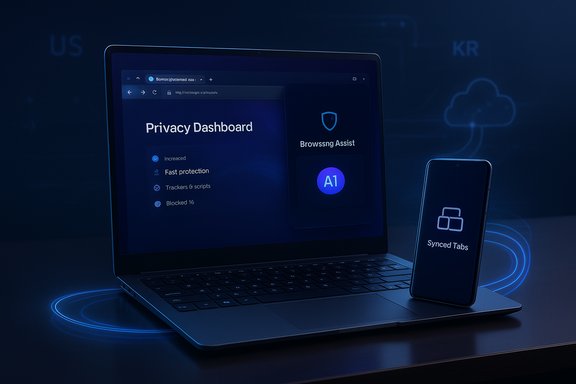
Samsung’s messaging and early hands‑on reports converge on a clear, focused list of headline features in the initial Windows beta:- Cross‑device sync of bookmarks, browsing history, and open tabs when signed into the same Samsung Account.
- Samsung Pass integration for autofill and saved credentials, with Samsung describing the feature as part of the continuity story (password parity across Windows hardware is advertised but appears staged in early builds).
- Galaxy AI — Browsing Assist, providing on‑the‑fly webpage summarization, inline translation, and contextual highlights to accelerate reading and research workflows.
- Privacy toolkit carried over from mobile: Smart Anti‑Tracking enabled by default and a real‑time Privacy Dashboard that reports blocked trackers.
- Chromium foundation: the PC client uses the Blink/Chromium rendering engine, offering broad web compatibility and a path to Chrome‑style extensions in principle.
Deep dive: Feature anatomy and how it works
Cross‑device continuity and Samsung Pass
The core user story is simple: sign into the same Samsung Account on phone and PC, and your browsing state follows you. That includes bookmarks, recent tabs, and browsing history, plus a session‑handoff prompt that encourages you to “pick up where you left off.” Samsung claims Samsung Pass will bring saved sign‑ins and autofill data into the mix, making desktop sign‑in seamless. Important caveat: Samsung Pass on mobile benefits from hardware attestation and secure elements (Knox) on Galaxy devices. Transplanting that model to arbitrary Windows laptops — many of which lack Samsung’s hardware security primitives — is non‑trivial. Early beta communications and hands‑on reporting indicate that full password‑vault parity may be staged; enterprises and cautious users should verify credential behavior before relying on it for critical logins. Treat password sync claims as provisional until Samsung publishes a compatibility matrix and technical whitepaper.Galaxy AI: Browsing Assist and privacy tradeoffs
Browsing Assist is the headline AI feature. It can summarize long articles into a concise overview, translate page content inline, and surface contextual suggestions such as definitions or follow‑up links. On desktops, these helpers can save measurable time during research and multilingual browsing. Independent outlets confirm the availability of summarization and translation in the beta once you sign into a Samsung Account. A key technical detail: many reports and developer notes say the heavier inference tasks powering summarization and translation are performed in Samsung’s cloud services rather than exclusively on device. That hybrid model improves capability and reduces local processing requirements, but it also routes page content and metadata to remote servers for analysis. This data flow has real implications for privacy, regulatory compliance, and enterprise governance. Public reporting from SamMobile and Android Authority highlights that previous approaches for Browsing Assist on mobile were cloud‑backed and that Samsung has actively limited which devices can access AI features, in part to control server load and product differentiation. Because Samsung’s press materials emphasize privacy and security without enumerating the retention, deletion, or access controls for AI‑processed content, organizations with sensitive data should treat AI features as an explicit change in data processing and demand auditable policies before enabling them at scale. Flag this as a compliance surface that requires confirmation.Chromium base and extension compatibility
Building on Chromium gives Samsung a practical advantage: web compatibility and a potential path to the Chrome extension ecosystem. However, history shows that Chromium lineage alone doesn’t guarantee flawless extension parity or the same patch cadence as Chrome. Extension behavior, update cadence, and security patch management remain operational details Samsung must prove over time; early beta testers note mixed results with extension installs and variable polish in desktop behavior. Samsung will need to demonstrate a consistent security update SLA to reassure enterprises.Installation, system requirements and regional availability
- Supported OS: Windows 11 and Windows 10 (version 1809 / October 2018 Update) or later. Samsung also lists ARM‑compatible builds.
- Initial regions: United States and South Korea for the controlled beta that opened on October 30, 2025. A broader rollout is planned but not yet scheduled.
- Distribution: Samsung is using a beta signup flow and developer channels; Microsoft Store listings may follow where regionally available. Signed direct installers have been distributed to registered testers in early waves. Use the Microsoft Store for automatic updates when available.
- Confirm your Windows build: Settings → System → About.
- Back up existing browser bookmarks and export passwords before signing in to a new browser.
- Prefer Microsoft Store installs for update integrity; avoid third‑party mirrors.
- Pilot the beta on a non‑critical machine or within a managed test group for 10–25 users.
Security and privacy analysis
Privacy dashboard and anti‑tracking
Samsung Internet on mobile has been known for visible privacy controls. The PC beta continues that approach with Smart Anti‑Tracking enabled by default and a Privacy Dashboard that counts blocked trackers and allows per‑site overrides. These UI elements are valuable for transparency: users can see what protections the browser is applying and adjust them without deep technical knowledge.AI processing: what is and isn’t documented
Samsung’s press release foregrounds privacy, but it does not provide exhaustive technical detail about where AI inference runs, how long content is retained, or whether summaries are stored. Independent reporting indicates a hybrid cloud model for Browsing Assist on mobile and suggests the same will apply on PC in many cases. Because the AI helper necessarily examines page content, the lack of a clear, auditable processing policy is a material concern for regulated industries and privacy‑sensitive users. Until Samsung publishes explicit data‑handling documentation for the PC client, treat AI features as potentially transmitting page content to Samsung cloud endpoints.Credentials and Samsung Pass
Samsung Pass integration promises convenience, but the security model depends on how credentials are stored and unlocked on Windows devices. On Galaxy phones, Samsung can rely on Knox and hardware‑backed key storage; on arbitrary Windows PCs, those protections may not exist or may be implemented differently (TPM, Windows Hello, etc.. Samsung has not published a definitive compatibility or security whitepaper for Samsung Pass on non‑Samsung Windows hardware; that absence should make security teams cautious about enabling password sync until Samsung clarifies the model and provides attestation guarantees.Update cadence and attack surface
A desktop browser must be patched promptly for Chromium vulnerabilities. Samsung’s long‑term security posture will depend on its ability to ingest Chromium fixes quickly and to communicate an SLA for security updates for the PC client. Enterprises should demand that SLA before approving broad deployments. Early testers should monitor Samsung’s update frequency and CVE response behavior.Enterprise considerations and deployment guidance
Enterprises should evaluate Samsung Internet for PC as they would any preview software: in a controlled, measured pilot that validates policy, telemetry, and compliance assumptions.Key steps for IT teams:
- Inventory the use cases: Identify which workloads rely on extensions, password managers, or specialized web apps that may behave differently in a new Chromium port.
- Pilot scope: Create a limited pilot (10–25 users) across representative endpoints, including unmanaged BYOD and corporate devices, to test Samsung Pass behavior and extension compatibility.
- Data flow audit: Require Samsung to document AI processing endpoints, retention policies, and access controls if Browsing Assist will be enabled for corporate users. Treat the absence of documentation as a blocker for sensitive environments.
- Patch management: Confirm how Samsung will deliver security patches and how quickly patches will be applied after Chromium fixes. Consider isolating beta installs from privileged networks until the update cadence is proven.
Real‑world reception and early issues
Early tester reports — from Reddit threads and tech press hands‑on coverage — paint a consistent picture: promising features but rough edges. Common observations include slow initial launches on some devices, occasional freezes, and inconsistent extension behavior in beta builds. Some testers on Galaxy Book devices reported installation or startup failures that required process kills or reinstalls; other users found the beta sufficiently stable for light daily browsing. These mixed reports are typical of a staged beta and underline Samsung’s rationale for a limited, region‑gated release. Crucially, Samsung previously experimented with a Microsoft Store listing in late 2023 that was pulled; the 2025 beta appears more deliberate and measured as the company learns to handle desktop expectations for performance, extension parity, and enterprise controls.Strengths: where Samsung has an advantage
- Ecosystem continuity: For people deeply invested in the Galaxy ecosystem, seamless sync of tabs and bookmarks plus Samsung Pass promises real convenience that reduces friction between phone and PC.
- Visible privacy controls: The Privacy Dashboard and Smart Anti‑Tracking continue Samsung Internet’s reputation for user‑facing privacy protections.
- AI helpers targeted at productivity: Browsing Assist addresses a tangible user problem — extracting the gist of long articles — which is arguably more valuable on desktop than on phones.
- Chromium compatibility: Using Chromium lowers the barrier to broad web compatibility and makes extension support plausible, simplifying developer expectations.
Risks and open questions
- Password sync parity: The biggest adoption blocker is whether Samsung Pass on Windows can match the hardware-backed security of Galaxy devices. This is unresolved and may remain staged. Proceed with caution.
- AI data handling: Hybrid cloud inference raises compliance and privacy questions that Samsung has not fully documented for PC. Enterprises should demand clear processing and retention policies.
- Extension and update fidelity: Extension compatibility and Chromium patch cadence are operational requirements that Samsung must prove before corporate adoption. Early beta reports show variability.
- Regional rollouts and feature gating: Initial availability limited to the U.S. and Korea means global users must wait; feature availability (including AI helpers) is likewise gated by account/region/hardware.
Practical advice for enthusiasts and power users
- If you live inside the Galaxy ecosystem and want unified tabs and quick summaries, join the beta and test the continuity features on a non‑critical machine. Export your bookmarks and passwords first.
- Use the Microsoft Store install where possible for automatic updates. If you must sideload, verify the installer’s signature and avoid third‑party mirrors.
- Treat Browsing Assist as a convenience feature that may transmit page content to Samsung services. Avoid using the feature on pages with highly sensitive information until Samsung’s processing policies are published.
- Compare extension behavior with your primary browser before switching workflows — mission‑critical extensions should be validated early.
What to watch next
- Published documentation from Samsung outlining the Samsung Pass security model, AI processing endpoints, and data retention policies for the PC client. Those documents will materially change the risk calculus for enterprise adoption.
- The browser’s update cadence and the speed with which Samsung ingests Chromium security patches into PC builds. Faster is better.
- Broader regional availability and whether Samsung will make the browser preinstalled on future Galaxy Book laptops, which would accelerate adoption. Early reporting has suggested this is possible but not confirmed.
Conclusion
Samsung Internet for PC’s beta is a strategically sensible first step: it gives Galaxy owners a clearer continuity story between phones and PCs, brings practical AI helpers to the desktop, and preserves Samsung Internet’s privacy‑front posture. The initial rollout — Windows 11 and Windows 10 (1809+) in the U.S. and Korea beginning October 30, 2025 — is deliberately limited, reflecting both technical constraints and Samsung’s desire to refine desktop polish. The product’s promise is strong, but adoption beyond early enthusiasts will depend on execution: rapid Chromium security updates, transparent documentation for AI and credential handling, and reliable extension compatibility. Until Samsung publishes more granular technical and security details, IT teams and privacy‑sensitive users should pilot the beta cautiously while curious consumers inside the Galaxy ecosystem can test the convenience gains. The desktop browser market is crowded, but Samsung’s combination of continuity and AI gives it a distinctive angle — provided the company backs that vision with measurable security and privacy guarantees.Source: Пепелац Ньюс https://pepelac.news/en/posts/id12667-samsung-internet-beta-lands-on-windows-pcs-with-ai-and-sync/
