

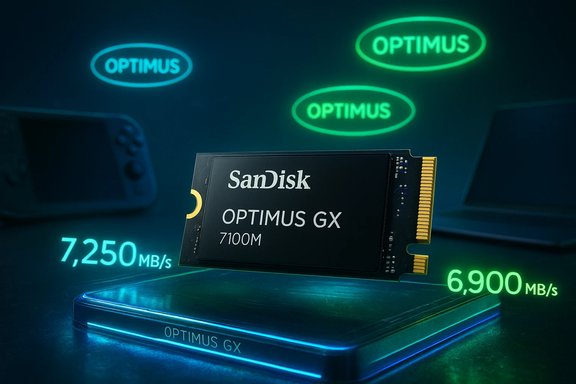
SanDisk has quietly retired the familiar WD_BLACK and WD Blue NVMe SSD badges and resurrected an old name — Optimus — as the new umbrella for its client SSD lineup, and with that change it introduced a compact, high-performance M.2 2230 drive built specifically for handheld gaming: the SanDisk Optimus GX 7100M.
SanDisk’s decision to rebrand comes at an inflection point for both the company and the broader SSD market. After completing its separation from Western Digital in early 2025 and relisting as an independent company, SanDisk now controls the product lines that were long associated with WD’s color-coded naming scheme. The Optimus relaunch consolidates those formerly distinct WD_BLACK and WD Blue families into a three-tiered hierarchy that is meant to simplify purchasing decisions and align naming with use cases.
The new structure contains three tiers:
This is a practical marketing move: naming by function reduces the cognitive load for shoppers and makes retailer categorization easier. It also gives SanDisk more room to expand sub-lines (e.g., Optimus GX PRO variants tuned for AI workloads) without the constraints of the color taxonomy.
Key specifications for the Optimus GX 7100M (1TB and 2TB capacities) include:
That said, real-world improvement depends on the device’s interface and thermal headroom. Many handhelds have well-designed storage buses but limited thermal dissipation. The Optimus GX 7100M’s active power draw in the 3.5–4.0 W range is on the higher side for 2230 modules, so manufacturers and end-user upgraders must consider heat management.
SanDisk’s published active power figures suggest the GX 7100M was tuned for peak throughput while trying to stay within a reasonable TDP for small devices. For short bursts — game loads, texture streaming — the drive should deliver impressive responsiveness. During long sustained writes (installing large games, copying big content libraries), the device may run hotter and operate at reduced speeds unless the host provides effective cooling.
From a product positioning standpoint, the name change accomplishes three things:
From a warranty and support standpoint, SanDisk’s messaging indicates continuity — existing product warranties remain in effect and support pathways are stable. Even so, consumers should verify serial numbers and guarantee details when buying from third-party retailers to ensure they receive the proper coverage after the brand transitions.
Key competitors include:
Equally notable is the Optimus GX 7100M, which brings flagship PCIe 4.0 performance into the compact M.2 2230 format. That combination is a significant win for handheld gamers and ultra-compact PC builders — provided host devices manage heat and power wisely. The drive’s strong sequential and random I/O numbers, coupled with industry-standard endurance and a five-year warranty, make it a compelling option on paper.
There are trade-offs: name nostalgia, potential retail confusion, and the thermal realities of packing more performance into smaller spaces. But the market is moving toward greater specialization — and SanDisk’s Optimus family stakes a clear claim in that landscape. For buyers, the prudent path is to watch independent benchmarks, verify host compatibility, and weigh thermal management needs before upgrading to the new 2230 speed king.
Source: Windows Central https://www.windowscentral.com/hardware/storage/sandisk-wd-black-rebrands-to-optimus/
 Background
SanDisk’s decision to rebrand comes at an inflection point for both the company and the broader SSD market. After completing its separation from Western Digital in early 2025 and relisting as an independent company, SanDisk now controls the product lines that were long associated with WD’s color-coded naming scheme. The Optimus relaunch consolidates those formerly distinct WD_BLACK and WD Blue families into a three-tiered hierarchy that is meant to simplify purchasing decisions and align naming with use cases.The new structure contains three tiers:
- SanDisk Optimus — positioned as the entry-level, value-oriented product for creators and mainstream consumers.
- SanDisk Optimus GX — targeted at gamers who prioritize faster load times and responsive storage.
- SanDisk Optimus GX PRO — the flagship tier for professionals, developers, and pro-sumers building high-end or AI-accelerated machines.
Why the change matters
From color cues to role-based names
For years, WD’s color-labeled SSDs (Blue, Black, Green, Red) were simple shorthand: Blue for mainstream, Black for performance, and so on. Those color cues were effective for brand recognition but ambiguous when companies change hands or product strategies shift. SanDisk’s pivot to the Optimus family converts color codes into role-based names, making the intended use case explicit — a useful change for buyers who shop by needs rather than by legacy labels.This is a practical marketing move: naming by function reduces the cognitive load for shoppers and makes retailer categorization easier. It also gives SanDisk more room to expand sub-lines (e.g., Optimus GX PRO variants tuned for AI workloads) without the constraints of the color taxonomy.
Corporate separation and brand clarity
The rebrand also reflects corporate reality. After the 2025 separation from Western Digital, SanDisk is rebuilding its identity as a standalone Flash and memory company. Reassigning the WD_BLACK name to Optimus avoids consumer confusion about product ownership and warranty responsibility. It also helps SanDisk control the narrative and packaging around SSDs as it seeks to compete independently in consumer and prosumer markets.The new Optimus GX 7100M: specs and first impressions
SanDisk’s headline product at CES is the Optimus GX 7100M, a high-performance M.2 2230 NVMe drive built for handhelds and ultra-compact laptops. The 2230 form factor (22mm x 30mm) is the same small footprint used in many handheld gaming PCs and some ultra-thin devices, making this a strategic release for a rapidly growing segment of portable PCs.Key specifications for the Optimus GX 7100M (1TB and 2TB capacities) include:
- Interface: PCIe 4.0 x4, NVMe 2.0
- Sequential read: up to 7,250 MB/s
- Sequential write: up to 6,900 MB/s
- Random I/O: claims up to 1M IOPS (read) and 1.3M IOPS (write) in published specs
- Endurance: 600 TBW (1TB) and 1,200 TBW (2TB)
- Mean Time To Failure (MTTF): 1.75 million hours
- Warranty: 5 years
- Power (active average): Read ~3.5–3.7 W, Write ~3.8–4.0 W
- Dimensions: 30 x 22 x 2.38 mm (M.2 2230)
- Software: SanDisk Dashboard (Windows) and Acronis True Image for cloning/backup
What the numbers mean in practice
Sequential read/write figures are useful marketing metrics but do not always translate to everyday gaming gains. For handheld gaming, the most tangible benefits are shorter game load times, faster texture streaming in open-world titles, and quicker installation/patch operations. The jump from typical Steam Deck-era module speeds (often mid-4,000 to 5,000 MB/s) to the 7,250/6,900 MB/s range can reduce loading screens and improve stutter caused by drive-induced data starvation in poorly optimized titles.That said, real-world improvement depends on the device’s interface and thermal headroom. Many handhelds have well-designed storage buses but limited thermal dissipation. The Optimus GX 7100M’s active power draw in the 3.5–4.0 W range is on the higher side for 2230 modules, so manufacturers and end-user upgraders must consider heat management.
Thermal and power considerations for handhelds
Power vs. performance
Handheld gaming PCs prioritize battery life and thermal envelopes. A high-speed PCIe 4.0 SSD that draws 4W under sustained writes will heat the surrounding chassis and may coax handhelds into higher fan speeds, shorter battery life, or thermal throttling that can indirectly affect CPU/GPU performance.SanDisk’s published active power figures suggest the GX 7100M was tuned for peak throughput while trying to stay within a reasonable TDP for small devices. For short bursts — game loads, texture streaming — the drive should deliver impressive responsiveness. During long sustained writes (installing large games, copying big content libraries), the device may run hotter and operate at reduced speeds unless the host provides effective cooling.
Thermal mitigation steps
Manufacturers will need to integrate:- Thin yet effective thermal pads and shields to transfer heat from the M.2 module to the chassis.
- Firmware power-pacing support to scale performance and power draw dynamically.
- Host-level SSD throttling profiles that balance temperature and battery life.
Compatibility and firmware: what to check before upgrading
SanDisk lists the Optimus GX 7100M as NVMe 2.0-compliant and compatible with PCIe 4.0 and PCIe 3.0 hosts, but compatibility can still hinge on host BIOS or firmware. Steps to reduce upgrade friction include:- Back up your existing storage — create a full system image or use cloning software before swapping drives.
- Verify physical compatibility — ensure the device accepts M.2 2230 modules (many handhelds do, but not all laptops).
- Confirm BIOS or firmware support — some devices may need firmware updates to recognize larger 2TB 2230 modules.
- Install official thermal pads or OEM-approved shields if included or recommended.
- Update SSD firmware after installation through the manufacturer’s tool or via the host OEM’s firmware update utility.
Marketing, naming, and consumer reaction
The name debate
The Optimus name is deliberately evocative — suggesting optimization and peak performance — but it’s not without baggage. Some will see it as generic and lacking the cult recognition WD_BLACK built over a decade. Others will appreciate the clarity of the new three-tier model.From a product positioning standpoint, the name change accomplishes three things:
- It divorces the product family from the WD branding after SanDisk’s separation.
- It groups products by use-case rather than legacy color code.
- It primes the brand for future expansion, including specialized GX PRO variants that explicitly target AI-capable systems.
Retail and logistical implications
Brand changes create short-term headaches for retail channels and support desks. Retailers must relabel SKUs, update product pages, and handle inventory where boxes still bear the older WD_BADGE stickers. SanDisk has signaled a phased rollout with new packaging arriving in the first half of 2026, which means older WD_BLACK or WD Blue-labeled stock may remain in circulation for months.From a warranty and support standpoint, SanDisk’s messaging indicates continuity — existing product warranties remain in effect and support pathways are stable. Even so, consumers should verify serial numbers and guarantee details when buying from third-party retailers to ensure they receive the proper coverage after the brand transitions.
Market positioning and competition
SanDisk’s Optimus launch positions it squarely against a crowded PCIe 4.0 NVMe market where vendors compete on price, performance, and software ecosystems. The Optimus GX 7100M’s compact 2230 format and high sequential numbers give SanDisk an edge in handheld-compatible modules, an area that until recently was dominated by a handful of specialized OEM SKUs.Key competitors include:
- Samsung’s client SSD ranges, known for reliability and strong firmware.
- SK hynix and Kioxia modules, which often undercut on price or prioritize endurance.
- Boutique manufacturers (e.g., Phison-based OEMs) that push bleeding-edge speeds via aggressive firmware.
Benefits and potential drawbacks
Benefits
- Clear product segmentation: Easier to choose the right drive for gaming, creation, or pro work.
- High performance in small form factor: A 2230 drive pushing 7,250/6,900 MB/s is rare and valuable for handhelds.
- Long warranty and decent endurance: 5-year warranty and TBW ratings up to 1,200 TBW for 2TB provide peace of mind.
- Modern standards: NVMe 2.0 compliance and high IOPS claims indicate a future-forward drive.
Potential drawbacks and risks
- Thermal and power trade-offs: Higher sustained power draw in a small thermal envelope may affect handheld battery life and thermal throttling.
- Naming friction: Long-time WD_BLACK fans may resist the rebranding or miss the legacy identity.
- Retail confusion: Transitioning packaging and SKU names could cause short-term confusion in listings and inventories.
- Controller details undisclosed: SanDisk’s materials don't fully disclose the controller model, which leaves some questions about long-term firmware support and encryption features.
Practical buying advice for Windows users and handheld owners
- If upgrading a handheld: prioritize thermal compatibility and ensure the device accepts M.2 2230. Consider a professional installation or follow a careful step-by-step routine to avoid voiding the host device’s warranty.
- For PC builders: the Optimus GX PRO line should be evaluated for workstation builds where sustained write throughput and endurance matter; verify power profiles and cooling strategies inside compact chassis.
- For migrating from WD_BLACK/Blue: retain any original product documentation and confirm warranty terms after purchase during the brand transition period.
- If you rely on cloning and backup tools: SanDisk supports a Windows Dashboard and Acronis cloning; Linux users should prepare a bootable imaging tool and verify compatibility before swapping drives.
Step-by-step: upgrading a handheld with an M.2 2230 SSD
- Create a complete backup or system image to external storage.
- Verify that your handheld officially supports M.2 2230 and the target capacity (1TB/2TB).
- Power off and remove the battery if the device design allows it; ground yourself to avoid ESD damage.
- Open the device per OEM instructions, taking care with ribbon cables and delicate clips.
- Install the M.2 2230 module in the slot; apply manufacturer-recommended thermal material if available.
- Reassemble, power on, and confirm the BIOS/UEFI recognizes the new drive.
- Restore your system image or perform a clean OS install; update SSD firmware using the vendor tool if advised.
- Test performance with real workloads and monitor thermals during sustained transfers.
What remains uncertain or needs watching
- Long-term firmware support: The Optimus family is new under SanDisk’s independent management, and sustained firmware updates will be essential to maintain performance and security. Buyers should monitor SanDisk’s firmware release cadence.
- Controller provenance: The precise controller silicon SanDisk uses in the Optimus GX 7100M is not fully disclosed in consumer-facing materials. Enthusiasts will look for detailed teardowns and controller IDs to evaluate long-term support and competing firmware ecosystems.
- Retail price and availability: SanDisk has not disclosed MSRP widely for the Optimus GX 7100M at announcement time. Actual street pricing and in-market availability (especially for the compact 2TB 2230) will determine how competitive the drive is against similar offerings.
Conclusion
SanDisk’s Optimus rebrand is more than a cosmetic rename: it is a strategic repositioning that aligns product names with use cases and clarifies the company’s identity after separation from Western Digital. For end users and enthusiasts, the change untangles legacy branding and introduces a tiered approach that makes shopping for the right SSD more intuitive.Equally notable is the Optimus GX 7100M, which brings flagship PCIe 4.0 performance into the compact M.2 2230 format. That combination is a significant win for handheld gamers and ultra-compact PC builders — provided host devices manage heat and power wisely. The drive’s strong sequential and random I/O numbers, coupled with industry-standard endurance and a five-year warranty, make it a compelling option on paper.
There are trade-offs: name nostalgia, potential retail confusion, and the thermal realities of packing more performance into smaller spaces. But the market is moving toward greater specialization — and SanDisk’s Optimus family stakes a clear claim in that landscape. For buyers, the prudent path is to watch independent benchmarks, verify host compatibility, and weigh thermal management needs before upgrading to the new 2230 speed king.
Source: Windows Central https://www.windowscentral.com/hardware/storage/sandisk-wd-black-rebrands-to-optimus/
