

The debate over Secure Boot, TPMs, and the architecture of modern personal computers has moved from niche mailing lists into mainstream headlines — and for good reason: what began as firmware-level protections against sophisticated attacks now shapes who can run which operating systems, how devices are repaired and reused, and where control over a PC’s software stack ultimately resides.
The path forward is not binary. It requires intentional engineering choices that preserve user control (user-key enrollment, transparent revocation lists, documented firmware update channels), regulatory guardrails that deter platform lock-in, and active community stewardship that documents safe and responsible workarounds. Security gains should not come at the cost of turning personal computers into walled gardens by stealth.
Reclaiming user freedom in modern computing is not a nostalgic plea to revert to floppy-disk-era laxity; it is a call for systems that protect users from advanced threats and respect the purchaser’s right to control, repair, and reuse the hardware they own. The technical tools to balance those goals exist — and whether industry, regulators, and communities choose that balance will determine whether the personal computer remains a platform for experimentation or becomes another closed appliance.
Source: WebProNews Reclaiming User Freedom: Secure Boot’s Impact on Modern Computing
 Background
From floppy disks to firmware enforcement
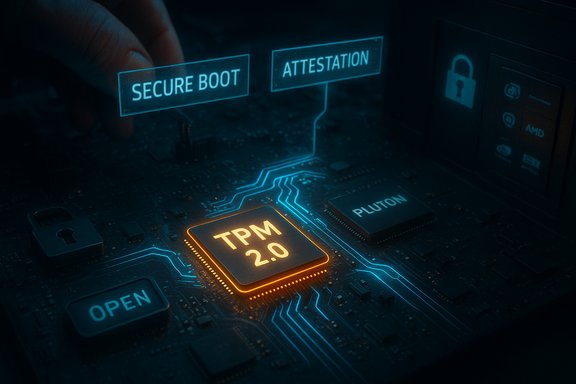
Personal computing began as a bold experiment in user autonomy. Early microcomputers trusted their owners by default: you could boot from a friend’s floppy, type in code from a magazine, or load an alternate operating system and the machine would follow your command. Over decades, that model shifted toward layered software and hardware safeguards designed to protect users from advanced threats. Today, features like UEFI Secure Boot and Trusted Platform Module (TPM) 2.0 are presented as baseline requirements for modern operating systems — notably Windows 11 — and are implemented at the firmware and silicon level to create a hardware-rooted chain of trust.What Secure Boot and TPM actually do
- Secure Boot: A UEFI firmware feature that verifies cryptographic signatures on boot components so only approved bootloaders and early-boot software can run. It aims to block boot-time malware and rootkits by enforcing a signature chain.
- TPM 2.0: A standardized hardware cryptoprocessor that securely stores cryptographic keys, measures platform integrity, and provides sealed storage for features such as BitLocker and Windows Hello.
The security case: why vendors insist on hardware roots of trust
Measurable security benefits
The engineering rationale is straightforward: many modern attacks target firmware and pre-OS components that traditional antivirus cannot easily detect. Hardware-backed trust anchors such as TPMs and integrated security processors reduce attack surface and make key protections (full‑disk encryption keys, attestation primitives, measured boot) more robust. Enterprises with regulatory exposure view these capabilities as essential risk mitigations. Microsoft and many OEMs argue that enforcing a modern hardware baseline raises the overall security floor across billions of devices.New chip-level approaches: Pluton and chip-to-cloud trust
Microsoft’s Pluton security processor — a chip-to-cloud design integrated into some modern CPUs — illustrates where this architecture is headed. Pluton is presented as a more tightly integrated root of trust that emulates TPM functionality, receives firmware updates through Windows Update, and supports secure attestation scenarios that tie device state to cloud services. Proponents say this reduces a class of physical or firmware-based attacks, and provides a single, maintainable channel for crucial device firmware fixes.The freedom case: why Secure Boot and TPM are seen as erosive
The loss of the tinkerer’s model
Critics argue the consequence of these protections is a narrowing of user agency. When firmware enforces a signature policy and keys are provisioned under vendor/OS ecosystems, installing alternative operating systems, deploying custom kernels, or running unsigned early‑boot tools becomes harder for ordinary users. Advocacy groups and long-time free-software activists warned of “Restricted Boot” in the UEFI era — the risk that Secure Boot, implemented or managed poorly, becomes a mechanism that favors pre-approved vendors and distributions over user choice. Historical debates over Secure Boot show how that tension has existed since the technology’s early adoption.Real-world friction for ordinary users
Practical pain points are numerous: many consumer motherboards ship with Secure Boot or TPM-like features available but disabled, using unfamiliar labels (Intel PTT, AMD fTPM) or requiring firmware updates to expose capabilities. For non-technical users, enabling TPM or enrolling keys can feel like “venturing into the PC’s guts.” For those with functional hardware that falls just short of a vendor’s supported CPU list, the result can be sticker shock — either retrofit a motherboard/TPM module, buy new hardware, or adopt unsupported installation workarounds that compromise update eligibility. Community reporting and forum archives make these frustrations plain.Security is necessary — but not sufficient: vulnerabilities and brittle trust chains
Secure Boot is not infallible
One intuitive counterargument to the “freedom loss” claim is that firmware protections are necessary. Yet vulnerabilities show that Secure Boot and related schemes can be subverted in practice. Researchers have documented cases where signed third‑party UEFI utilities used unsafe custom code paths (custom PE loaders) that allowed unsigned payloads to execute during boot, creating a bypass currently tracked as CVE‑2024‑7344. The vulnerability affected multiple vendors’ recovery utilities and resulted in revocations and remediation across platforms. This demonstrates that the existence of Secure Boot does not guarantee absolute protection — and that centralized signing ecosystems create a lucrative target: sign one malicious or buggy binary and it can be used to undermine the entire chain.Attacks against firmware variables and the update channel
Other research has shown that privileged, signed firmware tools or poorly managed UEFI shells can be exploited to alter UEFI variables and disable Secure Boot checks at runtime. Practical attacks often chain supply‑chain weaknesses, signed-but-vulnerable vendor tools, and firmware update mechanisms — which underscores that signing alone is not a panacea and that a larger trust and update ecosystem must be scrutinized.The human and environmental cost
E‑waste, inequality, and small organizations
Tight hardware baselines have economic implications. Owners of older but perfectly usable machines can be forced to replace devices to remain on a vendor-supported, receiving-updates platform. The burden disproportionately impacts small businesses, educational institutions, and users in developing regions where access to new hardware is limited. Policy discussions around this transition have explicitly tied hardware enforcement to sustainability and access concerns. Community efforts that document how users are extending hardware life (for example, tools and projects that bypass or adapt Windows OOBE checks) highlight a mix of necessity, activism, and risk-taking.The social contract: ownership vs. managed platforms
At stake is the practical meaning of ownership. If the vendor- or OEM-managed root-of-trust can be selectively used to gate features, updates, or even which operating systems can boot, the notion of a “user-owned” machine becomes rhetorical. This dynamic is more familiar on mobile platforms and consoles, and many fear the desktop is edging toward that model.Community responses and the open‑source ecosystem
How distributions and projects respond
Linux distributions and projects have taken multiple approaches to coexist with Secure Boot while preserving user choice: using a small, vendor‑signed shim that verifies the distro’s bootloader; supporting user key enrollment; or documenting workarounds for users who wish to control their own keys. Fedora, Ubuntu, and other major distros have chosen workable tradeoffs, but the friction remains — particularly for hobbyists who build niche kernels or rely on unsigned modules. Advocacy groups like the Free Software Foundation have campaigned actively against “Restricted Boot” formulations and urged hardware vendors to preserve user ability to disable or reauthorize boot keys.Community tools and installation workarounds
The Windows enthusiast ecosystem has produced tools and documented processes to install or run Windows 11 on hardware that Microsoft’s official checks would mark “unsupported” — from registry bypasses to custom installation media and utilities like Rufus or community projects that adjust OOBE steps. These tools underscore a simple truth: where there is demand, the community will produce a path, but those paths often carry tradeoffs (lack of official updates, Defender/AV detections of “patchers”, potential stability and driver issues). Forum analyses show that these workarounds are commonly used, but also that they carry ongoing maintenance and security costs for users.Regulatory and ethical considerations
Antitrust, DMA, and competition policy
Regulators are watching. The European Union’s Digital Markets Act (DMA) and subsequent enforcement actions signal a tougher stance toward gatekeeping in digital ecosystems. The DMA creates obligations for designated “gatekeepers” to enable greater interoperability and choice; recent DMA fines show enforcement that impacts big platforms. These legal pressures may constrain how firms like Microsoft and Apple implement platform-level controls in Europe, and could influence industry practices globally.Rights-based arguments: repair, reuse, and user autonomy
The ethical argument is framed in property and autonomy language: purchasing a device should not mean surrendering the right to choose what runs on it. Movements for right-to-repair and long-term software support champion the idea that consumers should be able to maintain and adapt devices over long service lives. Those movements — and the policy proposals they motivate — are likely to shape future decisions about firmware control and update policy.Toward a pragmatic balance: technical, policy, and community paths forward
The binary framing “security vs. freedom” is useful but incomplete. Real-world solutions will require a mix of engineering options, policy guardrails, and community practices.Technical design patterns that preserve choice while improving security
- Offer user-controlled key enrollment as a standard, discoverable UEFI option on x86 devices so owners can sign or import keys without arcane procedures.
- Maintain firmware update transparency: make vendor keysets, revocation lists, and SBAT-like metadata auditable and updateable in a vendor-neutral manner.
- Provide dual-mode provisioning for enterprise-managed attestation and personal devices, where attestation services are optional and driven by explicit policy, not implicit lock-in.
- Improve revocation and vetting pipelines for signed vendor tools to reduce single-signed-binary systemic risk exemplified by the CVE‑2024‑7344 class of issues.
Policy levers and regulatory guardrails
- Mandate user-facing transparency and control requirements for devices that ship with enforced signing policies.
- Clarify interoperability obligations under competition laws so that signing ecosystems cannot be used to shut out competing OSes or services. The DMA’s early enforcement suggests regulators are prepared to treat such questions seriously.
Community best practices
- Back up and image drives before attempting firmware or OS modifications; test workarounds in VMs where possible.
- Use official ISOs and verify checksums; prefer documented, community‑reviewed procedures when pursuing non‑standard installs.
- Treat community tools as specialized, not universally appropriate: they’re for enthusiasts, refurbishers and IT pros who accept the risks.
What’s verifiable — and what remains speculative
- Verifiable: Windows 11’s stated system requirements include UEFI Secure Boot capability and TPM 2.0, and Microsoft documents steps to enable TPM on many systems. These are documented, operational, and enforced in official installers and support docs.
- Verifiable: CVE‑2024‑7344 is a documented Secure Boot bypass involving signed third‑party utilities, and remediation actions (revocations, patches) were published following coordinated disclosure. This shows that Secure Boot can be undermined by signed but vulnerable components.
- Verifiable: Pluton exists, is deployed on certain platforms, and Microsoft positions it as a TPM-capable chip with update channels tied to Windows Update. The design both increases integration and creates new trust/attestation capabilities.
- Claims that future hardware-controlled attestation will automatically be used to deny service or to create “remote lockout” scenarios are technically possible but depend on policy and vendor choices; they are not an inevitable outcome of the technology itself. Those outcomes should be treated as plausible risks — and mitigated through regulation and transparent vendor practices — rather than inevitable futures.
- Suggestions that “blockchain-based verification” or similar distributed-key models will be the silver-bullet technical fix are speculative at present. They surface interesting design trade-offs, but they also raise new operational, key‑management and privacy challenges that must be carefully evaluated.
Practical guidance for readers and administrators
- If you rely on Windows for corporate or regulatory workloads, plan migrations around vendor‑supported lists and consider TPM-enabled hardware the baseline for procurement.
- If you own older hardware and prefer continued use, consider:
- Enabling TPM/UEFI features if the chipset supports them and OEM docs exist.
- Evaluating lightweight Linux distributions or ChromeOS Flex as long-term alternatives for extending device life without accepting unsupported Windows configurations.
- If using community workarounds, accept the tradeoffs: potential update gaps, AV detections of modification tools, and future breakage as Microsoft tightens installer checks.
Conclusions
Secure Boot, TPMs, and silicon-rooted processors like Pluton are genuine advances in platform security; they close attack surfaces that have powered high‑impact breaches and firmware persistence attacks. At the same time, the convergence of hardware trust anchors, vendor-controlled signing ecosystems, and cloud attestation services raises real and measurable concerns about user agency, repairability, and the redistributive effects of hardware-enforced software policies.The path forward is not binary. It requires intentional engineering choices that preserve user control (user-key enrollment, transparent revocation lists, documented firmware update channels), regulatory guardrails that deter platform lock-in, and active community stewardship that documents safe and responsible workarounds. Security gains should not come at the cost of turning personal computers into walled gardens by stealth.
Reclaiming user freedom in modern computing is not a nostalgic plea to revert to floppy-disk-era laxity; it is a call for systems that protect users from advanced threats and respect the purchaser’s right to control, repair, and reuse the hardware they own. The technical tools to balance those goals exist — and whether industry, regulators, and communities choose that balance will determine whether the personal computer remains a platform for experimentation or becomes another closed appliance.
Source: WebProNews Reclaiming User Freedom: Secure Boot’s Impact on Modern Computing
