

Microsoft’s original Secure Boot certificates, issued in 2011 and used by Windows PCs to trust bootloaders and firmware components before the operating system starts, begin expiring in June 2026, requiring updated 2023 certificates through Windows Update, enterprise policy, or OEM firmware. That sounds like obscure plumbing because it is, but obscure plumbing is exactly what tends to flood the basement when nobody owns it. The immediate message is reassuring: most supported Windows 11 systems should not suddenly stop booting. The harder truth is that Microsoft’s certificate rollover is becoming another dividing line between maintained PCs, neglected firmware, and the long tail of Windows 10 machines that still work but are drifting out of the security model.
Secure Boot was designed to make the earliest moments of a PC’s startup less trusting. Before Windows loads, UEFI firmware checks whether the next thing in the boot chain is signed by an authority the machine trusts. In the Windows ecosystem, much of that trust has historically flowed through Microsoft certificates created in the Windows 8 era, when Secure Boot moved from enterprise talking point to mainstream PC requirement.
Those certificates were never meant to be immortal. A certificate authority with a 15-year shelf life is not a permanent constitutional settlement; it is a very long timer. Microsoft’s problem in 2026 is that the timer is no longer theoretical. The 2011-era Secure Boot certificates start aging out in June 2026, with related certificate expirations continuing into October 2026.
That does not mean your laptop will turn into a brick the morning the first certificate expires. The panic version of this story is too simple. Existing signatures do not all evaporate at midnight, and Windows Update does not necessarily stop because a machine still carries old Secure Boot material. Microsoft’s own framing is narrower and more consequential: devices that fail to move to the 2023 certificate chain may lose future Secure Boot protections for early boot components.
That distinction matters because Secure Boot is not a user-facing feature in the way BitLocker or Windows Hello is. It is part of the machine’s chain of custody. When it is healthy, nobody notices. When it falls behind, the failure mode is not always a blue screen; sometimes it is a machine that still runs, still updates, and still looks normal while a layer of pre-OS assurance quietly stops keeping up.
The complication is that Secure Boot lives partly in firmware, not just in Windows. Updating trust anchors involves UEFI variables such as the allowed signature database, commonly called db, and the key exchange key store, or KEK. Windows can help deliver and orchestrate those changes, but the final behavior depends on firmware implementation, OEM readiness, and whether the machine is still inside a supported servicing channel.
That is why Microsoft’s guidance has the tone of a deployment project rather than a normal monthly patch note. The company is telling organizations to inventory devices, test representative hardware, check event logs and registry state, update firmware where necessary, and avoid assuming that one command run on one laptop proves readiness across a fleet. This is not because the change is exotic. It is because boot security is where small differences between firmware vendors become operationally expensive.
The simple home-user check making the rounds is useful, but it should not be mistaken for a complete compliance program. Open PowerShell as administrator and run:
If it returns
This is where the certificate rollover becomes less a technical footnote than a policy consequence. Microsoft’s Windows 11 hardware requirements already stranded a substantial population of otherwise usable PCs, especially systems without supported CPUs or TPM configurations. Many of those machines remain fast enough for office work, browsing, media, and light development. But the security ecosystem is no longer being designed around their indefinite survival.
The temptation is to frame this as Microsoft forcing upgrades. There is some truth in that, but it is not the whole truth. Secure Boot depends on a web of Microsoft, OEM, firmware, silicon, and operating-system responsibilities, and old machines do not become easier to secure with age. The ugly part is that the user experiences this complexity as a binary: either the device gets the new trust chain through supported servicing, or the owner is told to go hunt for firmware from a vendor that may have stopped caring years ago.
Windows 10 ESU is therefore not just a way to keep receiving normal security fixes. For holdouts, it is becoming the practical way to remain attached to Microsoft’s current boot-security lifecycle. That is an uncomfortable purchase, particularly for consumers who feel they are paying rent on hardware they already own. But if the machine must remain on Windows 10 and must remain exposed to real-world threats, ESU is the least improvised option.
That matters because the most nervous scenarios are not the ordinary ones. A normal Windows 11 laptop from a major OEM, kept current through Windows Update, is not the machine that should keep sysadmins awake. The scarier machines are older desktops with stale BIOS releases, devices that have had Secure Boot toggled on and off, systems with custom boot media, dual-boot setups, appliances built on Windows, lab machines, kiosks, and servers whose owners are allergic to firmware updates because the last one broke something expensive.
Microsoft’s guidance for organizations is cautious for a reason. Secure Boot updates can intersect with BitLocker, virtualization-based security, third-party bootloaders, recovery environments, deployment media, and firmware update flows. A mistimed change can trigger recovery prompts or expose a machine that was never quite as standards-compliant as its spec sheet implied. This is not a reason to avoid the update. It is a reason to test it like the boot-chain change that it is.
The PC industry has improved firmware delivery since the Windows 7 days, especially through Windows Update and OEM companion apps. Still, the support model remains far less legible than operating-system servicing. A user can generally tell whether Windows Update is current. It is much harder to know whether a motherboard’s Secure Boot implementation has received everything it needs to survive the next decade of trust changes.
That future-facing risk is the core of the issue. Secure Boot is most valuable when the platform can respond to newly discovered weaknesses in early boot components. The industry learned this lesson painfully through bootkit research and vulnerabilities such as BlackLotus-related Secure Boot bypasses. The point of refreshing trust anchors is not merely to replace expiring paperwork; it is to preserve the ability to revoke bad components and trust new ones without collapsing compatibility.
The certificate rollover also affects bootable media. Old installation ISOs, recovery drives, imaging tools, and deployment environments may need attention as the ecosystem moves toward Windows Boot Manager components signed by the 2023 chain. In a home setting, that might mean recreating a Windows installer before relying on it in an emergency. In an enterprise, it means validating ConfigMgr boot images, Windows PE environments, disaster-recovery media, and vendor tools before the day they are needed.
This is where “my PC still turns on” becomes the wrong test. Booting today proves only that today’s chain still works. It does not prove that the machine can accept tomorrow’s Secure Boot protections, tomorrow’s bootloader signing requirements, or tomorrow’s revocations. Security debt is rarely visible at the moment it is incurred.
The first mistake would be assuming that Windows Update success equals Secure Boot readiness. The second would be assuming that one vendor model behaves like another. The third would be treating servers like laptops. Microsoft has published separate guidance for Windows Server scenarios because the operational blast radius is different: clustered workloads, remote hands, maintenance windows, backup media, hypervisor hosts, and appliance-like deployments all raise the stakes.
Virtual machines deserve special attention. A VM’s Secure Boot state depends on the virtual firmware presented by the platform and the age of the VM configuration. Cloud PCs, Azure Local, Hyper-V, VMware estates, and long-lived templates may each need their own validation path. The machine may be virtual, but the boot trust model is not imaginary.
The deployment sequence also matters. Firmware updates, Secure Boot certificate updates, BitLocker recovery behavior, and revocation enforcement should not be mashed together into one heroic reboot campaign. The boring, safer method is staged change: firmware readiness first where needed, certificate presence next, boot media validation after that, and revocations only when the organization understands what will no longer boot.
The important nuance is that Microsoft’s Secure Boot ecosystem is not only about Windows. The Microsoft UEFI CA has historically played a role in allowing third-party UEFI applications and non-Windows bootloaders to run on Secure Boot-enabled PCs. Moving from 2011-era certificates to 2023-era certificates therefore has implications for Linux boot chains and vendor utilities, not merely for Windows Boot Manager.
That does not mean Linux users should panic either. Major distributions and vendors have been preparing for this transition, and Secure Boot has survived previous rounds of revocation and bootloader updates. But the people most likely to be affected are precisely the people who rely on older installation media, niche distributions, abandoned utilities, or hardware whose firmware will never see another update.
The practical advice for enthusiasts is conservative. Check whether the 2023 certificate is present. Update the firmware from the OEM or motherboard maker if one is available. Refresh bootable USB media. Verify that the operating systems you actually use still boot with Secure Boot enabled. If your setup depends on custom keys, document it before changing anything, because “I’ll remember what I did in the BIOS three years ago” is not a recovery plan.
But Microsoft also owns the user confusion around this moment. Secure Boot has always been marketed as something ordinary users should not need to understand. Now those same users are being told that a PowerShell command can reveal whether they are ready for a 2026 certificate transition that involves UEFI databases, OEM firmware, Windows servicing channels, and sometimes paid support extensions. That gap between invisible design and visible responsibility is where anxiety grows.
The company’s communication has improved as the deadline approaches, especially for IT pros. There are playbooks, support articles, message-center posts, and server-specific guidance. Still, the consumer-facing story remains messy because it collides with Windows 10’s end of support, Windows 11’s hardware gatekeeping, and the uneven reality of OEM firmware maintenance.
This is the pattern that has defined modern Windows security. Microsoft raises the baseline, often for defensible reasons. Older hardware and edge-case configurations absorb the pain. Enterprises get documentation and policy knobs. Consumers get a warning, a support article, and a vague instruction to check with the PC manufacturer. The direction is rational; the experience is not always humane.
For most readers, the right response is small and immediate. Run the check, install updates, reboot, and look for firmware updates from the OEM. If the machine is on Windows 10, decide whether it is moving to Windows 11, enrolling in ESU, moving to another operating system, or being retired from security-sensitive work. Drifting is the one option that gets worse with time.
For organizations, the right response is procedural. Treat the 2026 Secure Boot transition as a dated dependency in the same category as certificate renewals, root CA changes, and TLS deprecations. It is not glamorous, but it is measurable. The teams that inventory early will likely find a handful of unpleasant devices while there is still time to do something about them. The teams that wait will discover that firmware problems have a way of becoming business-continuity problems.
A family may have a Windows 10 desktop in the den that “still works fine.” A small business may have a point-of-sale terminal that nobody wants to touch. A school may have labs full of machines that cannot officially run Windows 11. A manufacturer may have Windows boxes attached to equipment whose vendor certifies nothing newer. Secure Boot certificate readiness will not be the only problem on these systems, but it may become the next visible symptom of a broader support cliff.
The consumer PC market has trained people to think of hardware as useful until it physically fails. Modern platform security works differently. A PC can be electrically healthy and cryptographically obsolete. It can have a perfectly good SSD, enough RAM, and a CPU that feels fast while still falling outside the support envelope for the trust infrastructure around it.
That is the uncomfortable lesson of 2026. The secure lifespan of a Windows PC is no longer defined only by whether Windows can be installed or whether the machine feels responsive. It is defined by firmware updates, certificate chains, TPM behavior, driver signing, and the manufacturer’s willingness to keep participating in the ecosystem after the sale.
Source: Digital Trends Window’s Secure Boot certificates are expiring in June — here’s what you need to do
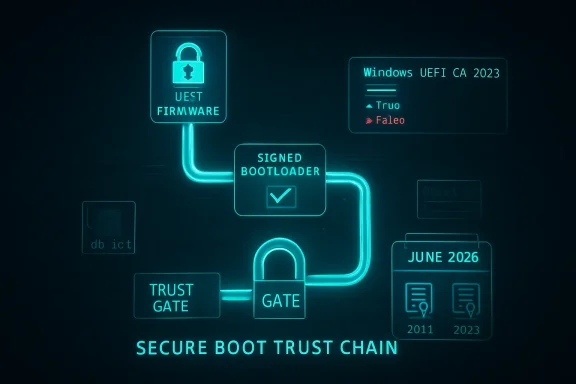 The Certificate Clock Finally Reaches the Firmware Layer
Secure Boot was designed to make the earliest moments of a PC’s startup less trusting. Before Windows loads, UEFI firmware checks whether the next thing in the boot chain is signed by an authority the machine trusts. In the Windows ecosystem, much of that trust has historically flowed through Microsoft certificates created in the Windows 8 era, when Secure Boot moved from enterprise talking point to mainstream PC requirement.Those certificates were never meant to be immortal. A certificate authority with a 15-year shelf life is not a permanent constitutional settlement; it is a very long timer. Microsoft’s problem in 2026 is that the timer is no longer theoretical. The 2011-era Secure Boot certificates start aging out in June 2026, with related certificate expirations continuing into October 2026.
That does not mean your laptop will turn into a brick the morning the first certificate expires. The panic version of this story is too simple. Existing signatures do not all evaporate at midnight, and Windows Update does not necessarily stop because a machine still carries old Secure Boot material. Microsoft’s own framing is narrower and more consequential: devices that fail to move to the 2023 certificate chain may lose future Secure Boot protections for early boot components.
That distinction matters because Secure Boot is not a user-facing feature in the way BitLocker or Windows Hello is. It is part of the machine’s chain of custody. When it is healthy, nobody notices. When it falls behind, the failure mode is not always a blue screen; sometimes it is a machine that still runs, still updates, and still looks normal while a layer of pre-OS assurance quietly stops keeping up.
Microsoft’s Patch Is Automatic Until It Isn’t
For typical Windows 11 users on supported hardware, the answer is refreshingly boring: install Windows updates, reboot when prompted, and do not treat Secure Boot as a weekend hobby. Microsoft has been staging updated Secure Boot certificate material for supported systems, and newer devices are increasingly expected to ship with the 2023 certificates already present. That is the happy path, and for a large share of consumer PCs it will be the only path anyone ever sees.The complication is that Secure Boot lives partly in firmware, not just in Windows. Updating trust anchors involves UEFI variables such as the allowed signature database, commonly called db, and the key exchange key store, or KEK. Windows can help deliver and orchestrate those changes, but the final behavior depends on firmware implementation, OEM readiness, and whether the machine is still inside a supported servicing channel.
That is why Microsoft’s guidance has the tone of a deployment project rather than a normal monthly patch note. The company is telling organizations to inventory devices, test representative hardware, check event logs and registry state, update firmware where necessary, and avoid assuming that one command run on one laptop proves readiness across a fleet. This is not because the change is exotic. It is because boot security is where small differences between firmware vendors become operationally expensive.
The simple home-user check making the rounds is useful, but it should not be mistaken for a complete compliance program. Open PowerShell as administrator and run:
([System.Text.Encoding]::ASCII.GetString((Get-SecureBootUEFI db).bytes) -match 'Windows UEFI CA 2023')If it returns
True, the Windows UEFI CA 2023 certificate is present in the Secure Boot allowed database. If it returns False, install pending Windows updates, check your PC maker’s support utility or firmware downloads, and then test again. On managed systems, admins will want broader telemetry than one PowerShell line, including event IDs and policy-driven rollout state.The Windows 10 Problem Is Not Really About Secure Boot
The sharp edge of this story is Windows 10. Microsoft ended mainstream support for Windows 10 on October 14, 2025, while offering Extended Security Updates as a bridge for users and organizations that cannot yet move. That bridge now matters for more than the usual monthly vulnerability patches. If a Windows 10 machine is outside support and outside ESU, it should not be treated as reliably eligible for the Secure Boot certificate refresh.This is where the certificate rollover becomes less a technical footnote than a policy consequence. Microsoft’s Windows 11 hardware requirements already stranded a substantial population of otherwise usable PCs, especially systems without supported CPUs or TPM configurations. Many of those machines remain fast enough for office work, browsing, media, and light development. But the security ecosystem is no longer being designed around their indefinite survival.
The temptation is to frame this as Microsoft forcing upgrades. There is some truth in that, but it is not the whole truth. Secure Boot depends on a web of Microsoft, OEM, firmware, silicon, and operating-system responsibilities, and old machines do not become easier to secure with age. The ugly part is that the user experiences this complexity as a binary: either the device gets the new trust chain through supported servicing, or the owner is told to go hunt for firmware from a vendor that may have stopped caring years ago.
Windows 10 ESU is therefore not just a way to keep receiving normal security fixes. For holdouts, it is becoming the practical way to remain attached to Microsoft’s current boot-security lifecycle. That is an uncomfortable purchase, particularly for consumers who feel they are paying rent on hardware they already own. But if the machine must remain on Windows 10 and must remain exposed to real-world threats, ESU is the least improvised option.
Firmware Is the Part of the PC Industry Nobody Wants to Talk About
The Secure Boot rollover exposes a familiar weakness in the Windows ecosystem: firmware support is uneven, opaque, and often shorter-lived than the hardware. Microsoft can publish certificates and servicing logic. It can lean on OEMs. It can document the state machines and provide scripts. But it cannot retroactively make every motherboard vendor maintain every BIOS tree with enterprise-grade discipline.That matters because the most nervous scenarios are not the ordinary ones. A normal Windows 11 laptop from a major OEM, kept current through Windows Update, is not the machine that should keep sysadmins awake. The scarier machines are older desktops with stale BIOS releases, devices that have had Secure Boot toggled on and off, systems with custom boot media, dual-boot setups, appliances built on Windows, lab machines, kiosks, and servers whose owners are allergic to firmware updates because the last one broke something expensive.
Microsoft’s guidance for organizations is cautious for a reason. Secure Boot updates can intersect with BitLocker, virtualization-based security, third-party bootloaders, recovery environments, deployment media, and firmware update flows. A mistimed change can trigger recovery prompts or expose a machine that was never quite as standards-compliant as its spec sheet implied. This is not a reason to avoid the update. It is a reason to test it like the boot-chain change that it is.
The PC industry has improved firmware delivery since the Windows 7 days, especially through Windows Update and OEM companion apps. Still, the support model remains far less legible than operating-system servicing. A user can generally tell whether Windows Update is current. It is much harder to know whether a motherboard’s Secure Boot implementation has received everything it needs to survive the next decade of trust changes.
The Real Risk Is a Degraded Security State, Not a Dead PC
The phrase users need to understand is degraded security state. It is not as dramatic as “won’t boot,” and that is exactly why it is dangerous. A machine in a degraded security state may continue to start, run applications, and install ordinary updates while failing to receive or enforce future Secure Boot protections in the way Microsoft intends.That future-facing risk is the core of the issue. Secure Boot is most valuable when the platform can respond to newly discovered weaknesses in early boot components. The industry learned this lesson painfully through bootkit research and vulnerabilities such as BlackLotus-related Secure Boot bypasses. The point of refreshing trust anchors is not merely to replace expiring paperwork; it is to preserve the ability to revoke bad components and trust new ones without collapsing compatibility.
The certificate rollover also affects bootable media. Old installation ISOs, recovery drives, imaging tools, and deployment environments may need attention as the ecosystem moves toward Windows Boot Manager components signed by the 2023 chain. In a home setting, that might mean recreating a Windows installer before relying on it in an emergency. In an enterprise, it means validating ConfigMgr boot images, Windows PE environments, disaster-recovery media, and vendor tools before the day they are needed.
This is where “my PC still turns on” becomes the wrong test. Booting today proves only that today’s chain still works. It does not prove that the machine can accept tomorrow’s Secure Boot protections, tomorrow’s bootloader signing requirements, or tomorrow’s revocations. Security debt is rarely visible at the moment it is incurred.
Enterprises Should Treat This Like a Fleet Hygiene Drill
For IT departments, this is less a breaking-news emergency than a fleet hygiene exam with a hard calendar attached. The work is mundane: inventory Secure Boot state, identify unsupported operating systems, separate physical devices from virtual machines, confirm firmware levels, pilot the certificate update, watch for BitLocker recovery prompts, and document which hardware models fail. Mundane work is still work, and it tends to punish teams that wait for the last safe maintenance window.The first mistake would be assuming that Windows Update success equals Secure Boot readiness. The second would be assuming that one vendor model behaves like another. The third would be treating servers like laptops. Microsoft has published separate guidance for Windows Server scenarios because the operational blast radius is different: clustered workloads, remote hands, maintenance windows, backup media, hypervisor hosts, and appliance-like deployments all raise the stakes.
Virtual machines deserve special attention. A VM’s Secure Boot state depends on the virtual firmware presented by the platform and the age of the VM configuration. Cloud PCs, Azure Local, Hyper-V, VMware estates, and long-lived templates may each need their own validation path. The machine may be virtual, but the boot trust model is not imaginary.
The deployment sequence also matters. Firmware updates, Secure Boot certificate updates, BitLocker recovery behavior, and revocation enforcement should not be mashed together into one heroic reboot campaign. The boring, safer method is staged change: firmware readiness first where needed, certificate presence next, boot media validation after that, and revocations only when the organization understands what will no longer boot.
Dual-Booters and Lab Machines Get the Messier Version
Windows enthusiasts are more likely than average users to have the configurations that make this rollover interesting. Dual-boot systems, Linux distributions using shim, custom kernels, unsigned tools, PCIe cards with option ROMs, old rescue media, and experiments with Secure Boot keys all live closer to the boundary where trust databases matter. If you have never opened your firmware settings, you are probably less exposed to weirdness than the person who has spent years tuning them.The important nuance is that Microsoft’s Secure Boot ecosystem is not only about Windows. The Microsoft UEFI CA has historically played a role in allowing third-party UEFI applications and non-Windows bootloaders to run on Secure Boot-enabled PCs. Moving from 2011-era certificates to 2023-era certificates therefore has implications for Linux boot chains and vendor utilities, not merely for Windows Boot Manager.
That does not mean Linux users should panic either. Major distributions and vendors have been preparing for this transition, and Secure Boot has survived previous rounds of revocation and bootloader updates. But the people most likely to be affected are precisely the people who rely on older installation media, niche distributions, abandoned utilities, or hardware whose firmware will never see another update.
The practical advice for enthusiasts is conservative. Check whether the 2023 certificate is present. Update the firmware from the OEM or motherboard maker if one is available. Refresh bootable USB media. Verify that the operating systems you actually use still boot with Secure Boot enabled. If your setup depends on custom keys, document it before changing anything, because “I’ll remember what I did in the BIOS three years ago” is not a recovery plan.
Microsoft Is Right on Security and Still Owns the Confusion
Microsoft is correct that aging Secure Boot certificates should be retired. Long-lived trust anchors are convenient until they become a liability, and the company would be negligent if it tried to stretch the 2011 chain forever simply to avoid uncomfortable support calls. Cryptographic hygiene eventually reaches the point where compatibility has to give ground.But Microsoft also owns the user confusion around this moment. Secure Boot has always been marketed as something ordinary users should not need to understand. Now those same users are being told that a PowerShell command can reveal whether they are ready for a 2026 certificate transition that involves UEFI databases, OEM firmware, Windows servicing channels, and sometimes paid support extensions. That gap between invisible design and visible responsibility is where anxiety grows.
The company’s communication has improved as the deadline approaches, especially for IT pros. There are playbooks, support articles, message-center posts, and server-specific guidance. Still, the consumer-facing story remains messy because it collides with Windows 10’s end of support, Windows 11’s hardware gatekeeping, and the uneven reality of OEM firmware maintenance.
This is the pattern that has defined modern Windows security. Microsoft raises the baseline, often for defensible reasons. Older hardware and edge-case configurations absorb the pain. Enterprises get documentation and policy knobs. Consumers get a warning, a support article, and a vague instruction to check with the PC manufacturer. The direction is rational; the experience is not always humane.
The June Deadline Rewards the Machines Already Being Maintained
The Secure Boot certificate rollover is not a reason to disable Secure Boot. It is a reason to make sure Secure Boot is actually current. Turning it off to avoid thinking about certificates is like removing the smoke alarm because the battery chirped. It may silence the irritation, but it does not improve the building.For most readers, the right response is small and immediate. Run the check, install updates, reboot, and look for firmware updates from the OEM. If the machine is on Windows 10, decide whether it is moving to Windows 11, enrolling in ESU, moving to another operating system, or being retired from security-sensitive work. Drifting is the one option that gets worse with time.
For organizations, the right response is procedural. Treat the 2026 Secure Boot transition as a dated dependency in the same category as certificate renewals, root CA changes, and TLS deprecations. It is not glamorous, but it is measurable. The teams that inventory early will likely find a handful of unpleasant devices while there is still time to do something about them. The teams that wait will discover that firmware problems have a way of becoming business-continuity problems.
The PCs That Need Attention Are Easy to Describe and Hard to Inventory
The machines most likely to need intervention are not mysterious. They are older systems, unsupported Windows 10 installations, devices that have missed firmware updates, servers with conservative maintenance policies, virtual machines created from old templates, and enthusiast rigs with nonstandard boot paths. The trouble is that many households and businesses do not have a clean list of those machines.A family may have a Windows 10 desktop in the den that “still works fine.” A small business may have a point-of-sale terminal that nobody wants to touch. A school may have labs full of machines that cannot officially run Windows 11. A manufacturer may have Windows boxes attached to equipment whose vendor certifies nothing newer. Secure Boot certificate readiness will not be the only problem on these systems, but it may become the next visible symptom of a broader support cliff.
The consumer PC market has trained people to think of hardware as useful until it physically fails. Modern platform security works differently. A PC can be electrically healthy and cryptographically obsolete. It can have a perfectly good SSD, enough RAM, and a CPU that feels fast while still falling outside the support envelope for the trust infrastructure around it.
That is the uncomfortable lesson of 2026. The secure lifespan of a Windows PC is no longer defined only by whether Windows can be installed or whether the machine feels responsive. It is defined by firmware updates, certificate chains, TPM behavior, driver signing, and the manufacturer’s willingness to keep participating in the ecosystem after the sale.
The Sensible Move Is to Verify Before the Calendar Does It for You
There is no need to treat the Secure Boot certificate deadline as an apocalypse, but there is also no virtue in waiting. The best outcome is boring: you check, the 2023 certificate is present, and June 2026 passes without a visible event. The second-best outcome is discovering now that a machine needs updates, replacement, ESU enrollment, or a new role.- Run the PowerShell Secure Boot database check on important Windows PCs and confirm that
Windows UEFI CA 2023is present. - Install all pending Windows updates and reboot before assuming a device has failed the transition.
- Check the OEM or motherboard vendor for firmware updates, especially on older systems and business fleets.
- Treat unsupported Windows 10 machines as outside the normal safety lane unless they are enrolled in Extended Security Updates.
- Recreate and test Windows installation, recovery, imaging, and deployment media that may still depend on older boot components.
- Pilot the change on representative enterprise hardware before broad rollout, particularly where BitLocker, virtualization, servers, or dual-boot configurations are involved.
Source: Digital Trends Window’s Secure Boot certificates are expiring in June — here’s what you need to do
