

Microsoft’s Secure Boot trust anchors — the firmware‑provisioned certificates that validate bootloaders and the Windows boot manager — are approaching end‑of‑life, and the coordinated replacement process introduced by Microsoft and OEMs is now the single most urgent operational task for Windows administrators who care about pre‑boot integrity and continuity of firmware‑level security updates.
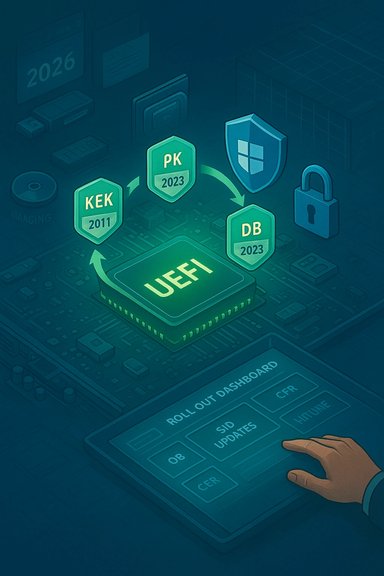
Secure Boot enforces a cryptographic chain of trust inside UEFI firmware so that only signed bootloaders, option ROMs, and OS components execute before the operating system takes control. That trust is anchored in four firmware variables: the Platform Key (PK), the Key Exchange Key (KEK), the Allowed Signature Database (DB), and the Revoked Signature Database (DBX). X.509 certificates provisioned into those variables have finite lifetimes — when those certificates expire, signatures created with them can no longer be validated by firmware unless a replacement trust anchor has been deployed.
Microsoft published an operational advisory and supporting tooling to rotate the legacy 2011 Microsoft CAs to a 2023 CA family so devices continue to accept signed boot components and to keep receiving pre‑boot security updates. The certificates most commonly called out are:
For administrators, the single most important takeaway is to start now: inventory, pilot, and coordinate with OEMs. Treat WinRE and imaging pipelines as first‑class citizens during the rollout. Protect BitLocker recovery keys and automate monitoring for
Administrators who follow a disciplined, measurable rollout will preserve the integrity of Secure Boot across their estate and avoid the operational pitfalls that follow certificate expiry. The technical fix exists; the challenge is operational execution — and that starts with inventorying which devices can accept OS‑side updates, which require OEM firmware, and which must be handled through imaging or physical intervention.
Conclusion
Secure Boot certificate rotation is a high‑priority, high‑impact program that must be treated as a top item on every Windows administrator’s calendar. The combination of well‑designed OS tooling and OEM coordination provides a realistic path to continuity, but success depends on disciplined inventorying, pilot testing, and firmware collaboration. Start the work now, validate each device class, and keep recovery plans — particularly BitLocker recovery processes and updated WinRE media — at the center of your rollout. Failing to prepare risks not just the loss of future pre‑boot updates but real operational outages for devices that cannot accept new trust anchors.
Source: MSRC Security Update Guide - Microsoft Security Response Center
 Background
Secure Boot enforces a cryptographic chain of trust inside UEFI firmware so that only signed bootloaders, option ROMs, and OS components execute before the operating system takes control. That trust is anchored in four firmware variables: the Platform Key (PK), the Key Exchange Key (KEK), the Allowed Signature Database (DB), and the Revoked Signature Database (DBX). X.509 certificates provisioned into those variables have finite lifetimes — when those certificates expire, signatures created with them can no longer be validated by firmware unless a replacement trust anchor has been deployed.Microsoft published an operational advisory and supporting tooling to rotate the legacy 2011 Microsoft CAs to a 2023 CA family so devices continue to accept signed boot components and to keep receiving pre‑boot security updates. The certificates most commonly called out are:
- Microsoft Corporation KEK CA 2011 — stored in KEK; used to sign updates to DB/DBX. (June 2026 expiry window reported.
- Microsoft Corporation UEFI CA 2011 — stored in DB; used by third‑party bootloaders and option ROMs. (June 2026 expiry window reported.
- Microsoft Windows Production PCA 2011 — stored in DB; used to sign the Windows Boot Manager. (October 2026 expiry window reported.
Why this matters now
Secure Boot’s effectiveness depends on the presence of valid trust anchors in firmware. If a device still relies on the expiring 2011 certificates when those certificates lapse, the device can face three practical problems:- Loss of ability to apply future pre‑boot security updates and mitigations signed under the new trust anchors.
- Failure to validate newly signed boot components (boot manager, option ROMs, third‑party bootloaders) which may produce update failures or, in constrained firmware configurations, boot failures.
- Operational disruption tied to recovery and imaging workflows — notably, WinRE/Recovery media and frozen images that aren’t updated can become incompatible after certificate rotation unless patched offline.
How Microsoft intends to roll certificates forward (overview)
Microsoft’s approach combines OS‑side servicing, OEM firmware cooperation, and multiple deployment paths so administrators can choose the method appropriate for their estate:- Windows‑driven certificate updates: Windows contains logic to write the 2023 CA family into firmware variables (DB/KEK) and to replace the Windows Boot Manager with a version signed by the new Windows UEFI CA 2023. The sequence is order‑sensitive by design.
- Controlled Feature Rollout (CFR): Microsoft can deploy the change automatically to high‑confidence devices via Windows Update, but CFR relies on diagnostic data and telemetry opt‑ins to classify devices for safe automatic rollout. It is an assist, not a universal fix.
- Administrative paths: For managed fleets, administrators can force updates using Group Policy, registry flags, the Windows Configuration System (WinCS), a command‑line/scripting approach, or an MDM CSP (Intune support is being expanded). These methods allow both individual remediation and bulk rollouts with tracking.
Technical mechanics: keys, databases, and the update sequence
Understanding the sequence is essential to avoid mistakes that can leave a device unable to accept further updates.The firmware trust variables
- PK (Platform Key) — typically controlled by the OEM; authorizes changes to KEK.
- KEK (Key Exchange Key) — used to validate signatures on updates to DB and DBX. A new KEK certificate enables the firmware to accept updates to DB/DBX that are signed under the new CA.
- DB (Allowed Signature Database) — holds certificates and hashes of allowed components (e.g., Microsoft UEFI CA entries; Windows Boot Manager PCA).
- DBX (Revoked Signature Database) — holds revoked certificates/hashes to block known bad components.
Update order and why it matters
- Add Windows UEFI CA 2023 to DB — so new boot manager signatures will be trusted.
- Add optional UEFI CA 2023 entries to DB for third‑party loaders and Option ROMs (only if the corresponding 2011 CA was present).
- Apply KEK 2023 (signed by OEM PK) to allow DB updates to be accepted going forward.
- Replace the Windows Boot Manager with a version signed by the new PCA and verify device is “2023‑capable.”
Where deployments fail: firmware defects and behavioral caveats
Microsoft’s OS‑side certificate update depends on firmware behaving predictably. That dependence creates concrete failure modes:- Devices with buggy or non‑standard UEFI implementations may reject updates to KEK/DB/DBX even when the OS issues correct operations. These devices commonly require vendor firmware updates before the OS can apply the certificate changes.
- Device firmware with limited or unusual variable storage, or firmware that enforces vendor‑specific constraints (for example locked PK/KEK policies), may prevent the OS from adding or replacing certificates.
- Mixed deployment methods applied to a single device (e.g., combining an OEM firmware push with an administrator’s manual registry-based OS push) can create conflicting states that complicate recovery. Microsoft explicitly warns against mixing approaches unless the process is carefully orchestrated and tested.
- Air‑gapped and highly restricted systems may not receive the updates automatically and will need manual remediation or OEM intervention.
Practical admin guidance — checklist and deployment playbook
These are the core operational steps every Windows admin should incorporate into their rollout plan.Immediate posture and discovery (Day 0)
- Inventory devices for Secure Boot and certificate status (firmware model, UEFI variable behavior, WinRE/boot manager versions).
- Identify devices with limited firmware update support or vendor‑specific locking that could block OS‑side updates.
Pilot and validation (Week 1–4)
- Select representative pilot devices across vendors, age groups, and firmware families.
- Test Microsoft’s OS‑side certificate update path in a controlled pilot using the WinCS and registry methods. Track the UEFICA2023Status and related registry indicators. Event ID 1808 denotes success; Event ID 1801/1795 indicate issues that require investigation.
- Validate WinRE and recovery media by injecting Safe OS Dynamic Updates into offline WinRE/installation images (use DISM when updating offline images) and confirm WinRE version expectations after servicing.
Production rollout (Weeks 4–12)
- Use Group Policy, WinCS, or the registry flag to trigger the OS‑side rollout at scale. Microsoft has provided bitmask values that control which mitigations are applied; these values are documented in the playbook and used by the scheduled servicing task. Administrators should follow the playbook for the correct bitmask to apply for their chosen mitigation set and validate results procedurally.
- Coordinate OEM firmware updates where devices reject OS‑side changes. Maintain tracking of vendor firmware advisories and push updates through your managed firmware pipeline.
Recovery planning and BitLocker considerations
- Anticipate BitLocker recovery prompts. Updating boot components or Secure Boot variables can trigger BitLocker recovery; preserve BitLocker recovery keys, and test recovery workflows before broad deployment.
- For imaging and offline images, update WinRE/install media to include the 2023 certificates so newly imaged or recovered devices do not fall into an inconsistent state. Use DISM to inject relevant catalog packages into offline WIMs.
Monitoring and validation
- Track registry values under
HKEY_LOCAL_MACHINE\SYSTEM\CurrentControlSet\Control\SecureBoot(and Servicing subkey) to observe rollout state transitions (Not started → In progress → Updated). - Monitor event logs for Event ID 1808 (success) and Event IDs 1801/1795 for failures. Build automated alerting and remediation playbooks for common failure modes.
Critical analysis — strengths of Microsoft’s approach
- Multiple deployment paths: Microsoft’s combination of OS‑driven updates, registry and WinCS controls, Group Policy, and MDM/Intune support gives administrators flexibility to adopt a method that fits their operational constraints. This is a pragmatic design for heterogeneous enterprise estates.
- Sequenced, auditable process: The order‑sensitive sequence and explicit status tracking (registry values, event IDs) allow for controlled, observable rollouts rather than blind firmware churn. This reduces risk when performed with proper pilot testing.
- OEM collaboration: Where firmware changes are required, Microsoft is coordinating with OEMs and providing firmware partners with the mapping and replacement certificates, which reduces the chance of device‑specific surprises.
Critical analysis — risks and limitations
- Firmware heterogeneity: UEFI firmware implementations vary widely; some vendors ship locked or buggy implementations that block OS‑driven updates. These devices will need vendor firmware updates or manual remediation, creating operational workloads that can easily derail a mass rollout.
- Telemetry gating for CFR: Microsoft’s Controlled Feature Rollout relies on diagnostic telemetry to classify “high‑confidence” devices. Organizations that restrict telemetry (for privacy or policy reasons) may be excluded from automatic updates and must rely on manual deployment methods.
- Complex rollback and mixed methods: Mixing deployment mechanisms (OS‑driven vs firmware pushes vs manual DB edits) can leave devices in inconsistent states. Recovery can be complex and in some cases may require OEM support or reimaging.
- Air‑gapped and embedded devices: Devices that never contact Windows Update or are maintained with frozen images are at higher risk. Updating such systems requires disciplined imaging updates and potential physical access for firmware flashing.
Recommended timeline and priority actions
- Immediate (today → 2 weeks)
- Inventory devices for Secure Boot status and firmware support. Prioritize high‑risk systems: servers, critical workstations, imaging servers, and air‑gapped systems.
- Ensure BitLocker recovery keys are backed up and accessible for test and production devices.
- Short term (2 → 6 weeks)
- Run small pilots using WinCS/registry triggers. Validate event logs and the
UEFICA2023Statusregistry indicators. Confirm WinRE/Recovery media updates on pilot devices. - Triage devices that fail OS‑driven updates and coordinate firmware updates with OEMs.
- Medium term (6 → 12 weeks)
- Scale rollout via Group Policy, Intune, or scripted WinCS operations with detailed monitoring and automated rollback capability for problem cohorts. Maintain a small remediation team dedicated to firmware edge cases.
- Ongoing
- Keep imaging pipelines and WinRE media updated with Safe OS catalog packages so new installs and recovery flows remain compatible with the 2023 CA family.
Recovery scenarios and what to do if a device fails
- If a device fails to accept a KEK or DB update, first check for firmware updates from the OEM. Many failures are resolved by an OEM firmware revision that corrects UEFI variable handling.
- If a device is in an inconsistent state after a partial update, do not attempt to mix remediation methods without a documented rollback plan. Use vendor guidance or restore from a known‑good image where necessary.
- For failed WinRE or recovery media cases, inject the updated Safe OS DU into the offline WIM and re‑create the media using validated DISM steps. Test the media on a non‑production device first.
Final assessment and best practices
This certificate rotation is both necessary and time‑sensitive. Microsoft’s plan is technically sound: a sequenced update that uses OS‑side smarts and OEM cooperation to replace expiring trust anchors. The biggest operational challenge is not the cryptography or Microsoft’s update code — it is the sheer diversity of firmware implementations and the logistical burden of updating devices that are offline, locked, or supplied by vendors slow to issue firmware fixes.For administrators, the single most important takeaway is to start now: inventory, pilot, and coordinate with OEMs. Treat WinRE and imaging pipelines as first‑class citizens during the rollout. Protect BitLocker recovery keys and automate monitoring for
UEFICA2023Status and Event IDs 1808/1801/1795. Use Microsoft’s documented deployment paths rather than ad hoc firmware edits, and avoid mixing deployment methods on the same device without a tested rollback plan.Administrators who follow a disciplined, measurable rollout will preserve the integrity of Secure Boot across their estate and avoid the operational pitfalls that follow certificate expiry. The technical fix exists; the challenge is operational execution — and that starts with inventorying which devices can accept OS‑side updates, which require OEM firmware, and which must be handled through imaging or physical intervention.
Conclusion
Secure Boot certificate rotation is a high‑priority, high‑impact program that must be treated as a top item on every Windows administrator’s calendar. The combination of well‑designed OS tooling and OEM coordination provides a realistic path to continuity, but success depends on disciplined inventorying, pilot testing, and firmware collaboration. Start the work now, validate each device class, and keep recovery plans — particularly BitLocker recovery processes and updated WinRE media — at the center of your rollout. Failing to prepare risks not just the loss of future pre‑boot updates but real operational outages for devices that cannot accept new trust anchors.
Source: MSRC Security Update Guide - Microsoft Security Response Center
