

If you own a Windows PC made since 2011, your machine is part of a global certificate rollover that must complete before critical Secure Boot certificates begin expiring in mid‑2026 — and there are simple checks and concrete steps you can take today to confirm your system is ready.
Secure Boot is the firmware‑level gatekeeper that prevents unauthorized or tampered code from running during the earliest stages of system start‑up. It relies on a small set of X.509 certificate authorities (CAs) and a chain of trust stored in UEFI variables — the Platform Key (PK), the Key Exchange Key (KEK), the allowed signature database (DB), and the forbidden/revocation database (DBX). Whens expire, a platform can stop trusting or accepting updates that depend on them unless replacements are enrolled first.
Microsoft and many OEMs provisioned a set of Microsoft‑issued CA certificates for Secure Boot back in 2011. Those long‑lived certificates were always intended to be rotated eventually; the replacement family issued in 2023 is now being distributed to devices so the Secure Boot chain remains valid well into the next decade. Microsoft’s guidance and the operating‑system updates that enable the transition are the authoritative source for the timeline and rollout mechanics.
But meaningful risks remain. OEM firmware diversity is the core fragility: devices whose UEFI does not accept OS‑driven KEK/DB writes, or that lack updated firmware entirely, will require vendor cooperation and potentially manual remediation. Enterprises with air‑gapped deployments or strict telemetry opt‑outs must plan far earlier than consumers, because Microsoft’s automatic path depends on signals that those devices deliberately suppress. Finally, while Microsoft and many major OEMs have published guidance, precise day‑level expiration dates vary by vendor and model, meaning administrators should not rely on month‑level planning alone for large fleets.
Unverifiable claim caution: some headlines have sensationalized the risk as a large‑scale “mass bricking” event. The realistic picture is more nuanced — serviceability loss and update inability are the most concrete, near‑term risks; catastrophic, irreversible bricking at scale is unlikely given the phased approach and OEM participation, but per‑model edge cases can still cause severe local impact. Always consult vendor advisories for your exact model.
Secure Boot certificate rotation is routine cryptographic hygiene executed at scale — but the practical complexity comes from firmware diversity and the global installed base. The situation is manageable if you act now: verify Secure Boot status, run the PowerShell certificate check, install Windows updates and any OEM firmware updates, and prepare BitLocker recovery data. In most cases, Microsoft and OEMs have already done the heavy lifting; for the rest, a short inventory and a tested update path will prevent disruption before the June–October 2026 windows arrive.
Conclusion: Don’t panic — but don’t postpone. A ten‑minute check with PowerShell and timely Windows + firmware updates will keep your PC on the safe side of this critical, time‑bound security transition.
Source: ZDNET Your PC's critical security certificates may be about to expire - how to check
 Background
Secure Boot is the firmware‑level gatekeeper that prevents unauthorized or tampered code from running during the earliest stages of system start‑up. It relies on a small set of X.509 certificate authorities (CAs) and a chain of trust stored in UEFI variables — the Platform Key (PK), the Key Exchange Key (KEK), the allowed signature database (DB), and the forbidden/revocation database (DBX). Whens expire, a platform can stop trusting or accepting updates that depend on them unless replacements are enrolled first. Microsoft and many OEMs provisioned a set of Microsoft‑issued CA certificates for Secure Boot back in 2011. Those long‑lived certificates were always intended to be rotated eventually; the replacement family issued in 2023 is now being distributed to devices so the Secure Boot chain remains valid well into the next decade. Microsoft’s guidance and the operating‑system updates that enable the transition are the authoritative source for the timeline and rollout mechanics.
What exactly is expiring, and when
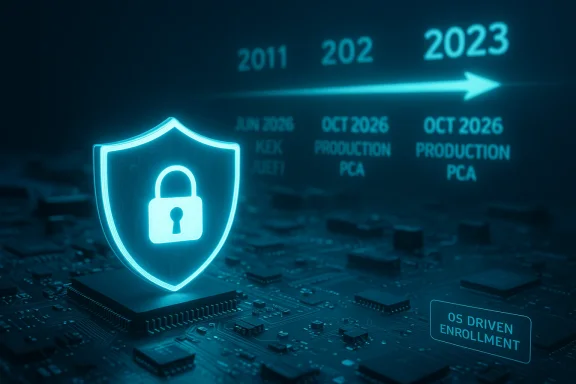
- Microsoft’s original 2011 CA family (commonly referred to in public communications as the “2011” certificates) begins expiring in June 2026 for the KEK and UEFI CA entries. A related Windows production PCA used to sign the Windows boot manager is scheduled to reach its expiry point later in October 2026.
- Microsoft published a replacement set — the 2023 CA family — which includes:
- Microsoft Corporation KEK 2K CA 2023 (replacement for KEK CA 2011)
- *** (replacement for the Windows boot‑manager PCA)
- Microsoft UEFI CA 2023 and Microsoft Option ROM UEFI CA 2023 (splitting option ROM and bootloader signing duties for finer control).
- Vendors sometimes list exact calendar days for specific models (for example, OEM advisories might call out June 25 or June 28, 2026); for planning, treat June 2026 (KEK/UEFI) and October 2026 (production PCA) as the operational windows and check OEM pages for model‑level day numbers.
How Microsoft and OEMs are handling the transition
Microsoft and hardware partners have coordinated a measured, multi‑path rollout to avoid mass disruption:- For consumer and typical business devices, Microsoft is delivering the 2023 certificates through the normal Windows update mechanism (a phased, telemetry‑gated delivery to reduce risk). Some updates that enable enrollment were shipped in 2024 and continued into 2025; January 2026 cumulative updates include the logic and targeting metadata for the OS‑driven enrollment process.
- Where firmware must accept OS‑driven writes to KEK/DB/DBX, OEMs are shipping BIOS/UEFI firmware updates so the OS‑initiated enrollment succeeds. Large OEMMicrosoft Surface, ASUS, etc.) have published per‑model guidance and minimum firmware requirements.
- For enterprise, air‑gapped, server, or specialized devices, Microsoft provides explicit guidance and KB packages (for example, KB5036210 for deploying the Windows UEFI CA 2023 to the DB). Enterprises are expected to validate on representative devices before wide deployment, because DB/KEK updates can be sensitive on locked or atypical platforms.
- Microsoft uses high‑confidence device targeting for the initial automatic enrollments: a device must meet readiness checks and demonstrate successful update telemetry before it will receive the automatic certificate injection, reducing the chance of regressions at scale. This makes the rollout slower but safer.
Who is affected — and who shouldn’t worry
- Likely affected:
- PCs manufactured between roughly 2012 and 2023 that still contain the 2011 Microsoft CA entries in firmware and that rely on Secure Boot. These systems must receive the 2023 certificates via Windows update + possible firmware updates.
- Custom‑built desktops where the motherboard vendor hasn’t shipped a firmware update or where the firmware disallows OS‑driven KEK/DB writes.
- Air‑gapped servers, regulated endpoints, or environments that block telemetry/diagnostics needed by Microsoft’s rollout gating — these require manual planning and potentially OEM intervention.
- Less likely to be affected:
- Newer PCs (many shipped since PCs and many 2025 models) already contain the 2023 certificates in firmware and need no action.
- Devices with Secure Boot disabled will continue to boot but lose the protections Secure Boot provides; disabling Secure Boot is a temporary workaround but not a recommended long‑term fix.
- Non‑Windows and our PC is dual‑boot—or you run Linux alongside Windows—Microsoft’s update will update Secure Boot entries that Linux distributions rely on in many dual‑boot scenarios. If you’ve removed Windows entirely, you may not get automatic OS‑delivered updates; check with your motherboard/OEM vendor for firmware updates or enroll keys manually where appropriate. Red Hat and other Linux vendors are coordinating updates and new shims where required.
- Mac owners: macOS and Apple hardware are not affected by Microsoft’s Secure Boot cer--
How to check your PC right now (step‑by‑step)
Follow these steps in the order shown; they’re short, reversible, and safe. If you manage many systems, use the same checks in automated scripts or configuration management tools where possible.- Confirm Secure Boot is enabled
- Press Win + R, type msinfo32, press Enter.
- Look for Secure Boot State in System Information. If it reads On, Secure Boot is enabled; if Off, the certificate enrollment path is irrelevant unless you re‑enable Secure Boot.
- Check whether your DB already contains the 2023 certificate (PowerShell)
- Open Windows PowerShell as Administrator.
- Run this exact command:
([System.Text.Encoding]::ASCII.GetString((Get-SecureBootUEFI db).bytes) -match 'Windows UEFI CA 2023') - If the output is True, your DB already contains the Windows UEFI CA 2023 certificate and you’re up to date for that DB entry. If False, the DB lacks that entry and you’ll likely need an update.
- Inspect the secure boot DB manually (optional, for power users)
- Still in an elevated PowerShell session, run Get‑SecureBootUEFI db and review the ASCII output for other 2023 family strings (KEK, Option ROM CA, etc.). This is the raw dump and may be large; search for the strings “2023” or “Windows UEFI CA 2023.”
- Check Windows Update and OEM firmware
- Install all pending Windows updates and then check your OEM’s support site for BIOS/UEFI updates for your model. Vendors often publish an advisory that explicitly lists which BIOS versions accept OS‑driven KEK/DB writes. Apply firmware updates per vendor instructions and reboot.
- For managed fleets: verify KB deployment
- Confmanagement (WSUS, SCCM, Intune) has approved and deployed the relevant update packages (for example, the updates referenced by Microsoft’s KB articles such as KB5036210 and the monthly rollups including KB5074109). Use Microsoft’s deployment guidance for controlled rollout.
If you get True from the PowerShell check, you can relax — the critical DB entry is present. If you get False, proceed with the Windows Update + OEM firmware flow and then re‑check. If your motherboard vendor doesn’t publish a firmware update that permits enrollment, contact vendor support. ([support.microsoft.com](KB5036210: Deploying Windows UEFI CA 2023 certificate to Secure Boot Allowed Signature Database (DB) - Microsoft Support
If the certificate isn’t present: options and risks
- Automatic path (recommended for most home and business devices)
- Keep Windows Update enabled and install the monthly cumulative updates. Microsoft’s phased rollout will attempt to enroll the 2023 certificates automatically if the device meets readiness checks. A firmware update from your OEM may be required first.
- Manual / enterprise path
- Use Microsoft’s KB packages and follow the enterprise deployment guidance (test on representative hardware, set registry/MDM flags where instructed, and sequence firmware updates first). KB5036210 documents how to deploy the Windows UEFI CA 2023 to the DB and the registry gating used for controlled rollouts.
- Workarounds and caveats
- Turning off Secure Boot will allow Windows to boot but removes the layer of firmware‑level protection and commonly forces BitLocker users to supply recovery keys. This is not a long‑term solution. If BitLocker is enabled and you disable Secure Boot (or perform a major firmware change), prepare your BitLocker recovery key in advance.
- Special case: DIY desktops and older motherboards
- Some motherboards manufactured years ago may not receive ficcept OS‑driven writes. If the vendor provides no update, your realistic options are: keep the system as‑is (risking loss of future prace the motherboard, or disable Secure Boot (with the security and BitLocker consequences described above).
- Servers, IoT, and regulated systems
- These often require vendor or OEM intervention and a formal remediation plan. Microsoft explicitly recommends controlled testing and targeted rollouts in these environments because DB updates are sensitive and can cause functional regressions if not validated.
Realistic failure scenarios and consequences
- Most likely harmless annoyance: a BitLocker recovery prompt after a firmware change or Secure Boot toggle if you didn’t prepare the recovery key. This is recoverable but disruptive.
- Serviceability loss: inability to receive new pre‑boot security fixes (DB/DBX updates, bootloader fixes) once the old CAs expire. This degrades the platform’s ability to receive mitigations for boot‑level vulnerabilities.
- Game launch / anti‑cheat breakages: anti‑cheat systems that leverage Secure Boot attestation may fail to work if a system transitions into a state where signed updates or new shims cannot be trusted; many game publishers have been watching this transition and coordinating fixes. Keeping systems updated avoids most such interruptions.
- Worst‑case boot failure (rare but possible): on devices that for policy or firmware reasons cannot accept the new 2023 keys and also expect new signed boot components, firmware could refuse newly signed components in a way that stops normal servicing or, in extreme scenarios, requires vendor recovery images. Proper testim to prevent mass occurrences of these cases.
Practical checklist — what to do this week
- Run the PowerShell check as Administrator and confirm whether “Windows UEFI CA 2023” is present. If True, you’re likely set for the DB part.
- Ensure Windows Update is current; install all pending cumulative updates and security patches. Many devices will receive the automatic certificate enrollment after these updates.
- Check your OEM’s support page for your model and apply any recommended BIOS/UEFI updates. Some OEMs list model‑specific minimum BIOS that allow enrollment.
- If BitLocker is enabled, back up your recovery key now to a safe location before you change Secure Boot or firmware settings.
- For administrators: pilot the KB5036210 DB update on representative hardware, follow Microsoft’s controlled rollout recommendations, and schedule broader deployments only after successful validation.
Critical analysis — strengths, remaining risks, and unanswered items
Microsoft’s coordinated approach demonstrates three strengths. First, the company is proactively rolling replacement certificates and publishing KB guidance and tools so updates can be staged safely. Second, the use of telemetry‑gated, phased rollout reduces the chance of mass regressions during a e operation. Third, splitting signing roles (bootloader vs option ROM signing) in the 2023 family gives vendors and IT teams more precise control over what the platform trusts. These are solid operational choices for a complex ecosystem‑wide change.But meaningful risks remain. OEM firmware diversity is the core fragility: devices whose UEFI does not accept OS‑driven KEK/DB writes, or that lack updated firmware entirely, will require vendor cooperation and potentially manual remediation. Enterprises with air‑gapped deployments or strict telemetry opt‑outs must plan far earlier than consumers, because Microsoft’s automatic path depends on signals that those devices deliberately suppress. Finally, while Microsoft and many major OEMs have published guidance, precise day‑level expiration dates vary by vendor and model, meaning administrators should not rely on month‑level planning alone for large fleets.
Unverifiable claim caution: some headlines have sensationalized the risk as a large‑scale “mass bricking” event. The realistic picture is more nuanced — serviceability loss and update inability are the most concrete, near‑term risks; catastrophic, irreversible bricking at scale is unlikely given the phased approach and OEM participation, but per‑model edge cases can still cause severe local impact. Always consult vendor advisories for your exact model.
For power users and admins: extra technical notes
- Registry/MDM gating: enterprises can use the registry flag HKEY_LOCAL_MACHINE\SYSTEM\CurrentControlSet\Control\SecureBoot\AvailableUpdates (set to 0x40) to trigger controlled DB updates after testing, per KB guidance. Use deployment tooling to apply this only to validated device groups.
- KB identifiers and rollouts: January 2026 cumulative updates (for example, packages referenced by KB5074109) began carrying the device‑targeting metadata and scheduled task behavior that identify eligible devices for OS‑driven certificate writes. Administrators should review update changelogs closely as these updates both enable rollout and include unrelated fixes.
- Linux shims and vendor kernels: Linux distributions rely on shim binaries and vendor‑signed modules; Red Hat and other distros are preparing new shims and guidance for RHEL and similar distributions to ensure compatibility with the 2023 CA family. If you run a Linux‑only device that replaced Windows, check vendor pages for shim updates or consider manual enrollment workflows.
Final recommendations — a short plan you can follow now
- Home user (single PC): Run the PowerShell check; if it returns True, keep your system updated. If False, install Windows updates, check your OEM’s firmware updates, and re‑check. Back up BitLocker keys now.
- Power user (DIY PC): Check your motherboard vendor for firmware that accepts OS‑driven KEK/DB writes. If no firmware is available, weigh hardware replacement or accepting the limitations of non‑updatable Secure Boot keys. Back up data and BitLocker keys.
- IT admin (small/medium): Inventory devices, pilot KB5036210 and related updates on representative machines, coordinate firmware sequencing with OEMs, and only roll out registry/MDM flags after validation. Communicate the plan and recovery procedures to users.
- IT admin (enterprise/regulated): Treat this as a cross‑functional project involving security, endpoint management, firmware/vendor management, and test labs. Prioritize air‑gapped, server, and regulatory systems for earlier manual remediation planning.
Secure Boot certificate rotation is routine cryptographic hygiene executed at scale — but the practical complexity comes from firmware diversity and the global installed base. The situation is manageable if you act now: verify Secure Boot status, run the PowerShell certificate check, install Windows updates and any OEM firmware updates, and prepare BitLocker recovery data. In most cases, Microsoft and OEMs have already done the heavy lifting; for the rest, a short inventory and a tested update path will prevent disruption before the June–October 2026 windows arrive.
Conclusion: Don’t panic — but don’t postpone. A ten‑minute check with PowerShell and timely Windows + firmware updates will keep your PC on the safe side of this critical, time‑bound security transition.
Source: ZDNET Your PC's critical security certificates may be about to expire - how to check
