

The PC refresh your organisation schedules today will be remembered tomorrow not for a thinner bezel or a faster clock speed, but for whether it hardened your estate against the next generation of AI‑driven attacks and data‑loss scenarios — a security decision as consequential as an OS migration. The market pressure created by Windows 10’s end of mainstream support has already converted what used to be a performance conversation into a risk‑management imperative; vendors and analysts alike now treat endpoint hardware as the first, and often most durable, layer of defence in a zero‑trust world.
The technical deadline that underpins this refresh wave is unambiguous: mainstream support for Windows 10 ended on October 14, 2025, creating a firm migration timeline for businesses, education providers, and public bodies that cannot tolerate unsupported operating systems. That cutoff converted a gradual refresh cadence into a time‑boxed procurement event and pushed many organisations to consider not just Windows 11 but hardware platforms engineered for on‑device AI and hardware‑rooted security.
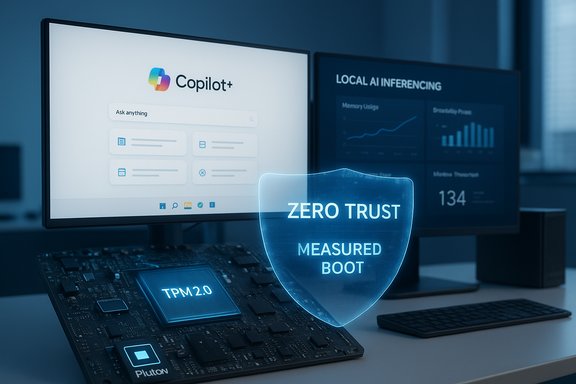
Beyond calendar pressure, the PC market itself has been repositioned. OEMs have introduced an “AI PC” tier — often branded as Copilot+ or similar — that pairs Windows 11’s evolving AI features with neural processing units (NPUs) and hardware trust anchors such as TPM 2.0 or Pluton. Vendors argue these devices reduce latency, improve privacy by keeping sensitive processing on device, and unlock new workstation categories for regulated or latency‑sensitive workloads. Analysts and trade trackers documented meaningful shipment gains tied to Windows 10’s end‑of‑support window, with the market narrative centered on security‑driven replacement and AI readiness rather than pure consumer desire.
Cautionary note: where specific survey percentages or vendor payback figures are cited in vendor or press pieces, those claims should be validated against original survey data or independent benchmarking before they are operationalised in procurement decisions. Treat headline numbers as directional inputs, not governance mandates.
Source: teiss https://www.teiss.co.uk/artificial-intelligence/why-your-pc-refresh-is-a-critical-security-decision/
 Background / Overview
The technical deadline that underpins this refresh wave is unambiguous: mainstream support for Windows 10 ended on October 14, 2025, creating a firm migration timeline for businesses, education providers, and public bodies that cannot tolerate unsupported operating systems. That cutoff converted a gradual refresh cadence into a time‑boxed procurement event and pushed many organisations to consider not just Windows 11 but hardware platforms engineered for on‑device AI and hardware‑rooted security.Beyond calendar pressure, the PC market itself has been repositioned. OEMs have introduced an “AI PC” tier — often branded as Copilot+ or similar — that pairs Windows 11’s evolving AI features with neural processing units (NPUs) and hardware trust anchors such as TPM 2.0 or Pluton. Vendors argue these devices reduce latency, improve privacy by keeping sensitive processing on device, and unlock new workstation categories for regulated or latency‑sensitive workloads. Analysts and trade trackers documented meaningful shipment gains tied to Windows 10’s end‑of‑support window, with the market narrative centered on security‑driven replacement and AI readiness rather than pure consumer desire.
Why this isn’t just an OS upgrade: the security calculus
Aging hardware is a genuine operational liability
Keeping functional but aging PCs might look like smart thrift, but older hardware carries structural limitations that software patches cannot fully remedy. As firms discovered during the Windows 10 sunset, missing firmware features, absent TPM support, and limited platform telemetry mean you cannot fully leverage modern OS security primitives on outdated silicon. In short: a patched operating system on legacy hardware is often a © patch on brittle foundations.- Performance degradations mask as security problems: slow devices delay patch rollouts, reduce telemetry sampling, and increase the time a vulnerability remains exploitable.
- Hardware gaps — no TPM 2.0, no supported UEFI Secure Boot, or unsupported CPU microcode — prevent enabling virtualization‑based protections (VBS/HVCI) that Windows 11 uses to mitigate kernel‑level attacks.
The limits of software‑only mitigation
Extended Security Updates (ESU) exist as a bridge, not a long‑term fix. ESU pricing for enterprises is intentionally punitive if used as a permanent strategy, and ESU delivers only a subset of fixes — critical and important security patches — while leaving the underlying hardware incapable of hosting newer mitigations and telemetry features. For many organisations, ESU simply delays the inevitable cost and complexity of a proper, security‑first refresh.Shrinking the attack surface: why on‑device AI matters for security
From sprawling cloud attack surface to localised processing
Historically, many AI workflows have relied on sending data to cloud services for inference and analysis. Every hop — endpoint to cloud — expands the attack surface: intercepted data‑in‑transit, misconfigured APIs, and dependent third‑party services are all exploitable vectors. By contrast, on‑device AI executes models locally using NPUs, keeping sensitive context on the endpoint and drastically reducing data exposure. That architectural shift is particularly powerful where the data involved is regulated, highly sensitive, or subject to strict residency rules.- Benefits of on‑device processing:
- Lower latency for real‑time decisioning (e.g., transcription, content filtering).
- Reduced data egress and stronger compliance posture for GDPR/NIS2 style regulation.
- Improved availability and resilience against cloud outages or man‑in‑the‑middle risks.
NPUs, TOPS and the practical gating metrics
Not all AI‑capable devices are equal. Vendors publish NPU performance in TOPS (trillions of operations per second) and Microsoft’s early Copilot+ guidance for Windows 11 suggested a practical gating metric in the 40+ TOPS range for the first wave of rich on‑device features. That threshold matters: devices below it will not deliver the same low‑latency, private AI experiences and may not qualify for certain Copilot+ features. Procurement decisions therefore must look beyond CPU/GPU counts and include NPU capability and sustained thermal performance.Small language models (SLMs) and the decentralised AI paradigm
Why SLMs change the rules
Enterprise AI is shifting from heavy reliance on centralised, large models to a hybrid approach where small language models (SLMs) operate on endpoints for specific tasks. SLMs are optimised for constrained compute and private inference: they deliver targeted functionality (summaries, redaction, local decisioning) while avoiding the privacy and latency trade‑offs of cloud roundtrips. For regulated workloads — legal, financial, medical — SLMs enable on‑device automation without moving sensitive records into third‑party model servers.Practical uses and limits
- SLMs are ideal for:
- Real‑time document summarisation where context must remain local.
- Local PII detection and redaction before sending any data externally.
- Low‑latency voice/text features in conferencing and collaboration apps.
- SLM caveats:
- Model maintenance and governance still matter — local models must be versioned, audited and updated to avoid drift or leakage.
- On‑device models do not absolve the organisation from access controls, logging, or auditability requirements.
Hardware‑rooted security: the new minimum standard
Trusted Platform Module (TPM) and Pluton: hardware roots of trust
Modern OS security is designed around hardware trust anchors. TPM 2.0 provides a hardware‑backed cryptographic store that protects credentials, attestation keys and measured boot values. Pluton takes this further by integrating the trust functions into the SoC, reducing exposure to firmware‑level tampering. Devices that lack these hardware features cannot fully participate in advanced protection stacks that include measured boot, BitLocker key protection and device attestation for conditional access.Firmware integrity, BIOS verification and supply‑chain controls
AI PCs and enterprise‑grade machines increasingly include BIOS and firmware verification features that validate firmware integrity before the OS loads. Combine that with vendor‑side supply chain measures — factory seals, signed firmware, certificate‑based component verification — and you reduce the risk of device tampering long before the endpoint touches your network. For higher‑risk procurement, insist on cryptographic provenance and factory provisioning options from your OEM.A security‑first hardware strategy: how IT leaders should plan
Reframing refresh planning from “performance” to “resilience”
A security‑first refresh starts with inventory and risk triage: identify devices that process regulated or high‑value data, and prioritise them for replacement. Use objective eligibility checks (PC Health Check, vendor telemetry) and map devices to personas — knowledge worker, developer, creative professional, frontline worker — so procurement decisions match role needs rather than a one‑size fits all SKU.Tactical checklist for a secure refresh
- Inventory and classify endpoints by sensitivity and role.
- Pilot Copilot+ / AI PC devices with representative workloads to validate NPU performance and driver maturity.
- Require device features by policy: TPM 2.0/Pluton, vPro (or equivalent manageability), on‑device NPU capability, and firmware attestation.
- Validate supply‑chain and factory provisioning options with OEMs for cryptographic verification.
- Integrate device‑level telemetry into EDR and SIEM to ensure AI‑enabled telemetry is visible and actionable.
Pilot design — what to measure
- Real‑world latency for on‑device AI features.
- Sustained NPU throughput under realistic thermal conditions.
- Power consumption and battery life impacts for mobile personas.
- Driver and runtime compatibility (PyTorch, ONNX, vendor runtimes) for developer and data science teams.
- Support and management integration (Autopilot, Intune, vendor fleet services).
Governance, model safety and the hidden costs of on‑device AI
On‑device AI reduces cloud exposure but introduces local governance needs. Model provenance, update cadence, prompt hygiene, and local context caching are all vectors for data leakage or compliance gaps. Organisations must therefore:- Maintain model registries and version control for on‑device models.
- Enforce access controls and logging on endpoints that run SLMs.
- Define retention and purge policies for locally cached prompts or contextual data.
Cost, sustainability and procurement trade‑offs
Total cost of ownership (TCO) — beyond sticker price
High‑performance AI PCs and deskside Pro Max systems come at a premium, but the TCO equation must include helpdesk reductions, fewer breach incidents, reduced cloud egress, improved productivity and the cost of ESU or emergency remediation if you delay. For many organisations, a targeted refresh for high‑risk endpoints yields the highest ROI; for low‑risk roles, refurbished or cloud PC solutions may be more economical. Quantify the cost of a single serious breach — regulatory fines, remediation, business disruption — and compare it to accelerated procurement scenarios.Environmental and sustainability considerations
Forced refreshes create e‑waste. To balance security and sustainability, pursue trade‑in programs, modular repairable devices, and certified recycling. Where possible, consider hybrid strategies: replace only mission‑critical endpoints now while migrating lower‑risk seats to cloud PCs or lighter‑weight OS alternatives that extend device life. That approach mitigates environmental costs while addressing immediate security priorities.Vendor claims vs. verifiable outcomes — a pragmatic stance
Vendors routinely publish NPU TOPS and headline performance figures; these are useful directional signals but are workload‑dependent. Thermals, driver maturity, and software stack support heavily influence real‑world results. Treat vendor payback claims (for example, “six‑month ROI”) as hypotheses to be validated with pilot metrics rather than procurement copy. Similarly, ESU pricing and timelines are factual, but claims about how many customers adopted ESU or the precise percentage driving refresh decisions should be validated against your telemetry and vendor telemetry rather than press summaries.- When a vendor claims NPU TOPS or local model sizes, ask for:
- Measured throughput in your representative workload.
- Sustained performance curves under thermal constraints.
- Verified runtime and framework compatibility (PyTorch, TensorFlow, ONNX).
A note on headline survey figures
Some industry pieces quote specific survey statistics — for example, percentages of IT decision‑makers who cite cyber breaches as the primary refresh driver — but those figures can be survey‑specific and may not generalise. Treat such numbers as directional and seek the original survey instrument or raw data before embedding the figures in risk models or executive reporting. If a decision will be predicated on a published statistic, validate it with at least one independent data source.Practical migration options: replace, remediate, or replatform
- Replace (strategic security choice): Buy Windows 11 Pro Copilot+ devices with required hardware features. Best for high‑risk, high‑value endpoints. Expect per‑device business SKUs in mid to high price tiers.
- Remediate (short‑term bridge): Use ESU selectively, harden networks, segment unsupported devices and enforce strict EDR and MFA. Use ESU only as a controlled, time‑bound measure.
- Replatform (longer‑term alternative): Move workloads to Cloud PCs (Windows 365 or Azure Virtual Desktop), ChromeOS Flex or managed Linux where appropriate. This reduces immediate hardware refresh pressure but introduces cloud cost and networking dependencies.
Recommendations — an executable plan for IT leaders
- Start with a rapid inventory and risk triage: identify internet‑facing and regulated endpoints within 7–14 days.
- Pilot before buy: run pilots for each persona (knowledge worker, creative, developer, frontline) and measure latency, power and manageability.
- Enforce a hardware baseline for sensitive roles: TPM 2.0/Pluton, vPro or equivalent, and validated NPU capability for on‑device AI where required.
- Use ESU only as a short, documented bridge with strict sunset milestones.
- Integrate device telemetry into security operations and model governance into your change control processes.
- Measure outcomes: incident counts, mean‑time‑to‑remediate, helpdesk volume and user productivity gains to validate TCO claims.
Conclusion
The PC refresh now under way is not merely about performance benchmarks or cosmetic design; it is a strategic security decision that will materially affect regulatory compliance, data privacy, and the organisation’s ability to deploy safe, localised AI services. Modern, AI‑capable endpoints with hardware roots of trust reduce the attack surface, enable private on‑device AI workflows and provide a durable platform for future security features. Yet the technology alone is not a panacea: procurement must be paired with governance, pilot validation and a realistic TCO model that accounts for sustainability and lifecycle discipline. Treat the refresh as a security program first and a hardware upgrade second — and you will move from reactive compliance to proactive resilience.Cautionary note: where specific survey percentages or vendor payback figures are cited in vendor or press pieces, those claims should be validated against original survey data or independent benchmarking before they are operationalised in procurement decisions. Treat headline numbers as directional inputs, not governance mandates.
Source: teiss https://www.teiss.co.uk/artificial-intelligence/why-your-pc-refresh-is-a-critical-security-decision/
