

Europe’s move to reclaim digital control has a quiet, practical counterpart in the hobbyist and small‑business IT communities: a crop of polished, ready‑to‑run Linux server appliances that let individuals and organizations run their own clouds—mail, chat, file sync, VPN, and even Windows‑style directory services—without outsourcing everything to the hyperscalers. The idea is simple but consequential: if you can operate a modest server with disciplined procedures, you can keep your data under your own policies and jurisdiction while avoiding recurring SaaS fees and third‑party data harvesting. This piece examines that trend, verifies the technical claims behind five widely recommended projects, and gives a hard‑nosed evaluation of where each shines and where it creates new responsibilities for operators. view
Europe’s policy and procurement agenda has pushed hard on the idea of digital sovereignty, encouraging national and regional actors to build cloud and edge capacity under local control rather than relying solely on a small set of foreign cloud giants. That momentum has been formalized in multi‑partner initiatives and testbeds that aim to provide interoperable, sovereign cloud offerings across the continent. Those efforts are practical signals: policy and procurement can open channels for public institutions to favor local or federated providers and to run their own infrastructure where necessary.
At the same time, the open‑source ecosystem has matured rapidly. Appliance projects now bundle complex stacks—web servers, mail, federation protocols, VM and container runtimes—behind a single web console. The mainstream narrative that “self‑hosting is only for masochists” no longer holds universally; many projects aim to lower the barrier so a power user (not necessarily a Linux guru) can safely host core servic or a small office. The tradeoff is that the trust boundary moves: you no longer trust a cloud provider’s operational team, but you must execute the operational basics yourself—patching, backups, certificates, monitoring, networking.
This article drills into five projects commonly surfaced in current roundups: FreedomBox, YunoHost, TrueNAS (Community Edition / SCALE), Rockstor, and Zentyal. For each, I verify core claims against project documentation, highlight practical hardware and operational constraints, and offer clear guidance on which workloads each platform is best for.
But the risks are not trivial. Self‑hosting trades the operational and security expertise of a cloud provider for the requirement that you do that work yourself or buy support. Misconfigurations, out‑of‑date software, or insufficient backup discipline can turn a local server into a single point of failure or a data leak source. In short: reclaiming digital sovereignty on a small scale is achievable, but it is not a free lunch—you trade vendor lock‑in for operational responsibility.
If you decide to take the leap, start small, choose a platform that maps closely to the one workload you absolutely need (storage, privacy, multi‑app catalog, or Windows compatibility), and build operational habits early: backups, test restores, scheduled updates, and monitoring. The community and commercial support paths exist for each of these projects—use them where your organizational tolerance for downtime or misconfiguration is low.
The technology and policy tides currently favor a mixed approach: public clouds for massive scale and specialized managed services, and home or local infrastructure for data you want to control directly. The five projects examined here — FreedomBox, YunoHost, TrueNAS, Rockstor, and Zentyal — are not one‑size‑fits‑all miracles, but they are useful, credible tools in the practical toolbox of anyone serious about taking back parts of their digital life.
Source: Digg 5 Linux servers that let you ditch the public cloud and reclaim your privacy - for free | ZDNET | technology
Europe’s policy and procurement agenda has pushed hard on the idea of digital sovereignty, encouraging national and regional actors to build cloud and edge capacity under local control rather than relying solely on a small set of foreign cloud giants. That momentum has been formalized in multi‑partner initiatives and testbeds that aim to provide interoperable, sovereign cloud offerings across the continent. Those efforts are practical signals: policy and procurement can open channels for public institutions to favor local or federated providers and to run their own infrastructure where necessary.
At the same time, the open‑source ecosystem has matured rapidly. Appliance projects now bundle complex stacks—web servers, mail, federation protocols, VM and container runtimes—behind a single web console. The mainstream narrative that “self‑hosting is only for masochists” no longer holds universally; many projects aim to lower the barrier so a power user (not necessarily a Linux guru) can safely host core servic or a small office. The tradeoff is that the trust boundary moves: you no longer trust a cloud provider’s operational team, but you must execute the operational basics yourself—patching, backups, certificates, monitoring, networking.
This article drills into five projects commonly surfaced in current roundups: FreedomBox, YunoHost, TrueNAS (Community Edition / SCALE), Rockstor, and Zentyal. For each, I verify core claims against project documentation, highlight practical hardware and operational constraints, and offer clear guidance on which workloads each platform is best for.
 FreedomBox — privacy first, Debian native
What it is
FreedomBox is a Debian‑based appliance and Debian “blend” that packages privacy‑oriented service web interface (Plinth). It was conceived as an accessible way to reclaim communications and basic cloud services from third‑party platforms and is tightly integrated with Debian’s packaging and update mechanisms.Key features
- Federated messaging: XMPP (ejabberd) and Matrix components are available for private chat and federation.
- File sync and collaboration: Nextcloud available as an app.
- Networking & anonymity tools: WireGuard/OpenVPN servers, Tor and Privoxy integration, and simple ad‑blocking proxies.
- Appliance UX: Plinth admin console, automatic security updates, and images for common single‑board computers and small x86 boxes.
Hardware guidance
FreedomBox is explicitly targeted at low‑power hardware such as Raspberry Pi 3/4 and modest x86 machines; installing the freedombox package on a Debian system is also supported for users who already run Debian. For modest personal use a Pi4 or low‑power mini‑PC with 2–4 GB of RAM is a practical starting point, but for heavier Matrix/Nextcloud workloads you’ll want more memory and faster storage.Strengths
- Privacy‑centric defaults: built‑in support for federation, Tor, and VPN reduces reliance on external services.
- Debian integration: benefits from Debian’s security model and packaging.
- Low barrier to entry: runs well on inexpensive hardware and comes with sensible defaults for home deployments.
Caveats & risks
- Rapidly evolving federated apps (Matrix, for example) can require timely updates and occasional manual interventions; FreedomBox inherits Debian’s cadence and sometimes needs backports or manual fstream features.
- Performance limits on SBCs: heavy multi‑user Nextcloud use or media transcoding will quickly outstrip the capabilities of a Pi4.
- Exposure risk: if you publish services to the public internet, you must harden TLS, firewalling, backups, and monitoring—responsibilities the project eases but does not remove.
YunoHost — the app‑catalog approach
What it is
YunoHost is a Debian‑based distribution designed to “make self‑hosting boring.” It packages a large catalog of community and upstream apps behind an admin portal, automating tasks such as TLS with Let’s Encrypt, reverse proxy configuration (Nginx), and single sign‑on (SSO) via SSOwat. The project emphasizes simplified installation and consistent app packaging to reduce friction for small teams.Key features
- Large app catalog with automated installers for common apps (Nextcloud, Discourse, media servers, Git services).
- SSO and reverse proxy: unified authentication and automatic virtual host/TLS configuration.
- Integrated mail stack options: Postfix/Dovecot/Rspamd automation for operators who choose to run mail.
Strengths
- Very low operational friction for web apps; the portal and packaging significantly reduce manual stity documentation** and a large set of prepackaged apps that work out of the box for small user bases.
Caveats & risks
- Email is hard to run from a residential or dynamic IP; YunoHost automates installation, but deliverability requires proper DNS setup (MX, SPF, DKIM, DMARC), static IPs or a mail relay, and reputation management.
- Scale limits: YunoHost is optimized for tens of users rather than hundreds; for larger deployments, plan to split services and move heavier workloads to a dedicated storage or compute node.
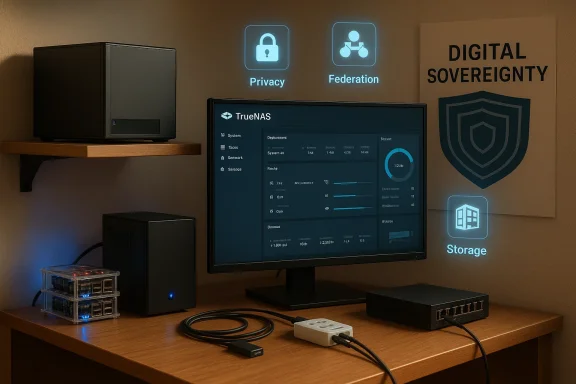
TrueNAS (Community Edition / SCALE) — the storage anchor
What it is
TrueNAS is iXsystems’ appliance family built on OpenZFS, designed for robust data integrity, snapshots, and enterprise‑grade storage features. While TrueNAS CORE historically leverages FreeBSD and SCALE uses Linux for Kubernetes and container features, the community and official docs emphasize TrueNAS as the go‑to storage appliance for home labs and small offices. OpenZFS’s design prioritizes data checksums, snapshotting, and safe replication—critical for backup and archival use cases.Technical realities and hardware guidance
- RAM matters: iXsystems recommends a minimum of 8 GB of RAM for basic installs and scales upward with pool size and workloads; ZFS uses RAM heavily for caching and metadata.
- Boot device: a small SSD is recommended for the system; avoid USB sticks for production.
- Drive layout: plan vdevs carefully—rebuilds can be painful if vdevs are poorly designed; use redundar risk tolerance.
Strengths
- OpenZFS data integrity: checksums, snapshots, and replication mechanisms are strong safeguards for data loss.
- Appliance UX: a polished web UI, SMB/NFS/iSCSI/S3 support, and replication tools make integration simple for Windows and Linux clients.
Caveats & risks
- Hardware discipline required: ZFS performs best with ECC RAM in serious deployments; under‑spec’d hardware can lead to degraded performance or risk in heavy I/O scenarios.
- Not a general‑purpose app host: TrueNAS is storage‑first. While SCALE and plugins add application hosting, expect better results deploying heavy services (databases, many containers) on platforms designed specifically for those workloads.
Rockstor — Btrfs‑based, lightweight NAS and ARM friendliness
What it is
Rockstor is a NAS operating system built around Btrfs that focuses on flexibility and a lighter footprint compared with ZFS‑based appliances. Recent Rockstor releases and installer tooling are built on openSUSE, and the project supports x86_64 and ARM64 targets (including Raspberry Pi 4 profiles). Rockstor’s “Rock‑ons” plugins let you run common apps like Nextcloud and Plex on top of the NAS.Strengths
- Btrfs features: snapshots, compression, and online resizing are attractive for home users.
- Lower hardware baseline: Rockstor’s resource needs are generally lighter than ZFS-based solutions, which makes it a good candidate for Raspberry Pi and small mini‑PCs.
Caveats & risks
- Stability and update channels: Rockstor’s historical reliance on mixed update channels and the need to manage kernel and btrfsprogs versions means operators should test updates in a lab before applying them to production pools. The community forum is full of migration and kernel‑backport threads illustrating that careful attention is required.
- Btrfs tradeoffs: while mature, Btrfs behaves differently from ZFS under certain high‑stress or very large datasets; plan workloads and backups accordingly.
Zentyal — a Windows Server replacement path fo
Zentyal packages directory, mail, gateway, and gateway services into an Ubuntu LTS‑based server aimed at small businesses that want to move away from Microsoft Windows Server but keep AD‑style management. It uses Samba 4 for Active Directory compatibility and offers tooling for Domain join, group policy, DNS/DHCP, mail, and gateway features. Zentyal positions itself with paid support options for production deployments.Strengths
- Windows admin story: Sices, Group Policy compatibility (via RSAT), and domain join support smooth migrations for Windows administrators.
- Integrated services: a single appliance that can replace multiple Windows Server roles for SMBs.
Caveats & risks
- Administration skillset: Zentyal is not a “one‑click” consumer appliance; adminstand Windows domain concepts and Linux server maintenance.
- Support expectations: for mission‑critical migrations, budget for commercial support and testing, especially if you run legacy Windows applications that eviors.
Operational realities: what the ZDNet/Digg roundup missed to emphasize
Running your own services is more than flipping an “on” switch. The platform choices above reduce friction, but they do not remove the need for operational rigor. These are the non‑sexy, necessary actions that determine whether a self‑hosted project succeeds or becomes a liability:- Backups and tested restores — snapshots are great, but a snapshot on the same physical device is not a backup. Always implement at least one offsite copy and test restores regularly.
- Patching and upgrade windows — stagger updates, test on a secondary node where possible, and have rollback plans, especially for storage pools. ZFS pool upgrades and kernel changes can be one‑way. , and remote access** — use Let’s Encrypt or a managed CA; avoid exposing admin ports directly; prefer WireGuard or a VPN/reverse proxy for remote admin.
- Email deliverability — if you run mail, expect to spend time on DNS records, PTR/rDNS, and occasional outreach to providers for whitelisting or delisting. Automation helps but does not remove the reputation work.
- Monitoring and alerting — disk ased alerts, ZFS scrubs, or Btrfs balance/scrub routines must be scheduled and observed. The best backup policy fails if disk errors are ignored.
A practical migration path (step‑by‑step)
- Inventory your current services and dependencies (accounts, printers, legacy apps).
- Pilot one low‑risk service (file sync or small Nextcloud instance) on a test device for one week.
- Configure secure networking: obtain a domain name, set up dynamic DNS or a static IP, use TLS, and create a VPN for admin access.
- Implement backups: local + offsite (object or block replication), and perform a restore to validate.
- Stagger migration: move users in phases, keep a cloud fallback for critical legacy apps, and maintain documentation for procedures and recovery.
Choosing the right anchor for your stack
- *Privacy & federation (chat, Tor, personx.
- Easy multi‑app hosting for a handful of users → YunoHost.
- Robust, integrity‑first storage → TrueNAS (CORE/SCALE).
- Btrfs features + ARM support for a lightweight NAS → Rockstor.
- Windows Server replacement for SMBs → Zentyal (with paid support for production).
Final assessment — strengths, risks, and the tradeoffs
The practical promise is real: modern Linux appliance projects significantly lower the barrier for self‑hosting core services. For individuals, clubs, and small organizations that value privacy or jurisdictional control over raw scale or advanced managed cloud features, the rewards include lower ongoing costs, stronger data locality, and the satisfaction of controlling your own stack.But the risks are not trivial. Self‑hosting trades the operational and security expertise of a cloud provider for the requirement that you do that work yourself or buy support. Misconfigurations, out‑of‑date software, or insufficient backup discipline can turn a local server into a single point of failure or a data leak source. In short: reclaiming digital sovereignty on a small scale is achievable, but it is not a free lunch—you trade vendor lock‑in for operational responsibility.
If you decide to take the leap, start small, choose a platform that maps closely to the one workload you absolutely need (storage, privacy, multi‑app catalog, or Windows compatibility), and build operational habits early: backups, test restores, scheduled updates, and monitoring. The community and commercial support paths exist for each of these projects—use them where your organizational tolerance for downtime or misconfiguration is low.
The technology and policy tides currently favor a mixed approach: public clouds for massive scale and specialized managed services, and home or local infrastructure for data you want to control directly. The five projects examined here — FreedomBox, YunoHost, TrueNAS, Rockstor, and Zentyal — are not one‑size‑fits‑all miracles, but they are useful, credible tools in the practical toolbox of anyone serious about taking back parts of their digital life.
Source: Digg 5 Linux servers that let you ditch the public cloud and reclaim your privacy - for free | ZDNET | technology
