

Microsoft is making a familiar pitch to IT administrators with a modern twist: stop thinking about Windows Update as a package you push, and start treating it as a behavior you shape. That message, highlighted in a recent Neowin report, reflects a broader shift in Windows servicing strategy that has been unfolding across Intune and Windows Autopatch for several years. The result is a more cloud-native, policy-driven model that gives organizations finer control over how updates land, when reboots happen, and what compliance actually means in practice.
For years, endpoint teams lived with a blunt choice: either manage updates through older on-prem tools such as System Center Configuration Manager or accept a more hands-off cloud model. Microsoft’s recent guidance suggests that tradeoff is now outdated. Intune has matured into the company’s preferred update control plane, and Microsoft is increasingly describing its role in terms of outcomes, not packages or deployment jobs.
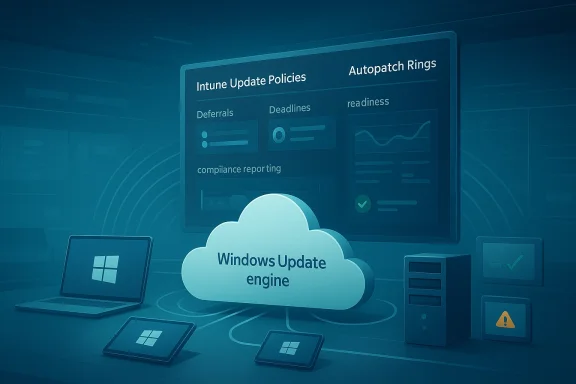
That shift is not just marketing language. Microsoft’s current documentation says Intune stores policy assignments rather than the updates themselves, then hands configuration details to Windows Update, which determines which updates to offer. Devices pull updates directly from Windows Update, while admins control deferrals, deadlines, restart behavior, and rollout logic through policy. In other words, the control plane has moved, and the old notion of “pushing” an update is no longer the central story. (learn.microsoft.com)
The timing matters because Microsoft has also been steadily consolidating update management around Windows Autopatch, which now sits as the unified Windows Update management experience in Intune. Microsoft has also renamed Windows Update for Business as Windows Update client policies, a subtle but telling acknowledgment that the company wants admins to think in terms of behavior and policy rather than a legacy product label. (techcommunity.microsoft.com)
At a high level, the message is simple: organizations that still rely on older deployment habits may be missing the point of the modern Windows servicing stack. Microsoft wants IT to define security posture, minimum compliance, and acceptable disruption, then let the platform handle the rest. That can sound like less control on paper, but in practice it can mean more meaningful control over thousands of devices at once. (learn.microsoft.com)
Microsoft’s newer model assumes a different reality: endpoints are often remote, users are mobile, and compliance is best measured continuously rather than after a deployment wave ends. Intune’s update rings, feature update policies, quality update policies, driver update policies, and Autopatch all reflect this philosophy. Instead of treating patching as a one-time action, Microsoft treats it as an ongoing orchestration problem. (learn.microsoft.com)
The company has also been more explicit about the policy stack itself. Feature update policies lock devices to a specific Windows version or target a future release, while update rings continue to govern client-side experience such as restart timing, deadlines, and active hours. Quality update policies can expedite security fixes or enable hotpatch for eligible devices. The important nuance is that Microsoft is not eliminating admin control; it is splitting control into layers.
That layering is especially relevant in 2026 because Windows 11 servicing has become a broader enterprise security story, not just a maintenance chore. Microsoft is also leaning harder on readiness, reporting, and remediation. Recent Autopatch updates added tenant-wide status reporting, alerts, and remediation guidance so admins can see where updates are blocked before devices drift too far from policy. That is a significant departure from the old “deploy and pray” mindset. (techcommunity.microsoft.com)
Intune’s model is less about dispatching a package and more about expressing intent. You define the desired compliance state, and the Windows servicing stack handles the offer mechanics and device interaction. That means the admin spends less time chasing stragglers and more time addressing exceptions, policy drift, and readiness blockers. Microsoft has repeatedly emphasized that the platform can surface those exceptions and help remediate them in a more deliberate way. (learn.microsoft.com)
Key consequences of that shift include:
The most important detail is that Intune does not host the update content itself. It stores assignments and settings, then sends those to Windows Update, which offers the right updates to the device. That architecture is why Microsoft describes Intune as a cloud-based approach to update management with control, predictability, and minimal disruption. It is also why the company can promise cloud-native orchestration without needing on-prem infrastructure to stage every package. (learn.microsoft.com)
That matters because many organizations still care deeply about avoiding surprise reboots and workflow interruptions. Intune gives them a way to preserve that discipline without requiring a manual deployment engine. In effect, the company is saying that modern patch management should look less like a file transfer job and more like a carefully constrained operating model. That is a big conceptual leap for some teams.
Autopatch is not just a convenience layer. Microsoft says it adds dynamic device grouping, phased rollouts, health monitoring, and reporting. Recent updates also introduced proactive update readiness capabilities that identify blockers before deployment begins, including connectivity gaps, safeguard holds, and hotpatch prerequisites. That is a strong signal that Microsoft is pushing organizations toward preventative update operations rather than reactive troubleshooting. (learn.microsoft.com)
A few Autopatch advantages stand out:
This framing also aligns with Microsoft’s broader “secure by default” direction. The company has been increasingly willing to turn on stronger update behavior or more automated security options, then offer escape hatches for organizations that are not ready. The hotpatch shift is a recent example: Microsoft said eligible Intune-managed devices and Graph-managed devices would move toward hotpatch updates by default starting with the May 2026 Windows security update, while giving admins opt-out controls beginning April 1, 2026.
For enterprises, the biggest win is predictability. Feature update policies can lock devices to a specific release, quality update policies can speed up critical patches, and update rings can shape user experience. That gives IT a more coherent way to balance security and business continuity. It also helps with regulated environments where version consistency is not optional.
For consumers, the story is less about centralized management and more about agency. Microsoft is clearly trying to reduce the feeling that Windows Update is an uncontrollable force. If the enterprise can shape behavior through policy, the consumer pitch becomes easier to understand: Windows should respect user context, not just enforce a blunt update cadence. That is a politically smart move as much as a technical one.
There is also competitive pressure on third-party patch tooling. If Intune can manage deferrals, deadlines, feature targeting, hotpatch, driver approvals, and rollout health in one place, many organizations will ask why they need separate tools for Windows servicing. That does not eliminate niche vendors, but it does shrink the space for broad “one-stop” patch management platforms that depend on Windows being awkward to manage.
The counterargument is that Microsoft is not really creating a lock-in so much as collapsing complexity into the platform where it belongs. In that view, update management should be native to Windows and visible in the same console as the rest of endpoint policy. Whether that feels liberating or constraining depends largely on how much control an organization wants to keep outside the Microsoft stack. (learn.microsoft.com)
Another concern is operational misunderstanding. Because feature update policies, quality update policies, update rings, and Autopatch can overlap, admins need to understand which layer controls which behavior. Microsoft explicitly warns that client-side behavior such as restarts and deadlines still comes from update rings and Windows Update client settings, which means a misconfigured stack could create delays or conflicts rather than clarity.
The more interesting question is whether Microsoft can make this model feel trustworthy to the broad middle of IT—teams that are neither fully cloud-native nor fully attached to legacy tooling. Those organizations care about control, but they also care about simplicity, auditability, and recovery. Microsoft’s challenge is to show that Intune and Autopatch can deliver all three without making administrators feel like they have surrendered the steering wheel. (techcommunity.microsoft.com)
Source: Neowin Microsoft encourages IT admins to use Intune and "shape how Windows Update behaves"
 Overview
For years, endpoint teams lived with a blunt choice: either manage updates through older on-prem tools such as System Center Configuration Manager or accept a more hands-off cloud model. Microsoft’s recent guidance suggests that tradeoff is now outdated. Intune has matured into the company’s preferred update control plane, and Microsoft is increasingly describing its role in terms of outcomes, not packages or deployment jobs.That shift is not just marketing language. Microsoft’s current documentation says Intune stores policy assignments rather than the updates themselves, then hands configuration details to Windows Update, which determines which updates to offer. Devices pull updates directly from Windows Update, while admins control deferrals, deadlines, restart behavior, and rollout logic through policy. In other words, the control plane has moved, and the old notion of “pushing” an update is no longer the central story. (learn.microsoft.com)
The timing matters because Microsoft has also been steadily consolidating update management around Windows Autopatch, which now sits as the unified Windows Update management experience in Intune. Microsoft has also renamed Windows Update for Business as Windows Update client policies, a subtle but telling acknowledgment that the company wants admins to think in terms of behavior and policy rather than a legacy product label. (techcommunity.microsoft.com)
At a high level, the message is simple: organizations that still rely on older deployment habits may be missing the point of the modern Windows servicing stack. Microsoft wants IT to define security posture, minimum compliance, and acceptable disruption, then let the platform handle the rest. That can sound like less control on paper, but in practice it can mean more meaningful control over thousands of devices at once. (learn.microsoft.com)
Background
The evolution from SCCM-era patching to cloud-managed Windows servicing has been gradual, but the direction has been clear. Traditional software distribution models were built around packages, collections, deployment deadlines, and troubleshooting individual failures after the fact. That approach worked, but it was also heavy, procedural, and deeply dependent on infrastructure that many organizations now want to reduce or eliminate.Microsoft’s newer model assumes a different reality: endpoints are often remote, users are mobile, and compliance is best measured continuously rather than after a deployment wave ends. Intune’s update rings, feature update policies, quality update policies, driver update policies, and Autopatch all reflect this philosophy. Instead of treating patching as a one-time action, Microsoft treats it as an ongoing orchestration problem. (learn.microsoft.com)
The company has also been more explicit about the policy stack itself. Feature update policies lock devices to a specific Windows version or target a future release, while update rings continue to govern client-side experience such as restart timing, deadlines, and active hours. Quality update policies can expedite security fixes or enable hotpatch for eligible devices. The important nuance is that Microsoft is not eliminating admin control; it is splitting control into layers.
That layering is especially relevant in 2026 because Windows 11 servicing has become a broader enterprise security story, not just a maintenance chore. Microsoft is also leaning harder on readiness, reporting, and remediation. Recent Autopatch updates added tenant-wide status reporting, alerts, and remediation guidance so admins can see where updates are blocked before devices drift too far from policy. That is a significant departure from the old “deploy and pray” mindset. (techcommunity.microsoft.com)
Why Microsoft is changing the language
Microsoft’s word choice is intentional. Saying admins can “shape how Windows Update behaves” reframes the administrator’s role from operator to policy designer. That aligns with the company’s broader move toward cloud orchestration, where the objective is not to manually drive every endpoint, but to define the right guardrails and let the platform execute. It is a subtle but meaningful change in posture. (learn.microsoft.com)From Push to Policy
The older SCCM model is still familiar to many enterprise teams because it offered a highly visible deployment workflow. Admins built update packages, targeted device collections, selected rollout windows, and then waited for endpoints to comply. If machines missed a deployment or failed a check-in, the team often had to investigate manually. That approach gave a sense of control, but it also scaled poorly when device populations became distributed and dynamic.Intune’s model is less about dispatching a package and more about expressing intent. You define the desired compliance state, and the Windows servicing stack handles the offer mechanics and device interaction. That means the admin spends less time chasing stragglers and more time addressing exceptions, policy drift, and readiness blockers. Microsoft has repeatedly emphasized that the platform can surface those exceptions and help remediate them in a more deliberate way. (learn.microsoft.com)
What changed operationally
The practical difference is significant. Instead of asking, “Did this update package install on all target devices?” admins ask, “Are devices meeting the policy conditions required for acceptable compliance?” That may sound like a semantic shift, but it changes how teams structure reporting, escalation, and support. It also aligns much better with modern security operations, where the target is not perfection in one batch, but measurable coverage across the fleet. (techcommunity.microsoft.com)Key consequences of that shift include:
- Less dependence on static package distribution.
- Greater reliance on policy and compliance reporting.
- Better fit for hybrid and remote device populations.
- More emphasis on rollout cadence and exception handling.
- Reduced need for manual follow-up on every missed update.
Intune’s Update Controls
Microsoft’s current documentation lays out the update stack in a way that makes the company’s strategy obvious. Update rings manage deferrals, deadlines, restart behavior, and user experience settings. Feature update policies control which Windows release a device can move to. Quality update policies handle monthly cumulative updates, with options for expedited deployment and hotpatch. Those are not overlapping concepts so much as complementary policy layers. (learn.microsoft.com)The most important detail is that Intune does not host the update content itself. It stores assignments and settings, then sends those to Windows Update, which offers the right updates to the device. That architecture is why Microsoft describes Intune as a cloud-based approach to update management with control, predictability, and minimal disruption. It is also why the company can promise cloud-native orchestration without needing on-prem infrastructure to stage every package. (learn.microsoft.com)
Update rings and client behavior
Update rings remain the place where admins define the end-user experience. Microsoft says these policies govern behaviors such as restart settings, deadlines, notifications, deferrals, and active hours. Feature and quality update policies may determine what is offered and how it is orchestrated, but the user-facing timing still leans heavily on update rings and Windows Update client settings.That matters because many organizations still care deeply about avoiding surprise reboots and workflow interruptions. Intune gives them a way to preserve that discipline without requiring a manual deployment engine. In effect, the company is saying that modern patch management should look less like a file transfer job and more like a carefully constrained operating model. That is a big conceptual leap for some teams.
Autopatch as the New Center
If Intune is the control plane, Windows Autopatch is becoming the preferred orchestration layer. Microsoft now describes Autopatch as the unified Windows Update management experience in Intune, and it has absorbed the services formerly associated with the Windows Update for Business deployment service. That consolidation suggests Microsoft wants fewer fragmented paths and a more standardized servicing story. (techcommunity.microsoft.com)Autopatch is not just a convenience layer. Microsoft says it adds dynamic device grouping, phased rollouts, health monitoring, and reporting. Recent updates also introduced proactive update readiness capabilities that identify blockers before deployment begins, including connectivity gaps, safeguard holds, and hotpatch prerequisites. That is a strong signal that Microsoft is pushing organizations toward preventative update operations rather than reactive troubleshooting. (learn.microsoft.com)
Why Autopatch changes the admin mindset
The old update mindset was transactional: publish, deploy, verify, fix. Autopatch moves toward continuous servicing: monitor readiness, stage gradually, observe health, and remediate exceptions. That sounds more abstract, but it can dramatically reduce the time spent on repetitive update incidents. It also fits Microsoft’s broader cloud services model, where centralized telemetry and policy orchestration are the main levers. (techcommunity.microsoft.com)A few Autopatch advantages stand out:
- Dynamic device grouping reduces manual targeting overhead.
- Phased rollouts lower the risk of broad update failures.
- Readiness reports help catch blockers before they spread.
- Automatic management of quality and feature updates reduces policy sprawl.
- Health monitoring makes compliance a living metric, not a quarterly exercise.
What Microsoft Is Really Selling
At face value, Microsoft is selling update control. At a deeper level, it is selling a model of IT governance in which the minimum acceptable outcome matters more than the path taken to reach it. That is why the company talks about specifying security posture, configuring update behavior, and focusing on exceptions rather than micromanaging every action. The software giant is essentially arguing that compliance should be measured by results, not by the amount of handholding required along the way. (learn.microsoft.com)This framing also aligns with Microsoft’s broader “secure by default” direction. The company has been increasingly willing to turn on stronger update behavior or more automated security options, then offer escape hatches for organizations that are not ready. The hotpatch shift is a recent example: Microsoft said eligible Intune-managed devices and Graph-managed devices would move toward hotpatch updates by default starting with the May 2026 Windows security update, while giving admins opt-out controls beginning April 1, 2026.
Minimum outcomes vs manual deployment
That philosophy matters because it changes what good administration looks like. A traditional patch job ends when the deployment task reports success. A policy-driven service model ends when devices actually satisfy the security objective. In that sense, Microsoft is asking admins to think less like package managers and more like policy governors. That is a tougher ask, but a more modern one. (learn.microsoft.com)Enterprise vs Consumer Impact
The enterprise impact is obvious: organizations gain a more sophisticated way to control update timing, version targeting, and compliance reporting. The consumer impact is subtler, but it is still real. Microsoft has already signaled that it wants to give consumers more control over Windows Update in Windows 11, and the enterprise work in Intune often foreshadows the broader product direction. The same ideas—deadlines, deferrals, restart control, and less disruption—tend to migrate downward over time.For enterprises, the biggest win is predictability. Feature update policies can lock devices to a specific release, quality update policies can speed up critical patches, and update rings can shape user experience. That gives IT a more coherent way to balance security and business continuity. It also helps with regulated environments where version consistency is not optional.
For consumers, the story is less about centralized management and more about agency. Microsoft is clearly trying to reduce the feeling that Windows Update is an uncontrollable force. If the enterprise can shape behavior through policy, the consumer pitch becomes easier to understand: Windows should respect user context, not just enforce a blunt update cadence. That is a politically smart move as much as a technical one.
Different stakes, same architecture
The shared architecture is important. Microsoft is building one update engine and exposing different control surfaces depending on the audience. Enterprises get policy depth, telemetry, and orchestration. Consumers get more humane defaults and more visible control. Both groups benefit from the same underlying servicing improvements, even if the knobs differ. (learn.microsoft.com)Competitive Implications
Microsoft’s push toward Intune and Autopatch has obvious implications for rivals in endpoint management. Traditional on-prem and hybrid management vendors now have to compete against a cloud-native system that is tightly integrated with Windows itself. That is a difficult position to challenge, especially when the update engine, policy model, and telemetry are all being aligned under one roof. (learn.microsoft.com)There is also competitive pressure on third-party patch tooling. If Intune can manage deferrals, deadlines, feature targeting, hotpatch, driver approvals, and rollout health in one place, many organizations will ask why they need separate tools for Windows servicing. That does not eliminate niche vendors, but it does shrink the space for broad “one-stop” patch management platforms that depend on Windows being awkward to manage.
The lock-in question
Of course, this also raises the perennial lock-in concern. The more Microsoft centralizes update behavior inside Intune and Autopatch, the more organizations may feel tied to its licensing, policy model, and cloud services. That is not necessarily a bad trade if the operational gains are strong, but it is a tradeoff administrators should understand clearly. Convenience often arrives with dependency attached. (techcommunity.microsoft.com)The counterargument is that Microsoft is not really creating a lock-in so much as collapsing complexity into the platform where it belongs. In that view, update management should be native to Windows and visible in the same console as the rest of endpoint policy. Whether that feels liberating or constraining depends largely on how much control an organization wants to keep outside the Microsoft stack. (learn.microsoft.com)
Strengths and Opportunities
Microsoft’s modern update strategy has several clear strengths, and most of them come from treating servicing as a governance problem rather than a delivery problem. The model scales better, fits hybrid work more naturally, and offers more useful reporting for both admins and security teams. It also gives Microsoft a credible story for why organizations should move off older patching workflows.- Better compliance visibility across distributed device fleets.
- Granular control over deadlines, deferrals, and restart behavior.
- Less manual package handling than traditional SCCM-style deployment.
- Stronger alignment with cloud-managed and remote-first endpoints.
- Automated readiness insights that surface problems earlier.
- Hotpatch and expedite options for faster security response.
- Single-console management through Intune and Autopatch.
Risks and Concerns
The biggest risk is that “more intelligent” update management can still fail in messy real-world environments. Devices miss check-ins, telemetry is incomplete, VPNs are unreliable, and line-of-business apps break on schedule. A cloud policy stack cannot eliminate those realities, even if it can help surface them earlier. Automation reduces toil, but it does not abolish complexity. (techcommunity.microsoft.com)Another concern is operational misunderstanding. Because feature update policies, quality update policies, update rings, and Autopatch can overlap, admins need to understand which layer controls which behavior. Microsoft explicitly warns that client-side behavior such as restarts and deadlines still comes from update rings and Windows Update client settings, which means a misconfigured stack could create delays or conflicts rather than clarity.
Specific risks to watch
- Policy overlap can create unintended delays or confusing precedence.
- Telemetry requirements may limit how some environments can use reporting.
- License dependence may complicate adoption for cost-sensitive organizations.
- Cloud reliance increases exposure to service-side outages or endpoint access issues.
- Change management fatigue can rise if too many update paths coexist.
- User trust can suffer if reboots or hotpatch behavior are not communicated well.
Looking Ahead
The next phase of this story is likely to revolve around deeper automation and fewer manual decision points. Microsoft is already investing in readiness dashboards, proactive blocker detection, and policy surfaces that let admins set intent rather than micromanage delivery. If that trend continues, Intune could become the primary place where organizations define not only update schedules, but also their acceptable level of disruption and risk. (techcommunity.microsoft.com)The more interesting question is whether Microsoft can make this model feel trustworthy to the broad middle of IT—teams that are neither fully cloud-native nor fully attached to legacy tooling. Those organizations care about control, but they also care about simplicity, auditability, and recovery. Microsoft’s challenge is to show that Intune and Autopatch can deliver all three without making administrators feel like they have surrendered the steering wheel. (techcommunity.microsoft.com)
What to watch next
- Broader adoption of Windows Autopatch as the default update path.
- More default-on security behaviors, especially around hotpatch.
- Additional reporting and readiness features in Intune.
- Tighter integration between feature updates and compliance workflows.
- More guidance on how update rings and Autopatch coexist without conflict.
Source: Neowin Microsoft encourages IT admins to use Intune and "shape how Windows Update behaves"
