

Linux desktop momentum that felt incremental in 2024 and 2025 has gone mainstream — and the six distributions a ZDNET veteran singled out as likely to “rule 2026” are worth more than a casual look for anyone planning a migration from Windows or evaluating a modern desktop OS in 2026.
The trigger for renewed interest in desktop Linux is obvious: Windows 10 reached end of standard support on October 14, 2025, pushing many households and small organizations to choose between upgrading hardware, moving to Windows 11, buying Extended Security Updates, or switching platforms. That inflection point accelerated testing, pilots, and migrations — and pushed Linux distros from enthusiast niches into practical alternatives for everyday users.
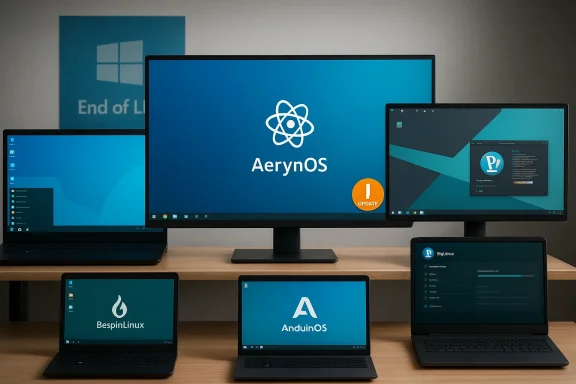
ZDNET’s roundup — and the follow-up verification and analysis included in the uploaded files — highlights six distros that combine modern desktop polish, practical migration friction reduction, and technical approaches that match real-world needs: AerynOS, AnduinOS, Besgnulinux, BigLinux, Pop!_OS (COSMIC), and Zorin OS. This article summarizes each pick, verifies the most important technical claims where documentation exists, and offers critical analysis about who should pick each distro, the likely benefits during 2026, and the concrete risks to plan around.
If you’re preparing to migrate in 2026, the playbook is simple and repeatable: inventory, live-test, pilot, snapshot, rollback-tested deployment. That pragmatic approach will let you benefit from the best Linux distributions of 2026 without inheriting the avoidable headaches that still accompany platform changes.
Source: ZDNET The 6 Linux distros I expect to rule 2026 - as someone who's tested hundreds (and for decades)
 Background / Overview
The trigger for renewed interest in desktop Linux is obvious: Windows 10 reached end of standard support on October 14, 2025, pushing many households and small organizations to choose between upgrading hardware, moving to Windows 11, buying Extended Security Updates, or switching platforms. That inflection point accelerated testing, pilots, and migrations — and pushed Linux distros from enthusiast niches into practical alternatives for everyday users.ZDNET’s roundup — and the follow-up verification and analysis included in the uploaded files — highlights six distros that combine modern desktop polish, practical migration friction reduction, and technical approaches that match real-world needs: AerynOS, AnduinOS, Besgnulinux, BigLinux, Pop!_OS (COSMIC), and Zorin OS. This article summarizes each pick, verifies the most important technical claims where documentation exists, and offers critical analysis about who should pick each distro, the likely benefits during 2026, and the concrete risks to plan around.
Why these six matter now
Three macro trends underpin the list and explain why these projects are positioned to gain traction in 2026:- Lower migration friction. Several distros intentionally mimic Windows desktop metaphors or ship migration helpers, reducing the retraining cost for non-technical users. Zorin OS and AnduinOS are explicit examples.
- Improved reliability models. Atomic and immutable delivery models reduce upgrade breakage risk; distributions embracing those paradigms can promise a more dependable upgrade experience. AerynOS is highlighted for its atomic model paired with a user-friendly KDE Plasma.
- Hardware and gaming readiness. System76’s Pop!_OS and the broader maturation of Proton/Wine have made Linux a realistic daily driver for many gamers and hybrid-work users, while other projects concentrate on reviving old hardware. Pop!_OS’s COSMIC desktop and Zorin’s large download spikes after Windows 10 EOL are both cited as proof points.
AerynOS — atomic reliability with a KDE soul
What it claims to be
AerynOS is notable for combining an atomic update model with a vanilla KDE Plasma desktop that emphasizes a familiar, polished experience. The distribution focuses on firmware-aware boot management, kernel synchronization and automatic rollback capabilities so that updates are less likely to leave users with a broken desktop.Why that matters
- Atomic updates mean the system applies updates as discrete, testable units and can roll back cleanly if something goes wrong. For users migrating away from Windows, that lowers one of the biggest anxieties: “Will the next update break my PC?” Atomicity improves recoverability without the complexity of a fully immutable system.
- A vanilla KDE Plasma gives users a contemporary, highly configurable desktop with sensible defaults that don’t force heavy re-learning.
Strengths
- Predictable, rollback-capable update behavior reduces the need for manual recovery.
- KDE Plasma’s customization lets power users refine workflows while keeping default friendliness for newcomers.
Risks and caveats
- Newcomers might still find the installer or advanced configuration steps unfamiliar; ease of first-boot matters more than ever in migration scenarios.
- Atomic is not identical to immutable: specific expectations about where and how to persist system-level tweaks must be documented clearly. AerynOS’s design intentionally avoids confusing immutability semantics, but users should test their workflows (system-wide configuration vs. home-directory tweaks) before committing.
AnduinOS — a Windows-like escape hatch for switchers
What it claims to be
AnduinOS is an Ubuntu-based remix that intentionally resembles Windows (particularly Windows 10/11) in layout and interaction while using GNOME plus curated extensions to deliver familiarity without heavy re-training. It emphasizes an extension manager and a no-data-collection pledge.Why that matters
- For large numbers of non-technical users, interface familiarity is the single biggest barrier to adoption. AnduinOS’s design approach aims to minimize that barrier, bringing users into the Linux ecosystem without asking them to relearn the desktop metaphor.
- Privacy-focused defaults (no telemetry) are an explicit selling point for users disillusioned with commercial telemetry models.
Strengths
- Immediate familiarity shortens training time for household members and small offices.
- GNOME extensions and an extension manager let more advanced users expand functionality without switching distros.
Risks and caveats
- AnduinOS is a smaller project than canonical Ubuntu flavors; smaller teams can mean shorter official support windows and fewer enterprise-grade resources for obscure hardware troubleshooting. For production or business use, prefer LTS-basis builds or a tested image.
Besgnulinux — scrappy, lightweight, mission-driven
What it claims to be
Besgnulinux (a name that signals “Best GNU Linux” loosely) is the work of a single developer with a mission to reuse aging hardware. It uses Debian Stable as its base, the JWM window manager, Calamares installer, Brave as the default browser, and a suite of custom tools for settings and theming. The distro is optimized to run smoothly on very low-spec machines.Why that matters
- Tens of millions of PCs are functioning but unsupported by Windows 11; a distribution that delivers security and usability on 2GB RAM systems makes reuse feasible and prevents e-waste. The ZDNET reviewer tested Besgnulinux in a VM with 2GB of RAM and reported excellent performance.
Strengths
- Extremely low memory and CPU footprint makes it excellent for reviving old laptops and desktops.
- Debian Stable base ensures long-term package stability and availability.
Risks and caveats
- Single-developer projects carry continuity risk: if the maintainer steps back, users must plan migration paths.
- Peripheral compatibility for very old or very new hardware can be mixed; always test Wi‑Fi, printers, and any specialized peripherals in live sessions first.
BigLinux — polished, Manjaro-derived convenience
What it claims to be
BigLinux is a Manjaro derivative that ships with KDE Plasma, a focus on convenience apps (web-app containers for major services), flexible browser choices at install time, and a driver manager that simplifies hardware setup. The distro aims to be visually attractive and approachable for beginners.Why that matters
- Manjaro’s user-friendly take on Arch gives BigLinux access to modern packages and hardware stacks while offering easier onboarding than vanilla Arch.
- Bundled web-app wrappers and a driver manager reduce friction for everyday tasks and hardware setup, two common complaints for first-time Linux users.
Strengths
- Strong out-of-box experience with multiple browser choices and web-app convenience.
- Big Driver Manager simplifies what often becomes a support-heavy step in migrations.
Risks and caveats
- Rolling or semi-rolling foundations can introduce occasional instability; users seeking maximal predictability should prefer LTS-based distributions.
- Manjaro derivatives sometimes inherit subtle packaging differences; enterprise IT teams should validate update and rollback procedures before large deployments.
Pop!_OS (COSMIC) — design and performance with hardware pedigree
What it claims to be
Pop!_OS, maintained by System76, has evolved from a polished Ubuntu derivative into a distinct desktop experience centered on COSMIC, a fast, configurable shell that prioritizes productivity (tiling, hybrid graphics tools, Wayland support). System76’s hardware + software integration remains a key strength.Why that matters
- A vendor shipping hardware with the same OS it develops reduces friction: drivers, firmware, and firmware-to-OS integration are tested together. For users who buy Linux-first laptops/desktops or want a high-quality multimedia and developer machine, that integration is significant.
- COSMIC’s approach — Rust-based components, Wayland-friendly design, native tiling — signals a modern desktop architecture that balances configurability and discoverability.
Strengths
- Tight System76 hardware support — low-level integration reduces time spent troubleshooting firmware/driver quirks.
- COSMIC’s performance and productivity features make Pop!_OS attractive for power users and developers.
Risks and caveats
- Pop!_OS (and COSMIC components) can be heavier on RAM/GPU than ultra-lightweight distros — not ideal for very old machines.
- Active development of COSMIC means pre-release builds or betas can contain regressions; cautious users should stick to official LTS-safe channels until a tested release is confirmed.
Zorin OS — the easiest landing spot for Windows migrants
What it claims to be
Zorin OS is a long-standing, polished Windows-focused distro that surged after Windows 10 EOL, with over a million downloads during initial surges and a high percentage of downloads originating from Windows devices. It’s Ubuntu-based, provides multiple desktop layouts (Windows-like, Mac-like, GNOME-like), and offers a Pro edition with extra polished layouts and apps.Why that matters
- Zorin’s layout switching and migration tools remove cognitive friction. That matters for households and small offices where the cost of retraining is measured in time and frustration, not just dollars.
Strengths
- Immediate familiarity reduces help-desk calls and household grief during the first week post-migration.
- LTS basis (Ubuntu) provides expected security update windows and a broad software catalog.
Risks and caveats
- Zorin Pro is a paid upgrade; while the free tiers are fully functional, organizations should evaluate whether Pro offers operational benefits worth the cost.
- As with any Windows-replacement distro, specialized Windows-only drivers and niche enterprise tools may require a Windows VM or retained device. Test before committing.
Practical migration and risk checklist
ZDNET’s analysis and the independent verification files converge on a practical migration playbook that’s applicable whether you’re testing Zorin, Pop!_OS, AerynOS, or any other option. The following steps are the minimum to reduce surprises:- Inventory critical applications and peripherals — list Windows‑only apps and drivers. Check ProtonDB/Lutris/Wine compatibility for games and specialist software.
- Create live USBs for at least two candidate distros and run them for 48 hours with your real tasks (Wi‑Fi, webcam, printers, cloud sync).
- Pilot on a non-critical machine for 1–2 weeks before mass rollout; use a Windows VM for stubborn apps.
- Enable snapshot/rollback tooling (Timeshift, BTRFS snapshots, or the distro’s atomic rollback) and test recovery paths.
- Validate anti‑cheat and multiplayer support for any required games — some titles still require Windows or vendor-specific solutions.
Cross-checking the big claims — what’s provable and what’s speculative
- Windows 10 EOL on October 14, 2025 is an authoritative fact and the single most important context driver for migration activity.
- Pop!_OS’s COSMIC development, performance orientation, and System76 hardware integration are public and documented; these are verifiable technical claims.
- AerynOS’s atomic update model and KDE Plasma focus are supported by reviewer testing and technical descriptions, but atomic vs immutable semantics are easy to misconstrue — users should test expectations about system-level customization.
- Claims that “Linux will be unstoppable in 2026” or specific market‑share forecasts are speculative and depend on noisy telemetry sources; treat these as informed opinion rather than measurable fact unless backed by a named, data-driven market study.
Who should choose which distro — a practical decision matrix
- Choose Zorin OS if the top priority is immediate familiarity for non-technical family members or office staff. It minimizes retraining and offers an LTS-backed base.
- Choose Pop!_OS if you value vendor-backed hardware-software integration, developer tools, and a productivity-first desktop (COSMIC). Ideal for power users and those buying Linux-first hardware.
- Choose AerynOS if upgrade reliability and rollback safety are your highest concerns and you want KDE Plasma as your desktop. Test the installer first.
- Choose AnduinOS if you want a Windows-like GNOME remix and strong privacy defaults — but prefer LTS-based builds for production stability.
- Choose BigLinux if you want a polished, Manjaro-derived desktop with strong web-app integrations and simplified driver management. Validate rolling update tolerances first.
- Choose Besgnulinux if you need the lightest possible footprint for reviving old hardware and you accept the continuity risk of smaller projects.
The pitfalls to plan for (and how to mitigate them)
- Peripheral and driver gaps. Some printers, fingerprint readers, and vendor‑specific hardware require Windows drivers. Mitigation: test peripherals in live sessions; keep a Windows VM or retained device for critical workflows.
- Proprietary anti‑cheat and gaming exceptions. Not all multiplayer games work under Proton/Wine due to kernel-level anti-cheat. Mitigation: identify games early; consider dual-boot or a dedicated Windows VM for problematic titles.
- Smaller-project continuity risk. Distros run by a lone developer or small core teams (e.g., niche revivals) face maintenance risk. Mitigation: prefer stable bases (Debian/Ubuntu LTS) and keep fallback plans for migration if upstream maintenance falters.
- Rolling-release surprises. Rolling or semi-rolling foundations can introduce occasional breakages. Mitigation: run rolling distros on a secondary machine or maintain regular snapshots and tested rollback procedures.
Conclusion
The six distributions the ZDNET veteran highlighted for prominence in 2026 represent distinct, practical responses to the same market forces: Windows 10’s end of standard support, an appetite for dependable upgrade models, and the need to lower the friction of switching for non-technical users. AerynOS brings atomic reliability and KDE polish; AnduinOS and Zorin OS trade minimal retraining for immediate familiarity; Besgnulinux and BigLinux target hardware reuse and out-of-box friendliness; Pop!_OS pairs a modern, productivity-first desktop with vendor-backed integration. These strengths are real and verifiable in the reporting and verification summaries available, but each comes with trade-offs — support windows, driver compatibility, project continuity, and update models — that deserve testing and a conservative pilot strategy before committing at scale.If you’re preparing to migrate in 2026, the playbook is simple and repeatable: inventory, live-test, pilot, snapshot, rollback-tested deployment. That pragmatic approach will let you benefit from the best Linux distributions of 2026 without inheriting the avoidable headaches that still accompany platform changes.
Source: ZDNET The 6 Linux distros I expect to rule 2026 - as someone who's tested hundreds (and for decades)
