

Code:
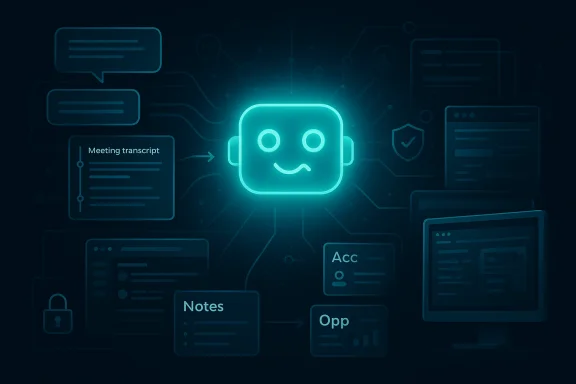
Slack’s latest Slackbot overhaul is more than another workplace software refresh. By adding more than 30 AI capabilities, Salesforce is trying to recast Slack from a collaboration hub into a full **agentic operating system** for enterprise work, where conversation, CRM, meetings, and automation all converge in one place. The company’s pitch is straightforward but ambitious: if employees already live in Slack, then Slackbot should become the **“ultimate teammate”** that understands context, executes tasks, and reduces the friction of switching between apps. The timing matters too, because this move lands in the middle of an intense race with Microsoft, Google, and a widening field of AI-first productivity tools. ([slack.com](https://slack.com/blog/news/dreamforce-slack-native-ai))

## Background

Slack’s AI strategy did not appear overnight. Over the past year, the company has steadily repositioned itself from a messaging product into a context layer for enterprise software, using conversations, files, channels, and connected business data as the raw material for AI assistance. Salesforce’s own materials now describe Slackbot as an AI agent built directly into Slack with full context from conversations, files, decisions, and connected data, while Slack’s blog has framed the product as part of a broader AI ecosystem centered on enterprise search and native AI. ([salesforce.com](https://www.salesforce.com/slack/slackbot))

That evolution is part of a larger Salesforce narrative. The company has been arguing since 2025 that work should be conversational rather than form-driven, and that Slack is the natural interface for bringing Salesforce data and AI agents into the flow of work. Slack has gone so far as to call itself the **“Searchable Log of All Context and Knowledge,”** a phrase that neatly captures the company’s thesis: the value of workplace AI is not just in model quality, but in how much organizational memory it can access in real time. ([slack.com](https://slack.com/blog/transformation/ai-powered-conversational-crm))

The new release builds on a January 2026 rollout in which Salesforce made Slackbot generally available for certain plans, emphasizing that the assistant could summarize channels, answer questions, and reduce context switching without requiring training or setup. That earlier launch was already significant because it made Slackbot the front door to Salesforce’s wider agent strategy. The March 2026 update goes much further by adding reusable AI skills, desktop awareness, meeting transcription, and Model Context Protocol integration, which collectively push Slackbot from helper to orchestrator. ([investor.salesforce.com](https://investor.salesforce.com/news/news-details/2026/Salesforce-Announces-the-General-Availability-of-Slackbot--Your-Personal-Agent-for-Work/default.aspx)

The broader market backdrop is equally important. Microsoft has been embedding Copilot across its productivity suite, Google has been pushing Gemini through Workspace, and a long list of AI vendors are trying to win the same battle over enterprise attention. Slack’s advantage is that it begins with **communication context**, not just document context, and that distinction matters because many business decisions are first discussed in chat before they are formalized elsewhere. That makes Slackbot’s new capabilities potentially powerful, but also more sensitive than a standard assistant. ([slack.com](https://slack.com/blog/news/dreamforce-slack-native-ai))

---

## What Slack Actually Announced

The headline is simple: Slack says it has unveiled more than 30 new Slackbot features. Under the hood, though, this is not one feature bundle but a layered redesign of how the assistant behaves across work contexts. The updated Slackbot can summarize meetings, create meeting notes, analyze files, draft content, surface CRM data, and route requests to other agents and tools. Salesforce is also positioning it as an interface that can work beyond Slack itself, including on the desktop and across connected services. ([salesforce.com](https://www.salesforce.com/slack/slackbot))

The most notable design shift is that Slackbot is no longer framed as a passive chat helper. Salesforce now describes it as an orchestrator that can hand tasks off to specialized Agentforce and third-party agents, helping users get from intent to action with fewer hops. That is a meaningful change because it turns Slack from a place where people ask questions into a place where work can be completed. ([salesforce.com](https://www.salesforce.com/slack/slackbot))

Another headline item is **reusable AI skills**. These are intended to let teams define a task once, capture the required steps and output, and then reuse that workflow whenever the same pattern appears again. In practice, this is where Slackbot starts to resemble a lightweight automation layer rather than a one-off conversational agent. It also hints at a future in which team behavior is encoded into repeatable, shareable AI routines instead of ad hoc prompting. ([techcrunch.com](https://techcrunch.com/2026/03/31/salesforce-announces-an-ai-heavy-makeover-for-slack-with-30-new-features/)

### Why the “30+” number matters

The exact number of features is less important than the product direction behind it. A large feature count signals breadth, but the real story is integration depth: Slackbot now touches meetings, desktop activity, CRM workflows, external apps, and organizational memory. That breadth makes the announcement feel like a platform milestone rather than a minor AI enhancement. ([salesforce.com](https://www.salesforce.com/slack/slackbot/agent-orchestration)

- Slackbot is being repositioned as an **enterprise work agent**.
- The update spans notes, search, CRM, automation, and desktop context.
- Reusable skills suggest a move toward standardized AI workflows.
- The assistant is becoming more valuable as context expands.
- The company is betting that fewer app switches will equal more productivity.

---

## Context, Memory, and Why Slack Has an Advantage

Slack’s biggest strategic asset is not its UI; it is its data exhaust. Messages, channels, files, canvases, decisions, and informal status updates create a persistent record of how work actually gets done. Salesforce emphasizes that Slackbot uses permissioned Slack data plus Salesforce data and metadata to generate personalized answers and actions, which gives it something many generic assistants lack: a living map of the enterprise’s real context. ([salesforce.com](https://www.salesforce.com/slack/slackbot))

That matters because enterprise AI often fails not due to lack of intelligence, but because of lack of grounding. A model can draft a polished response, yet still miss the nuance of who approved what, which customer is at risk, or which team owns a deadline. Slack’s pitch is that its conversational history reduces that ambiguity, and the new assistant can use the company’s own language to make sense of requests. ([slack.com](https://slack.com/blog/transformation/ai-powered-conversational-crm))

This is also why Slack keeps repeating that the product works in the flow of work. Rather than asking employees to open another tab, re-enter context, or manually copy data between systems, Slackbot aims to infer intent from the surrounding conversation and then take the next step. In a world where productivity software is increasingly overloaded, *proximity to the work* is a competitive advantage. ([slack.com](https://slack.com/blog/transformation/ai-powered-conversational-crm))

### The difference between chat memory and business memory

Many AI tools can remember a thread or summarize a transcript. Slackbot’s promise is bigger: it wants to blend **chat memory** with **business memory**. That combination gives it a richer operating context, but it also raises the stakes for accuracy, permissions, and governance. If a summary is wrong in a consumer tool, the cost is minor; if an assistant misreads a deal, a customer issue, or an approval path, the business impact can be real. ([salesforce.com](https://www.salesforce.com/slack/slackbot))

- Slack already has the conversation layer.
- Salesforce contributes structured CRM context.
- The combination improves relevance and reduces guesswork.
- More context can mean better automation.
- More context also means more responsibility.

---

## Reusable AI Skills and the Rise of Workflow Templates

One of the most consequential additions is **reusable AI skills**, because it moves Slackbot closer to institutional automation. Instead of asking users to re-describe the same task every time, teams can define a workflow once and then let Slackbot recognize when it applies. That sounds modest, but in practice it is a way of codifying how teams operate without demanding traditional software development for every process. ([techcrunch.com](https://techcrunch.com/2026/03/31/salesforce-announces-an-ai-heavy-makeover-for-slack-with-30-new-features/)

This matters especially for recurring knowledge work. Meeting prep, status summaries, customer follow-ups, incident updates, and routine approvals are all the sort of repetitive tasks that eat time but rarely require full human invention. If Slackbot can execute those consistently, teams get a productivity layer that feels less like a chatbot and more like a policy-driven assistant. ([salesforce.com](https://www.salesforce.com/slack/slackbot))

The idea also changes who gets to create automation. Historically, workflow systems have lived with operations teams or admins. Reusable AI skills imply that subject-matter experts can define their own AI shortcuts, which lowers the barrier to adoption and makes automation feel more native to the people doing the work. That is a potentially powerful democratization, though it will depend heavily on governance. ([salesforce.com](https://www.salesforce.com/slack/slackbot/agent-orchestration)

### From prompts to patterns

The real shift is from one-off prompting to repeatable patterns. Once a team defines the inputs, expected behavior, and output format, Slackbot can become a template engine for work. That is a far more scalable model than asking employees to remember prompt syntax, and it is one reason this update feels strategically larger than its marketing headline suggests. ([salesforce.com](https://www.salesforce.com/slack/slackbot/agent-orchestration)

- Reusable skills reduce repetitive prompting.
- They standardize how common tasks are handled.
- They may make AI adoption easier for nontechnical teams.
- They could improve consistency across departments.
- They also create new governance and audit requirements.

---

## Desktop Awareness and Meeting Transcription

Slack is pushing beyond the browser and into the desktop environment, and that is an especially important move. Salesforce says Slackbot can work across users’ desktops and understand what is on screen, while also handling meeting transcription and personal note taking without needing extra installation for people already using the desktop app. That combination makes Slackbot feel less like a web feature and more like an ambient workplace layer. ([salesforce.com](https://www.salesforce.com/slack/slackbot/agent-orchestration)

Desktop awareness is powerful because it collapses context gaps. A conversation in Slack can now connect to what someone is viewing in a browser, what they are discussing in a meeting, and what record exists in Salesforce. In theory, that creates a seamless loop from discussion to action, which is exactly what Salesforce means when it talks about agentic work. ([salesforce.com](https://www.salesforce.com/slack/slackbot)

Meeting transcription is the more familiar piece, but it may be the most immediately useful for mainstream users. The value is not just in notes; it is in turning meeting language into structured follow-up. If Slackbot can detect commitments, assign owners, and update CRM or task systems automatically, then it is solving one of the oldest pain points in office work: the gap between what was said and what was actually recorded. ([itpro.com](https://www.itpro.com/software/slackbot-just-got-a-big-update-with-mcp-and-desktop-access)

### Why desktop context changes the product

The desktop angle signals that Slackbot is no longer limited to what happens inside one app. That makes it more helpful, but also more intrusive if users are not carefully informed about when it is active and what it can see. The company says it only listens when asked and respects enterprise permissions, but the perception of ambient monitoring will still matter. ([itpro.com](https://www.itpro.com/software/slackbot-just-got-a-big-update-with-mcp-and-desktop-access)

- Desktop context reduces app switching.
- Meeting notes can become actionable workflows.
- The assistant can connect spoken intent to structured systems.
- The feature set feels more like a system layer than a chatbot.
- Privacy expectations will be a major adoption test.

---

## MCP, Third-Party Apps, and the Open Agent Layer

Slackbot’s support for the **Model Context Protocol** is one of the most technically interesting elements in the announcement. MCP gives assistants a standardized way to connect to tools and data sources, which means Slackbot can route tasks beyond Salesforce and into third-party services. Salesforce says the ecosystem can extend across thousands of apps, and recent coverage notes access to more than 6,000 Salesforce ecosystem apps in some configurations. ([itpro.com](https://www.itpro.com/software/slackbot-just-got-a-big-update-with-mcp-and-desktop-access)

That matters because the AI enterprise market is rapidly moving toward interoperability. No company wants every assistant trapped inside a proprietary silo, and no IT leader wants to manage separate bespoke connectors for every tool. By embracing MCP, Slack is signaling that its ambition is not just to own AI assistance inside Slack, but to become the coordination layer between agents, apps, and workflows. ([slack.com](https://slack.com/blog/news/dreamforce-slack-native-ai))

This also gives Slack a story that rivals can understand. Microsoft’s ecosystem advantage comes from suite integration, Google’s from document and search fluency, and standalone AI vendors compete on model or agent quality. Slack’s angle is different: it wants to be the place where enterprise AI **meets context and executes action**. That makes the platform less about productivity in the abstract and more about orchestration in the real world. ([slack.com](https://slack.com/blog/news/dreamforce-slack-native-ai))

### The platform bet behind MCP

MCP is important not because it is fashionable, but because it reduces friction for developers and enterprises. A common protocol can lower integration costs and make Slackbot more adaptable as the tool stack changes. If Slack executes this well, the company could become a preferred surface for enterprise automation even when the underlying apps vary widely. ([slack.com](https://slack.com/blog/news/dreamforce-slack-native-ai))

- MCP expands Slackbot beyond the Slack app.
- It can connect to third-party tools and agent ecosystems.
- Standardization makes integrations easier to scale.
- The move strengthens Slack’s platform ambition.
- The downside is deeper dependency on external systems and their reliability.

---

## CRM in Slack and the Small-Business Play

Slack is also making a very deliberate move into CRM. For enterprise customers on Salesforce, Slackbot now acts as a conversational interface for Customer 360, allowing users to update opportunities, research accounts, trigger workflows, and handle CRM tasks without leaving Slack. That is a serious product statement because it effectively turns the messaging app into the front end for Salesforce’s commercial system of record. ([slack.com](https://slack.com/blog/transformation/ai-powered-conversational-crm))

For smaller businesses, the pitch is even more direct. Slack is embedding a native CRM experience that can automatically capture and update customer interactions from conversations. In other words, the app that people already use to coordinate work is being turned into the place where customer memory lives. For SMBs that have long struggled with fragmented tooling, this could be genuinely attractive. ([salesforce.com](https://www.salesforce.com/en-us/wp-content/uploads/sites/4/documents/release-notes/spring26-release-in-a-box.pdf)

That SMB angle is important because it broadens Slack’s value proposition beyond enterprise IT buyers. Small teams often do not want a heavyweight CRM rollout, but they do want a simple way to preserve deal history, commitments, and follow-up tasks. If Slackbot can reduce manual data entry and keep the CRM current passively, it could become a compelling wedge into a market that dislikes complexity. ([salesforce.com](https://www.salesforce.com/en-us/wp-content/uploads/sites/4/documents/release-notes/spring26-release-in-a-box.pdf)

### Why conversational CRM is strategically significant

Salesforce has spent years trying to reduce the distance between communication and customer recordkeeping. Slack gives the company a conversational surface where that strategy can actually feel natural. The result is a tighter loop between discussion and data, which may be one of the clearest examples yet of the company’s agentic vision. ([slack.com](https://slack.com/blog/transformation/ai-powered-conversational-crm))

- Slack becomes a CRM front end, not just a chat app.
- SMBs get a lighter-weight alternative to traditional tooling.
- Sales teams can update records from conversation.
- The value proposition is strongest where context loss is costly.
- The challenge is avoiding unnecessary complexity for simple users.

---

## Security, Permissions, and the Trust Problem

Slack and Salesforce are clearly aware that broader AI capability can create trust concerns, so they are leaning hard on permissions and governance. The company says Slackbot inherits existing enterprise permissions and policies, and that it only surfaces information users are already allowed to access. It also stresses that conversations remain private to each user and that data is not used to train large language models. ([salesforce.com](https://www.salesforce.com/slack/slackbot))

That messaging is essential, but trust in enterprise AI is not earned by policy text alone. Employees will judge Slackbot by whether it actually avoids overreach, respects role boundaries, and keeps answers grounded. The more tasks the assistant can perform, the more important it becomes that the system is predictable and auditable. *A useful assistant that occasionally oversteps is a liability, not a feature.* ([salesforce.com](https://www.salesforce.com/slack/slackbot))

The security question becomes even sharper when desktop awareness and meeting transcription are involved. In theory, Slackbot is only active when invoked, but any tool that can see screen context and listen to meetings will prompt questions about workplace surveillance, consent, and data retention. Enterprise leaders will want precise controls, while employees will want reassurance that the assistant is helping them, not watching them. ([itpro.com](https://www.itpro.com/software/slackbot-just-got-a-big-update-with-mcp-and-desktop-access)

### Governance will define adoption

If Slack gets the governance layer right, the company could win on trust as well as convenience. If it gets it wrong, the product could trigger the same anxiety that has dogged many AI rollout efforts: too much power, too little clarity. The assistant’s usefulness will depend not just on what it can do, but on how confidently organizations can let it do those things. ([salesforce.com](https://www.salesforce.com/slack/slackbot))

- Slackbot is designed to respect permissions.
- Data isolation is central to Salesforce’s pitch.
- Meeting and desktop features raise surveillance concerns.
- Auditability will matter as much as speed.
- Trust could become a competitive differentiator.

---

## Competition: Copilot, Gemini, and the Race for the Enterprise Front Door

Slack’s announcement is also a shot across the bow of Microsoft and Google. Microsoft Copilot has the advantage of being embedded in Office, Windows, and Teams, while Gemini benefits from Google Workspace and search-native workflows. Slack’s answer is that the real front door for enterprise AI is not the document, spreadsheet, or email inbox; it is the conversation where context first appears. ([slack.com](https://slack.com/blog/news/dreamforce-slack-native-ai))

That framing is smart because it focuses on *where work begins*, not just where it is stored. In many organizations, decisions are discussed in chat long before they are written into a ticket, document, or CRM record. If Slack can reliably connect that discussion to action, it can position itself as a more natural AI surface than productivity suites that start from files and forms. ([slack.com](https://slack.com/blog/transformation/ai-powered-conversational-crm))

The downside is that Slack still has to prove scale and depth. Microsoft and Google can bundle AI into tools users already pay for, while Slack has to justify separate value even when customers already have a primary productivity suite. That means Slackbot must be not only smart, but *meaningfully more useful* than a generic assistant running inside a broader platform. ([techcrunch.com](https://techcrunch.com/2026/03/31/salesforce-announces-an-ai-heavy-makeover-for-slack-with-30-new-features/)

### Where Slack can win

Slack’s best chance is to dominate the **context layer** rather than the whole productivity stack. If it becomes the preferred place for enterprise conversations, task handoff, and AI orchestration, then it can remain strategically relevant even in a crowded market. The company does not need to replace every tool; it needs to become the control point that connects them. ([slack.com](https://slack.com/blog/news/dreamforce-slack-native-ai))

- Slack has a strong conversation graph.
- Its data is more informal and often more current.
- It can bridge human discussion and system action.
- It can differentiate on workflow context.
- It must prove superior utility versus suite-bundled AI.

---

## Strengths and Opportunities

Slackbot’s strongest opportunity is that it sits at the intersection of **context, communication, and execution**. That combination is rare, and it gives Salesforce a credible path to turning Slack into a true enterprise automation surface instead of merely a messaging layer. If the assistant works as advertised, it can reduce busywork, improve follow-through, and make workflow automation feel far more natural than legacy tools. ([salesforce.com](https://www.salesforce.com/slack/slackbot))

- **Deep context** from chats, files, and CRM data.
- **Low-friction adoption** because it lives inside an existing app.
- **Reusable AI skills** that standardize repetitive work.
- **MCP-based integrations** that extend the ecosystem.
- **Conversational CRM** that reduces tab switching.
- **Meeting-to-action workflows** that close the follow-up gap.
- **Potential SMB appeal** through embedded lightweight CRM functions.

## Risks and Concerns

The biggest risk is that Slack could become too powerful for its own good. As Slackbot expands into notes, desktop context, CRM, and third-party orchestration, it becomes harder to preserve the simplicity that made Slack popular in the first place. There is also a real tension between *ambient assistance* and employee comfort, especially when an assistant can see more of a user’s work environment than traditional software ever could. ([salesforce.com](https://www.salesforce.com/slack/slackbot))

- **Privacy perception** may slow adoption.
- **Permission mistakes** could produce serious business errors.
- **Feature overload** could make Slack feel cluttered.
- **Integration complexity** may frustrate admins.
- **Accuracy issues** could erode trust quickly.
- **Vendor lock-in concerns** may rise as Slack becomes more central.
- **User fatigue** is possible if every workflow becomes AI-mediated.

---

## Looking Ahead

The next phase will be about execution, not branding. Slack has already told the market that it wants to be the agentic operating system for work; now it has to prove that the new Slackbot can reliably handle real enterprise complexity without becoming brittle, noisy, or difficult to govern. The rollout pace, admin controls, and the quality of third-party integrations will matter as much as the demo reel. ([slack.com](https://slack.com/blog/news/dreamforce-slack-native-ai))

Enterprise buyers will also be watching for evidence that these features create measurable savings rather than just impressive demos. Salesforce has cited internal gains and user-reported time savings, but the real test will be whether teams can consistently reclaim hours without introducing new process overhead. If the product delivers, it could become one of the most important examples of enterprise AI moving from experimentation to daily infrastructure. ([investor.salesforce.com](https://investor.salesforce.com/news/news-details/2026/Salesforce-Announces-the-General-Availability-of-Slackbot--Your-Personal-Agent-for-Work/default.aspx)

### What to watch next

- Whether Slack expands availability beyond Business+ and Enterprise+.
- How quickly reusable AI skills become part of everyday workflows.
- Whether MCP integrations materially broaden real-world use cases.
- How CRM-in-Slack performs for SMB and enterprise customers.
- Whether competitors respond with similar conversation-first agent layers.

Slackbot’s transformation is not just another AI feature rollout; it is a declaration of what Salesforce thinks the future of work looks like. If the company is right, the office software stack will increasingly revolve around intelligent conversation, invisible orchestration, and contextual action rather than menus and manual entry. If it is wrong, the result may be a powerful but overcomplicated product trying to solve too many problems at once. Either way, Slack has made its bet clear, and the enterprise AI race just got a lot more interesting.
Source: Pulse 2.0 Slack: AI Workplace Platform Unveils 30+ Slackbot Features To Become Enterprise “Ultimate Teammate”
Last edited:
