

Soulmask’s dedicated server scene changed sharply with version 1.0, and the big story is not just that the game has “full release” polish, but that the server stack finally looks approachable for ordinary administrators. The launch brought new game modes, a second map, and a broader configuration surface, which means Soulmask now sits in the same conversation as the survival games that live or die on whether communities can self-host cleanly. For WindowsForum readers, the practical question is simple: can you stand up a stable server, tune it properly, and avoid the save corruption traps that so often plague survival launches?
Soulmask spent its early life in the familiar survival-game limbo where the software is ambitious, the systems are deep, and the server tooling is only mostly documented. That is hardly unusual for the genre. Many survival games launch with enough structure for private hosting, but not enough clarity for the administrators who have to keep tribes, character progression, and long-running worlds intact.
Version 1.0, released on April 10, 2026, is important because it moves the game from “promising early access project” into “community infrastructure problem.” Once players expect persistent worlds, multi-map travel, and stable backups, the server has to behave like a service rather than a local experiment. That is why the release matters to server hosts as much as to players.
Soulmask’s configuration model also reflects a broader trend in survival design. Rather than forcing every community into one rule set, the game exposes a large number of tunables: XP gain, crafting speed, food and water drain, structure decay, invasion cadence, and cross-server behavior. In practice, that means server owners can shape the game into a harsher survival experience, a faster progression sandbox, or something in between.
The full release also appears to have improved the overall shape of administration, even if some parts are still rough around the edges. The community’s documentation trail has long relied on a mix of Steam discussions, unofficial guides, and trial-and-error fixes. That makes a complete setup guide valuable, but it also means administrators should treat every configuration change as something to test, verify, and back up first.
At a higher level, Soulmask now joins a crowded field where server quality is part of the product, not an afterthought. Players compare uptime, connection reliability, admin tools, and restore safety just as closely as they compare combat balance or map design. If your server is difficult to launch or fragile to maintain, the game’s content can be excellent and the community still slowly drifts away.
The other major change is that the configuration system is now broad enough to support real tuning rather than superficial tweaks. You are not just turning one or two sliders. You are deciding how fast players rise through the tech tree, how harshly the world drains their resources, how invasions ramp up, and how much administrative control you want over tribal and tame limits. That is a big deal for private hosts.
A few implications stand out:
A 64-bit processor is required, with quad-core hardware strongly preferred even if dual-core is technically the floor. That aligns with what experienced survival admins already know: persistence, AI, world simulation, and player synchronization tend to punish CPUs that look adequate on paper but stall under load. If you expect more than a handful of concurrent players, CPU comfort matters.
Disk space is another factor that is easy to underestimate. The setup guidance points to at least 30GB free, and more if you intend to run both maps. In practice, storage is never just about the base install. You also need room for saves, backups, logs, and whatever versioning strategy you choose for safety.
That is also why direct-connect fallback matters. Even a server that has trouble listing publicly can often be reached directly if players have the right address or invitation code. In other words, browser visibility is convenient, but it is not the same thing as functional hosting.
Here are the practical network priorities:
On Windows, the common app ID for the dedicated server package is 3017310. On Linux, the dedicated server package uses 3017300 instead. That distinction is important because confusing the two is an easy way to waste time diagnosing a perfectly ordinary installation problem.
A few installation cautions are worth emphasizing:
That means the operational concept is identical but the execution is not. If you run both platforms in the same community, document them separately. Administrators often lose time when they assume a Windows fix applies directly to Linux or vice versa.
The core idea is simple: the launch line sets the framework, while the JSON file sets the deeper rules. That division is useful because it lets you handle identity and connectivity on one side, and gameplay behavior on the other. It also gives you a clean place to document changes when something breaks.
The -initbackup option deserves special attention. It is underused, but it is one of the simplest safety nets available. By creating a clean backup during startup, it gives you a restore point before the new session begins to load the world into memory.
A sensible operator mindset is to treat launch parameters as policy, not decoration. They define the operational contract the server offers. If you are running a public world, that contract should be stable, explicit, and documented.
That is why the recommended shutdown methods are worth repeating:
The most notable mode is Warrior Mode, which appears designed to increase combat challenge while reducing some of the traditional survival friction. Players start with a blank character setup, basic gear, and a more combat-forward experience. That is a meaningful design shift because it changes the pace of early progression.
Some practical consequences include:
That is a common source of confusion because players often assume the client and server branch are identical at all times. In practice, dedicated hosting can lag behind or behave differently during rollout windows. That kind of mismatch is exactly where many “the server is broken” reports actually come from.
The file covers the big levers of server behavior: progression, resource yield, survival pressure, combat balance, taming and recruitment, building decay, invasions, and cluster behavior. In other words, it is where the identity of the server is actually built. The launch line gets you into the game; this file determines what kind of game it is.
Key categories include:
A disciplined approach is better than random tuning:
In practice, web panels are best treated as a convenience layer, not an abstraction barrier. You still want to know which settings map to progression, decay, invasions, and cluster linking. Otherwise, you are clicking toggles without understanding the consequences.
This is where Soulmask becomes more ambitious than a standard single-world survival host. Instead of one save and one geography, you can create a linked environment where character identity persists across maps. That introduces logistical complexity, but it also opens up a much richer long-term community model.
That means cluster hosting is not just “run two copies.” It is a synchronized arrangement with shared assumptions:
There is also a gameplay consequence worth noting. New characters may not be able to transfer immediately, depending on how the server handles starting-state progression. That is the kind of detail that should be documented for players in advance so they do not assume the cluster is broken.
The reason is straightforward: servers fail in the real world for mundane reasons. Updates go wrong. Config edits misfire. Hardware hiccups happen. A good backup strategy is not paranoia; it is operational discipline.
Important backup habits include:
A stable host is built on boring habits. Save often, close cleanly, and never assume the next restart will be the one that magically fixes everything.
If the developer continues improving documentation and preserving configuration consistency across patches, Soulmask could become one of the stronger community-hosted survival games of its class. If not, the server may still be capable, but community administrators will continue relying on forum wisdom and hard-won trial and error.
What to watch next:
Source: games.gg Soulmask Dedicated Server Setup Guide [Full Config] | GAMES.GG
 Background
Soulmask spent its early life in the familiar survival-game limbo where the software is ambitious, the systems are deep, and the server tooling is only mostly documented. That is hardly unusual for the genre. Many survival games launch with enough structure for private hosting, but not enough clarity for the administrators who have to keep tribes, character progression, and long-running worlds intact.Version 1.0, released on April 10, 2026, is important because it moves the game from “promising early access project” into “community infrastructure problem.” Once players expect persistent worlds, multi-map travel, and stable backups, the server has to behave like a service rather than a local experiment. That is why the release matters to server hosts as much as to players.
Soulmask’s configuration model also reflects a broader trend in survival design. Rather than forcing every community into one rule set, the game exposes a large number of tunables: XP gain, crafting speed, food and water drain, structure decay, invasion cadence, and cross-server behavior. In practice, that means server owners can shape the game into a harsher survival experience, a faster progression sandbox, or something in between.
The full release also appears to have improved the overall shape of administration, even if some parts are still rough around the edges. The community’s documentation trail has long relied on a mix of Steam discussions, unofficial guides, and trial-and-error fixes. That makes a complete setup guide valuable, but it also means administrators should treat every configuration change as something to test, verify, and back up first.
At a higher level, Soulmask now joins a crowded field where server quality is part of the product, not an afterthought. Players compare uptime, connection reliability, admin tools, and restore safety just as closely as they compare combat balance or map design. If your server is difficult to launch or fragile to maintain, the game’s content can be excellent and the community still slowly drifts away.
What Makes Soulmask 1.0 Different
The most notable change in Soulmask 1.0 is that the game is no longer presenting a single, narrow survival loop. With multiple modes and a second map, the dedicated server becomes a platform for different types of play rather than just a binary “PvE or PvP” switch. That has obvious appeal for communities that want progression servers, role-play spaces, or more punishing hard-mode worlds.The other major change is that the configuration system is now broad enough to support real tuning rather than superficial tweaks. You are not just turning one or two sliders. You are deciding how fast players rise through the tech tree, how harshly the world drains their resources, how invasions ramp up, and how much administrative control you want over tribal and tame limits. That is a big deal for private hosts.
Why server admins should care
For administrators, the relevant point is that Soulmask now rewards intentional server design. A well-run world can feel dramatically different depending on whether you favor faster awareness progression, slower combat gains, or accelerated gathering and crafting. The game is flexible enough that two servers can share the same map and still feel like different genres.A few implications stand out:
- Progression can be tuned asymmetrically, which helps hosts smooth early-game friction without trivializing late-game combat.
- Survival friction can be softened or intensified through drain and decay settings.
- Invasions can be shaped to fit a casual co-op world or a high-pressure hardcore server.
- Cross-map travel creates new reasons to cluster servers rather than treating each world as isolated.
- Admin discipline matters more, because more options usually means more opportunities to misconfigure something important.
Hardware and Network Requirements
Soulmask’s server is not unusually exotic, but it is not lightweight either. The practical baseline is 16GB of RAM because the server process alone is reported to consume roughly 12GB. That leaves very little headroom on a 16GB system if you expect Windows, background services, remote administration tools, and disk caching to coexist comfortably.A 64-bit processor is required, with quad-core hardware strongly preferred even if dual-core is technically the floor. That aligns with what experienced survival admins already know: persistence, AI, world simulation, and player synchronization tend to punish CPUs that look adequate on paper but stall under load. If you expect more than a handful of concurrent players, CPU comfort matters.
Disk space is another factor that is easy to underestimate. The setup guidance points to at least 30GB free, and more if you intend to run both maps. In practice, storage is never just about the base install. You also need room for saves, backups, logs, and whatever versioning strategy you choose for safety.
Port strategy and connectivity
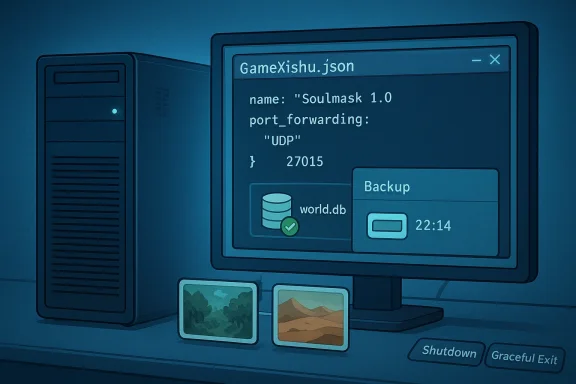
The networking side is more important than the hardware side for many failed launches. At minimum, you need the gameplay port, the query port, and the admin-related ports to be open and forwarded correctly. If the server does not show up in browser lists, a blocked 27015 UDP query port is one of the first things to check.That is also why direct-connect fallback matters. Even a server that has trouble listing publicly can often be reached directly if players have the right address or invitation code. In other words, browser visibility is convenient, but it is not the same thing as functional hosting.
Here are the practical network priorities:
- Open and forward the gameplay port on your router.
- Open and forward the query port so the server can be discovered properly.
- Allow inbound traffic in the local firewall for all required ports.
- Verify UDP handling, not just TCP rules.
- Keep a direct-connect path ready in case browser discovery fails.
Installing the Server Files
Soulmask uses SteamCMD, which is standard for Steam-based dedicated servers and familiar to anyone who has hosted Rust, ARK, or similar titles. The basic workflow is straightforward: create a server folder, extract SteamCMD there, and use an update script to fetch the game files anonymously. That simplicity is welcome, but the details still matter.On Windows, the common app ID for the dedicated server package is 3017310. On Linux, the dedicated server package uses 3017300 instead. That distinction is important because confusing the two is an easy way to waste time diagnosing a perfectly ordinary installation problem.
A clean install workflow
A practical Windows setup looks like this in concept:- Create a dedicated folder for the server files.
- Extract SteamCMD into that folder.
- Build a small update script that calls SteamCMD anonymously.
- Run the update script to download the server package.
- Verify that the executable and the saved-data folders appear where expected.
- Create your launch script only after the files are present.
- Start the server once to generate configuration files.
A few installation cautions are worth emphasizing:
- Do not assume the install path will stay fixed after updates.
- Move your startup script if the update creates a new folder layout.
- Install Steam properly on the machine if the server complains about launch dependencies.
- Avoid mixing old config paths with new executable locations.
- Test the install before tuning so you know the base package is healthy.
Linux and Windows differences
The platform difference is not dramatic, but it is real. Linux hosts should expect the same general server behavior, but a different SteamCMD app ID and different shell scripting conventions. Windows hosts typically lean on batch files, while Linux admins usually work with shell scripts and service managers.That means the operational concept is identical but the execution is not. If you run both platforms in the same community, document them separately. Administrators often lose time when they assume a Windows fix applies directly to Linux or vice versa.
Launch Parameters That Matter
Once the files are installed, the launch line becomes the heart of the server. Soulmask uses a parameter-rich executable startup, and several flags shape the player experience more than casual hosts expect. The obvious settings are the game mode, port numbers, server name, and passwords. The less obvious ones are the safety and persistence controls.The core idea is simple: the launch line sets the framework, while the JSON file sets the deeper rules. That division is useful because it lets you handle identity and connectivity on one side, and gameplay behavior on the other. It also gives you a clean place to document changes when something breaks.
The practical launch essentials
Among the most relevant flags are the server name, max player count, password protection, admin password, save interval, backup interval, and whether the server runs in PvE or PvP mode. Those are the settings that determine how the world behaves for players and how recoverable the world is for you.The -initbackup option deserves special attention. It is underused, but it is one of the simplest safety nets available. By creating a clean backup during startup, it gives you a restore point before the new session begins to load the world into memory.
A sensible operator mindset is to treat launch parameters as policy, not decoration. They define the operational contract the server offers. If you are running a public world, that contract should be stable, explicit, and documented.
Safety-first shutdown habits
The biggest operational mistake is not a bad setting; it is a bad shutdown. Closing the server window directly is a classic way to invite corruption in survival games, and Soulmask is no exception. You want a graceful exit path every time.That is why the recommended shutdown methods are worth repeating:
- Use Ctrl+C in the console when possible.
- Use telnet on the admin port if you need remote shutdown access.
- Use the in-game GM panel when you have it configured.
- Avoid force-closing the window as a routine practice.
- Treat save integrity as the top priority, not convenience.
Game Modes and Rulesets
Soulmask 1.0 ships with multiple modes, and that matters because mode choice shapes the entire server identity. The launch parameter you choose, typically -pve or -pvp, sets the foundation, but the deeper game rules live in the config file. That gives hosts a lot of room to define their own flavor of survival.The most notable mode is Warrior Mode, which appears designed to increase combat challenge while reducing some of the traditional survival friction. Players start with a blank character setup, basic gear, and a more combat-forward experience. That is a meaningful design shift because it changes the pace of early progression.
How mode choice affects the community
Mode selection is not just a rules toggle. It changes who joins, how long they stay, and what kind of stories they expect to create. A PvE cluster with gentle progression attracts different players than a high-conflict PvP server with harsher combat and stronger invasions.Some practical consequences include:
- PvE servers usually need more careful tuning around progression and invasion pressure.
- PvP servers need clear rules around structure damage and player protections.
- Warrior Mode may appeal to veterans who want faster access to combat.
- Casual communities often prefer a gentler early game with faster resource gain.
- Hardcore communities often want slower progression and heavier resource pressure.
Why mode availability can vary
One caution is that server-side mode availability may depend on the current server version. That is typical for a live-service survival game, especially around a major release. If a mode you expect is not available, it is worth checking the current official release notes and validating that your server files are fully updated.That is a common source of confusion because players often assume the client and server branch are identical at all times. In practice, dedicated hosting can lag behind or behave differently during rollout windows. That kind of mismatch is exactly where many “the server is broken” reports actually come from.
Configuring GameXishu.json
The deepest tuning in Soulmask lives in GameXishu.json, which is the file administrators will spend the most time editing after initial setup. It is created only after the server has run once, so you cannot meaningfully edit it before the world has generated the needed structure. That alone has tripped up a lot of first-time hosts.The file covers the big levers of server behavior: progression, resource yield, survival pressure, combat balance, taming and recruitment, building decay, invasions, and cluster behavior. In other words, it is where the identity of the server is actually built. The launch line gets you into the game; this file determines what kind of game it is.
The main tuning categories
The broad categories worth watching are familiar to survival admins, but Soulmask’s implementation is especially granular. You can adjust experience progression separately for awareness, character, mask, proficiency, gathering, crafting, and combat. That split gives you more control than a single global XP multiplier would.Key categories include:
- Experience and progression
- Resources and crafting
- Survival consumption and inventory
- Combat and structure damage
- Tribe and taming limits
- Building durability and decay
- Invasions and heat systems
- Cluster and cross-server behavior
A practical balancing approach
The most common community pattern is to raise awareness XP and gathering XP first, then decide whether any other progression area needs help. That makes sense because those are often the earliest bottlenecks. Players feel the pain of slow exploration and slow gathering long before they feel the pain of endgame combat scaling.A disciplined approach is better than random tuning:
- Identify the pain point.
- Change one class of settings at a time.
- Run the server long enough to observe real player behavior.
- Avoid stacking too many multipliers at once.
- Keep a copy of every version of the JSON file.
Admin control and host panels
If you rent from a hosting provider, you may never need to touch raw JSON directly. Many providers expose a control panel with server settings fields or a dedicated config editor. That is convenient, but it does not remove the need to understand the underlying options.In practice, web panels are best treated as a convenience layer, not an abstraction barrier. You still want to know which settings map to progression, decay, invasions, and cluster linking. Otherwise, you are clicking toggles without understanding the consequences.
Cross-Map Clustering
One of the most interesting additions in Soulmask 1.0 is the ability to run the two maps as a cluster. The original map, Cloud Mist Forest, and the DLC map, Shifting Sands, can be connected so players move between them rather than treating them as isolated servers. That is a major structural upgrade for communities that want a broader persistent ecosystem.This is where Soulmask becomes more ambitious than a standard single-world survival host. Instead of one save and one geography, you can create a linked environment where character identity persists across maps. That introduces logistical complexity, but it also opens up a much richer long-term community model.
How cluster linkage changes the server model
The main server and the child server need to talk to each other using distinct server IDs and a cross-connection address. In practical terms, the main world acts as the anchor, while the secondary world connects back to it. You also need the cross-server flag enabled in the configuration on both ends.That means cluster hosting is not just “run two copies.” It is a synchronized arrangement with shared assumptions:
- Each server needs unique ports
- Both servers should share the same password policy
- Game mode consistency matters
- Cross-server settings must match
- Character progression transfers, but local world state does not
Operational cautions
Cluster migration is where careful admin habits pay off. Converting an existing standalone world into a cluster can alter how account data is stored, which is why a world.db backup is non-negotiable before you begin. If something goes wrong, you want the option to roll back rather than rebuild from memory.There is also a gameplay consequence worth noting. New characters may not be able to transfer immediately, depending on how the server handles starting-state progression. That is the kind of detail that should be documented for players in advance so they do not assume the cluster is broken.
Backups, Saves, and Recovery
If there is one section every survival server owner should read twice, it is this one. Soulmask’s world.db file is the heart of the world save, and everything else is secondary to keeping it safe. The automatic backup system is helpful, but it should never replace manual backups before major changes.The reason is straightforward: servers fail in the real world for mundane reasons. Updates go wrong. Config edits misfire. Hardware hiccups happen. A good backup strategy is not paranoia; it is operational discipline.
What should be backed up first
The highest-value file is the world database. If you are changing versions, testing cluster migration, or experimenting with a new gameplay profile, copy that file somewhere safe before you touch anything else. That one action prevents an enormous amount of pain later.Important backup habits include:
- Back up world.db before major edits
- Back up before every game update
- Back up before cluster conversion
- Verify the backup folder is actually being populated
- Keep at least one manual offline copy
Why clean shutdowns matter
Backups and graceful shutdowns are connected. If you terminate the server abruptly, you can corrupt the save just before or just after an auto-backup fires. That is why the shutdown process should always be deliberate, and why admin access through remote commands is worth enabling if you manage the server from a distance.A stable host is built on boring habits. Save often, close cleanly, and never assume the next restart will be the one that magically fixes everything.
Strengths and Opportunities
Soulmask’s server architecture has real upside because it gives hosts meaningful control without forcing them into a maze of obscure dependencies. The release timing also means communities have a fresh chance to set the tone of their worlds before norms harden. The strongest opportunity is to combine flexible tuning with disciplined operational habits.- Deep gameplay tuning lets communities tailor the server to their audience.
- Separate XP multipliers support more nuanced pacing than a single global rate.
- Cluster support gives long-term servers a stronger identity.
- Multiple modes broaden the appeal beyond one survival niche.
- Backup tooling makes the platform more viable for serious operators.
- Admin password controls improve recovery and maintenance workflows.
- Two-map travel increases retention by giving players new long-term goals.
Risks and Concerns
The same flexibility that makes Soulmask powerful also makes it vulnerable to misconfiguration, patch drift, and operational mistakes. Survival servers tend to fail not because the game is unplayable, but because the admin burden exceeds the host’s patience. Soulmask is better than many peers in this area, but the risks remain very real.- Save corruption risk rises if shutdown procedures are sloppy.
- Port misconfiguration can make the server invisible even when it is online.
- Config file confusion can lead to settings that appear saved but do not apply as expected.
- Cluster conversion risk is significant if world.db is not backed up first.
- Update path changes can break startup scripts after patches.
- Overtuning XP or resources can flatten progression too quickly.
- Weak documentation still creates room for community guesswork.
Looking Ahead
The long-term future of Soulmask dedicated hosting will depend on how well the game maintains its balance between flexibility and clarity. The good news is that version 1.0 has already moved the platform toward more serious server operations. The less convenient truth is that serious operation also demands better admin discipline than most casual hosts are used to providing.If the developer continues improving documentation and preserving configuration consistency across patches, Soulmask could become one of the stronger community-hosted survival games of its class. If not, the server may still be capable, but community administrators will continue relying on forum wisdom and hard-won trial and error.
What to watch next:
- Patch stability after the 1.0 release window
- Documentation improvements for server setup and config files
- Cluster behavior as more communities test two-map travel
- Balance changes to invasions, XP, and resource rates
- Hosting provider support for panel-based configuration and backups
Source: games.gg Soulmask Dedicated Server Setup Guide [Full Config] | GAMES.GG
