

SPECviewperf 15.0.1 expands its CAD coverage with a Siemens NX 2406 workload and a new “snap-in” delivery model that lets users add tests without re-running existing benchmarks, delivering a targeted OpenGL-based evaluation for workstation graphics and giving IT buyers and GPU vendors a fresh data point for workstation purchase decisions.
SPECviewperf has been the de facto standard for professional graphics benchmarking for decades, measuring 3D viewport and application-level graphics performance across a range of workloads that emulate real-world professional applications. The most recent update, SPECviewperf 15.0.1, was published by SPEC in December 2025 and adds a new workload — snx-05 — explicitly modeled on Siemens NX 2406. The update is presented as a conservative, backward-compatible increment to the SPECviewperf 15 family: it introduces the new workload, applies minor bugfixes and usability improvements, and lists Windows 11 as a supported OS.
The new snx-05 workload is particularly notable because it’s the first “snap-in” workload to ship under the SPECviewperf 15 architecture. That change is designed to allow SPEC (and, in turn, lab operators and vendors) to expand the benchmark’s application coverage more quickly and with less disruption than the old monolithic releases — you can add a workload without invalidating or forcing reruns of the existing named workloads. The snx-05 workload itself uses the OpenGL graphics API and emphasizes viewport operations common to high-end CAD workflows: vertex and pixel shaders, texture usage, and multisampled antialiasing (MSAA) stress.
SPEC distributes the 15.0.1 package under the same two-tier license model it uses for other SPECviewperf releases: a free license for the general user community, while sellers of computer-related products and services pay a publishing license fee (announced at $2,500 for this release). SPEC/GWPG members receive benchmark licenses as a membership benefit.
However, benchmarks remain a proxy. They are most valuable when combined with real-world verification on the exact datasets and workflows your teams use. For organizations evaluating GPUs and workstations, SPECviewperf 15.0.1 should be treated as a sharper, more timely instrument in the toolbox — valuable, but not the single authority.
For teams managing CAD workstations, snx-05 is a welcome addition that makes SPECviewperf 15 more directly actionable for NX users. But like all benchmarks, it is a tool — powerful when used with discipline and context, misleading when used in isolation.
Source: TechPowerUp SPEC Updates SPECviewperf 15 Benchmark | TechPowerUp}
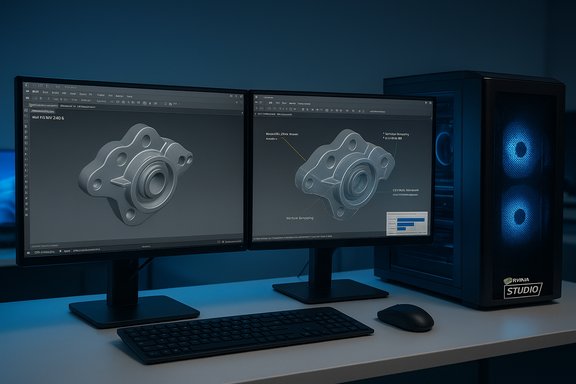 Background
SPECviewperf has been the de facto standard for professional graphics benchmarking for decades, measuring 3D viewport and application-level graphics performance across a range of workloads that emulate real-world professional applications. The most recent update, SPECviewperf 15.0.1, was published by SPEC in December 2025 and adds a new workload — snx-05 — explicitly modeled on Siemens NX 2406. The update is presented as a conservative, backward-compatible increment to the SPECviewperf 15 family: it introduces the new workload, applies minor bugfixes and usability improvements, and lists Windows 11 as a supported OS.The new snx-05 workload is particularly notable because it’s the first “snap-in” workload to ship under the SPECviewperf 15 architecture. That change is designed to allow SPEC (and, in turn, lab operators and vendors) to expand the benchmark’s application coverage more quickly and with less disruption than the old monolithic releases — you can add a workload without invalidating or forcing reruns of the existing named workloads. The snx-05 workload itself uses the OpenGL graphics API and emphasizes viewport operations common to high-end CAD workflows: vertex and pixel shaders, texture usage, and multisampled antialiasing (MSAA) stress.
SPEC distributes the 15.0.1 package under the same two-tier license model it uses for other SPECviewperf releases: a free license for the general user community, while sellers of computer-related products and services pay a publishing license fee (announced at $2,500 for this release). SPEC/GWPG members receive benchmark licenses as a membership benefit.
Why this matters: immediate impact for CAD users, IT, and GPU vendors
- Expanded coverage for Siemens NX customers. Siemens NX is one of the major CAD systems used across automotive, aerospace, and industrial design. A dedicated workload that mimics NX 2406 viewport behavior gives IT procurement and workstation planners a more relevant metric when evaluating GPUs and workstations for teams that use NX for design, assembly, and simulation pre-processing.
- Lower friction for adding workloads. The snap-in model can shorten the time between a new application release (or a new release of an existing app) and the availability of a representative SPECviewperf workload. For organizations that must validate hardware compatibility and performance against current application releases, that’s a big practical win.
- Easier cross-vendor comparisons. Because SPEC states that snx-05 workload metrics are fully comparable to the identically-named workloads from SPECviewperf 15.0, existing published results retain their value; vendors and testers can publish and compare numbers with continuity.
- Focus on OpenGL performance. Although modern APIs like Vulkan and DirectX 12 have been added to the SPECviewperf family in the last year, many CAD viewports and legacy pipelines still rely heavily on OpenGL. A targeted OpenGL workload surfaces driver maturity and GPU architecture behavior that aren’t fully revealed by Vulkan/DirectX tests.
Technical overview: what snx-05 tests and how it’s implemented
The workload profile
- Application modeled: Siemens NX 2406 (viewport interactions typical to high-end CAD).
- API: OpenGL.
- Primary stresses: vertex and pixel shader throughput, texture sampling and bandwidth, antialiasing (MSAA) overhead, complex viewport redraw patterns (pan, zoom, rotate, clip), and GPU memory management under geometry-heavy scenes.
- Intended measurement: interactive viewport frame rates and responsiveness under representative NX scene content and navigation patterns.
The “snap-in” architecture
SPECviewperf 15 was reworked to support modular workload additions. The snap-in concept allows new workloads (like snx-05) to be packaged and published independently of the core benchmark binary. In practical terms this means:- Administrators can add the workload without reinstalling the entire suite.
- Previously recorded results for the same named workloads should remain valid and comparable.
- Distribution of future workloads should be faster, enabling SPEC to keep parity with continuously-delivered application releases.
Verification and cross-checks
Key claims tied to this release were checked against official releases and independent reporting to ensure accuracy:- The release date and feature list were confirmed through SPEC’s announcement materials and general press releases.
- The snx-05 workload’s linkage to Siemens NX 2406, its OpenGL basis, and the Windows 11 support window were confirmed by SPEC’s release notes and the updated results database showing 15.0.1 entries.
- Siemens NX 2406’s existence and release cadence (the “24xx” nomenclature indicating 2024 releases) is evident from Siemens product documentation and third-party NX coverage.
What this means for IT procurement and workstation buyers
Short-term buyer actions
- If your team uses Siemens NX (2406 or later), add SPECviewperf 15.0.1 snx-05 to your hardware validation checklist. It will show how candidate GPUs handle actual OpenGL viewport loads representative of NX.
- Use the snx-05 workload in conjunction with other SPECviewperf workloads (CATIA, Creo, SolidWorks, etc. to get a multi-application view of GPU behavior. One workload alone doesn’t represent full platform behavior.
- Pay attention to driver versions. Professional drivers (NVIDIA Studio/Quadro, AMD Radeon Pro, Intel Arc Pro) can behave very differently on OpenGL workloads compared with consumer drivers. Where possible, test the exact driver(s) you plan to deploy.
Long-term procurement implications
- A single standardized workload for NX reduces reliance on vendor marketing numbers and provides a defensible basis for procurement decisions.
- Vendors that invest in driver tuning for OpenGL will likely show larger gains on snx-05 than on Vulkan or DirectX workloads; that’s something procurement teams should account for when comparing “apples to apples.”
- The $2,500 publishing license remains a barrier for small resellers and small labs who want to publish results under the “seller” class; however, community testing remains free. Understand your classification (user vs seller) before publishing results to avoid license compliance issues.
Strengths of SPECviewperf 15.0.1 and snx-05
- Application relevance: A workload modeled directly on Siemens NX 2406 narrows the gap between synthetic testing and real-world behavior for NX users.
- Backward-compatibility guarantee: SPEC’s claim that metrics remain comparable reduces the administrative burden of adopting the new release.
- Modular updates: Snap-in workloads lower the friction for keeping the benchmark current with app releases, improving the benchmark’s long-term relevance.
- OpenGL emphasis: For organizations still reliant on OpenGL-based viewports, the snx-05 workload is a tailored and meaningful test.
Potential weaknesses and risks
- API focus vs production pipelines: While OpenGL remains important for many CAD viewports, some vendors and applications are moving toward Vulkan or other modern APIs. A strong OpenGL score doesn’t automatically translate to strong performance in Vulkan or other compute-accelerated pipelines used in simulation, rendering, or hybrid workflows.
- Driver and vendor tuning: Benchmarks can (and historically do) get tuned by GPU vendors. OpenGL driver variations between vendors and between consumer/professional branches can skew results. Public results should list exact driver versions and OS builds to remain meaningful.
- Snap-in comparability edge cases: SPEC’s statement that workload metrics are fully comparable presumes identical workload code and measurement conditions. Differences in how snap-in workloads are packaged, or in optional settings in a snap-in, could create subtle incompatibilities if not tightly controlled.
- Windows 11 requirement: This release lists Windows 11 as the supported OS. Organizations running validated Windows 10 images or specialized Linux-based workflows will need to consider OS upgrade costs or alternative testing strategies. It’s also possible some validated Windows 10 driver stacks will show different behavior.
- Licensing and publication costs: The $2,500 seller license can restrict who publishes results. This could reduce transparency of vendor-submitted benchmarks and bias the visible dataset toward larger vendors who can afford the fee.
How to run meaningful tests with SPECviewperf 15.0.1 — practical checklist
Use the steps below to ensure your measurements are repeatable, defensible, and useful for procurement decisions.- Prepare a controlled test machine
- Use a clean OS image (Windows 11 build matching your target deployment).
- Disable Windows Update, background telemetry, and any scheduled tasks.
- Standardize power and GPU settings
- Set Windows power plan to High Performance and disable sleep/hibernation.
- Lock GPU performance mode to the vendor’s recommended workstation setting (e.g., NVIDIA: “Prefer maximum performance”).
- Install the tested GPU driver
- Use the exact driver version you plan to deploy. Record driver version, GPU model, and driver release notes.
- Record system configuration in full
- CPU model and clocks, memory amount and speed, motherboard model/BIOS version, GPU model and display resolution.
- Run the benchmark multiple times
- Run at least three iterations per workload and take the median score. If results vary wildly, investigate thermal throttling or background processes.
- Match test conditions to real-world deployment
- If your users always run NX with MSAA on and large texture streaming enabled, test with those options enabled.
- Compare workload-level scores, not just composites
- Composite scores can hide large discrepancies between workloads. Examine snx-05 specifically for NX-relevant behavior.
- Publish complete metadata with any public result
- Even if you aren’t in the “seller” category, publish driver, OS build, BIOS, power profile, and test resolution when sharing results internally or externally.
Interpreting results: what to watch for
- Viewport latency vs frame rate: High average frame rates are good, but interactive latency under rotation/pan/zoom operations often matters more to designers. Look for stutter or dropped frames in long scenes.
- MSAA scaling: Antialiasing can drop performance by a large margin, especially on geometry-bound workloads. If your workflows require MSAA, prioritize GPUs that maintain higher frame rates with MSAA enabled.
- Memory capacity and bandwidth: Large assemblies stress GPU memory and memory bandwidth. Pay attention to memory utilization patterns and out-of-memory errors.
- Driver regressions: New drivers that improve raster throughput on synthetic tests can sometimes introduce regressions in complex, multi-pass OpenGL pipelines. Cross-check with vendor-recommended driver branches and real-world user testing.
- System-level bottlenecks: SPECviewperf is graphics-focused, but CPU and storage (for streaming assets) can influence results. Ensure starvation at non-GPU resources isn’t the dominant factor.
Vendor and ecosystem considerations
- GPU vendors: Expect to see new public results focused on snx-05 within days to weeks of this release. Vendors that have historically prioritized OpenGL for CAD workloads will likely emphasize snx-05 numbers in their marketing.
- Workstation OEMs: OEMs that sell preconfigured CAD workstations should validate configurations against snx-05 and update spec sheets where appropriate.
- ISVs and VARs: Independent software vendors and value-added resellers should use snx-05 to demonstrate expected performance improvements for hardware refresh cycles and to advise customers about upgrade timing.
- Benchmarking labs: The snap-in model reduces the coordination overhead when adding new workloads. Labs must, however, maintain meticulous version metadata to preserve comparability.
Limitations, caveats, and unverifiable claims
- SPEC’s announcement states that snx-05 metrics are fully comparable to identically named workloads in SPECviewperf 15.0. That claim is credible and consistent with SPEC’s backward-compatibility focus, but practical comparability depends on strict control: identical OS build, drivers, power settings, and workload snap-in versioning. Those operational details are the lab’s responsibility and can introduce variance.
- The announcement asserts that snx-05 allows potential users to assess graphics hardware without installing Siemens NX. While true for viewport-level behavior, it does not replicate full application behavior tied to NX’s compute, plugin, or I/O patterns. Real-world validation with an actual NX license and representative assemblies remains recommended when making final procurement decisions.
- Any manufacturer claims of performance superiority based on snx-05 should be inspected for driver and system configuration parity. Independent validation on your exact target hardware and software build is the only fully reliable approach.
Practical recommendations for operations and IT managers
- Add snx-05 to the standard test suite for any procurement that targets NX users. Use it alongside existing CATIA, Creo, and SolidWorks workloads for a multi-application view.
- Maintain an internal results database that captures SPECviewperf version, snap-in version, OS build, GPU driver, BIOS, and system configuration. This metadata is essential for long-term trend analysis.
- When publishing performance claims externally, adopt the seller license if you are distributing those claims as part of marketing or product sales to avoid license compliance risks.
- Run limited pilot deployments that pair SPECviewperf 15.0.1 numbers with real-world NX sessions on representative datasets to verify that improvements in the benchmark translate into measurable productivity gains.
- Budget for driver qualification cycles. Because driver updates can materially change OpenGL performance, include driver testing in your routine maintenance timetable.
The strategic view: benchmarks, real workloads, and the future of CAD graphics testing
SPECviewperf 15.0.1 and its new snx-05 workload are incremental but meaningful moves in the ongoing alignment between benchmark suites and application reality. The snap-in architecture signals an operational shift: benchmarks no longer need to be heavyweight monolithic releases to stay current. That reduces lag between application updates and representative benchmarking, which is critical in a world where CAD applications use continuous delivery models and frequent micro-updates.However, benchmarks remain a proxy. They are most valuable when combined with real-world verification on the exact datasets and workflows your teams use. For organizations evaluating GPUs and workstations, SPECviewperf 15.0.1 should be treated as a sharper, more timely instrument in the toolbox — valuable, but not the single authority.
Conclusion
SPECviewperf 15.0.1’s introduction of snx-05, an OpenGL workload modeled on Siemens NX 2406, closes an important coverage gap for high-end CAD testing. The snap-in delivery method improves agility and reduces the friction of keeping benchmarks current. For IT buyers, workstation OEMs, and GPU vendors, the new workload provides a focused and practical metric for NX viewport performance, but it must be used carefully: pay attention to driver selection, OS builds, test metadata, and — most importantly — correlate synthetic results with real-world NX sessions before making procurement decisions.For teams managing CAD workstations, snx-05 is a welcome addition that makes SPECviewperf 15 more directly actionable for NX users. But like all benchmarks, it is a tool — powerful when used with discipline and context, misleading when used in isolation.
Source: TechPowerUp SPEC Updates SPECviewperf 15 Benchmark | TechPowerUp}
