

Splashtop’s 2026 review lands on a familiar but increasingly important conclusion: this is one of the best remote access apps for people who care about performance, responsiveness, and premium workflow features, but it is not the cheapest way to get there. The uploaded PCMag UK review makes the case that Splashtop is especially strong for creators, thanks to 4:4:4 color, pressure-sensitive stylus support, high-fidelity audio, and the distinctive Wacom Bridge feature at higher tiers . At the same time, the review is blunt about value: the free personal tier is tightly limited, and several competing services undercut Splashtop on price or generosity of free use. That tension—excellent hardware-facing capability versus a subscription model that asks users to pay more—defines the product’s position in 2026 .
Remote access software has matured from a niche IT utility into a mainstream productivity layer. In earlier years, the category was mostly about basic unattended access, file transfer, and remote troubleshooting, but modern users expect much more: fluid video handling, low-latency input, multi-monitor support, secure authentication, and collaboration tools that let one person assist another without breaking the session flow. Splashtop has leaned into that shift with a product line that now spans consumer personal access, small-team plans, and technician-oriented support packages, as well as adjacent education and endpoint management offerings .
That broader market context matters because the best remote desktop tool is no longer simply the one that “connects.” It is the one that preserves the feel of local work when the user is miles away, on a weaker network, or using a different kind of device. Splashtop’s reputation has therefore been shaped not just by features, but by how convincingly it handles graphics, audio, and input under real-world conditions. The review’s emphasis on creator-focused extras suggests that Splashtop is pursuing a higher-value niche rather than competing only on commodity remote control .
Historically, that niche has been crowded. TeamViewer became a household name by making remote support easy, while RemotePC has often appealed to buyers who want straightforward pricing and solid fundamentals. Splashtop’s challenge is that the company has built a stronger technical story than many rivals, but the price ladder makes it harder to recommend for casual consumers or occasional users. That is why the review frames it as an app that is excellent but not automatically the best buy for most people .
The 2026 review also reflects a broader industry reality: remote access is now judged like a premium workflow app, not just a support tool. Creators, technicians, educators, and hybrid workers all expect different things, and products that can satisfy only one audience tend to lose ground. Splashtop’s portfolio shows it understands that fragmentation, yet the trade-off is obvious—specialized features cost more, and premium pricing narrows the addressable audience .
The Pro plan rises to $99 per person per year, adding support for up to 10 devices, chat, session recording, and simultaneous access by two users. In practical terms, that is the tier that moves Splashtop from basic personal use into a more collaborative and support-oriented workflow. The Performance plan, which the reviewer tested, climbs to $149 per person per year and unlocks the most compelling creator-oriented features: 4:4:4 color accuracy, pressure-sensitive stylus support, Wacom Bridge, USB device pass-through, and high-fidelity audio .
Key takeaways from the pricing structure:
Splashtop divides its ecosystem into Streamer and Business App roles, with parallel equivalents for the personal plan. The device you want to control runs Streamer, while the machine you are controlling from uses the Business App. That split is clean in design terms, but it still requires some attention from first-time users. Once configured, though, the structure makes sense and keeps the workflow modular .
Important setup details:
The security and access flow also feels intentionally layered. On first connection, Splashtop asks for the system password before anything else is visible, which adds an extra barrier without forcing users to create and remember a separate credential. That is a good example of a product making security feel practical rather than punitive. Users can disable the requirement if it becomes annoying, but the default makes a sensible security trade-off .
The review also highlights the web app as a convenient fallback, though not the best-performing option. It can connect without the desktop client, but it felt laggier during testing and exposes fewer capabilities than the dedicated Business App. That is a useful design compromise for flexibility, but it reinforces the usual lesson: web apps are great for access, while native apps are usually better for serious use .
A few interface observations stand out:
The good news did not stop on the LAN. Even when the reviewer switched to a cellular data connection, Splashtop remained impressively responsive. That matters because many remote desktop tools look fine in ideal lab conditions but fall apart when bandwidth fluctuates or latency rises. Splashtop appears to have a strong tuning balance between image quality and transport efficiency, which is one reason creators and power users may care about it more than casual consumers do .
Performance notes worth highlighting:
The implication is that Splashtop’s engineering emphasis is not just raw speed; it is predictable speed. For remote access software, consistency often matters more than peak benchmark numbers. If the app feels stable across networks and devices, users will forgive some limitations elsewhere. Splashtop seems to understand that very well .
The collaboration features are also solid. Pro and Performance users can chat during a session, record a remote session to a local video file, and use audio chat. Those functions are not glamorous, but they matter because remote access is often a human workflow, not just a machine-to-machine connection. Being able to explain a change, record what happened, or keep a support conversation in the same place can save time and reduce confusion .
Useful feature highlights:
This section reveals Splashtop’s character well: it is broadly competent for everyday work, but it saves its most distinctive strengths for specialized tiers. If your needs stop at file transfer and remote control, you may find the price steep. If you value session quality and structured support features, the software becomes easier to justify .
The plan also includes 4:4:4 color, pressure-sensitive stylus support, high-fidelity audio, and USB device redirection. Taken together, those features push the product beyond ordinary admin use and into a remote creative workstation story. That matters in an era when more creators work across multiple machines or need to access a studio desktop from home without sacrificing input nuance or color integrity .
What the review implies, and what the product seems to require, is a favorable stack of conditions:
In market terms, this is the most defensible part of Splashtop’s strategy. A premium plan only works when it solves a concrete problem that cheaper products do not address. Wacom Bridge and stylus support fit that requirement neatly, and that is why the review is so receptive to the Performance tier despite its price. The feature set is narrow enough to be credible, but distinctive enough to matter .
That security model is reassuring, but remote access products always carry a broader risk profile because their power is exactly what attackers want. If a user is tricked into installing remote access software or granting access to someone posing as support, the result can be catastrophic. The review rightly warns readers not to install such tools on the request of an unknown caller and to verify any support contact through official channels .
Security strengths mentioned in the review:
From an enterprise perspective, this is where Splashtop has a good story, though not a unique one. The software is not trying to reinvent endpoint security; it is trying to provide a secure conduit for legitimate remote work. For many businesses, that is enough, but it also means Splashtop must compete on operational trust and policy friendliness rather than on radical security innovation .
RemotePC is the clearest value rival in the review. It offers core remote access at a lower annual cost, and its HelpDesk product is cited as a better deal for technicians who need to assist many machines on demand. TeamViewer remains the best-known name and has a more generous free personal plan, even if its paid pricing can be much higher. Splashtop therefore has to persuade users that its premium experience is worth paying for, not merely that it works .
Competitive strengths:
That balance is why the review lands the way it does. Splashtop is not a weak product at all. It is a specialized one whose strongest features are genuinely excellent, but whose price and free-tier limitations make it hard to recommend universally .
A second question is whether features like Wacom Bridge, USB redirection, and color fidelity become more central to the brand story. Those features are not just bells and whistles; they are proof that remote access can serve serious creative work. If Splashtop keeps investing there, it could become the default recommendation for a narrower but highly valuable audience .
What to watch next:
Source: PCMag UK Splashtop
 Overview
Remote access software has matured from a niche IT utility into a mainstream productivity layer. In earlier years, the category was mostly about basic unattended access, file transfer, and remote troubleshooting, but modern users expect much more: fluid video handling, low-latency input, multi-monitor support, secure authentication, and collaboration tools that let one person assist another without breaking the session flow. Splashtop has leaned into that shift with a product line that now spans consumer personal access, small-team plans, and technician-oriented support packages, as well as adjacent education and endpoint management offerings .That broader market context matters because the best remote desktop tool is no longer simply the one that “connects.” It is the one that preserves the feel of local work when the user is miles away, on a weaker network, or using a different kind of device. Splashtop’s reputation has therefore been shaped not just by features, but by how convincingly it handles graphics, audio, and input under real-world conditions. The review’s emphasis on creator-focused extras suggests that Splashtop is pursuing a higher-value niche rather than competing only on commodity remote control .
Historically, that niche has been crowded. TeamViewer became a household name by making remote support easy, while RemotePC has often appealed to buyers who want straightforward pricing and solid fundamentals. Splashtop’s challenge is that the company has built a stronger technical story than many rivals, but the price ladder makes it harder to recommend for casual consumers or occasional users. That is why the review frames it as an app that is excellent but not automatically the best buy for most people .
The 2026 review also reflects a broader industry reality: remote access is now judged like a premium workflow app, not just a support tool. Creators, technicians, educators, and hybrid workers all expect different things, and products that can satisfy only one audience tend to lose ground. Splashtop’s portfolio shows it understands that fragmentation, yet the trade-off is obvious—specialized features cost more, and premium pricing narrows the addressable audience .
Pricing and Plans
Splashtop’s pricing is where the review draws its sharpest boundary between capability and value. The Solo plan starts at $72 per year, billed annually, and covers a single user with access to two computers. That gets you remote connectivity over the internet, file transfers, remote printing, and unattended access, but it is already positioned above some direct competitors on a like-for-like basis .The Pro plan rises to $99 per person per year, adding support for up to 10 devices, chat, session recording, and simultaneous access by two users. In practical terms, that is the tier that moves Splashtop from basic personal use into a more collaborative and support-oriented workflow. The Performance plan, which the reviewer tested, climbs to $149 per person per year and unlocks the most compelling creator-oriented features: 4:4:4 color accuracy, pressure-sensitive stylus support, Wacom Bridge, USB device pass-through, and high-fidelity audio .
How the value equation compares
The review’s pricing comparison is one of the most useful parts of the piece because it places Splashtop in a real market frame. RemotePC’s entry plan is far cheaper, and even its two-computer option remains below Splashtop’s Solo tier. TeamViewer, meanwhile, offers a free personal plan, though its paid base tier is much pricier than Splashtop’s top-end Performance plan. In other words, Splashtop sits in the uncomfortable middle: more expensive than budget-minded rivals, but cheaper than some enterprise-style alternatives at the high end .Key takeaways from the pricing structure:
- Solo is not a bargain baseline.
- Pro is the practical minimum for collaborative use.
- Performance is the feature-rich creator tier.
- The free personal version is restricted to local-network access only.
- Paid plans come with seven-day trials .
Setup and Platform Support
Setup is one of Splashtop’s quiet strengths. The reviewer notes that you can create an account without entering a credit card for the trial, and the onboarding flow is simple enough that the product’s several apps do not become a dealbreaker once the naming convention is understood. That matters, because remote access products often fail at the first hurdle: users do not want to decode a confusing app hierarchy before they can connect to another PC .Splashtop divides its ecosystem into Streamer and Business App roles, with parallel equivalents for the personal plan. The device you want to control runs Streamer, while the machine you are controlling from uses the Business App. That split is clean in design terms, but it still requires some attention from first-time users. Once configured, though, the structure makes sense and keeps the workflow modular .
Platform compatibility in practice
The supported platform list is broad. Streamer runs on Linux, macOS 10.13 and later, Windows 7 and later, Windows Server 2012 and later, and Android 5.0 or newer. The Business App supports ChromeOS, Linux, macOS, Windows, and Windows Server, while mobile access is available on Android, iOS, and iPadOS .Important setup details:
- The remote machine needs Streamer installed.
- The controlling machine uses the Business App.
- Web access is possible without the desktop app.
- The mobile experience is tailored to touch input.
- Chromebook support is present but limited compared with the main desktop clients
Interface and Ease of Use
Splashtop’s interface philosophy is straightforward: once the apps are in place, the user should be able to jump into a session quickly. The review says connecting to your own devices is simple—open the app, click the target computer, and proceed. That kind of directness is essential, because remote access software often gets used in moments of urgency, when a user is already troubleshooting a problem and does not want extra friction .The security and access flow also feels intentionally layered. On first connection, Splashtop asks for the system password before anything else is visible, which adds an extra barrier without forcing users to create and remember a separate credential. That is a good example of a product making security feel practical rather than punitive. Users can disable the requirement if it becomes annoying, but the default makes a sensible security trade-off .
SOS and web access
Splashtop’s SOS mode is the feature that makes support use cases especially elegant. Instead of needing the remote machine to be signed into the same account, the helper sends a link, the recipient installs a lightweight component, and the helper enters a nine-digit session code. It is not quite one-click magic, but it is close enough to be comfortable for nontechnical users .The review also highlights the web app as a convenient fallback, though not the best-performing option. It can connect without the desktop client, but it felt laggier during testing and exposes fewer capabilities than the dedicated Business App. That is a useful design compromise for flexibility, but it reinforces the usual lesson: web apps are great for access, while native apps are usually better for serious use .
A few interface observations stand out:
- The app split is confusing at first, but manageable.
- SOS lowers the friction of helping other people.
- The web app is useful but not the fastest route.
- The Chromebook experience is touch-first, not desktop-first.
- The setup flow is guided well enough for most users
Performance and Responsiveness
Performance is where Splashtop earns much of its reputation. In the review’s testing, the software connected quickly on a local network and delivered a smooth 60fps experience that felt close to real-time for everyday desktop work. The reviewer could browse, edit documents, and even watch YouTube with little noticeable lag, which is exactly the kind of responsiveness that makes remote access feel usable rather than merely tolerable .The good news did not stop on the LAN. Even when the reviewer switched to a cellular data connection, Splashtop remained impressively responsive. That matters because many remote desktop tools look fine in ideal lab conditions but fall apart when bandwidth fluctuates or latency rises. Splashtop appears to have a strong tuning balance between image quality and transport efficiency, which is one reason creators and power users may care about it more than casual consumers do .
Cross-platform consistency
The review tested Splashtop from an Android phone, Chromebook, MacBook, and Windows 11 laptop against a Windows 11 desktop. The macOS and Windows clients behaved almost identically, which suggests the desktop experience has been well standardized. That is valuable because users should not have to relearn a remote access product every time they switch host platform or controller device .Performance notes worth highlighting:
- Local access was very smooth.
- Mobile access stayed usable over cellular.
- Audio support could be enabled in settings.
- The macOS client matched the Windows client closely.
- The Chromebook app was the weakest of the desktop-style experiences
The implication is that Splashtop’s engineering emphasis is not just raw speed; it is predictable speed. For remote access software, consistency often matters more than peak benchmark numbers. If the app feels stable across networks and devices, users will forgive some limitations elsewhere. Splashtop seems to understand that very well .
Feature Depth for Everyday Work
Splashtop’s everyday toolkit includes a respectable set of productivity features. File transfer can happen by drag-and-drop or through a dedicated two-pane browser, and Windows users can even copy and paste files between systems. That gives the product enough practical utility for ad hoc administration, remote file handling, and day-to-day work without needing additional tools .The collaboration features are also solid. Pro and Performance users can chat during a session, record a remote session to a local video file, and use audio chat. Those functions are not glamorous, but they matter because remote access is often a human workflow, not just a machine-to-machine connection. Being able to explain a change, record what happened, or keep a support conversation in the same place can save time and reduce confusion .
Collaboration limits and quirks
There are a few missing pieces, though. The reviewer notes that Splashtop does not offer video chat, which is unusual enough to notice because TeamViewer does. The whiteboard feature is also mobile-only, which is disappointing because on-screen drawing is often most useful from a desktop during support calls. That makes the feature feel like it was implemented as a checkbox rather than as a deeply integrated support tool .Useful feature highlights:
- File transfer via drag-and-drop or file browser
- Chat on higher plans
- Session recording for documentation
- Audio chat for live support
- Whiteboard for quick visual guidance, though mobile-only
This section reveals Splashtop’s character well: it is broadly competent for everyday work, but it saves its most distinctive strengths for specialized tiers. If your needs stop at file transfer and remote control, you may find the price steep. If you value session quality and structured support features, the software becomes easier to justify .
Creator-Centric Performance Tier
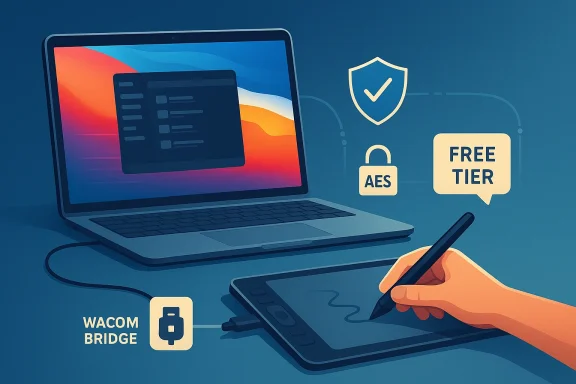
The Performance plan is Splashtop’s most interesting proposition because it addresses a user class many remote access tools overlook: creators who care about visual fidelity, stylus behavior, and peripheral passthrough. The headline feature is Wacom Bridge, created with Wacom, which aims to connect drawing tablets to a remote machine with less friction than generic USB redirection. That alone gives Splashtop a differentiator that is hard to copy and directly relevant to digital artists .The plan also includes 4:4:4 color, pressure-sensitive stylus support, high-fidelity audio, and USB device redirection. Taken together, those features push the product beyond ordinary admin use and into a remote creative workstation story. That matters in an era when more creators work across multiple machines or need to access a studio desktop from home without sacrificing input nuance or color integrity .
Turbo mode and its limits
Splashtop’s Turbo mode claims support for up to 240fps, which sounds impressive on paper. The review is careful, however, to note that this is a best-effort target rather than a guarantee, and the tester did not observe anything above 60fps in practice. That is an important distinction, because marketing figures can tempt users into expecting a qualitatively different experience that the underlying hardware or network may not deliver .What the review implies, and what the product seems to require, is a favorable stack of conditions:
- local or very strong network conditions
- a host PC with hardware acceleration
- content that can benefit from higher frame rates
- a remote path that does not bottleneck encoding or transport
In market terms, this is the most defensible part of Splashtop’s strategy. A premium plan only works when it solves a concrete problem that cheaper products do not address. Wacom Bridge and stylus support fit that requirement neatly, and that is why the review is so receptive to the Performance tier despite its price. The feature set is narrow enough to be credible, but distinctive enough to matter .
Security and Trust
Splashtop presents a standard but important security posture. The company says it uses end-to-end AES 256-bit encryption, offers multi-factor authentication, and notifies users when someone connects to a machine. Requiring a computer password on first access also creates a useful security checkpoint, especially in environments where multiple people may touch the same endpoint .That security model is reassuring, but remote access products always carry a broader risk profile because their power is exactly what attackers want. If a user is tricked into installing remote access software or granting access to someone posing as support, the result can be catastrophic. The review rightly warns readers not to install such tools on the request of an unknown caller and to verify any support contact through official channels .
Why remote access security is different
The important nuance is that remote access is not insecure by definition; it is high leverage. A properly configured system gives legitimate technicians and creators a safe way to work across distance. A poorly managed one becomes a direct path into sensitive files, passwords, and internal systems. That makes account hygiene, two-factor authentication, and user education as important as encryption in practice .Security strengths mentioned in the review:
- AES 256-bit encryption
- Multi-factor authentication
- Password prompts on first connection
- Visible connection notifications
- Optional manual confirmation for access
From an enterprise perspective, this is where Splashtop has a good story, though not a unique one. The software is not trying to reinvent endpoint security; it is trying to provide a secure conduit for legitimate remote work. For many businesses, that is enough, but it also means Splashtop must compete on operational trust and policy friendliness rather than on radical security innovation .
Competitive Positioning
The review’s comparisons make clear that Splashtop occupies a competitive middle ground. It is more polished and feature-rich than ultra-budget options, but its pricing and limited free access prevent it from becoming the default choice for everyone. That is a tricky place to be, because the software wins on capability while losing on immediate affordability .RemotePC is the clearest value rival in the review. It offers core remote access at a lower annual cost, and its HelpDesk product is cited as a better deal for technicians who need to assist many machines on demand. TeamViewer remains the best-known name and has a more generous free personal plan, even if its paid pricing can be much higher. Splashtop therefore has to persuade users that its premium experience is worth paying for, not merely that it works .
Where Splashtop wins
Splashtop’s competitive advantages are practical rather than theoretical. The app is smooth, easy to set up, and especially appealing to users who need creator-grade input and color fidelity. The Wacom Bridge alone gives it a marketable technical edge that most rivals cannot match, and that should not be underestimated in a creator economy where remote work increasingly includes graphics and tablet-based input .Competitive strengths:
- Strong streaming performance
- Better creator-oriented hardware support
- Broad platform coverage
- Sensible security defaults
- Clear SOS support for ad hoc help
That balance is why the review lands the way it does. Splashtop is not a weak product at all. It is a specialized one whose strongest features are genuinely excellent, but whose price and free-tier limitations make it hard to recommend universally .
Strengths and Opportunities
Splashtop’s biggest opportunity is to keep leaning into the users who can actually feel the difference between ordinary remote desktop software and a premium session. The review suggests that once you move beyond basic access, the product’s strengths become much more visible, especially for creators and support professionals. That gives Splashtop room to own a niche where quality is more important than sheer price compression .- Excellent streaming responsiveness for everyday work and media
- Creator-grade extras like Wacom Bridge and pressure-sensitive stylus support
- Broad platform support across desktop and mobile systems
- Simple onboarding with a trial that does not require a credit card
- Useful SOS support for helping other users quickly
- Strong security defaults with encryption and MFA
- Clear differentiation from budget rivals on feature depth
Risks and Concerns
The central risk is straightforward: many buyers will look at Splashtop’s prices and decide they can get enough functionality elsewhere for less. That is especially true at the Solo level, where the review says the plan is expensive compared with RemotePC’s entry tiers. If the software does not clearly sell its premium advantages, it risks being judged as good, but overpriced .- Higher pricing than many mainstream alternatives
- Limited free personal use on the local network only
- Whiteboard limitations that reduce support usefulness
- Turbo mode uncertainty if users expect guaranteed 240fps
- App complexity from separate Streamer and Business App roles
- Chromebook rough edges compared with native desktop clients
- Potential user confusion around plan tiers and feature gates
Looking Ahead
The most interesting question now is whether Splashtop continues to deepen its creator and technician identity or tries to broaden appeal with more competitive entry pricing. The review makes a strong case that the company already excels in specialized remote workflows, so the next logical step may be sharpening the distinction between commodity access and premium remote production. That would let Splashtop defend its pricing with more confidence rather than trying to out-discount rivals it is unlikely to beat .A second question is whether features like Wacom Bridge, USB redirection, and color fidelity become more central to the brand story. Those features are not just bells and whistles; they are proof that remote access can serve serious creative work. If Splashtop keeps investing there, it could become the default recommendation for a narrower but highly valuable audience .
What to watch next:
- Whether Splashtop adjusts pricing to stay competitive at the low end
- Whether Wacom Bridge gains broader creator adoption
- Whether the whiteboard and collaboration tools become more desktop-friendly
- Whether Turbo mode improves in real-world, measured use
- Whether the web app closes the gap with the desktop client
- Whether competitors respond with stronger creator-focused features
Source: PCMag UK Splashtop
