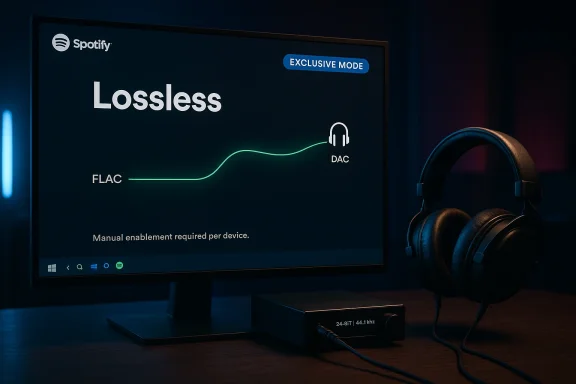
Spotify listeners on Windows are getting something genuinely new before Mac users: an Exclusive Mode that lets the desktop app take direct control of the audio path for bit-perfect playback. In practical terms, that means Spotify can bypass the Windows mixer, avoid resampling, and reduce the chances that system sounds or other apps interfere with the signal before it reaches a DAC or audio interface. Spotify’s own lossless materials now make clear that the desktop app supports Lossless playback and that the company recommends wired or other non-Bluetooth paths for the best result, while support for Exclusive Mode appears to be rolling out on Windows first and later to Mac.
Spotify’s move matters because it lands at the intersection of two long-running trends: the company’s slow embrace of higher-fidelity audio and Windows’ uneven history with consumer-grade sound handling. For years, Spotify’s core story was convenience, discovery, and ubiquity rather than audiophile-grade playback. That changed when Spotify began rolling out Lossless listening, now described by the company as up to 24-bit/44.1 kHz FLAC for Premium users in eligible markets.
The timing also explains why this feature is landing now. Spotify only recently completed the broader Lossless rollout, and the company is clearly trying to make the desktop app feel more serious for listeners who own a DAC, USB audio interface, or studio headphones. The official guidance says Lossless is available on desktop, mobile, and tablet, and that Bluetooth does not provide enough bandwidth to transmit true lossless audio without compression. That makes a direct-output mode on Windows a logical next step rather than a random feature drop.
Windows, meanwhile, has always had a mixed reputation among audiophiles. The default shared audio path is designed for convenience: it mixes sounds from multiple applications, applies system-level controls, and prioritizes compatibility over purity. That is fine for most users, but it is not the ideal route when the goal is preserving an untouched signal chain. Spotify’s Exclusive Mode is essentially a promise that, when you want the cleanest possible playback, Windows should get out of the way.
This is also why the feature is so targeted. It is not a mass-market consumer toggle in the way shuffle or smart playlists are. It is a niche quality lever for people who care about output devices, sample-rate consistency, and avoiding the computer’s audio mixer entirely. Spotify is effectively saying that the PC can now behave more like a dedicated audio transport — at least if you’re willing to accept the trade-offs.
That is why Spotify describes the feature in terms like “bit perfect” playback. The phrase matters because it signals preservation, not enhancement. The company is not claiming the music becomes better than the master; it is claiming the computer is less likely to degrade or transform the stream on the way out. For listeners with high-end hardware, that distinction is everything.
The catch is that “direct” is not the same as “better” for every listener. If your speakers, headphones, or room environment are ordinary, you may not hear a dramatic difference. In that sense, Exclusive Mode is a precision tool, not a universal upgrade. It solves a real problem for a subset of users, while leaving the rest of the audience largely untouched.
A key side effect is that no other app can reliably use that output device while Spotify is holding the reins. That is the essence of exclusivity, and it is the reason audiophile software often feels both powerful and annoying. The upside is cleaner playback; the downside is the loss of multitasking convenience. That trade-off is the whole feature.
There is also a branding angle here. Windows users have historically expected major platforms to arrive late or half-finished, so a feature landing here first gives Spotify a chance to invert the usual narrative. It makes the desktop app feel more like a premium endpoint and less like a generic utility. That is a subtle but important positioning move.
That narrow target likely helps Spotify support the feature without turning the help desk into a carnival of driver issues. Windows’ audio ecosystem is broad enough that a feature like this can fail in many different ways if the app has to support every outdated configuration. By keeping the feature tied to modern desktop versions and specific output selection, Spotify is minimizing chaos before it scales wider.
The practical limitation is that the feature is music-only. Spotify’s article says it will not apply to videos, podcasts, or audiobooks, and attempts to use those formats can trigger errors. That reveals the boundaries of the feature more clearly than any marketing copy could. Spotify is optimizing a single workflow: music playback with the cleanest possible output.
That friction is not a bug in the traditional sense; it is the cost of exclusivity. If Spotify owns the device, then other apps cannot quietly mix their sounds into the same pipe. For audiophiles, that is the point. For everyone else, it is the reason they may never bother turning the feature on. One person’s clean signal is another person’s desktop headache.
There is also a psychological cost: once users discover that exclusive output can break things they take for granted, they may decide the benefit is not worth the friction. That will matter a lot in consumer adoption, because most people equate “better audio” with “no visible downside.” Exclusive Mode, by design, does not offer that.
For that audience, Exclusive Mode is both symbolic and practical. Symbolically, it tells them Spotify is finally taking fidelity seriously on the desktop. Practically, it reduces the chance that Windows’ standard audio path will reprocess the stream before it reaches the gear they paid for. That combination is more powerful than a simple marketing claim about “better sound.”
The catch is that bit-perfect claims are only meaningful within a broader chain of hardware and software conditions. A DAC that colors the signal, a bad USB implementation, or a Bluetooth endpoint will erase much of the theoretical benefit. Spotify’s support note that Lossless is not available over Bluetooth underscores that the company understands these constraints, even if casual users may not.
That makes Exclusive Mode a classic example of a high-impact, low-reach feature. It is not trying to improve the median experience. It is trying to maximize the ceiling for the people already willing to invest in the best playback path. In product terms, that is smart if Spotify wants to build premium credibility without breaking the default user journey.
There is also a subtle enterprise angle around support and training. Any exclusive audio mode can complicate help desks, because a user may mistakenly believe Spotify or Windows is “broken” when the real issue is just that the device is reserved. That means IT teams and creative departments will need to document when to use it and when to avoid it.
That is strategically important because the service has often been perceived as the platform for discovery and playlists rather than for critical listening. Exclusive Mode helps narrow that gap. It does not erase competitors’ strengths, but it blunts a common argument against Spotify among serious listeners. That is a reputational win as much as a technical one.
The more interesting competitive angle is that Spotify is now tying quality improvements to platform-specific behavior. That encourages a race not just on catalog and price, but on playback engineering. If enough listeners notice the difference on Windows, competing services may need to match the feature set or risk being framed as less serious about audio purity.
The opportunity is bigger than the feature itself. If Spotify can make Windows the best desktop platform for high-fidelity playback, it strengthens the app’s value proposition in a segment that cares deeply about hardware support, signal integrity, and control. In a subscription business, those perceptions matter.
There is also the risk of overpromising. “Bit perfect” sounds impressive, but it can become marketing shorthand that users interpret more broadly than the hardware chain supports. If the rest of the setup is not suitable, the perceived improvement may be minimal, and that can create disappointment among people who expected a dramatic leap.
There is also room for Spotify to use this moment to improve the overall desktop audio story. If Lossless, Exclusive Mode, and clearer hardware guidance all mature together, the app could become the default recommendation for people building a serious listening setup on PC. The key will be keeping the feature useful without making the app feel difficult. That balance will decide whether this becomes a beloved setting or a forgotten one.
What to watch next:
Source: Windows Central Spotify listeners on Windows get a new quality feature before anyone else
 Background
Spotify’s move matters because it lands at the intersection of two long-running trends: the company’s slow embrace of higher-fidelity audio and Windows’ uneven history with consumer-grade sound handling. For years, Spotify’s core story was convenience, discovery, and ubiquity rather than audiophile-grade playback. That changed when Spotify began rolling out Lossless listening, now described by the company as up to 24-bit/44.1 kHz FLAC for Premium users in eligible markets.The timing also explains why this feature is landing now. Spotify only recently completed the broader Lossless rollout, and the company is clearly trying to make the desktop app feel more serious for listeners who own a DAC, USB audio interface, or studio headphones. The official guidance says Lossless is available on desktop, mobile, and tablet, and that Bluetooth does not provide enough bandwidth to transmit true lossless audio without compression. That makes a direct-output mode on Windows a logical next step rather than a random feature drop.
Windows, meanwhile, has always had a mixed reputation among audiophiles. The default shared audio path is designed for convenience: it mixes sounds from multiple applications, applies system-level controls, and prioritizes compatibility over purity. That is fine for most users, but it is not the ideal route when the goal is preserving an untouched signal chain. Spotify’s Exclusive Mode is essentially a promise that, when you want the cleanest possible playback, Windows should get out of the way.
This is also why the feature is so targeted. It is not a mass-market consumer toggle in the way shuffle or smart playlists are. It is a niche quality lever for people who care about output devices, sample-rate consistency, and avoiding the computer’s audio mixer entirely. Spotify is effectively saying that the PC can now behave more like a dedicated audio transport — at least if you’re willing to accept the trade-offs.
Why this is arriving on Windows first
Windows is the platform where these trade-offs matter most, because it is the most diverse and least standardized desktop environment. A Mac user may still care about direct audio access, but the Windows ecosystem has more device variation, more driver variability, and more ways for third-party enhancements to intervene. That makes a feature like Exclusive Mode feel both more necessary and more fragile.What Spotify has officially confirmed
Spotify’s support pages already document the Lossless feature set, compatible desktop versions, and device-quality expectations. The support material also says lossless playback is not available for music videos, podcasts, or audiobooks, and that wired or Spotify Connect-style paths are preferred for the smoothest result. That is important context because it shows Spotify is not treating “quality” as a single switch; it is treating it as a stack of conditions.What Exclusive Mode Actually Does
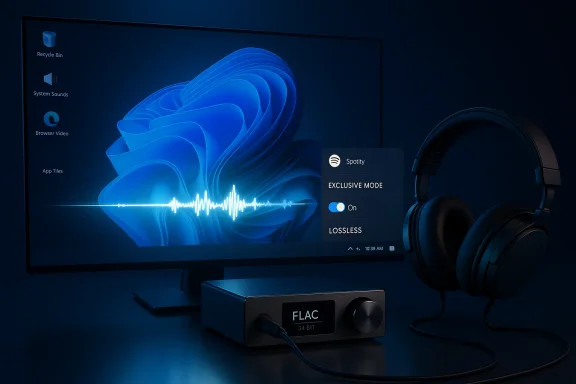
Exclusive Mode is best understood as a negotiation over ownership of the audio device. In normal shared mode, Windows can resample audio, blend it with other system sounds, and apply master-volume changes before the output reaches your hardware. In Exclusive Mode, Spotify takes over that path so the music reaches the DAC with as little alteration as possible.That is why Spotify describes the feature in terms like “bit perfect” playback. The phrase matters because it signals preservation, not enhancement. The company is not claiming the music becomes better than the master; it is claiming the computer is less likely to degrade or transform the stream on the way out. For listeners with high-end hardware, that distinction is everything.
The technical promise
The technical upside is straightforward: fewer processing stages, fewer opportunities for Windows to alter the stream, and fewer unintended interactions with other apps. Spotify’s own support material around Lossless recommends non-Bluetooth listening for best results, which fits the logic of Exclusive Mode nicely because the feature is trying to keep the signal as direct as possible.The catch is that “direct” is not the same as “better” for every listener. If your speakers, headphones, or room environment are ordinary, you may not hear a dramatic difference. In that sense, Exclusive Mode is a precision tool, not a universal upgrade. It solves a real problem for a subset of users, while leaving the rest of the audience largely untouched.
Where it sits in the app
According to the Windows coverage, users must pick a specific output device instead of leaving it on the system default before the toggle appears. That makes sense from a product design perspective: Exclusive Mode only works if Spotify knows exactly which device it should seize. It also telegraphs the intended use case — a dedicated DAC, audio interface, or other high-end endpoint rather than a laptop speaker array.A key side effect is that no other app can reliably use that output device while Spotify is holding the reins. That is the essence of exclusivity, and it is the reason audiophile software often feels both powerful and annoying. The upside is cleaner playback; the downside is the loss of multitasking convenience. That trade-off is the whole feature.
Why Windows Users Are the First Beneficiaries
Windows getting the feature first is less of a surprise than it sounds. The platform is still the dominant desktop environment, and it has a massive population of users with USB audio devices, external DACs, and home-studio gear. Spotify is effectively rewarding the part of its audience most likely to notice and value the difference.There is also a branding angle here. Windows users have historically expected major platforms to arrive late or half-finished, so a feature landing here first gives Spotify a chance to invert the usual narrative. It makes the desktop app feel more like a premium endpoint and less like a generic utility. That is a subtle but important positioning move.
The Windows 11 angle
The reported requirement for Spotify desktop version 1.2.84 or higher on Windows 11 points to a feature implemented against a modern app baseline rather than a legacy compatibility layer. That suggests Spotify wants current Windows builds, current audio plumbing, and a cleaner support matrix. In other words, it is building for a narrower but more predictable target.That narrow target likely helps Spotify support the feature without turning the help desk into a carnival of driver issues. Windows’ audio ecosystem is broad enough that a feature like this can fail in many different ways if the app has to support every outdated configuration. By keeping the feature tied to modern desktop versions and specific output selection, Spotify is minimizing chaos before it scales wider.
Why Mac is second
Spotify says the feature will eventually reach Mac, which suggests the company sees it as a platform capability rather than a Windows-only experiment. Still, Mac users tend to encounter different audio architecture and different device expectations, so the implementation details may not map cleanly. A delayed Mac release may simply reflect engineering priorities, but it could also reflect the reality that audio exclusivity behaves differently across platforms.- Windows gets the first mover advantage.
- High-end USB audio users are the clearest winners.
- Spotify can test support burden on a large platform first.
- Mac support is promised, but not yet available.
- The rollout reinforces Spotify’s premium desktop story.
How to Enable It and What It Breaks
The setup path is simple on paper: open the latest Spotify app on Windows, go into Settings, select an explicit output device instead of the system default, and then enable Exclusive Mode in the audio output settings. That sequence matters because the feature is device-specific, not a universal app-level override. It is built for precision, not blanket activation.The practical limitation is that the feature is music-only. Spotify’s article says it will not apply to videos, podcasts, or audiobooks, and attempts to use those formats can trigger errors. That reveals the boundaries of the feature more clearly than any marketing copy could. Spotify is optimizing a single workflow: music playback with the cleanest possible output.
The incompatibility problem
This is where the user experience gets messy. Exclusive Mode can prevent other apps from using the same audio endpoint, and that can surface as playback errors in software that expects a normal shared device. Windows Central’s reporting notes errors in apps like YouTube and the Windows 11 video app when Spotify has claimed control of the output path, which is exactly the kind of friction exclusive audio modes have caused for decades.That friction is not a bug in the traditional sense; it is the cost of exclusivity. If Spotify owns the device, then other apps cannot quietly mix their sounds into the same pipe. For audiophiles, that is the point. For everyone else, it is the reason they may never bother turning the feature on. One person’s clean signal is another person’s desktop headache.
What you lose
Spotify’s feature is deliberately not optimized for convenience. You should expect no shared audio on that endpoint, fewer system sound interactions, and a more rigid relationship between app and output device. That means no casual switch-flipping between a game, a browser tab, and a music session on the same DAC without changing settings.There is also a psychological cost: once users discover that exclusive output can break things they take for granted, they may decide the benefit is not worth the friction. That will matter a lot in consumer adoption, because most people equate “better audio” with “no visible downside.” Exclusive Mode, by design, does not offer that.
The Audiophile Business Case
Spotify’s most important audience for this feature is not the average earbuds user. It is the smaller but influential cohort of listeners who buy external DACs, desktop amps, studio interfaces, and higher-end speakers. Those users are often vocal, technically literate, and very willing to compare streaming services on sound quality and platform behavior.For that audience, Exclusive Mode is both symbolic and practical. Symbolically, it tells them Spotify is finally taking fidelity seriously on the desktop. Practically, it reduces the chance that Windows’ standard audio path will reprocess the stream before it reaches the gear they paid for. That combination is more powerful than a simple marketing claim about “better sound.”
Why “bit perfect” matters to enthusiasts
“Bit perfect” is the kind of phrase that gets audiophiles to stop scrolling. It implies that the audio leaving Spotify matches the encoded stream without extra DSP, volume manipulation, or mixer interference. Spotify’s own wording around Exclusive Mode leans into this idea, tying the feature directly to lossless playback and to users who want the purest possible sound.The catch is that bit-perfect claims are only meaningful within a broader chain of hardware and software conditions. A DAC that colors the signal, a bad USB implementation, or a Bluetooth endpoint will erase much of the theoretical benefit. Spotify’s support note that Lossless is not available over Bluetooth underscores that the company understands these constraints, even if casual users may not.
Why it may influence service loyalty
This feature may not win millions of subscribers, but it could improve retention among high-value listeners. Audiophile users tend to subscribe to the services that respect their hardware and their preferences. If Spotify can make Windows the best place to run its desktop client, it gains an advantage in a segment that often shapes broader opinion.- Better signal integrity for DAC users.
- A more credible premium audio story.
- Stronger appeal to enthusiasts and reviewers.
- Clearer differentiation from lightweight streaming clients.
- Potential long-term loyalty from power users.
The Trade-Offs for Everyday Listeners
Most Spotify users will never turn this on, and that is perfectly rational. If your audio chain is a pair of laptop speakers, mainstream Bluetooth headphones, or a pair of desktop speakers on auto volume, the practical improvement may be negligible. The feature exists for the edge cases where Windows audio processing really does stand between the music and the hardware.That makes Exclusive Mode a classic example of a high-impact, low-reach feature. It is not trying to improve the median experience. It is trying to maximize the ceiling for the people already willing to invest in the best playback path. In product terms, that is smart if Spotify wants to build premium credibility without breaking the default user journey.
Consumer impact versus enterprise impact
Consumer impact is mostly about convenience and curiosity. The average person will notice the feature only if they read about it, own suitable hardware, and care enough to test it. Enterprise impact is different: audio pros, content creators, and remote workers with dedicated interfaces may appreciate the tighter control, but they will also be more sensitive to compatibility issues and device lockout behavior.There is also a subtle enterprise angle around support and training. Any exclusive audio mode can complicate help desks, because a user may mistakenly believe Spotify or Windows is “broken” when the real issue is just that the device is reserved. That means IT teams and creative departments will need to document when to use it and when to avoid it.
Why the average user may still care indirectly
Even if most listeners never toggle Exclusive Mode, its existence matters because it raises the perceived quality ceiling of the platform. A streaming service that can credibly say it supports premium desktop audio looks more serious than one that ignores the niche entirely. That can influence brand sentiment in a market where “best sound” is often shorthand for “best overall service.”Competitive Implications
Spotify is not operating in a vacuum. Lossless streaming and audiophile-friendly playback are now table stakes in the premium music race, and competitors have spent years cultivating users who obsess over fidelity. By adding Exclusive Mode on Windows, Spotify is effectively saying it wants not just the most music, but the most respectable playback chain.That is strategically important because the service has often been perceived as the platform for discovery and playlists rather than for critical listening. Exclusive Mode helps narrow that gap. It does not erase competitors’ strengths, but it blunts a common argument against Spotify among serious listeners. That is a reputational win as much as a technical one.
How rivals may respond
Competitors with existing lossless or high-resolution offerings may emphasize their own direct-output or device-control features more aggressively. Others may lean into platform integrations, device support, or desktop polish to avoid losing enthusiasts at the margin. In a market where switching costs are mostly psychological, small quality features can punch far above their weight.The more interesting competitive angle is that Spotify is now tying quality improvements to platform-specific behavior. That encourages a race not just on catalog and price, but on playback engineering. If enough listeners notice the difference on Windows, competing services may need to match the feature set or risk being framed as less serious about audio purity.
Why this matters for Windows as a platform
There is also a quiet win here for Windows itself. Features like this reinforce the idea that the PC remains the most flexible place to do serious work, serious listening, and serious device-specific control. In a world where much media consumption is increasingly browser-based or phone-based, Spotify’s decision validates the desktop app model.- Spotify gains audio credibility with enthusiasts.
- Competitors must now answer a quality-control question.
- Windows becomes more attractive for premium audio rigs.
- Desktop apps retain an advantage over browser-first experiences.
- Feature parity may become a new battleground in streaming.
Strengths and Opportunities
Spotify’s Exclusive Mode is a good feature because it solves a real problem for a specific audience instead of pretending every user needs the same thing. It gives the company a sharper premium-audio story at the exact moment Lossless is becoming more visible across the platform. That makes the launch feel coordinated rather than accidental.The opportunity is bigger than the feature itself. If Spotify can make Windows the best desktop platform for high-fidelity playback, it strengthens the app’s value proposition in a segment that cares deeply about hardware support, signal integrity, and control. In a subscription business, those perceptions matter.
- Bit-perfect playback for the right hardware setup.
- Better appeal to DAC and audio interface owners.
- A more convincing premium music narrative.
- Stronger desktop differentiation versus browser playback.
- Potentially better retention among power users.
- A useful platform to build future audio controls.
- Clear alignment with Spotify’s Lossless rollout.
Risks and Concerns
The biggest risk is obvious: exclusivity creates friction, and friction annoys users. If people turn on the feature and suddenly find YouTube, video apps, or other audio sources failing on the same device, they may blame Spotify rather than the audio architecture. That could turn a quality feature into a support burden.There is also the risk of overpromising. “Bit perfect” sounds impressive, but it can become marketing shorthand that users interpret more broadly than the hardware chain supports. If the rest of the setup is not suitable, the perceived improvement may be minimal, and that can create disappointment among people who expected a dramatic leap.
- App conflicts when multiple programs need the same output device.
- Confusion over why other audio/video apps stop working.
- Support complexity for IT teams and power users.
- Risk of disappointment on ordinary headphones or speakers.
- Limited usefulness outside music playback.
- Potential perception that the feature is more premium than practical.
- Fragmentation between Windows and Mac rollout timing.
Looking Ahead
The most likely next step is wider platform rollout, starting with Mac once Spotify is satisfied with the Windows implementation. Beyond that, Spotify could expand the idea into more granular device management, stronger guidance for audio interfaces, or clearer status indicators so users know when the app has exclusive control. That would turn a niche toggle into part of a broader premium-audio framework.There is also room for Spotify to use this moment to improve the overall desktop audio story. If Lossless, Exclusive Mode, and clearer hardware guidance all mature together, the app could become the default recommendation for people building a serious listening setup on PC. The key will be keeping the feature useful without making the app feel difficult. That balance will decide whether this becomes a beloved setting or a forgotten one.
What to watch next:
- Mac availability for Exclusive Mode.
- Whether Spotify documents more device-specific best practices.
- Any refinements to Windows 11 audio output handling.
- Broader support for pro-audio and DAC workflows.
- Whether competitors answer with similar direct-output controls.
Source: Windows Central Spotify listeners on Windows get a new quality feature before anyone else