

St. Francis High School’s decade-long digital transformation shows how a deliberate move to Microsoft Windows devices and Microsoft 365 can reshape pedagogy, operations, and school culture—delivering near-universal adoption of collaboration tools, measurable reliability improvements, and a sustained role as a regional EdTech leader.
St. Francis High School in Wheaton, Illinois, has been on a technology journey for more than a decade, moving from traditional computer labs to a full 1:1 device program and, ultimately, to a Microsoft-centered ecosystem built on Surface hardware, Windows 11, and Microsoft 365 Education tools. The school’s story is notable because it reverses a common assumption that successful EdTech requires one single device brand or platform from the outset—St. Francis evaluated multiple platforms over time and made platform decisions based on pedagogy, manageability, and security. Early in the school’s history it implemented an Apple iPad 1:1 program after multi-year evaluations and pilots, reflecting the industry-wide interest in tablets for classroom use. That earlier era of device selection and pilot testing set a pattern: plan, pilot, listen to teachers/students, and refine. The later pivot to Windows devices and Surface Pro units reflected a new set of priorities—full Windows productivity, pen and touch inking, deep Office/OneNote integration, and enterprise-grade identity and security controls.
Their path also illustrates the ebb and flow of platform preferences—St. Francis’ history includes an earlier iPad initiative and later a pivot to Windows devices—showing that long-term digital strategy is iterative and must respond to shifting pedagogical and operational priorities. Finally, their status as a repeated Microsoft Showcase School highlights how external recognition often follows internal discipline: consistent PD, measurable pilots, stakeholder buy-in, and a willingness to evolve practice. That recognition is a useful benchmark, but it should not replace internal, outcomes-focused measurement tied to student learning goals.
At the same time, the story offers a sober reminder: metrics reported in vendor case studies should be treated as institution-supplied outcomes unless independently audited; governance for student data and AI use must be explicit and operational; and long-term success depends as much on people and processes as it does on devices and platforms. For district and school leaders preparing roadmaps for the next five to ten years, St. Francis’ experience is both inspiration and a field-tested set of guardrails—showing what’s possible when technology is disciplined by pedagogy, governance, and continuous professional learning.
Source: Microsoft St. Francis High School’s decade of digital excellence with Microsoft Windows devices | Microsoft Customer Stories
 Background / Overview
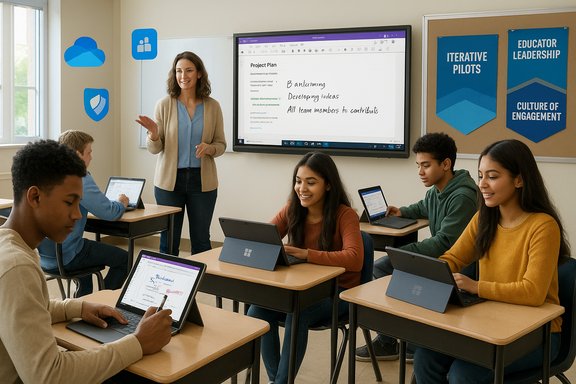
St. Francis High School in Wheaton, Illinois, has been on a technology journey for more than a decade, moving from traditional computer labs to a full 1:1 device program and, ultimately, to a Microsoft-centered ecosystem built on Surface hardware, Windows 11, and Microsoft 365 Education tools. The school’s story is notable because it reverses a common assumption that successful EdTech requires one single device brand or platform from the outset—St. Francis evaluated multiple platforms over time and made platform decisions based on pedagogy, manageability, and security. Early in the school’s history it implemented an Apple iPad 1:1 program after multi-year evaluations and pilots, reflecting the industry-wide interest in tablets for classroom use. That earlier era of device selection and pilot testing set a pattern: plan, pilot, listen to teachers/students, and refine. The later pivot to Windows devices and Surface Pro units reflected a new set of priorities—full Windows productivity, pen and touch inking, deep Office/OneNote integration, and enterprise-grade identity and security controls. Why St. Francis shifted to Microsoft Windows devices
Strategic pressures and competitive context
- Peer schools were launching 1:1 programs; leadership saw enrollment risk if St. Francis remained behind. Jeff Gerdeman, Director of IT, framed the change as necessary to remain competitive and to meet parent expectations.
- As a college-preparatory school with 100% college attendance among graduates, the institution required technology that mirrored higher-education and professional environments—full desktop-class software, robust file systems, and collaboration workflows students would encounter at university.
Educational and operational drivers
- Teachers needed tools that reduced administrative friction (distributing assignments, collecting work, giving feedback) while supporting active learning. OneNote Class Notebook and Teams offered integrated workflows for lesson delivery, co-authoring, and formative feedback—capabilities that shaped the device choice.
- IT required a manageable, secure environment that scaled: cloud storage (OneDrive), identity and access controls (Microsoft Entra), and centralized device management (Intune/Autopilot) reduced on-premises complexity and helped the IT team shift from break/fix to proactive innovation.
Implementation: devices, software, pilots, and professional learning
Device selection and deployment model
St. Francis standardized on 2-in-1 Windows devices and Surface Pro class machines for student and faculty use, deploying devices to all students and staff in a 1:1 model. That standardization underpinned predictable performance, uniform training, and simplified support logistics. The Microsoft customer narrative reports they deployed Windows devices to approximately 700 students and staff as part of this unified approach.Phased pilots and stakeholder engagement
Rather than a single all-at-once switch, St. Francis used iterative pilots across departments and grade bands. This allowed teachers and IT to refine configurations, app lists, and professional development before full-scale rollout—an approach the school calls critical to long-term success. Pilots also produced peer champions and practical use cases for colleagues.Software stack and classroom tools
- Microsoft 365 (Teams, OneDrive, Office apps): Became the central productivity layer, replacing fragmented storage and on-premises file servers with cloud access and co-authoring.
- OneNote Class Notebook: Adopted schoolwide as the digital binder and lesson-distribution system; teachers use the Class Notebook to distribute materials, give individualized feedback, and maintain content libraries. OneNote’s offline caching and multi-device sync addressed connectivity variability.
- Microsoft Teams: Adopted as the digital hub for classes and clubs—streamlining announcements, assignments, meetings, and video/stream recordings for flipped-classroom models.
- Security and identity: Windows 11 endpoint protections, Microsoft Defender for Office 365, and Microsoft Entra ID provide multi-layered protection and identity management.
Professional development and educator leadership
St. Francis invested heavily in teacher-facing professional development and formed an MIEE Leadership Team—faculty who are Microsoft Innovative Educator Experts—to sustain peer-to-peer training and maintain momentum. That emphasis on educator leadership ensured tech adoption was pedagogically driven rather than technology-first.Measured outcomes and claims
The Microsoft case narrative highlights several high-level outcomes from the decade-long program:- 99% system reliability and reduced urgent support incidents, allowing the Help Desk to focus on proactive projects rather than emergency fixes.
- 100% regular use of Microsoft Teams and OneNote across students, educators, and staff.
- 95% educator satisfaction in surveys reporting that Microsoft tools help teachers stay organized and give students an academic advantage.
- Recognition as a Microsoft Showcase School for multiple consecutive years, validating the school’s transformation maturity.
Why these outcomes matter (and how they were achieved)
Pedagogical benefits
- One consolidated digital ecosystem eliminated friction in distributing materials and enabled real-time collaboration and instructor feedback. OneNote’s structure (personal notebooks, content library, collaboration space) and Teams’ integration delivered practical teacher workflows that increased class time focused on discussion and coaching rather than file management.
- Digital inking and pen-enabled workflows supported diagram-heavy subjects and creative work, improving retention and allowing teachers to annotate student work in place—capabilities repeatedly cited by educators as classroom game-changers. (Industry literature and district case histories show digital inking often improves engagement and facilitates formative feedback workflows.
Operational and security benefits
- Moving to cloud-first storage (OneDrive) removed on-premises bottlenecks and simplified remote learning scenarios, enabling students to access materials anytime, anywhere—an important capability during hybrid learning periods.
- Windows 11’s built-in protections, plus Microsoft’s Defender family and Entra ID, offered a layered security posture for endpoints, email, and identity—key for safeguarding student data and preventing ransomware/credential compromises. Microsoft’s education security guidance describes Defender integrations tailored for school environments.
Critical analysis: strengths, tradeoffs, and risks
Strengths and what St. Francis did well
- End-to-end integration: Standardizing on Windows devices and Microsoft 365 eliminated integration gaps and reduced training overhead. Teachers had one consistent set of tools and students learned workflows transferable to college and workplaces.
- Stakeholder engagement and pilots: Broad representation across administration, faculty, and departments—and iterative pilots—reduced resistance and created teacher champions. This human-centered approach is widely recommended as best practice for EdTech rollouts.
- Security-first approach: Using modern OS features (Windows 11), Defender protections, and identity management reduced attack surface and supported compliance goals—an important differentiator for private schools handling sensitive student data.
- Sustainable PD model: Creating an internal MIEE Leadership Team institutionalized training and allowed knowledge to diffuse organically across faculty.
Tradeoffs and potential risks
- Vendor concentration and lock-in
- By committing deeply to Microsoft devices and cloud services, the school accepts a single-provider dependency for critical functions: identity, storage, collaboration, and device management. While integration yields efficiency, it also concentrates risk—policy changes, pricing, or service outages affecting that vendor can have outsized impact.
- Mitigation: maintain documented exit strategies, rely on open standards (e.g., LTI for LMS integrations where possible), and periodically evaluate multi-vendor options or hybrid approaches.
- Data governance and privacy
- Centralizing student data in cloud services requires robust privacy controls, contract terms, and local governance to ensure compliance with FERPA and applicable privacy laws. The customer story references identity and Defender protections, but privacy governance (data retention, third-party apps, parental consent) must be explicit and operationalized.
- Mitigation: enforce strict app consent policies, use Conditional Access and Data Loss Prevention (DLP) policies, and maintain transparent communications and opt-in/opt-out mechanisms for families.
- Equity and home connectivity
- A 1:1 device program assumes baseline home connectivity; gaps in internet access or a high degree of reliance on cloud services can disadvantage some families.
- Mitigation: provide on-campus access windows, loaner hotspots, offline-capable workflows (OneNote caches content for offline use), and ensure assignments are accessible without continuous high-bandwidth connections.
- Over-reliance on AI without governance
- St. Francis plans to integrate AI learning projects and require AI-enhanced assignments. Without clear policy, AI can introduce plagiarism risks, misinformation, or assessment integrity issues.
- Mitigation: implement AI-use policies, educator moderation of AI outputs, student training in prompt literacy and source evaluation, and rubric redesigns that evaluate process and synthesis as well as final products.
- Long-term cost planning and device refresh cycles
- Maintaining modern Windows device fleets requires planned refresh cycles, licensing costs for advanced Defender/A5 features (if used), and PD refresh for teachers. The upfront device cost can be offset by lower maintenance and high reliability, but budget discipline is essential.
- Mitigation: build multi-year TCO models that include personnel, Wi‑Fi upgrades, warranty/repairs, and professional learning.
What the evidence supports—and what requires caution
- Supported: OneNote + Teams workflows materially reduce friction in distribution, feedback, and collaboration. Microsoft product documentation and education blogs confirm the pedagogical design of OneNote Class Notebooks and Teams integration.
- Supported: Windows 11 and Defender components can raise baseline security for managed endpoints, especially when combined with strong identity controls. Microsoft’s education security guidance describes these layered protections.
- Caution: Institution-reported metrics such as “99% reliability” or “100% adoption” are plausible but are self-reported in the Microsoft customer story and were not independently audited in public records. These figures should be used as indicators of success rather than absolute, externally validated truth.
Practical recommendations for schools considering a similar path
- Start with strategy, not devices
- Build a clear vision that ties technology to learning outcomes. Define what success looks like for teachers, students, and administrators before procuring hardware.
- Pilot early and often
- Run small, representative pilots (multiple departments/grade bands). Use pilots to validate device ergonomics, battery life, app lists, and PD needs. St. Francis’ iterative pilots prevented “big bang” failures.
- Invest in educator leadership
- Create an internal teacher leadership team (MIEE-like) to lead peer PD and long-term adoption. Peer credibility often matters more than vendor-led training.
- Treat security and privacy as program pillars
- Adopt identity-first approaches (Entra ID/Azure AD), Conditional Access, DLP, and Defender capabilities. Pair technical controls with clear policies and parental communication.
- Plan for equity and offline resilience
- Ensure assignments and tools work offline (OneNote caching) and provide connectivity support for families with limited internet access.
- Design AI governance now
- If integrating AI into curriculum, adopt an explicit policy—cover acceptable uses, academic integrity, source evaluation, and human review. Train both educators and students in prompt literacy and critique of machine outputs.
- Model total cost of ownership
- Include device refresh schedules, PD, warranty management, and licensing when comparing platforms—sometimes lower upfront costs (e.g., BYOD or cheaper tablets) produce higher long-term operational costs.
The broader significance: what St. Francis’ experience means for K–12 education
St. Francis High School’s experience underscores a pragmatic truth: technology succeeds when it is chosen and deployed as an enabler of pedagogy, not as an end in itself. Schools that pair device standardization with cloud-first collaboration tools, robust identity and security posture, and a sustained professional-learning culture can convert hardware investment into sustainable instructional change.Their path also illustrates the ebb and flow of platform preferences—St. Francis’ history includes an earlier iPad initiative and later a pivot to Windows devices—showing that long-term digital strategy is iterative and must respond to shifting pedagogical and operational priorities. Finally, their status as a repeated Microsoft Showcase School highlights how external recognition often follows internal discipline: consistent PD, measurable pilots, stakeholder buy-in, and a willingness to evolve practice. That recognition is a useful benchmark, but it should not replace internal, outcomes-focused measurement tied to student learning goals.
Conclusion
St. Francis High School’s decade of digital investment shows that a targeted, stakeholder-driven move to Microsoft Windows devices and Microsoft 365 can deliver real classroom and operational benefits: simplified collaboration, stronger endpoint security, higher teacher confidence, and demonstrable gains in how learning materials are distributed and assessed. Their approach—rooted in pilots, educator leadership, and a multi-layered security posture—serves as a practical blueprint for schools weighing a similar transformation.At the same time, the story offers a sober reminder: metrics reported in vendor case studies should be treated as institution-supplied outcomes unless independently audited; governance for student data and AI use must be explicit and operational; and long-term success depends as much on people and processes as it does on devices and platforms. For district and school leaders preparing roadmaps for the next five to ten years, St. Francis’ experience is both inspiration and a field-tested set of guardrails—showing what’s possible when technology is disciplined by pedagogy, governance, and continuous professional learning.
Source: Microsoft St. Francis High School’s decade of digital excellence with Microsoft Windows devices | Microsoft Customer Stories
