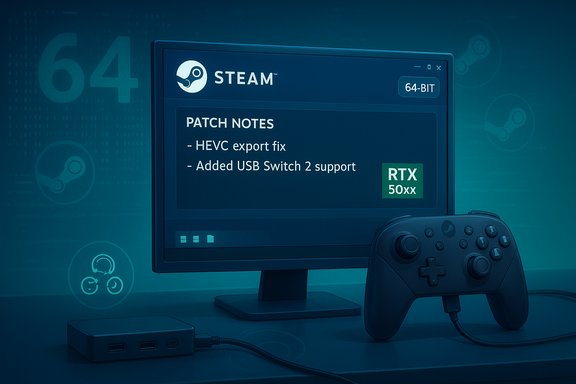
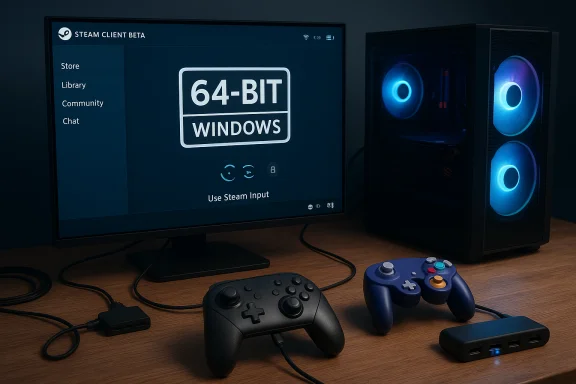
Valve’s Steam client has quietly taken another step toward broader controller compatibility and a modern Windows footprint — the Steam Client Beta now runs as a native 64-bit application on Windows 10 and Windows 11, and Steam Input has gained official recognition for Nintendo Switch 2 controllers (USB only) and GameCube adapters in Wii‑U mode with rumble.
The Steam client has long been a central hub for PC gaming, but its underlying architecture and input stack have had to evolve with Windows and the flood of new controller hardware hitting the market. Valve’s move to a 64‑bit Steam client on modern Windows installations removes a lingering limitation for advanced features and memory‑heavy subsystems, while simultaneous Steam Input improvements aim to reduce the friction for players who prefer Nintendo’s controllers or retro GameCube setups. This update is currently distributed through Steam’s Beta channel, meaning it’s opt‑in for most users. The changes are not purely cosmetic; they include specific fixes (notably around H.265 recording exports on recent NVIDIA GPUs), a fix for Unity engine hotplug regressions, gyro mode adjustments, and the new controller support. If you rely on legacy 32‑bit builds of Windows, take note: Valve explicitly set an end‑of‑support date for 32‑bit Windows clients.
Key takeaways:
Valve’s Steam Input and client teams have quietly added practical support for a set of controllers that many PC players want to use. This update is both a nod to retro and Nintendo fans and a reminder that Steam’s input layer continues to be a core part of PC gaming’s compatibility story. For players who use Switch 2 hardware or GameCube setups, the Beta is worth testing — but follow the troubleshooting steps above, and treat wireless expectations and third‑party adapter behaviors with healthy skepticism until official documentation or firmware updates arrive.
Source: PC Guide Steam just added support for Nintendo Switch 2 and GameCube controllers in latest beta update
 Background
The Steam client has long been a central hub for PC gaming, but its underlying architecture and input stack have had to evolve with Windows and the flood of new controller hardware hitting the market. Valve’s move to a 64‑bit Steam client on modern Windows installations removes a lingering limitation for advanced features and memory‑heavy subsystems, while simultaneous Steam Input improvements aim to reduce the friction for players who prefer Nintendo’s controllers or retro GameCube setups. This update is currently distributed through Steam’s Beta channel, meaning it’s opt‑in for most users. The changes are not purely cosmetic; they include specific fixes (notably around H.265 recording exports on recent NVIDIA GPUs), a fix for Unity engine hotplug regressions, gyro mode adjustments, and the new controller support. If you rely on legacy 32‑bit builds of Windows, take note: Valve explicitly set an end‑of‑support date for 32‑bit Windows clients. What changed in the Beta: the short list
- Steam client is now 64‑bit on Windows 10 (64‑bit) and Windows 11. Systems still running 32‑bit Windows are scheduled to stop receiving updates for the 32‑bit client after January 1, 2026.
- Steam Input gained USB support for Nintendo Switch 2 controllers. This allows Steam to list the controllers as Steam Input devices for mappings, gyro calibration, and community profiles — but only when connected over USB according to the patch notes.
- GameCube adapter support (Wii‑U mode) with rumble on Windows. Adapters that expose themselves in Wii‑U mode should now be recognized by Steam Input and pass through rumble/force‑feedback.
- Gyro modes promoted: Valve moved newer gyro handling modes from beta to default; legacy modes remain available to preserve existing user configurations.
- Bugfixes: H.265 export/clipboard errors on systems using NVIDIA 50xx GPUs fixed; Unity hotplug regression addressed; configurator crash fixed.
Why this matters: practical benefits for players
Valve’s Steam Input is one of the most powerful controller layers available on PC. Expanded device recognition reduces reliance on third‑party tools and manual configuration, and it can make Nintendo hardware behave like first‑class controllers inside Steam and many native ports.- Plug‑and‑play recognition: When a device is shown in Steam Input’s device list, it can be calibrated, re‑mapped, and assigned community profiles with a few clicks. That removes a lot of friction for players who were previously forced to use separate emulator or driver utilities.
- Rumble support for GameCube setups: For players using GameCube controllers with classic adapters, force‑feedback is more than novelty — it’s part of the feedback loop in timing‑dependent titles. Steam recognizing Wii‑U mode adapters with rumble means those vibrations can be passed through consistently to both native ports and games run under Steam.
- Gyro standardization: Promoting newer gyro modes to defaults should provide better consistency across games and peripherals. Players who depend on a specific gyro feel can still access legacy modes through developer options, preserving previous setups.
The 64‑bit shift and the 32‑bit sunset
The most infrastructure‑level change is the move to a 64‑bit Steam client on Windows. This is not surprising — Microsoft long ago signaled that new 32‑bit platform investments are rare, and modern Windows distributions are overwhelmingly 64‑bit. Valve’s decision follows that trend.- The Beta notes plainly state the new client is 64‑bit on Windows 10 (64‑bit) and Windows 11, and that updates for the 32‑bit Steam client will cease on January 1, 2026. This EOL is specifically targeted at the small fraction of users still running 32‑bit Windows installations.
- 64‑bit clients can address more memory and handle modern libraries/drivers that assume a 64‑bit process.
- Some new features, security mitigations, or third‑party integrations (e.g., advanced video codecs, hardware accelerated subsystems) have dependencies that are not maintained for 32‑bit.
- For the vast majority of users, the change will be invisible beyond a slightly updated Steam process; for the tiny fraction of users on legacy 32‑bit Windows installs, it’s a signal to plan an OS upgrade or a move to newer hardware.
Deep dive: Nintendo Switch 2 controller support on Steam Input
Valve’s release notes use the label “Nintendo Switch 2 controllers” and explicitly mention USB connectivity. Here’s what to unpack:- Steam’s recognition of Switch 2 controllers when connected by USB places these controllers into Steam Input’s ecosystem: calibration, gyro settings, per‑game mappings, and community profiles become available. This is an important shift for users who prefer Nintendo’s ergonomics or seek to use Switch controllers in PC ports and platforms.
- The patch notes specify USB connections only. That means wireless operation (via Bluetooth or Nintendo’s proprietary radio) is not mentioned as supported in this update. For now, expect those controllers to work when tethered by cable. Developers and accessory makers might expand compatibility in future updates.
- Plug your Switch 2 Pro controller into a USB port on a Windows PC running the Beta Steam client.
- Steam Input should enumerate the controller and allow you to open the Steam Controller Configurator to create or apply mappings.
- Gyro support and rumble handling will depend on how the controller reports features over USB and whether Steam Input maps them.
Deep dive: GameCube adapter support and retro input workflows
GameCube controllers remain popular for platforming and competitive scenes. Historically, using them on PC required either:- Adapters that present as generic USB gamepads (PC mode), or
- Adapters that emulate Wii‑U hardware (Wii‑U mode) and often require a specific driver replacement (e.g., via Zadig or vendor drivers) so emulators like Dolphin can access the device directly and enable rumble.
- Adapters that expose themselves as Wii‑U devices (including the official Nintendo adapter and many third‑party adapters) should be recognized and provide rumble signals when used through Steam Input.
- For some third‑party adapters on Windows, you may still need to use Zadig to replace the adapter’s USB driver with a WinUSB/libusb driver so that Steam (or an emulator) can access the device in Wii‑U mode. Dolphin’s documentation still recommends this approach for many adapters.
- It reduces reliance on emulator‑specific input layers and third‑party wrappers.
- It standardizes GameCube controller behavior across native ports and emulators where Steam Input is applied.
- It offers better out‑of‑the‑box rumble handling than generic PC mode mapping in many cases.
- Not every adapter behaves the same. Firmware differences, vendor drivers, and physical switches (PC vs Wii‑U mode) still affect behavior.
- Some older or cheaper adapters expose different USB descriptors and may not be recognized correctly until the vendor updates firmware or you reinstall drivers using Zadig.
- If rumble is inconsistent, check the adapter mode, update the adapter firmware where available, test different USB ports and cables, and verify Steam Input’s rumble settings.
How to try it now: switching to Steam Beta and testing steps
Valve distributes these changes through the Steam Beta channel. Opting in is simple and reversible:- Open Steam and sign in.
- Click the Steam menu (upper left), choose Settings (or Preferences on macOS).
- Go to Interface, find Client Beta Participation, and pick Steam Beta Update from the dropdown.
- Restart Steam when prompted; the client will update to the Beta where these changes are present.
- Connect the controller via USB.
- Open Steam > Settings > Controller > General Controller Settings to see if the device appears.
- Open the Controller Configuration for a game and check gyro calibration and input mapping.
- If you have a Wii‑U mode adapter (official or third‑party switched to Wii‑U mode), plug it in and confirm Steam Input sees it.
- If the adapter requires a driver, follow the Dolphin guide (Zadig replacement) or vendor instructions before testing rumble.
Risks, pitfalls and compatibility warnings
While the update is broadly positive, there are some real risks and practical pitfalls users should be aware of:- Driver conflicts: Replacing USB drivers for GameCube adapters using tools like Zadig can cause conflicts with other USB devices if misapplied. Follow the adapter/vendor documentation carefully and record original driver states.
- Anti‑cheat and online play: Mapping or remapping controllers via Steam Input and running overlay services may trigger anti‑cheat systems in some competitive games. Always verify whether a game’s anti‑cheat policy allows third‑party input layers for remapped controls.
- Wireless support uncertainty: The Switch 2 controller support in this Beta is USB‑only. Expect variations: wireless features, firmware‑level sensors, or unique radio behaviors may be unavailable until Valve or Nintendo provide further implementation details. Do not assume parity with native Switch features over Bluetooth.
- Adapter firmware fragmentation: Third‑party adapters vary widely. Some will “just work,” others will require driver replacement or firmware updates — and some cheaper adapters may never behave exactly like the official hardware.
- 32‑bit users must migrate: If you are still on 32‑bit Windows, plan a migration. Valve’s stated date is January 1, 2026 for stopping updates to the 32‑bit client; after that, security patches and new features will no longer be delivered to those installs.
What this means for emulator users and retro setups
Emulator users, particularly those using Dolphin, have historically gotten the best results by exposing adapters in Wii‑U mode with a WinUSB driver. The Steam Input change doesn’t replace emulator configuration but provides a new option:- Steam Input recognition will allow players to use Steam’s controller configurator and community profiles with GameCube controllers connected through compatible adapters.
- For Dolphin users, the emulator’s native adapter handling is still the recommended path for the lowest latency and most consistent rumble behavior; Steam Input complements, but does not obviate, emulator settings.
- Prefer the official adapter or well‑supported third‑party adapters that Dolphin lists as compatible.
- Keep a Zadig backup or documented driver steps handy in case you need to revert changes for other use cases.
Developer and community implications
For developers shipping native PC ports, this change reduces the variety of odd controller‑related bug reports and helps standardize controller behavior across a wider variety of input hardware. For the Steam community, more devices in the Steam Input ecosystem means more shared configs and a larger base of tested controller profiles.- Developers should be aware that Steam Input’s default gyro modes changed; this can alter the feel of Steam Input profiles newly created after the update. Existing configurations are preserved, but testing is wise.
- Competitive scenes and anti‑cheat vendors will need to continue validating that Steam Input usage does not give unfair advantage or bypass input validation. Valve historically collaborates with game developers and anti‑cheat vendors on compatibility, but localized issues can still occur.
Verdict: incremental but meaningful progress
Valve’s November Beta push is incremental rather than revolutionary, but it’s the kind of practical update that improves day‑to‑day usability for a specific — and vocal — group of players. The combination of a modern 64‑bit client and broader Steam Input recognition removes friction for Nintendo‑style controllers and GameCube setups while nudging the platform into a cleaner Windows future.Key takeaways:
- The 64‑bit client and 32‑bit EOL date are significant for system administrators and legacy users. Plan migrations if you’re affected.
- Switch 2 controller support via USB in Steam Input opens up immediate use cases for tethered use but does not promise wireless parity yet. Treat wireless support as unconfirmed for now.
- GameCube adapter recognition in Wii‑U mode with rumble is a boon to retro and emulator communities, but some adapters will still require driver workarounds (Zadig) or firmware updates.
Quick reference: diagnoses and troubleshooting tips
- If Steam does not detect a GameCube adapter in Wii‑U mode:
- Ensure the adapter is switched to Wii‑U mode (not PC mode).
- Try replacing the adapter driver with Zadig as recommended in Dolphin’s documentation.
- If rumble isn’t working for a GameCube adapter:
- Verify cable connections (many adapters use two USB plugs: one for data/power, one for rumble).
- Check Steam Input rumble preferences and test in Windows’ Game Controller settings.
- If Switch 2 controller isn’t recognized:
- Make sure you’re using USB data cable (not charge‑only cable) and try a different USB port.
- Confirm you’re on the Steam Beta client; Steam’s stable channel may not include the change yet.
- If you’re on 32‑bit Windows:
- Plan to upgrade to a 64‑bit OS well before January 1, 2026 to continue receiving updates.
Valve’s Steam Input and client teams have quietly added practical support for a set of controllers that many PC players want to use. This update is both a nod to retro and Nintendo fans and a reminder that Steam’s input layer continues to be a core part of PC gaming’s compatibility story. For players who use Switch 2 hardware or GameCube setups, the Beta is worth testing — but follow the troubleshooting steps above, and treat wireless expectations and third‑party adapter behaviors with healthy skepticism until official documentation or firmware updates arrive.
Source: PC Guide Steam just added support for Nintendo Switch 2 and GameCube controllers in latest beta update