

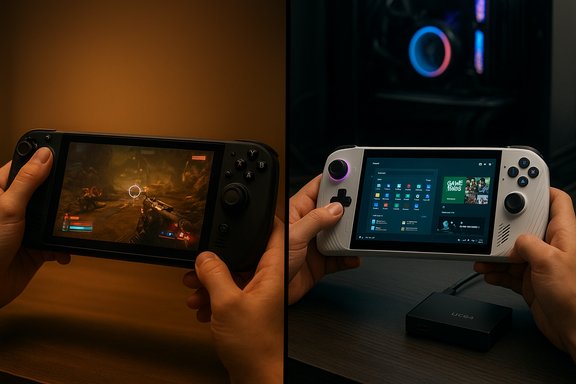
The handheld-PC showdown that began in earnest with Valve’s Steam Deck has matured into a far more complicated contest: Valve’s focus on efficiency and polish versus ASUS and Microsoft’s push for raw Windows-powered performance and ecosystem flexibility, with the ROG Ally family—especially the premium Ally X—emerging as the loud, faster alternative to the Steam Deck’s quieter, longer-running approach.
Since the Steam Deck’s 2022 launch, handheld PC gaming has split into two clear philosophies. Valve doubled down on a curated, console‑like handheld experience powered by SteamOS and an APU tuned for efficiency and consistent frame delivery. ASUS and Microsoft, by contrast, pursued a Windows‑native route with the ROG Ally line—prioritizing higher CPU/GPU ceilings, native Xbox/Game Pass support, and features aimed at bringing full PC compatibility to a 7‑inch form factor. Valve’s Steam Deck OLED iterated on the Deck’s strengths with a brighter, more power‑efficient OLED panel and internal tweaks that increased battery life, while ASUS pushed hardware limits with the ROG Ally X: bigger battery, more RAM, USB4, and higher TDP envelopes for better sustained throughput. Valve’s official Steam Deck OLED specs confirm the 7.4″ 1280×800 OLED, 90Hz panel and a larger battery in the OLED revision. ASUS’ launch materials and hands‑on reviews set expectations for the Ally X: an AMD Ryzen AI Z2 Extreme APU, up to 24 GB of LPDDR5X, and an 80 Wh battery in the top SKU—hardware choices that tilt the device toward performance and docking use cases rather than pure battery economy.
Weaknesses: lower raw CPU/GPU ceiling, some anti‑cheat/game compatibility caveats.
Weaknesses: shorter battery life in many scenarios (unless you buy the higher‑capacity X SKU), more complex software upkeep, thermal and fan noise under heavy loads.
In short: this is not a two‑horse race decided by a single metric—it’s a choice between two philosophies of portable PC gaming.
Source: 9meters Steam Deck vs ROG Ally: 2026 Performance Comparison - 9meters
 Background / Overview
Since the Steam Deck’s 2022 launch, handheld PC gaming has split into two clear philosophies. Valve doubled down on a curated, console‑like handheld experience powered by SteamOS and an APU tuned for efficiency and consistent frame delivery. ASUS and Microsoft, by contrast, pursued a Windows‑native route with the ROG Ally line—prioritizing higher CPU/GPU ceilings, native Xbox/Game Pass support, and features aimed at bringing full PC compatibility to a 7‑inch form factor. Valve’s Steam Deck OLED iterated on the Deck’s strengths with a brighter, more power‑efficient OLED panel and internal tweaks that increased battery life, while ASUS pushed hardware limits with the ROG Ally X: bigger battery, more RAM, USB4, and higher TDP envelopes for better sustained throughput. Valve’s official Steam Deck OLED specs confirm the 7.4″ 1280×800 OLED, 90Hz panel and a larger battery in the OLED revision. ASUS’ launch materials and hands‑on reviews set expectations for the Ally X: an AMD Ryzen AI Z2 Extreme APU, up to 24 GB of LPDDR5X, and an 80 Wh battery in the top SKU—hardware choices that tilt the device toward performance and docking use cases rather than pure battery economy. Current generation snapshot (what you'll actually buy)
Valve: Steam Deck OLED (practical overview)
- 7.4″ OLED, 1280×800, up to 90Hz display.
- Updated internal APU and thermal profile for improved battery life.
- 50 Wh battery (in OLED SKUs); Valve quotes 3–12 hours depending on workload.
- SteamOS 3.x with Proton for broad Windows‑game compatibility and a Deck‑verified program for easier shopping.
ASUS: ROG Ally family (practical overview)
- Two-tier strategy: base ROG Ally (Z2 A / Z1 in earlier variants) and premium ROG Ally X (Z2 Extreme / Ryzen Z1 Extreme line evolution in some regions).
- Ally X highlights: 7″ 1080p 120Hz IPS, AMD Ryzen AI Z2 Extreme/Z1 Extreme (high‑clock Zen 4 cores, up to 12 RDNA3 CUs in some SKUs), up to 24 GB LPDDR5X, 80 Wh battery on X SKUs, and USB4/DisplayPort for docking.
- Ships with Windows 11 and an Xbox full‑screen experience to provide a controller‑forward UI and Game Pass integration.
Key hardware and performance differences
CPU and GPU: architecture matters
The Steam Deck’s APU is a custom AMD design (Zen 2 + RDNA2 block) optimized for a low power envelope. This keeps thermals down and battery life high. The ROG Ally X uses modern Zen 4‑derived Ryzen Z‑class silicon (Z1 / Z2 families depending on SKU) and an RDNA3 GPU block that supplies more compute units and higher clocks—yielding a meaningful uplift in raw single‑thread and multi‑thread throughput, and substantially more GPU pixel and shader performance in many tests. ASUS’ product page lists the Allied X’s CPU and GPU headroom alongside its memory and power specs. Real‑world effect: in CPU‑bound scenarios and modern AAA titles the Ally X can deliver 15–40% higher frame rates at similar visual quality settings when operating in comparable power modes. Independent reviews and community testing repeatedly show that the Ally family can outpace the Deck in peak and sustained performance when an aggressive TDP profile is enabled.Display: fidelity versus pixel density
- Steam Deck OLED: OLED contrast and HDR capability give deeper blacks, punchier color, and better subjective image quality for a lot of single‑player and atmospheric games. Valve’s OLED also moved to 90Hz, improving smoothness over the original LCD.
- ROG Ally (and Ally X): native 1920×1080 at 120Hz on a 7″ IPS panel produces noticeably sharper UI and text and enables high‑refresh competitive play where the hardware can hit high frame rates. ASUS targets higher peak brightness and 120Hz responsiveness in the marketing materials.
Memory and storage
The Ally X’s top SKU ships with 24 GB LPDDR5X and a user‑accessible M.2 2280 slot in many configurations—this allows larger shader caches, better multitasking, and a more laptop‑like upgrade path. The Steam Deck’s design remains fixed at 16 GB LPDDR5 in current Deck SKUs, with user‑replaceable NVMe only possible through more invasive teardown. Storage access speeds are typically faster on the Ally X’s NVMe implementations.Benchmarks and real‑world gaming: what the numbers actually mean
Synthetic and in‑game testing
Benchmarks show a clear directional advantage for the Ally X in raw throughput. In practice:- At native handheld resolutions (Deck: 1280×800; Ally: 1920×1080), the Ally X can deliver higher raw frame rates, but often at the cost of much higher power draw and heat. Independent hands‑ons and editorial tests show the Ally family can be 15–40% faster in CPU/GPU bound scenarios depending on the title and power cap.
- Many benchmarkers and community testers emphasize that these gains are conditional on power mode. When both devices are restricted to mid‑TDP profiles (15–20 W), the Ally still frequently maintains an edge, but smaller than at maximum turbo. Community tests installing lean Linux images on Ally hardware demonstrated notable FPS and 1%‑low improvements in mid‑range power windows—showing the software layer can change outcomes significantly.
Practical gaming examples (typical outcomes)
Community comparisons using representative modern titles report the following patterns:- Cyberpunk‑class open worlds: Deck at medium settings and 800p typically lands in the 30–45 FPS range; Ally X at 1080p can push mid‑40s to 60 FPS depending on TDP and upscaling (FSR/RSR) use.
- Souls‑like and less GPU‑bound titles (Elden Ring, Baldur’s Gate 3): Ally often reaches higher averages at native resolution; Deck maintains respectable FPS and better thermal/battery consistency.
Battery life and power management: the defining tradeoff
Battery life is the single most practical differentiator for many buyers.Steam Deck: efficiency first
Valve engineered the Deck for handheld use with a conservative thermal and power profile (15W typical gaming envelope). The Steam Deck OLED’s larger battery and the more efficient OLED panel increase real‑world runtimes, with Valve quoting 3–12 hours depending on workload and many real‑world tests showing 3–5 hours for AAA titles and significantly longer for indies and older games.ROG Ally (standard) and Ally X: capacity versus draw
- The non‑X Ally models ship with smaller batteries (around 40–60 Wh depending on SKU) and higher TDP ceilings, which often translate to 1.5–3 hours for demanding AAA sessions at full performance.
- The Ally X ups the battery to 80 Wh, which increases session times substantially. In real hands‑on testing and community reports, the Ally X with 80 Wh can stretch to ~3–4 hours in demanding AAA play under moderate power profiles, and longer for less intensive titles—matching or sometimes beating the Deck in absolute hours at lower refresh rates or when the Ally X is capped for efficiency.
- If you mostly play long sessions away from power (planes, trains, long commutes), the Steam Deck’s efficiency and better battery economy make it the pragmatic choice.
- If you prioritize on‑device performance and plan to dock or plug in frequently—or you’re comfortable accepting shorter battery life for higher fidelity—the Ally X is more appropriate.
Thermals and sustained performance
Small chassis + powerful silicon = thermal compromise. Valve caps the Deck’s APU to a conservative envelope so it stays cooler and quieter, favoring consistent performance over peak numbers. The Ally X, with an aggressive cooling design and higher TDP ceilings, runs warmer when in Turbo modes and spins the fans harder; it will achieve higher sustained clocks for longer but at the cost of surface warmth and audibility. Several reviews call the Ally X a “laptop‑class” performer in short bursts but note that sustained 30–35 W operation will generate heat and eventual thermal throttling on prolonged sessions.Software, compatibility, and the UX tradeoffs
SteamOS (Deck): curated, polished, efficient
SteamOS gives the Deck a console‑like pick‑up‑and‑play flow. It limits background noise, offers a robust Proton compatibility layer for Windows games, and ships with “Deck Verified” badges that simplify buying decisions. The OS also exposes precise TDP and framerate controls within a gaming‑first UI—important for balancing performance and runtime. For many players, the Deck’s cohesion is the feature, not a bug.Windows 11 (Ally): full compatibility, more overhead
The Ally’s Windows 11 foundation gives it immediate access to Game Pass, native anti‑cheat compatibility, and every PC storefront. That flexibility is a major advantage for players who rely on Game Pass, emulators, or non‑Steam titles. The downside: Windows carries background services, complex update behavior, and desktop artifacts that are magnified on a handheld. ASUS and Microsoft attempted to mitigate this with an Xbox full‑screen experience and Armoury Crate SE for quick profiles, but early users still observed rough edges.The Linux experiment and why it matters
Community projects and Fedora‑based SteamOS‑style distros like Bazzite have shown measurable improvements on Ally hardware in mid‑TDP windows: better 1% lows, fewer shader hitch spikes, and sometimes 20–30% higher averages in specific scenes. These experiments reveal a critical engineering truth: in thermally limited handhelds, the software stack is as decisive as silicon for perceived smoothness. That said, switching to Linux may break or complicate anti‑cheat and Game Pass integration, so it’s a tradeoff for power users rather than a mainstream solution.Build quality, ergonomics and everyday use
- Steam Deck: heavier and chunkier but designed for long handheld sessions with excellent weight distribution, tactile controls, and integrated trackpads for mouse‑style control in strategy titles. The OLED model adds a more premium feel with refined materials.
- ROG Ally: lighter (non‑X) and Xbox‑style familiar controls; the Ally X is heavier but feels better balanced for docking and higher performance use. ASUS improved trigger feel, haptics, and included extras like programmable grip buttons and a fingerprint sensor on some SKUs. Community feedback praises the Ally’s comfort but warns that the white finishes (on some SKUs) show wear more easily.
Compatibility, anti‑cheat, and Game Pass
This is where Windows shines in practice: many competitive online games and anti‑cheat systems are still problematic under Proton/SteamOS. For players who need day‑one Game Pass titles, Xbox ecosystem tightness, or robust anti‑cheat compatibility, the Ally’s Windows foundation is decisive. Valve and community testing have improved Proton and anti‑cheat compatibility considerably, but the Windows route remains the safer option for universal compatibility.Strengths, weaknesses, and buyer profiles
Steam Deck — who it’s best for
- You want a cohesive, console‑like handheld that “just works.”
- Battery life and quiet operation for extended handheld play sessions matter most.
- Your library is Steam‑centric and you’re comfortable with Valve’s Proton ecosystem.
- You prefer a simpler out‑of‑the‑box experience without frequent Windows maintenance.
Weaknesses: lower raw CPU/GPU ceiling, some anti‑cheat/game compatibility caveats.
ROG Ally / Ally X — who it’s best for
- You want the broadest compatibility (Game Pass + Steam + Epic + emulators) and native Windows.
- You prioritize maximum local performance and docking/desktop flexibility.
- You’re willing to tinker with power profiles, OS choices, or carry a charger for longer sessions.
Weaknesses: shorter battery life in many scenarios (unless you buy the higher‑capacity X SKU), more complex software upkeep, thermal and fan noise under heavy loads.
Practical recommendations and buying checklist
- Prioritize battery life? Buy a Steam Deck OLED (or choose a configuration and settings that maximize runtime).
- Prioritize raw performance, Game Pass, and docking? Buy the ROG Ally X and plan for shorter unplugged sessions but better 1080p performance.
- Want flexibility and are comfortable with tinkering? Consider an Ally X and experiment with Linux/SteamOS‑style distros for smoother frame pacing in targeted games—just dual‑boot to keep Game Pass and anti‑cheat options. Community testing shows measurable gains in this setup for some titles.
- Plan for accessories: a higher‑wattage USB‑PD charger and a USB4/DisplayPort dock are useful for the Ally X; for the Deck, Valve’s official dock or a well‑spec’d USB‑C dock works well to convert the handheld into a desktop experience.
Risks, marketing claims, and what to watch for
- NPU and AI claims are often highlighted in marketing but remain partially unproven in independent, reproducible gaming benchmarks. ASUS and Microsoft both talk up on‑device AI features (Auto SR, highlight reels), and ASUS references NPUs in its press materials, yet independent validation of day‑one advantages is limited. Treat NPU/TOPS marketing numbers as potential future advantages rather than guaranteed, immediate game‑changing features.
- Software maturity matters more than raw specs. Community tests repeatedly show that OS and driver posture (Windows vs tuned Linux images, shader cache strategies) materially alter real‑world performance and smoothness on handhelds. Buyers should expect firmware and driver updates in the months after purchase; early adopters may experience rough edges.
- Battery life claims will vary: vendor numbers are optimistic upper bounds or lab data points. Real‑world runtime depends on brightness, TDP cap, background services, and framerate choices. Independent hands‑on reviews and community testing are your best way to anticipate actual session lengths for the titles you play.
Final analysis: which wins the 2026 handheld war?
There is no universal winner—only the right tool for your priorities.- The Steam Deck (OLED) remains the best pick for players who value portability, battery life, and a console‑like, curated experience. Valve’s focus on a tuned OS + hardware combo gives the Deck a durability of experience that matters more than raw numbers for many users.
- The ROG Ally X is the choice for power users who want Windows flexibility, the highest local performance available in a handheld, and features like USB4 docking and upgradeable storage. It demands compromise—battery and software polish at launch—but it opens the door to a portable PC that behaves like a full desktop when docked.
Closing verdict and buyer checklist
- Steam Deck (OLED) — Best for: long unplugged sessions, streamlined Steam experience, OLED‑class visuals, minimal fuss. Recommended if you value consistency and battery life over raw framerate headroom.
- ROG Ally X — Best for: users who demand native Windows compatibility, Game Pass, higher sustained performance, and a handheld that doubles as a serious dockable mini‑PC. Recommended if you value performance and compatibility and accept shorter unplugged sessions.
In short: this is not a two‑horse race decided by a single metric—it’s a choice between two philosophies of portable PC gaming.
Source: 9meters Steam Deck vs ROG Ally: 2026 Performance Comparison - 9meters
