

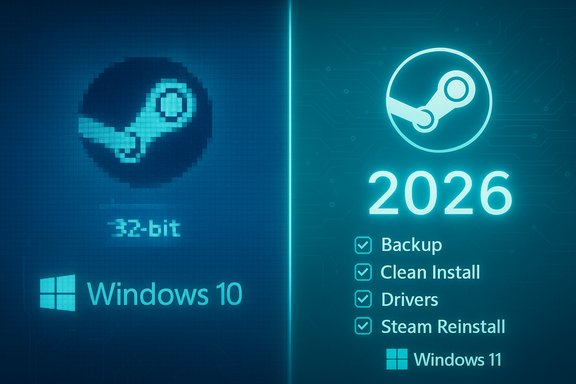
Valve’s Steam client will stop receiving official support on 32‑bit Windows systems starting January 1, 2026, forcing gamers who still run Windows 10 (32‑bit) to choose between staying on an increasingly unsupported setup or upgrading to a 64‑bit OS to keep receiving updates, security fixes, and official Steam Support.
Steam has steadily narrowed the range of legacy Windows platforms it supports over the past few years as the industry and hardware ecosystem have shifted almost entirely to 64‑bit architectures. In January 2024 Valve ended support for Windows 7, 8 and 8.1; the next step is the retirement of support for 32‑bit Windows variants — in practice, the remaining Windows 10 (32‑bit) installations — on January 1, 2026. This change affects a very small slice of Steam’s user base. Valve’s own hardware survey data shows that only about 0.01% of Steam users report running a 32‑bit edition of Windows 10, a figure cited repeatedly by press outlets covering Valve’s announcement. For context, the vast majority of Steam users are already on 64‑bit Windows 10 or Windows 11, and Windows 11 itself is distributed only as a 64‑bit OS. Even so, the practical implications for the machines that remain on 32‑bit Windows are meaningful: after the cutoff date those systems will no longer receive Steam updates — including feature updates and security patches — and Steam Support will stop offering help for issues tied to those outdated OS versions. Valve has indicated that existing installations may continue to run “for the near term,” but that continued functionality cannot be guaranteed.
Source: russpain.com Steam: What Awaits Owners of Older PCs and How to Keep Access to Your Games
 Background
Steam has steadily narrowed the range of legacy Windows platforms it supports over the past few years as the industry and hardware ecosystem have shifted almost entirely to 64‑bit architectures. In January 2024 Valve ended support for Windows 7, 8 and 8.1; the next step is the retirement of support for 32‑bit Windows variants — in practice, the remaining Windows 10 (32‑bit) installations — on January 1, 2026. This change affects a very small slice of Steam’s user base. Valve’s own hardware survey data shows that only about 0.01% of Steam users report running a 32‑bit edition of Windows 10, a figure cited repeatedly by press outlets covering Valve’s announcement. For context, the vast majority of Steam users are already on 64‑bit Windows 10 or Windows 11, and Windows 11 itself is distributed only as a 64‑bit OS. Even so, the practical implications for the machines that remain on 32‑bit Windows are meaningful: after the cutoff date those systems will no longer receive Steam updates — including feature updates and security patches — and Steam Support will stop offering help for issues tied to those outdated OS versions. Valve has indicated that existing installations may continue to run “for the near term,” but that continued functionality cannot be guaranteed. What Valve announced — the essentials
- As of January 1, 2026, Steam will stop supporting systems running 32‑bit versions of Windows.
- The only 32‑bit Windows edition Steam currently supports is Windows 10 (32‑bit); that edition is used by about 0.01% of Steam users per Valve’s Hardware Survey.
- Steam clients already installed on 32‑bit Windows will generally continue to launch after the end‑of‑support date, but they will no longer receive any updates — including important security fixes — nor will Valve offer technical support for OS‑related issues.
- Future versions of the Steam client will be developed and tested for 64‑bit Windows only; core features now depend on system drivers and libraries that aren’t supported on 32‑bit Windows.
Why Valve is taking this step
The architecture reality: 32‑bit is legacy
Over the last decade the industry moved decisively to 64‑bit computing. Hardware vendors, driver developers, and operating‑system maintainers prioritize 64‑bit builds; Windows 11 was released only as a 64‑bit OS, which means vendors focus QA, drivers, and libraries on 64‑bit distributions. Maintaining a production‑grade client that still relies on 32‑bit drivers and old libraries is increasingly costly and risky.Dependencies and security
Valve has highlighted that core Steam features depend on system drivers and other runtime libraries that are no longer maintained for 32‑bit Windows. One common example in prior deprecations was Steam’s embedded Chromium‑based components — when upstream components drop support for older Windows versions, Valve’s client gets affected too. Continuing to support every legacy configuration forces Valve to divert engineering and QA resources into compatibility work instead of new features and security improvements.Small population, big cost
From a business and engineering standpoint, the user impact is tiny. With only a few hundredths of a percent of users on 32‑bit Windows, prioritizing scarce engineering time for a platform that will only shrink further is difficult to justify. That statistical reality is central to Valve’s rationale and is backed by the platform’s hardware survey.What will change — practical effects for gamers
Immediate (after January 1, 2026)
- Steam client installers on 32‑bit Windows will not receive any new versions, bug fixes, or security updates.
- Valve’s Support team will not provide help for issues tied to those OS versions.
- The Steam client already installed may still open and let users play purchased games in the short term, but compatibility will erode over time.
Medium‑term (1–3 years after cutoff)
- New Steam features and integrations that rely on modern drivers, 64‑bit libraries, or platform services may simply not function on 32‑bit Windows. Expect growing incompatibilities.
- Security exposure increases because there will be no future client‑side patches for newly discovered vulnerabilities. Running an unpatched client on an internet‑connected PC carries a measurable risk.
Long‑term (3+ years)
- Some newer games or services may formally assume a 64‑bit client environment and stop working entirely on unsupported systems. Though 32‑bit games may still exist, the pathways to download, authenticate, or use cloud features could fail.
What will not change (or is unlikely to change)
- Valve is not deleting people’s libraries or preventing an installed client from launching on 32‑bit Windows immediately after the cutoff; purchases and existing installations are not being revoked. The shift is about support and updates, not about revoking access.
- 32‑bit games themselves continue to be runnable on modern 64‑bit Windows through Microsoft’s WoW64 compatibility subsystem; moving to 64‑bit Windows preserves access to older titles.
How to prepare: a practical upgrade checklist
For enthusiasts running Steam on 32‑bit Windows, preparation is straightforward but requires planning. Below is a prioritized, technical checklist to minimize friction and risk.- Backup everything
- Create a full backup of game installers, save‑games, custom config files, and any irreplaceable data. Use external drives or a trusted cloud backup. Backups prevent data loss if you must reformat for a 64‑bit install.
- Confirm your CPU supports 64‑bit
- Most CPUs made in the last 10–15 years are 64‑bit capable. Use your system firmware/processor model to verify support; if the CPU is older than mid‑2000s, check vendor documentation.
- Plan a clean install of 64‑bit Windows
- Converting a 32‑bit OS to 64‑bit requires a clean installation: you cannot upgrade in place. Microsoft explicitly states that migrating from 32‑bit to 64‑bit Windows requires reformatting the disk and reinstalling the OS and applications.
- Create installation media
- Use the official Windows Media Creation Tool or Microsoft’s ISO downloads to create a bootable USB of the 64‑bit Windows edition you plan to install.
- Migrate game libraries
- Steam supports moving game install folders between drives/PCs; consider copying large game folders to an external drive and then pointing Steam at them after reinstalling or migrating. This minimizes download times.
- Reinstall drivers and validate firmware
- After installing 64‑bit Windows, install the latest 64‑bit drivers from the hardware vendor and update firmware (BIOS/UEFI) where applicable to ensure stability and compatibility.
- Reinstall Steam and validate account access
- Log into Steam and verify your library and saves (Steam Cloud) are intact. Re‑sync local save backups if needed.
Options for users who can’t or won’t upgrade hardware
Not every older PC can be upgraded to a 64‑bit OS — some very old laptops and embedded systems have 32‑bit‑only processors. For those users, there are alternatives to completely losing Steam access.- Use a second, modern PC as a game host or for account management, and stream games to your older machine via Steam Link or the Steam Remote Play feature. This requires another device capable of running the current Steam client. Steam Link/Remote Play lets a powerful host run the game while the older device handles input and streaming.
- Switch to Linux as a lightweight modern OS if your hardware supports it. Many distributions can run on older hardware and the Steam client on Linux (combined with Proton for Windows title compatibility) may offer a path to continue playing some games, though driver availability and performance vary by hardware. This is an advanced option and requires some Linux familiarity.
- Rely on cloud gaming services (GeForce Now, Xbox Cloud Gaming, etc. to play modern titles without running them locally. This shifts compute to remote servers and only requires a compatible client or browser on your older machine. Availability, latency, and library coverage differ between services. (Note: cloud gaming suitability depends on your network quality.
Risks, edge cases, and things Valve didn’t promise
Security liabilities
Running a client that no longer receives security updates creates real risk. Unpatched bugs in the client or its dependencies can be exploited, and Valve has explicitly said it will not supply security patches for 32‑bit clients after the cutoff. Gamers who keep such systems online should treat them as higher‑risk devices and avoid using them for sensitive tasks.Compatibility erosion
Steam’s embedded browser, DRM stubs, overlay features, anti‑cheat integrations, and cloud sync services evolve. Any of these subsystems could be updated in ways incompatible with 32‑bit runtime libraries, producing partial breakage even if the client launches. Valve’s statement that it cannot guarantee continued functionality is not rhetorical — it’s an engineering reality.Special environments and corporate setups
Some specialized hardware or industrial systems still run 32‑bit Windows for compatibility with legacy applications. If a corporate or lab environment depends on Steam for specific applications or testing, the recommendation is to isolate those systems from public networks, treat them as legacy devices, and plan for virtualization or air‑gapped solutions where feasible.Unverifiable or evolving claims
Valve cited Steam Hardware Survey numbers and internal assessments; Steam’s public survey is a rolling sample and percentages can shift slightly month to month. The precise figure (0.01%) is accurate as reported in Valve’s announcement window, but small statistical fluctuations are normal. Treat the 0.01% figure as a close approximation rather than an immutable constant.If you’re responsible for many machines: staged migration recommendations
For IT departments, refurbishers, or hobbyists managing multiple older systems, a staged, documented migration reduces downtime and data loss.- Inventory: capture CPU models, RAM, disk types, and whether each device’s CPU supports x86‑64.
- Categorize: Group systems into those that can be upgraded to 64‑bit Windows, those that could run a lightweight modern Linux, and those that are effectively retirements.
- Pilot: pick a small set of representative systems and run a full migration exercise (backup → clean install → validation). Measure time and failures.
- Rollout: migrate in waves based on criticality, using imaging tools and centralized management where possible.
- Decommission: wipe or repurpose hardware that cannot be practically upgraded.
Final analysis — strengths and risks of Valve’s move
Valve’s decision aligns with long‑term engineering sustainability. By focusing development on the 64‑bit ABI ecosystem, Valve can leverage modern drivers, improved memory models, and the security work being done by hardware and OS vendors. For the overwhelming majority of Steam users this is a non‑event; it frees Valve to innovate without being held back by a vanishingly small legacy population. However, there are legitimate downsides. A non‑zero number of users run Steam on older, often budget or otherwise constrained devices that are costly to replace. These users face an inconvenient choice: pay to upgrade hardware or accept an increasingly fragile setup. There is also a modest preservation concern for very old games and experiences that enthusiasts run on legacy rigs; while libraries remain owned, the path to playability may narrow over time as server features and authentication evolve. Valve’s public assurance that installed clients “may continue to function” is helpful, but it’s not a guarantee. Overall, the move is technically sensible and economically rational, but it highlights the broader lifecycle problem in PC gaming: game preservation, legacy hardware, and the cumulative cost of progress. The most practical path for users is to prepare now — back up, validate hardware, and plan a clean migration to 64‑bit Windows (or a suitable modern alternative) before January 1, 2026, to avoid rushed upgrades and avoidable data loss.Conclusion
Valve’s planned end of Steam support for 32‑bit Windows on January 1, 2026 is a clear signal that the era of 32‑bit Windows as a mainstream gaming platform is over. The change will have negligible effect for the majority of gamers, but for those still on Windows 10 (32‑bit) the choice is straightforward: migrate to a supported 64‑bit OS to retain updates, security and full Steam functionality; or accept an unsupported setup that will grow riskier and less compatible over time. Start the migration process now — backup, verify hardware capability, and prepare installation media — to ensure a smooth transition and uninterrupted access to your Steam library.Source: russpain.com Steam: What Awaits Owners of Older PCs and How to Keep Access to Your Games
