

A low-cost, high-impact trick is resurfacing with fresh polish: a cybercrime crew tracked by Microsoft as Storm-2561 has been distributing trojanized VPN clients — convincing MSI installers that sideload malicious DLLs and harvest corporate credentials — by deliberately manipulating search results and hosting their fakes on legitimate developer infrastructure. The campaign, first observed in mid‑January 2026 and publicized by Microsoft in March, spoofs well-known enterprise VPN brands including Fortinet, Cisco, Ivanti, SonicWall and others, and uses a short, clever social-engineering loop that captures credentials and then directs victims to the real vendor site so the compromise looks like a one‑off installation glitch rather than a theft. (theregister.com)
This matters because the payload is simple and effective: steal VPN usernames and passwords used by employees to access corporate networks. Those credentials are precisely the commodity initial‑access brokers and ransomware groups need. Unlike complex zero‑day exploits, this campaign exploits routine human behaviour — searching for a vendor download and trusting search results or GitHub hosting — and weaponizes that trust to harvest credentials at scale. (theregister.com)
Organizations should treat this as an urgent reminder to harden identity, visibility and software‑distribution processes: enforce MFA everywhere, remove exceptions, centralize installations, monitor certificate usage and VPN logs, and train users to distrust top search results for software downloads. If anything in the reporting is unclear — especially around certificate thumbprints and specific hashes — defenders should treat those claims as investigative leads and validate them against internal telemetry before mass blocking. The path to mitigation is straightforward in concept; the hard part for defenders is operationalizing those steps at enterprise scale before the next SEO‑poisoning campaign reuses the same playbook. (theregister.com)
Source: theregister.com Credential-stealing crew spoofs Ivanti, Fortinet, Cisco VPNs
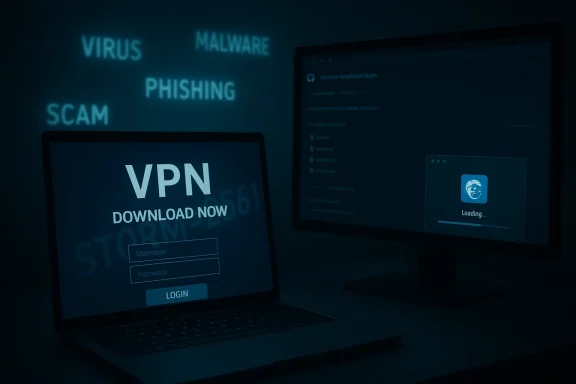 Background
Who is Storm‑2561 and why does this matter?
Storm‑2561 is one of the financially motivated “Storm” gangs Microsoft tracks while their tradecraft and ecosystem mature; Microsoft’s telemetry ties the actor to SEO‑poisoning distribution of trojanized installers and loader families such as SilentRoute and other initial‑access loaders. The group first appears in Microsoft telemetry in mid‑2025 and has repeatedly used search‑engine manipulation combined with brand impersonation to reach targets.This matters because the payload is simple and effective: steal VPN usernames and passwords used by employees to access corporate networks. Those credentials are precisely the commodity initial‑access brokers and ransomware groups need. Unlike complex zero‑day exploits, this campaign exploits routine human behaviour — searching for a vendor download and trusting search results or GitHub hosting — and weaponizes that trust to harvest credentials at scale. (theregister.com)
The wider context: VPNs are a repeated target
VPN appliances and clients have long been a target for initial access and credential theft. Multiple high‑profile campaigns and advisories over the past years (Pulse Secure Ceothers) show threat actors both exploiting vulnerable, internet‑facing appliances and weaponizing credentials they acquire. For defenders this creates a two‑front problem: secure the gateway and assume credentials may be stolen. Recent CISA and joint advisories detail how stolen VPN credentials have been reused to move laterally and deploy ransomware, underscoring why credential harvesting remains high‑impact.How the campaign works: step‑by‑step
1. SEO poisoning and spoofed vendor pages
The operators research common search queries used by IT staff and remote workers (for example, “Pulse VPN download”, “Fortinet VPN client”, “Ivanti Connect Secure client”) and then push malicious pages to the top of results using SEO manipulation and other search‑result tricks. Those pages are designed to mimic a vendor download portal closely enough to pass a quick visual check. Clicking the spoofed result redirects the user to an attacker‑controlled GitHub repository that hosts a Windows Installer (MSI) file packaged to look like the vendor client. (theregister.com)2. Signed MSI that sideloads malicious DLLs
The MSI installer contains two malicious dynamic‑link libraries — reported as dwmapi.dll and inspector.dll — which are sideloaded during installation. The fake installer then displays a sign‑in prompt that closely resembles a legitimate VPN client’s authentication dialog. When the victim enters corporate credentials, those values are captured and exfiltrated to attacker command‑and‑control infrastructure. Reported samples in the campaign were digitally signed with a certificate issued to a company named in the reporting; the certificate was later revoked. (theregister.com)3. The deception completes itself
After credentials are entered and exfiltrated, the fake client displays a failure message and instructs — or even directs — the user to download the legitimate VPN client from the vendor’s official website. If the user then installs the real client and successfully connects, the visible outcome is simply “the installer failed, but the real client works,” leaving no outward sign of compromise. That behaviour is the campaign’s key trick: it eradicates the evidence of user suspicion while giving the attackers credentials to reuse elsewhere. (theregister.com)Technical deep dive: why the malware is effective
Trusted signals and the illusion of legitimacy
- Digital signatures: The MSI and the malicious DLLs were reported as signed with a valid certificate at the time of distribution. A valid signature is a powerful trust signal for admins and users; it can bypass simple policy checks and give a false sense of safety. The certificate’s later revocation is useful for detection, but revocation is not instantaneous across all environments. (theregister.com)
- GitHub hosting: Attackers host the payloads in GitHub repositories. Many users and IT pros implicitly trust GitHub content, and corporate policies that whitelist GitHub or allow downloads from github.io make distribution easier for the adversary. (theregister.com)
- User interface mimicry and workflow continuity: The fake sign‑in dialog mimics a legitimate client — and the “error then launch real client” workflow closes the loop. Most users attribute the initial failure to transient installation problems and keep using the real software, which reduces detection via helpdesk escalations. (theregister.com)
Sideloaded DLLs: a classic but robust technique
Sideloading or DLL search‑order hijacking is a time‑tested approach for making malicious code load inside a benign process or installer. By bundling malicious DLLs that the MSI will load during install, the attackers ensure code executes with local user privileges and can capture credentials shown in UI controls or intercepted during the installation flow. The specifics reported (dwmapi.dll and inspector.dll) match that pattern: small helper DLLs that perform credential capture and exfiltration. (theregister.com)What we cannot yet verify publicly
The Register and Microsoft both reported the use of a digital certificate issued to a named company and stated it was revoked after discovery. At the time of writing, independent certificate authority logs and public revocation listings were not exhaustive enough to validate every claim about the certificate owner and the revocation timeline. Defenders should treat any certificate referenced in third‑party reporting as potentially malicious‑related until they can confirm revocation and fingerprint the exact cert serial number locally. Flagging and blocking specific certificate serials and thumbprints remains best practice where possible. (theregister.com)Indicators, detection guidance, and incident response
Indicators reported by defenders
- Spoofed domains observed in the campaign include provider‑style names used to host GitHub links (examples reported in Microsoft’s write‑up include vpn‑fortinet[.]com and ivanti‑vpn[.]org). These domains redirected to GitHub repositories hosting MSI files. (theregister.com)
- MSI installers bundling dwmapi.dll and inspector.dll, or suspicious DLLs loaded during installation flows that capture input. (theregister.com)
- Outbound network connections from user hosts to unusual C2 endpoints following a failed installer attempt. Monitor for HTTP/S POSTs or DNS requests soon after MSI install events.
Practical detection steps for defenders
- Search endpoints for recently installed MSI files matching vendor names but with unusual path or publisher metadata. Look for MSI files whose publisher fields don’t match the official vendor or that carry unexpected certificate thumbprints.
- Hunt for autorun and scheduled tasks created shortly after suspected installations. Trojans that persistently capture credentials often create lightweight persistence.
- Inspect process trees spawned by installers for child processes loading non‑standard DLLs (noting especially binaries named similarly to known system DLLs but present in user temp folders).
- Monitor VPN authentication logs for atypical successful authentications immediately after an MSI install or from unusual Iorrelate those entries with helpdesk ticketing for “installer failed but client works” reports.
- Block and monitor the specific domains and GitHub repo names reported by vendors and public intelligence; add temporary URL blocks for search poisoning landing pages when they are identified.
Incident response checklist (if you suspect compromise)
- Immediately require password resets and rotation for accounts used with the affected VPN clients; enforce a password change policy that invalidates cached credentials.
- Force reissue of any service or device certificates if they relied on the affected credentials.
- Inspect VPN connection logs for lateral movement, suspicious remote sessions, or unusual administrative activity.
- Apply endpoint forensics to any host that downloaded the MSI: collect MSI installer artifacts, DLLs, memory images and network captures for C2 extraction.
- Notify identity providers and enforce conditional access policies (see mitigations). If MFA was not enabled for a compromised account, treat the account as fully exposed and run a privileged inventory of credentials.
Mitnd strategic
Three immediate, vendor‑neutral actions
- Enforce multi‑factor authentication (MFA) across the board. MFA prevents captured credentials from being useful unless attackers also control the second factor. Microsoft and independent reporting emphasize MFA as the single most effective blunt instrument against credential theft. Require MFA for VPN access and remove exceptions or exclusions wherever possible. (theregister.com)
- Do not allow employees to store corporate credentials in browsers or personal password vaults. Encourage or enforce enterprise password managers that require corporate SSO/managed identity to access vaults. This prevents browser‑ or personal‑vault scraping from becoming game over. (theregister.com)
- Harden download channels and endpoint execution policies. Block MSI execution from temp directories, restrict end‑user install permissions, implement application control (Windows Defender Application Control or equivalent), and enforce allow‑listing for enterprise installers. Make it harder for attackers to run an arbitrary MSI at all.
Defense‑in‑depth controls to add or verify
- Secure web gateway and DNS filtering to block known spoof domains and to catch search‑poisoning landing pages before users arrive.
- Content‑disarm and reconstruction (CDR) for downloaded installers where feasible, or sandbox downloads for inspection.
- Endpoint detection and response (EDR) rules that flag MSI installations spawning unexpected child processes, and behavioral telemetry that watches for credential capture patterns (keyboard hooks, Win32 API reading of UI controls).
- Certificate monitoring (Certificate Transparency logs + enterprise revocation checking) to detect newly appearunexpected publishers and to block revoked certs at the endpoint if possible. Note: cert revocation propagation can lag, so do not rely on it alone.
- Enterprise password hygiene: enforce password uniqueness, check for reuse, and rotate high‑value credentials on a regular schedule.
Why this campaign is attractive to crime gangs — and what it enables
- Low technical cost, high yield: SEO poisoning and fake installers demand modest infrastructure and operational complexity compared with exploit development, yet they can yield credentials en masse.
- Resilience through legitimate services: Hosting on GitHub and signing binaries increases the appearance of legitimacy and reduces immediate triage. Many organizations have lax rules for GitHub content. (theregister.com)
- Access brokering and ransomware: Stolen VPN credentials are a currency for initial‑access brokers and ransomware affiliates. Historical incident reporting shows stolen VPN credentials frequently lead to lateral movement, credential escalation and, ultimately, extortionate outcomes. CISA and FBI guidance on reused VPN credentials and follow‑on exploitation underscores the real‑world damage at stake.
Assessing the limitations and open questions in public reporting
Several aspects of the campaign are well‑documented (the behavioural flow of SEO‑to‑GitHub‑to‑signed‑MSI to credential capture), but some technical claims require careful confirmation before automated blocking actions are taken in enterprise environments.- Reports identify a named certificate used to sign malicious files and say the certificate was revoked; defenders should verify the certificate thumbprint in their own telemetry and confirm the revocation status in certificate logs before applying blanket certificate blocks. Public CA revocation and transparency logs can be inconsistent; use enterprise telemetry to confirm. (theregister.com)
- Exact C2 hostnames and malware hashes evolve rapidly. Public writeups are useful for triage but should not be the only basis for long‑term blocklists; instead, feed confirmed IOCs into enterprise tooling and correlate with internal logs. Microsoft’s threat intel and related podcast transcripts are authoritative starting points, but incident teams must validate IOCs locally.
Practical checklist for Windows administrators (quick wins)
- Enforce MFA for all VPN and privileged accounts immediately.
- Audit and block storage of corporate credentials in personal browser vaults or consumer password managers.
- Implement application allow‑listing to prevent arbitrary MSI execution from temporary directories.
- Configure endpoint certificate revocation checking and add suspicious cert thumbprints to blocklists after validation.
- Review VPN logs for successful authentications from new geographies or IPs between mid‑January 2026 and present and correlate with helpdesk installer failure tickets.
- Educate users: searching for vendor software and trusting the top search result is no longer safe; teach employees to verify vendor sites and to install clients only from vendor portals or centrally managed software distribution tools. (theregister.com)
Longer‑term posture: build systems that remove human guesswork
The recurring theme here is trust: users trust search engines, GitHub and a digital signature. The pragmatic long‑term response is to reduce the number of decisions a user must make when installing softwarre distribution (SCCM/Intune/MDM), policy‑driven installs, and enterprise identity‑based secrets management reduce exposure to search‑led scams. Combine that with continuous threat‑intel ingestion and behavioral EDR detection to make the window for an attacker as narrow as possible.Conclusion
This campaign is a textbook example of adversaries combining simple technical tricks with human trust signals to get high‑value credentials with minimal friction. The operators behind Storm‑2561 are not relying on exotic exploits; they exploit trust — search rankings, GitHub hosting, valid‑looking signatures, and a small social‑engineering manoeuvre that closes the loop and erases suspicion.Organizations should treat this as an urgent reminder to harden identity, visibility and software‑distribution processes: enforce MFA everywhere, remove exceptions, centralize installations, monitor certificate usage and VPN logs, and train users to distrust top search results for software downloads. If anything in the reporting is unclear — especially around certificate thumbprints and specific hashes — defenders should treat those claims as investigative leads and validate them against internal telemetry before mass blocking. The path to mitigation is straightforward in concept; the hard part for defenders is operationalizing those steps at enterprise scale before the next SEO‑poisoning campaign reuses the same playbook. (theregister.com)
Source: theregister.com Credential-stealing crew spoofs Ivanti, Fortinet, Cisco VPNs
