

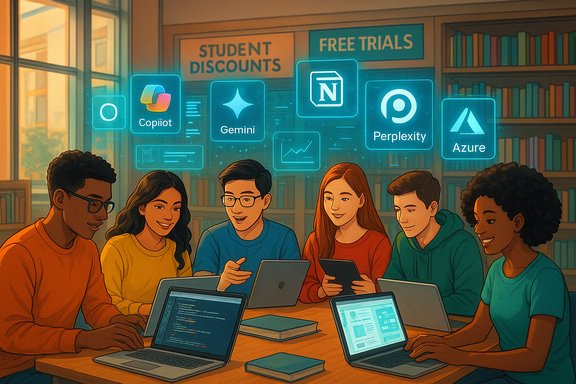
Students strapped for cash can still get powerful AI tools — if they know where to look and how to verify eligibility. The past 18 months have seen major AI vendors roll out targeted education offers: everything from free-year trials of AI-augmented productivity suites to perpetual access to development platforms, and generous cloud credits for building projects. This feature unpacks the 11 AI-powered products students most often ask about, verifies the headline claims where possible, and lays out practical, safety-first advice for claiming and using these discounts without surprises.
Technology vendors have two strong incentives to discount for students: long-term user acquisition and early training on tools that become professional standards. Over the last year vendors have layered AI capabilities into existing products (for example, Copilot inside Office apps and Firefly inside Adobe tools) and then used student promotions to accelerate adoption. Those promotions are often time-limited, region-dependent, and gated by verification services such as SheerID — which means the offers are real and valuable, but also require careful attention to the sign-up flow and renewal terms. Microsoft’s high-profile student push, for example, has generated considerable community discussion and guidance because of its scale and the Copilot integration.
Students should treat these discounts as tools for learning rather than a substitute for institutional resources when dealing with sensitive or regulated data. The offers listed here are generous and, when used responsibly, can accelerate coursework, capstone projects and job-ready skills. Always verify live terms, manage auto-renewal, and keep privacy and academic integrity top of mind while you learn.
Source: TechPP 11 AI-Powered Tools With Student Discounts - TechPP
 Background
Technology vendors have two strong incentives to discount for students: long-term user acquisition and early training on tools that become professional standards. Over the last year vendors have layered AI capabilities into existing products (for example, Copilot inside Office apps and Firefly inside Adobe tools) and then used student promotions to accelerate adoption. Those promotions are often time-limited, region-dependent, and gated by verification services such as SheerID — which means the offers are real and valuable, but also require careful attention to the sign-up flow and renewal terms. Microsoft’s high-profile student push, for example, has generated considerable community discussion and guidance because of its scale and the Copilot integration.What this list covers — quick snapshot
- Google AI Pro (Gemini) — large suite with Gemini Advanced access, NotebookLM upgrades and up to 2 TB storage in some student promos. Verified limited-time student programs exist and use SheerID for enrollment.
- Perplexity Pro — research-focused assistant with a year-long student/educator promotion in many cases and post-promo low-cost renewal options. Official verification flows and help articles document education eligibility.
- Notion AI — free Plus Plan access for qualifying students and student organizations when verified by institutional email. Notion documents the process and limitations.
- Microsoft 365 + Copilot — multi-month or year-long student trials with integrated Copilot in Word, Excel and PowerPoint, plus 1 TB OneDrive in many offers; region and timing matter. Microsoft’s official blog and independent reporting corroborate the promotion details.
- Otter AI — explicit student & teacher discount on Pro plans with a documented purchasing flow for edu accounts.
- Canva, Figma, Adobe Creative Cloud — well-established education plans (Canva Education for K‑12, Figma Education for K‑12 through higher ed, Adobe Creative Cloud Pro student pricing and periodic promotions) with clear eligibility rules and promotional pricing.
- Microsoft Azure for Students — $100 annual Azure credits and free developer tools, renewable while enrolled. Official Azure pages confirm credit limits and renewal terms.
- Unreal Engine — free for learning and educational use, with enterprise/custom licensing for large commercial deployments; Epic provides academic programs and learning resources for students and educators.
- GitHub Student Developer Pack — includes GitHub Pro, Codespaces hours and partner offers; the education hub lists included benefits and redemption paths.
Google AI Pro (Gemini) — what’s on the table and what to check
What the offer is
Google has run student promotions that bundle Gemini Advanced (Gemini Pro-level capabilities), NotebookLM upgrades, and expanded Google One storage (commonly 2 TB) for qualifying college students. Enrollment typically requires identity verification via SheerID and may be region- or carrier-partner specific (some country-specific telco partnerships have offered extended access). Official Google announcements describe the program and its contents clearly.Why it matters to students
- Access to Gemini Advanced and NotebookLM makes research and long-form synthesis faster.
- Generative tools (image/video/flow/canvas) speed multimedia coursework and presentations.
- Extra cloud storage reduces the need for separate paid drive subscriptions.
Caveats and verification
- These are often limited-time or season-based promotions and can vary by country. Verify the live sign-up UI and SheerID prompts before assuming local eligibility. If the offer requires a payment method for verification, confirm auto-renewal settings immediately.
Perplexity Pro — for research-intensive workflows
What Perplexity Pro provides
Perplexity Pro focuses on research accuracy: enhanced citation behavior, unlimited Pro search and uploads, access to advanced models, and special academic/research tiers. Perplexity’s help center documents student verification steps and the company has run promotions that provide a year of Pro access to educators and students in sponsored programs. Independent guides list three common ways students have qualified for free Perplexity Pro in past promos (partner telcos, institutional or PayPal/Venmo promotions), but these can be time-limited.Strengths
- Built for research workflows with citations and follow-ups.
- Useful for literature reviews, annotated bibliographies and verifiable answers.
Risks & notes
- Perplexity uses model ensembles and external generators for images; confirm whether the models and image generators you rely on are included in the educational tier.
- Keep copies of any uploaded proprietary work — students should avoid sending sensitive research to public cloud AI tools without clearance from their institution.
Notion AI — the organizational hub
The education plan
Notion provides the Plus Plan free to eligible students and educators via verification with an institutional email; student organizations can also get free Plus workspaces. Notion’s documentation outlines the eligibility and signup path and clarifies K‑12 vs tertiary access rules.Why students value it
- Integrates notes, tasks, kanban boards, docs and templates — a single place for study workflows.
- AI features speed note synthesis, flashcards and revision plans.
- Organization-wide access for student clubs makes group project work seamless.
Practical tip
If your institution domain isn’t recognized, Notion suggests contacting support or providing proof; keep screenshots of eligibility proofs in case verification stalls.Microsoft 365 + Copilot — the biggest, most complicated offer
What’s being offered
Microsoft has pushed multiple student promotions for Copilot and Microsoft 365. Verified communications from Microsoft and widespread coverage confirm student trial options that include Copilot features in Word/Excel/PowerPoint, desktop and web apps, and a sizeable OneDrive allotment (commonly 1 TB for Personal plans). Offer length and renewal discounts vary by market and by date; Microsoft’s product blog and major outlets tracked the rollout and caveats.Strengths for students
- Integrated Copilot saves time drafting, generating slides, summarizing research and analyzing data in Excel.
- 1 TB OneDrive is practically useful for media-heavy projects and portfolios.
- Official student offers often include follow-on discounted pricing.
Important risks and governance points
- The student promotion usually grants a consumer Personal seat, not a tenant-managed institutional license. That distinction affects data governance and whether Copilot can access institutional Graph data. Students should not use the personal seat for research involving restricted or regulated data without confirming with campus IT.
- Promotional seats commonly convert to paid subscriptions unless auto-renew is disabled; check Services & Subscriptions and set calendar reminders to review renewal settings. Community threads have emphasized this practical step.
Otter AI — meeting capture and lecture transcription
What Otter’s student program includes
Otter documents a Student & Teacher discount that applies to the Pro individual plan: discounted monthly and annual pricing when verified with an edu email address. The help center outlines the upgrade flow and eligibility checks.Why it’s useful
- Real-time lecture transcription, speaker labeling and searchable notes can be a productivity multiplier for students who attend many talks or group meetings.
- Integrations with Zoom, Teams and Google Meet make classroom capture straightforward.
Caveats
- Workspace features are not included in the student-discounted individual plan; institutions that want campus-wide deployment should evaluate Otter for Education or institutional licensing.
Canva, Figma and Adobe — design and creativity for coursework
Canva Education
Canva’s Canva Education is free for eligible K‑12 teachers and students, and higher-education partnerships may provide free premium access campus-wide; eligibility checks and FERPA/COPPA compliance claims are documented. Canva Education is designed for classroom assignments, branded templates and LMS integrations.Figma for Education
Figma offers Education plans (Professional for higher education and Enterprise for K‑12 in many cases) with verification flows and classroom resources. The help center explains who qualifies and how to verify education status.Adobe Creative Cloud for students
Adobe provides student/teacher discounts and promotional first-year pricing on Creative Cloud Pro; the company posts explicit student pricing and seasonal promotions while updating plan names and pricing tiers as part of broader product refreshes. Students should note both the initial discount and the regular renewal pricing.Practical guidance
- For design classes and portfolios, these tools are near‑essential. Confirm the precise pricing and renewal terms before adding a payment method during signup.
- If you rely on AI features (Firefly, generative tools), check monthly AI credit limits and how they renew or top up.
Microsoft Azure for Students — cloud credits and dev tooling
The program
Azure for Students grants $100 in Azure credits, renewable each year you remain enrolled, and does not require a credit card for enrollment. Microsoft’s Azure for Students pages and documentation outline the credit use limitations, renewal rules and the eligibility verification process.Use cases for students
- Small ML/AI experiments, Virtual Machines for testing, and hosting web projects or portfolios.
- Accessing Visual Studio, SQL Server Developer and other developer tools included in education bundles.
- Useful for capstone projects and learning cloud deployment workflows.
Caution
Credit exhaustion disables services until you upgrade or wait to re-enroll; back up any persistent data and monitor spend.Unreal Engine — professional-grade 3D, free for learning
Offer and academic support
Unreal Engine remains free to download and use for learning, with Epic’s academic partner programs providing additional resources and credits for participating institutions. Epic’s documentation explicitly states free access for students and educators with standard EULA terms for commercial revenue thresholds (royalty conditions apply above revenue thresholds for shipped products).Why this is valuable
- Unreal is used in games, film/TV virtual production, architecture and automotive visualization.
- Students get the same engine and tools professionals use — source code access and advanced rendering are included.
Commercial caveat
If a student’s project becomes a commercial product that breaches the royalty exemptions, licensing or royalty obligations may apply; consult Epic’s licensing terms before monetizing a project.GitHub Student Developer Pack — the developer toolkit
What students get
GitHub Education’s Student Developer Pack bundles GitHub Pro, free Codespaces hours (often multiple dozens or hundreds), partner service credits and training resources. The education site lists included offers, partner discounts and redemption steps.How it helps
- Free Pro accounts, Codespaces compute credits and partner tools (like Azure credits and IDE access) make it far cheaper to run development environments for coursework and projects.
- Industry-recognized GitHub presence is useful for portfolios and internships.
How to claim student discounts safely — a checklist
- Verify eligibility before you enter payment details. Use your school email or student ID as required and be prepared to upload dated proof if needed.
- Read the renewal terms on the sign-up confirmation page. If you only want the promotional period, disable auto-renew immediately. (This has saved many students from surprise charges.
- Protect sensitive data: don’t upload proprietary research, regulated datasets, or exam content to consumer AI assistants without institutional permission. Treat consumer AI seats as convenience tools, not as governed research platforms.
- Track time-limited promotions: add calendar reminders 10–14 days before a promo’s end or renewal date. Many vendors run seasonal or geographically limited offers that expire.
- Keep a record of your verification (screenshots or emails) in case you need to re-verify after changing email addresses or graduating. Perplexity, Notion and others document re-verification steps.
Critical analysis — strengths, trade-offs and systemic risks
Strengths
- Student discounts materially lower the friction for students to gain experience with industry-standard AI and creative tools, improving employability and productivity.
- Bundled AI features in suites such as Microsoft 365 and Google AI encourage real-world learning of AI-augmented workflows inside apps students already use.
- Developer and cloud credits (GitHub, Azure, Unreal) let students prototype and deploy projects without upfront infrastructure costs — crucial for capstones and portfolios.
Trade-offs and risks
- Data governance: Many student offers use personal consumer accounts that lack institutional data protection policies — important for sensitive or IRB‑regulated research. Copilot’s personal seat differs from tenant-grounded Copilot in governance.
- Academic integrity: Generative AI tools can produce near-submission-ready content; universities increasingly require policy disclosure and may restrict certain uses. Using AI as a drafting aid is different from submitting AI-generated work without attribution.
- Auto-renewal and billing: Promotional enrollment often asks for a payment method. If students miss renewal settings, a trial can convert into paid service unexpectedly. Multiple community threads highlight this recurring problem.
- Feature variability and regional gating: Several offers (especially the highest-value AI features) are regionally limited or phased in by device/platform. Check the live vendor page for your specific country and device.
Final verdict — how to prioritize which offers to claim
- Priority #1: Productivity and collaboration — Microsoft 365 + Copilot (if eligible) or Notion. These tools reduce friction across nearly all coursework. Verify the data governance caveats and set renewal reminders.
- Priority #2: Developer and cloud credits — GitHub Student Pack and Azure for Students are essential for CS, engineering and data projects; claim these early to build and test projects.
- Priority #3: Creative suites — Adobe, Canva, Figma for students in design, media and arts programs. Check monthly AI credit limits and renewal pricing.
- Priority #4: Research and advanced AI assistants — Perplexity Pro and Google AI Pro (Gemini/NotebookLM) are highly useful for literature review and synthesis, but check eligibility windows and how long the offer lasts.
Quick reference: where to check right now
- Microsoft student Copilot page and blog — for region-specific Copilot offers and exact redemption steps.
- Google/Google One student announcements — for Gemini Advanced/NotebookLM student promos and storage tiers.
- Notion, Perplexity, Otter, Canva, Figma, Adobe, Azure, Unreal and GitHub official education pages — each vendor maintains an education or help center page that lists eligibility, verification steps and renewal details.
Students should treat these discounts as tools for learning rather than a substitute for institutional resources when dealing with sensitive or regulated data. The offers listed here are generous and, when used responsibly, can accelerate coursework, capstone projects and job-ready skills. Always verify live terms, manage auto-renewal, and keep privacy and academic integrity top of mind while you learn.
Source: TechPP 11 AI-Powered Tools With Student Discounts - TechPP


