

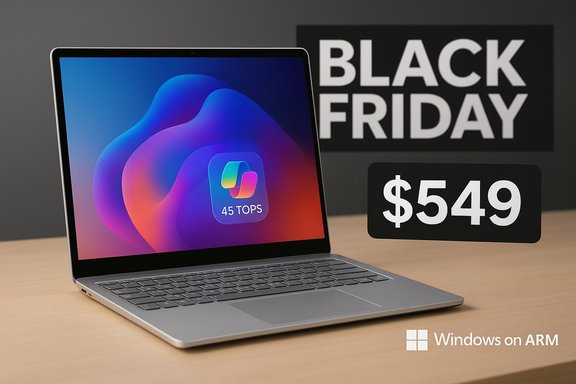
Microsoft's Surface Laptop 13-inch has just crossed the threshold from "interesting" to "irresistible" thanks to a steep Black Friday discount that slashes its street price to roughly $549 for the 16GB / 256GB configuration, turning a midrange-but-pricey Copilot+ PC into one of the most compelling Windows ultraportables available at this tier.
The Surface Laptop 13-inch arrived earlier in 2025 as Microsoft's compact, aluminum-clad midrange offering in the Surface Laptop family. Designed to deliver long battery life, strong everyday performance, and on-device AI features, the 13-inch model trades some of the high-end display and feature extras found on the 13.8-inch flagship in order to hit a lower price point. At launch the base price sat near $899, which placed the machine in direct competition with Apple's MacBook Air and a swathe of premium Windows ultraportables.
Key design and platform choices set this machine apart: Microsoft chose Qualcomm's Snapdragon X Plus (an ARM-based SoC) paired with an on-chip Hexagon NPU rated at 45 TOPS to enable on-device AI and qualify the unit as a Copilot+ PC. The 13-inch model comes standard with 16GB LPDDR5x memory and a 256GB UFS removable module in its common configuration, a 13-inch 1920×1280 (3:2) touchscreen at 60Hz, and a surprisingly long battery life claim for a thin-and-light laptop.
The Black Friday pricing cut — retailer promotions have driven the 16GB/256GB SKU down to about $549 — has recast the purchase decision for users who were previously deterred by the original $899 MSRP. This price change is the catalyst for rethinking where the Surface Laptop 13-inch fits in the 2025 laptop landscape.
At $549, the calculus changes:
However, prospective buyers should weigh Windows-on-ARM compatibility and port/docking expectations before committing. For typical productivity users — email, Office, web work, streaming, light editing, and lots of travel — the Surface Laptop 13-inch at $549 is a standout purchase. For specialist workflows that demand native x86 software performance or guaranteed Thunderbolt bandwidth, checking compatibility remains essential.
This is the moment when the Surface Laptop 13-inch finally makes sense for a broad audience: the hardware, software trade-offs, and price have aligned to create an offering that’s both accessible and forward-looking — a rare combination in an increasingly polarized laptop market.
Source: Windows Central https://www.windowscentral.com/hard...s-surface-laptop-13-inch-finally-makes-sense/
 Background
The Surface Laptop 13-inch arrived earlier in 2025 as Microsoft's compact, aluminum-clad midrange offering in the Surface Laptop family. Designed to deliver long battery life, strong everyday performance, and on-device AI features, the 13-inch model trades some of the high-end display and feature extras found on the 13.8-inch flagship in order to hit a lower price point. At launch the base price sat near $899, which placed the machine in direct competition with Apple's MacBook Air and a swathe of premium Windows ultraportables.Key design and platform choices set this machine apart: Microsoft chose Qualcomm's Snapdragon X Plus (an ARM-based SoC) paired with an on-chip Hexagon NPU rated at 45 TOPS to enable on-device AI and qualify the unit as a Copilot+ PC. The 13-inch model comes standard with 16GB LPDDR5x memory and a 256GB UFS removable module in its common configuration, a 13-inch 1920×1280 (3:2) touchscreen at 60Hz, and a surprisingly long battery life claim for a thin-and-light laptop.
The Black Friday pricing cut — retailer promotions have driven the 16GB/256GB SKU down to about $549 — has recast the purchase decision for users who were previously deterred by the original $899 MSRP. This price change is the catalyst for rethinking where the Surface Laptop 13-inch fits in the 2025 laptop landscape.
What you get for $549
Hardware snapshot
- Processor: Qualcomm Snapdragon X Plus (8-core, ARMs)
- Neural engine: Qualcomm Hexagon NPU — 45 TOPS
- Memory: 16GB LPDDR5x (soldered)
- Storage: 256GB UFS (removable module on supported SKUs)
- Display: 13-inch PixelSense touchscreen, 1920×1280 (3:2), 60Hz, 400 nits
- Battery: Nominal ~50 Wh (manufacturers list ~50Wh; measured pack specs ≈48–49 Wh)
- Weight: ~2.7 lbs / 1.22 kg
- Ports: 2× USB-C (USB 3.2), 1× USB-A 3.1, 3.5 mm audio
- Camera / Mic: 1080p front camera, dual studio mics
- Security: Windows Hello fingerprint in power button; Pluton TPM; Secured-core PC
- OS: Windows 11 (ARM builds with x86/x64 emulation layers)
What “Copilot+ PC” means here
The device's 45 TOPS NPU is the practical enabler for Microsoft’s on-device Copilot+ features — local inference for tasks like faster search, image generation assist, Recall-style features, and other UI-level AI experiences that don’t require full cloud dependency. The certification as a Copilot+ PC indicates Microsoft’s intent that certain AI functions execute locally and more responsively than older devices without an NPU.Why the price cut matters
At the $899 launch price, the Surface Laptop 13-inch was a good laptop with several caveats: lower-resolution 60Hz screen compared to some Surface siblings, ARM-based compatibility trade-offs for certain legacy Windows applications, and a price that nudged buyers toward the Apple ecosystem (where MacBook Air models frequently occupy the same aspirational space).At $549, the calculus changes:
- The Surface now undercuts many premium ultraportables and sits in a price band dominated by mainstream notebooks and upper-tier Chromebooks.
- For buyers prioritizing battery life, portability, build quality, and basic on-device AI features, this price is aggressive.
- The Surface’s combination of 16GB RAM + 256GB removable storage + 45 TOPS NPU at this price is rare — many competing Windows machines in this budget omit the advanced NPU and retrofit lower memory counts.
Strengths: what the Surface Laptop 13-inch does particularly well
1. Exceptional battery life for a Windows laptop
The ARM-based Snapdragon X Plus, paired with the ~50Wh battery, is hyper-efficient in light-to-moderate workloads. Microsoft’s test figures claim very long local video playback numbers and solid web usage times; independent reviewers consistently reported multi-hour battery performance that comfortably spans a full workday under normal use. For anyone who treats battery as a primary purchase factor, this machine is noteworthy.2. Premium build and input quality
- The anodized aluminum chassis gives a premium feel that still appears in much more expensive laptops.
- The keyboard is one of the best in its class: satisfying key travel, good tactile feedback, and a roomy layout for long typing sessions.
- The precision touchpad is mechanically satisfying and responsive — a small ergonomics win that improves the day-to-day experience.
3. On-device AI capability
The 45 TOPS NPU enables responsive Copilot+ features without being fully reliant on cloud connectivity. For workflows that benefit from prompt AI assistance — summarization, quick edits, contextual help inside Office, or local media edits accelerated by on-device AI — this is a meaningful capability at this price.4. Removable UFS storage and serviceability
Unlike many ultra-slim laptops with soldered NVMe modules, Microsoft’s design allows certain storage modules to be removed and replaced — improving repairability and upgrade options down the line. Microsoft has made serviceability a more explicit part of this generation’s messaging, which is a notable positive for longevity-minded buyers.Limitations and risks to consider
1. Windows on ARM ecosystem caveats
- Application compatibility remains the single biggest real-world trade-off for an ARM-based Windows laptop. While Windows 11 provides x86 and x64 emulation, not every app behaves identically to native Intel/AMD builds, and certain professional or legacy packages may show performance or compatibility quirks.
- Developers increasingly ship native binaries for ARM, but buyers who rely on specialized Windows applications (certain audio plugins, older enterprise software, drivers for niche hardware) must check compatibility before buying.
2. Screen: good but conservative
The 13-inch PixelSense 1920×1280 touchscreen is crisp and perfectly adequate for most users, but it’s a 60Hz panel without the higher refresh rates or HDR capabilities some competitors offer. For creators or buyers who want the absolute best display fidelity (or 120Hz smoothness), the Surface Laptop 13-inch makes a cost-oriented choice.3. Port confusion and docking expectations
The USB-C ports are labeled as USB 3.2 on spec sheets and are said to support external docks including Microsoft’s Surface Thunderbolt 4 Dock. That phrasing can be interpreted in multiple ways (support for third-party Thunderbolt docks might be limited or require specific adapters). Buyers who need Thunderbolt 4-level features (e.g., multi‑10Gbps external GPUs, certain pro docks) should verify exact port spec behavior for the SKU they purchase.4. Marketing claims vs independent testing
Microsoft and OEM partners often make comparative performance claims (for example, positioning the Snapdragon X Plus as faster than a rival M‑series chip under certain workloads). Those claims are context-sensitive and often reflect optimized scenarios. Independent benchmarks show the Surface Laptop 13-inch offers excellent efficiency and solid responsiveness for everyday tasks, but raw compute-heavy workloads still favor x86 or Apple silicon where native code is available.5. Storage footprint and real-world capacity
System software and preinstalled features consume a meaningful portion of the internal storage; the advertised 256GB leaves less available for user data than the label suggests. The existence of a removable UFS module helps, but heavy local storage users should plan on larger capacities or external storage.How it stacks up against the MacBook Air and rivals at this price
The $549 price tag dramatically repositions the Surface against the MacBook Air, which — even during strong Black Friday promotions — typically sits in the $650–$850 range for comparable RAM/storage configurations. The Surface’s advantages at this level:- More RAM in the base configuration (16GB) for many MacBook Air configurations at similar prices.
- A touchscreen and a 3:2 aspect ratio display, which is friendlier for vertical productivity than the Air's wider aspect.
- On-device NPU power and Copilot+ features for Windows-centric AI workflows.
- Native ecosystem performance, especially for creative and prosumer workloads where Apple silicon has a substantial native-optimized software base.
- App compatibility is effectively perfect on macOS for modern software, while Windows-on-ARM can lag with particular niche or legacy applications.
- Resale value and long-term OS support with macOS updates are historically strong.
Buying advice and scenarios
- Ideal buyer: students, remote workers, frequent travelers, and productivity-first users who want long battery life, a premium build, a great keyboard, and on-device AI features without paying flagship prices.
- Avoid if: you depend on legacy Windows software that doesn't emulate well under Windows-on-ARM, or if you need the highest display fidelity or Thunderbolt 4 bandwidth guarantees for pro peripherals.
- Accessory considerations: if you plan to use this as a docked workstation, verify the behavior of the USB-C ports with your specific dock or multi-monitor setup. Consider an external SSD if you expect to store large media files.
- Warranty and repair: Microsoft’s emphasis on removable storage and repairability is good; still consider extended coverage if you’re dependent on the device for work.
The long view: what this deal signals for the PC market
This deep discount is meaningful for multiple reasons beyond the immediate saving:- It demonstrates a rapid normalization of ARM-based Windows devices into mainstream buying cycles. When retailers take an ARM Surface and position it as a mainstream Black Friday play, it signals increased retailer confidence in demand.
- Microsoft’s Copilot+ strategy — pushing NPU-equipped machines at lower price points — is moving AI-enabled hardware from niche to mainstream. On-device AI functionality is no longer limited to expensive workstations; it’s entering the everyday laptop category.
- The discount also reflects the intensely competitive nature of holiday laptop pricing in 2025, with OEMs and retailers using AI features, battery life, and build quality to differentiate products in a crowded field.
Practical checklist before hitting “buy”
- Confirm the exact SKU (RAM/storage) and whether the storage module is removable on the unit you’re buying.
- Verify the seller — ensure the Best Buy/Amazon listing matches Microsoft’s product identifiers to avoid older SKUs or refurbished units sold as new.
- Check app compatibility: run through a quick list of critical apps you need and verify behavior on Windows-on-ARM (vendor compatibility notes or recent test reports are helpful).
- Test return policy and price-match windows — if the sale is time-limited, understand how returns or price adjustments are handled if a deeper discount appears later.
- If docking or multi-monitor setups are needed, confirm the port behavior with your intended dock or hub.
Final verdict
At its new Black Friday price of roughly $549, the Surface Laptop 13-inch transforms from a niche ARM experiment with premium touches into one of the best value propositions in the Windows laptop market. It combines long battery life, a premium chassis, excellent keyboard and trackpad, and on-device AI capabilities that are rare at this price point.However, prospective buyers should weigh Windows-on-ARM compatibility and port/docking expectations before committing. For typical productivity users — email, Office, web work, streaming, light editing, and lots of travel — the Surface Laptop 13-inch at $549 is a standout purchase. For specialist workflows that demand native x86 software performance or guaranteed Thunderbolt bandwidth, checking compatibility remains essential.
This is the moment when the Surface Laptop 13-inch finally makes sense for a broad audience: the hardware, software trade-offs, and price have aligned to create an offering that’s both accessible and forward-looking — a rare combination in an increasingly polarized laptop market.
Source: Windows Central https://www.windowscentral.com/hard...s-surface-laptop-13-inch-finally-makes-sense/
