

Microsoft’s new 13-inch Surface Pro for Business (12th Edition), announced for the 2026 Surface business lineup, updates the familiar Surface Pro 11-era design with Intel Core Ultra Series 3 “Panther Lake” processors, optional 5G, Thunderbolt 4, and a starting price near $1,950 before keyboard or pen. That makes it less a reinvention than a corporate-spec fork in Microsoft’s increasingly split Surface strategy. For most buyers, the question is not whether the new Intel Surface Pro is better in every abstract sense. It is whether x86 compatibility, business deployment tooling, and Intel’s newest platform are worth paying more for when Snapdragon Surface Pros already deliver the experience Microsoft spent the past two years selling as the future of Windows.
The most important thing about the Surface Pro for Business (12th Edition) is not the processor name, the NPU rating, or even the optional 5G modem. It is the phrase “for Business.” Microsoft is not positioning this device as the default Surface Pro for students, home users, artists, or coffee-shop Copilot evangelists. It is a machine for organizations that still treat Windows hardware as a managed estate, not a lifestyle accessory.
That framing explains a lot. The 12th Edition keeps the 13-inch Surface Pro chassis, the 3:2 display, the kickstand, the detachable keyboard ecosystem, the 1440p front camera, the rear camera, the Surface Connect port, and the familiar premium tablet-laptop compromise that has defined the line for more than a decade. If you were hoping for a new industrial design, a radical battery breakthrough, or a cheaper on-ramp to Microsoft’s flagship detachable, this is not that product.
Instead, Microsoft has done what commercial PC buyers often ask vendors to do: keep the platform stable, update the silicon, preserve the accessory story, and avoid creating another migration project. The Surface Pro for Business (12th Edition) is a spec bump, but in enterprise computing, “spec bump” is not always an insult. Stability has value when thousands of keyboards, docks, images, management policies, support scripts, and user expectations already exist.
The catch is that Microsoft is asking for business-class money. A starting price around $1,949.99 for a Core Ultra 5 model with 16GB of RAM, 256GB of storage, and an LCD panel is a long way from impulse-buy territory, especially once the essential keyboard and pen accessories are added. The Surface Pro has always played pricing games by selling the device and the full laptop experience as separate pieces, but at this tier, the old trick feels less clever than contractual.
The new model’s dimensions remain essentially the Surface Pro 11 story: thin, light, and recognizably Surface from across a conference room. The 13-inch 2880-by-1920 display keeps the high-density 3:2 canvas that makes the device feel less cramped than a widescreen tablet when working in documents, browsers, remote desktops, and note-taking apps. The 120Hz refresh rate and OLED option keep it premium, while the LCD option keeps procurement teams from having to buy OLED for users who will mostly live in Teams, Excel, Edge, and line-of-business apps.
The anti-reflective finish is one of the more practical distinctions between the business model and the consumer Surface Pro 11. It is not as headline-friendly as a processor generation change, but it matters in offices, airports, hospitals, classrooms, factories, and anywhere overhead lighting conspires against glossy glass. This is the kind of feature that rarely sells a device in a keynote but can become the reason employees stop complaining about it.
Ports remain limited in the familiar modern Surface way. Two Thunderbolt 4 ports and Surface Connect can handle docking, charging, external displays, and peripherals, but the device still assumes a world of adapters, docks, and wireless accessories. That is acceptable in corporate environments with standardized desks and docking stations. It is less charming for users who want a tablet that can absorb messy real-world connectivity without a dongle tax.
That matters because Windows on Arm, despite major progress, still does not erase every enterprise objection. Many modern apps run natively or acceptably through translation, and the Snapdragon X generation proved that Arm PCs could be fast, quiet, and efficient in a way earlier Windows Arm machines rarely were. But the commercial market is conservative for reasons that are not always irrational. Drivers, VPN clients, security agents, legacy plug-ins, niche device utilities, accounting tools, engineering software, and custom internal apps can turn “probably compatible” into “not deployable.”
For those organizations, Intel remains the safe answer. The Surface Pro for Business (12th Edition) gives them a Copilot+ capable PC without asking them to validate every ancient dependency against Arm translation. It is less about winning benchmark screenshots than about reducing the number of unknowns in a deployment plan. In that sense, the new Surface Pro is not a repudiation of Microsoft’s Arm push. It is Microsoft acknowledging that Windows still has a long tail, and businesses live in that tail.
The NPU story also matters, though not always in the way marketing suggests. The new Intel platform’s AI Boost NPU is listed at 50 TOPS, comfortably over Microsoft’s Copilot+ threshold and slightly ahead of the 45 TOPS figure associated with Snapdragon X and the 40-to-48 TOPS range of the previous Intel business model. That gives Microsoft the checkbox it needs for local AI features, Windows Studio Effects, and future workloads that may actually justify the silicon. But for most IT buyers today, the NPU is still more insurance policy than purchasing reason.
That is why the comparison is not a clean generational ladder. The Surface Pro for Business (12th Edition) is newer, but the Surface Pro 11 is not automatically obsolete. The Snapdragon models remain attractive because they line up with how many people actually use a Surface Pro: browser, Office, Teams, note-taking, media, light creative work, remote access, and a mix of store apps and mainstream Win32 software. For that workload, battery life and price often beat theoretical compatibility with every legacy corner of Windows.
Windows Central’s comparison lands on the same practical divide: the new Intel model is the better fit for professionals and organizations that need x86, while the Snapdragon Surface Pro 11 remains the better choice for regular users outside enterprise settings. That is not faint praise for the older device. It is an admission that Microsoft’s own Arm transition has become good enough to undercut Intel’s default status in the consumer Surface line.
The wrinkle is timing. New Snapdragon X2 Surface models are expected, which means the Surface Pro 11 may be both the best current value and a device sitting near the end of its flagship moment. Buyers who do not need a machine immediately may reasonably wait to see what Microsoft does next with Qualcomm. Businesses, however, often cannot plan around “expected soon,” especially when refresh windows, budgets, and certification cycles are already fixed.
The base Surface Pro for Business (12th Edition) configuration is also not lavish in the places buyers may notice first. Sixteen gigabytes of RAM is appropriate in 2026, but 256GB of storage on a nearly $2,000 business PC feels stingy, even if the SSD is removable and upgradeable. Add a keyboard, add a pen for users who need inking, add a warranty or service plan, and the Surface Pro’s advertised price becomes more of a starting negotiation than a real workstation cost.
That does not mean the device is overpriced for every organization. Some businesses will pay more for a stable platform, Windows 11 Pro, business purchasing channels, serviceability commitments, Secured-core PC features, TPM support, BitLocker, Windows Hello, NFC authentication, and compatibility with existing Surface accessories. In managed environments, a cheaper machine can become expensive if it fails validation or creates support overhead.
But Microsoft is drawing a clear line. If you want the latest Intel Surface Pro with optional 5G and business deployment assumptions, you pay a premium. If you want the best value Surface Pro experience, you look at Snapdragon Surface Pro 11 discounts or wait for the next consumer Arm refresh. The product stack now says the quiet part out loud: x86 in a flagship Surface detachable is becoming a business feature, not the default consumer baseline.
The more interesting question is whether Intel’s new platform can match the lived experience of Snapdragon Surface Pros. Qualcomm’s advantage in the latest Windows detachable generation has not merely been peak battery life; it has been the feeling that the machine can be thin, responsive, and efficient without constantly reminding the user that it is negotiating thermals. That is the bar Intel has to clear.
Panther Lake may narrow the gap. Intel has been under pressure from Apple Silicon on one side and Qualcomm’s Windows ambitions on the other, and its newer mobile chips increasingly reflect that pressure. But until independent testing measures web browsing, standby drain, video calls, mixed productivity, external display use, and real enterprise background-agent loads, the safest assumption is that Snapdragon remains the efficiency benchmark.
That distinction matters more on a tablet than on a clamshell laptop. A Surface Pro has less internal volume, a smaller thermal envelope, and a usage model that encourages carrying it around untethered. If the device becomes warmer, louder, or shorter-lived away from power than an Arm alternative, users will notice. If it quietly survives the day while running the awkward x86 software their company requires, IT will call that a win.
The omission of 5G from the previous Intel Surface Pro for Business made that model feel incomplete for some buyers. The new generation fixes that, joining the consumer Snapdragon Surface Pro 11 in offering cellular configurations. For organizations with mobile workforces, that may be one of the strongest arguments for the 12th Edition.
There is also a security angle. Corporate 5G can reduce reliance on public Wi-Fi, simplify connectivity for frontline workers, and make always-managed devices more plausible outside the office. It does not eliminate the need for VPNs, endpoint security, or sane identity policy, but it changes the baseline assumption from “find a network” to “stay connected.”
The downside is cost and configuration complexity. The highest-end 5G model cited in the comparison climbs near $2,800, and availability of certain Core Ultra 7 configurations appears to run through Microsoft’s sales channel rather than ordinary online checkout. That is normal in enterprise hardware, but it reinforces the product’s identity: this Surface Pro is something a company buys deliberately, not something most people casually add to a cart.
That split is not unique to Surface. The broader PC market is trying to absorb a shift that Apple completed more brutally because Apple controls the platform, the silicon roadmap, and the supported hardware universe. Microsoft cannot do that. Windows is not just an operating system; it is a decades-old compatibility treaty between Microsoft, OEMs, enterprises, developers, peripheral makers, and users who still expect old software to work.
Surface is supposed to be Microsoft’s showcase for where Windows hardware should go. The 12th Edition business model shows that even the showcase cannot ignore the installed base. Microsoft can promote Snapdragon as the elegant future while still selling Intel as the practical present. That is not hypocrisy. It is the reality of being the steward of the world’s most important legacy desktop platform.
The risk is confusion. Microsoft already has the Surface Pro 11, Surface Pro for Business 11th Edition, Surface Pro 12-inch, Surface Pro for Business 12-inch, and now Surface Pro for Business 13-inch 12th Edition in the orbit of recent products. Those names may make sense inside Microsoft’s segmentation spreadsheets, but they are brutal for normal humans. When a product line requires careful parsing of screen size, edition number, processor architecture, and business status, the branding has started working against the hardware.
For owners of older Intel Surface Pros, the argument is stronger. The new model offers a modern Copilot+ class platform, better AI hardware, improved display options, Wi-Fi 7, optional 5G, removable storage, Thunderbolt 4, and the matured Surface Pro 11-era chassis. The upgrade is especially plausible for organizations standardizing on Windows 11 Pro devices with current security baselines and a defined serviceability model.
For Surface Pro for Business 11th Edition buyers, the calculus is more irritating. The 12th Edition adds newer Intel silicon and optional 5G, but it arrives close enough to the previous business model to make recent purchasers feel like they bought into a short runway. That is the commercial PC cycle in miniature: stability for fleets, churn for spec sheets, and a constant tension between buying now and waiting for the next platform revision.
The real upgrade case, then, is not emotional. It is operational. If an organization needs new detachable Windows PCs in 2026, wants x86 compatibility, values Surface accessories and management consistency, and has use cases for cellular connectivity or anti-reflective displays, the 12th Edition is a logical shortlist device. If those conditions do not apply, the Surface Pro 11 remains difficult to dismiss.
Enterprise compatibility failures often hide in dull places. A printer driver, a smart card component, an old browser control, a USB analyzer tool, a proprietary database client, a security product kernel component, or an Excel add-in can decide the fate of an entire hardware platform. These are not glamorous workloads, but they are exactly the kind of things that keep x86 entrenched.
That is why the Surface Pro for Business (12th Edition) may sell into accounts that Microsoft’s own Snapdragon messaging cannot reach. It gives IT departments a way to buy the modern Surface Pro form factor without reopening the Arm compatibility debate. The performance may or may not beat Snapdragon across every benchmark, but the deployment argument is easier to make.
There is an irony here. Microsoft spent years insisting that the future of Windows could be more architecture-neutral, and technically that future is arriving. But the more Windows expands across architectures, the more Microsoft has to explain which Windows experience a buyer is actually getting. The Surface Pro for Business (12th Edition) is simple because it is old-fashioned in the one way that still matters: it runs x86 Windows software natively.
That shift changes how buyers should think about the NPU. The 50 TOPS figure is useful because it keeps the device eligible for Microsoft’s local AI feature roadmap. It may help with background blur, eye contact, image features, local models, Recall-style indexing where enabled, and whatever Windows gains next. But it should not distract from the more mundane questions that determine whether a Surface Pro succeeds: battery life, thermals, app compatibility, display quality, keyboard feel, repairability, and total cost.
The AI PC wave has also created a new kind of uncertainty. Businesses do not want to buy premium hardware that misses future Windows features, but they also do not want to pay for theoretical workloads that never become operationally important. The Surface Pro for Business (12th Edition) threads that needle reasonably well. Its NPU is strong enough to avoid immediate obsolescence, while its x86 foundation preserves compatibility with the present.
This is probably the right balance for Microsoft’s commercial customers. They can tell executives they are buying AI-ready PCs without telling administrators to rewrite deployment assumptions around Arm. That may be less visionary than a pure Snapdragon strategy, but it is easier to defend in a budget meeting.
Removable storage is especially important in regulated environments. It can simplify data retention, device redeployment, secure disposal, and certain repair workflows. It also gives organizations a path to standardize base configurations and adjust storage later, though Microsoft’s design and warranty terms still matter in practice.
Serviceability does not turn the Surface Pro into a ThinkPad. The form factor remains thin, tightly integrated, and more delicate than a traditional business notebook. But the fact that Microsoft now foregrounds repair and replacement components is a meaningful shift from earlier Surface generations, when elegance often seemed to come at the expense of maintainability.
This is where the business model’s premium pricing has a stronger defense. If Microsoft wants companies to pay nearly $2,000 before accessories, the device has to behave like fleet hardware, not just a luxury tablet. Better repairability, replaceable storage, business support channels, and security features are part of that argument.
This is not just a consumer annoyance. It can affect support, procurement, resale, accessory compatibility, and internal documentation. A help desk ticket that says “Surface Pro 12” may not be precise enough. A purchasing request that says “latest Surface Pro” may produce the wrong device for the workload.
Microsoft is hardly alone in this. The PC industry has long relied on names that blur generations, screen sizes, processor tiers, and channel distinctions. But Surface was supposed to be cleaner than the broader Windows OEM jungle. It was Microsoft’s controlled example of how Windows hardware could feel coherent.
The 12th Edition business model is good hardware trapped in a confusing naming scheme. That may not stop enterprise buyers with account reps and spec sheets, but it weakens the broader Surface story. When the product is already expensive, the last thing Microsoft needs is a naming system that makes buyers feel uncertain before they even compare prices.
The anti-reflective display, optional 5G, Thunderbolt 4, removable SSD, Windows 11 Pro positioning, and x86 compatibility make the 12th Edition credible for businesses. The higher starting price, accessory costs, similar design, and likely Snapdragon efficiency advantage make it less compelling as a personal upgrade from Surface Pro 11.
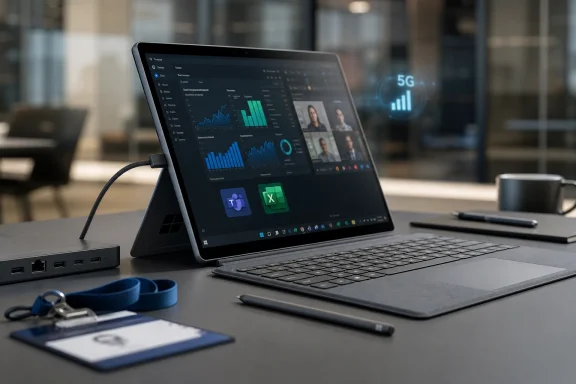 Microsoft’s New Surface Pro Is a Business Machine First and a Tech Showcase Second
The most important thing about the Surface Pro for Business (12th Edition) is not the processor name, the NPU rating, or even the optional 5G modem. It is the phrase “for Business.” Microsoft is not positioning this device as the default Surface Pro for students, home users, artists, or coffee-shop Copilot evangelists. It is a machine for organizations that still treat Windows hardware as a managed estate, not a lifestyle accessory.That framing explains a lot. The 12th Edition keeps the 13-inch Surface Pro chassis, the 3:2 display, the kickstand, the detachable keyboard ecosystem, the 1440p front camera, the rear camera, the Surface Connect port, and the familiar premium tablet-laptop compromise that has defined the line for more than a decade. If you were hoping for a new industrial design, a radical battery breakthrough, or a cheaper on-ramp to Microsoft’s flagship detachable, this is not that product.
Instead, Microsoft has done what commercial PC buyers often ask vendors to do: keep the platform stable, update the silicon, preserve the accessory story, and avoid creating another migration project. The Surface Pro for Business (12th Edition) is a spec bump, but in enterprise computing, “spec bump” is not always an insult. Stability has value when thousands of keyboards, docks, images, management policies, support scripts, and user expectations already exist.
The catch is that Microsoft is asking for business-class money. A starting price around $1,949.99 for a Core Ultra 5 model with 16GB of RAM, 256GB of storage, and an LCD panel is a long way from impulse-buy territory, especially once the essential keyboard and pen accessories are added. The Surface Pro has always played pricing games by selling the device and the full laptop experience as separate pieces, but at this tier, the old trick feels less clever than contractual.
The Design Stays Put Because the Surface Pro Problem Is No Longer the Hinge
For years, Surface Pro reviews began with the same ritual: praise the kickstand, complain about lap use, admire the display, wince at the keyboard price, repeat. That ritual made sense when the category itself was still fighting for legitimacy. In 2026, the Surface Pro form factor is no longer experimental. It is mature enough that Microsoft can ship a new business generation without changing the chassis and reasonably expect many customers to see that as a benefit.The new model’s dimensions remain essentially the Surface Pro 11 story: thin, light, and recognizably Surface from across a conference room. The 13-inch 2880-by-1920 display keeps the high-density 3:2 canvas that makes the device feel less cramped than a widescreen tablet when working in documents, browsers, remote desktops, and note-taking apps. The 120Hz refresh rate and OLED option keep it premium, while the LCD option keeps procurement teams from having to buy OLED for users who will mostly live in Teams, Excel, Edge, and line-of-business apps.
The anti-reflective finish is one of the more practical distinctions between the business model and the consumer Surface Pro 11. It is not as headline-friendly as a processor generation change, but it matters in offices, airports, hospitals, classrooms, factories, and anywhere overhead lighting conspires against glossy glass. This is the kind of feature that rarely sells a device in a keynote but can become the reason employees stop complaining about it.
Ports remain limited in the familiar modern Surface way. Two Thunderbolt 4 ports and Surface Connect can handle docking, charging, external displays, and peripherals, but the device still assumes a world of adapters, docks, and wireless accessories. That is acceptable in corporate environments with standardized desks and docking stations. It is less charming for users who want a tablet that can absorb messy real-world connectivity without a dongle tax.
Panther Lake Gives IT the x86 Answer It Was Waiting For
The processor change is the center of the product, and Microsoft knows it. The Surface Pro for Business (12th Edition) moves to Intel Core Ultra Series 3 chips, including Core Ultra 5 335 and Core Ultra 7 366H options. These “Panther Lake” parts replace the previous business generation’s Intel Core Ultra Series 2 configurations and give Microsoft a more current x86 platform to sell alongside its Qualcomm-based Surface Pro 11.That matters because Windows on Arm, despite major progress, still does not erase every enterprise objection. Many modern apps run natively or acceptably through translation, and the Snapdragon X generation proved that Arm PCs could be fast, quiet, and efficient in a way earlier Windows Arm machines rarely were. But the commercial market is conservative for reasons that are not always irrational. Drivers, VPN clients, security agents, legacy plug-ins, niche device utilities, accounting tools, engineering software, and custom internal apps can turn “probably compatible” into “not deployable.”
For those organizations, Intel remains the safe answer. The Surface Pro for Business (12th Edition) gives them a Copilot+ capable PC without asking them to validate every ancient dependency against Arm translation. It is less about winning benchmark screenshots than about reducing the number of unknowns in a deployment plan. In that sense, the new Surface Pro is not a repudiation of Microsoft’s Arm push. It is Microsoft acknowledging that Windows still has a long tail, and businesses live in that tail.
The NPU story also matters, though not always in the way marketing suggests. The new Intel platform’s AI Boost NPU is listed at 50 TOPS, comfortably over Microsoft’s Copilot+ threshold and slightly ahead of the 45 TOPS figure associated with Snapdragon X and the 40-to-48 TOPS range of the previous Intel business model. That gives Microsoft the checkbox it needs for local AI features, Windows Studio Effects, and future workloads that may actually justify the silicon. But for most IT buyers today, the NPU is still more insurance policy than purchasing reason.
Snapdragon Still Owns the Consumer Argument
The awkward part for Microsoft is that the Surface Pro 11 with Snapdragon X chips remains the more compelling device for many individual buyers. It is cheaper, broadly available, offered in more colors, and already proved the basic thesis of the modern Surface Pro: a thin Windows detachable can finally deliver strong performance and battery life without feeling like a tiny fan-cooled compromise machine.That is why the comparison is not a clean generational ladder. The Surface Pro for Business (12th Edition) is newer, but the Surface Pro 11 is not automatically obsolete. The Snapdragon models remain attractive because they line up with how many people actually use a Surface Pro: browser, Office, Teams, note-taking, media, light creative work, remote access, and a mix of store apps and mainstream Win32 software. For that workload, battery life and price often beat theoretical compatibility with every legacy corner of Windows.
Windows Central’s comparison lands on the same practical divide: the new Intel model is the better fit for professionals and organizations that need x86, while the Snapdragon Surface Pro 11 remains the better choice for regular users outside enterprise settings. That is not faint praise for the older device. It is an admission that Microsoft’s own Arm transition has become good enough to undercut Intel’s default status in the consumer Surface line.
The wrinkle is timing. New Snapdragon X2 Surface models are expected, which means the Surface Pro 11 may be both the best current value and a device sitting near the end of its flagship moment. Buyers who do not need a machine immediately may reasonably wait to see what Microsoft does next with Qualcomm. Businesses, however, often cannot plan around “expected soon,” especially when refresh windows, budgets, and certification cycles are already fixed.
The Price Gap Turns Compatibility Into a Line Item
Microsoft’s pricing makes the strategic split impossible to ignore. The new Surface Pro for Business starts hundreds of dollars above discounted Surface Pro 11 configurations and above the previous Intel business model’s entry point. For a single executive, that difference may disappear into a quarterly expense report. Across a fleet, it becomes the difference between a premium deployment and a budget fight.The base Surface Pro for Business (12th Edition) configuration is also not lavish in the places buyers may notice first. Sixteen gigabytes of RAM is appropriate in 2026, but 256GB of storage on a nearly $2,000 business PC feels stingy, even if the SSD is removable and upgradeable. Add a keyboard, add a pen for users who need inking, add a warranty or service plan, and the Surface Pro’s advertised price becomes more of a starting negotiation than a real workstation cost.
That does not mean the device is overpriced for every organization. Some businesses will pay more for a stable platform, Windows 11 Pro, business purchasing channels, serviceability commitments, Secured-core PC features, TPM support, BitLocker, Windows Hello, NFC authentication, and compatibility with existing Surface accessories. In managed environments, a cheaper machine can become expensive if it fails validation or creates support overhead.
But Microsoft is drawing a clear line. If you want the latest Intel Surface Pro with optional 5G and business deployment assumptions, you pay a premium. If you want the best value Surface Pro experience, you look at Snapdragon Surface Pro 11 discounts or wait for the next consumer Arm refresh. The product stack now says the quiet part out loud: x86 in a flagship Surface detachable is becoming a business feature, not the default consumer baseline.
Battery Life Is the Place Where Marketing Meets Physics
Microsoft lists improved battery figures for the new Surface Pro for Business, including up to 17 hours of local video playback and up to 11 hours of active web usage. Those figures are better than the stated numbers for the previous Intel business model and the Surface Pro 11 comparison figures in Windows Central’s table. As always, the usual caveat applies: vendor battery tests are controlled, brightness-limited, and useful mainly as relative signals rather than promises.The more interesting question is whether Intel’s new platform can match the lived experience of Snapdragon Surface Pros. Qualcomm’s advantage in the latest Windows detachable generation has not merely been peak battery life; it has been the feeling that the machine can be thin, responsive, and efficient without constantly reminding the user that it is negotiating thermals. That is the bar Intel has to clear.
Panther Lake may narrow the gap. Intel has been under pressure from Apple Silicon on one side and Qualcomm’s Windows ambitions on the other, and its newer mobile chips increasingly reflect that pressure. But until independent testing measures web browsing, standby drain, video calls, mixed productivity, external display use, and real enterprise background-agent loads, the safest assumption is that Snapdragon remains the efficiency benchmark.
That distinction matters more on a tablet than on a clamshell laptop. A Surface Pro has less internal volume, a smaller thermal envelope, and a usage model that encourages carrying it around untethered. If the device becomes warmer, louder, or shorter-lived away from power than an Arm alternative, users will notice. If it quietly survives the day while running the awkward x86 software their company requires, IT will call that a win.
Optional 5G Returns as a Real Differentiator
The return of optional 5G on the Surface Pro for Business (12th Edition) is more than a checkbox. Cellular connectivity has always made particular sense on a Surface Pro because the device is inherently mobile. It is designed for field work, meetings, travel, site visits, healthcare rounds, inspections, signatures, presentations, and the kind of half-tablet, half-laptop work that does not always happen near trusted Wi-Fi.The omission of 5G from the previous Intel Surface Pro for Business made that model feel incomplete for some buyers. The new generation fixes that, joining the consumer Snapdragon Surface Pro 11 in offering cellular configurations. For organizations with mobile workforces, that may be one of the strongest arguments for the 12th Edition.
There is also a security angle. Corporate 5G can reduce reliance on public Wi-Fi, simplify connectivity for frontline workers, and make always-managed devices more plausible outside the office. It does not eliminate the need for VPNs, endpoint security, or sane identity policy, but it changes the baseline assumption from “find a network” to “stay connected.”
The downside is cost and configuration complexity. The highest-end 5G model cited in the comparison climbs near $2,800, and availability of certain Core Ultra 7 configurations appears to run through Microsoft’s sales channel rather than ordinary online checkout. That is normal in enterprise hardware, but it reinforces the product’s identity: this Surface Pro is something a company buys deliberately, not something most people casually add to a cart.
Microsoft’s Surface Line Is Now Split Between Futures
The Surface Pro for Business (12th Edition) is best understood as one half of a dual-track Windows strategy. On one track, Microsoft wants Arm-based Copilot+ PCs to define the consumer and prosumer future: better battery life, tighter AI hardware requirements, and a more Apple-like story about performance per watt. On the other track, Microsoft still needs Intel-based systems that reassure enterprise buyers that Windows remains Windows, with all the compatibility baggage and value that implies.That split is not unique to Surface. The broader PC market is trying to absorb a shift that Apple completed more brutally because Apple controls the platform, the silicon roadmap, and the supported hardware universe. Microsoft cannot do that. Windows is not just an operating system; it is a decades-old compatibility treaty between Microsoft, OEMs, enterprises, developers, peripheral makers, and users who still expect old software to work.
Surface is supposed to be Microsoft’s showcase for where Windows hardware should go. The 12th Edition business model shows that even the showcase cannot ignore the installed base. Microsoft can promote Snapdragon as the elegant future while still selling Intel as the practical present. That is not hypocrisy. It is the reality of being the steward of the world’s most important legacy desktop platform.
The risk is confusion. Microsoft already has the Surface Pro 11, Surface Pro for Business 11th Edition, Surface Pro 12-inch, Surface Pro for Business 12-inch, and now Surface Pro for Business 13-inch 12th Edition in the orbit of recent products. Those names may make sense inside Microsoft’s segmentation spreadsheets, but they are brutal for normal humans. When a product line requires careful parsing of screen size, edition number, processor architecture, and business status, the branding has started working against the hardware.
The Surface Pro Upgrade Case Is Narrow but Real
For current Surface Pro 11 owners, the 12th Edition business model is not an obvious upgrade. The design is effectively the same, the display story is similar unless the anti-reflective finish is decisive, and the accessory ecosystem does not change the daily experience. If your Snapdragon Surface Pro already runs your apps well, replacing it with a more expensive Intel model would be hard to justify.For owners of older Intel Surface Pros, the argument is stronger. The new model offers a modern Copilot+ class platform, better AI hardware, improved display options, Wi-Fi 7, optional 5G, removable storage, Thunderbolt 4, and the matured Surface Pro 11-era chassis. The upgrade is especially plausible for organizations standardizing on Windows 11 Pro devices with current security baselines and a defined serviceability model.
For Surface Pro for Business 11th Edition buyers, the calculus is more irritating. The 12th Edition adds newer Intel silicon and optional 5G, but it arrives close enough to the previous business model to make recent purchasers feel like they bought into a short runway. That is the commercial PC cycle in miniature: stability for fleets, churn for spec sheets, and a constant tension between buying now and waiting for the next platform revision.
The real upgrade case, then, is not emotional. It is operational. If an organization needs new detachable Windows PCs in 2026, wants x86 compatibility, values Surface accessories and management consistency, and has use cases for cellular connectivity or anti-reflective displays, the 12th Edition is a logical shortlist device. If those conditions do not apply, the Surface Pro 11 remains difficult to dismiss.
The Software Compatibility Debate Is Less Settled Than Microsoft Wants
Microsoft’s Arm progress is real, but Windows users have learned to be suspicious of platform transitions that sound cleaner in demos than in deployments. Native Arm64 apps are more common than they used to be, emulation is far better than in the Windows RT era, and mainstream productivity workloads are mostly fine. Yet “mostly fine” is not a procurement category.Enterprise compatibility failures often hide in dull places. A printer driver, a smart card component, an old browser control, a USB analyzer tool, a proprietary database client, a security product kernel component, or an Excel add-in can decide the fate of an entire hardware platform. These are not glamorous workloads, but they are exactly the kind of things that keep x86 entrenched.
That is why the Surface Pro for Business (12th Edition) may sell into accounts that Microsoft’s own Snapdragon messaging cannot reach. It gives IT departments a way to buy the modern Surface Pro form factor without reopening the Arm compatibility debate. The performance may or may not beat Snapdragon across every benchmark, but the deployment argument is easier to make.
There is an irony here. Microsoft spent years insisting that the future of Windows could be more architecture-neutral, and technically that future is arriving. But the more Windows expands across architectures, the more Microsoft has to explain which Windows experience a buyer is actually getting. The Surface Pro for Business (12th Edition) is simple because it is old-fashioned in the one way that still matters: it runs x86 Windows software natively.
Copilot+ Is Becoming the Floor, Not the Feature
The Surface Pro for Business (12th Edition) also shows how quickly Copilot+ branding is moving from novelty to baseline. In 2024, the NPU requirement and AI PC label felt like a major product distinction. By 2026, a premium Surface without Copilot+ credentials would look conspicuously incomplete. Microsoft has turned AI hardware from a differentiator into table stakes.That shift changes how buyers should think about the NPU. The 50 TOPS figure is useful because it keeps the device eligible for Microsoft’s local AI feature roadmap. It may help with background blur, eye contact, image features, local models, Recall-style indexing where enabled, and whatever Windows gains next. But it should not distract from the more mundane questions that determine whether a Surface Pro succeeds: battery life, thermals, app compatibility, display quality, keyboard feel, repairability, and total cost.
The AI PC wave has also created a new kind of uncertainty. Businesses do not want to buy premium hardware that misses future Windows features, but they also do not want to pay for theoretical workloads that never become operationally important. The Surface Pro for Business (12th Edition) threads that needle reasonably well. Its NPU is strong enough to avoid immediate obsolescence, while its x86 foundation preserves compatibility with the present.
This is probably the right balance for Microsoft’s commercial customers. They can tell executives they are buying AI-ready PCs without telling administrators to rewrite deployment assumptions around Arm. That may be less visionary than a pure Snapdragon strategy, but it is easier to defend in a budget meeting.
Repairability and Removable Storage Quietly Matter More Than the Keynote
One of the more important developments in recent Surface hardware has been Microsoft’s gradual retreat from the sealed-appliance reputation that once shadowed the line. The new business Surface Pro continues the trend with removable M.2 PCIe storage and a serviceability story aimed at commercial buyers. That matters because a premium business tablet cannot be treated like a disposable accessory.Removable storage is especially important in regulated environments. It can simplify data retention, device redeployment, secure disposal, and certain repair workflows. It also gives organizations a path to standardize base configurations and adjust storage later, though Microsoft’s design and warranty terms still matter in practice.
Serviceability does not turn the Surface Pro into a ThinkPad. The form factor remains thin, tightly integrated, and more delicate than a traditional business notebook. But the fact that Microsoft now foregrounds repair and replacement components is a meaningful shift from earlier Surface generations, when elegance often seemed to come at the expense of maintainability.
This is where the business model’s premium pricing has a stronger defense. If Microsoft wants companies to pay nearly $2,000 before accessories, the device has to behave like fleet hardware, not just a luxury tablet. Better repairability, replaceable storage, business support channels, and security features are part of that argument.
The Naming Mess Is Becoming a Product Problem
Surface naming has never been elegant, but the current lineup is especially treacherous. “Surface Pro 11” and “Surface Pro for Business 11th Edition” can mean different processor architectures depending on configuration and channel. “Surface Pro 12-inch” is not the same thing as a 13-inch Surface Pro for Business 12th Edition. Add Intel Series 2, Intel Series 3, Snapdragon X, Snapdragon X Plus, Snapdragon X Elite, and future Snapdragon X2 models, and the average buyer is effectively being asked to decode a hardware taxonomy.This is not just a consumer annoyance. It can affect support, procurement, resale, accessory compatibility, and internal documentation. A help desk ticket that says “Surface Pro 12” may not be precise enough. A purchasing request that says “latest Surface Pro” may produce the wrong device for the workload.
Microsoft is hardly alone in this. The PC industry has long relied on names that blur generations, screen sizes, processor tiers, and channel distinctions. But Surface was supposed to be cleaner than the broader Windows OEM jungle. It was Microsoft’s controlled example of how Windows hardware could feel coherent.
The 12th Edition business model is good hardware trapped in a confusing naming scheme. That may not stop enterprise buyers with account reps and spec sheets, but it weakens the broader Surface story. When the product is already expensive, the last thing Microsoft needs is a naming system that makes buyers feel uncertain before they even compare prices.
The Real Buying Decision Hides Behind the Processor Logo
For WindowsForum readers, the practical advice is less complicated than the product lineup. The Surface Pro for Business (12th Edition) is the right kind of boring if your organization needs a modern Intel-based detachable that fits into existing Windows management expectations. It is the wrong kind of expensive if you are a normal user looking for the best Surface Pro value.The anti-reflective display, optional 5G, Thunderbolt 4, removable SSD, Windows 11 Pro positioning, and x86 compatibility make the 12th Edition credible for businesses. The higher starting price, accessory costs, similar design, and likely Snapdragon efficiency advantage make it less compelling as a personal upgrade from Surface Pro 11.
- The Surface Pro for Business (12th Edition) is primarily an enterprise x86 refresh, not a broad redesign of Microsoft’s detachable PC.
- The Surface Pro 11 with Snapdragon X remains the better value for many individual buyers because it is cheaper, efficient, and widely available.
- Optional 5G is one of the new model’s most meaningful additions for mobile workforces and field deployments.
- The anti-reflective display gives the business model a practical advantage over the glossy consumer Surface Pro 11 in difficult lighting.
- The new Intel chips make the device safer for legacy Windows environments, but they do not automatically make it the better battery-life choice.
- Buyers should budget for the keyboard, pen, storage needs, and support plan rather than treating the advertised base price as the real cost.
References
- Primary source: Windows Central
Published: Tue, 19 May 2026 16:03:38 GMT
Surface Pro for Business (12th Edition) vs Surface Pro 11 | Windows Central
Microsoft's two-stage Surface Pro launch is confusing. Let me clear things up.www.windowscentral.com - Official source: support.microsoft.com
Surface Pro (11th Edition) features | Microsoft Support
Learn what features are included with Surface Pro (11th Edition).support.microsoft.com - Official source: learn.microsoft.com
Surface supported operating systems - Surface | Microsoft Learn
Discover which versions of Windows are supported on Microsoft Surface devices to ensure compatibility and optimize your Surface experience.learn.microsoft.com - Official source: microsoft.com
Surface Pro for Business, 13-inch (12th Edition) Intel, 2-in-1 Laptop – Microsoft Store
Buy the 2026 Surface Pro for Business, 13-inch (12th Edition) — a 2-in-1 with Windows 11 Pro, Intel Core Ultra 5 or X7 (Series 3), Intel AI Boost (50 TOPS), optional 5G, Wi-Fi 7, removable Gen 4 SSD, and a 2880 × 1920 display with optional OLED. View price and specifications in the Microsoft...www.microsoft.com
- Related coverage: notebookcheck.net
Microsoft releases new Surface Pro 12 with 64 GB RAM and cellular connectivity - Notebookcheck News
Microsoft has finally released the Surface Pro 12. Available globally with Intel Panther Lake processors, the 'for Business' model also comes with optional cellular connectivity, up to 64 GB RAM and a 120 Hz OLED display. www.notebookcheck.net
- Related coverage: surfacetip.com
Surface Pro 12-inch vs. Surface Pro 11 - Detailed Specs Comparison - SurfaceTip
Here's the different between Surface Pro (12”, 2025) and Surface Pro 11 specs including CPU, RAM, storage, display, battery, ports, and more.surfacetip.com
- Related coverage: phonearena.com
Microsoft is expanding the Surface Pro family with a smaller, lighter, and cheaper iPad Pro rival - PhoneArena
Microsoft's latest Surface Pro model is smaller, considerably lighter, thinner, and cheaper than the 13-inch variant released last year, starting at a relatively affordable $799.99 price.www.phonearena.com - Related coverage: tomshardware.com
More compact Arm variants of Microsoft Surface Pro and Laptop lines leaked | Tom's Hardware
These smaller Snapdragon X powered devices are expected to become official on Tuesday.www.tomshardware.com - Related coverage: na.ingrammicro.com
