

Switching to Linux felt like stepping out of a noisy downtown mall into an uncluttered workshop — and after a year of using Fedora Kinoite daily, I can’t honestly imagine going back to Windows in 2026.
In 2025 and into 2026 the debate around Windows, AI, and user control has moved from niche forums to mainstream headlines. Microsoft’s aggressive Copilot rollout — folding generative features into inbox apps like Notepad and Paint and reshaping the visual language of Edge and other system components — has prompted both excitement and an equal measure of backlash. At the same time, widespread reports of regressions and stability cruft in Windows 11’s update cycle have left a slice of users feeling less confident about the platform’s trajectory. For many of those users, Linux is no longer a hobbyist escape; it’s a viable, everyday home for their workflows. This article takes a close look at why that shift is happening, what it means technically and practically, and where the trade-offs still lie for power users and organizations thinking about migration.
At the same time, community frustration has crystalized into jargon like “Microslop,” a pejorative capturing a popular sentiment that Microsoft is indiscriminately stuffing low-value AI features into products, increasing bloat and diminishing control. The coinage and its echoes across social platforms reflect real user irritation even when they’re not universal or evenly distributed. Commentary pieces and community tools that promise to disable or strip Copilot features are further evidence of a growing, grassroots resistance to mandatory AI plumbing.
That said, not everyone can switch. The biggest blockers remain:
If you value Microsoft’s app ecosystem and corporate compatibility, you should still watch this space closely. Expect more AI features and “agentic” behaviors to appear in Windows over the coming months — features that may be welcome for some and deeply unwelcome for others. For many users in 2026, the decisive factor isn’t a single headline feature but the sum of daily interactions: whether the OS respects their choices, whether updates make life easier rather than riskier, and whether the vendor listens when reliability or privacy are at stake.
I moved because I wanted an operating system — not a product that tries to be many products at once. Fedora Kinoite gives me that baseline: deterministic updates, rollback safety, and a system that behaves like a tool rather than a storefront. For now, that’s enough to keep me from returning to Windows. The convenience of Copilot is real — but so is the value of control. Your mileage will vary, and the right choice depends on which you value more.
Source: XDA I switched to Linux and I can't imagine going back to Windows in 2026
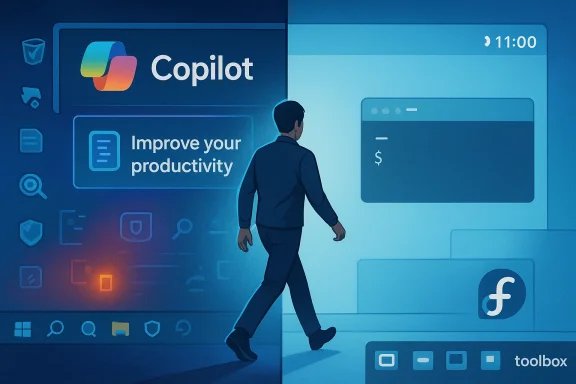 Overview
In 2025 and into 2026 the debate around Windows, AI, and user control has moved from niche forums to mainstream headlines. Microsoft’s aggressive Copilot rollout — folding generative features into inbox apps like Notepad and Paint and reshaping the visual language of Edge and other system components — has prompted both excitement and an equal measure of backlash. At the same time, widespread reports of regressions and stability cruft in Windows 11’s update cycle have left a slice of users feeling less confident about the platform’s trajectory. For many of those users, Linux is no longer a hobbyist escape; it’s a viable, everyday home for their workflows. This article takes a close look at why that shift is happening, what it means technically and practically, and where the trade-offs still lie for power users and organizations thinking about migration.Background: why this moment matters
Microsoft has spent the past two years pivoting Windows toward an AI-first vision. That’s visible in how Copilot features are layered into core apps and how the company talks publicly about Windows’s future as an “agentic” operating system — meaning the OS can act on your behalf, proactively performing multi-step tasks. These are strategic decisions with engineering consequences: deeper system integration of complex AI features increases the attack surface, changes telemetry and privacy patterns, and complicates long-term maintenance of the OS. Observers across the press and industry have documented both the feature rollouts and the user backlash.At the same time, community frustration has crystalized into jargon like “Microslop,” a pejorative capturing a popular sentiment that Microsoft is indiscriminately stuffing low-value AI features into products, increasing bloat and diminishing control. The coinage and its echoes across social platforms reflect real user irritation even when they’re not universal or evenly distributed. Commentary pieces and community tools that promise to disable or strip Copilot features are further evidence of a growing, grassroots resistance to mandatory AI plumbing.
What changed in Windows — the technical facts
Copilot in core apps: Notepad, Paint and beyond
Microsoft has actively expanded Copilot-style capabilities into built-in Windows apps. Notepad and Paint — long considered tiny, dependable system utilities — have received AI-powered features such as Write/Rewrite/Summarize in Notepad and generative fill/sticker generators or “coloring book” tools in Paint. Those changes are being shipped to Insiders and, increasingly, the broader distribution as part of the Copilot+ PC push. Microsoft’s Insider blog is explicit about which features require sign-in and which will be available only on Copilot+ hardware, and it outlines a hybrid local/cloud model for AI results. For users who prize a lean, predictable environment, these moves are conspicuous.“Agentic OS” — not just marketing
The phrase “agentic OS” moved from internal memos and exec posts into public discussion when Microsoft leaders framed Windows’s evolution in that way. The concept is not merely rhetorical: Microsoft is prototyping agents capable of automated actions (with the attendant need to sandbox, log, and require approvals for critical steps). That architecture promises convenience but introduces new threat models (for example, cross-prompt or injection-style attacks that can trick an agent into unsafe actions) and adds complexity to the operating system’s core. Security teams and researchers have flagged the novel risk surface that agents add, and Microsoft itself has acknowledged the need for careful rollout and mitigations.Windows stability and update regressions
Parallel to the Copilot push, Windows 11’s update path has felt more turbulent to many users. Feature updates and cumulative packages have sometimes produced regressions — from unexpected process persistence to performance anomalies — that were visible enough to generate hot threads on forums and spurred Microsoft to issue targeted fixes. The architecture of modern Windows servicing (with offline servicing phases and staged rollouts) aims to be robust, but the combination of complex features, telemetry-driven rollouts, and the sheer diversity of hardware in the Windows ecosystem makes regressions more likely and harder to reproduce. This reality is a major driver for users seeking more deterministic, roll-backable systems.Why Linux feels different — not a “feature war” but an operating system
When I switched to Linux (first experimenting with Linux Mint, then finding stability in Fedora Kinoite), the contrast with the Windows experience was striking in three practical ways.- No advertising or nudges: Desktop distros don’t insert store-like prompts into the OS, and there’s no first-run funnel trying to sell you software subscriptions.
- Respect for user choice: Distro ecosystems are explicitly modular. You choose the desktop environment, package manager, update cadence, and degree of automation.
- Deterministic updates and rollbacks: Modern immutable models (rpm-ostree/Silverblue/Kinoite) make system updates atomic and reversible, reducing the fear of progressive regressions that can come with Windows patch cycles.
The human side: why people are leaving (and why some can’t)
There are two overlapping forces motivating departures from Windows:- Philosophical: People who value control, predictability, and transparency are put off by heavy-handed productization of the OS and mandatory cloud sign-ins for basic features.
- Practical: When critical tasks are disrupted by OS regressions — and when alternatives are available that solve their daily problems — the calculus tips toward migration.
That said, not everyone can switch. The biggest blockers remain:
- Proprietary software compatibility: Industry-standard creative and professional apps — particularly the Adobe suite, certain media-production tools, or specialized engineering software — have limited or no native Linux equivalents.
- Corporate policies: Corporate-managed environments often require Windows-only tooling, driver stacks, or managed security baselines that tie users to Microsoft’s ecosystem.
- Hardware vendor support: Some specialized peripherals or software-hardware pairings (e.g., certain printer/scanner ecosystems, professional audio interfaces) are better supported in Windows.
Migration notes: practical steps I recommend
If you’re curious to trial Linux for day-to-day use, here are pragmatic steps based on my migration experience.- Pick a first distro with a gentle on‑ramp: start with Linux Mint or Ubuntu-based flavors if you want desktop polish and straightforward driver support, or Fedora Kinoite if you value atomic rollbacks and KDE Plasma. Try on a spare machine or a live USB first.
- Inventory your apps and workflows: list essential Windows-only programs and test whether Flatpak, Wine, Proton (for games), or native Linux alternatives meet your needs.
- Plan for data and cloud continuity: export email archives, bookmarks, and any cloud sync settings. Some Microsoft services tie deeply into the ecosystem — expect friction moving away from OneDrive/Edge integrations.
- Learn containerized dev workflows: use toolbox, Podman, or Docker to isolate language runtimes and dev tools instead of altering the base system.
- Keep a rescue plan: maintain a Windows image or recovery drive and a tested backup workflow until you’re confident.
Strengths of the Linux approach
- User sovereignty: Linux puts customizability at the center. You control package sources, update cadence, and desktop choices.
- Determinism: Immutable systems like Kinoite provide atomic updates and rollbacks; you can apply an update and safely revert if something breaks.
- Transparency and minimal nudging: There’s no built-in marketing funnel inside the OS; system prompts don’t attempt to upsell cloud services as a matter of course.
- Community-driven problem solving: When something breaks, you rarely get a canned corporate support path; instead, you get reproducible logs, community debugging, and often faster fixes for niche issues due to open collaboration.
Risks, friction points, and what Microsoft still owns
Don’t mistake enthusiasm for perfection. Linux has trade-offs.- Application gaps: Creative professionals and some enterprise users still need Windows-native apps. Wine and containerization can help, but they’re not universal solutions.
- Hardware support variability: Vendors sometimes prioritize Windows drivers; while the situation has improved dramatically, edge hardware can require extra work.
- Fragmentation complexity: The abundance of distributions and packaging systems can be bewildering; it’s a strength for power users but a barrier for people who want a single, consistent experience.
- Learning curve: Workflows are different. Expect an initial productivity dip while you retool and learn new packages or command-line tools.
Looking ahead: Windows strategy and the user reaction
Microsoft’s AI-first strategy is deliberate and long-term; it’s part of a larger cloud and services play that funds the company’s growth. That won’t change overnight. But two realities will shape the outcome:- Microsoft will need to balance convenience with control. Agentic features that act in the background are powerful, but users and enterprises will demand robust controls, audit trails, and the ability to opt out.
- Reliability and trust still matter. If users feel updates prioritize feature expansion over foundational stability — particularly in business-critical scenarios — the incentive to evaluate alternatives will persist.
Conclusion: what I’d tell the curious Windows user
If you’re comfortable with tech and prioritize control, privacy, and predictable updates, trying Linux in a deliberate way is worthwhile. Start small: pick a friendly distro, test your workflows, keep your Windows fallback intact for namesake apps, and measure the productivity trade-offs for your daily tasks.If you value Microsoft’s app ecosystem and corporate compatibility, you should still watch this space closely. Expect more AI features and “agentic” behaviors to appear in Windows over the coming months — features that may be welcome for some and deeply unwelcome for others. For many users in 2026, the decisive factor isn’t a single headline feature but the sum of daily interactions: whether the OS respects their choices, whether updates make life easier rather than riskier, and whether the vendor listens when reliability or privacy are at stake.
I moved because I wanted an operating system — not a product that tries to be many products at once. Fedora Kinoite gives me that baseline: deterministic updates, rollback safety, and a system that behaves like a tool rather than a storefront. For now, that’s enough to keep me from returning to Windows. The convenience of Copilot is real — but so is the value of control. Your mileage will vary, and the right choice depends on which you value more.
Source: XDA I switched to Linux and I can't imagine going back to Windows in 2026
