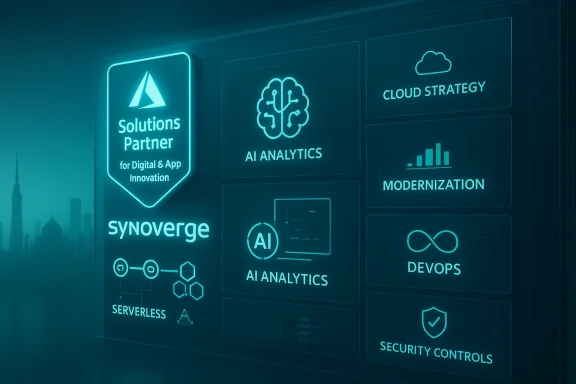
Synoverge’s announcement that it has been awarded the Microsoft Solutions Partner designation in Digital & App Innovation | Azure is a clear signal that the Ahmedabad‑based digital transformation firm is intensifying its alignment with Microsoft’s cloud and developer platform priorities — but the badge is best read as a procurement and delivery signal, not a turnkey guarantee. The company’s press release frames the designation as validation of Synoverge’s engineering maturity and Azure delivery capability, and positions the firm as a partner for cloud‑native application modernization, DevOps, platform engineering, and AI/BI workloads. This article unpacks what the designation means, checks the key program facts against Microsoft’s documentation, examines Synoverge’s capability claims using its public materials, and provides a practical, vendor‑focused due‑diligence checklist IT teams should use before awarding mission‑critical Azure work.
Synoverge Technologies Pvt. Ltd., a global digital transformation and IT services company with offices in India and Japan, announced that it has achieved the Microsoft Solutions Partner designation in Digital & App Innovation (Azure). The company’s statement highlights capabilities across cloud strategy, application migration, cloud‑native development, DevOps and platform engineering, AI/BI analytics, IoT‑enabled cloud solutions, and managed Azure operations. The release includes a quote from Ritesh Dave, Co‑Founder & Director of Sales, characterizing the recognition as a reflection of Synoverge’s engineering maturity and a reinforcement of its focus on secure, scalable Azure solutions.
Microsoft restructured its partner ecosystem around a Solutions Partner model that evaluates partners using a composite Partner Capability Score across three pillars: Performance, Skilling, and Customer Success. To earn a Solutions Partner designation in any given area, partners must meet a minimum capability score, with minimum points required in each subcategory. Microsoft’s documentation specifies those thresholds and the mechanics of scoring for Azure‑related designations.
That said, the designation is not a substitute for procurement and technical due diligence. For complex, high‑risk, or regulated workloads, buyers should treat the Solutions Partner badge as an invitation to dig deeper: request Partner Center exports, audited specialization letters where applicable, contactable references, operational artifacts, and security attestations. The partner program’s metric‑driven nature reduces the risk of purely marketing‑driven claims, but it also means that buyers must convert those metrics into concrete delivery proof for their particular project.
If your organization is considering Synoverge as an Azure vendor, proceed with a structured verification process: ask for the Microsoft Partner Center evidence first, then validate team skills and runbooks, and finally negotiate staged acceptance milestones that protect your operational and commercial interests.
In short: Synoverge’s Solutions Partner designation for Digital & App Innovation is a credible and useful vendor signal — it narrows the field and suggests the partner has invested in skilling and Azure delivery. But the badge should be followed immediately by Partner Center evidence, technical references, and contractual protections before awarding large or mission‑critical Azure engagements.
Source: openPR.com Synoverge Awarded Microsoft Solutions Partner Designation in Digital & App Innovation Azure
 Background / Overview
Synoverge Technologies Pvt. Ltd., a global digital transformation and IT services company with offices in India and Japan, announced that it has achieved the Microsoft Solutions Partner designation in Digital & App Innovation (Azure). The company’s statement highlights capabilities across cloud strategy, application migration, cloud‑native development, DevOps and platform engineering, AI/BI analytics, IoT‑enabled cloud solutions, and managed Azure operations. The release includes a quote from Ritesh Dave, Co‑Founder & Director of Sales, characterizing the recognition as a reflection of Synoverge’s engineering maturity and a reinforcement of its focus on secure, scalable Azure solutions.Microsoft restructured its partner ecosystem around a Solutions Partner model that evaluates partners using a composite Partner Capability Score across three pillars: Performance, Skilling, and Customer Success. To earn a Solutions Partner designation in any given area, partners must meet a minimum capability score, with minimum points required in each subcategory. Microsoft’s documentation specifies those thresholds and the mechanics of scoring for Azure‑related designations.
What the Microsoft Solutions Partner designation actually validates
The program mechanics, verified
Microsoft’s official guidance makes the mechanics unambiguous:- A partner must reach a minimum partner capability score of 70 points (out of 100) in the relevant solution area to qualify for a Solutions Partner designation. Points are split across Performance, Skilling (intermediate and advanced certifications), and Customer Success (usage growth and deployments).
- The program measures tangible, measurable signals that favor partners who drive Azure consumption, invest in role‑based certifications, and demonstrate customer outcomes — e.g., net customer adds, percentage ACR (Azure Consumed Revenue) growth and documented deployments. Microsoft’s guidance and partner blog posts reiterate that the partner capability score aggregates activity already recorded in Partner Center.
- The Digital & App Innovation designation maps to competencies around cloud‑native application modernization, container platforms (AKS), serverless, CI/CD, DevOps pipelines, and developer productivity — the same functional area Synoverge claims to operate in. The label therefore signals a partner focused on developer velocity and application platform engineering on Azure.
What it does not automatically certify
- The Solutions Partner designation is not the same as a third‑party audit (for example, Azure Expert MSP requires an external audit). It also does not automatically validate operational runbooks, DR testing, or specific security posture levels such as SOC 2 or ISO attestation (those are separate attestation processes). Partners may still need to demonstrate operational maturity during procurement.
- The designation does not equate to a guarantee of performance on large, regulated, or mission‑critical workloads (SAP, financial systems, healthcare clinical systems) unless the partner also holds workload specializations or audited specializations that Microsoft publishes separately. Those specializations usually require additional ACR thresholds, named references, and audits.
Synoverge’s claims and the public evidence
Synoverge’s press release foregrounds several capability claims that buyers will want to translate into evidence. Below we verify and contextualize those claims using Synoverge’s own web materials and Microsoft’s program documentation.What Synoverge says it can deliver
- Cloud strategy, assessment, and architecture design for Azure‑hosted solutions.
- Application and data migration to Azure.
- Cloud‑native development and platform engineering (DevOps, CI/CD, containerization).
- DevOps & platform engineering, verification & validation, ongoing managed support.
- Advanced AI/BI analytics and IoT‑enabled cloud solutions.
- Availability of Microsoft‑certified Azure professionals for hire and extension of client engineering capacity.
Company size and footprint
Synoverge’s site positions it as a mid‑sized engineering firm, with statements about a multi‑office presence (India and Japan), ISO certifications, and a staff headcount reflected in marketing materials. The “Why Synoverge” page lists 250+ professional staff, a claim consistent with mid‑market delivery capacity for the kind of Azure application modernization work the Solutions Partner designation targets. Buyers should verify headcount and bench depth for the specific roles they require (Azure Architects, DevOps Engineers, Security Engineers).What to treat as company claims (and verify)
- The press release says Synoverge supports clients “across India and global markets” and that “many clients rely on Synoverge for solutions.” These are typical PR phrasing. Synoverge’s site shows case studies and client testimonials, but specific named references, contract sizes, and long‑running managed service engagements must be validated in procurement. Synoverge’s PR usefully signals capability but does not, by itself, provide the Partner Center artifacts or third‑party audited evidence that enterprises often require.
- The quote attributed to Ritesh Dave frames the designation as evidence of “engineering maturity” and “over 20 years of global IT experience.” The leadership quote is a company statement; the “over 20 years” appears to reflect leadership experience rather than company tenure (Synoverge itself was founded in 2010 per its site). Buyers should treat individual executive experience as directional context and request named references and résumés for principal delivery staff.
Strengths: why this designation is meaningful for buyers
- Better alignment with Microsoft’s product roadmap and ecosystem. Partners with a Solutions Partner designation in Digital & App Innovation are explicitly focusing on Azure‑native developer experiences, which matters if your transformation depends on Azure PaaS, AKS, App Service, or modern CI/CD practices. Microsoft’s program aligns rewards to partners who drive Azure usage and invest in skilling, which can produce partners with deeper platform knowledge.
- Easier procurement shortlisting. Many enterprise procurement teams use partner badges as an initial filter. A Solutions Partner designation signals Microsoft‑captured metrics (performance, skilling, customer success) rather than a self‑declared competency, so it raises the baseline for evaluation. That said, badges are a starting point.
- Access to talent validated by role‑based skilling. Microsoft’s skilling requirements map to intermediate and advanced role certifications. A partner that earns the designation will have invested in certifying staff in developer, DevOps, and cloud roles — a useful sign for teams hiring vendors to shoulder delivery responsibility.
- Commercial and GTM benefits. Designated partners can gain prioritized discoverability and co‑sell support within Microsoft channels, which may translate into additional technical engagement opportunities and faster access to Microsoft resources during escalations. This can benefit customers by shortening resolution times in severe incidents and by facilitating joint solution development.
Risks and limits: what the badge doesn’t remove
- Badge ≠ audit of operational runbooks or managed service maturity. If you’re moving mission‑critical workloads (SAP, regulated healthcare, financial clearing), you need more than a Solutions Partner designation: ask for audited specializations, SOC/ISO attestations, named references, and operational artifacts (runbooks, CMP dashboards). Microsoft’s Advanced or Workload specializations and Azure Expert MSP status are the recognized gauges for deeper operational capability.
- Program mechanics shift. Microsoft periodically updates which services count toward ACR and which certifications satisfy skilling metrics. Program thresholds and eligible workload lists have changed historically; buyers should insist on current Partner Center reports exported by the partner as the source of truth rather than static press claims.
- Marketing vs. delivery gap. Press releases (including the one Synoverge distributed) are marketing artifacts. They don’t replace due diligence. Even capable partners vary in engagement quality by region, team, and practice area. Obtain project‑level references and technical artifacts before shortlisting for complex projects.
Practical verification checklist: convert the badge into proof
Below is a step‑by‑step checklist IT buyers and procurement teams can use to convert Synoverge’s announcement into operational confidence. Treat these as required gating items for any sizeable Azure engagement.- Request Partner Center evidence.
- Ask Synoverge to export the Partner Capability Score widget and show the Digital & App Innovation score history and the date(s) the score crossed the qualification threshold. Microsoft’s Partner Center is the definitive source for the partner’s capability score.
- Obtain named, contactable customer references (three minimum).
- Each reference should match the scale and industry of your planned engagement and be willing to discuss delivery details: scope, timelines, runbook use, incident response, security controls, and post‑go‑live support. Confirm the references in writing and run targeted technical questions.
- Review audited specializations and certifications.
- If you need SAP, AI Platform, or security specializations, ask for the Microsoft “specialization letter” or audit certificate that proves the partner completed the required third‑party review and ACR thresholds. Don’t accept a claim of “met prerequisites” without the audit artifacts.
- Verify team certifications and bench strength.
- Request a roster of the named delivery team with role‑based Microsoft certifications (Azure Solutions Architect, Azure DevOps Engineer, Azure Developer, etc.), and cross‑check via Microsoft Learn verification tools or Partner Center exports.
- Ask for operational artifacts.
- Runbooks, DR/BCP test reports, monitoring/observability dashboards, SLAs, security controls mapping (Entra identity, Defender/Sentinel usage), and a sample CMP (Cloud Management Platform) overview. These are the practical elements that convert a “capability” badge into operational reliability.
- Financial and contract safeguards.
- For large migrations or modernizations, require staged delivery milestones, acceptance criteria, and rollback plans. Consider migration warranties and clearly defined performance metrics tied to payments. Use the partner’s past ACR history as a sanity check on their Azure workload experience.
- Security and compliance evidence.
- Request SOC 2 / ISO 27001 certificates, evidence of secure software development lifecycle (SAST/DAST results if applicable), and any industry‑specific compliance evidence required for your sector (HIPAA, PCI, etc.). Synoverge indicates ISO certifications on its site; confirm the scope and recency of any such attestations.
How Synoverge’s public footprint lines up with its claim
- Synoverge’s website lists Azure case studies, cloud services, and Microsoft‑focused engineering capabilities. That public footprint aligns with the functional expectations of a Digital & App Innovation partner (application modernization, DevOps, cloud migration). These web pages corroborate the general capability claims in the press release.
- The company shows ISO certifications and an office footprint in Ahmedabad and Tokyo, which supports its claim of operating across multiple geographies. That operational presence is helpful for cross‑timezone delivery models, but again, buyers should confirm delivery center roles and the actual on‑shore/off‑shore split for their particular project.
- The Solutions Partner designation, as defined by Microsoft, demands measurable skilling and customer success metrics. Synoverge’s announcement fits the standard partner playbook — marketing the award to highlight capability. Independent verification via Partner Center exports and references remains the necessary next step.
Recommended conversation roadmap for procurement and technical teams
If you are evaluating Synoverge for Azure application modernization, the following conversation roadmap frames the right questions and the artifacts you should request.- Commercial discovery
- Ask for Partner Center export, specialization letters (if claiming any), and a list of relevant contract vehicles or reseller arrangements.
- Technical architecture review
- Request a reference architecture for a completed project similar to your scope (AKS, App Service, serverless, data flow diagrams, CI/CD pipelines) and ask for code‑level or pipeline screenshots (obscuring IP as necessary).
- Security and operations deep‑dive
- Request runbooks, incident response timelines, DR test reports, and evidence that monitoring and observability are in place (metrics, alerts, PagerDuty or equivalent integrations).
- Delivery team validation
- Get CVs for the engagement lead, the lead architect, and the SRE/ops lead. Verify certifications and ask for a sample governance RACI for a typical migration or modernization sprint.
- Pilot and acceptance criteria
- Insist on a tightly scoped pilot or proof of value with concrete acceptance criteria tied to performance, scalability, and security benchmarks.
Final assessment
Synoverge’s award of the Microsoft Solutions Partner designation in Digital & App Innovation | Azure is, on balance, a positive commercial signal: it indicates the company has invested in Azure‑centric skilling and client outcomes that Microsoft measures inside Partner Center. Its public site and case studies demonstrate Azure usage in production projects and a service mix aligned to application modernization and platform engineering. These are the right ingredients for projects that require modern developer toolchains, container orchestration, and DevOps automation.That said, the designation is not a substitute for procurement and technical due diligence. For complex, high‑risk, or regulated workloads, buyers should treat the Solutions Partner badge as an invitation to dig deeper: request Partner Center exports, audited specialization letters where applicable, contactable references, operational artifacts, and security attestations. The partner program’s metric‑driven nature reduces the risk of purely marketing‑driven claims, but it also means that buyers must convert those metrics into concrete delivery proof for their particular project.
If your organization is considering Synoverge as an Azure vendor, proceed with a structured verification process: ask for the Microsoft Partner Center evidence first, then validate team skills and runbooks, and finally negotiate staged acceptance milestones that protect your operational and commercial interests.
In short: Synoverge’s Solutions Partner designation for Digital & App Innovation is a credible and useful vendor signal — it narrows the field and suggests the partner has invested in skilling and Azure delivery. But the badge should be followed immediately by Partner Center evidence, technical references, and contractual protections before awarding large or mission‑critical Azure engagements.
Source: openPR.com Synoverge Awarded Microsoft Solutions Partner Designation in Digital & App Innovation Azure