

Microsoft’s Teams updates at Ignite 2025 were less a scattershot of features and more a coordinated push toward an agentic, multi-model collaboration platform — a shift that touches UI, governance, security, and the devices people use every day. The announcements break cleanly into four strategic themes: agent-first automation and multi-model AI, tighter hybrid and inclusive collaboration, enterprise-grade security and platform extensibility, and an intentional hardware ecosystem that treats devices as active collaboration endpoints. This feature unpacks each theme, verifies key technical claims, and offers practical, tactical guidance IT teams should act on now.
Microsoft Ignite 2025 reinforced a clear corporate thesis: AI is moving from an augmentation layer to an operational fabric that must be governed, auditable, and useful inside the daily flow of work. The event framed Teams not as an isolated chat client but as the central nervous system through which agents, copilots, meetings, and peripheral devices exchange context and execute actions. This is reflected both in Microsoft’s product pages and in independent reporting on the new control-plane constructs (Agent 365, Foundry Agent Service) and the multi-model strategy that brings Anthropic’s Claude family into the Azure Foundry catalog. Microsoft’s messaging during Ignite emphasized two operational realities simultaneously: make AI useful where work already happens, and make AI governable at scale. That balancing act — empower agents to act, but expose their behavior to IT and compliance teams — is the connective tissue tying the major Teams updates together. Many of the practical product rollouts (Facilitator, Channel Agents, model routing, device certifications) are available in public preview or are gated to specific licenses and tenant configurations; administrators should assume staged tenant rollouts and tenant-level opt-ins.
Ignite 2025 didn’t create these risks — it simply made them actionable. The next 12 months will be about the organizations that convert Microsoft’s agentic primitives into reliable, auditable workflows that actually reduce cognitive load rather than introduce new operational burden. For WindowsForum readers and UC professionals, the immediate work is clear: pilot deliberately, instrument rigorously, and treat agents the same way you treat any other production service — with owners, logs, alerts, and lifecycle controls.
Conclusion
Microsoft’s Teams story at Ignite 2025 is a strategic, pragmatic step toward an agent-enabled collaboration platform: richer copilots and agents, multi-model model choice through Foundry and Anthropic, stronger admin and security tooling, and a device ecosystem tuned for hybrid reality. These advances open real productivity pathways, but they do not remove the need for disciplined governance, human-in-the-loop verification, and careful FinOps. Organizations that treat agents as managed services — with identity, telemetry, and clear ownership — will be the immediate winners; those that rush to enable features tenant-wide without controls risk costly cleanup. The product roadmap is coherent; the work for IT is operational.
Source: UC Today Craig Durr: I Distilled the Microsoft Teams Story from Ignite 2025 into Four Themes So You Don’t Have To
 Background and overview
Microsoft Ignite 2025 reinforced a clear corporate thesis: AI is moving from an augmentation layer to an operational fabric that must be governed, auditable, and useful inside the daily flow of work. The event framed Teams not as an isolated chat client but as the central nervous system through which agents, copilots, meetings, and peripheral devices exchange context and execute actions. This is reflected both in Microsoft’s product pages and in independent reporting on the new control-plane constructs (Agent 365, Foundry Agent Service) and the multi-model strategy that brings Anthropic’s Claude family into the Azure Foundry catalog. Microsoft’s messaging during Ignite emphasized two operational realities simultaneously: make AI useful where work already happens, and make AI governable at scale. That balancing act — empower agents to act, but expose their behavior to IT and compliance teams — is the connective tissue tying the major Teams updates together. Many of the practical product rollouts (Facilitator, Channel Agents, model routing, device certifications) are available in public preview or are gated to specific licenses and tenant configurations; administrators should assume staged tenant rollouts and tenant-level opt-ins. AI Agents, transparency, and the shift to a multi-model collaboration platform
The agentic pivot: what changed and why it matters
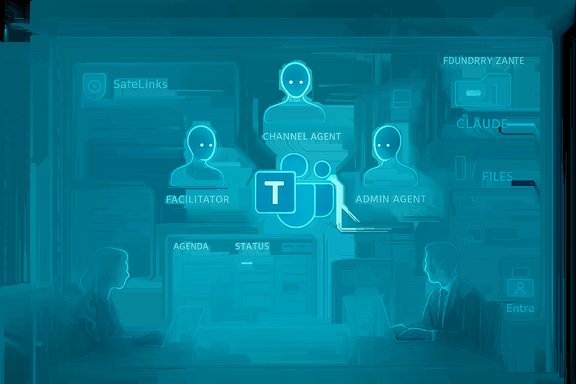
At Ignite, Microsoft accelerated Teams’ evolution from a chat + meetings client into an agent-hosting platform by formalizing agents as first-class participants across meetings, channels, files, and frontline workflows. Agents like Facilitator (meeting-focused), Channel Agents (team/domain-focused), and a growing catalog of role-specific assistants (Sales Development Agent, Teams Admin Agent) can now capture agendas, produce structured status reports, create workback plans, and kick off downstream automation — all from within Teams. These agents are increasingly designed to act (schedule, create Loop components, assign tasks), not simply respond. Microsoft’s in-product documentation and Ignite messaging make this explicit. That capability matters because it reduces context-switching — agents can own repetitive orchestration and surface concise, structured outputs inside the place teams already use. The trade-off is governance: agent actions become consequential records that must be auditable, reversible, and subject to lifecycle policy. Microsoft has recognized this by building a control plane for agents (Agent 365 / Foundry Control Plane) and by assigning dedicated identities to agents (Microsoft Entra Agent ID) so they can be managed similarly to human service accounts.Transparency and auditability — the new non-negotiables
Microsoft paired agent features with stronger observability and admin controls. Agents now generate artifacts in discoverable locations (Loop files, OneDrive meeting folders, Exchange mailbox items) and administrators can view security and compliance data for apps and agents in the Teams admin center. This transparency is practical: it lets security teams trace an agent’s tool calls, resource access, and outputs — vital when agents can create deliverables or modify other systems. Expect organizations to require auditable playbooks, human-in-the-loop checkpoints for high-impact outputs, and logging of decision points as default rollout rules.Multi-model foundations: why Anthropic matters (and what “model-agnostic” looks like)
A strategic technical move at Ignite was Microsoft’s multi-model orientation inside Azure AI Foundry: Anthropic’s Claude family now sits alongside OpenAI and other models in Foundry’s catalog, and Microsoft introduced a model router concept to route requests to the model most appropriate for the task. The practical implication: Teams and Copilot will no longer be strictly tied to one model family; they’ll be able to pick a model optimized for reasoning, safety, latency, or cost. This positions Teams as a pragmatic, model-agnostic orchestration surface rather than a monolithic Copilot endpoint. Reuters, the Microsoft Foundry blog, and independent industry coverage corroborate this model diversification and the commercial commitments behind it.Developer and admin plumbing: Foundry, MCP, and Entra Agent ID
Ignite clarified how agents are built, published, and governed: Foundry Agent Service (and Foundry Control Plane) offers one-click publishing to Microsoft 365 surfaces; the Model Context Protocol (MCP) standard gives agents a way to request context or tool access from third-party apps (GitHub, Jira, Asana); and Entra Agent ID gives agents a managed identity that can be constrained by Conditional Access and audited like any other principal. Together these pieces form a production-grade stack for agent lifecycle management: build, test, instrument, publish, and operate. For organizations, the imperative is simple — treat agents as production services with defined owners, SLAs, and telemetry.Seamless and inclusive hybrid collaboration that bridges the gaps
What Microsoft shipped (practical features)
Microsoft’s Teams updates at Ignite also reinforced a pragmatic hybrid agenda: reduce the friction between in-room and remote participants and make meeting artifacts accessible and equitable. Notable user-facing items include:- Facilitator improvements that detect agendas in chat or invites, show live progress timers, and draft documents during meetings.
- Teams Mode for Copilot, which lets Copilot chats be shared with a group to enable collaborative drafting and brainstorming.
- Customizable meeting recaps and accessibility improvements (text-to-speech, improved keyboard navigation, and mobile-friendly recaps) that help participants catch up and stay included.
Why inclusivity is a design decision, not a checkbox
The real test of hybrid UX is consistency: participants need predictable controls, reliable recaps, and shared artifacts that survive the meeting. Microsoft’s focus on live notes, meeting transcripts stored to managed places (OneDrive/Loop), and improved keyboard and mobile workflows directly addresses that need. However, organizations must still configure retention, DLP, and access policies appropriately; otherwise, those same conveniences create compliance and data-governance headaches. The emphasis on templates and predictable recap behavior is welcome — it gives teams deterministic outputs that can be reviewed and archived.Enterprise-grade security, management, and platform extensibility
Threat protection and safer content in Teams
Ignite brought concrete security improvements to Teams: enhanced URL and file protections, domain impersonation detection, and expanded Defender protections for Teams messages and attachments. Microsoft’s Defender and Teams blogs outline new malicious-URL protections and the integration of Safe Links/Safe Attachments behaviors into chat and channel contexts, including near real-time URL scanning and warnings delivered in client UIs. These controls reduce the risk surface for collaboration content and are a practical first line of defense.Admin tooling: smarter diagnostics and AI-assisted help desks
Admins received operational upgrades: remote log collection for meeting diagnostics, AI-powered assistant tooling in the Pro Management portal, and Copilot-enabled admin summaries that can help triage quality and usage issues. These features are not replacements for SOC teams, but they accelerate troubleshooting and surface telemetry in a way that helps IT move faster. Combine these with existing Defender and Purview tooling and you get a stronger detection/response posture for Teams.Extensibility and compliance recording
Microsoft expanded support for third-party compliance recording at the call-queue level and improved validation workflows for apps and integrations. The Model Context Protocol (MCP) plays a role here as well, allowing channel agents to interact with and surface data from third-party systems while preserving a governance surface. For regulated industries, these additions reduce integration friction: compliance recorders can be attached to queues and agents can pull verified data from supported tooling rather than reading raw files.Intelligent and flexible hardware ecosystem supporting the future of Teams
Device announcements and what they signify
Hardware partners used Ignite to align device roadmaps with Microsoft’s agentic and hybrid vision. The Teams blog and partner announcements highlighted:- Yealink MP66W — a Wi‑Fi enabled Teams device aimed at frontline mobility with AI noise reduction and an emergency alert button.
- MAXHUB XBar W70 — a Windows-based videobar with AI-enhanced audio/video and a dedicated console for small/medium rooms.
- Yealink LinkHub — a smart dock for desk booking integrated with Microsoft Places.
- Lenovo + Owl Labs Teams Rooms bundles and Logitech Express Install kits for rapid Teams Rooms deployment, plus new Teams-certified headsets like Logitech Zone Wired 2 and Wireless 2 ES.
Devices as first-class collaboration agents
What’s important is framing: Microsoft and partners now present devices as active participants in the collaboration stack — capable of on-device inference (for noise suppression, low-latency vision features), identity-attached telemetry, and centralized manageability through Teams Admin Center. For IT teams, that means device lifecycle management, firmware update cadence, and network behavior need to be governed with the same rigor as endpoints that host corporate data.What was missing, and the risks IT teams should not overlook
No single Ignite can exhaustively cover every enterprise concern. Three gaps stood out during coverage and in follow-on analysis:- The AV — IT integration gap. Many devices retain an AV-centric heritage that doesn’t always map cleanly to IT governance and networking expectations. Organizations continue to ask for clearer guidance on network traffic patterns, privacy/data flows, and how device-side AI interacts with cloud services. Without this, deployments risk friction and unexpected compliance exposure.
- Stronger, prescriptive AI governance guidance. Microsoft introduced governance primitives (Agent 365, Entra Agent ID, Purview integration), but many enterprises will want prescriptive, industry-specific documentation and templated policies that accelerate legal and procurement approvals. The product scaffolding is there; the next step is repeatable operational playbooks.
- A deeper collaboration narrative on the main stage. Teams’ innovations were prominent across many product streams, but some observers felt collaboration could have been given a larger share of keynote stage time relative to the broader AI story. For practitioners, that means Teams workstreams must remain a prominent part of organizational AI planning even if vendor marketing headlines emphasize platform-level AI.
Practical guidance — an operational checklist for IT and UC leaders
The breadth of Microsoft’s Teams updates requires a structured, deliberate approach to rollout. The checklist below prioritizes governance, measurement, and safe pilot design.- Inventory and map risk (0–30 days)
- Catalog where meeting transcripts, Loop components, and recaps land (OneDrive, Exchange, tenant storage). Use that map to align retention and eDiscovery rules.
- Pilot bounded agent scenarios (30–90 days)
- Choose two micro-use cases (meeting recaps for an internal operations team; channel status reporting for a single product team). Measure time-saved, accuracy, and error rates. Ensure human verification gates for high‑risk artifacts.
- Lock down identity and agent lifecycle (30–90 days)
- Enforce Microsoft Entra Agent ID for all production agents. Apply Conditional Access and short-lived credentials for connectors. Treat agents as principals in Azure AD logs and SIEM.
- Align security controls before scale (60–120 days)
- Enable Safe Links and malicious-URL protections for Teams; route Teams audit logs to Sentinel and build detection rules for anomalous sharing or agent behavior. Confirm compliance recording workflows for regulated queues.
- FinOps and licensing discipline (60–120 days)
- Map Copilot/Teams Premium license needs to user roles. Gate broad enablement on measured ROI and FinOps rules for metered agent usage.
- Hardware and deployment playbook (90–180 days)
- Standardize on certified device classes for room sizes. Verify vendor firmware support windows and integrate device update policies into your patch cadence. Use Express Install kits where supported to reduce install variability.
- Ongoing observability and audit (90+ days)
- Require agents to generate traceable playbooks and OpenTelemetry traces. Add agent actions to SOC use cases and tabletop exercises. Ensure revocation workflows are tested and documented.
Final analysis: balancing ambition with operational rigor
Ignite 2025 left little doubt about Microsoft’s direction: Teams is being positioned as the enterprise collaboration fabric for an agentic era. That shift is sensible — it moves intelligence to where context is richest — but it also raises the operational bar for IT organizations. Two practical conclusions follow:- The upside is real and immediate: contextual agents (Facilitator, Channel Agents) can reclaim hours of busywork, close decision gaps, and make hybrid meetings more effective when deployed to well-scoped pilots with human verification.
- The risks are material and solvable: auditability, identity, and telemetry must be non-negotiable components of any rollout. Treat agents as production services, not feature flags; require owner accountability, lifecycle controls, and continuous monitoring.
Ignite 2025 didn’t create these risks — it simply made them actionable. The next 12 months will be about the organizations that convert Microsoft’s agentic primitives into reliable, auditable workflows that actually reduce cognitive load rather than introduce new operational burden. For WindowsForum readers and UC professionals, the immediate work is clear: pilot deliberately, instrument rigorously, and treat agents the same way you treat any other production service — with owners, logs, alerts, and lifecycle controls.
Conclusion
Microsoft’s Teams story at Ignite 2025 is a strategic, pragmatic step toward an agent-enabled collaboration platform: richer copilots and agents, multi-model model choice through Foundry and Anthropic, stronger admin and security tooling, and a device ecosystem tuned for hybrid reality. These advances open real productivity pathways, but they do not remove the need for disciplined governance, human-in-the-loop verification, and careful FinOps. Organizations that treat agents as managed services — with identity, telemetry, and clear ownership — will be the immediate winners; those that rush to enable features tenant-wide without controls risk costly cleanup. The product roadmap is coherent; the work for IT is operational.
Source: UC Today Craig Durr: I Distilled the Microsoft Teams Story from Ignite 2025 into Four Themes So You Don’t Have To
