

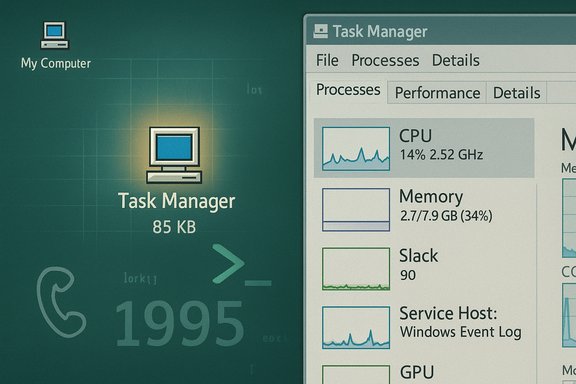
Thirty years after it first shipped, Windows' Task Manager still does the one thing its creator set out to do: make the internals of the operating system visible and actionable — and, once in a while, cause a little chaos while doing it. The tool that began as an 85 KB, scrappy utility written in a den by a junior Microsoft engineer has become part of the muscle memory of sysadmins and power users worldwide. Its author, David (Dave) Plummer, has spent the anniversary reflecting on the tool’s Unix-inspired origins, a famous in-code slip that left his home phone number in a beta build, and the paradox of a troubleshooting app that can itself be the source of trouble — most recently when a 2025 preview update left orphaned Task Manager processes multiplying in the background.
Yet the recent orphaned‑process regression is a reminder: no amount of heritage or engineering pride immunises a component from regressions born of complexity and continuous delivery. The lesson is twofold: keep the user’s needs front and center, and treat diagnostic tools as first‑class citizens in testing and servicing pipelines.
Task Manager’s core promise — to show what's running, let users act, and get out of the way — remains valid. Its survival across Windows' many faces is proof that pragmatic, direct tooling endures. But surviving is not the same as thriving. As the app enters its fourth decade, the craft it embodies will need modern practices (stronger lifecycle tests, clearer release health signals, and smarter rollout discipline) to preserve its original virtues while updating for today's scale and complexity.
Task Manager’s thirty‑year story is a living balance between power and protection, craftsmanship and scale. The original credo — give the user a chisel, not a Nerf bat — still cuts through the noise. But modern engineering has to pair that creed with a recognition that diagnostic tools are also part of the attack surface and the maintenance burden. The best tribute to Plummer’s work is not nostalgia, but the continuous effort to keep the tool reliable, transparent and as truthful about the system as the developer intended.
Source: theregister.com Microsoft's Task Manager turns 30: Original coder celebrates
 Background
Where Task Manager came from
Task Manager did not arrive as a grand Microsoft product initiative. It was a side project: a small, pragmatic app Plummer built to see what was running on his machine. The code's "birthday" — the date he stamps into the source — is November 10, 1995, and the first official integration came when Windows NT's engineering leadership accepted his donation into the main source tree. The utility first appeared with Windows NT 4.0 and rapidly became an essential diagnostic tool on subsequent Windows releases.The man behind the window
David Plummer arrived at Microsoft in the early 1990s and worked on MS‑DOS and NT-era projects. Task Manager was his first complete, polished Windows application and one he later described as "very Unixy" in spirit: give the user a clear window into running processes and let them act. That throwback to Unix philosophy — surface information, then let the user make choices — shaped a tool that became indispensable to troubleshooting across Windows generations. Plummer has told the story in interviews, talks and long-form videos, recounting the era when a developer could bring a home project to the NT team and have an architect like Dave Cutler green‑light its inclusion.Anatomy of the original Task Manager
Tiny, fast, and purposeful
The original NT-era Task Manager exe was famously compact — approximately 85 kilobytes in the NT 4 form and generally described as "under 100K" — and designed to be reliable above the predictable chaos of a crashing system. That tiny binary delivered a flicker‑free, fully resizable UI and was intended to work even when Explorer or other subsystems failed. Those constraints forced a particular engineering discipline: minimal dependencies, defensive programming, and an unwillingness to hide functionality that could save a user's session or recover a dead desktop.Design choices that still matter
Plummer followed a few core rules when building Task Manager:- Keep the UI responsive and avoid repaint flicker.
- Minimize the binary size and external dependencies.
- Expose low‑level metrics that let users reason about CPU, memory and I/O.
- Accept that the operating system — not the tool — should decide which user actions are legal.
Anecdotes from the trenches
A phone number in the code
One of the best-known Task Manager origin anecdotes is on the theatrical side of developer lore. Plummer instrumented an assertion to detect a contentious kernel accounting bug (when CPU totals would sometimes exceed 100%). To make sure testers could reach him if the assertion triggered, he embedded his home phone number in the message string. By accident, a beta build escaped with the message still present; the kernel bug was real and fixed, and Plummer later commented out the message — but the number remained in the source tree as an artifact of a different era of software distribution and testing. The story illustrates a time when tight feedback loops and developer ownership were built into OS engineering culture.Dangerous features and responsibility
Early Task Manager could be used to intentionally or accidentally destabilize a system: killing critical sessions, escalating priorities to starve the scheduler, or terminating essential Win32 subsystems. Journalists and curious users sometimes pushed these features to extremes. Plummer's philosophy was clear: the OS is the final arbiter of what should be permitted; the tool's job is to be honest and effective. That philosophy drove a design that favored power and transparency over paternalistic protection — a trade-off still debated by product designers today.How Task Manager grew up — features and bloat
From one view to many panels
Over three decades, Task Manager evolved from a compact process viewer into a multifunction system hub:- Processes listing and End Task
- Performance graphs (CPU, memory, disk, GPU, network)
- App history and resource usage per user
- Services control
- Startup impact manager
- Details pane for process IDs, command lines, and handles
The trade-offs of features
More panels and richer UI bring obvious benefits: quicker triage, better UX for less technical users, and integrated tools that reduce reliance on third‑party utilities. But they also bring costs:- Larger codebase and more complex teardown paths.
- Additional threads and polling mechanisms that must be reliably stopped.
- Greater integration with system services and telemetry channels.
- Surface area for regressions when updates change grouping or lifecycle logic.
The 2025 orphaned Task Manager bug: a case study
What happened
After the October 28, 2025 optional preview cumulative update (KB5067036), community testers and independent outlets reproduced a reproducible regression: closing Task Manager using the window Close (X) button sometimes did not terminate the underlying taskmgr.exe process. Reopening Task Manager created an additional visible instance while the previous process remained resident. Repeating open/close cycles accumulated orphaned taskmgr.exe processes that consumed memory and occasional CPU, producing minor but measurable system impact — particularly on low‑memory devices and battery‑sensitive laptops. The reproductions suggested the bug was tied to lifecycle teardown paths and process‑grouping changes in the patch.How it reproduces and why it matters
Reproducing the condition is straightforward:- Open Task Manager (Ctrl+Shift+Esc).
- Close it using the top‑right Close (X) button.
- Reopen Task Manager and check Processes → Background processes or use Get‑Process/tasklist to find multiple taskmgr.exe entries.
Each orphaned instance typically occupied ~20–30 MB of RAM in community tests; this is small individually but accumulates quickly under repeated cycles. The important takeaway is not dramatising the numbers, but recognising the paradox: a tool whose purpose is diagnosing resource and process problems can itself be the source of confusing resource consumption. The bug also shows how preview updates — designed for staged validation — can still leak into broader installs and cause measurable pain on production machines.
Practical mitigations
While Microsoft investigates and resolves such regressions, practical steps are available:- Avoid closing Task Manager with the X button; use "End task" or kill it from an elevated prompt: taskkill /im taskmgr.exe /f.
- Reboot to clear accumulated orphaned instances.
- Defer optional preview updates on production or helpdesk devices; confine them to pilot rings.
- Use Sysinternals Process Explorer for deep inspection and targeted kills if needed.
Critical analysis: strengths, craftsmanship — and risks
What Task Manager still does exceptionally well
- Clarity and directness: It exposes the fundamental constructs (processes, threads, handles, I/O counters) users need to understand what the system is doing.
- Rescue functionality: Running a new process when Explorer crashes or using Task Manager to recover a frozen desktop remains a practical lifesaver.
- Durability: The fact that an 85 KB tool designed in the 1990s can still run and be useful is a testament to disciplined engineering and interface choices.
What changed culture brings
Plummer credits a culture of ownership — the "eat your own dog food" habit — for the original tool's reliability. Modern engineering organisations, product cycles, and telemetry‑driven decision‑making bring different incentives: backing compatibility, telemetry, and a broad set of stakeholders. Those advantages are real, but they also encourage:- Feature creep that increases complexity.
- Distribution patterns (preview rollouts, staged flags) that create asymmetric failure modes.
- A reliance on automated test‑coverage that cannot fully replicate the idiosyncrasies of user machines.
Security and telemetry considerations
Task Manager's ability to escalate privileges or enable debug tokens when needed places it on a sensitive plane. Over time Microsoft has hardened what the UI exposes and prevented user actions that could destabilise the system in wholesale ways (e.g., preventing termination of critical kernel components). This hardening helps protect less technical users but can also obscure legitimate tools for power users and support staff. The balance between safety by design and unfettered diagnostic power is an ongoing product debate.Recommendations: practical steps for Microsoft and users
For Microsoft
- Reintroduce strict teardown and lifecycle unit tests for diagnostic apps that run at high privilege and perform sampling/polling. Tests should validate graceful exit under stress scenarios.
- Treat preview updates as high‑risk for diagnostic tooling; give diagnostic components an extra testing and staging gate before preview inclusion.
- Preserve advanced functionalities behind discoverable settings instead of burying them; power users rely on capability parity across releases.
- Improve Release Health transparency for preview regressions so administrators can respond faster.
For IT admins and power users
- Defer optional preview updates on helpdesk, thin client, and production fleets.
- Script rapid remediation: a short scheduled task that runs tasklist | findstr taskmgr && taskkill /im taskmgr.exe /f can quickly clear ghost instances in crisis windows.
- Use Sysinternals Process Explorer or Process Monitor for forensic inspection when Task Manager behaviour is suspect.
For everyday users
- Use Task Manager’s "More details" view when troubleshooting.
- If Task Manager appears to create multiple entries after closing and reopening, use the End task action or reboot rather than repeatedly opening and closing the UI.
The legacy — why Task Manager matters
Thirty years on, Task Manager is more than a troubleshooting tool; it is a cultural artifact of operating‑system craftsmanship. The story of its origin — a small, purposeful binary grown from a very Unixy impulse — remains instructive for anyone designing system utilities. The anecdotes, from the in‑code phone number to the crisp insistence that tools should be accountable and fix bugs rapidly, reflect a philosophy of ownership that still resonates.Yet the recent orphaned‑process regression is a reminder: no amount of heritage or engineering pride immunises a component from regressions born of complexity and continuous delivery. The lesson is twofold: keep the user’s needs front and center, and treat diagnostic tools as first‑class citizens in testing and servicing pipelines.
Task Manager’s core promise — to show what's running, let users act, and get out of the way — remains valid. Its survival across Windows' many faces is proof that pragmatic, direct tooling endures. But surviving is not the same as thriving. As the app enters its fourth decade, the craft it embodies will need modern practices (stronger lifecycle tests, clearer release health signals, and smarter rollout discipline) to preserve its original virtues while updating for today's scale and complexity.
Task Manager’s thirty‑year story is a living balance between power and protection, craftsmanship and scale. The original credo — give the user a chisel, not a Nerf bat — still cuts through the noise. But modern engineering has to pair that creed with a recognition that diagnostic tools are also part of the attack surface and the maintenance burden. The best tribute to Plummer’s work is not nostalgia, but the continuous effort to keep the tool reliable, transparent and as truthful about the system as the developer intended.
Source: theregister.com Microsoft's Task Manager turns 30: Original coder celebrates
