

Microsoft’s Windows 11 feels increasingly like a prize-winning Swiss army knife that forgot it started life as a pocket knife: full of tools some people never asked for, and heavier every year as Microsoft welds AI, cloud hooks, and promotional prompts into the core user experience. The result is a growing and vocal demand for a lightweight Windows 11 that does only what users expect: a fast, uncluttered desktop, minimal inbox apps, predictable updates, and no Copilot-shaped surprises — and a community-built alternative called Tiny11 has stepped into that gap, offering a clear proof of concept while simultaneously raising uncomfortable questions about security, support, and the limits of community-driven operating system modification.
Windows 11 launched as Microsoft’s vision of a modern desktop OS, but its trajectory since release has revealed three persistent tensions: increasing integration of AI and cloud services, tighter hardware gating (TPM 2.0, Secure Boot, specified CPU lists), and a default composition that bundles more inbox apps and “nudges” than many users want. Those tensions underpin the broader community response — from UI helpers to full image builders — that aim to reclaim control of the OS experience for everyday users.
Two structural facts have accelerated the debate. First, Microsoft set an unequivocal deadline for Windows 10 mainstream support to end on October 14, 2025, forcing a large installed base to choose between upgrading to Windows 11 or continuing on an unsupported platform. Second, Microsoft’s push to bake AI into windows and inbox apps (Copilot, new Outlook, Teams integrations, and more) has been polarizing: many users see it as unwanted bloat rather than useful functionality. Those realities created fertile ground for projects that produce a stripped-down Windows image.
Key technical elements of Tiny11:
But Tiny11 is a community tool, not an enterprise-grade product. It bridges a gap that Microsoft currently refuses to fill — for reasons that are both strategic and security-driven. For power users, refurbishers, lab environments, and those comfortable with the trade-offs, Tiny11 is a pragmatic option to reclaim older hardware and reduce the friction of modern Windows. For the majority of users who require vendor support, timely security patches, and guaranteed compatibility, the conservative path is to use a supported Windows image or choose an alternative OS designed for light hardware.
Ultimately, Tiny11 is a vivid reminder of what many users already knew: Windows does too much, by default. That’s a solvable engineering problem, but it’s also a business decision. Microsoft’s incentives point toward more integration, not less. If a mainstream “Windows Lite” ever arrives, it will require Microsoft to put the user-first, no-strings, non-monetized simplicity above near-term revenue incentives — a rare corporate pivot but one the market would welcome.
For now, Tiny11 is the community’s answer: powerful, pragmatic, and cautionary in equal measure. Use it thoughtfully, test it carefully, and always keep a fully supported fallback image available.
Source: TechRadar https://www.techradar.com/computing...lightweight-windows-11-that-nails-the-basics/
 Background
Windows 11 launched as Microsoft’s vision of a modern desktop OS, but its trajectory since release has revealed three persistent tensions: increasing integration of AI and cloud services, tighter hardware gating (TPM 2.0, Secure Boot, specified CPU lists), and a default composition that bundles more inbox apps and “nudges” than many users want. Those tensions underpin the broader community response — from UI helpers to full image builders — that aim to reclaim control of the OS experience for everyday users.Two structural facts have accelerated the debate. First, Microsoft set an unequivocal deadline for Windows 10 mainstream support to end on October 14, 2025, forcing a large installed base to choose between upgrading to Windows 11 or continuing on an unsupported platform. Second, Microsoft’s push to bake AI into windows and inbox apps (Copilot, new Outlook, Teams integrations, and more) has been polarizing: many users see it as unwanted bloat rather than useful functionality. Those realities created fertile ground for projects that produce a stripped-down Windows image.
What Tiny11 actually is
A community-built, debloated distribution of official Windows media
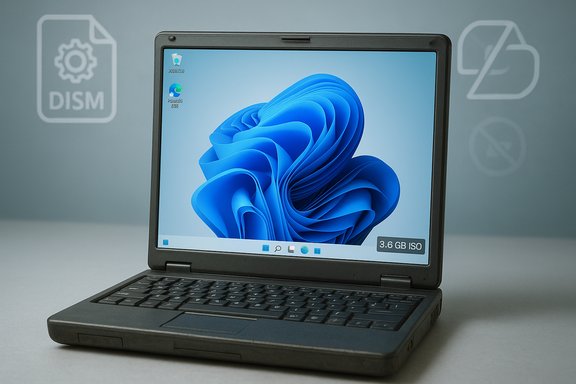
Tiny11 is not an independent operating system — it is a community-developed image builder that takes an official Microsoft Windows 11 ISO, performs offline servicing using Microsoft tooling (DISM and friends), removes preselected inbox apps and services, and rebuilds a much smaller, bootable ISO. The builder exposes choices and profiles so administrators and power users can produce a serviceable build (keeps updateability) or an ultra‑aggressive core build (maximizes compactness at the expense of servicing).Key technical elements of Tiny11:
- Uses Microsoft’s own offline servicing tools (DISM) to remove packages and apply compression.
- Switches to higher compression modes (LZX/LZMS recovery compression) to reduce final ISO size dramatically.
- Offers two primary profiles: a regular “tiny11maker” aimed to remain serviceable and a “tiny11core” that strips even servicing components for the absolute smallest footprint.
The headline wins Tiny11 promises
- Much smaller ISO sizes — community and independent builds often report final images in the 3–6 GB range, compared with the 20–30 GB space a stock Windows 11 install can occupy. This makes installs feasible on older storage and even fitting some builds onto DVD media in nostalgic demonstrations.
- Removal of many inbox components (Edge in some builds, Copilot plumbing, Xbox apps, clip-and-media apps, OneDrive prompts) reduces background services and telemetries that many users call “bloat.”
- Options to remove or avoid Microsoft Account enforcement in OOBE, restoring a simpler local-account first setup for those who prefer it.
Why users want a stripped-down Windows
There’s a real, rational user case for a lightweight Windows:- Many casual or budget users need a responsive environment for browsing, office apps, and media playback — not a cloud-first AI assistant. Windows’ baseline requirements and bundled features can exceed those needs.
- Older but perfectly functional devices are excluded by Microsoft’s TPM 2.0 / Secure Boot hardware gating — hardware that can still do everyday tasks is sidelined unless users jump through hoops or buy new machines. Tiny11 and similar approaches aim to restore viability to those devices.
- Preloaded OEM apps, inbox promotions, and repeated “nudges” toward Microsoft services degrade the out-of-the-box experience and push users toward solutions that promise a clean slate.
The trade-offs: what you give up for “tiny”
Stripping Windows down pays performance dividends, but a short list of hard trade-offs explains why this approach cannot be a blanket recommendation for everyone.Security and servicing
- Many Tiny11 core builds deliberately sacrifice the Windows Component Store and Windows Update servicing hooks to reach their smallest size. That means no regular Windows Update path, no automatic security patches, and a reliance on manual rebuilds or third‑party fixes — a risky place for devices that connect to the internet daily.
- Tiny11’s ability to bypass hardware checks (TPM, Secure Boot) is useful for installing on older hardware, but those hardware features exist for modern mitigations (credential protection, secure boot chain). Removing them reduces the machine’s hardware-based defenses.
Support and updates
- Tiny11 builds are community-maintained; Microsoft explicitly does not support modified or unsupported configurations. If hardware or application compatibility issues arise, users are largely on their own or reliant on community forums. This is a substantial cost for non-technical users.
Compatibility
- Removing inbox components and platform bits can break applications that expect those components present, or some drivers that are validated against Microsoft’s standard servicing stack. The lightweight image can be ideal for web, office, and kiosk uses, but not for complex corporate software that assumes full Windows features.
Licensing and legal nuance
- Tiny11’s builder operates on an official Microsoft ISO, and the technique is to service that official media offline. That design helps avoid a hard fork of Windows, but distributing prebuilt, modified ISOs may raise licensing and legal questions depending on jurisdiction and the distribution method. Users should prefer to run the builder locally on an official ISO rather than download arbitrary community images.
Technical verification: what’s provable — and what looks like hype
Several concrete claims about Tiny11 are well-substantiated across independent community reporting and the builder’s own notes:- Tiny11 can produce ISOs in the single-digit gigabyte range (commonly 3–6 GB), achieved through aggressive removal and modern compression. This is attested by multiple independent write‑ups and the builder’s release notes.
- The builder exposes a “serviceable” path and an “ultra-core” path; the latter is explicitly non-serviceable and intended for very specific non-production use.
- Tiny11’s scripts include options to disable or bypass OOBE Microsoft Account prompts, and to omit Copilot / new Outlook / Teams inbox components. That functionality is documented in the project and demonstrated in community builds.
- Statements that Tiny11 runs Windows 11 with “176 MB of RAM” or “100 MB for a text-only build” appear in some community write-ups and demonstrations. These figures are extreme outliers and effectively represent contrived, highly tailored builds or compressed RAM images for demonstration rather than practical, usable desktop environments. Treat those numbers as anecdotal and not generally representative of day-to-day use. They are plausible only in extremely constrained test images and must be flagged as unusual and unverifiable for typical users.
Practical guidance: how to get a safe lightweight Windows experience
If you’re attracted to the idea of a clean, fast Windows desktop but want to avoid the pitfalls, here is a conservative path that balances performance and security:- Back up everything. Full disk image backups let you recover if a build removes something essential.
- Start with the “serviceable” Tiny11 profile, not the “core” profile. The serviceable mode aims to keep Windows Update and the component store intact.
- Build locally from an official Microsoft ISO using the builder’s supplied scripts — avoid downloading random prebuilt community ISOs. This minimizes tampering risk and keeps licensing compliance cleaner.
- Keep one machine on a standard, fully supported Windows image if you need vendor support, corporate applications, or full driver compatibility. Use the slim image for secondary devices or projects.
- Consider alternatives for low-end devices: ChromeOS Flex or lightweight Linux distributions can be safer long-term choices where hardware gating or security patching is a concern, since they are designed for older hardware without requiring unsupported workarounds. (This is an observed industry option; choose the alternative that fits your app needs and skills.
- You retain updateability and security patches.
- You minimize exposure to driver and app compatibility breakage.
- You avoid the worst of the unsupported-core pitfalls while getting a leaner experience.
Why Microsoft probably won’t ship an official “Windows Lite” (and why that matters)
The idea of Microsoft releasing an officially supported, minimal Windows SKU — call it “Windows Lite” or “Windows Classic” — is attractive but faces significant strategic headwinds inside Microsoft:- Microsoft’s platform strategy increasingly centers on cloud services, subscription value (Microsoft 365, Game Pass), and AI features that are monetizable or sticky. Bundling AI and cloud-native features into Windows increases engagement with those revenue streams. Removing them by default conflicts with that strategy.
- Hardware-gating (TPM, Secure Boot) is part security posture and part product segmentation. Relaxing those requirements broadly could complicate enterprise expectations and Microsoft’s roadmap for hardware-backed mitigations. Enterprises prioritizing security will likely prefer the stricter baseline.
- Microsoft historically values a single high-profile consumer footprint for Windows, rather than a fragmented product line where one SKU cannibalizes another. Offering an officially lightweight SKU would have to be reconciled with partner economics and licensing.
Strengths and risks — a balanced assessment
Strengths
- Tiny11 demonstrates a compelling user truth: many users want fewer inbox apps, fewer background services, and a simpler on-disk footprint. That demand is legitimate and persistent.
- The project leverages documented Microsoft tooling and exposes granular control that system builders and administrators can use to tailor images for specific use cases (kiosks, test VMs, refurbished hardware).
- For lab and secondary devices, Tiny11 can materially extend the useful life of hardware, which is good for budgets and the environment.
Risks
- Lack of official Microsoft support is the central operational risk: driver issues, security patches, and complex app compatibility problems fall on the user or community. This is not acceptable for many scenarios, especially enterprise or mission‑critical use.
- Aggressive “core” builds that remove servicing components produce permanently non-updatable images. That’s a calculated gamble that’s unsafe for many connected devices.
- Community hype can obscure practical reality: extreme RAM claims and “can run on any hardware” narratives deserve skepticism and testing in real-world workflows before adoption.
Final analysis and what users should take away
The conversation around Windows 11’s bloat, Copilot, and hardware gating is not purely ideological; it’s practical. There is demonstrable demand for a streamlined, resource-efficient Windows experience, and Tiny11 shows that such an experience is technically achievable by removing nonessential inbox components and using modern compression and offline servicing.But Tiny11 is a community tool, not an enterprise-grade product. It bridges a gap that Microsoft currently refuses to fill — for reasons that are both strategic and security-driven. For power users, refurbishers, lab environments, and those comfortable with the trade-offs, Tiny11 is a pragmatic option to reclaim older hardware and reduce the friction of modern Windows. For the majority of users who require vendor support, timely security patches, and guaranteed compatibility, the conservative path is to use a supported Windows image or choose an alternative OS designed for light hardware.
Ultimately, Tiny11 is a vivid reminder of what many users already knew: Windows does too much, by default. That’s a solvable engineering problem, but it’s also a business decision. Microsoft’s incentives point toward more integration, not less. If a mainstream “Windows Lite” ever arrives, it will require Microsoft to put the user-first, no-strings, non-monetized simplicity above near-term revenue incentives — a rare corporate pivot but one the market would welcome.
For now, Tiny11 is the community’s answer: powerful, pragmatic, and cautionary in equal measure. Use it thoughtfully, test it carefully, and always keep a fully supported fallback image available.
Source: TechRadar https://www.techradar.com/computing...lightweight-windows-11-that-nails-the-basics/
