

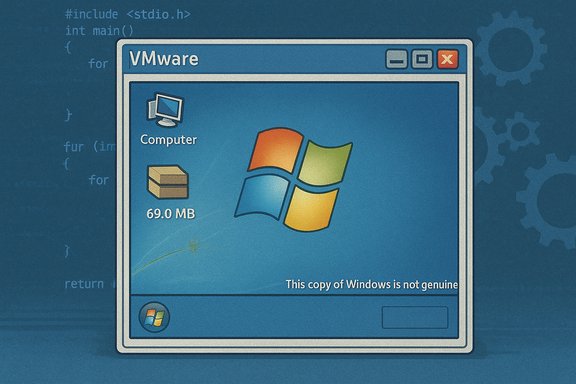
A veteran tinkerer has released a bootable Windows 7 x86 image that measures just 69.0 MB on disk — a headline-grabbing proof‑of‑concept that boots to a desktop but deliberately strips so much of the userland that “virtually nothing can run” without manually restoring missing system files.
Background / Overview
Windows enthusiasts have long pushed the boundaries of what the operating system can tolerate when pared down. Recent community efforts such as Tiny11 and container-focused experiments like Microsoft’s Nano Server show that surgical pruning plus aggressive compression can produce surprisingly small images — but there is a spectrum between usable and just bootable. The 69 MB Windows 7 artifact from a developer known as Xeno (also posted under the handle @XenoPanther) sits firmly on the experimental end of that spectrum. Xeno published a small compressed archive (mirrors reported a ~40.4 MB 7‑zip) containing a VMware virtual disk and a VM configuration; the disk inside reports an on‑disk size of 69.0 MB. Screenshots shared by the author show the system booting to a desktop and even triggering the Windows activation watermark (“This copy of Windows is not genuine”), which underscores that some activation and kernel‑level subsystems remain intact despite extensive pruning.What Xeno delivered: the facts, verified
- The published artifact is a compressed package containing a VMware VMDK and VM config, not a full installer ISO.
- The on‑disk footprint reported for the running image is 69.0 MB.
- The build boots to a desktop shell but is functionally crippled: “virtually nothing can run” without adding back missing user‑mode DLLs and runtime components.
- Public mirrors and writeups state the packaged archive was about 40.4 MB compressed and hosted on Archive.org for inspection.
- Community reporting and the author’s file list indicate roughly ~295 files present in the image, many of which are log files, showing the distribution is minimal but not empty.
How it was likely achieved: pruning + compression
The techniques hobbyists use to create “tiny” Windows images repeat across modern examples, and the available evidence suggests Xeno used the same two levers:- Surgical pruning — remove optional components, language packs, shell helpers, UI libraries and many CRT/runtime files so the kernel and a very small userland are all that remains. Removing comctl32, comdlg32, shell DLLs and many Visual C runtime variants will break most Win32 programs while still allowing a basic windowing shell to start.
- Aggressive compression — export or package the remaining payload using high‑ratio compression (LZX/LZMS or a CompactOS‑style approach), trading CPU/RAM at build or runtime for dramatic on‑disk savings. Recovery‑grade compression and filesystem compression tools historically used by the community explain how gigabytes of installed bytes can collapse to megabytes of stored data.
What’s missing — and why “virtually nothing can run”
The visible desktop masks the reality underneath: a modern Windows userland is a web of interdependent DLLs, COM registries, component manifests (WinSxS) and drivers. Removing a small set of foundational components immediately breaks very large classes of applications.Key missing pieces reported by the author and confirmed by reverse writeups:
- Common Controls and dialog plumbing (comctl32, comdlg32) — removes Open/Save dialogs, many standard widgets and controls used by most GUI programs.
- Shell DLLs (shell32 and related) — breaks Explorer features, shell extensions and expected file‑system UI behaviors.
- CRT and runtime libraries (MSVCRT variants) — prevents most compiled Win32 applications from starting because required imports are missing.
- WinSxS servicing scaffolding and manifests — without component manifests and servicing metadata the system cannot be updated or patched using standard channels.
- Device/driver stacks (audio, GPU, Wi‑Fi, etc. — hardware compatibility and multimedia features are largely absent.
Strengths and legitimate use cases
The 69 MB Windows 7 build is not a release for everyday users, but it does serve useful technical and pedagogical roles:- Teaching Windows internals — by stripping to the bone, the artifact becomes a laboratory specimen for where kernel‑space ends and userland begins. Researchers can observe which DLLs are truly essential for boot versus those that provide compatibility.
- Micro‑VM test harnesses — tiny VM artifacts are attractive for ephemeral test jobs, CI tasks, or smoke tests where full OS features are unnecessary and fast pull times are a priority.
- Retro‑computing stepping stone — with a small curated restore set (CRT plus a few GUI DLLs), this base could become a compact, deterministic runtime for a narrow class of legacy games or installers, useful to hobbyists preserving old executables.
- Privacy / minimalism experiments — removing telemetry and inbox extras highlights how much of modern desktop software is optional for certain appliance‑style use cases.
Concrete risks: security, licensing and supply‑chain
The downsides of extreme pruning are concrete and immediate:- No normal security updates. If WinSxS and servicing are removed, the image cannot be patched via Windows Update, leaving any connected VM permanently unpatched unless rebuilt with updates baked in. This is a central, repeatedly flagged risk in community reporting.
- Missing antimalware stack. Aggressive builds frequently omit Defender/antimalware components, increasing exposure if network access is enabled. Community guidance recommends host‑only or isolated NAT networks for experiments.
- Licensing/legal exposure. Redistributing Microsoft system files without permission is legally problematic. Responsible community projects publish reproducible scripts and expect builders to start from an official ISO rather than ship trimmed Microsoft binaries. The genuine/activation watermark visible in screenshots highlights that pruning does not alter licensing obligations.
- Supply‑chain and tamper risk. Downloading prebuilt trimmed images is riskier than rebuilding from vendor media; attackers can insert backdoors into redistributed images. Prioritizing reproducible scripts and rebuilding locally mitigates this hazard.
- Hardware fragility. Stripping drivers breaks devices; the tiny build is best confined to virtual machines with predictable paravirtual drivers.
How to experiment safely — a pragmatic playbook
For those who want to learn from or expand the Tiny7 experiment, follow a reproducible, low‑risk path:- Obtain an official Windows 7 ISO that matches the target architecture and edition. Using vendor media preserves legal and provenance chains.
- Create an isolated test environment: a disposable VM with snapshots, host‑only networking, and no production data. Use VMware (as the released artifact targets VMware) or alternative hypervisors.
- Reproduce the build with scripts (DISM, compact.exe, export /Compress:recovery) rather than downloading prebuilt trimmed images. Publish the scripts to enable auditability.
- Restore the minimal runtime to run target workloads: add back comctl32.dll, comdlg32.dll, shell32.dll, user32.dll, gdi32.dll and the minimal set of CRTs required by the apps to be tested — record exact versions. Do not redistribute Microsoft DLLs.
- Decide whether to maintain a serviceable image. If yes, preserve WinSxS and servicing metadata and accept a larger footprint; if no, plan to rebuild images regularly to incorporate security fixes.
Comparison: Microsoft Nano Server, Tiny11 and where Tiny7 fits
- Microsoft Nano Server (Windows Server) aimed at a supported, headless server base with a small footprint for cloud/container use; vendor support meant a known API surface and update path. Early Nano Server builds were larger than the Tiny7 stunt but designed for serviceability.
- Tiny11 / Nano11 community builds compress modern Windows 11 images to a few gigabytes (or lower in “core” profiles) by removing inbox apps and using advanced compression. These projects emphasize scripted reproducibility and sometimes preserve a serviceable profile for patching.
- Xeno’s Tiny7 is an extreme, demonstrative artifact aimed at exposing the absolute minimum required for kernel + shell boot. It is not a vendor designed, supported or serviceable image; it is a laboratory specimen rather than a production distro.
Technical verification and cross‑checks
Multiple independent outlets corroborate the essential claims:- The Register reported the 69.0 MB figure, the author’s X posts, and the virtually nothing can run caveat.
- Tom’s Hardware and PC Gamer independently confirmed a compressed archive (~40.4 MB) containing a VMware disk and the functional limitations of the build.
- NotebookCheck and other writeups documented the approximate number of files (~295) and noted log files were part of the artifact, supporting the observation that the package is tiny but not an empty shell.
Unverifiable or speculative claims (flagged)
- Claims about the exact compression algorithm and switches used to reach 69.0 MB are not fully documented by the author and therefore remain inference; community practice suggests LZX/LZMS or CompactOS patterns but the builder did not publish a step‑by‑step DISM log. Treat specifics of the compression pipeline as probable but unconfirmed.
- Any claim that the 69 MB build could be turned into a secure, production‑grade tiny OS without substantial size increase should be treated skeptically. Restoring serviceability (WinSxS, servicing stack) materially increases footprint; headline megabyte numbers cannot be preserved if updates and drivers are required. This conclusion is supported by community analyses of Tiny11/Nano11 trade‑offs.
- The exact set of files needed to run a specific legacy game or installer on top of this image is conditional and will vary by title; only hands‑on testing with the specific build will determine which DLLs and registry entries are required. That means compatibility claims for any particular third‑party program are speculative until tested.
Final analysis: novelty vs. usefulness
The 69 MB Windows 7 image is a powerful demonstration of technical minimalism and a clear teaching tool about Windows internals and component dependencies. It provides engineering clarity by exposing which parts of Windows are essential for boot, and which exist solely for compatibility and convenience.However, the stunt’s practical value is narrow. The image sacrifices security, updateability, hardware compatibility and legal clarity in pursuit of minimality. For that reason it belongs in an isolated lab, used by people who can safely rebuild from official media and manage the legal and security implications.
The responsible path for anyone curious is to reproduce the experiment locally from a Microsoft ISO, share reproducible scripts rather than prebuilt system binaries, and never use such images for production or network‑connected workloads without a hardened, serviceable maintenance plan.
The Tiny7 episode is a vivid reminder that software minimalism can be a valuable investigative technique — but the engineering trade‑offs are real, measurable, and often costly. The image is an instructive, entertaining and technically elegant artifact; it is not, and should not be treated as, a drop‑in replacement for a supported, patched and licensed Windows deployment.
Source: TechSpot Someone stripped Windows 7 down to a 69MB download – with some caveats
