

Microsoft Teams has matured from a meetings-and-chat utility into a rich telemetry source that — when stitched to CRM, contact‑center, and finance systems — can be turned into measurable customer success outcomes and hard ROI rather than vanity adoption metrics. The shift is already underway: native tools (the Teams Admin Center and Call Quality Dashboard) provide the operational plumbing, Teams Premium’s Advanced Collaboration Analytics adds governance and external‑sharing visibility, and a thriving third‑party ecosystem (real‑time wallboards, AI recording + analytics, and contact‑center integrations) closes the gap between observable signals and fast, revenue‑relevant action.
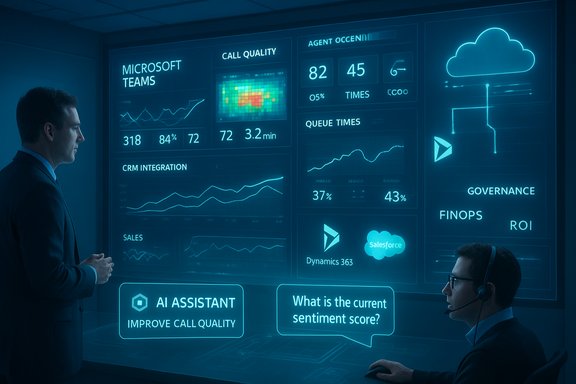
Enterprises commonly treat Teams analytics as IT housekeeping: “Are calls dropping? Who logged in?” That narrow view throws away the platform’s most valuable asset — the digital trail of interactions that, when correlated with customer lifecycles, reveals churn risk, revenue expansion opportunities, and process bottlenecks. Modern practice reframes Teams data as business signals: queue abandonment and rising average handle time (AHT) become early indicators of service failure; guest sharing spikes become governance and leakage risks; adoption of contextual apps (Dynamics 365, Copilot agents) becomes a lever for shorter sales cycles and better renewal outcomes. The case studies and vendor trends over the past 24 months show clear movement from passive reporting to operationalized insights.
Every enterprise that treats Teams as “just chat and meetings” risks leaving measurable revenue and retention gains on the table. The blueprint is available: instrument, integrate, govern, and iterate — then let real‑time, role‑based analytics and AI copilots turn collaboration telemetry into predictable customer success outcomes.
Source: UC Today Driving Customer Success with Microsoft Teams Analytics
 Background
Enterprises commonly treat Teams analytics as IT housekeeping: “Are calls dropping? Who logged in?” That narrow view throws away the platform’s most valuable asset — the digital trail of interactions that, when correlated with customer lifecycles, reveals churn risk, revenue expansion opportunities, and process bottlenecks. Modern practice reframes Teams data as business signals: queue abandonment and rising average handle time (AHT) become early indicators of service failure; guest sharing spikes become governance and leakage risks; adoption of contextual apps (Dynamics 365, Copilot agents) becomes a lever for shorter sales cycles and better renewal outcomes. The case studies and vendor trends over the past 24 months show clear movement from passive reporting to operationalized insights.Microsoft Teams analytics: landscape and architecture
Where Teams data lives (and what each layer is good for)
- Teams Admin Center (native reports) — the starting point for adoption and usage trends: active users, feature adoption, guest activity, per‑app reports and basic latency in reporting (often 24–48 hours). It’s ideal for governance dashboards and adoption heatmaps.
- Call Quality Dashboard (CQD) — Microsoft’s canonical tool for call and meeting diagnostics, with a near‑real‑time feed that typically surfaces records within 30 minutes, location‑enhanced reporting, and Power BI templates for deeper analysis. CQD is the single place to correlate device types, subnets, and poor‑quality streams.
- Teams Premium — Advanced Collaboration Analytics — adds visibility into external collaboration habits (shared channels, guest domains, inactive teams and risky sharing patterns) and governance flags that matter to compliance teams. It extends the Admin Center into the external‑sharing domain and is controlled via Teams Premium licensing.
- Third‑party and custom layers — vendors and in‑house BI (Power BI, Fabric, Azure Synapse) ingest CQD, Call Detail Records (CDRs), Graph APIs, CRM events, and ticketing histories to create a single source of truth that maps collaboration telemetry to customer lifecycle events. Examples include real‑time wallboards, AI‑powered recording/analysis, and contact‑center dashboards.
Why out‑of‑the‑box reporting hits a wall
Native reports are necessary but insufficient. They:- Often lag (some admin reports show 24–48 hour latency; CQD is typically within 30 minutes), which matters for live contact‑center decisions.
- Lack direct joins to CRM, finance, or case systems — meaning analysts must export and stitch data or build pipelines.
- Don’t include the business context (which accounts are high value, which cases are at risk, which agents are on escalation) without integration.
Adoption insights: measure what matters
Adoption must be measured in context. Counting licenses or daily logins creates an illusion of success; measuring the right behaviors creates outcomes. The trick is to define feature‑level KPIs that map to customer experience and revenue.- Right metrics to track
- Active seats using Teams Phone and contact‑center flows (not just chat).
- Percentage of account teams that use shared channels to collaborate with customers.
- Time to customer response when a ticket is created and when the first Teams call is placed.
- Use of embedded LOB apps (Dynamics 365, ticketing) inside Teams workspaces.
- Why this matters in practice
- Where sales and CSMs embed Dynamics 365 in Teams, the account context is accessible in the same window as conversations — reducing app switching and improving response times. Case programs show this reduces administrative friction and accelerates renewal activity.
- Moving field staff to Teams Phone can collapse callbacks from days to hours in retail and service scenarios, a small change that materially improves CSAT and containment.
- Adoption playbook (quick)
- Baseline: instrument 4–8 weeks of telemetry and time‑and‑motion samples for target cohorts.
- Target features: choose 2–3 outcomes (shorter AHT, faster case closure, fewer escalate‑backs) and map feature adoption to those metrics.
- Pilot: run a 30–90 day pilot, measure, iterate, expand.
Performance & quality analytics: preventing CX failures
Call and meeting quality are first‑order customer experience issues. Poor audio, jitter, or dropped calls translate immediately into frustrated customers and repeated tickets.- CQD and per‑user call analytics let admins detect device, subnet, or ISP issues and correlate patterns before customers complain. CQD’s near‑real‑time feed (usually within 30 minutes) and Power BI templates let teams create location‑enhanced diagnostics and synthetic tests.
- Third‑party visibility fills gaps: vendors that correlate SBC logs, carrier quality, and CQD records enable one‑click root cause analysis for complex Direct Routing flows. Those tools shorten MTTR and reduce repeat contacts.
- Security and resilience: monitoring telemetry and anomalous call patterns helps detect potential abuse or compromise early — for example, spikes in external sharing or unusual outbound PSTN behavior can be early indicators of a compromised account.
Call analytics and contact‑center intelligence: the heartbeat of CX
Calls still represent the most direct channel for revenue and retention in many businesses. Teams provides the platform; analytics provides the playbook.- Native Teams reporting surfaces queue performance and auto attendant activity, but it can lag and lacks the real‑time granularity many supervisors need.
- Real‑time wallboards and supervisors’ dashboards (Akixi, Tollring, NFON and others) provide sub‑second visibility into wait times, abandonment, SLA adherence, and agent occupancy. That real‑time feed lets supervisors add staff or reroute calls proactively rather than reactively.
- AI agent assist and virtual assistants — when built responsibly — increase containment and first call resolution. Vodafone’s SuperTOBi and SuperAgent initiatives, powered by Azure OpenAI, reduced average call times and improved first‑time resolution in pilot sites by substantial percentages; TOBi hands a concise conversation summary to the live agent, removing the need for repetition and speeding resolution.
- Real‑time dashboard detects an abandonment spike in queue A.
- Supervisor receives an automated alert and invokes a staffing playbook (add 1 agent via Teams Phone softphone).
- AI assistant surfaces suggested knowledge base answers and recent cases to agents assigned to the queue.
- SLA metrics normalize and a post‑incident report captures root cause and remediation steps.
Advanced and AI‑driven analytics: from dashboards to decisions
AI amplifies the value of telemetry in two ways: faster insight extraction and automated, contextual decisioning.- Natural‑language interfaces (Copilot in Teams, Copilot Studio) let non‑technical leaders ask questions like “Show me call abandonment trends for the APAC region this week,” and get immediate visual answers — reducing dependence on long BI cycles. The vendor and customer stories show these tools meaningfully speed time‑to‑answer for non‑analyst stakeholders.
- AI enrichment of recordings (transcription, sentiment, topic extraction) surfaces systemic coaching opportunities and regulatory risks. Tollring, NFON, Tollring’s Analytics 365 and others now offer AI recording and analytics that flag compliance risks and categorize conversation themes at scale.
- Embedded agent assistants and knowledge agents: Vodafone’s SuperAgent and S&P Global’s custom Copilot agents demonstrate two common productive patterns:
- Agents get a conversation summary and suggested KB answers when a call is escalated, reducing AHT and avoidable transfers.
- External customers (S&P Global clients) query a Copilot agent inside Teams for data and get answers 95% faster than prior methods; the agent reduces data extraction and comparative analysis time dramatically in real customer pilots.
Integrated analytics: why Teams + CRM + Helpdesk = the single view your C‑suite wants
Teams telemetry becomes strategic only when connected to the systems that represent account value: CRM (Dynamics 365, Salesforce), service desks (ServiceNow, Zendesk), and finance.- What integration delivers
- Complete customer journey tracing: first inquiry → agent interactions → ticket lifecycle → renewal outcome.
- Signal fusion for churn prediction: frequent escalations + rising hold time + shrinking shared‑channel collaboration are strong precursors to at‑risk accounts.
- Realized productivity: embedding Dynamics 365 into Teams keeps seller context front‑of‑mind, reducing data entry and shortening sales cycles.
- Customer examples
- Zurich Insurance embedded Dynamics 365 and Copilot into Teams and estimates ~14,000 hours saved for market‑facing teams through improved email drafting, tracking, and case updates. That work freed time for higher‑value customer engagement.
- S&P Global Commodity Insights built a Copilot agent that sits in Teams; customers report 95% faster data extraction and near‑instant comparative analysis inside their workflows.
- Ingest call records and CQD streams into a data lake (Azure Synapse / Fabric).
- Join with CRM case events and finance/ARR tables to create account‑level events.
- Surface targeted, role‑based dashboards and automated alerts (churn risk, upsell candidates, SLA breaches).
Using Teams analytics effectively — an operational checklist
The value of analytics isn’t in dashboards; it’s in the actions they enable. Use this practical checklist to turn telemetry into outcomes:- Decide what success looks like: net revenue retention (NRR), first contact resolution (FCR), AHT, CSAT, license utilisation and reclaimed spend. Publish CFO‑grade KPIs and measurement windows.
- Tailor views by role: executives want trend and ROI slides; IT needs device/ISP diagnostics; customer success needs adoption-by-account and case closure metrics.
- Blend systems: join Teams telemetry with CRM, helpdesk, and finance to get a single customer view. Use Power BI or Fabric for mashups and scheduled exports.
- Set smart alerts: trigger warnings for call abandonment spikes, blocked PSTN users, minute pool exhaustion, or sentiment shifts. Automate runbooks to reduce human friction.
- Enforce governance: use Teams Premium controls, Purview DLP, retention policies, and least‑privilege admin roles before enabling organization‑wide recordings and transcripts. Map data residency and consent requirements to each AI feature.
- Start small, scale with evidence: pilot with a champions group, measure outcomes, iterate, then roll out.
Risks, limitations and the cautionary checklist
Teams analytics is powerful — but the path contains real hazards if pursued without operational discipline.- Overstated ROI claims: vendor and vendor‑commissioned TEI studies often show headline ROI multiples that depend on specific assumptions. Forrester‑commissioned analyses for Microsoft products have produced a range of results depending on the composite organization and scope; treat headline percentages as directional unless validated by your own baseline and pilot data. (Forrester TEI models show material variability in ROI projections depending on modeling assumptions.
- Privacy and compliance: recording/transcribing calls can trigger GDPR/HIPAA and local consent requirements. Use legal sign‑off, retention rules, and sensitivity labels before broad deployment.
- Vendor lock‑in and data portability: rely on vendors who provide exportable, documented APIs and support multi‑vendor estates to avoid brittle single‑supplier dependencies.
- AI hallucinations and quality risk: generative outputs can be wrong. For high‑stakes outputs, enforce human verification, log model versions, and retain prompt history for auditability.
- FinOps danger: Copilot and premium licensing can scale cost rapidly. Tie seat expansions to measured time‑saved evidence and stage Copilot enablement with role‑based gating.
A practical 90‑ to 180‑day roadmap to make Teams analytics drive customer success
0–45 days — Discovery & executive alignment- Inventory Teams, SharePoint, OneDrive, telephony and contact‑center estates.
- Secure executive sponsor(s) and publish CFO‑grade KPIs.
- Lock down team creation if sprawl is extreme and publish initial governance templates.
- Run 1–3 pilots (contact‑center real‑time wallboard; Dynamics‑in‑Teams for account teams; Copilot‑assisted meeting recap for support engineers).
- Baseline with time‑and‑motion samples and CQD/usage telemetry.
- Deliver role‑based microlearning inside Teams.
- Deploy Power Automate flows for routine CRM updates and a single Power BI dashboard for leadership.
- Operationalize DLP, retention, Copilot gating, and license reclamation playbooks.
- Add automation runbooks for routine remediation of common call quality incidents.
Turning Teams analytics into a growth engine: measured optimism
When Microsoft Teams analytics are treated as a strategic instrument — instrumented, governed, and connected to customer systems — the results are concrete: reclaimed hours, fewer escalations, faster case resolution, and better renewal economics. The examples are clear:- Zurich’s embedding of Dynamics 365 and Copilot into Teams is an operational win that management quantifies as 14,000 hours saved for market‑facing staff — time that can be redeployed to customer engagements.
- Vodafone’s GenAI upgrades to TOBi and SuperAgent reduced average call time and raised first‑time resolution in pilots by large margins, demonstrating the practical CX value when AI is embedded into the contact‑center workflow.
- S&P Global’s Copilot agent for commodity data extraction turned data access into a Teams‑native experience, delivering dramatic speedups in data extraction and comparative analysis for users.
Final analysis: how to move from dashboards to durable value
The opportunity with Microsoft Teams analytics is simple: move from passive telemetry to operational triggers that alter customer outcomes. To do that:- Instrument the right signals (adoption of account‑level features, real‑time queue metrics, sentiment trends).
- Join Teams telemetry with CRM, ticketing and finance to measure business impact.
- Use AI to surface insights and accelerations — not to bypass human judgement.
- Govern aggressively: data privacy, access controls, and FinOps discipline.
- Start with measurable pilots and replicate only after results are verified.
Every enterprise that treats Teams as “just chat and meetings” risks leaving measurable revenue and retention gains on the table. The blueprint is available: instrument, integrate, govern, and iterate — then let real‑time, role‑based analytics and AI copilots turn collaboration telemetry into predictable customer success outcomes.
Source: UC Today Driving Customer Success with Microsoft Teams Analytics
