

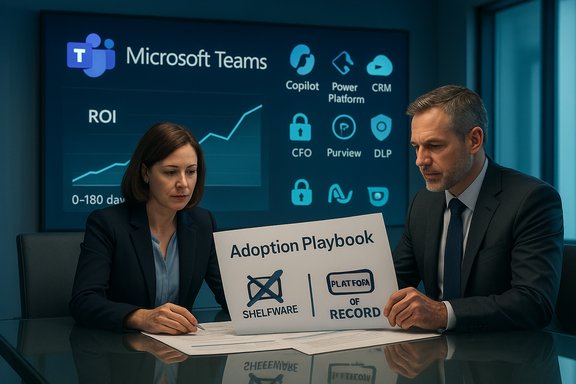
Microsoft Teams is everywhere — installed, licensed, and often paid for at enterprise scale — yet many organizations still struggle to extract measurable business value from it. What started as a rapid chat-and-meetings rollout frequently stalls at day-to-day basics, leaving expensive licensing under‑utilized, integrated voice and contact‑center features untried, CRM and automation links under‑deployed, and AI capabilities like Copilot rarely harnessed. The result is a sharp adoption gap: broad deployment, but shallow usage — a CFO’s worst nightmare and a CIO’s operational challenge. This analysis explains why adoption momentum fades, verifies the most important claims with independent evidence, and lays out a pragmatic, finance‑grade plan to move Teams from shelfware to a measurable platform of record.
Microsoft Teams’ growth story is undeniable. It exploded during the pandemic and has continued to mature into a platform that combines chat, meetings, telephony, apps, low‑code automation and AI. Public numbers are often reported differently — daily active users (DAU) during the early pandemic spikes, and monthly active users (MAU) later — which creates confusion in headlines.
Start with a short discovery sprint and a two‑case pilot that ties directly to a dollar value (telephony consolidation or AHT improvement). Validate results with both telemetry and time‑and‑motion samples, and make the next expansion contingent on measured outcomes. When leaders insist on outcome metrics, and when IT treats adoption as continuous operations backed by governance and a Center of Excellence, Teams stops being a line item and becomes a platform that actually pays for itself.
Source: UC Today The Microsoft Teams Adoption Gap: Why Enterprises Struggle to Unlock Full Value
 Background / Overview
Microsoft Teams’ growth story is undeniable. It exploded during the pandemic and has continued to mature into a platform that combines chat, meetings, telephony, apps, low‑code automation and AI. Public numbers are often reported differently — daily active users (DAU) during the early pandemic spikes, and monthly active users (MAU) later — which creates confusion in headlines.- Microsoft publicly reported the high‑growth pandemic DAU milestones (75 million in April 2020 and 115 million by October 2020), and later shifted to reporting monthly counts as a more stable metric.
- By early 2022 Microsoft reported 270 million monthly active users; subsequent industry tallies and market trackers place Teams in the ~300–320 million user range in 2023–2024 depending on the metric and timing. These aggregated figures are consistent across Microsoft statements and independent industry summaries — but the exact phrasing (daily vs monthly) matters when you quote them.
Why Teams adoption stalls — the hard reasons
Microsoft Teams is feature‑rich, but that richness multiplies the ways projects fail. The recurring failure modes are familiar to any enterprise IT lead: weak planning, cultural resistance, training gaps, content sprawl, integration shortfalls, governance blind spots, and a lack of continuous feedback. Each is solvable — but not for free.1. Weak or incomplete planning: the pilot trap
Many rollouts get the pilot right — chat and meetings go live and executives breathe a sigh of relief — but pilots rarely include the full estate: voice migration, contact‑center integrations, file architecture, guest access and lifecycle policies, or data readiness for AI.- A pre‑migration audit is non‑optional. Map SharePoint/OneDrive/Teams content locations, permission inheritance, external sharing patterns, and existing voice assets before mass migrating users. Missing this step produces sprawl and compliance risk that later require expensive remediation.
- Design adoption KPIs before licensing at scale: percentage of active users per line of business, channel conversation density (meeting → channel message ratio), voice seat conversion rate, number of integrated CRM workflows in Teams, and AI micro‑use‑case adoption (e.g., meeting recap adoption %). Treat adoption as an investment with targets and gates, not an IT checkbox.
2. Culture and change resistance: leadership matters
Adoption is primarily a people problem. Tools don’t change habits — leaders and measured incentives do.- Executive sponsorship must be visible and repeated. Leaders who use Teams for meetings, announcements, and approvals normalize the platform and create a social expectation for others to follow. Real change comes when leaders model the new workflow consistently.
- Build networks of champions, not just trainers. Cross‑functional champions who understand the business value for their team beat centrally broadcast how‑to emails every time. Gamified leaderboards, peer recognition and quick show‑and‑tell sessions convert curiosity into routine use.
3. Training gaps and AI enablement
Most training focuses on chat and video. The real ROI lives in the deeper capabilities — integrated voice, CRM embedding, Power Platform apps, automation flows, and AI (Copilot and agent features).- Role‑based training is critical. Sales needs pinned CRM dashboards and customer context pop‑ups; support teams need call queue, routing and analytics workflows; legal and HR need governed Copilot guidance and explicit data boundaries.
- In‑app nudges and telemetry‑driven prompts work best. Use usage telemetry to trigger micro‑learning nudges when users stumble on a feature or repeatedly revert to legacy tools. Some deploy “promptathons” and short clinics that target discrete use cases like meeting recaps, CRM updates, or weekly reporting automation.
4. Low engagement and content sprawl
Launch without structure and Teams quickly becomes a graveyard of orphaned Teams, duplicated files, and confusing channel names.- The fix: intentional information architecture — standardized templates, channel naming conventions, lifecycle and retention rules, and automated provisioning with policy enforcement.
- Templates should be role‑based and include preconfigured tabs (CRM, knowledge base, meeting notes) so users have a predictable workspace that maps to how they actually do their work. AvePoint, for example, sells governance tooling that automates lifecycle rules and enables self‑service provisioning while enforcing corporate policy — a repeatable approach that prevents sprawl and reduces helpdesk load.
5. Integration gaps and app hopping
If Teams is just chat and meetings, users will continue to live in CRM, contact center dashboards, and bespoke apps. Integration is the glue that turns Teams from a conversation layer into a transaction layer.- Prioritize embedding: link Dynamics 365 or Salesforce views into Teams channels, use certified contact‑center connectors or Operator Connect to consolidate telephony, and build small Power Apps to eliminate repetitive data re‑entry.
- Certified CCaaS vendors and Microsoft’s Operator Connect/Direct Routing options let organizations either migrate telephony into Teams or integrate agent desktop tools into Teams — which reduces context switching and yields measurable improvements in handle time and escalation rates.
6. Governance, security and compliance — the slow‑burn risk
Fast rollouts without rules invite data leakage, over‑broad guest access, and audit headaches.- Start with Zero Trust: enforce MFA, conditional access, and least‑privilege for team creation and app provisioning. Use Microsoft Purview and DLP policies to protect regulated content, and enable Advanced Audit Logging for traceability.
- Capture governance needs in policy artifacts and technical enforcement rules before adoption accelerates. Specialist vendors can add archiving, policy automation and communications compliance layers that reduce legal friction and let advanced features (like Copilot in regulated teams) be used safely. AvePoint and similar vendors repeatedly show up in enterprise case studies for lifecycle and external collaboration control.
7. No continuous feedback loop — adoption as a program, not a project
Teams is not a one‑and‑done project. The platform evolves rapidly, and adoption must be a continuous program of listening, iterating and rewarding.- Instrumentation matters: use Teams Admin Center, Viva Insights, Adoption Score, and Power BI dashboards to collect both quantitative and qualitative signals. Surface the 10–20 signals that tie directly to business outcomes (time saved, meetings shortened, contact center AHT improvement, license reclamation).
- Run regular listening sessions, suggestion forums and short pilots for new features (for example, intelligent recaps vs agentic flows). If a new capability is prized but risky, gate it behind a CoE and a staged rollout.
The Microsoft Teams Adoption Action Plan (practical, sequential)
Turning adoption into measurable ROI requires discipline. Below is a prioritized, step‑by‑step action plan you can start this month.- Scope and governance sprint (0–30 days)
- Conduct a rapid discovery: inventory Teams, SharePoint sites, OneDrive usage, telephony estate, and third‑party integrations. Map high‑risk data locations and external sharing.
- Lock down team creation if sprawl is severe; introduce self‑service with approval workflows and naming templates where possible.
- Define adoption KPIs and FinOps rules tied to license allocation and reclamation.
- Executive alignment and KPIs (0–45 days)
- Secure visible executive sponsorship — request leaders to run key recurring meetings in Teams for 90 days.
- Agree on CFO‑grade KPIs (license utilisation %, hours saved per micro‑use case, telephony consolidation value, AHT improvements) and reporting cadence.
- Pilot high‑value micro‑use cases (30–90 days)
- Select 2–3 high‑value, low‑risk workflows (meeting recaps + task creation via Copilot; CRM screen‑in‑context for sales; a contact‑center integration pilot). Run time‑boxed pilots with baseline measurement.
- Instrument outcomes: baseline time‑and‑motion, telemetry collection, manager‑verified samples.
- Role‑based enablement and champions network (60–120 days)
- Deliver targeted training (10–15 minute micro‑learning modules) inside Teams and via in‑app nudges.
- Recruit and formalize champions with small monthly mandates and recognition programs to surface tactical wins.
- Integrations and automation (90–180 days)
- Prioritize 1–2 integrations that reduce app switching (CRM, contact center, or an operations app). Use Power Automate/Power Apps to eliminate repetitive tasks.
- Build approval and rollback controls for automations; require human approvals for any agent that takes irreversible actions.
- Governance, security and scale (90+ days)
- Operationalize DLP, retention, external sharing rules and a staged Copilot enablement policy. Keep high‑risk groups under restricted Copilot scope until validated.
- Publish an adoption playbook, CoE artifacts and a measurement appendix for finance and audit.
- Continuous improvement (ongoing)
- Use dashboards to triage training and reclamation opportunities. Publish short case studies of wins in the first 60–120 days to sustain momentum.
- Revisit licensing and procurement after pilot measurement windows (6–12 months) and tie renewals to demonstrated outcomes.
Measuring ROI: what CFOs need to see
Finance wants defensible numbers. The most credible ROI statements combine telemetry, time‑and‑motion samples, and conservative monetization.- Direct savings: telephony consolidation (retire PBX/carrier fees), license rationalization (eliminate duplicate conferencing/UC subscriptions). Quantify with current spend vs Teams Phone + migration amortized over 2–3 years.
- Productivity: convert measured minutes saved into FTE‑equivalents using a loaded labor rate (minutes saved per user × users × working days → hours → salary equivalence). Subtract verification/quality overhead for AI outputs.
- Service impact: contact‑center metrics (AHT, containment, CSAT) multiplied by volumes and agent costs provide quick wins.
- Risk reduction: faster e‑discovery, fewer audit hours, and avoided compliance penalties are harder to quantify but important to include as conservative estimates.
Strengths, practical wins and real risks
Strengths and where Teams delivers
- Platform consolidation reduces tool sprawl and simplifies identity, governance and security posture.
- Deep integration with Microsoft 365 (SharePoint, OneDrive, Outlook, Dynamics) enables richer contextual workflows and enables AI to work on well‑scoped data.
- Low‑code/no‑code tooling (Power Platform) and embedded app capabilities let non‑developers deliver real outcomes quickly.
- When governed, Copilot and meeting recaps produce measurable time savings in drafting and meeting follow‑up tasks, with customer stories documenting substantial hour economies when the deployment is disciplined.
Real risks and guardrails
- Licence waste (shelfware): buying Copilot seats or premium telephony at scale before measuring adoption creates recurring waste. Tie procurement to measured outcomes and staged rollouts.
- Governance complexity: effective use requires policy work, Purview and DLP tuning, and admin discipline — underestimate this and you get noise rather than intelligence.
- AI risks: hallucinations and factual errors mean human‑in‑the‑loop processes are mandatory for high‑stakes outputs; store prompt/version history and require approvals for agentic actions.
- Ecosystem lock‑in: deep integration is a two‑edged sword — it increases value but raises migration costs and regulatory scrutiny in some jurisdictions.
Practical vendor and product checks (what to ask procurement)
- For Copilot seats: require a staged licensing contract that allows phased expansion after validated pilot metrics. Ask for detailed pilot assumptions and a rightsized SKU map.
- For contact‑center integrations: confirm the exact operator/connect model (Operator Connect, Direct Routing, certified CCaaS connector), data residency, transcript retention and model invocation paths. Validate billing SKU and marketplace terms.
- For governance tools (e.g., AvePoint): request proof of concept that demonstrates self‑service provisioning with lifecycle automation and shows how inactive teams are discovered and remediated. Look for customer case studies that match your scale and regulatory profile.
What success looks like in 12 months
- Executive sponsors are visibly using Teams as the default meeting and collaboration surface.
- License utilisation increases and unused seats are reclaimed on a regular cadence.
- Two to three validated micro‑use cases (e.g., Copilot meeting recaps, integrated CRM in sales channels, a contact‑center agent workspace in Teams) deliver measurable time savings and are rolled into training libraries.
- Governance and compliance controls are automated for provisioning, retention and external collaboration; audit trails are searchable and reproducible.
- A small Center of Excellence (internal or partner‑run) produces CoE artifacts (templates, prompt libraries, automation playbooks) and a finance‑grade ROI appendix for renewals.
Conclusion
Microsoft Teams has moved from a chat app to a platform with the potential to replace telephony, unify CRM workflows, power contact centers, and accelerate outcomes with Copilot and low‑code automation. But platform potential doesn’t equal business value by default. The adoption gap exists because organizations often treat Teams as a technology project instead of an operational transformation: they buy licenses, run pilots, and then stop. The cure is pragmatic and repetitive: plan deliberately, govern strictly, train precisely, integrate selectively, and measure conservatively.Start with a short discovery sprint and a two‑case pilot that ties directly to a dollar value (telephony consolidation or AHT improvement). Validate results with both telemetry and time‑and‑motion samples, and make the next expansion contingent on measured outcomes. When leaders insist on outcome metrics, and when IT treats adoption as continuous operations backed by governance and a Center of Excellence, Teams stops being a line item and becomes a platform that actually pays for itself.
Source: UC Today The Microsoft Teams Adoption Gap: Why Enterprises Struggle to Unlock Full Value
