

Ever since the first Surface hit the market, 2‑in‑1 laptops have occupied a complicated place in the laptop ecosystem: adored by enthusiasts for their versatility, criticized by professionals for compromises that never quite go away. The recent XDA piece arguing that 2‑in‑1s will always be “subpar” is not dramatic hyperbole so much as a clear-eyed inventory of long‑running trade‑offs—structural, thermal, and software‑level—that keep the form factor from delivering a truly seamless “one device, every mode” experience. This feature unpacks those claims, weighs where the form factor succeeds, examines the technical and market forces keeping it imperfect, and looks ahead at whether Arm silicon, renewed OS design, or simply better industrial design could finally make the 2‑in‑1 convincing for the mainstream.
The 2‑in‑1 category covers several distinct designs: 360‑degree convertibles with a rotating hinge, keyboard‑detachable tablets, and “studio‑style” machines whose screens fold or glide into presentation and tablet postures. Each approach trades structural rigidity, weight, and input ergonomics against the other. Convertible hinges favor laptop tasks at the expense of tablet comfort; detachables give a thin tablet but often deliver a compromised lap‑typing experience; studio converters aim for a middle ground but typically target creative users with more demanding, heavier hardware.
Microsoft’s Surface line famously founded mainstream interest in hybrid designs in 2012, but the company’s hardware experimentation since then has been uneven. Surface devices have defined the category’s potential—excellent pens, accurate displays, and novel hinges—yet even flagship creative‑first models have highlighted the unavoidable compromises: thermal limits, weight in tablet mode, and a software layer that still treats touch and pen as secondary inputs in many desktop workflows. The industry conversation around 2‑in‑1s today is therefore as much about user expectations as it is about engineering limits.
Detachable tablets solve the weight problem by separating keyboard and display, but the keyboard becomes a limp accessory when you need laptop‑class input on your lap. Detachables also push manufacturers to sacrifice full‑size keyboards and generous trackpads—or to bolt them on as expensive accessories that alter the total ownership cost. The XDA argument about never finding a “perfect balance” tracks these persistent compromises: you can optimize for laptop performance or tablet gracefulness, but optimizing both simultaneously raises cost, complexity, and weight.
Forum conversations and hands‑on reviews repeatedly locate the same pattern: studio convertibles deliver functional tablet modes but rarely comfortable handheld modes, and their premium internals push them into a workstation or prosumer niche rather than mass consumer appeal.
Apple’s iPadOS has pulled the iPad toward laptop use by adding trackpad support, multitasking, and productivity features, but it still lacks some of the file‑system, app, and windowing affordances professionals expect from a laptop. Conversely, Windows (historically including the tablet‑centric experiments of Windows 8.1) often feels like a desktop OS retrofitted to accept touch rather than a platform that invites touch first.
Windows 8.1, for example, showed what a tablet‑first Windows could feel like—gestural navigation, edge swipes, and full‑screen “Metro” apps that encouraged touch interaction. Those ideas were powerful but polarizing on desktops. Windows 11 moves the needle toward hybrid ergonomics, but many reviewers and users still feel the touch polish is more “make touch work” than “design for touch.” This disconnect matters: hardware that engineers a near‑perfect tablet experience can be stymied when the OS doesn’t provide the right gestures, animations, or app behaviors to make touch natural.
The most important forces that could change this are not hinge patents but ecosystem alignment: better Arm silicon that delivers laptop‑grade performance per watt, operating systems that are designed to be equally delightful for touch and keyboard, and app ecosystems that optimize for hybrid workflows. Until all three align, 2‑in‑1s will continue to be brilliant tools for certain users and a frustrating compromise for others—beautiful in potential, stubbornly imperfect in practice.
Source: XDA Even though I love 2-in-1 laptops, I have to accept they'll always be subpar
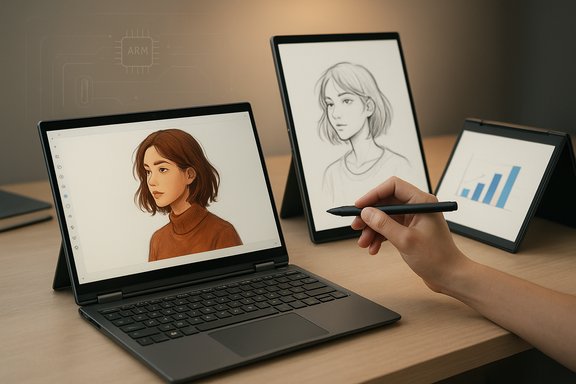 Background / Overview
The 2‑in‑1 category covers several distinct designs: 360‑degree convertibles with a rotating hinge, keyboard‑detachable tablets, and “studio‑style” machines whose screens fold or glide into presentation and tablet postures. Each approach trades structural rigidity, weight, and input ergonomics against the other. Convertible hinges favor laptop tasks at the expense of tablet comfort; detachables give a thin tablet but often deliver a compromised lap‑typing experience; studio converters aim for a middle ground but typically target creative users with more demanding, heavier hardware.Microsoft’s Surface line famously founded mainstream interest in hybrid designs in 2012, but the company’s hardware experimentation since then has been uneven. Surface devices have defined the category’s potential—excellent pens, accurate displays, and novel hinges—yet even flagship creative‑first models have highlighted the unavoidable compromises: thermal limits, weight in tablet mode, and a software layer that still treats touch and pen as secondary inputs in many desktop workflows. The industry conversation around 2‑in‑1s today is therefore as much about user expectations as it is about engineering limits.
Why 2‑in‑1s feel inherently compromised
The mechanical trade‑offs: hinge, weight, and tablet comfort
Designers of 2‑in‑1s face three linked constraints: hinge durability, chassis rigidity, and mass distribution. A robust hinge must resist wobble and retain the screen securely across postures; that usually means reinforcement and heavier materials. The result: many convertibles are noticeably thicker and heavier than equivalent clamshells, making them awkward to hold as a tablet for extended periods.Detachable tablets solve the weight problem by separating keyboard and display, but the keyboard becomes a limp accessory when you need laptop‑class input on your lap. Detachables also push manufacturers to sacrifice full‑size keyboards and generous trackpads—or to bolt them on as expensive accessories that alter the total ownership cost. The XDA argument about never finding a “perfect balance” tracks these persistent compromises: you can optimize for laptop performance or tablet gracefulness, but optimizing both simultaneously raises cost, complexity, and weight.
Studio‑style designs: elegant but niche
“Studio” convertibles (examples include Microsoft’s Surface Laptop Studio and Acer’s ConceptD Ezel family) attempt a clever compromise: keep a robust laptop base while offering a sculpted screen motion for drawing and presentation. The payoff is superb pen ergonomics and a stable typing surface, but those devices historically paired that hinge with higher‑power CPUs and discrete GPUs—making them too heavy to be comfortable as a handheld tablet. The studio concept is loved by creatives but rarely scaled down into ultraportables—partly because the thermal packaging for high‑performance silicon is hard to squeeze into a thin chassis.Forum conversations and hands‑on reviews repeatedly locate the same pattern: studio convertibles deliver functional tablet modes but rarely comfortable handheld modes, and their premium internals push them into a workstation or prosumer niche rather than mass consumer appeal.
Input mismatch: keyboards, pens, and the lap problem
A 2‑in‑1’s keyboard is usually designed for a laptop posture. Flip it into tablet mode and you either carry unused weight or lose the input you need. Detachables solve that by separating keyboard and display, but then the keyboard’s lap stability suffers. Designers have tried creative solutions (folded magnets, grippier surfaces, rigid tablet backs), but the fundamental physics remain: a tablet should be light and well‑balanced for one‑hand use; a laptop needs solidity for accurate typing. Choosing both sets competing targets inevitably dilutes each.Operating systems are an underappreciated structural problem
No OS gets both modes right
There’s a software dimension that amplifies hardware trade‑offs: operating systems are rarely optimized to be equally great as a laptop OS and a touch‑first tablet OS. iPadOS and Android prioritize single‑device touch experiences and app ecosystems that assume touch and sandboxed mobile apps. macOS and Windows are optimized for productivity with keyboard and mouse. Windows is the closest platform to a true hybrid, but even Microsoft’s flagship desktop OS struggles to be inviting for touch.Apple’s iPadOS has pulled the iPad toward laptop use by adding trackpad support, multitasking, and productivity features, but it still lacks some of the file‑system, app, and windowing affordances professionals expect from a laptop. Conversely, Windows (historically including the tablet‑centric experiments of Windows 8.1) often feels like a desktop OS retrofitted to accept touch rather than a platform that invites touch first.
Windows 8.1, for example, showed what a tablet‑first Windows could feel like—gestural navigation, edge swipes, and full‑screen “Metro” apps that encouraged touch interaction. Those ideas were powerful but polarizing on desktops. Windows 11 moves the needle toward hybrid ergonomics, but many reviewers and users still feel the touch polish is more “make touch work” than “design for touch.” This disconnect matters: hardware that engineers a near‑perfect tablet experience can be stymied when the OS doesn’t provide the right gestures, animations, or app behaviors to make touch natural.
Linux and the touch gap
Linux distros have improved touch support, but the ecosystem is fragmented and most mainstream distributions prioritize keyboard/mouse workflows. Project workarounds exist—Android containers like Waydroid or other compatibility layers—but these are stopgap measures and not a native, polished tablet experience for general users.The case for Arm: why Snapdragon and similar chips matter
Power, thermals, and the opportunity for thin convertibles
The rise of Arm‑based PC silicon—most prominently Qualcomm’s Snapdragon X family—offers a plausible path to lighter, quieter convertibles. Arm platforms can deliver high sustained efficiency (lower heat, longer battery life) in smaller thermal envelopes, making thin tablet‑like bodies more feasible without sacrificing everyday compute. Qualcomm’s Snapdragon X Elite and its family members were explicitly positioned to bring high efficiency and integrated NPUs to Windows laptops—enabling new tradeoffs in chassis design, battery life, and fanless operation for certain tiers of performance. The Snapdragon X story accelerated around 2023 and pushed many OEMs to explore true thin-and-light convertible designs that were impractical on equivalent x86 silicon at the same power envelope. Qualcomm’s roadmap and OEM commitments signaled an industry bet: if Arm chips can combine usable CPU performance with substantially better power efficiency and on‑device AI, manufacturers can build convertibles that are both light in hand and useful for productivity tasks like photo editing. Early Arm Windows devices made compromises—compatibility layers, app optimizations—but the hardware should keep improving.Where Arm still falls short
That said, the Arm path carries its own friction: app compatibility, driver maturity, and developer support remain constraints for many professional workflows. Not every creative or engineering app has a native Arm build, and emulation overheads can spoil the perceived “snappiness” of the experience in heavier workloads. Early Snapdragon X laptops also skewed premium in price, which limited the initial addressable market. But the trend is clear: Arm gives OEMs a path to sleeker, more tablet‑friendly designs that may finally make some 2‑in‑1 compromises tolerable.Market and strategic dynamics: what company moves matter
Surface, leadership changes, and what they imply
Microsoft’s Surface launch in 2012 catalyzed mainstream interest in hybrids; since then Surface hardware has been both trendsetter and testbed for novel form factors. The departure of Panos Panay in 2023—Surface’s long‑time evangelist and product lead—was widely interpreted as a signal that Microsoft might scale back on radical hardware experiments and focus Surface around a narrower set of products. Panay’s exit and subsequent move to another major tech firm coincided with Microsoft rationalizing its hardware portfolio and emphasizing AI‑forward “Copilot+” products. This corporate shift helps explain why some experimental lines have seen less investment.OEM behavior: the ConceptD Ezel example
Acer’s ConceptD Ezel family was a well‑liked studio‑style convertible with a robust hinge, aimed at creators. Multiple community threads and vendor forums indicate Acer quietly phased out the ConceptD brand and Ezel models in recent years; users report discontinued listings and diminishing official parts availability. However, an official Acer announcement formalizing the discontinuation is harder to find, which means the public evidence is partly community‑driven rather than a single corporate statement. That pattern—OEMs quietly retiring niche, high‑engineering‑cost product lines—points to a commercial reality: innovative mechanical designs are expensive to engineer and support, and if they don’t reach sufficient volume, they disappear. Caveat: firm claims that Acer “discontinued Ezel” should be treated cautiously absent a direct Acer press release.Discontinuation of flagship convertible SKUs
Broadly, the market has seen marquee experimental devices come and go—Surface Duo, niche studio PCs, and several vendor‑specific hybrids that failed to scale. When companies stop producing a creative‑centric convertible, it’s often less about the promise of the form factor and more about unit economics, support costs, and the pace of software optimizations required to make them shine.Strengths and use cases where 2‑in‑1s are already excellent
- Designers, illustrators, and stylus users benefit strongly from studio or detachable designs where pen latency, color accuracy, and tilt support matter.
- Students and presenters enjoy the flexibility to annotate slides, flip into tent mode, or convert to a tablet for reading and note‑taking.
- Field workers and point‑of‑sale environments value detachable tablets for handheld use with a keyboard when docked.
Risks, limits, and the reasons the “perfect” 2‑in‑1 remains elusive
- Structural: physics and thermals still constrain how light a convertible can be without sacrificing performance or comfort.
- Software: operating systems and mainstream apps rarely prioritize the hybrid UX, so the OS often undermines otherwise excellent hardware.
- Economics: complex hinges and custom chassis raise BOM and service costs; without volume, OEMs retreat.
- Compatibility: Arm silicon reduces heat and enables thinner designs, but app compatibility and driver maturity remain adoption hurdles for many power users.
Where improvements are likely — and where they aren’t
Plausible near‑term wins
- Arm processors designed for Windows are making convertibles lighter, cooler, and quieter, which will make tablet use more palatable.
- Better pen tech and displays (higher refresh rates, lower latency) will improve inking experiences, which remains one of the 2‑in‑1’s strongest differentiators.
- OEMs may refine studio hinges with lighter materials and simpler mechanisms to reduce weight without sacrificing durability.
Less likely in the near term
- A single OS that pleases everyone in both modes is unlikely in the immediate future. Platforms will continue to evolve in different directions, and convergence will require big UX decisions from Microsoft and Apple.
- Cheap, mass‑market studio‑style convertibles are unlikely unless OEMs can reduce hinge and chassis costs at scale.
Practical buying guidance (for WindowsForum readers)
- If you prioritize tablet ergonomics and hand‑held comfort: choose a detachable (Surface Pro style) and be prepared to buy a premium keyboard accessory for serious typing.
- If you need best‑in‑class inking and a more laptop‑like keyboard: consider studio‑style convertibles (if available) or top‑end 360° devices, but accept the weight and battery trade‑offs.
- If lap typing and long battery life matter most: a modern clamshell or a traditional ultraportable will outperform most 2‑in‑1s.
- For future‑proofing: look for Arm‑based convertibles only after verifying that your essential apps have native Arm builds or acceptable emulation performance.
Verdict and outlook
2‑in‑1 devices are not a doomed idea; they are a design space with inherent trade‑offs. The XDA perspective—that 2‑in‑1s are likely to remain “subpar” compared to dedicated tablets or laptops—captures a practical truth: designers can’t violate physics or change developer economics with a hinge redesign alone. However, that conclusion is not absolute.- Where 2‑in‑1s shine, they can be transformative for creators and mobile professionals, and recent silicon trends (Arm Windows chips) materially improve the ergonomics that held the form factor back.
- Market signals (leadership changes at major OEMs, quiet discontinuations of niche creative lines) show that the most experimental designs must justify their economics to survive.
- Software is the wild card: a genuine platform pivot toward touch‑first, hybrid UX (and broad app support) could change how attractive a single device can be in every mode.
Conclusion
2‑in‑1s will remain an exciting, occasionally frustrating niche. They will continue to produce standout devices that genuinely solve real problems—pen‑first tablets that are competent laptops, or studio convertibles that let artists work where they are. Yet there will also be many iterations that feel like compromises because achieving the “perfect” blend of featherweight tablet and full‑power laptop is inherently difficult.The most important forces that could change this are not hinge patents but ecosystem alignment: better Arm silicon that delivers laptop‑grade performance per watt, operating systems that are designed to be equally delightful for touch and keyboard, and app ecosystems that optimize for hybrid workflows. Until all three align, 2‑in‑1s will continue to be brilliant tools for certain users and a frustrating compromise for others—beautiful in potential, stubbornly imperfect in practice.
Source: XDA Even though I love 2-in-1 laptops, I have to accept they'll always be subpar
