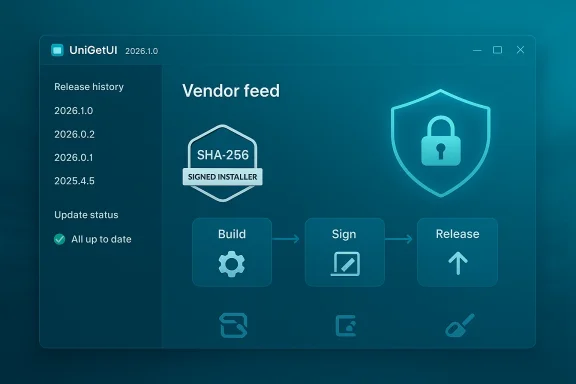
UniGetUI’s 2026.1.0 update marks a clear inflection point: the project has left its lone-developer phase and entered an organization-backed era focused on distribution hardening, release integrity, and enterprise-readiness — changes that improve security and reliability for everyday users, but also reshape trust and governance around a tool that installs software on hundreds of thousands of Windows desktops. (devolutions.net)
UniGetUI began life as a community-driven GUI wrapper for Windows package managers, originally born from the need to bring Winget-style package management to users who prefer graphical workflows. Over time it expanded to aggregate multiple backends — Winget, Chocolatey, Scoop, and others — and became popular for its bulk-update capabilities, cross-source discovery, and pragmatic feature set for both novices and IT pros. The project website still describes those core features: multi-manager support, bulk operations, package verification and a friendly install/update UX. (unigetui.com)
In March 2026 the most visible change arrived: Martí Climent, UniGetUI’s maintainer, announced a transition of stewardship to Devolutions — a commercial company known for remote‑desktop and privileged‑access tooling — and the first Devolutions-branded release, UniGetUI 2026.1.0, followed immediately. Devolutions frames the acquisition as a bet on sustainability: staff, security processes, and production-grade distribution infrastructure to match UniGetUI’s user scale. (devolutions.net)
This article summarizes the key technical changes in 2026.1.0, analyzes their security and operational implications, and offers practical guidance for users and administrators who want to adopt (or resist) the new model while keeping systems safe.
Devolutions also publicly committed to keeping UniGetUI open source under the MIT license, positioning the move as scaling responsibility rather than closing the project. At the same time, the company signaled enterprise ambitions — centrally managed deployment, policy controls, and privileged-install workflows — which shows where product evolution may head. (devolutions.net)
Recommended checks (PowerShell examples):
Key governance expectations moving forward:
At the same time, centralizing the distribution and update trust into a vendor-controlled feed requires deliberate mitigation: independent verification, mirrored internal feeds, and governance checks. Users, power users, and IT teams should take advantage of the improved integrity features while also verifying signer thumbprints and hashes, demanding transparency around telemetry, and preparing fallback plans if corporate product direction diverges from community expectations. (warp2search.net)
In short: treat UniGetUI 2026.1.0 as a net improvement in technical security, but pair that appreciation with sensible operational controls — verify installers, monitor telemetry and feed settings, and keep the option to self-host or fork the project if you need absolute sovereignty over your update pipeline. (unigetui.com)
Source: Neowin UniGetUI 2026.1.0
 Background / Overview
UniGetUI began life as a community-driven GUI wrapper for Windows package managers, originally born from the need to bring Winget-style package management to users who prefer graphical workflows. Over time it expanded to aggregate multiple backends — Winget, Chocolatey, Scoop, and others — and became popular for its bulk-update capabilities, cross-source discovery, and pragmatic feature set for both novices and IT pros. The project website still describes those core features: multi-manager support, bulk operations, package verification and a friendly install/update UX. (unigetui.com)In March 2026 the most visible change arrived: Martí Climent, UniGetUI’s maintainer, announced a transition of stewardship to Devolutions — a commercial company known for remote‑desktop and privileged‑access tooling — and the first Devolutions-branded release, UniGetUI 2026.1.0, followed immediately. Devolutions frames the acquisition as a bet on sustainability: staff, security processes, and production-grade distribution infrastructure to match UniGetUI’s user scale. (devolutions.net)
This article summarizes the key technical changes in 2026.1.0, analyzes their security and operational implications, and offers practical guidance for users and administrators who want to adopt (or resist) the new model while keeping systems safe.
What changed in UniGetUI 2026.1.0
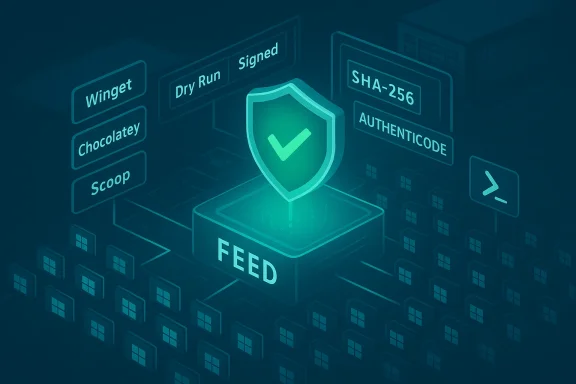
The public changelog and reporting around the release focus on three tightly linked areas: update distribution, release integrity, and build/release automation. The high-level changes reported across community and press coverage are:- Transition of update checks and distribution to the Devolutions product info feed, with a fallback to the legacy GitHub updater when needed. (tweakers.net)
- Hardened update validation: SHA‑256 integrity checks for updates and explicit installer signer validation. (tweakers.net)
- Reworked bundling for WinGet (architecture-aware CLI selection) and cleanup of legacy packaged binaries. (tweakers.net)
- A PowerShell-based build, signing and release pipeline, including draft releases and dry‑run signing, plus payload caching for WinGet CLI artifacts. (tweakers.net)
Devolutions also publicly committed to keeping UniGetUI open source under the MIT license, positioning the move as scaling responsibility rather than closing the project. At the same time, the company signaled enterprise ambitions — centrally managed deployment, policy controls, and privileged-install workflows — which shows where product evolution may head. (devolutions.net)
Why these changes matter (practical benefits)
- Stronger supply‑chain hygiene
- Signing installers and validating checksums reduces the chance that corrupted or tampered payloads get installed. The 2026.1.0 release explicitly introduces SHA‑256 integrity checks and installer signer validation — the most immediate and measurable defenses against tampered binaries. (tweakers.net)
- Fewer user‑visible failures from upstream metadata errors
- The release pipeline now includes dry‑run signing and pre‑signing validation, which can catch manifest and publisher metadata mismatches before an update reaches end users. This addresses common user complaints (e.g., “update available” notices that point to broken packages). (warp2search.net)
- Better operational scale and incident response
- A corporate backing with a security team and formal SDLC (secure development lifecycle) processes promises clearer incident escalation paths, coordinated vulnerability response, and hardened CI/CD — all important when a tool is in the business of installing software. Devolutions cites dedicated security processes and release hardening as primary motivations for the acquisition. (devolutions.net)
- More deterministic builds and repeatable packaging
- The PowerShell‑based build and caching for WinGet payloads help create predictable artifacts, which is essential for enterprise rollouts and reproducible verification workflows. (tweakers.net)
The trade-offs and risks: what to watch for
While the technical improvements raise the security bar, they also introduce new operational and governance considerations that deserve scrutiny.Centralization of trust and supply‑chain concentration
Shifting the update feed and distribution to Devolutions’ product info service centralizes a critical piece of the update supply chain. That reduces some risks (e.g., ad hoc GitHub release mistakes), but concentrates trust in a single vendor pipeline. If that feed is compromised, altered, or misconfigured, a broad population of UniGetUI users could be affected. The release notes explicitly mention the Devolutions feed as the primary source, with GitHub as a fallback — a design that helps, but does not remove the single-point-of-trust concern. (tweakers.net)Community governance and project stewardship
Even though UniGetUI remains open source, community reactions on discussion boards are mixed: some users expressed skepticism about handing control to a commercial vendor, fearing eventual feature gating or telemetry changes. Others pointed out that enterprise features were being discussed and that the tool in its current community form may not be desirable for sensitive corporate environments without additional review. Those community reactions are important because they reflect real concerns about long-term project direction and trust. (tweakers.net)Telemetry and privacy considerations
When a third party hosts release metadata and update feeds, there’s often implicit telemetry: which versions are served to which clients, error rates, fallback usage, etc. Devolutions has promised to keep UniGetUI free and open, but users should expect new telemetry and telemetry‑control options to appear as the project evolves under corporate ownership. The community commentary already shows a level of mistrust that privacy‑minded users will want clarified. (devolutions.net)Enterprise feature creep and licensing divergence
Devolutions’ roadmap signals enterprise features like centrally‑managed package whitelists, installation without local admin, and privilege management. Those are attractive for IT, but delivering them as paid or managed features could bifurcate the project into community edition vs. enterprise edition over time — a common pattern that can erode the original community experience unless carefully governed. (devolutions.net)How to verify the new update pipeline locally (practical steps)
If you run UniGetUI in personal or enterprise environments, you should verify what your client is installing. The 2026.1.0 release brings SHA‑256 verification and installer signer validation — but you should not rely solely on the client; you can independently validate installers you download.Recommended checks (PowerShell examples):
- Compute the SHA‑256 hash of a downloaded installer and compare it to the expected value:
- Example: Get-FileHash "C:\Downloads\UniGetUI-setup.exe" -Algorithm SHA256
- On Windows, PowerShell’s Get‑FileHash computes cryptographic hashes and is a standard tool for file verification.
- Inspect the Authenticode signature for installer validity:
- Example:
- $sig = Get-AuthenticodeSignature "C:\Downloads\UniGetUI-setup.exe"
- $sig.Status
- $sig.SignerCertificate.Thumbprint
- Get‑AuthenticodeSignature will report whether the file’s signature is valid and give certificate details so you can confirm the publisher and timestamp.
- Use the Windows Explorer GUI as a quick double-check:
- Right-click the file → Properties → Digital Signatures tab. Confirm that the signer, timestamp and certificate chain look correct.
- Automate checks for fleets:
- For IT admins, script the above checks into a pre‑deployment gate: validate SHA‑256 against an internal allowlist, and require an expected signer thumbprint before proceeding with an installation.
- Trust but verify: if UniGetUI obtains updates from the Devolutions feed, consider certifying the installers in an internal repository (private feed) and letting devices update from that controlled source rather than directly from the public feed.
Recommendations for different stakeholders
For everyday users (home / power users)
- Update cautiously: if you use UniGetUI for general bulk updates, the 2026.1.0 improvements are positive. Still, check release notes and enable any available options to see what feed and telemetry settings your client uses. (tweakers.net)
- If privacy is a concern, look for settings that opt out of anonymous telemetry or adjust update-check frequency; if none are available, raise it in the project’s issue tracker or community forum.
For advanced users and enthusiasts
- Fork the repo and build your own client if you want a fully community‑controlled binary that avoids the Devolutions feed. The project remains MIT‑licensed and forkable; the community path remains available. (devolutions.net)
- Verify any downloaded installers with SHA‑256 and Authenticode checks before running them. See the PowerShell examples above for reproducible commands.
For IT administrators and enterprises
- Treat the UniGetUI update feed as part of your supply chain: require verification gates and consider mirroring approved releases to an internal artifact repository or private feed. Use the new signing metadata to automate allowlisting rules based on signer thumbprints. (tweakers.net)
- Evaluate any new enterprise features for integration risk: centralized deployment and privilege elevation must be assessed for how they interact with your current endpoint security and privilege management policies. Devolutions’ stated roadmap explicitly targets those enterprise areas. (devolutions.net)
- Maintain a fallback plan: continue to use official package manager backends directly (Winget, Chocolatey) for critical systems where external update redirection is unacceptable.
Governance, transparency, and community oversight
Acquisitions of popular OSS tools are not uncommon — they can bring resources, security processes, and stability. But they also change the governance model. The Devolutions blog emphasizes keeping UniGetUI open source and pledges resources for secure development and auditing. That is a constructive start, but open-source projects benefit most when third‑party oversight and transparent processes accompany corporate backing.Key governance expectations moving forward:
- Public changelogs and signed release artifacts for each release that are reproducible and auditable.
- Clear telemetry policies and opt‑out controls for users who prefer privacy.
- Community representation in the project’s roadmap (e.g., advisory board, community maintainers).
- Independent audits or security reviews of the new pipeline — especially the signing and distribution channels — with results published for public scrutiny.
Alternatives and complementary tooling
If you or your organization evaluate UniGetUI’s new model and decide it doesn’t match your risk or privacy posture, there are alternatives and complementary approaches:- Use native command‑line backends directly (Winget, Chocolatey, Scoop) and script your own update pipelines for full control.
- Consider managed patching solutions and enterprise update management platforms for centralized, policy-driven control.
- Use a private artifact repository/mirror to stage and scan third‑party updates before rollout.
Conclusion: a pragmatic but watchful stance
UniGetUI 2026.1.0 is a technically sensible release: signing, SHA‑256 checks, and a formalized build and release pipeline address long‑standing reliability and security pain points for users who manage many updates. Devolutions’ acquisition gives the project resources and processes it lacked as a single‑maintainer effort, and those investments will likely reduce incidents caused by broken or unsigned releases. (tweakers.net)At the same time, centralizing the distribution and update trust into a vendor-controlled feed requires deliberate mitigation: independent verification, mirrored internal feeds, and governance checks. Users, power users, and IT teams should take advantage of the improved integrity features while also verifying signer thumbprints and hashes, demanding transparency around telemetry, and preparing fallback plans if corporate product direction diverges from community expectations. (warp2search.net)
In short: treat UniGetUI 2026.1.0 as a net improvement in technical security, but pair that appreciation with sensible operational controls — verify installers, monitor telemetry and feed settings, and keep the option to self-host or fork the project if you need absolute sovereignty over your update pipeline. (unigetui.com)
Source: Neowin UniGetUI 2026.1.0