

A refurbished HP EliteDesk 800 G2 listing circulating on third‑party storefronts and republished pages makes big, sometimes contradictory claims — mixing Mini and SFF SKU names, listing several different Intel CPUs, and promising Windows 11 Pro and modern wireless while also admitting the unit ships in “ordinary packaging” and may include non‑original power accessories. The combination is plausible for a budget‑minded buyer, but verification is essential: some technical claims are verifiable against vendor documentation while others are ambiguous or outright inconsistent in the ad copy.
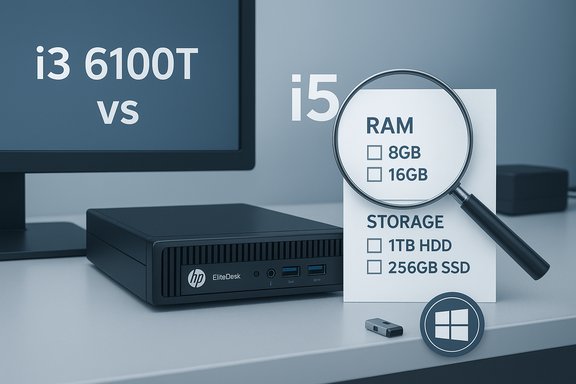
The product copy under review advertises an HP EliteDesk 800 G2 Mini or desktop bundle with mixed specifications across versions: references to an Intel Core i5 “quad core,” an Intel Core i3‑6100T, and later mentions of i5 SKUs; RAM and storage claims vary between 8GB/500GB HDD, 16GB/256GB SSD, and 16GB/256GB NVMe; the OS is listed both as Windows 10 Pro and Windows 11 Pro (multi‑language) in different lines. The listing also includes a 23.6" FHD LED monitor, keyboard, mouse, DVD drive, Wi‑Fi and Bluetooth, and a note that the unit has been professionally inspected and refurbished. The ad warns that refurbished power supplies and chargers “may not be original” but are compatible.
This article verifies the technical claims that can be checked, highlights where the ad is inconsistent or unverifiable, and lays out practical buying guidance and upgrade options for Windows enthusiasts and small business buyers. The goal is to give clear, actionable advice you can use before clicking “buy.”
Verify wireless claims by asking for photos of the unit’s network adapters (Device Manager) or a plain photo of the internals showing the module.
However, the ad under review mixes details across SKUs and claims modern OS and wireless features that the G2 platform may not officially support without modification. Windows 11 compatibility is not automatic for this generation, and wireless/Bluetooth claims are frequently the place where refurb sellers substitute USB dongles for internal upgrades. For buyers, the single best protection is verification: insist on BIOS/System screenshots, a clear return policy, and a transparent warranty before committing. If the seller provides unambiguous machine‑level proof, the deal can represent excellent value; absent that proof, the risks outweigh the savings.
Source: theglobalfilipinomagazine.com https://theglobalfilipinomagazine.c...iness-Computer-PC-Intel-Quad-Core-I5-8GB-RAM/
 Overview
The product copy under review advertises an HP EliteDesk 800 G2 Mini or desktop bundle with mixed specifications across versions: references to an Intel Core i5 “quad core,” an Intel Core i3‑6100T, and later mentions of i5 SKUs; RAM and storage claims vary between 8GB/500GB HDD, 16GB/256GB SSD, and 16GB/256GB NVMe; the OS is listed both as Windows 10 Pro and Windows 11 Pro (multi‑language) in different lines. The listing also includes a 23.6" FHD LED monitor, keyboard, mouse, DVD drive, Wi‑Fi and Bluetooth, and a note that the unit has been professionally inspected and refurbished. The ad warns that refurbished power supplies and chargers “may not be original” but are compatible.This article verifies the technical claims that can be checked, highlights where the ad is inconsistent or unverifiable, and lays out practical buying guidance and upgrade options for Windows enthusiasts and small business buyers. The goal is to give clear, actionable advice you can use before clicking “buy.”
Background: what the EliteDesk 800 G2 family actually is
A quick primer on HP’s EliteDesk naming and hardware generations
HP’s EliteDesk 800 family includes multiple chassis and generations: the G2 suffix denotes a 2nd‑generation model line (circa mid‑2010s), and that family includes both small form factor (SFF), mini, and tower variants. The Mini (compact) and SFF variants are popular in refurbished markets because they’re VESA‑mountable and easy to re‑deploy in business settings. The hardware originally shipped with 6th‑generation Intel “Skylake” CPUs and related chipsets. Refurbishers sometimes upgrade storage or memory, but they cannot magically convert a G2 chassis into the later G4/G5 platform without changing the motherboard and case.Why the generation matters for Windows 11 and connectivity
Microsoft’s Windows 11 processor and security requirements (TPM 2.0, Secure Boot, and specific CPU generations) mean many older EliteDesk 800 G2 units are not officially supported for Windows 11 upgrades. HP’s own community and retailer Q&As frequently confirm that the 800 G2 series is outside Microsoft’s supported CPU list and that the EliteDesk 800 G4 was the first model generation in that series to meet Windows 11 CPU criteria. That does not prevent technically installing Windows 11 by bypassing checks, but it does affect vendor support, warranty, and driver availability.Verifying the listing: what we can and cannot confirm
CPU claims — conflicting model numbers in the ad
The ad references an “Intel Quad Core i5” (a generic claim), but elsewhere lists “Intel Core i3‑6100T” and even mixes in other desktop family references. These are not equivalent:- The Intel Core i3‑6100T (Skylake family) is a 2‑core / 4‑thread Skylake CPU commonly found in small business desktops of that era; Intel’s documentation confirms it is a Skylake part and carries the expected Skylake characteristics.
- Many EliteDesk refurb listings instead use i5‑6500T or similar 6th‑gen i5 parts (quad‑core). Independent refurb listings and community analyses show that the most credible G2 minis shipped with a range of Skylake CPUs including i3 and i5 SKUs; the ad’s mixed references (i3 and i5) suggest either a copy‑paste error or an attempt to list multiple possible configurations without clarifying which is included. Treat a single listing that names different CPUs as inconsistent until the seller confirms the exact CPU.
Memory and storage
The ad alternates between 8GB/500GB HDD, 16GB DDR4 with 256GB SSD, and other combinations. Those capacities are plausible as refurb configurations, but the type of storage (HDD vs SATA SSD vs NVMe) materially affects performance.- HP Mini platforms of this era commonly support M.2 SATA or M.2 NVMe and SODIMM DDR4. Community technical notes confirm that many mini/product family members include SODIMM slots and M.2 slots, making 16GB DDR4 and a 256GB SSD feasible and upgradeable.
- Confirm whether the SSD is SATA or NVMe and the advertised form factor (M.2 2280, etc..
- Verify whether the RAM is single‑stick or dual‑channel (1×16GB vs 2×8GB), since dual‑channel yields meaningful performance gains especially for integrated graphics.
- If long‑term endurance matters, ask for the SSD brand/model (Samsung, WD, Kingston, etc. to estimate write endurance and sustained performance.
Operating system: Windows 10 Pro vs Windows 11 Pro
The listing includes both Windows 10 Pro and Windows 11 Pro references. HP community threads and retailer Q&As repeatedly underline that EliteDesk 800 G2 units are not on Microsoft’s list of supported processors for Windows 11; many owners who insist on Windows 11 either use workarounds or ensure the system has a discrete TPM module and patched BIOS. That means a seller that claims officially supported Windows 11 on a stock G2 without proof may be overstating things. If the listing claims Windows 11 Pro, demand evidence: a screenshot from Settings → About showing “Windows 11” and an activated license, or a picture of the BIOS/UEFI showing TPM 2.0 support and the exact CPU model.Wireless, Bluetooth and accessories
The ad claims Bluetooth and Wi‑Fi, and later notes “USB WIFI + USB BT” may be included as a small transparent package. Some refurb vendors include USB dongles rather than internal M.2 Wi‑Fi modules (AX210 or similar). That’s important because internal AX210 Wi‑Fi 6E modules deliver much better throughput and integration than a simple USB dongle. Community posts show the AX210 can work in many G2 units if physically installed, but BIOS whitelist or compatibility quirks can exist; refurb sellers sometimes list AX210 as an upgrade option but ship a dongle instead.Verify wireless claims by asking for photos of the unit’s network adapters (Device Manager) or a plain photo of the internals showing the module.
Refurbishment disclaimers and non‑original power supplies
The copy openly states refurbished units may ship in ordinary boxes and that power supplies/chargers may not be original. That’s normal for third‑party refurbishers, but it raises practical concerns: non‑OEM power bricks can be lower quality or lack surge protection, and non‑original power supplies complicate warranty/rescue scenarios. The ad’s transparency here is useful, but also reason to verify return windows, warranty length, and seller reputation.Critical analysis — strengths and risks
Strengths (why this listing can be attractive)
- Potential value for money: Refurbished EliteDesk minis often deliver excellent bang for the buck for office workloads — compact chassis, business‑grade motherboards with management features, and upgradeable SODIMM and M.2 slots. When the refurbisher supplies a true 16GB DDR4 and SSD combination, day‑to‑day responsiveness is markedly better than older HDD systems.
- Small footprint and VESA mounting: Ideal for kiosk, conference room, or slim desk setups where space is at a premium.
- Windows 10 Pro / management features: For businesses that need BitLocker, Group Policy, or Remote Desktop out of the box, the Pro SKU is a practical plus — just verify the license type and activation.
- Upgradeability: The platform often allows adding more RAM or swapping in higher‑performance NVMe drives, which extends usable life at low cost.
Risks and red flags buyers must watch
- Inconsistent specs in the same ad: Multiple CPU models, mixed OS claims, and varying storage/RAM numbers in a single listing often indicate copy/paste marketing or that the seller is listing a family of configurations without clarifying which exact SKU ships. Ask for the serial/product number and a photo of System Information to resolve this.
- Windows 11 support is not guaranteed: HP and community threads confirm that the EliteDesk 800 G2 platform is generally outside Microsoft’s official CPU support list for Windows 11; claims of Windows 11 support require evidence. Using workarounds to install Windows 11 is possible, but it can void support and create driver gaps.
- Warranty and parts quality variability: “Renewed” or “professionally inspected” can mean anything from full HP‑authorized refurb to a small reseller doing cosmetic cleaning and basic testing. Warranty terms, return windows, and seller reputation matter more than the headline spec.
- Wireless module ambiguity: A claimed Bluetooth/Wi‑Fi upgrade (AX210) might be an internal M.2 card on some units or a USB dongle on others. Bluetooth feature parity (5.2 vs 5.3) and driver support depend on firmware and vendor driver packages; confirm the exact adapter.
Practical verification checklist — what to ask the seller
Before buying, require the seller to provide the following. If they refuse or can’t produce verifiable evidence, walk away.- A clear photo of the machine’s System → About or msinfo32 screen showing:
- Exact CPU model and frequency.
- Installed RAM (size and whether it displays as dual‑channel if possible).
- Storage device(s) visible with model numbers (or a picture of Device Manager / Disk Management).
- A picture of the BIOS/UEFI main page showing the system product number / serial and BIOS version.
- A screenshot of Settings → Activation proving which Windows edition and activation status (OEM vs retail).
- Evidence of warranty/return policy: exact number of days, what’s covered, and how to initiate returns.
- Photos of included accessories (power brick label, monitor model, keyboard/mouse, any USB dongles).
Upgrade paths and configuration tips if you buy
Memory
- If the unit arrives with 16GB as a single 1×16GB stick, buy a matched SODIMM to enable dual‑channel mode (2×8GB or 2×16GB); this yields real performance uplift for integrated graphics and memory‑sensitive tasks. HP mini platforms typically allow straightforward RAM upgrades.
Storage
- Swapping an HDD to an SSD or upgrading a SATA SSD to a mainstream NVMe drive dramatically improves boot and app load times. If the refurbisher included a generic QLC NVMe, consider replacing it with a TLC drive from a reputable brand for better sustained write behavior. Confirm the M.2 slot form factor and interface (NVMe vs SATA‑M.2).
Wireless
- If you need Wi‑Fi 6/6E and the listing shipped a USB dongle, plan a potential internal M.2 AX module swap — but confirm BIOS whitelist and physical compatibility first. Community reports show AX210 can work on many G2 chassis but may require BIOS updates or be blocked in some configurations.
Power and peripherals
- If the unit ships with a non‑original power brick, inspect the output rating on the brick and prefer one from a reputable maker or an OEM replacement with the correct voltage and amperage to avoid undervoltage or overheating issues. The refurb note that chargers may be non‑original is common but worth attention.
When to walk away
- The seller cannot or will not produce any machine‑level proof (BIOS screenshot, CPU model, Windows activation screenshot).
- The return window is short (under 14 days) and there is no shipping insurance or clear warranty.
- The price is aggressively low but the listing mixes multiple SKUs in a way that obscures which one you’ll actually receive.
- The seller uses ambiguous terms like “Windows 11 ready” without showing an activated Windows 11 image on the actual machine.
Conclusion — a balanced verdict
A refurbished HP EliteDesk 800 G2 mini can be a very economical, practical desktop for office work, labs, and VESA‑mounted kiosk use when the refurbisher supplies honest, verifiable hardware (real DDR4 modules in dual‑channel, a reputable SSD, and a clearly specified CPU). The chassis’ compactness and HP’s business‑grade features make it an attractive reuse candidate.However, the ad under review mixes details across SKUs and claims modern OS and wireless features that the G2 platform may not officially support without modification. Windows 11 compatibility is not automatic for this generation, and wireless/Bluetooth claims are frequently the place where refurb sellers substitute USB dongles for internal upgrades. For buyers, the single best protection is verification: insist on BIOS/System screenshots, a clear return policy, and a transparent warranty before committing. If the seller provides unambiguous machine‑level proof, the deal can represent excellent value; absent that proof, the risks outweigh the savings.
Quick buyer’s checklist (final)
- Request BIOS/OS screenshots with CPU, RAM, serial/product number.
- Confirm whether SSD is NVMe or SATA and check the SSD model.
- Confirm Windows edition and activation type.
- Ask whether Wi‑Fi is internal (model shown) or a USB dongle.
- Verify the exact warranty window and return postage terms.
- If the price looks too good, require more proof or buy from a seller with a generous return policy.
Source: theglobalfilipinomagazine.com https://theglobalfilipinomagazine.c...iness-Computer-PC-Intel-Quad-Core-I5-8GB-RAM/
