

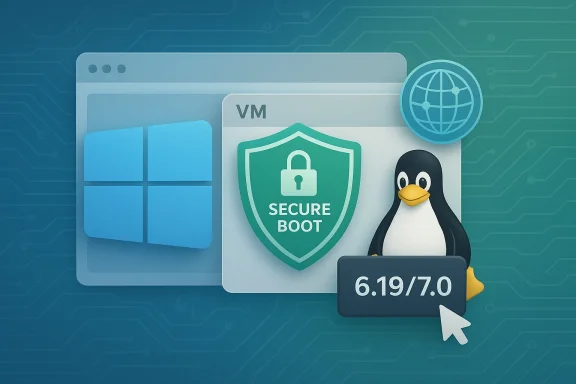
VirtualBox 7.2.8 lands as exactly the kind of maintenance update seasoned virtualization users learn to appreciate: not flashy, but targeted at the bugs that can wreck a lab, interrupt a test build, or turn a supposedly stable Windows 11 guest into a crash machine. The headline fixes are especially notable for Windows 11 users, with Oracle addressing a DRIVER_OVERRAN_STACK_BUFFER blue screen in guest VMs and correcting Secure Boot certificate update behavior that had become increasingly important as Microsoft rolls forward its certificate transition. For Linux users, the release also brings initial support for kernels 6.19 and 7.0, plus a string of Guest Additions and networking fixes that should make mixed host-and-guest setups a little less irritating.
VirtualBox has long occupied a peculiar but durable position in the virtualization market. It is neither the fastest enterprise hypervisor nor the most elegant consumer app, yet it remains one of the most widely used tools for developers, testers, students, and administrators who need broad platform support without a steep licensing barrier. That mix of accessibility and flexibility has kept it relevant even as Hyper-V, VMware, and cloud-native test environments have expanded their reach.
The 7.2 branch marked a meaningful refresh for Oracle’s virtualization stack, especially around Windows on Arm, guest support, and general usability improvements. Oracle’s own 7.2 release notes show that version 7.2.0 was a major update, while later maintenance releases like 7.2.2 and 7.2.6 focused on stability, compatibility, and regression cleanup. 7.2.8 continues that pattern, suggesting Oracle is still in the steady-polish phase rather than chasing headline features.
What makes 7.2.8 more interesting than a routine patch is the way it intersects with broader platform changes. Microsoft’s Secure Boot certificate refresh is not just a niche firmware event; it affects modern Windows installations, virtualization platforms, and the chain of trust that underpins a guest VM’s boot path. Oracle’s changelog indicates that VirtualBox has now adjusted its UEFI behavior to handle those updates correctly, which matters more than it may sound at first glance.
There is also a timing element here. Oracle had already fixed Windows 11 guest BSOD issues in prior releases, including a 7.0.x fix for a Windows 11 24H2 guest BSOD in rare conditions and a 7.2.6 fix for a crash on start after a recent Windows update. That history matters because it shows 7.2.8 is not a one-off correction but part of an ongoing effort to keep pace with Microsoft’s fast-moving guest and host changes.
The result is a release that looks modest on paper but is likely to matter disproportionately for people running Windows 11 test VMs, Linux lab environments, and Secure Boot-enabled guest configurations. In virtualization, the smallest fix can be the difference between a clean boot and a support ticket spiral.
There is also an enterprise angle. Many organizations use VirtualBox for reproducible Windows build testing, application validation, or edge-case troubleshooting. A BSOD in a guest can derail automated pipelines, invalidate snapshots, and consume hours of investigator time. By closing off this class of failure, Oracle is preserving VirtualBox’s role as a low-friction validation environment rather than a source of false negatives.
That is why this fix matters inside a hypervisor. A virtual machine may not be a physical motherboard with firmware in the traditional sense, but it still exposes UEFI and Secure Boot behavior to the guest OS. If the virtualization layer mishandles certificate updates, Windows can report errors that are difficult to diagnose and even harder to distinguish from real firmware problems. VirtualBox’s update reduces that ambiguity.
For consumer users, this means fewer boot-time surprises in Windows 11 guests that rely on Secure Boot. For enterprise teams, it means less friction when testing post-boot security posture, provisioning images, or validating compliance workflows that assume proper Secure Boot certificate handling. That distinction matters, because many labs are now used to simulate post-2023 certificate behavior long before a physical fleet is fully migrated.
There is also a performance and usability angle here. Oracle says the Linux Host and Guest components now include guest time accounting support and process improvements that make installation and
Oracle’s earlier 7.2 release notes already mentioned better DNS server handling and fixes for cases where no nameservers could be detected on the host. 7.2.8 continues that line of work by closing off another edge case. That is a sensible strategy because NAT bugs are notoriously environment-specific, and broad regression testing cannot always reproduce the weird combinations users actually run.
Clipboard handling is similarly sensitive. VirtualBox sits between host and guest input stacks, so anything involving selection, paste buffering, or Wayland-to-Windows transitions can expose incompatibilities that do not exist in native desktop use. The specific fix for the missing final clipboard character is small but telling: even minor transfer bugs can undermine confidence in cross-platform workflows.
VirtualBox’s fix here is a reminder that virtualization is not only about CPU virtualization and disk emulation. It is also about presenting a coherent machine identity to the guest. When that identity is inconsistent, Windows components may behave unpredictably, especially in enterprise imaging and management scenarios. That is why fixes like this are a bigger deal than they first appear.
One reason this matters is that VirtualBox often serves as the “good enough everywhere” option. It may not beat specialized competitors on raw performance in every benchmark, but it covers enough use cases that users keep it installed. When Oracle fixes Windows 11 Secure Boot and Linux kernel support in the same maintenance release, it reinforces that broad usability story.
There are a few concrete things to watch over the coming weeks and months. First, whether Windows 11 users report fewer guest BSODs in mixed host environments. Second, whether Secure Boot certificate transitions continue to work cleanly as Microsoft’s update program expands. Third, whether Linux 7.0 and 6.19 support proves robust enough for everyday use rather than just initial boot success.
VirtualBox survives by being dependable in places where dependence is hard-earned. Version 7.2.8 does not reinvent that promise, but it does reinforce it, one crash fix, one certificate correction, and one compatibility patch at a time.
Source: Neowin VirtualBox 7.2.8 arrives with fixes for Windows 11 BSOD, Secure Boot, and more
 Overview
VirtualBox has long occupied a peculiar but durable position in the virtualization market. It is neither the fastest enterprise hypervisor nor the most elegant consumer app, yet it remains one of the most widely used tools for developers, testers, students, and administrators who need broad platform support without a steep licensing barrier. That mix of accessibility and flexibility has kept it relevant even as Hyper-V, VMware, and cloud-native test environments have expanded their reach.The 7.2 branch marked a meaningful refresh for Oracle’s virtualization stack, especially around Windows on Arm, guest support, and general usability improvements. Oracle’s own 7.2 release notes show that version 7.2.0 was a major update, while later maintenance releases like 7.2.2 and 7.2.6 focused on stability, compatibility, and regression cleanup. 7.2.8 continues that pattern, suggesting Oracle is still in the steady-polish phase rather than chasing headline features.
What makes 7.2.8 more interesting than a routine patch is the way it intersects with broader platform changes. Microsoft’s Secure Boot certificate refresh is not just a niche firmware event; it affects modern Windows installations, virtualization platforms, and the chain of trust that underpins a guest VM’s boot path. Oracle’s changelog indicates that VirtualBox has now adjusted its UEFI behavior to handle those updates correctly, which matters more than it may sound at first glance.
There is also a timing element here. Oracle had already fixed Windows 11 guest BSOD issues in prior releases, including a 7.0.x fix for a Windows 11 24H2 guest BSOD in rare conditions and a 7.2.6 fix for a crash on start after a recent Windows update. That history matters because it shows 7.2.8 is not a one-off correction but part of an ongoing effort to keep pace with Microsoft’s fast-moving guest and host changes.
The result is a release that looks modest on paper but is likely to matter disproportionately for people running Windows 11 test VMs, Linux lab environments, and Secure Boot-enabled guest configurations. In virtualization, the smallest fix can be the difference between a clean boot and a support ticket spiral.
Windows 11 BSOD Fixes
The most attention-grabbing item in VirtualBox 7.2.8 is the fix for Windows 11 guests that could hit a blue screen of death with the error code DRIVER_OVERRAN_STACK_BUFFER. That kind of crash is the sort of failure that immediately undermines trust, because it suggests the guest OS is encountering a low-level fault inside a component that should be invisible to the user. Oracle’s changelog confirms the issue was fixed in this release.Why this matters
In virtualization, guest instability is often more damaging than host instability because users expect a VM to behave like a hermetically sealed machine. When a Windows 11 guest crashes with a stack buffer overrun error, the first suspicion is usually a driver mismatch, a paravirtualization quirk, or a regression in integration tools. Even when the root cause is obscure, the practical effect is simple: the VM becomes untrustworthy for testing, demos, or daily work. This is why Oracle’s repeated Windows guest fixes are more important than they may look in a short changelog.There is also an enterprise angle. Many organizations use VirtualBox for reproducible Windows build testing, application validation, or edge-case troubleshooting. A BSOD in a guest can derail automated pipelines, invalidate snapshots, and consume hours of investigator time. By closing off this class of failure, Oracle is preserving VirtualBox’s role as a low-friction validation environment rather than a source of false negatives.
Broader pattern
This is not the first time VirtualBox has needed to chase Windows guest regressions. Oracle previously fixed Windows 11 guest crash issues in older releases, and the 7.2.6 maintenance update also addressed a VM start crash after a recent Windows update. Taken together, those fixes suggest a recurring theme: as Windows evolves, the hypervisor layer must keep adjusting to changes in guest kernel behavior, driver expectations, and security mechanisms.- Windows guest stability remains a high-value target for Oracle.
- BSOD fixes have direct impact on test reliability.
- Regressions often surface after Microsoft update cycles.
- Enterprise labs are especially sensitive to guest crashes.
- A clean boot path is part of VirtualBox’s core value proposition.
Secure Boot and Certificate Updates
The Secure Boot fix may be the most strategically significant part of VirtualBox 7.2.8. Oracle says the release corrects problems with Secure Boot certificate updates on Windows 11 guest machines, including the handling of DBX updates that previously did not work properly in some configurations. That matters because Microsoft is in the middle of updating Secure Boot certificates, a process that affects trust chains used to validate boot components.What changed
Microsoft’s support guidance explains that Secure Boot relies on signed databases and certificates, including DB, DBX, KEK, and related boot trust elements. The company has been refreshing those certificates and, in some cases, can manage updates automatically on participating devices, though the process is not uniform across all systems. Microsoft’s guidance also notes that some devices or server configurations may need manual initiation of the Secure Boot certificate update.That is why this fix matters inside a hypervisor. A virtual machine may not be a physical motherboard with firmware in the traditional sense, but it still exposes UEFI and Secure Boot behavior to the guest OS. If the virtualization layer mishandles certificate updates, Windows can report errors that are difficult to diagnose and even harder to distinguish from real firmware problems. VirtualBox’s update reduces that ambiguity.
Why the DBX angle is important
DBX is the revocation database, and updates to it can be delicate because they alter what the firmware trusts. Microsoft’s own documentation shows that DBX update failures are a real operational issue, with specific event logging and known failure scenarios. In other words, Oracle is not fixing a cosmetic mismatch; it is addressing a moving piece of the platform security model.For consumer users, this means fewer boot-time surprises in Windows 11 guests that rely on Secure Boot. For enterprise teams, it means less friction when testing post-boot security posture, provisioning images, or validating compliance workflows that assume proper Secure Boot certificate handling. That distinction matters, because many labs are now used to simulate post-2023 certificate behavior long before a physical fleet is fully migrated.
- Secure Boot is a trust-chain mechanism, not a cosmetic option.
- DBX updates affect what boot components are revoked.
- Virtualization layers must model firmware behavior accurately.
- Windows 11 guest labs depend on stable certificate transitions.
- Misbehavior here can look like firmware failure, not software failure.
Linux Host and Guest Support
VirtualBox 7.2.8 also updates its Linux story, adding initial support for kernels 6.19 and 7.0. That may sound like a technical footnote, but for users who live on rapidly advancing distributions, kernel compatibility is often the first and last requirement that matters. If Guest Additions or host modules lag behind the kernel, the entire stack can become brittle. Oracle’s changelog explicitly lists the new kernel support, along with additional fixes for RHEL 10.1 and 10.2 kernels and support for UEK9 on Oracle Linux 9.Kernel churn and why it hurts
Linux users know the pattern well: a kernel update lands, modules need rebuilding, and previously working integration features can break. VirtualBox has historically had to support a wide range of Linux kernel generations, which is both a strength and a maintenance burden. Oracle’s update to the Guest Additions and host support matrix helps preserve compatibility across newer distributions without forcing users to pin older kernels just to keep their VMs functional.There is also a performance and usability angle here. Oracle says the Linux Host and Guest components now include guest time accounting support and process improvements that make installation and
rcvboxdrv/rcvboxadd setup faster. Those are not glamorous changes, but they reduce the friction that often makes virtualization tooling feel dated compared with more polished consumer software. Less waiting, fewer rebuild headaches, and fewer module surprises are meaningful wins for power users.Guest Additions cleanup
Linux Guest Additions received a set of targeted fixes as well, including clipboard-sharing improvements in Wayland scenarios and better handling of clipboard interactions between Wayland guests and Windows hosts. VirtualBox also deprecated thevboxvideo kernel module for kernels 7.0 and newer, steering users toward VMSVGA graphics or the module supplied by the kernel or distro itself. That is a sign of the project adapting to the realities of modern Linux graphics stacks rather than trying to preserve an increasingly brittle legacy path.- Initial support for Linux 6.19 and 7.0 broadens compatibility.
- RHEL and Oracle Linux kernel support helps enterprise deployments.
- Guest time accounting improves host-visible VM behavior.
- Clipboard fixes reduce friction in mixed desktop environments.
- Deprecation of older graphics paths reflects current kernel direction.
Networking and NAT Behavior
VirtualBox 7.2.8 includes a fix for a case where the internal DNS server could not be reached in NAT Network configurations. That kind of issue tends to be frustrating because it presents as a vague connectivity problem rather than an obvious virtual network failure. Oracle’s changelog also points to earlier NAT and DNS work in the 7.2 line, showing this is an area the company continues to refine.DNS reliability inside VMs
Network virtualization is one of those features that only gets noticed when it breaks. If a guest can ping an IP address but cannot resolve names, users immediately lose confidence in the VM’s usefulness. VirtualBox’s NAT stack has a history of receiving incremental fixes because DNS behavior is a recurring pain point, especially when the host environment has unusual resolver setups or multiple adapters.Oracle’s earlier 7.2 release notes already mentioned better DNS server handling and fixes for cases where no nameservers could be detected on the host. 7.2.8 continues that line of work by closing off another edge case. That is a sensible strategy because NAT bugs are notoriously environment-specific, and broad regression testing cannot always reproduce the weird combinations users actually run.
Why this matters beyond convenience
For developers, DNS failures can break package downloads, container pulls, update tests, and CI jobs. For enterprises, they can distort application behavior in VMs used for staging or offline validation. A VM that looks alive but cannot resolve hosts is often worse than a VM that fails loudly, because the problem wastes more diagnostic time.- NAT DNS fixes reduce “half-working” VM networking.
- DNS reachability is essential for software installation workflows.
- Host resolver oddities often surface only in real-world deployments.
- VirtualBox’s NAT path continues to mature release by release.
- Connectivity bugs can masquerade as application failures.
Graphics, Clipboard, and Desktop Integration
Oracle also reports fixes for cursor behavior in Ubuntu 25.10 / Wayland and clipboard-sharing issues in Linux Guest Additions, including a case where the last character was not pasted into the Windows host clipboard when copying from a Wayland guest. These are the kinds of bugs that seem trivial until you live with them all day; then they become the exact sort of paper cut that erodes confidence in the product.Wayland is the pressure point
Wayland has steadily displaced older display assumptions across Linux desktops, but virtualization tools often lag behind the pace of compositor and input changes. VirtualBox’s cursor fix in Ubuntu 25.10 suggests Oracle is still tracking these shifts, even when the environment is on the bleeding edge. That is important because early adopters are frequently the first to hit integration regressions.Clipboard handling is similarly sensitive. VirtualBox sits between host and guest input stacks, so anything involving selection, paste buffering, or Wayland-to-Windows transitions can expose incompatibilities that do not exist in native desktop use. The specific fix for the missing final clipboard character is small but telling: even minor transfer bugs can undermine confidence in cross-platform workflows.
The productivity layer
VirtualBox’s success depends not only on booting operating systems but on making them usable. Shared clipboard, seamless cursor behavior, and predictable graphics integration are what separate a VM that feels like a lab artifact from one that feels like a regular workstation. Oracle’s attention to these details suggests the company understands that quality-of-life fixes are part of competitiveness, not just polish. That’s especially true for mixed Windows/Linux users who move text and data constantly.- Cursor fixes improve usability on current Linux desktops.
- Clipboard fixes matter to everyday workflow continuity.
- Wayland compatibility is increasingly table stakes.
- Small integration bugs can have outsized productivity costs.
- Cross-host clipboard behavior remains a core expectation.
UEFI, BIOS, and Guest Metadata
The release also fixes errors related to BIOS release and firmware version numbers when0.0 values were provided, which previously prevented Windows from populating registry keys under HKLM\HARDWARE\System\BIOS that some components rely on. That is a surprisingly important housekeeping change because Windows and third-party tools often interrogate these values to identify the platform they are running on.Why registry population matters
System inventory, hardware discovery, support scripts, and licensing checks all lean on BIOS and firmware metadata. If a VM fails to report sane values, software can misclassify the environment or skip expected paths. That can lead to obscure problems that are hard to tie back to the hypervisor, because the broken behavior shows up several layers higher.VirtualBox’s fix here is a reminder that virtualization is not only about CPU virtualization and disk emulation. It is also about presenting a coherent machine identity to the guest. When that identity is inconsistent, Windows components may behave unpredictably, especially in enterprise imaging and management scenarios. That is why fixes like this are a bigger deal than they first appear.
UEFI and Secure Boot as a combined story
The BIOS metadata fix pairs logically with the Secure Boot work. Both involve the guest’s perception of its own platform characteristics, and both can influence whether Windows treats the VM like a proper, standards-compliant machine. In the current Windows ecosystem, that compliance is increasingly non-negotiable. A guest that cannot accurately represent its boot environment risks breaking assumptions in security and management tools.- BIOS metadata should not be treated as optional fluff.
- Windows registry population can affect management tooling.
- Platform identity influences licensing and support scripts.
- UEFI correctness is part of the guest trust model.
- VirtualBox is still refining machine presentation details.
Compatibility and Competitive Positioning
VirtualBox’s 7.2.8 release also sheds light on Oracle’s broader strategy. The product is not trying to win by reinventing virtualization; it is trying to win by staying compatible, low-friction, and widely usable across host and guest combinations. That is a defensible position in a market where many users need just enough virtualization to test software, compare operating systems, or run a legacy workflow.How it compares
Compared with Hyper-V, VirtualBox still offers a more cross-platform, user-friendly experience for mixed desktop environments, especially where Linux and macOS support matter. Compared with VMware, it remains attractive for those who want a familiar UI and broad community knowledge without immediate enterprise licensing considerations. Oracle’s focus on compatibility updates suggests it understands that its best defense is reliable breadth, not feature spectacle.One reason this matters is that VirtualBox often serves as the “good enough everywhere” option. It may not beat specialized competitors on raw performance in every benchmark, but it covers enough use cases that users keep it installed. When Oracle fixes Windows 11 Secure Boot and Linux kernel support in the same maintenance release, it reinforces that broad usability story.
Enterprise vs consumer impact
For consumers, the changes mostly translate into fewer crashes, fewer clipboard annoyances, and less wrestling with Linux desktop quirks. For enterprise users, the stakes are higher: cleaner guest boot paths, better Secure Boot handling, and more predictable host integration affect automation, compliance, and supportability. The same update can therefore feel minor to a home user and mission-critical to an admin.- Broad platform compatibility remains VirtualBox’s main value.
- Maintenance releases help preserve trust.
- Secure Boot support improves enterprise viability.
- Linux kernel support keeps developers on current distros.
- Consumer usability features still matter for adoption.
Strengths and Opportunities
VirtualBox 7.2.8 shows Oracle playing to its strengths: broad host support, practical fixes, and a steady cadence of maintenance that keeps the platform useful for real-world work. The biggest opportunity is not simply to add more features, but to reduce the number of reasons users might migrate away. That is a very real competitive lever in virtualization, where reliability often beats novelty.- Windows 11 stability improves confidence in a top-tier guest OS.
- Secure Boot compatibility keeps VirtualBox aligned with Microsoft’s certificate transition.
- Linux 6.19 and 7.0 support helps users stay current on rolling or fast-moving distros.
- Clipboard and cursor fixes improve everyday usability across host/guest boundaries.
- NAT DNS improvements reduce frustrating connectivity edge cases.
- BIOS metadata corrections help Windows and management tools recognize the VM properly.
- Installation and setup speed-ups lower friction for new deployments.
Risks and Concerns
The downside of a maintenance-heavy release cycle is that it can signal how much compatibility debt the product is carrying. VirtualBox remains useful, but the volume of fixes around guest stability, Secure Boot behavior, and desktop integration suggests the platform must constantly chase evolving host and guest ecosystems. That is the cost of breadth, and it should not be ignored.- Regression risk remains whenever core guest behavior is altered.
- Windows update churn can expose new issues between releases.
- Linux kernel acceleration may lag behind faster distro changes.
- Wayland edge cases are likely to continue as desktop stacks evolve.
- Secure Boot updates are complex enough to create new failure modes.
- Small bugs in clipboard or networking can still cause outsized frustration.
- Cross-platform support spreads testing burden across more environments.
Looking Ahead
The next question is whether VirtualBox 7.2.8 marks a stabilization point or simply another waypoint in a long bug-fix trail. The answer will depend on how well Oracle handles the next round of Windows updates, Secure Boot policy changes, and Linux kernel releases. If the 7.2 line continues to close compatibility gaps without introducing fresh regressions, the product’s position should remain solid. If not, users with more demanding environments may look elsewhere.There are a few concrete things to watch over the coming weeks and months. First, whether Windows 11 users report fewer guest BSODs in mixed host environments. Second, whether Secure Boot certificate transitions continue to work cleanly as Microsoft’s update program expands. Third, whether Linux 7.0 and 6.19 support proves robust enough for everyday use rather than just initial boot success.
- Watch for additional Windows 11 guest stability reports.
- Monitor Secure Boot certificate behavior in fresh VM builds.
- Track Linux distro compatibility as kernels advance.
- Pay attention to Wayland and clipboard regressions.
- See whether Oracle adds follow-up fixes in a 7.2.10-style patch.
- Check whether enterprise admins find the BIOS metadata fix meaningful in inventory workflows.
VirtualBox survives by being dependable in places where dependence is hard-earned. Version 7.2.8 does not reinvent that promise, but it does reinforce it, one crash fix, one certificate correction, and one compatibility patch at a time.
Source: Neowin VirtualBox 7.2.8 arrives with fixes for Windows 11 BSOD, Secure Boot, and more
