

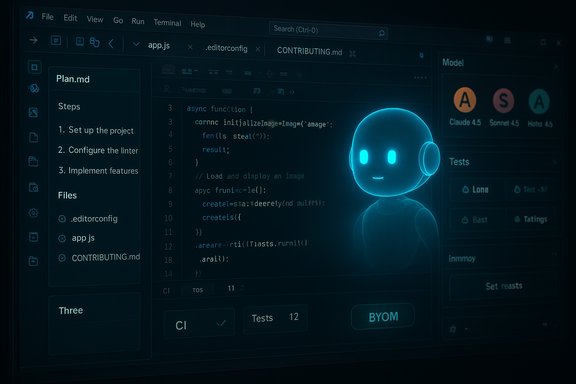
Microsoft’s latest Visual Studio update pushes GitHub Copilot from a context-aware helper to a more autonomous teammate by adding long‑lived project memories, automated multi‑step planning, and support for Anthropic’s newest Claude models — moves that speed common developer workflows but also raise nontrivial governance, security, and operational questions for teams adopting AI in production development environments.
Background
Visual Studio has been steadily evolving from a traditional integrated development environment into an AI-forward command center for developers. Microsoft’s October 2025 release of Visual Studio 2022 (v17.14) continues that trajectory by deepening Copilot’s agent capabilities inside the IDE. The update is notable for three interlocking changes:- Memories — the ability for Copilot to detect, confirm, and persist project‑specific coding preferences and rules into repository files so the assistant learns a project’s norms over time.
- Planning — an agentic workflow that turns complex requests into explicit markdown plans, enumerates files and steps, and executes them while updating progress in real time.
- Multi‑model choice — integration of Anthropic’s Claude family (including recent Sonnet 4.5 and Haiku 4.5 releases) as selectable backends inside Copilot chat and agent workflows, expanding model diversity beyond OpenAI choices.
What “Memories” actually does
How project memories work
Memories are designed to capture recurring developer preferences and project conventions so Copilot’s suggestions progressively align with your repository’s style, patterns, and architectural rules. When the assistant recognizes a repeated correction or receives an explicit instruction (for example, “always use our custom logging wrapper” or stylistic preferences), it prompts the developer to confirm whether that behavior should be saved.Once confirmed, the preference can be written to standard, version‑controlled repository files such as .editorconfig or CONTRIBUTING.md, or to dedicated instruction files used by Copilot. That design choice intentionally ties AI behavior to machine‑readable artifacts that survive across developer machines and CI pipelines, instead of storing idiosyncratic user‑level settings.
Why this matters for teams
- Consistency at scale: writing preferences into the repo reduces drift between what the AI produces and what code reviewers expect.
- Auditability: changes to repository instruction files appear in commits and PRs, so teams can review, revert, or refine AI instructions like any other artifact.
- Onboarding: new contributors inherit the same, codified guidance the AI follows, creating a unified ramp for development standards.
Limits and caveats
- Memories depend on correct detection and conservative user confirmation. If the AI misclassifies a pattern as intentional, it could bake in an unwanted rule.
- The mechanism’s safety hinges on where memories are stored. If sensitive policy is mistakenly persisted in a public repo, that becomes an exposure vector.
- Organizations should adopt explicit governance around what kinds of memories may be written automatically and require PR review for instruction or conventions added to shared files.
Planning: from single suggestions to delegated missions
The new planning workflow
Planning transforms high‑level developer requests into a living plan — a Markdown file that lists objectives, success criteria, discovery steps, the files to be edited, and a step‑by‑step checklist. When a complex task is requested (for example, “refactor OrdersService to support multi‑tenant logging and add tests”), Copilot can now:- Decide whether the task requires a multi‑step plan.
- Generate a markdown plan that outlines tasks, files, and the proposed approach.
- Execute steps sequentially, updating the plan file as each step begins, succeeds, or fails.
- Allow the developer to pause, edit, or persist the plan into the repository for history and CI validation.
Practical benefits
- Reduced cognitive load: developers no longer need to micro‑manage every change; Copilot provides an auditable roadmap and performs predictable edits.
- Improved predictability: the plan enumerates files and steps up front, so reviewers can see intent before changes land.
- Integrated execution trace: the updated plan file doubles as an execution log that simplifies debugging and rollbacks.
Where Planning can go wrong
- Opaque authority: if the agent is allowed to perform broad edits without adequate guardrails, it may introduce functionally correct but architecturally inconsistent changes.
- Testing and rollout gaps: automated edits need integrated runbooks that trigger unit tests, linters, and security scans before a PR is accepted. Lack of CI gating could allow regressions.
- Escalation of trust: teams must carefully decide which classes of tasks the agent may fully execute versus those requiring human signoff.
Instruction files and BYOM: governing the agent
.github/instructions and .instructions.md
The update formalizes project‑level AI governance by allowing teams to create instruction files (special Markdown files placed under .github/instructions, such as .instructions.md). These files let you express file‑scoped rules (for example, “in /services/* use our internal tracing library”) using glob patterns so Copilot applies rules only where they make sense. That moves policy out of ephemeral prompts and into version‑controlled configuration.This change matters because it:
- Converts ephemeral engineering wisdom into machine‑readable rules.
- Makes AI policy part of the repo review workflow.
- Enables differentiated instructions across modules, services, or solution folders.
Bring Your Own Model (BYOM) via Azure Foundry
For enterprises with strict compliance or IP requirements, Visual Studio’s Copilot now supports BYOM through Azure AI Foundry (or similar private model endpoints). That means teams can route Copilot chat and agent requests to an internal or fine‑tuned model they control, removing dependence on publicly hosted endpoints when necessary. This capability is essential for regulated industries, sensitive source code, or organizations with strict data residency rules.Admin checklist for instruction files and BYOM
- Decide what types of rules are acceptable to persist in repo files.
- Require PR reviews for any instruction file changes.
- Audit instruction histories in commit logs to detect accidental policy drift.
- For BYOM, validate model governance: contracts, data handling, access controls, and monitoring.
- Update CI to require static analysis and test suites before accepting agent‑generated PRs.
Anthropic Claude 4.5 models arrive — more choices, more tradeoffs
What Microsoft added
The Visual Studio update also surfaced Anthropic’s Claude models directly in the Copilot experience, adding recent Sonnet 4.5 and Haiku 4.5 variants as selectable backends in Copilot chat and the agent builder. This expands Microsoft’s multi‑model strategy: rather than routing everything to a single provider, Copilot can select the model best suited for a task (high‑throughput structured outputs vs. deep reasoning or low‑latency pair programming).- Sonnet 4.5 — positioned as a production‑grade, high‑throughput model optimized for coding, agentic orchestration, and long‑context tasks. Vendor reports note improved sustained autonomous runs in some internal tests.
- Haiku 4.5 — a smaller, faster, lower‑cost model tuned for low latency and pair‑programming scenarios that still delivers strong coding performance for real‑time workflows.
Why multi‑model support matters
- Workload fit: different models are better at different jobs — a midsize model can be cheaper and snappier for templated document work; a frontier reasoning model can do deep, multi‑step refactors.
- Resilience and negotiation leverage: multi‑model support reduces single‑vendor dependency and gives enterprise procurement more options.
- Granular routing: Copilot Studio and the Researcher agent can assign different models to different tasks inside multiagent pipelines.
Governance and operational consequences
The addition of Anthropic models introduces two immediate operational realities:- Cross‑cloud hosting: Anthropic’s hosted endpoints often live outside Microsoft‑managed infrastructure (for example, in third‑party clouds). Routing tenant data to those endpoints carries contractual, residency, and regulatory implications that administrators must evaluate before enabling Anthropic models.
- Opt‑in administration: Anthropic model access is typically gated by tenant admin controls; Microsoft surfaces these choices behind explicit enablement flows so organizations can opt into the model ecosystem carefully.
Strengths: what teams stand to gain
- Higher developer velocity: Memories and Planning shorten cycles for repetitive tasks, refactors, and tests by automating pattern enforcement and multi‑file edits.
- Improved consistency: capturing conventions in repo files reduces review churn and enforcement friction.
- Better agent transparency: Planning’s living plans and execution traces make agent behavior auditable, which is critical for acceptance in enterprise environments.
- Model choice and cost control: being able to route workloads to Sonnet, Haiku, OpenAI, or private models allows teams to optimize for latency, quality, and cost.
Risks and red flags: what requires careful mitigation
1) Data governance and privacy
Routing sensitive repository context or tenant data to third‑party model endpoints demands legal review. Anthropic‑hosted endpoints may live outside Microsoft’s managed infrastructure, which affects residency and contractual protections; administrators should not enable external models without evaluating those risks.2) Drift and accidental codification
Automatic persistence of detected “preferences” can encode accidental bad practices into repo‑level instruction files. Use human‑in‑the‑loop reviews and require PRs for any instruction artifacts added to the main branch.3) Over‑delegation to agents
Granting agents wide edit scope without robust CI safeguards can produce subtle regressions. Agentic edits should be gated by test runs, static analysis, and human approval for anything that touches production paths.4) Unverified vendor claims
Some capability claims (for example, internal assertions that Sonnet 4.5 ran 30‑hour autonomous coding sessions or claimed benchmark improvements) are vendor‑reported experiments. Treat those numbers as directional and re‑verify on your own workloads before relying on them for production decisions.Practical rollout recommendations for engineering and security teams
Phase 1 — Evaluate and contain
- Opt into previews in a controlled environment (off production tenants) to observe behavior.
- Audit telemetry and logs to confirm what data the agent sends to remote model endpoints.
- Test instruction persistence by creating instruction files in a feature branch and requiring CI checks before merging.
Phase 2 — Policy and CI integration
- Require PRs for instruction files (.github/instructions) and use branch protections to enforce reviews.
- Integrate agent‑generated PRs into CI that runs unit tests, linters, and security scanners before merge.
- Define model selection policies that declare which model families are allowed for which workloads (e.g., Haiku for interactive pair programming, Sonnet for high‑throughput batch tasks, BYOM for sensitive builds).
Phase 3 — Monitor and iterate
- Track quality metrics (test failure rates, bug reopen rate, code review time) to measure agent impact.
- Rotate and version instruction files to experiment safely and to roll back if a rule reduces code quality.
- Maintain an exceptions register for scenarios that require human‑only edits.
Developer ergonomics: day‑to‑day use cases
- Refactors at scale: ask Copilot to “migrate service X to new logging API,” review the generated plan, and let the agent apply changes while tests run in parallel. The plan file provides the necessary transparency for reviewers.
- Onboarding and style enforcement: new hires receive Copilot suggestions aligned with repo‑persisted memories rather than variable local settings.
- Interactive pair programming: pick a low‑latency model like Haiku 4.5 for chat sessions that must feel immediate, and switch to Sonnet 4.5 or private models for long‑running, multi‑file edits.
The strategic angle: Microsoft’s multi‑model orchestration
Microsoft’s decision to host multiple third‑party models inside Copilot reflects a broader strategic bet: enterprises prefer a platform that can flexibly route workloads to the best‑fit model rather than lock them into a single provider. By acting as an orchestration layer — with admin controls, a model picker, and BYOM options — Microsoft positions Visual Studio and Azure Foundry as infrastructure glue that reduces vendor concentration risk while increasing lock‑in at the platform level. That matters for enterprise procurement and compliance teams negotiating long‑term AI contracts.Final verdict — adoption with discipline
Visual Studio’s v17.14 step toward Memories, Planning, and multi‑model support is a substantial progression in AI‑assisted development. These features can materially accelerate engineering work and reduce mundane tasks, but their value accrues only when teams apply disciplined governance:- Persisted rules must be auditable and reviewed like code.
- Agentic edits require CI‑backed validation before merge.
- External model access must be evaluated for contractual and regulatory fit; BYOM and private endpoints remain the safest route for sensitive corpuses.
Conclusion
This Visual Studio update marks a turning point: Copilot is no longer merely an on‑demand assistant; it is becoming an agentic, context‑aware collaborator capable of learning, planning, and executing within a codebase. The promise is real — fewer repetitive edits, clearer intent, and faster refactors — but realization depends on careful rollout, strict governance of repo‑level instructions, and rigorous validation of any external model endpoints used. Vendor‑reported performance claims for new models like Sonnet 4.5 and Haiku 4.5 indicate compelling capability gains, yet they require independent verification on your workloads before trusting them for critical production tasks. Adopters who pair the new AI capabilities with strong CI, review policies, and a conservative model‑selection strategy will likely capture the upside: faster development cycles with preserved code quality and traceability.
Source: WinBuzzer Visual Studio Update Boosts GitHub Copilot with AI Memory, Planning, and Anthropic's Claude Models - WinBuzzer
