

Microsoft’s move to fold Viva Engage communities directly into Microsoft Teams marks another step in the company’s long-running strategy to collapse app boundaries and bring employee engagement into the flow of work—making community conversations, leadership communications, and organizational knowledge discoverable where people already spend most of their time. This integration promises faster discovery, simpler lifecycle management for corporate content, and closer alignment between collaboration and the employee-experience stack, but it also raises significant governance, licensing, and security questions that IT teams must address before turning the new experience loose across large tenants.
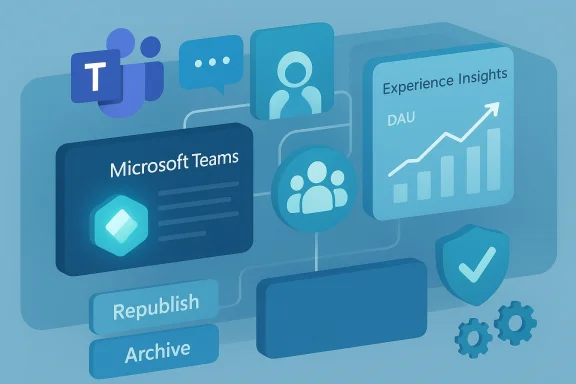
Microsoft has been steadily knitting the Viva family—Viva Engage, Viva Connections, Viva Learning, and Viva Amplify—into the Microsoft 365 and Teams experience. The goal is to make employee experience features native to daily workflows: intelligence, analytics, communications, and community engagement are surfaced inside Teams so users don’t have to context-switch to separate portals. The latest initiative embeds Viva Engage’s Communities (the successor to the Yammer community model) inside Teams' interface and content lifecycle tools such as Viva Amplify’s Republish, creating a tighter loop between content creation, update, distribution, and measurement.
Microsoft’s broader AI-first story—integrating Copilot, tenant-aware generative features, and analytics into Teams and Viva—frames this integration. Copilot can summarize conversations, surface relevant knowledge, and help craft messages that are then shared into communities. The Experience Insights Dashboard and the Amplify/Republish toolset give admins and communicators mechanisms to measure reach and refresh content across SharePoint, Outlook, Viva Engage, and Teams. Those components are explicitly positioned as complementary pieces of the same productivity and engagement stack.
Benefits to expect:
Key governance considerations:
Practical adoption playbook (recommended steps):
Top risk areas and mitigations:
Practical FinOps steps:
What’s new for creators:
Source: Windows Report https://windowsreport.com/microsoft-integrates-viva-engage-communities-inside-teams/
 Background
Microsoft has been steadily knitting the Viva family—Viva Engage, Viva Connections, Viva Learning, and Viva Amplify—into the Microsoft 365 and Teams experience. The goal is to make employee experience features native to daily workflows: intelligence, analytics, communications, and community engagement are surfaced inside Teams so users don’t have to context-switch to separate portals. The latest initiative embeds Viva Engage’s Communities (the successor to the Yammer community model) inside Teams' interface and content lifecycle tools such as Viva Amplify’s Republish, creating a tighter loop between content creation, update, distribution, and measurement.Microsoft’s broader AI-first story—integrating Copilot, tenant-aware generative features, and analytics into Teams and Viva—frames this integration. Copilot can summarize conversations, surface relevant knowledge, and help craft messages that are then shared into communities. The Experience Insights Dashboard and the Amplify/Republish toolset give admins and communicators mechanisms to measure reach and refresh content across SharePoint, Outlook, Viva Engage, and Teams. Those components are explicitly positioned as complementary pieces of the same productivity and engagement stack.
What exactly is changing? Overview of the integration
Microsoft’s integration of Viva Engage Communities into Teams is not a single UI tweak. It is a consolidated experience that touches multiple layers of the tenant:- A Teams-native Communities surface so users can join, follow, and post to Viva Engage communities without leaving Teams. This mirrors earlier moves to add Communities-like features to the unified Teams app.
- Content lifecycle functionality (notably the Republish capability from Viva Amplify) that allows authors and communicators to update posted content and republish it across channels—SharePoint, Viva Engage, Outlook, and Teams—without recreating posts from scratch. This is intended to keep messages accurate and timely while preserving analytics and distribution context.
- Tighter analytics and admin visibility via Experience Insights and the Microsoft 365 admin tooling so IT and communications teams can measure Daily Active Users (DAU), overlay campaign actions, and correlate enablement activity with actual engagement spikes. Microsoft’s own internal experience shows clear DAU increases when Viva Engage is actively promoted, a concrete data point that reinforces the integration rationale.
- AI assist and Copilot contextuality inside Teams for community moderation, summarization, and post creation—helping leaders produce more consistent, higher-quality communications and enabling faster responses to events. These generative features are already being emphasized across Microsoft 365 and are being extended into the Teams + Viva surfaces.
Why this matters to organizations and Windows users
For organizations wrestling with adoption and engagement, bringing communities into Teams tackles a fundamental problem: where people work versus where the engagement tools live. If community discussions, leadership posts, and knowledge-sharing live in a separate app, adoption stalls. Embedding Viva Engage Communities inside Teams reduces friction and increases the chance that important posts are read, reacted to, and acted upon.Benefits to expect:
- Faster adoption due to reduced context switching—Teams is already the collaboration hub in most companies.
- More timely communications—Republish empowers content owners to refresh posts in place and propagate updates to all channels, improving accuracy and reducing duplication.
- Better measurement and campaign optimization—Experience Insights' ability to overlay actions on DAU graphs lets communicators prove what works and iterate quickly. Microsoft reported measurable spikes when Viva Engage was promoted internally, demonstrating the value of instrumentation.
- Smarter content creation—Copilot-style assistance reduces the time leaders and comms teams spend drafting messages and can improve consistency of tone and clarity.
The administration and governance implications
Embedding Viva Engage inside Teams reduces user friction but amplifies the importance of governance. Teams is already an identity and data plane; adding community and organizational communications features increases the volume and sensitivity of content flowing through the platform. Administrators should treat this as an expansion of scope, not merely a UX upgrade.Key governance considerations:
- Identity and access controls: Enforce MFA, conditional access, and least-privilege roles through Entra (Azure AD). Community membership and posting permissions must be governed by role-based policies.
- Data loss prevention (DLP) and classification: Use Microsoft Purview labels and DLP rules to prevent sensitive content leakage within community posts. Content that previously lived in a walled, internal forum may now be more discoverable; classification must travel with the content.
- Lifecycle management: Establish policies for community creation, ownership, and archival to prevent sprawl. Teams and Viva communities can multiply quickly without controls.
- AI governance: If Copilot or generative features are used to draft or moderate community content, log prompts and outputs for regulated workflows and ensure human-in-the-loop checkpoints for high-risk communications.
- Tenant-level telemetry and auditing: Ensure audit logs, retention labels, and analytics are configured to support compliance, eDiscovery, and legal hold when necessary.
Adoption and change management: turning a capability into behavior
The technology alone won’t deliver value—behavior will. Microsoft’s internal case studies and practical guidance emphasize visible sponsorship, role-based enablement, and short feedback loops as the behavioral levers that make such integrations succeed.Practical adoption playbook (recommended steps):
- Executive sponsorship: Nominate a visible executive sponsor and a named Service Owner in IT to champion the rollout. Leadership usage is social proof that drives uptake.
- Pilot with a cross-functional champion network: Start with a small set of communities (HR, sales enablement, internal comms) and enlist champions who will model behavior and help refine templates and etiquette.
- Configure governance and lifecycle policies: Implement team/community creation policies, naming conventions, owner assignment, and archival rules before broad enablement.
- Train with microlearning and in-flow guidance: Use short, role-based modules surfaced via Viva Learning or Teams tabs and pair training with in-app nudges.
- Measure and iterate: Use Experience Insights to overlay campaign actions on engagement metrics and iterate based on results. Microsoft’s own data show clear DAU spikes when Viva Engage campaigns are executed thoughtfully.
Security trade-offs and risk management
With increased reach comes increased responsibility. The same features that make communities useful—discoverability, sharing, and in-channel publishing—also create vectors for data exposure and misuse.Top risk areas and mitigations:
- Guest and external access: Guest accounts and external sharing must be tightly controlled. Apply conditional access and guest limits; require approvals for external-facing communities.
- Spam and impersonation: Community channels visible in Teams could be abused by spoofed accounts or social-engineered posts. Monitor tenant registrations and use identity protections.
- Covert channels: Attackers have abused Teams as covert command channels. Enforce tenant hygiene, audit third-party connectors, and log anomalous activity. Treat Teams as an identity and data plane rather than just an app.
- AI hallucination and misinformation: If Copilot drafts leadership posts or summarizes threads, ensure edits and approvals by humans for sensitive topics. Keep prompts and outputs logged for audit.
Licensing, cost control, and FinOps
Adding Viva Engage capabilities into Teams can surface hidden costs if organizations expand features without managing licensing and usage. Microsoft’s Viva and Amplify features may require additional subscriptions beyond base Microsoft 365 plans, and Copilot features typically have separate licensing.Practical FinOps steps:
- Inventory entitlements: Map which users and groups need which Viva, Amplify, or Copilot capabilities. Avoid blanket enablement that leads to unused add-on spending.
- Gate expansion by outcomes: Use measurement windows (6–12 months) and require evidence of ROI before a broader buy. Pilot results should drive license expansion decisions.
- Reclaim unused licenses: Implement license reclamation and tagging to prevent shelfware. Monitor usage by feature.
What communicators and community managers should expect
Communicators and community owners will see both new opportunities and new responsibilities.What’s new for creators:
- Easier distribution: Use Republish to refresh existing content rather than recreating posts for each channel. This is especially useful for fast-changing communications such as policy updates or event corrections.
- Better analytics: Cross-channel measurement makes it possible to understand where users engaged—Teams, SharePoint, Outlook, or Viva Engage—and to act on that knowledge.
- AI assistance: Expect drafting and summarization helpers; these speed content creation but require editorial oversight for accuracy and tone.
Technical verification and what remains unclear
The integration described aligns with Microsoft’s public strategy of embedding Viva and Copilot into Teams and the Microsoft 365 fabric. The following points are supported by the material available in the tenant-level and product summaries we reviewed:- Republish is part of the Viva Amplify toolset and is intended to let communicators update published content across SharePoint, Viva Engage, Outlook, and Teams.
- Experience Insights allows overlaying actions on DAU graphs to measure the impact of campaigns such as Viva Engage promotion days; Microsoft reported measurable DAU spikes tied to these actions.
- Microsoft’s product direction focuses on combining Teams, Viva, and Copilot to bring generative features and analytics inside collaboration workflows.
- The exact admin UI locations and names for toggling Communities-in-Teams features can vary by tenant, platform version, and Microsoft rollout schedule; test in a pilot tenant to confirm path and policy effects before a wide rollout.
- Licensing entitlements, feature gating, and whether particular Copilot capabilities are included or require separate purchase should be verified against your Microsoft 365 licensing portal and Microsoft account representative. If you do not have licensing clarity, treat claims of “included by default” as tentative until validated. If necessary, request a formal SKUs/feature matrix from your Microsoft account team.
Recommended checklist before enabling Viva Engage Communities in Teams (practical, actionable)
- Governance
- Set team/community creation policies, naming conventions, and mandatory owner assignment.
- Configure retention, archiving, and eDiscovery policies in Microsoft Purview.
- Security
- Enforce MFA and conditional access; review guest settings and external sharing defaults.
- Audit third-party connectors and apps that can post into Teams/Communities.
- Adoption
- Run a time-boxed pilot with a small champion group; collect DAU and engagement metrics via Experience Insights.
- Produce role-based microlearning content and in-flow prompts for community best practices.
- Financials
- Map current entitlements and forecast license needs before scaling. Implement license reclamation and FinOps rules.
- Operations
- Prepare moderation playbooks and human-in-the-loop checks for AI-assisted content creation.
Final analysis: strengths, weaknesses, and the strategic trade-off
Strengths- Flow-of-work integration: Embedding communities into Teams removes barriers to participation and increases the likelihood that important messages reach employees. This is a decisive usability win when done well.
- Content lifecycle improvements: Republish and Amplify reduce manual duplication and decrease the time it takes to keep communications current—critical for high-velocity organizations.
- Measurement-driven adoption: Experience Insights turns promotion into a measurable practice, allowing IT and comms teams to iterate based on data rather than intuition.
- Governance complexity: Centralizing communities inside Teams raises the bar for security and compliance, and organizations without matured controls risk data leakage and sprawl.
- Licensing and FinOps risk: Organizations that expand features without a measured approach may create unsustainable costs.
- Operational friction: Moderation, lifecycle management, and AI oversight add operational tasks that some teams may not be staffed to handle initially.
- The core trade-off is between frictionless engagement and increased control burden. The integration unlocks value by design—people will naturally use Teams for communities—but that value only materializes when governance, cost control, and operational processes are put in place. Organizations that adopt with a thoughtful pilot, clear governance, and measurable outcomes will likely capture the benefits; those that treat it as a simple UX switch risk compliance headaches and cost overruns.
Conclusion
Bringing Viva Engage Communities into Microsoft Teams is a logical and potent step toward a single, integrated employee-experience and collaboration platform. The move reduces friction for end users, improves content lifecycle management with tools like Republish, and makes it easier for communicators to measure and optimize engagement. Yet success is not automatic: it depends on mature governance, disciplined FinOps, and thoughtful adoption practices. For IT leaders, the integration is an invitation to treat Teams not just as a chat and meeting app but as a central identity, data, and communications plane—one that demands policies, controls, and measured rollouts if the organization wants durable, measurable benefits.Source: Windows Report https://windowsreport.com/microsoft-integrates-viva-engage-communities-inside-teams/
