

VPS hosting remains the pragmatic middle ground for 2026: powerful, affordable, and flexible enough to run business sites, developer apps, and growing e‑commerce stores without the heavy cost of dedicated servers — but only if you choose the right plan, operating system, and support model for your needs.
Virtual Private Servers (VPS) combine the resource isolation of a dedicated machine with the cost-efficiency of shared infrastructure. A properly configured VPS gives you dedicated RAM, CPU, storage, and network allocation inside a partitioned host. That isolation reduces noisy‑neighbor effects, supports predictable performance, and makes scaling straightforward when traffic or workloads grow.
Over the last few years, the market has shifted in two important ways. First, NVMe SSDs and improved networking (10Gbps and above in many providers) mean VPS instances frequently deliver latency and I/O performance that used to be exclusive to expensive dedicated boxes. Second, the rise of managed VPS tiers and “relaxed managed” hybrids has lowered the technical barrier: businesses can get the benefits of a VPS without hiring a full-time sysadmin.
That said, the VPS spectrum still ranges from DIY, budget VPSes to fully managed enterprise platforms. Knowing where you sit on that spectrum determines which vendor and plan will serve you best.
Key cost drivers:
Be deliberate. Define your workload, choose Linux unless you need Windows, pick managed only if your team lacks operations expertise, and run any potential provider through a pragmatic checklist that goes beyond the advertised monthly price. With sensible planning and a focus on security and backups, a VPS can be the most reliable and economical foundation for your site or service in 2026.
Source: PCMag UK The Best VPS Web Hosting Services for 2026
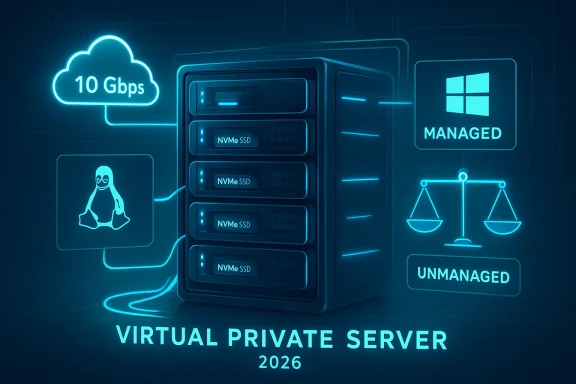 Background: why VPS still matters in 2026
Virtual Private Servers (VPS) combine the resource isolation of a dedicated machine with the cost-efficiency of shared infrastructure. A properly configured VPS gives you dedicated RAM, CPU, storage, and network allocation inside a partitioned host. That isolation reduces noisy‑neighbor effects, supports predictable performance, and makes scaling straightforward when traffic or workloads grow.Over the last few years, the market has shifted in two important ways. First, NVMe SSDs and improved networking (10Gbps and above in many providers) mean VPS instances frequently deliver latency and I/O performance that used to be exclusive to expensive dedicated boxes. Second, the rise of managed VPS tiers and “relaxed managed” hybrids has lowered the technical barrier: businesses can get the benefits of a VPS without hiring a full-time sysadmin.
That said, the VPS spectrum still ranges from DIY, budget VPSes to fully managed enterprise platforms. Knowing where you sit on that spectrum determines which vendor and plan will serve you best.
Overview: the practical anatomy of a VPS plan
A VPS plan is more than a price tag. The headline specs matter, but so do the hidden variables that determine real-world usability.Core specs you must check
- RAM — minimum 4 GB for modern small business sites or multiple WordPress installs; 8–16 GB for busy stores or application servers.
- CPU — vCPUs and the underlying CPU generation (older shared CPU vs dedicated cores) both affect sustained throughput.
- Storage — NVMe SSDs are the standard for high I/O; HDDs remain acceptable only for archival or low‑traffic use.
- Bandwidth — monthly transfer caps, burst behavior, and ingress/egress pricing.
- Network — data center location (latency), DDoS mitigation, and peering quality.
- Backups — snapshot cadence, retention period, restore processes, and who’s responsible for backups.
- Control panel & root access — whether you get cPanel/Plesk, a custom panel, or full root/SSH access.
- OS choices — Linux distributions or Windows Server images, and any licensing fees attached.
Non‑specs that matter just as much
- Support level — business‑hours only vs 24/7 human support, and whether support includes application‑level help.
- SLA and uptime credits — what the provider guarantees and how outages are compensated.
- Renewal pricing and add‑ons — control panels, extra IP addresses, Windows licensing, and transfer fees are common up‑charges.
- Money‑back guarantee — from 30 up to 90 days at some hosts; read the fine print.
How much does VPS hosting cost in 2026?
Expect a wide but predictable range. For general-purpose VPS hosting, most providers price basic plans from roughly $10–$20 per month for low‑end, unmanaged instances, up to $100+ per month for managed, well‑provisioned VPS plans. Enterprise‑grade Windows VPS or Windows cloud plans commonly start above that, often because of bundled Microsoft licensing.Key cost drivers:
- Managed vs unmanaged — managed plans can double or triple the price compared with unmanaged equivalents because you’re buying administration, monitoring, and backups.
- Windows licensing — Windows Server and Microsoft SQL licensing add recurring per‑vCPU or per‑instance fees.
- Storage type — NVMe SSDs cost more than SATA SSD or HDD.
- Control panels — cPanel and Plesk licenses are substantial recurring costs unless the provider bundles them.
Linux or Windows: which VPS OS should you pick?
The OS decision is a functional one, not a popularity contest.- Choose Linux if you run PHP sites (WordPress, Joomla), Python/Ruby/Node stacks, mail servers, or anything that leans on open‑source tooling. Linux is typically cheaper, easier to automate, and offers the broadest selection of control panels and images.
- Choose Windows if your stack requires ASP.NET, IIS, MS SQL Server, or other Microsoft‑specific services. Windows VPS incurs additional licensing costs and can be materially more expensive — but it’s sometimes the only practical choice for legacy enterprise apps.
Managed vs Unmanaged VPS: the trade-offs explained
Managed and unmanaged VPS are fundamentally different products.- Unmanaged (self‑managed): Lower cost, maximum control, but you’re responsible for updates, security, monitoring, backups, and troubleshooting. Ideal if you have sysadmin expertise or want to tightly control configurations.
- Managed: Higher cost, hands‑off operations. The provider handles OS updates, patching, monitoring, backups, and basic troubleshooting. Best for small businesses, agencies, and anyone without a dedicated operations team.
Picking a VPS host in 2026: a practical checklist
Before you sign up, run every prospective host through this checklist.- Does the plan include NVMe SSD or just HDD/SATA?
- What are the exact CPU allocation and whether they are shared or dedicated? (Look for “dedicated vCPU” wording.)
- How many IPv4 addresses are included, and how much extra do additional addresses cost?
- Is Windows licensing included in the price, or billed separately per vCPU?
- What control panel is provided — is it free, optional, or an extra cost?
- What is the provider’s backup policy (daily, weekly, retention)? Who performs restores and are restores free?
- What security features are included: basic firewall, DDoS protection, intrusion detection?
- What is the SLA and the history of the provider’s uptime?
- How easy is it to scale the plan? Is scaling hot (no reboot) or cold?
- What's the cancellation and refund policy — 30, 60, or 90 days?
- Are there hidden fees: IP reassignment, instant snapshot retrieval, overage charges for bandwidth?
Providers & positioning: who to consider (and why)
The market is crowded. Below are common provider archetypes and what they’re best for.- Value/consumer friendly (e.g., Hostinger, Namecheap) — low introductory pricing, adequate for small sites and projects, but look carefully at renewal pricing, support SLAs, and whether VPS plans are heavily rate‑limited.
- Performance & developer control (e.g., DigitalOcean, Vultr) — predictable pricing, API-driven control, great for developers who want to automate infra. Typically unmanaged or lightly managed.
- Managed hosting specialists (e.g., Liquid Web) — higher prices but strong managed support, often including SLAs and account managers. Good for agencies and SMBs that need reliability and hands‑on support.
- Large legacy hosts & cloud resellers (e.g., IONOS, InMotion) — broad product catalogs with both Linux and Windows options and a range of management tiers. Their scale can mean better global footprints but also mixed user experiences.
- Cloud service models (e.g., Kamatera, Cloudways) — flexible scaling and instant provisioning; Cloudways adds managed stack features on top of larger cloud providers.
Common traps, gotchas, and how to avoid them
Many VPS buyers get tripped up by the small print. These are the most common traps and how to avoid them.- Introductory pricing that more than doubles at renewal — always check the renewal rate and calculate three‑year TCO.
- Windows licensing surprises — Windows and SQL Server licensing can add tens to hundreds of dollars per month. Confirm whether license fees are included.
- “Unlimited” bandwidth or email that is actually throttled — “unlimited” often assumes normal usage; check the abuse/oversubscription policy and per‑account caps.
- Control panel licensing fees — cPanel and Plesk are frequently charged separately; budget for these.
- Backup restore costs — some providers charge for restore operations or impose limits on snapshot exports.
- IP and network charges — extra IPv4s, reserved IPs, and inbound/outbound data transfer surcharges are common.
- Support response time confusion — 24/7 support doesn’t always mean fast human response; know the guaranteed response SLA.
Security & operations: the must‑do checklist for any VPS
A VPS gives you power — and responsibility. These are non‑negotiable operational items to implement immediately.- Harden SSH: disable password auth, use key pairs, change default port, enable fail2ban.
- Configure a firewall: use host firewall (UFW/iptables) or provider‑level network ACLs.
- Keep OS and critical packages patched automatically (or via scheduled maintenance).
- Deploy regular automated backups with off‑site retention and test restores.
- Run intrusion detection and malware scanning; set up alerts/monitoring.
- Implement TLS/SSL for all site traffic; use a managed certificate where possible.
- Use application‑level best practice (least privilege, param‑sanitization, rate limits on login endpoints).
- Monitor resource usage and set alert thresholds for CPU, memory, disk I/O, and network.
- Apply a logging/retention policy and centralize logs for analysis.
- If handling payments, validate PCI compliance requirements or use a PCI‑compliant third party.
Migration and growth: planning for scale
If you expect growth, plan to scale horizontally (load balancing) or vertically (bigger instance). Consider the following sequence when migrating or scaling.- Audit current workloads: CPU, memory, disk I/O, peak traffic patterns, and storage growth.
- Choose the right baseline VPS: start slightly above observed peaks to avoid immediate upgrades.
- Use snapshot and migration tools to create a reproducible deployment image.
- Verify infrastructure dependencies (DNS TTLs, IPv4 availability, firewall rules).
- Test performance under realistic load in a staging environment using synthetic traffic tools.
- For growth beyond a single VPS, plan an architecture with:
- Load balancer + multiple app VPSes
- Separate database server (managed DB if you prefer)
- Shared storage or object storage for assets
- Automate deployments and configurations via IaC (Terraform/Ansible).
- Revisit the choice of managed vs unmanaged as complexity increases.
When to avoid VPS: use cases that need other services
VPS is versatile but not universal. Consider alternatives in these scenarios:- If you need burstable, global auto‑scaling with fine‑grained serverless pricing, consider cloud autoscaling groups or serverless platforms.
- If you require regulated compliance (HIPAA, PCI SAQ with full managed solutions), evaluate managed dedicated or compliant cloud offerings with clear attestations.
- If your app needs massive ephemeral compute (big data training, HPC), hyperscalers with GPU instances or bare‑metal clouds may be cheaper and simpler.
Critical analysis: strengths, risks, and the 2026 landscape
Strengths:- Cost efficiency: VPS delivers dedicated resources at a fraction of dedicated server costs.
- Flexibility: Full OS access (in most cases) and choice of stacks give developers control.
- Performance: NVMe and improved networking have made many VPS instances extremely capable.
- Hidden costs: licensing, control panels, and add‑ons can erode value.
- Operational burden: unmanaged VPS requires consistent sysadmin attention and security competence.
- Vendor variability: support quality, uptime, and billing practices vary dramatically between hosts.
- Increased managed offerings: providers are packaging managed services on top of traditional VPS to capture SMB demand.
- Friction around Windows hosting: licensing continues to shape Windows VPS pricing models and product packaging.
- Consolidation of features: more VPS plans now include built‑in backups, basic DDoS protection, and API automation — but the level of service still varies.
A simple procurement flow for non‑technical buyers
If you’re buying for a small business and aren’t a systems engineer, follow these sequential steps.- Specify needs: expected monthly visitors, app type (WordPress, static, Node), storage needs, backup RTO, and budget.
- Choose OS: Linux unless you must run Microsoft stack.
- Decide support model: managed if you lack tech staff.
- Shortlist 3 vendors that meet specs and compare:
- Baseline monthly price (first year and renewal)
- Backup policy and restore cost
- Windows license (if applicable)
- Money‑back guarantee
- Test with a 30–60 day plan or use a money‑back period to validate performance and support responsiveness.
- Automate backups and set alerts before going live.
- Schedule a quarterly review of usage and billing to optimize resources.
Conclusion
VPS hosting in 2026 remains one of the most cost‑effective ways to run serious web infrastructure without the overhead of dedicated hardware. The good news is that modern VPS offerings combine fast NVMe storage, solid networking, and flexible OS choices at accessible price points. The bad news is that value depends on details: Windows licensing, control panel fees, backup policies, and renewal pricing can quickly change the calculus.Be deliberate. Define your workload, choose Linux unless you need Windows, pick managed only if your team lacks operations expertise, and run any potential provider through a pragmatic checklist that goes beyond the advertised monthly price. With sensible planning and a focus on security and backups, a VPS can be the most reliable and economical foundation for your site or service in 2026.
Source: PCMag UK The Best VPS Web Hosting Services for 2026
