

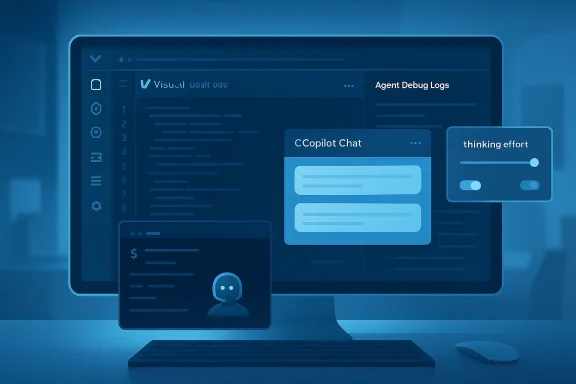
Visual Studio Code 1.116 marks one of the clearest signals yet that Microsoft wants AI features to feel native, not bolted on. The April 15, 2026 release folds GitHub Copilot Chat into the core editor experience, adds Agent Debug Logs for tracing assistant behavior, and extends terminal-aware agent tools so Copilot can work more naturally with live sessions. It is a practical release rather than a flashy one, but that may be the point: Microsoft is trying to make AI assistance more observable, more controllable, and less annoying for developers who are already under pressure to move fast.
Visual Studio Code has spent the past several years evolving from a lightweight code editor into Microsoft’s primary front door for developer AI. That shift accelerated as GitHub Copilot moved from a code-completion add-on into a broader assistant spanning chat, planning, refactoring, terminal help, and agent workflows. The 1.116 release continues that trajectory by making Copilot available built-in and by tightening the feedback loops around how AI tools behave inside the editor. (code.visualstudio.com)
The timing matters. Developer tools are no longer competing only on syntax highlighting, debugging, or extensions. They are competing on how naturally AI can participate in the workflow without forcing users to jump between browsers, side panels, or third-party apps. By baking Copilot Chat into the base installation, Microsoft reduces one of the last small frictions that still separated “trying AI” from “using AI every day.” (code.visualstudio.com)
Just as important, the release reflects a subtle maturing of Microsoft’s AI stance. Early Copilot-era messaging focused heavily on speed and productivity. This release is more about governance, traceability, and control: logging agent sessions, adjusting thinking effort, and improving terminal interaction so the assistant can be useful without becoming opaque. That is a more enterprise-friendly message, and it fits a market where organizations increasingly want AI adoption to come with visibility, not just enthusiasm. (code.visualstudio.com)
There is also an open-source dimension to the story. Microsoft says the built-in Copilot integration is part of its ongoing effort to make VS Code “the open source AI code editor,” a phrase that matters because it frames AI not as an optional plug-in ecosystem but as a core platform capability. That is a strategic declaration, not just a release-note detail, because it positions VS Code against both traditional IDEs and newer AI-first editors. (code.visualstudio.com)
At the same time, the company is careful to preserve user choice. Existing Copilot users are not forced into a new workflow, and users who do not want AI features can still disable them. That matters because the fastest way to alienate developer communities is to turn an assistant into an obligation. Microsoft seems to understand that trust is a feature, not an afterthought. (code.visualstudio.com)
But the real story is the package around that change. The release also introduces Agent Debug Logs, the ability to set thinking effort in Copilot CLI, and support for foreground terminal interaction. These are not cosmetic additions. They address the harder problems of making AI assistants work in real-world coding environments where the answer is not just text generation, but understanding context and state. (code.visualstudio.com)
For existing users, the transition is deliberately non-disruptive. The older extension continues to work, which lowers the risk of forced migration anxiety. That is a smart rollout choice because developer trust can evaporate quickly when platform vendors rewrite the rules without warning. Continuity matters as much as innovation here. (code.visualstudio.com)
This is more than a troubleshooting convenience. Agentic systems can be difficult to reason about because they often combine prompts, tool calls, terminal interactions, and intermediate decisions in ways that are not obvious to the user. A chronological log gives developers a way to reconstruct the chain of events and understand where an assistant went off track. In a sense, it turns the assistant from a black box into a forensic artifact. (code.visualstudio.com)
There is also a governance angle. When organizations deploy AI tools, they often need some record of what happened and why. Logs do not solve compliance by themselves, but they do create a path toward audits, reproducibility, and internal support. Visibility is not the same as control, but it is often the prerequisite for control. (code.visualstudio.com)
That matters because not every task needs the same level of deliberation. A quick code explanation, a shell command suggestion, and a multi-step refactoring plan all have different tolerance levels for delay. Giving developers a way to tune effort makes AI feel less like a single fixed behavior and more like a tool they can adapt to the situation. (code.visualstudio.com)
The feature is also limited to reasoning-capable models, which is a sensible constraint. Not every model should pretend to expose the same internal decision budget, and users should not be misled into thinking all systems behave similarly. That kind of clarity reduces confusion and helps set realistic expectations. (code.visualstudio.com)
This is a meaningful step because so much real development happens in terminal contexts that are inherently interactive. Package managers ask questions. Debugging tools pause for input. Scripts wait for environment values. When an agent can only operate in isolated background shells, it is often blind to the live work a developer is actually doing. (code.visualstudio.com)
Microsoft also removed the older LLM-based prompt-for-input detection, which previously added latency and extra token usage because every terminal output chunk triggered an extra classification call. The new approach handles terminal input directly, using the question carousel to defer to the user when needed. That is a nice example of product refinement driven by efficiency rather than novelty. (code.visualstudio.com)
The release also improves chat rendering performance and chat send responsiveness. Microsoft says responses should render faster, layout thrashing is reduced, and the system no longer blocks message sending while chat customizations load. These are not glamorous changes, but they matter because AI tools become frustrating fast when they feel sluggish or unstable. (code.visualstudio.com)
There is also a subtle trust effect here. When the interface is clearer, developers can better distinguish between model output, tool output, and system state. That makes it easier to believe the assistant when it is right and easier to spot when it is wrong. In an AI editor, that trust loop is a competitive moat. (code.visualstudio.com)
The built-in Copilot experience can simplify standardized workstation provisioning. Fewer steps during setup mean fewer support tickets, and fewer extension dependency issues mean less drift between developer environments. In a large organization, those are not trivial efficiencies; they translate into lower operational friction and more predictable onboarding. (code.visualstudio.com)
The ability to disable AI features remains important for organizations with stricter policy requirements. Microsoft is making Copilot more central, but it is not forcing adoption at the point of use. That balance is likely to matter for procurement and security teams who want flexibility while they evaluate where AI belongs in their stack. (code.visualstudio.com)
Agent Debug Logs will matter to power users who like to understand why an assistant made a particular choice. That is especially true for developers building custom prompts or experimenting with agent workflows, where a weird response can waste a lot of time if there is no record of the interaction. The log view makes AI feel more inspectable, and inspectability is often what converts curiosity into trust. (code.visualstudio.com)
At the same time, the new controls are a reminder that AI in the editor is not passive. Users need to pay attention to what the assistant is doing, what model it is using, and how much reasoning effort it is allowed to spend. This is a more mature workflow than the early “ask a question and hope” era, and it rewards developers who are willing to treat AI like a configurable tool rather than a magic box. (code.visualstudio.com)
This also raises the bar for rivals. IDE vendors and AI-first editors alike now have to think about how to match the blend of built-in availability, agent observability, and terminal awareness. Microsoft is leveraging the natural advantage of owning both the editor and the Copilot ecosystem, which makes the experience feel more unified than a patchwork of integrations. (code.visualstudio.com)
That said, the competitive pressure is not only external. Microsoft also has to make sure these features stay reliable enough to justify the integration. If AI is built into the default editor, users will judge the editor itself when the AI falters. That makes quality and stability more important than ever. Bundled features are only an advantage if they work well. (code.visualstudio.com)
The release also hints that future updates will likely focus on three themes: more agent visibility, more workflow context, and more model tuning. That is a sensible roadmap because it addresses the practical pain points that emerge after the novelty wears off. Users can tolerate AI that is imperfect; they are much less willing to tolerate AI that is unpredictable or impossible to inspect.
Source: Windows Report https://windowsreport.com/visual-studio-code-adds-built-in-copilot-chat-and-agent-debug-logs/
 Background
Visual Studio Code has spent the past several years evolving from a lightweight code editor into Microsoft’s primary front door for developer AI. That shift accelerated as GitHub Copilot moved from a code-completion add-on into a broader assistant spanning chat, planning, refactoring, terminal help, and agent workflows. The 1.116 release continues that trajectory by making Copilot available built-in and by tightening the feedback loops around how AI tools behave inside the editor. (code.visualstudio.com)The timing matters. Developer tools are no longer competing only on syntax highlighting, debugging, or extensions. They are competing on how naturally AI can participate in the workflow without forcing users to jump between browsers, side panels, or third-party apps. By baking Copilot Chat into the base installation, Microsoft reduces one of the last small frictions that still separated “trying AI” from “using AI every day.” (code.visualstudio.com)
Just as important, the release reflects a subtle maturing of Microsoft’s AI stance. Early Copilot-era messaging focused heavily on speed and productivity. This release is more about governance, traceability, and control: logging agent sessions, adjusting thinking effort, and improving terminal interaction so the assistant can be useful without becoming opaque. That is a more enterprise-friendly message, and it fits a market where organizations increasingly want AI adoption to come with visibility, not just enthusiasm. (code.visualstudio.com)
There is also an open-source dimension to the story. Microsoft says the built-in Copilot integration is part of its ongoing effort to make VS Code “the open source AI code editor,” a phrase that matters because it frames AI not as an optional plug-in ecosystem but as a core platform capability. That is a strategic declaration, not just a release-note detail, because it positions VS Code against both traditional IDEs and newer AI-first editors. (code.visualstudio.com)
At the same time, the company is careful to preserve user choice. Existing Copilot users are not forced into a new workflow, and users who do not want AI features can still disable them. That matters because the fastest way to alienate developer communities is to turn an assistant into an obligation. Microsoft seems to understand that trust is a feature, not an afterthought. (code.visualstudio.com)
What Microsoft Actually Changed
The headline change is simple: GitHub Copilot Chat is now built into Visual Studio Code. New users do not need to install a separate extension to get chat, inline suggestions, or agent features. The practical result is that AI starts closer to “default capability” and farther from “optional add-on.” (code.visualstudio.com)But the real story is the package around that change. The release also introduces Agent Debug Logs, the ability to set thinking effort in Copilot CLI, and support for foreground terminal interaction. These are not cosmetic additions. They address the harder problems of making AI assistants work in real-world coding environments where the answer is not just text generation, but understanding context and state. (code.visualstudio.com)
The built-in Copilot shift
Microsoft says the built-in integration removes setup friction for new users and makes Copilot available out of the box. That is a significant shift because onboarding is often where users first abandon AI features: too many sign-ins, too many prompts, too much extension wrangling. By reducing those steps, Microsoft is betting that more developers will actually get to the “aha” moment. (code.visualstudio.com)For existing users, the transition is deliberately non-disruptive. The older extension continues to work, which lowers the risk of forced migration anxiety. That is a smart rollout choice because developer trust can evaporate quickly when platform vendors rewrite the rules without warning. Continuity matters as much as innovation here. (code.visualstudio.com)
Why this matters operationally
A built-in assistant changes the perceived center of gravity in the editor. Copilot is no longer a thing you install because you want AI; it becomes part of the editor itself, a first-class component of the product. That may sound subtle, but subtlety is often how platform strategy is executed. (code.visualstudio.com)- Less setup friction for new users.
- More consistent availability across fresh installs.
- Tighter integration with editor UI and workflows.
- Stronger default path for Microsoft’s AI ecosystem.
- Lower likelihood that users treat AI as an experiment.
Agent Debug Logs: Transparency as a Product Feature
The most interesting technical addition in 1.116 is probably Agent Debug Logs. Microsoft says the panel shows a chronological event log of agent interactions during a chat session, and that it now works for both current and previous sessions, with logs persisted locally on disk. That last part is important: it turns transient AI behavior into something developers can review after the fact. (code.visualstudio.com)This is more than a troubleshooting convenience. Agentic systems can be difficult to reason about because they often combine prompts, tool calls, terminal interactions, and intermediate decisions in ways that are not obvious to the user. A chronological log gives developers a way to reconstruct the chain of events and understand where an assistant went off track. In a sense, it turns the assistant from a black box into a forensic artifact. (code.visualstudio.com)
Why logs matter for AI debugging
Traditional debugging is already hard enough when code is deterministic. AI agents add another layer because their behavior can vary with prompt wording, workspace context, and model behavior. Debug logs help separate those factors and make the failure mode legible. That is especially valuable for teams building custom chat behaviors or layered agent workflows. (code.visualstudio.com)There is also a governance angle. When organizations deploy AI tools, they often need some record of what happened and why. Logs do not solve compliance by themselves, but they do create a path toward audits, reproducibility, and internal support. Visibility is not the same as control, but it is often the prerequisite for control. (code.visualstudio.com)
A better fit for customizations
Microsoft specifically ties the panel to debugging chat customizations. That matters because the more users customize AI behavior, the more they need observability. Without logs, custom instructions and tool behaviors can feel like guesswork; with logs, they become something closer to software engineering. (code.visualstudio.com)- Review both current and past sessions.
- Persist logs locally on disk.
- Trace agent interactions in chronological order.
- Diagnose custom chat behaviors more effectively.
- Reduce guesswork when prompts produce odd results.
Copilot CLI and the New “Thinking Effort” Controls
Another notable update is the ability to configure thinking effort for reasoning models in Copilot CLI sessions. Microsoft says users can do this from the language model picker, and that the available levels vary by model. This creates a more nuanced control surface for balancing output quality against latency. (code.visualstudio.com)That matters because not every task needs the same level of deliberation. A quick code explanation, a shell command suggestion, and a multi-step refactoring plan all have different tolerance levels for delay. Giving developers a way to tune effort makes AI feel less like a single fixed behavior and more like a tool they can adapt to the situation. (code.visualstudio.com)
Tradeoffs between speed and accuracy
In practical terms, this is the same tuning problem that has always existed in software tools, only now it applies to model inference. Faster responses are attractive in interactive workflows, but deeper reasoning can improve quality when the cost of a wrong answer is high. Microsoft’s move suggests it sees Copilot CLI as a place where developer judgment should shape model behavior, not the other way around. (code.visualstudio.com)The feature is also limited to reasoning-capable models, which is a sensible constraint. Not every model should pretend to expose the same internal decision budget, and users should not be misled into thinking all systems behave similarly. That kind of clarity reduces confusion and helps set realistic expectations. (code.visualstudio.com)
Implications for power users
Power users often want a tool that can be fast during exploration and more deliberate during high-stakes actions. The thinking-effort control points toward that kind of use. It is a small feature, but small features often reveal how a product team imagines its most serious users working day to day. (code.visualstudio.com)- Tune response quality to task complexity.
- Reduce latency when speed matters.
- Use higher effort for more complex reasoning.
- Keep control inside the language model picker.
- Restrict the feature to appropriate model types.
Terminal Integration Becomes More Practical
The terminal changes may be less splashy than the Copilot branding shift, but they are arguably more useful in day-to-day development. VS Code now lets agent tools interact with foreground terminals, not just the background terminals they created themselves. That means agents can read output from and send input to visible terminal sessions, including REPLs and interactive scripts. (code.visualstudio.com)This is a meaningful step because so much real development happens in terminal contexts that are inherently interactive. Package managers ask questions. Debugging tools pause for input. Scripts wait for environment values. When an agent can only operate in isolated background shells, it is often blind to the live work a developer is actually doing. (code.visualstudio.com)
Why foreground terminals are a big deal
Foreground-terminal support closes a persistent gap between AI assistance and real execution. It lets the assistant participate in a live session rather than merely spawning detached commands and hoping for the best. That makes agentic help more useful for development flows that are stateful and highly interactive. (code.visualstudio.com)Microsoft also removed the older LLM-based prompt-for-input detection, which previously added latency and extra token usage because every terminal output chunk triggered an extra classification call. The new approach handles terminal input directly, using the question carousel to defer to the user when needed. That is a nice example of product refinement driven by efficiency rather than novelty. (code.visualstudio.com)
Better command visibility
The updated progress messaging is another quality-of-life improvement. When the agent sends a response to the terminal, users now see which question is being answered. That may seem minor, but in long terminal sessions clarity is everything; users need to know whether the assistant is responding to a project name, a credential prompt, or something else entirely. Small clarity wins can prevent big workflow mistakes. (code.visualstudio.com)- Supports visible interactive sessions.
- Works with running REPL environments.
- Improves live-script collaboration.
- Reduces latency from terminal polling.
- Makes agent activity easier to follow.
UX and Workflow Polishing
Beyond the headline features, Microsoft has also refined chat UX in ways that make the editor feel more responsive and less fragmented. Code diffs can now render directly in the chat conversation, letting developers inspect proposed changes without hopping into a separate diff view. That reduces context switching, which is one of the biggest hidden costs in modern software work. (code.visualstudio.com)The release also improves chat rendering performance and chat send responsiveness. Microsoft says responses should render faster, layout thrashing is reduced, and the system no longer blocks message sending while chat customizations load. These are not glamorous changes, but they matter because AI tools become frustrating fast when they feel sluggish or unstable. (code.visualstudio.com)
Why polish matters in AI tools
AI assistants are judged not only by answer quality but by interaction quality. A tool that is technically capable but visually jerky or delayed will still feel unreliable. VS Code’s incremental UX work suggests Microsoft understands that the adoption of AI inside developer tools depends on the quality of the surrounding experience, not just the model underneath. (code.visualstudio.com)There is also a subtle trust effect here. When the interface is clearer, developers can better distinguish between model output, tool output, and system state. That makes it easier to believe the assistant when it is right and easier to spot when it is wrong. In an AI editor, that trust loop is a competitive moat. (code.visualstudio.com)
The agent-native direction
These UX changes also reinforce a larger product direction. Microsoft is not simply adding AI to VS Code; it is reorganizing parts of the interface around agent-first workflows. The release notes reference the Visual Studio Code Agents app as well, showing that the company is exploring a broader agent-native environment alongside the traditional editor. That suggests the future is not one AI panel, but multiple AI surfaces tailored to different tasks. (code.visualstudio.com)- Diff review happens inline in chat.
- Chat rendering is faster and smoother.
- Message sending is less likely to block.
- Subagent progress is easier to follow.
- The UI better reflects an agent-first workflow.
Enterprise Implications
For enterprise teams, the most important parts of this release are not the branding changes. They are the observability improvements, the terminal behavior refinements, and the fact that AI features are now integrated into the core product rather than stitched together from extensions. Enterprises tend to care about repeatability and supportability more than novelty, and 1.116 is clearly speaking that language. (code.visualstudio.com)The built-in Copilot experience can simplify standardized workstation provisioning. Fewer steps during setup mean fewer support tickets, and fewer extension dependency issues mean less drift between developer environments. In a large organization, those are not trivial efficiencies; they translate into lower operational friction and more predictable onboarding. (code.visualstudio.com)
Governance and support value
Agent Debug Logs may become especially useful in managed environments where support teams need to troubleshoot AI behavior. If an internal custom assistant behaves oddly, having a session history is vastly better than relying on a vague user complaint. The same is true for terminal interactions, where traceability can help teams determine whether an agent ran the wrong command or simply encountered an interactive prompt. (code.visualstudio.com)The ability to disable AI features remains important for organizations with stricter policy requirements. Microsoft is making Copilot more central, but it is not forcing adoption at the point of use. That balance is likely to matter for procurement and security teams who want flexibility while they evaluate where AI belongs in their stack. (code.visualstudio.com)
Where enterprises may benefit most
The practical enterprise upside is likely to show up in three places. First, help desks can troubleshoot agent sessions more effectively. Second, development leads can standardize AI-assisted workflows with fewer moving parts. Third, security and compliance teams gain a more inspectable runtime surface than they had before. That combination is unusually important for an AI feature update. (code.visualstudio.com)- Easier rollout for new developer machines.
- Better supportability for AI-assisted workflows.
- More predictable behavior in managed environments.
- Stronger debugging for internal customizations.
- Less reliance on extension installation order.
Consumer and Individual Developer Impact
For individual developers, the biggest benefit is convenience. Opening VS Code and finding Copilot already available lowers the barrier to experimentation, especially for students, freelancers, and hobbyists who may not want to spend time assembling a stack before they can ask a question. The editor now behaves more like a ready-made assistant environment than a blank canvas. (code.visualstudio.com)Agent Debug Logs will matter to power users who like to understand why an assistant made a particular choice. That is especially true for developers building custom prompts or experimenting with agent workflows, where a weird response can waste a lot of time if there is no record of the interaction. The log view makes AI feel more inspectable, and inspectability is often what converts curiosity into trust. (code.visualstudio.com)
Better fit for interactive coding
The foreground terminal support may be the sleeper hit for hands-on developers. Anyone who works with shells, REPLs, or interactive scripts knows how often the line between “AI assistance” and “manual intervention” gets blurry. Allowing the agent to participate in that live environment makes the assistant feel much more embedded in the actual work of coding. (code.visualstudio.com)At the same time, the new controls are a reminder that AI in the editor is not passive. Users need to pay attention to what the assistant is doing, what model it is using, and how much reasoning effort it is allowed to spend. This is a more mature workflow than the early “ask a question and hope” era, and it rewards developers who are willing to treat AI like a configurable tool rather than a magic box. (code.visualstudio.com)
What this means in practice
The consumer-facing outcome is less about spectacle and more about reduced friction. New users get started faster. Experienced users get better visibility. And everyone benefits from a version of Copilot that is more integrated, more tunable, and more grounded in the realities of terminal-heavy development. That is a meaningful step forward, even if it is not the kind of release that grabs headlines outside the developer world. (code.visualstudio.com)- Faster Copilot onboarding.
- More transparent assistant behavior.
- Better support for live terminal work.
- Improved productivity for custom workflows.
- Fewer hoops for everyday AI usage.
Competitive Context
Microsoft’s move should be read against a broader competitive backdrop. AI coding tools are increasingly competing on integration depth, not just model quality. When one product makes the assistant available by default and another requires additional setup, the difference can shape adoption faster than any benchmark chart. (code.visualstudio.com)This also raises the bar for rivals. IDE vendors and AI-first editors alike now have to think about how to match the blend of built-in availability, agent observability, and terminal awareness. Microsoft is leveraging the natural advantage of owning both the editor and the Copilot ecosystem, which makes the experience feel more unified than a patchwork of integrations. (code.visualstudio.com)
Why integration depth wins
Developer tools do not win by promising the most AI in abstract. They win by making the AI fit the workflow with the least cognitive overhead. Built-in Copilot in VS Code is a classic platform move: take a feature users increasingly want, move it closer to the core, and make it feel inevitable. (code.visualstudio.com)That said, the competitive pressure is not only external. Microsoft also has to make sure these features stay reliable enough to justify the integration. If AI is built into the default editor, users will judge the editor itself when the AI falters. That makes quality and stability more important than ever. Bundled features are only an advantage if they work well. (code.visualstudio.com)
The likely market effect
Expect more editor vendors to emphasize visible logs, configurable reasoning, and deeper shell integration. Those are the kinds of features that turn AI from a novelty into a workflow dependency. Microsoft’s strategy suggests the next phase of competition will be about agent ergonomics, not just model access. (code.visualstudio.com)- Integration depth becomes a differentiator.
- Default availability lowers adoption barriers.
- Logging and transparency gain strategic value.
- Terminal-aware agents become more important.
- Competitors will likely imitate the workflow approach.
Strengths and Opportunities
This release is strongest where it focuses on practicality. Microsoft has not just added more AI; it has added better ways to use AI, more ways to inspect it, and fewer barriers to getting started. That combination creates a credible path for deeper Copilot adoption across both casual and enterprise developer audiences.- Built-in Copilot reduces setup friction for new users.
- Agent Debug Logs improve transparency and troubleshooting.
- Foreground terminal support makes agents more useful in real workflows.
- Thinking effort controls let users tune speed versus quality.
- Faster chat rendering improves day-to-day usability.
- Preserved compatibility lowers migration risk for existing users.
- Disable options help organizations maintain policy control.
Risks and Concerns
The same changes that make Copilot more powerful also make it more central, and centralization brings risk. The more VS Code relies on AI surfaces, the more users will notice failures, latency, misfires, and trust issues. A built-in assistant can become a built-in frustration if Microsoft does not keep quality high.- Deeper integration makes AI problems feel like editor problems.
- Persistent logs may raise local privacy or retention questions.
- More capabilities can increase the complexity of configuration.
- Terminal access increases the potential impact of mistakes.
- Reasoning controls may confuse less technical users.
- AI defaults could unsettle users who prefer a minimal editor.
- Workflow dependence may amplify disruption if services degrade.
Looking Ahead
The most important question now is not whether Copilot belongs in VS Code; Microsoft has already answered that by making it built-in. The question is how far the agent model will spread into the rest of the editor and whether the company can keep the experience understandable as the surface area grows. If the answer is yes, VS Code could become the reference implementation for mainstream AI-assisted development.The release also hints that future updates will likely focus on three themes: more agent visibility, more workflow context, and more model tuning. That is a sensible roadmap because it addresses the practical pain points that emerge after the novelty wears off. Users can tolerate AI that is imperfect; they are much less willing to tolerate AI that is unpredictable or impossible to inspect.
- Expansion of agent logging and diagnostics.
- More controls for model behavior and latency.
- Broader terminal and shell integration.
- Continued refinement of chat performance and UX.
- Additional built-in extensions for language-specific workflows.
Source: Windows Report https://windowsreport.com/visual-studio-code-adds-built-in-copilot-chat-and-agent-debug-logs/
Last edited:
