

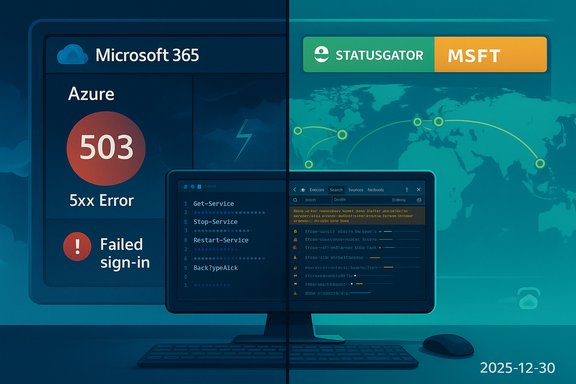
On December 30, 2025, a fresh round of community posts — led by a DesignTAXI thread asking “Is Microsoft 365 / Azure down?” — sparked rapid alarm among admins and end users worldwide; the early signal looked like a portal-wide outage to many, but cross-checks with Microsoft’s published guidance and independent monitors show a more complicated picture: localized portal and routing failures reported by users, while global telemetry and status aggregators indicated Microsoft 365 and Azure services were largely operational. This article reconstructs what happened on December 30, 2025, parses the evidence from community channels and official telemetry, explains the technical failure modes that make single-component problems appear global, and gives a practical verification and mitigation playbook for Windows admins and IT teams who must respond under pressure.
Community forums and social platforms act as the first line of alert for cloud incidents. On high‑sensitivity days — after a string of high‑impact incidents earlier in 2025 — a handful of portal or authentication errors can trigger a cascade of reports that look like a full outage. DesignTAXI’s community thread on this question follows that familiar pattern: rapid, anecdotal reports of sign‑in failures and portal 5xx errors, mixed with regionally scattered success reports.
At the same time, independent status aggregators and Microsoft’s guidance are the canonical sources for whether a global outage exists. On December 30, several public monitors polled Microsoft’s official endpoints and showed the Microsoft 365 suite and Microsoft 365 apps as operational in their last checks, even while user reports and Reddit threads described portal instability in locations like the UK, West Europe, and parts of the U.S. Putting those two signals together gives a working hypothesis: a combination of regionally scoped routing/DNS anomalies and tenant‑scoped authentication/portal problems produced visible—but not uniformly global—service disruption symptoms.
For IT teams, the durable lesson remains: treat community reports as immediate alerts — verify with tenant and provider telemetry, preserve diagnostics, and have tested fallback paths for mission‑critical functions. The cloud’s convenience is real; so is the need for a practiced contingency plan.
Source: DesignTAXI Community https://community.designtaxi.com/topic/21534-is-microsoft-365-azure-down-december-30-2025/
 Background / Overview
Community forums and social platforms act as the first line of alert for cloud incidents. On high‑sensitivity days — after a string of high‑impact incidents earlier in 2025 — a handful of portal or authentication errors can trigger a cascade of reports that look like a full outage. DesignTAXI’s community thread on this question follows that familiar pattern: rapid, anecdotal reports of sign‑in failures and portal 5xx errors, mixed with regionally scattered success reports.At the same time, independent status aggregators and Microsoft’s guidance are the canonical sources for whether a global outage exists. On December 30, several public monitors polled Microsoft’s official endpoints and showed the Microsoft 365 suite and Microsoft 365 apps as operational in their last checks, even while user reports and Reddit threads described portal instability in locations like the UK, West Europe, and parts of the U.S. Putting those two signals together gives a working hypothesis: a combination of regionally scoped routing/DNS anomalies and tenant‑scoped authentication/portal problems produced visible—but not uniformly global—service disruption symptoms.
What the DesignTAXI thread and community reports actually said
Symptom cluster seen in the thread
- Login failures to Microsoft 365 and Azure Portal from multiple users.
- Azure Portal pages returning 503/5xx or failing to render for some regions.
- Inconsistent reports: users in other regions reported normal operation or intermittent access.
How the community framed the event
The DesignTAXI thread mirrored a wider pattern documented in community archives: immediate noise, quick sharing of anecdotal workarounds (switch to desktop apps, test from mobile networks), and rapid escalation to outage trackers like Downdetector and Reddit. Community writeups frequently advise admins to preserve logs and to cross‑check provider telemetry before making SLA claims — guidance echoed repeatedly in December community posts.What independent monitors and official channels reported
- Status aggregators polled Microsoft’s public status endpoints around the morning of December 30 and reported the Microsoft 365 suite and Microsoft 365 apps as up in the most recent checks. These monitors did not show a matched global incident spike at the same timeframe when many community users reported problems.
- Reddit and other community feeds contained contemporaneous reports of portal failures and DNS‑related errors from several regions; those posts suggest the event manifested first and most visibly at the portal/edge layer rather than as a wholesale data‑plane outage affecting storage or compute everywhere.
- Microsoft’s own method for verification — the Microsoft 365 Admin Center Service Health and the Microsoft status pages — remain the authoritative telemetry sources for tenant‑scoped incidents and global operator notices. Microsoft’s published guidance instructs admins to consult their tenant's Service Health for confirmed incidents and to include incident IDs when escalating.
Why portal or edge problems look like “everything is down”
The control‑plane / edge fabric effect
Microsoft fronts management and identity surfaces (Azure Portal, Microsoft 365 admin flows, Entra/Azure AD token issuance) behind shared global edge fabrics such as Azure Front Door and other CDN/edge layers. When those routing or control components misbehave — by a bad configuration, DNS convergence issue, or capacity spike — the visible symptom is identical across many downstream services: sign‑in failures, blank portal blades, 5xx errors, and token timeouts. That’s what made October 29’s Azure Front Door control‑plane incident so disruptive, and the same anatomy explains why smaller, localized faults on December 30 would create strong community alarm.Token/identity failures amplify perceived impact
Authentication tokens (issued by Entra/Azure AD) are the gateway to many web surfaces. A token issuance slowdown or regional validation failure prevents sign‑in even when back‑end compute or storage is reachable. In past incidents, Microsoft has identified token generation or identity‑related regressions as root causes for visible Microsoft 365 outages; similar telemetry patterns were visible in several mid‑2025 incidents and are a plausible cause for the intermittent failures observed by community members on December 30.Quick, practical verification checklist (for admins and power users)
If you see “Is Microsoft 365 / Azure down?” in a community feed, follow this prioritized, repeatable verification procedure before assuming a global outage:- Check your tenant’s Service Health page in the Microsoft 365 Admin Center (admin.microsoft.com → Service health). Microsoft surfaces tenant‑scoped incidents and message center notices there.
- Check Microsoft’s public status page and the @MSFT365Status feed for any global incident posts. Use the incident ID if provided when escalating.
- Confirm with at least one independent monitor (status aggregator like StatusGator or IsDown) to see whether there’s a broad spike in reports. These are helpful early signals but not authoritative.
- Try alternate vantage points: incognito browser + cellular hotspot, and a different region or machine. If Copilot/Portal works from a different network, suspect ISP/DNS or corporate-edge policies.
- Use CLI/PowerShell to access resources directly (az login, Azure CLI health probes) to separate portal rendering issues from actual data-plane failures. If CLI succeeds, the data plane is likely intact.
- Capture diagnostics: timestamps, trace IDs from error messages, browser network logs, and client telemetry. These artifacts are essential for vendor escalation and SLA claims.
- If broad tenant impact is confirmed, open a support ticket and include the incident ID, affected regions, and a compact diagnostic bundle. Escalate to the CSP or Microsoft Premier/Unified Support as needed.
Workarounds and short‑term mitigations
- Use desktop Office clients and mobile apps (which often use cached credentials and offline modes) while web surfaces are unstable.
- For urgent email continuity, configure fallback SMTP routing or temporary mail relays if Exchange Online is impacted.
- If the portal is inaccessible but workloads are live, manage resources via Azure CLI/PowerShell or automation pipelines already in place.
- Communicate clearly with stakeholders: short, factual updates every 15–30 minutes reduce churn and confusion.
These approaches have been recommended across multiple community FAQ and incident‑response writeups following earlier 2025 incidents.
Critical analysis — strengths, risks, and trust implications
Notable strengths in Microsoft’s response model
- Microsoft exposes tenant‑level Service Health and provides incident IDs for traceability. That makes vendor escalation and contract/SLA work practical when an incident is confirmed.
- The company’s large, distributed edge fabric and global footprint usually allow targeted rollback and traffic rebalancing to reduce blast radius when configuration errors occur. Past high‑impact incidents show Microsoft can implement “last known good” rollbacks and staged recoveries to avoid worsening the situation.
Recurring risks and structural weaknesses
- Shared edge/control-plane coupling: fronting management, identity, and tenant surfaces with common edge infrastructure creates a single failure mode that can make diverse services appear down simultaneously. This architectural coupling has been a recurrent factor in 2025 incidents and remains an inherent risk.
- Perception versus telemetry: crowd‑sourced trackers and community threads produce noisy—but fast—signals. Those signals are invaluable for early detection but can also produce false positives (or premature claims of global outage) when problems are localized or tenant‑scoped. The difference matters for SLA claims and public communications.
- Operational complexity from AI workloads: Copilot and other AI-driven surfaces introduce new autoscaling and traffic‑shaping failure modes. Unexpected traffic surges or inference scaling problems can create regionally concentrated outages that look like broader service failures. The December 2025 Copilot incidents underline this new class of risk.
Trust and business continuity implications
For enterprise customers, frequent but short-lived incidents erode confidence and shift procurement conversations toward resilience guarantees rather than only feature sets. Organizations should treat these events as a prompt to formalize multi‑path recovery strategies and contractual clarity about SLA credits and forensic post‑incident reviews.Why some claims in community threads are unverifiable (and what to watch for)
Community threads often contain precise numbers (e.g., “X thousand users affected”) or speculative root causes (e.g., “it’s a DNS poisoning” or “they disabled tokens globally”). These micro‑level claims are frequently unverified until Microsoft publishes a post‑incident review (PIR) or independent telemetry analysis appears. Treat these as provisional: keep the raw evidence, and flag such claims as unconfirmed until provider telemetry or a PIR corroborates them.Recommended long‑term hardening for enterprises
- Architect for partial failure: isolate critical identity paths, reduce single points of control-plane dependency, and maintain standby admin accounts with out‑of‑band management access.
- Maintain automation and runbooks: enable CLI/PowerShell fallback paths, and script validated recovery actions to reduce human errors under stress.
- Multi‑path identity and mail failover: consider alternate mail relay configurations and test secondary identity federation in emergency drills.
- Observability and forensic readiness: centralize diagnostic capture (client logs, network traces) so you can produce support bundles quickly.
These steps align with best practices validated across community incident reviews and technical analyses of recent outages in 2025.
Bottom line: December 30, 2025 — was Microsoft 365 / Azure down?
- Short answer: No confirmed global outage was recorded by Microsoft’s public telemetry or major independent status aggregators during the December 30 window, but genuine, localized portal/edge and DNS‑like errors were reported by multiple users, producing real disruption for some tenants and regions.
- The discrepancy between community reports and official status pages is consistent with earlier 2025 incidents where control‑plane or edge fabric issues produced highly visible but regionally variable symptoms. Treat community signals as early warnings — not definitive proof — and verify with tenant‑level Service Health and Microsoft’s status messages before formal escalation.
Checklist for WindowsForum readers to use now
- Step 1: If you can’t sign in, attempt an az login or PowerShell session to verify data‑plane access.
- Step 2: Check the Microsoft 365 Admin Center Service Health for incident IDs and targeted notices.
- Step 3: Use a cellular hotspot or alternate network to rule out local DNS/ISP problems.
- Step 4: Capture error codes, request IDs, and timing and open a support ticket including those artifacts.
- Step 5: Communicate internally using alternate channels (Slack, SMS) and enable desktop/offline client access where practical.
Conclusion
Community threads such as the DesignTAXI post that asked “Is Microsoft 365 / Azure down?” perform an essential public service: they surface symptoms quickly and aggregate user experiences. On December 30, 2025, those signals rightly prompted a rapid follow‑up from admins and power users. However, the evidence points to a mixed reality — real, localized portal and routing problems for some users, but no single confirmed global outage according to Microsoft’s telemetry and major independent monitors at the time of the reports.For IT teams, the durable lesson remains: treat community reports as immediate alerts — verify with tenant and provider telemetry, preserve diagnostics, and have tested fallback paths for mission‑critical functions. The cloud’s convenience is real; so is the need for a practiced contingency plan.
Source: DesignTAXI Community https://community.designtaxi.com/topic/21534-is-microsoft-365-azure-down-december-30-2025/
