

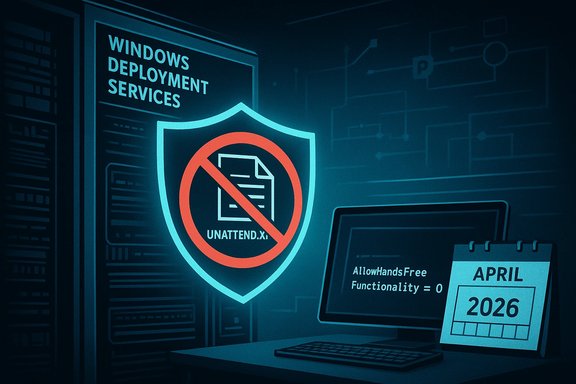
Microsoft’s January cumulative (KB5074109) has quietly forced a security crossroads for administrators who still depend on Windows Deployment Services’ (WDS) hands‑free imaging: a newly disclosed access‑control vulnerability (CVE‑2026‑0386) and an associated hardening plan mean that unsecured delivery of Unattend.xml answer files will be blocked by default in April 2026 unless administrators explicitly re‑enable the legacy behavior.
Windows Deployment Services (WDS) is long-standing infrastructure used to PXE‑boot and provision Windows images at scale. The convenience feature known as hands‑free deployment automates the Windows OOBE (out‑of‑box experience) by serving an Unattend.xml answer file during setup. Those Unattend files frequently contain configuration data and, in many real‑world workflows, secrets—service account credentials, local admin passwords used during setup, or tokens required by post‑install automation. When Unattend.xml is transmitted over an unauthenticated RPC channel, it creates a high‑value attack surface that can be abused from an adjacent network. Microsoft’s coordinated disclosure of CVE‑2026‑0386 describes this as an improper access control that can expose Unattend.xml data and, under some conditions, enable remote code execution. KB5074109, released January 13, 2026, includes several platform fixes and quality updates (NPU power management fixes, Secure Boot certificate preparatory metadata, removal of legacy modem drivers), and it also introduces the WDS hardening changes as a phased rollout. The two‑phase timeline gives administrators immediate telemetry and a registry control in Phase 1, with Phase 2 planned for April 2026 to flip the default to secure‑by‑default—disabling hands‑free delivery unless explicitly re‑enabled.
At the same time, this change imposes real operational work—especially for air‑gapped labs, legacy device fleets, or organizations with long validation windows. The April 2026 default flip is a firm deadline for planning, and using the AllowHandsFreeFunctionality toggle as a long‑term “compatibility” setting is a stopgap that re‑introduces risk unless paired with segmentation and tight credential hygiene. Finally, defenders should note that while vendor advisories list potential RCE impacts, detailed exploit technicals are limited during coordinated disclosure; assume the worst and act conservatively, but avoid over‑claiming exploitability until independent technical analyses corroborate specifics.
Microsoft’s enforcement of secure defaults for provisioning is a long‑term win for enterprise security; the near‑term challenge is operational. Organizations that act decisively—inventory, isolate, harden, migrate—will convert an awkward month of remediation into a durable reduction in attack surface.
Source: Windows Report https://windowsreport.com/microsoft-warns-of-insecure-wds-deployments-after-kb5074109-update/]
 Background / Overview
Windows Deployment Services (WDS) is long-standing infrastructure used to PXE‑boot and provision Windows images at scale. The convenience feature known as hands‑free deployment automates the Windows OOBE (out‑of‑box experience) by serving an Unattend.xml answer file during setup. Those Unattend files frequently contain configuration data and, in many real‑world workflows, secrets—service account credentials, local admin passwords used during setup, or tokens required by post‑install automation. When Unattend.xml is transmitted over an unauthenticated RPC channel, it creates a high‑value attack surface that can be abused from an adjacent network. Microsoft’s coordinated disclosure of CVE‑2026‑0386 describes this as an improper access control that can expose Unattend.xml data and, under some conditions, enable remote code execution. KB5074109, released January 13, 2026, includes several platform fixes and quality updates (NPU power management fixes, Secure Boot certificate preparatory metadata, removal of legacy modem drivers), and it also introduces the WDS hardening changes as a phased rollout. The two‑phase timeline gives administrators immediate telemetry and a registry control in Phase 1, with Phase 2 planned for April 2026 to flip the default to secure‑by‑default—disabling hands‑free delivery unless explicitly re‑enabled. What changed in KB5074109 (WDS specifics)
Phase timeline and controls
- Phase 1 (effective January 13, 2026): Microsoft added event logging for WDS unattended access and published a registry knob that lets administrators choose behavior now. In secure mode, insecure Unattend requests will be denied or logged as warnings. In insecure mode, WDS will log explicit errors when insecure settings are detected.
- Phase 2 (April 2026): Microsoft will change the default to disable hands‑free deployment over unauthenticated channels unless administrators explicitly re‑enable it via the registry value. This is a deliberate secure‑by‑default posture that aims to eliminate the long‑standing exposure.
The registry control (what to set now)
Microsoft published a concrete registry path and values:- Registry path:
HKEY_LOCAL_MACHINE\SYSTEM\CurrentControlSet\Services\WdsServer\Providers\WdsImgSrv\Unattend - DWORD name:
AllowHandsFreeFunctionality - Values:
- 0 = Block unauthenticated Unattend.xml retrieval (disable hands‑free)
- 1 = Allow hands‑free deployment (insecure; logs warnings/errors)
- reg add "HKLM\SYSTEM\CurrentControlSet\Services\WdsServer\Providers\WdsImgSrv\Unattend" /v AllowHandsFreeFunctionality /t REG_DWORD /d 0 /f
- Get‑ItemProperty -Path 'HKLM:\SYSTEM\CurrentControlSet\Services\WdsServer\Providers\WdsImgSrv\Unattend' -Name AllowHandsFreeFunctionality
Why this matters: the real operational risk
- Unattend.xml often contains secrets. Even when administrators try to avoid plaintext passwords, automation and legacy task sequences frequently require service credentials or local admin secrets. Intercepted answer files can provide credentials that enable lateral movement, domain escalation, or seeding of malicious post‑install actions.
- The attack model is adjacent network—an attacker needs local or logical adjacency (same VLAN / subnet) rather than Internet exposure. That makes the threat realistic in many enterprise contexts: contractor laptops, guest Wi‑Fi bridging, misconfigured VLANs, or compromised devices in a wiring closet can all be an attack vector.
- Provisioning infrastructure is a high‑value target. WDS servers typically have broad privileges and touch image stores, driver repositories, and domain join flows. A compromised WDS host can seed malicious images or inject persistent backdoors into every newly imaged device.
- Tooling and proof‑of‑concepts exist. Public offensive toolkits and modules have demonstrated retrieval of Unattend files in prior WDS-related weaknesses; this is not just theoretical. That history motivates Microsoft’s decision to harden the defaults.
Immediate actions for administrators (48–72 hour playbook)
- Inventory WDS servers and scope exposure.
- Identify hosts with the WDS role and the IP subnets/VLANs they serve. Include management jump boxes and service accounts with WDS privileges.
- Apply Phase‑1 mitigation now (recommended).
- Set AllowHandsFreeFunctionality = 0 to block unauthenticated Unattend retrieval where practical:
- reg add "HKLM\SYSTEM\CurrentControlSet\Services\WdsServer\Providers\WdsImgSrv\Unattend" /v AllowHandsFreeFunctionality /t REG_DWORD /d 0 /f
- Test imaging flows in a lab before broad enforcement to avoid accidental service disruption.
- If you cannot block hands‑free immediately, isolate WDS.
- Restrict access via network firewall rules and ACLs to only known imaging subnets and management hosts. Move WDS onto management‑only VLANs where possible.
- Increase logging and monitoring.
- Subscribe to Microsoft‑Windows‑Deployment‑Services‑Diagnostics/Debug and create SIEM alerts for warning/error entries introduced by KB5074109 (e.g., “Unattend file request was made over an insecure connection” or “This system is using insecure settings for Windows Deployment Services…”).
- Stop/disable WDS where not required.
- If imaging is not in active use, stopping the role is a safe temporary measure. Coordinate with Ops to avoid unintended outages.
- Prepare migration pilots.
- Pilot migrations to Windows Autopilot + Intune, Configuration Manager (SCCM) OSD, or secure WinPE scripting for air‑gapped environments. Validate BitLocker, domain join, and driver injection workflows.
Detection & hunting guidance
- Event logs: Monitor Microsoft‑Windows‑Deployment‑Services‑Diagnostics/Debug for warnings and errors related to unattend access. Create correlation rules that alert on repeated insecure retrieval attempts or requests from unknown subnets.
- Network hunts: Observe TFTP (UDP 69) activity and PXE exchanges; flag WDS RPC endpoints receiving requests from unexpected subnets (guest VLANs, contractor networks). Capture DCERPC (DCE/RPC) traffic to detect enumeration or Unattend file download attempts.
- Host telemetry: Ensure EDR sensors collect WDS service configuration changes, process creation events, and writes to image stores. Retain requested unattend.xml payloads for forensic analysis when unknown clients request them.
Migration and long‑term roadmap (3–9 months)
- Weeks 0–2: Inventory and classification.
- Catalog deployment shares, Unattend.xml locations, MDT/ConfigMgr task sequences, and dependent device groups. Tag assets by exposure and migration feasibility.
- Weeks 2–12: Pilot migrations.
- Convert a low‑risk cohort to Autopilot/ConfigMgr or tightly controlled WinPE flows. Validate driver injection, BitLocker, and domain join. Test telemetry and auditability.
- Weeks 12–36: Phased rollout and decommission.
- Use deployment rings (pilot → early adopters → broad). Once alternatives reach parity, set AllowHandsFreeFunctionality = 0 globally and remove residual Unattend distributions. Archive images and scripts under strict change control.
Technical verification steps (concise)
- Confirm registry value:
- PowerShell: Get‑ItemProperty -Path 'HKLM:\SYSTEM\CurrentControlSet\Services\WdsServer\Providers\WdsImgSrv\Unattend' -Name AllowHandsFreeFunctionality
- Expected: value 0 to enforce secure mode.
- Test blocking:
- Use a lab client on the same subnet and attempt an Unattend.xml retrieval from the WDS host.
- Verify the request is logged and denied.
- Confirm corresponding Microsoft‑Windows‑Deployment‑Services‑Diagnostics/Debug entries appear.
Cross‑verification and independent reporting
Microsoft’s official KB5074109 release notes document the WDS behavior change and the Secure Boot certificate preparations and serve as the authoritative record for the update details. The dedicated WDS Hands‑Free Deployment Hardening Guidance explicitly links the Unattend.xml transmission vector to CVE‑2026‑0386 and outlines the two‑phase plan and registry options. Independent coverage from outlets and community forums confirmed the behavior change and echoed the recommended mitigations, and community telemetry shows admins and practitioners discussing migrations and early detection playbooks. In short: vendor guidance and independent reporting converge on the core facts—this is a vendor‑driven hardening for a real risk, and administrators must act.Critical analysis — strengths, gaps, and operational risk
Strengths (what Microsoft did right)
- Secure‑by‑default trajectory. The phased rollout gives administrators time to plan while committing the platform to a secure default in April 2026—reducing attack surface long term. This aligns with modern zero‑trust and least‑privilege principles.
- Operational telemetry. New, explicit event logging for insecure unattend access provides defenders with actionable signals to triage and hunt. Good telemetry vastly improves detection and incident response times.
- Clear, executable guidance. Microsoft published the registry key, example values, and a timeline—helpful, practical artifacts for administrators to implement mitigations immediately and to plan migrations.
Gaps and risks (what to watch for)
- Operational pain for constrained environments. Air‑gapped labs, legacy imaging appliances, or regulated environments that rely on offline Unattend workflows may face sizable migration costs. Microsoft’s suggested alternatives (Autopilot, ConfigMgr, WinPE scripts) may not map cleanly to these constraints.
- Timeline pressure for some organizations. The Phase‑2 default flip in April 2026 creates a hard deadline. Organizations with long validation cycles or narrow maintenance windows must either re‑enable the insecure behavior temporarily (with documented compensating controls) or accelerate migration efforts.
- Exploitability nuance and information gaps. Microsoft’s advisory identifies the vector and impact (including potential RCE), but specific exploit chains and public proof‑of‑concepts are purposefully limited during coordinated disclosure. Defenders should assume worst‑case impact but note that claims about trivial RCE remain unverified until independent technical analyses or PoCs are published. Treat RCE claims conservatively and prioritize mitigation accordingly.
- Rollback and compatibility complexity. Setting the registry to allow hands‑free is a temporary bandage for legacy workflows—but it explicitly re‑introduces an insecure posture. Relying on that toggle as a long‑term solution is risky unless combined with strict segmentation, short‑lived credentials, and enhanced logging.
Practical checklist (concise, actionable)
- Inventory all WDS instances and tag their exposure level.
- Apply AllowHandsFreeFunctionality = 0 on non‑critical imaging servers after lab validation.
- Isolate remaining WDS hosts with firewalls/ACLs to trusted imaging subnets.
- Add SIEM alerts for new WDS diagnostics warnings/errors and hunt for suspicious TFTP/DCERPC activity.
- Pilot migration to Autopilot/ConfigMgr or secure WinPE workflows; test BitLocker and driver injection flows.
- Treat April 2026 as a hard deadline—plan resourcing and change windows accordingly.
Broader context: KB5074109 is not just about WDS
KB5074109 also addresses a number of other platform issues—an NPU power management fix, Secure Boot certificate readiness (telemetry‑driven phased cert distribution to avoid mass breakage), removal of legacy modem drivers, and fixes to WinSqlite3.dll to reduce false positives reported by security tools. These platform changes have their own operational implications—device firmware readiness, legacy hardware breakage, and, in one case, reported Azure Virtual Desktop (AVD) connection regressions that required Known Issue Rollback (KIR) mitigations in some environments. Administrators should therefore treat KB5074109 as a significant baseline update with multiple moving parts, not a narrow WDS hotfix.Final assessment
Microsoft’s decision to harden WDS hands‑free defaults is a necessary correction to a predictable provisioning weakness: artifacts used for automation must not be implicitly trusted when transported over unauthenticated channels. The vendor paired the change with pragmatic operational controls—event logging, a registry knob, and a two‑phase rollout—which makes the move responsibly managed. Administrators who treat provisioning infrastructure as a critical attack surface, and who act now to inventory WDS, apply Phase‑1 mitigations, isolate imaging services, and plan migration pilots, will materially reduce credential‑exposure risk and the possibility of scaled post‑provision compromise.At the same time, this change imposes real operational work—especially for air‑gapped labs, legacy device fleets, or organizations with long validation windows. The April 2026 default flip is a firm deadline for planning, and using the AllowHandsFreeFunctionality toggle as a long‑term “compatibility” setting is a stopgap that re‑introduces risk unless paired with segmentation and tight credential hygiene. Finally, defenders should note that while vendor advisories list potential RCE impacts, detailed exploit technicals are limited during coordinated disclosure; assume the worst and act conservatively, but avoid over‑claiming exploitability until independent technical analyses corroborate specifics.
Recommended next steps for IT leaders (summary)
- Treat KB5074109 as high‑priority: test first, then deploy to pilots, then proceed with a controlled rollout.
- Immediately inventory and isolate WDS servers; set AllowHandsFreeFunctionality to 0 where feasible after validation.
- Create SIEM rules for the new WDS diagnostics log entries and hunt TFTP/DCERPC traffic for anomalous access.
- Plan migration pilots to Autopilot, ConfigMgr, or secure WinPE for constrained environments; allocate 3–9 months for full transition.
- Coordinate with application, network, and cloud teams (AVD/Windows 365) to manage any collateral impacts and rollback procedures (KIR) if needed.
Microsoft’s enforcement of secure defaults for provisioning is a long‑term win for enterprise security; the near‑term challenge is operational. Organizations that act decisively—inventory, isolate, harden, migrate—will convert an awkward month of remediation into a durable reduction in attack surface.
Source: Windows Report https://windowsreport.com/microsoft-warns-of-insecure-wds-deployments-after-kb5074109-update/]
